Small Shield & Totem
# Small Shield & Totem
### Features
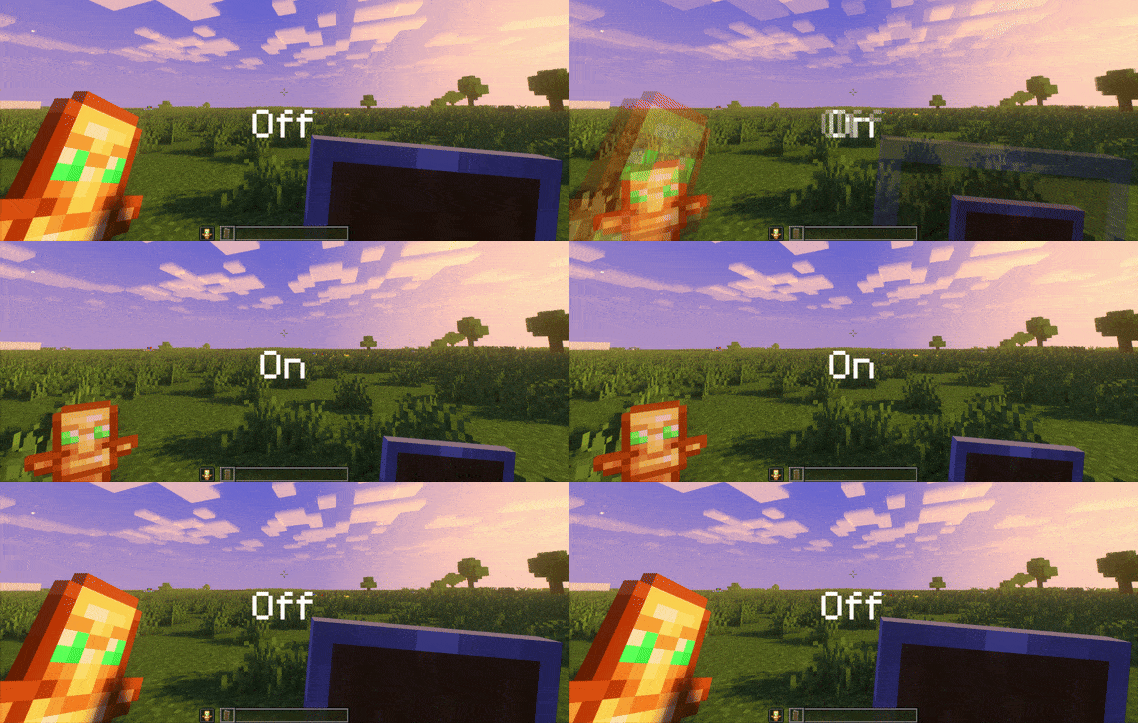
– Small shield
– Small totem
– Small totem pop
– Small totem pop particles
– No mods needed
### Compatibility
The pack works on all version from **1.9** to the **Newest**
⚠️ Versions 1.19.4 and below will tell you “the pack is for a newer version”, but it will work just fine
### Notice
Totem of undying will be extra small when placed in an item frame. This is unfortunately a side effect of the small totem pop effect
⠀
### Want a Minecraft server? Consider using Sparkedhost!
Use code ‘blob’ for 25% off
[](https://billing.sparkedhost.com/aff.php?aff=3085)
Truly Small Items
### Features
– Smallified equipment and miscellaneous items.
– Fixes multiple texture issues, such as the end crystal offset.
– Blends in well with vanilla textures.
– Fully compatible with other smallifying resource packs!
– Fully functional in any version from 1.5!
### Questions?
Be sure to make suggestions and report bugs or inconsistencies to the [Jotform](https://form.jotform.com/260524716060046)!
### What Version?
If you are using the Modrinth loader, it should automatically select the resource pack for your version!
In case you are not using the Modrinth loader, the letter determines which pack to install:
* P: 1.5 – 18w43a
* T: 18w43a – Latest
SKN’s Loopy Ores
Summary
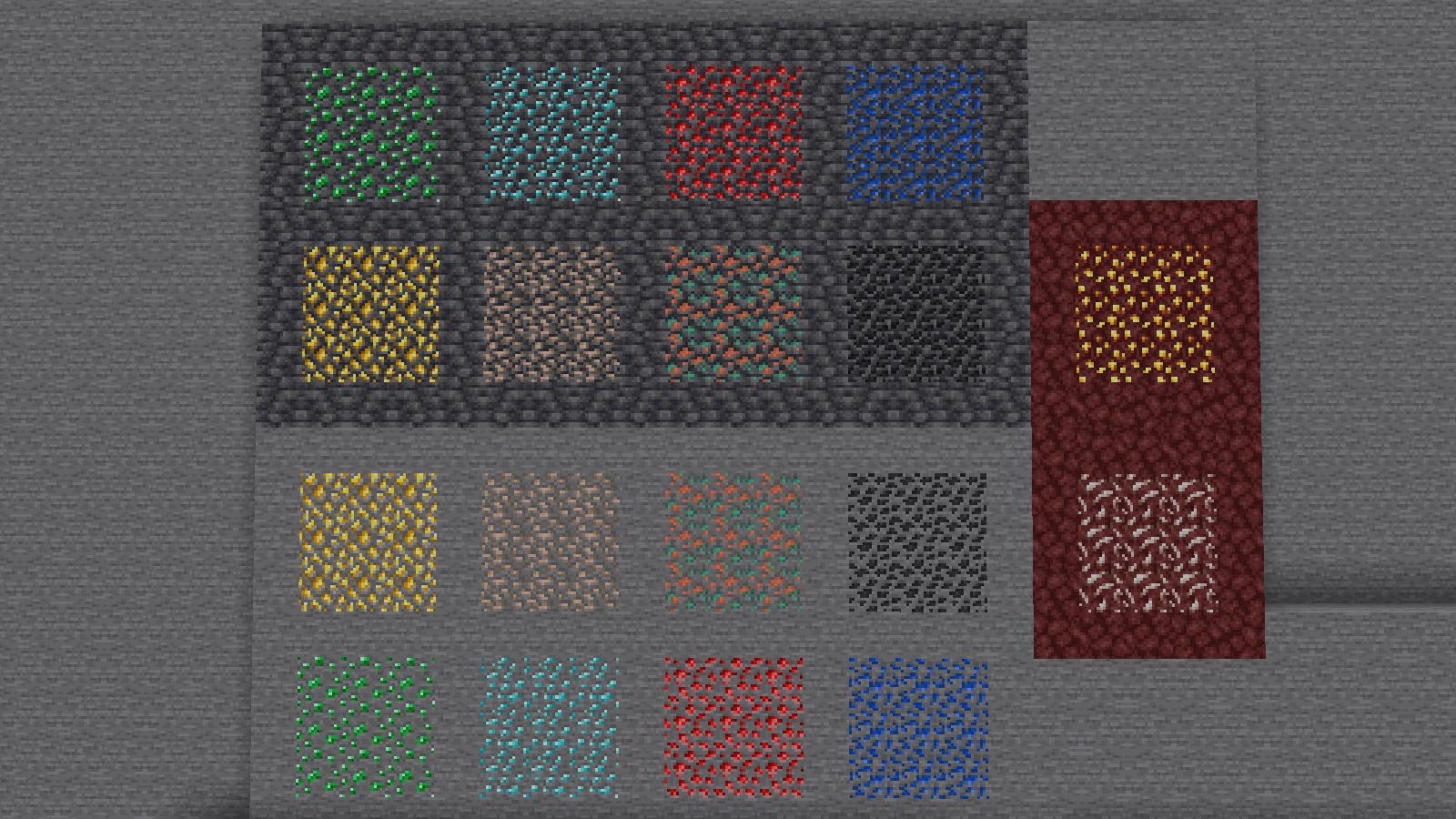
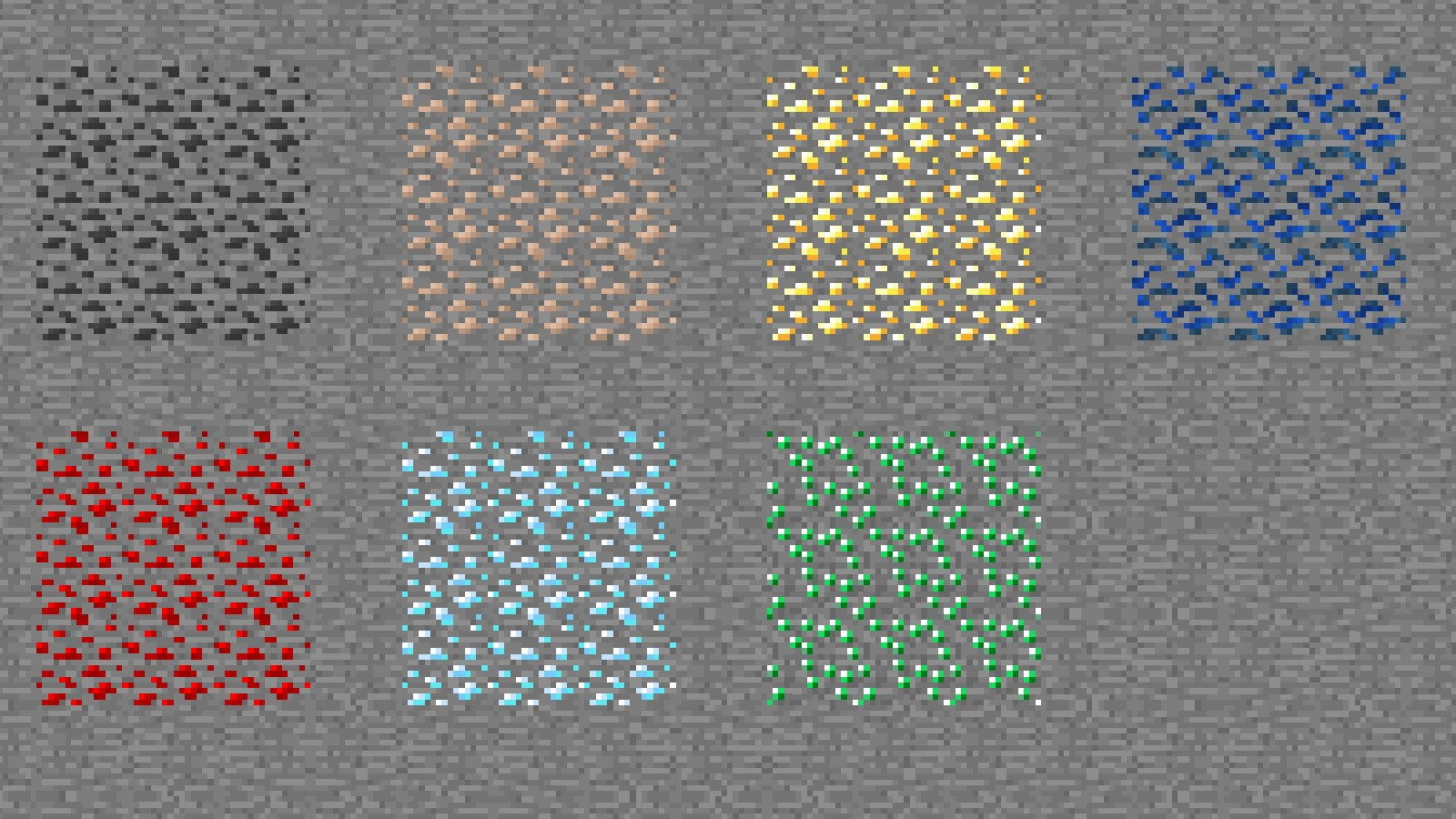
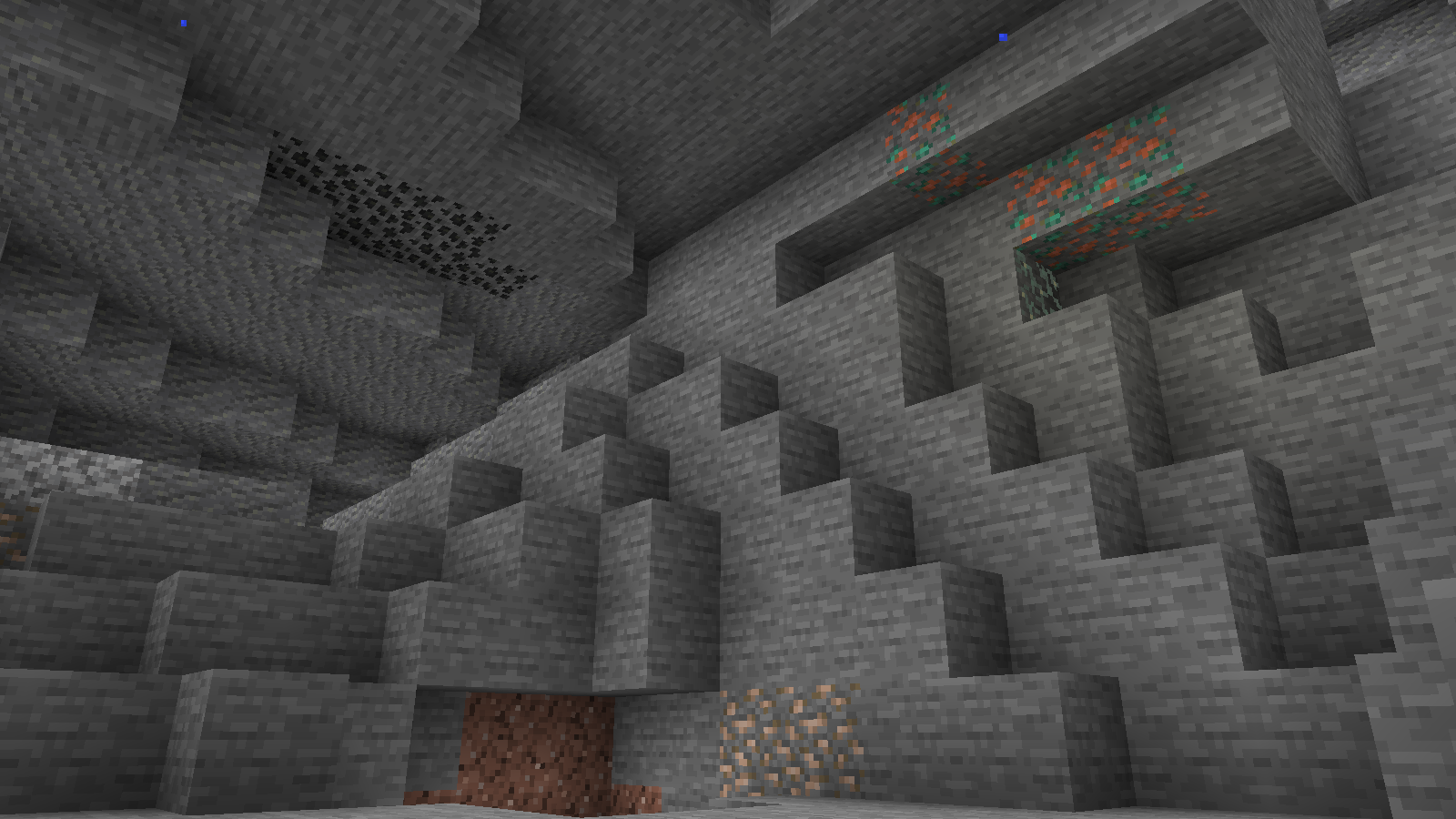
Vanilla ore textures have always seemed very “contained” in their blocks. You could draw a grid using the blocks themselves. This texture pack connects all those lonely ores together, albeit in a pretty rugged way.
This also functions as a more awesome version of all the “ore outline” resource packs.
I didn’t touch gilded blackstone or ancient debris because they’ve all been pretty cool textures already, and I wouldn’t be changing much. I included them in screenshots in the gallery, but I did not change them.
Images
All Ores Affected
1.19-Latest
1.6-1.8.9
Ingame Screenshots
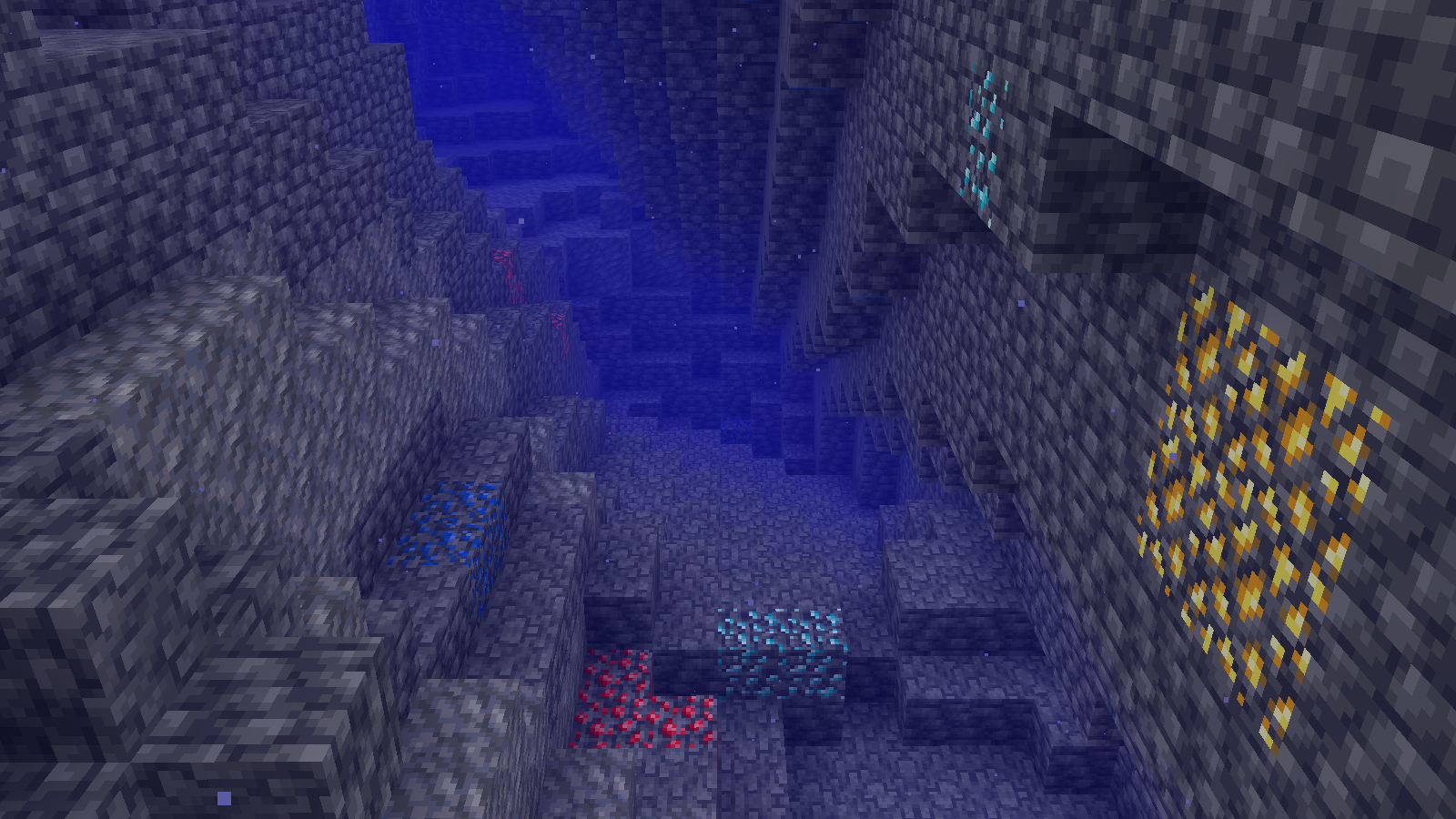
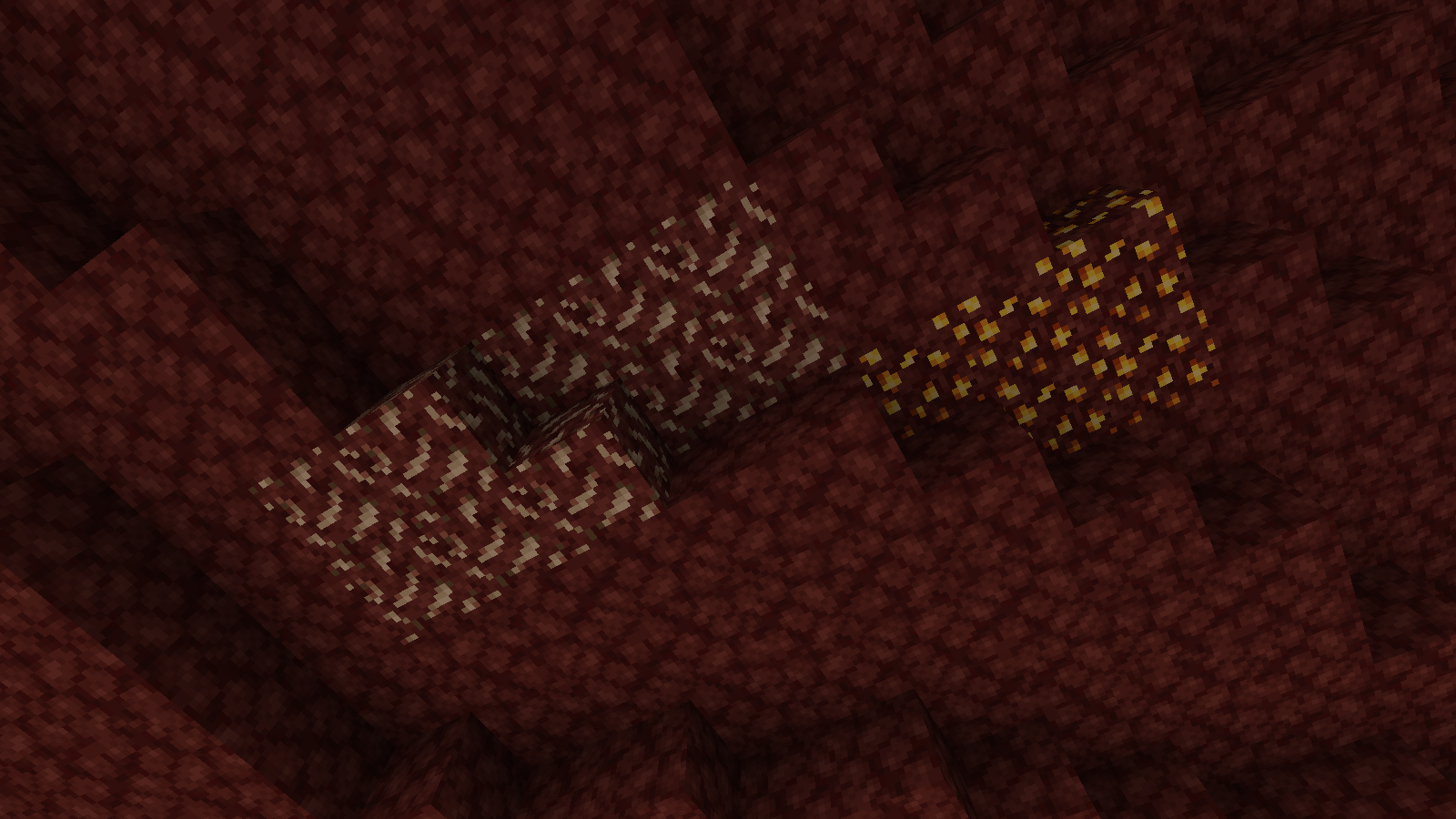
Shader Preview
Solas
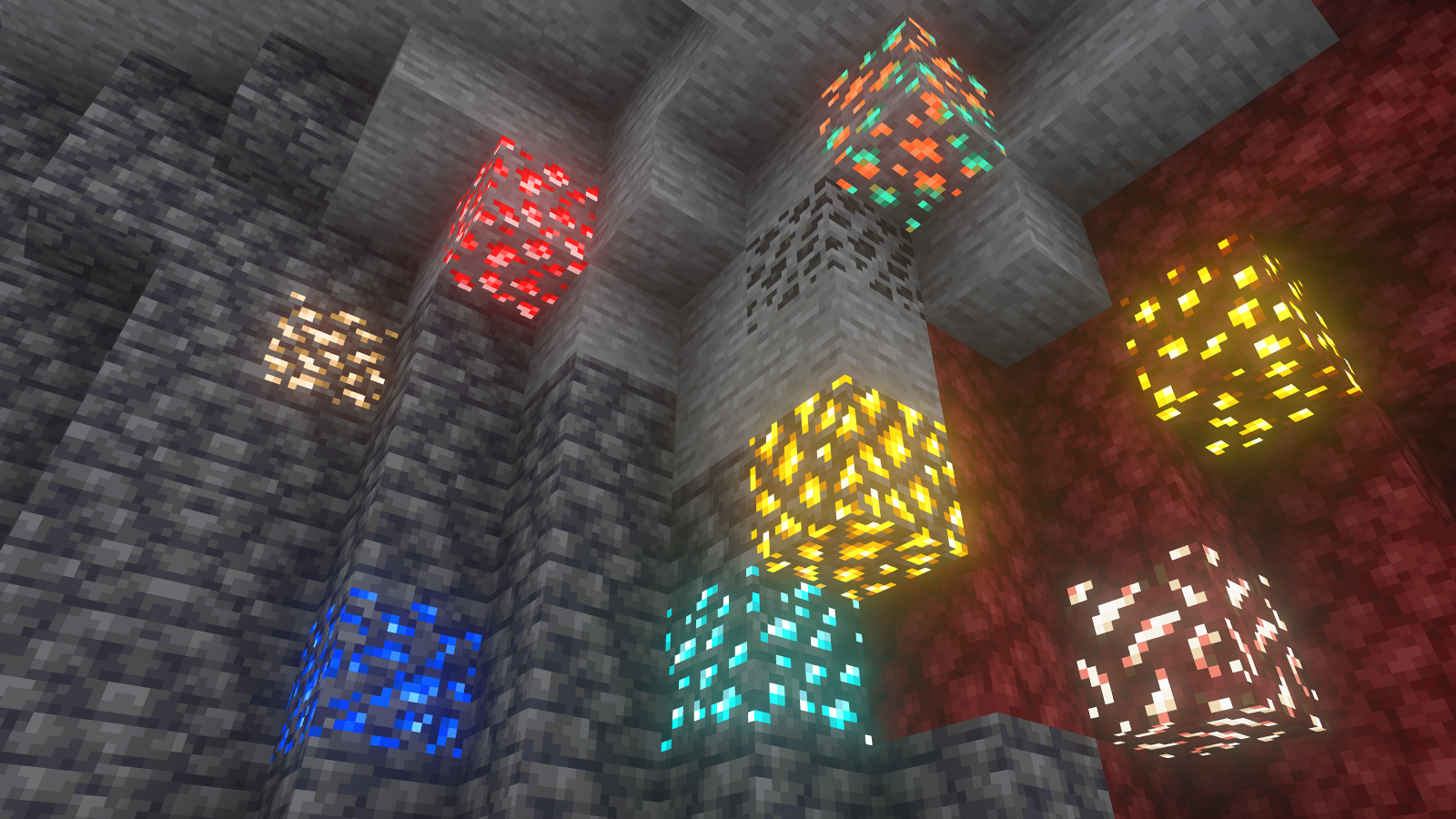
Complementary Reimagined
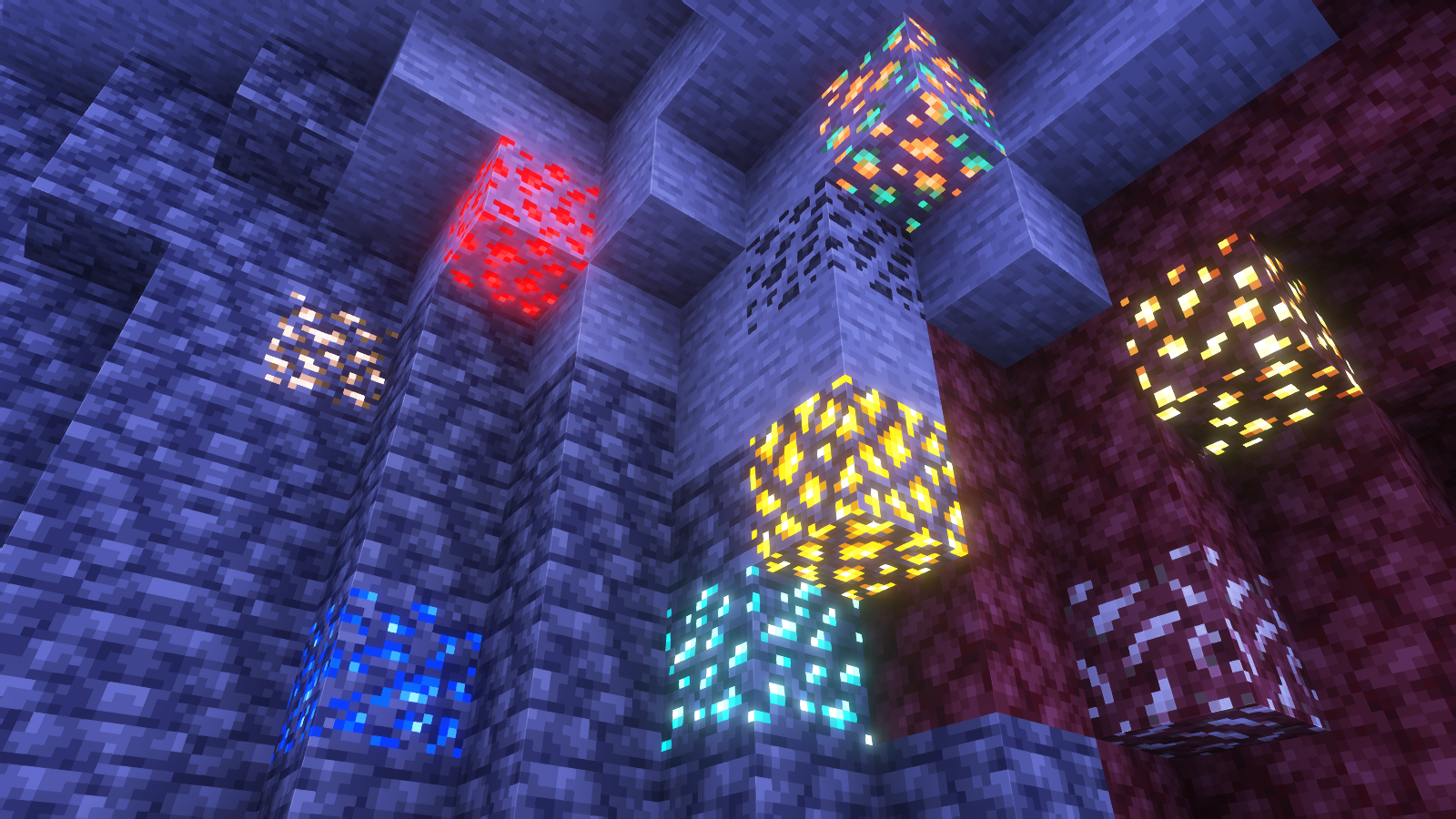
None
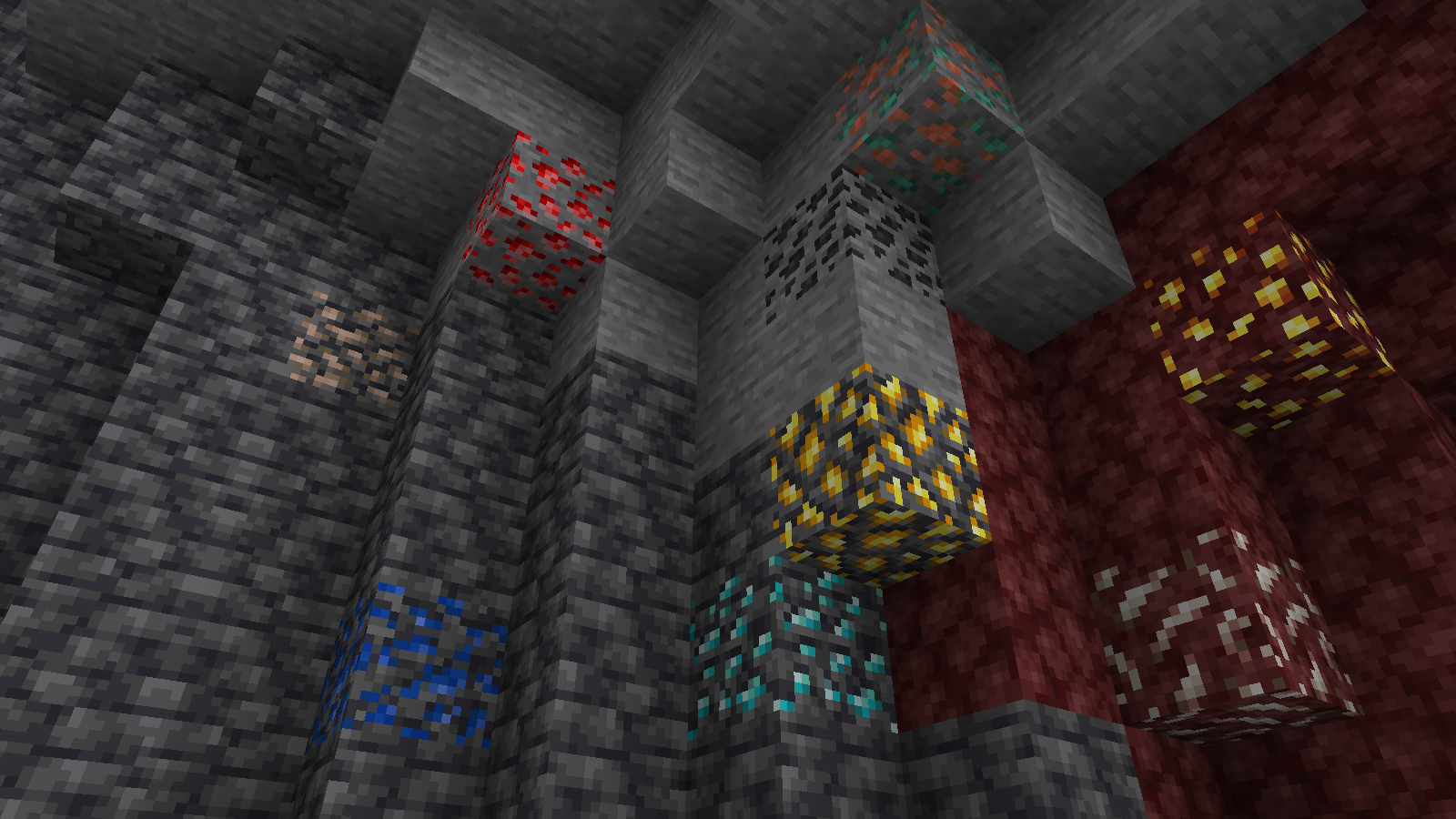
All shaders used are linked in the gallery with their corresponding images.
If you have any questions, comments, or ideas, please check out the wiki link and post them there.
Simple Voice Chat
[Modrinth](https://modrinth.com/mod/simple-voice-chat)
|
[CurseForge](https://legacy.curseforge.com/minecraft/mc-mods/simple-voice-chat)
|
[Discord](https://discord.gg/4dH2zwTmyX)
|
[Wiki](https://modrepo.de/minecraft/voicechat/wiki)
|
[FAQ](https://modrepo.de/minecraft/voicechat/faq)
|
[Credits](https://modrepo.de/minecraft/voicechat/credits)
|
[API](https://modrepo.de/minecraft/voicechat/api)
# Simple Voice Chat
A proximity voice chat for Minecraft with a variety of [addons](https://modrepo.de/minecraft/voicechat/addons) that offer additional features and functionalities.
⚠️ **NOTE** This mod requires special setup on the server in order to work.
Please read the [wiki](https://modrepo.de/minecraft/voicechat/wiki/setup) for more information.

Please join the Discord if you have questions!
## Downloads
– [Fabric](https://modrinth.com/mod/simple-voice-chat/versions?l=fabric)
– [NeoForge](https://modrinth.com/mod/simple-voice-chat/versions?l=neoforge)
– [Forge](https://modrinth.com/mod/simple-voice-chat/versions?l=forge)
– [Bukkit/Spigot/Paper](https://modrinth.com/plugin/simple-voice-chat/versions?l=bukkit)
– [Quilt](https://modrinth.com/mod/simple-voice-chat/versions?l=quilt)
– [Velocity](https://modrinth.com/mod/simple-voice-chat/versions?l=velocity)
– [BungeeCord/Waterfall](https://modrinth.com/mod/simple-voice-chat/versions?l=bungeecord)
## Features
– Push to talk
– Voice activation
– Proximity voice chat
– Password protected groups
– Automatic voice activity detection
– Automatic microphone gain adjustment
– [Opus codec](https://opus-codec.org/)
– [RNNoise](https://jmvalin.ca/demo/rnnoise/) recurrent neural network noise suppression
– OpenAL audio
– Cross compatibility between Fabric, NeoForge, Forge, Quilt, Bukkit, Spigot and Paper
– Support for Velocity, BungeeCord and Waterfall
– Compatibility with [ModMenu](https://modrinth.com/mod/modmenu) (Use [ClothConfig](https://modrinth.com/mod/cloth-config) for a better configuration UI)
– Configurable push to talk key
– Microphone and speaker test playback
– Configurable voice distance
– Whispering
– Individual player volume adjustment
– Microphone amplification
– 3D sound
– AES encryption
– Audio recording with separate audio tracks
– A powerful [API](https://modrepo.de/minecraft/voicechat/api)
– Many [addons](https://modrepo.de/minecraft/voicechat/addons)
## Icons
| Icon | Description |
|:————————————:|——————————————————-|
|  | You are talking |
|  | You are whispering |
|  | Player is talking |
|  | Player is whispering |
|  | Microphone muted |
|  | Voice chat disabled |
|  | Voice chat not connected
Voice chat not installed |
## The GUI
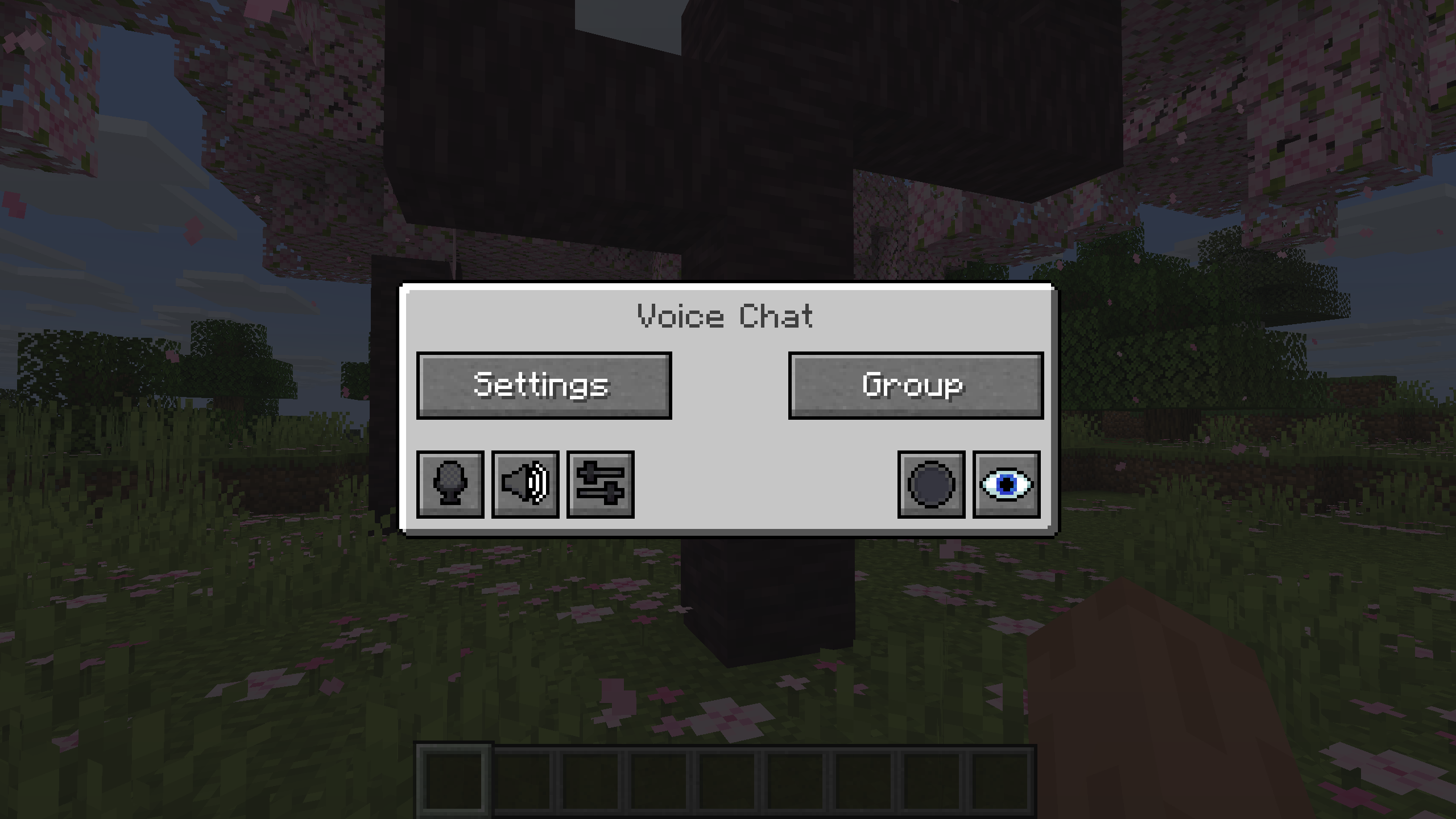
You can open the voice chat GUI by pressing the `V` key.
This allows you to open the settings, group chats, mute yourself, disable the voice chat, start/stop a recording and hide all icons.
### Group Chats
Group chats allow you to talk to players that are not in your vicinity.
To open the group chat interface, either press the group button in the voice chat GUI or just press the group key.
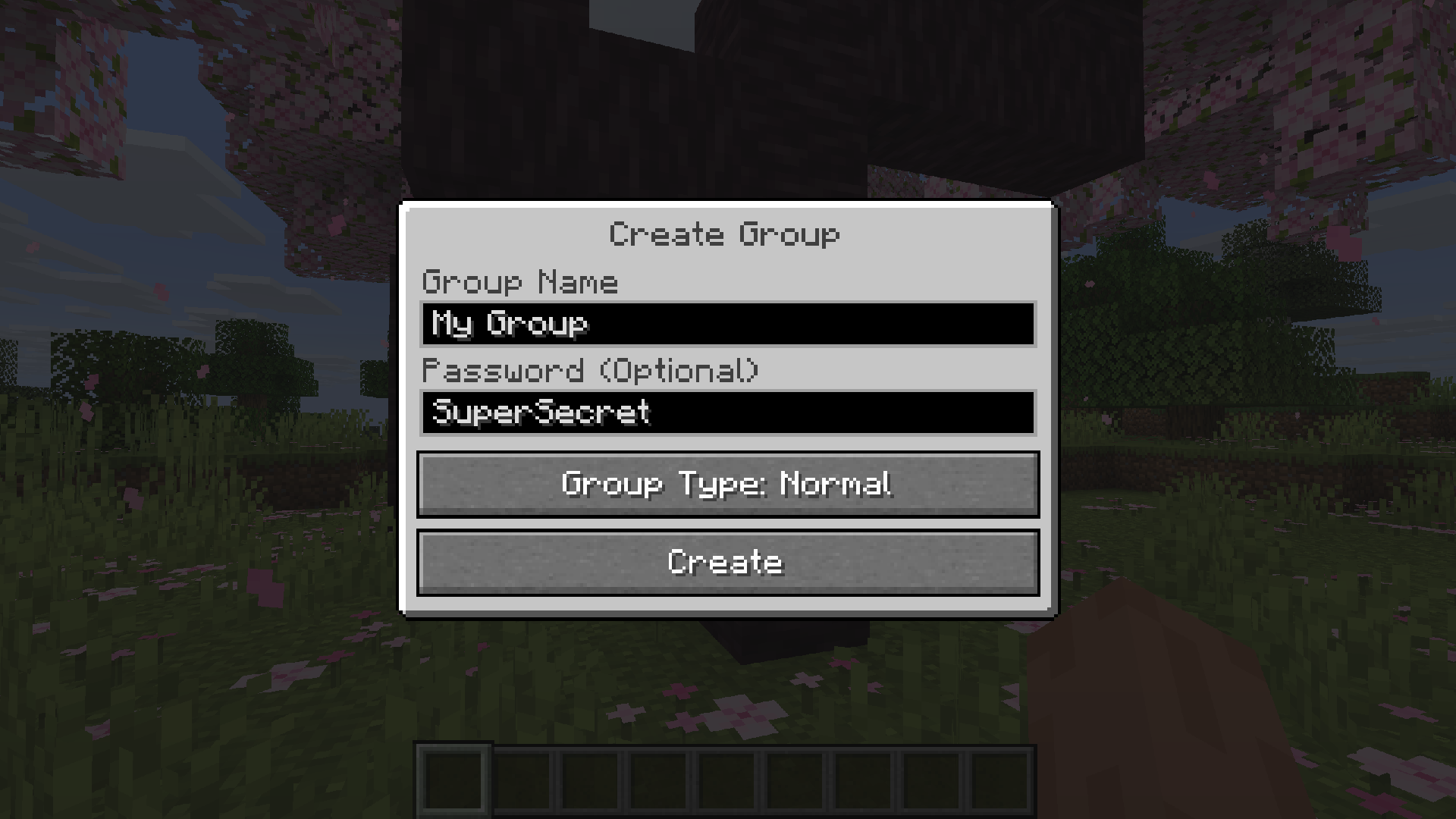
To create a new group, just type a name in the text field and press the button at the bottom.
Creating or joining a group will bring you into the group chat interface.
You will also see the heads of the group members in the top left corner of your screen.
Talking players will be outlined.
You can disable these icons by pressing the third button from the left.
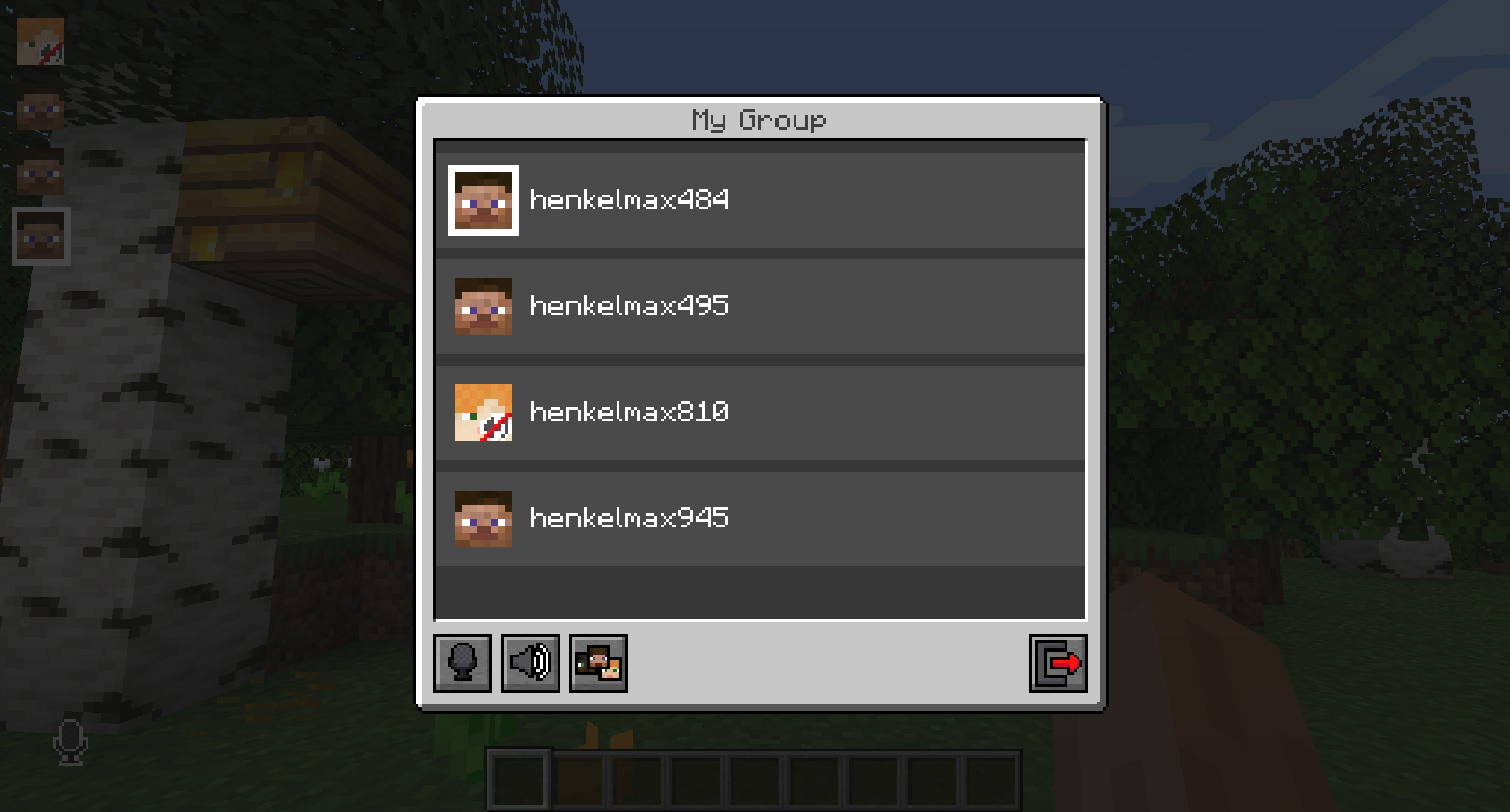
Players that are not in a group will see a group icon next to your head, indicating that you are in a group.
You can invite players to your group chat by entering the command `/voicechat invite ` or from the social interactions screen.
### Settings
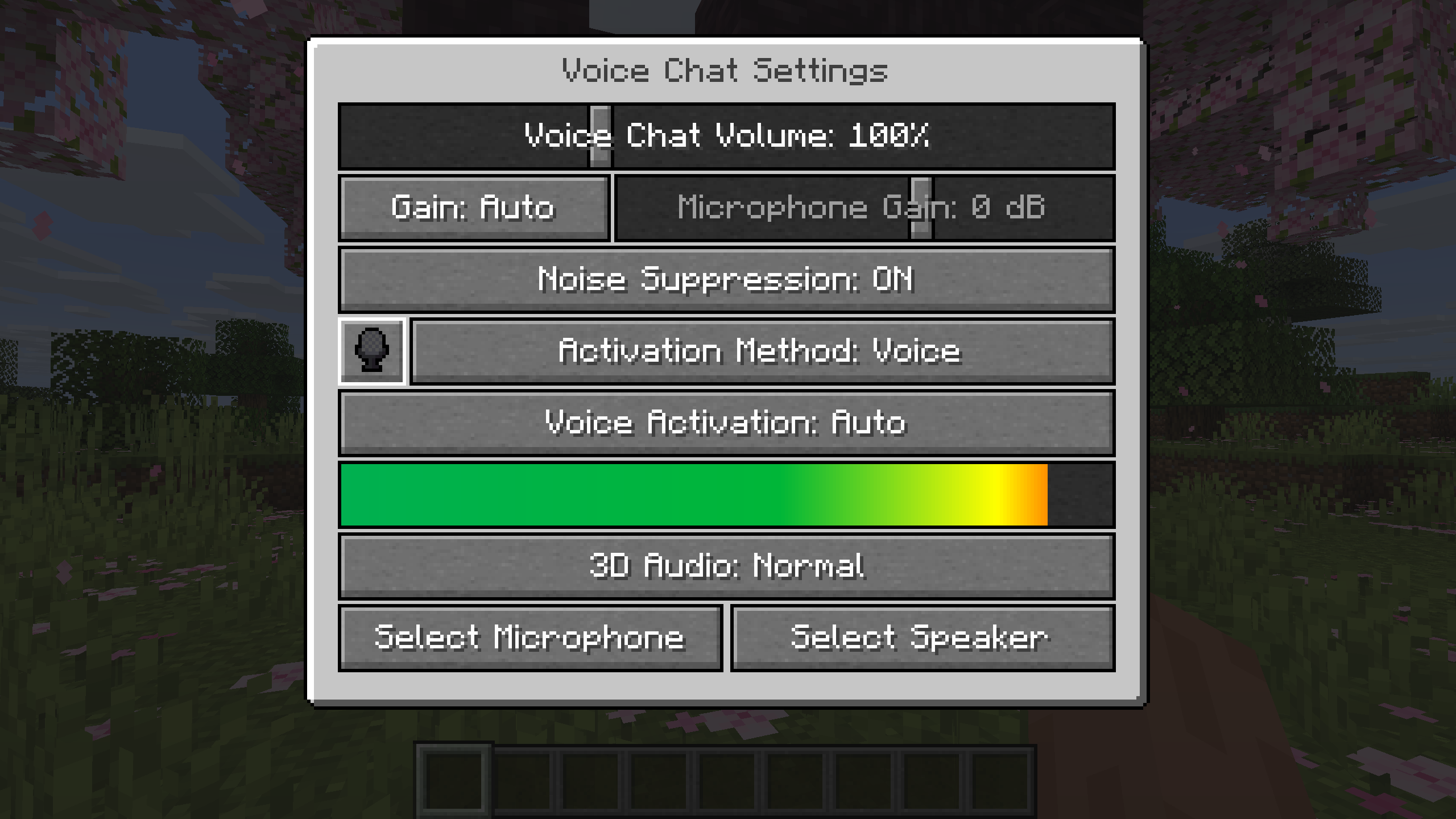
You can access the voice chat settings by pressing the `V` key and pressing the settings button.
This menu offers the ability to set up your voice chat audio settings.
By clicking the microphone button, you can test your microphone activation.
## Important Notes
You need to open a port on the server. This is port `24454` `UDP` by default.
Without opening this port, the voice chat will not work.
This port can be changed in the server config.
More information [here](https://modrepo.de/minecraft/voicechat/wiki/setup).
The voice chat is encrypted, but we don’t guarantee the security of it. Use at your own risk!
Simple Copper Pipes
REQUIRES FABRIC API
Copper pipes can quickly and easily transport items from one place to another! Simply build a pipeline and you’re good to go.
The part of the pipe with the protruding opening is the direction items will flow in. If there is no block in front of the pipe the items will shoot out, so be careful!
Pipes can also insert items into any block with an inventory like chests, hoppers, and barrels, and themselves.
Copper Pipes are crafted just how you think they’d be- three copper in a row, an empty row, and three more copper.
Moving And Dispensing Items:
If a Copper Pipe is pointing into air or water, it will automatically shoot out its items. To prevent this, placing something as simple as a Torch in front of it will suffice.
Copper Pipes will deposit their items into inventories like Chests, Barrels, and the Copper Fitting. They can also take out these items from those blocks, making them easy to use for intersections and storage.
Copper Pipes with Dispensers behind them will shoot items farther depending on their oxidization state and color, and Copper Pipes with Droppers behind them will shoot items out at a medium range, regardless of oxidization and color.
Copper Pipes that are being powered by Redstone will “shoot” specific items like Arrows, Splash Potions, and Snowballs, making them more versatile.
Waxed pipes are the fastest, while normal pipes are slightly slower.
Copper Fittings will prevent the flow of items whilst being powered.
Smoke And Water Leaking:
Copper Pipes are able to leak water and smoke under specific circumstances.
If a Pipe is Waterlogged or Water is placed directly behind the Pipe, the water will move along the Pipeline. This is visualized with drops of water falling from pipes.
Water will flow through up to 12 pipes, where it will then stop. By placing Copper Fittings in the Pipeline, you can renew the flow of water as much as you’d like.
Farmland can stay damp if under a leaking pipe that’s up to 12 blocks above it and Sugar Cane are able to
grow under these same circumstances, removing the need for you to place them next to water sources.
All mobs will be considered to be in water if under a pipe that’s up to 12 blocks above them, meaning that all mobs will be extinguished if under a pipe, and Endermen will be damaged by walking under a Leaking Pipe.
Smoke follows these same rules, needing a Lit Campfire to be placed behind the entry pipe. Copper Fittings will renew the flow of smoke.
Bee Hives and Bee Nests will count Smoking Pipes as Campfires, allowing Copper Pipes to be used in honey farming.
Oxidization, Waxing, & Lightning:
All Copper Pipes and Copper Fittings will oxidize over time. To prevent this, you can alt-click on one with a Honeycomb, or combine and Honeycomb and a Pipe/Fitting in a Crafting Table. Waxed Pipes will transport items faster, making them a more preferable choice.
Alt-clicking on a Pipe or Fitting will remove its wax, and if it’s unwaxed, will revert its oxidization stage by one.
Copper Pipes and Copper Fittings can de-oxidize from lightning, but you’ll have to set them up properly for it to work.
When a Lightning Rod is triggered on top of (or directly next to) a pipe or fitting, electricity will surge through the entire pipeline.
Each time a pipe or fitting receives electricity they’ll de-oxidize by one stage, and glowing pipes/fittings will glow.
If a Pipe or Fitting is completely oxidized, you can put it in a furnace to Corrode it.
Vibrations:
When a Copper Pipe’s opening is exposed to air, it will pick up Vibrations and send them through the pipeline, which can be used to distract Wardens or work with Sculk’s mechanics easier.
All Copper Pipes with an exposed opening will pick up Vibrations, though the Vibration particle will only appear if a Block or Entity that can listen to it is around; this can be controlled via tags, but keep in mind that this is purely visual- the Vibrations will still be emitted.
Note Blocks will also be picked up by pipes, which will also be sent through pipelines like vibrations.
Copper Fittings are not required to renew Vibrations as they can travel through entire pipelines on their own as of 1.10.
Other:
Alternate-Clicking on a pipe with a hoe will rotate it.
Pipes will bubble underwater.
(Maybe they’re not so simple after all..?)
[](https://tinyurl.com/3xhmk7fb)
Silent Horns
**Are you tired of hearing goat horns again and again?
Does your SMP friend annoy you with spamming goat horns while flying around you like a bug?**
This resourcepack will help you! 🤝
❌ There is currently no way to lower the volume of goat horn sounds exclusively, the only way is to lower the master game volume.
🔇 In this pack all goat horn sounds are replaced with silence, so you can enjoy peace without lowering your overall game volume all the way down.
### Troubleshooting
❓ If the horn sounds aren’t silenced after enabling resourcepack, you can try to rejoin the world/server or just relaunch the game entirely.
Silent Discs Plus
This Silent Discs resource pack is made specifically for use with redstone disk/jukebox ROMs. It not only silences all music discs, but also removes the “now playing” text and silences minecarts too
(Minecarts have a bad habbit of taking up the sound cap even if you can’t hear them, this pack fixes that)
Shorty Swords
Shortened Sword are Just Built Different! Aren’t they look hot?
Texture-pack makes swords a bit shorter. Supports almost **EVERY** ever existed Minecraft Version.
Shorten swords
changes every sword to a shorter varient with its distinguished style
red is netherite
blue is diamond ofc
gold is yelloish brown
iron is blueish white
stone is greyish yellow
wooden is brown
portfolio:
bit.ly/4glA9yh
shea’s simple Totem x bare bones
# shea’s simple Totem x bare bones
## what does this pack does
### it takes Totems and cleans it up
This pack does not include any bare bones textures
**Bare Bones is required for the intended look**
disclaimer if you use this pack make sure to place this pack above bare Bones in your resource pack list for it to use its own instead of bare bones
i recomend using other shader and resource packs like [bliss](https://github.com/X0nk/Bliss-Shader) to improve looks but that is optional
**you can showcase this if you want just dont redistrabute it**