Freakland Totem of Undying
– **Freakland** is a popular Minecraft server that became popular in 2025 due to the streamer 5opka (five), as well as his friends and invited guests. This resource pack replaces the Totem of Immortality with the server logo
– **Freakland** – популярный майнкрафт сервер который стал популярен в 2025 году за счет стримера 5opka (пятерка) а также его друзей и приглашенных гостей. Этот ресурспак заменяет тотем бессмертия на логотип сервера
ALL RESOURCEPACKS COLLECTION: MEMES + STREAMERS
Font Tweak
Changes the look of 7, 4, w, W, and H. My first resource pack. This resource pack was made for me to test how Minecraft handles custom fonts. Feel free to use this mod without any copyright or license issues.
Foliage+ Tweaks
—–
Vivifies the Minecraft world — more features to Minecraft.
—–
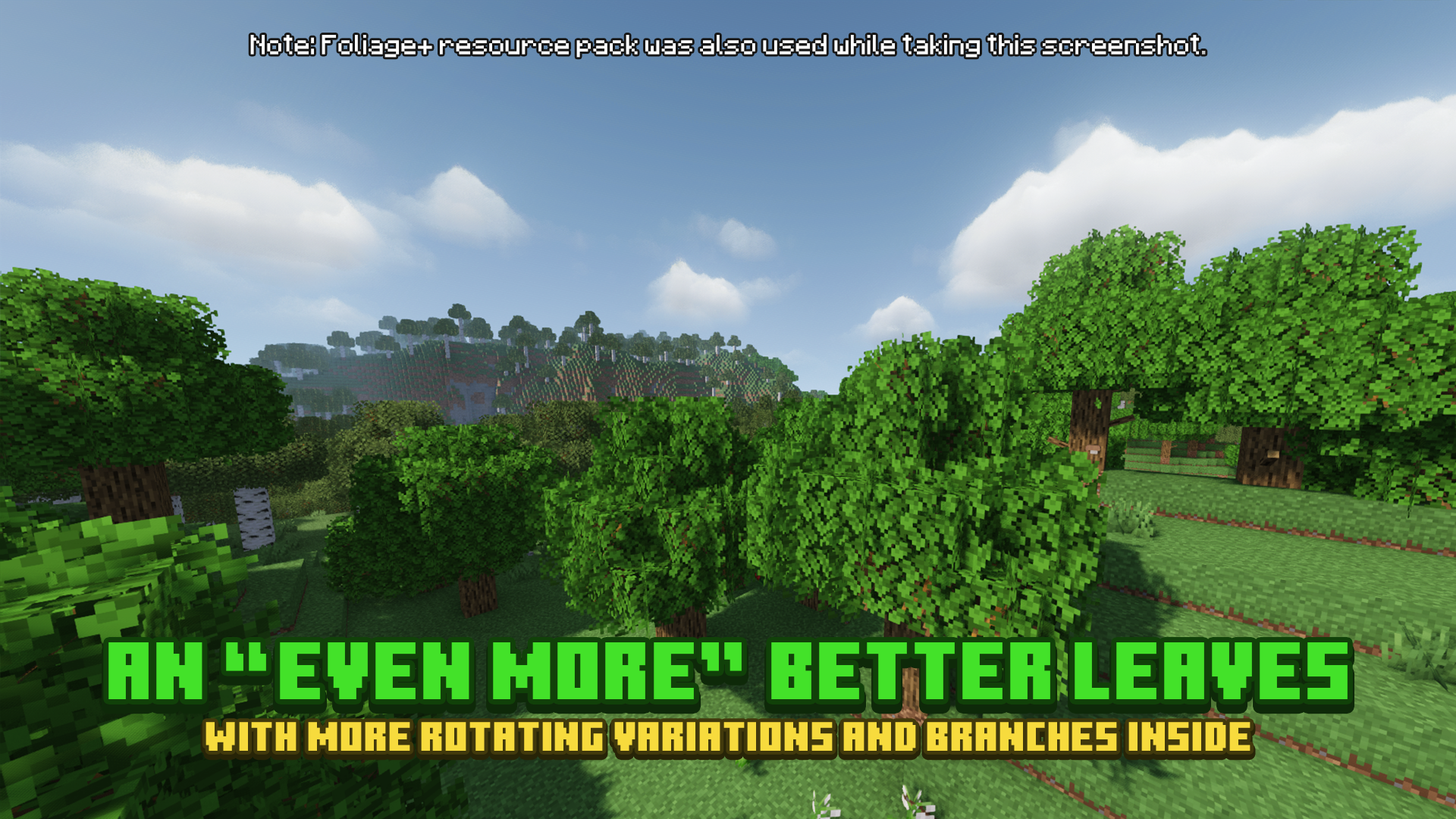
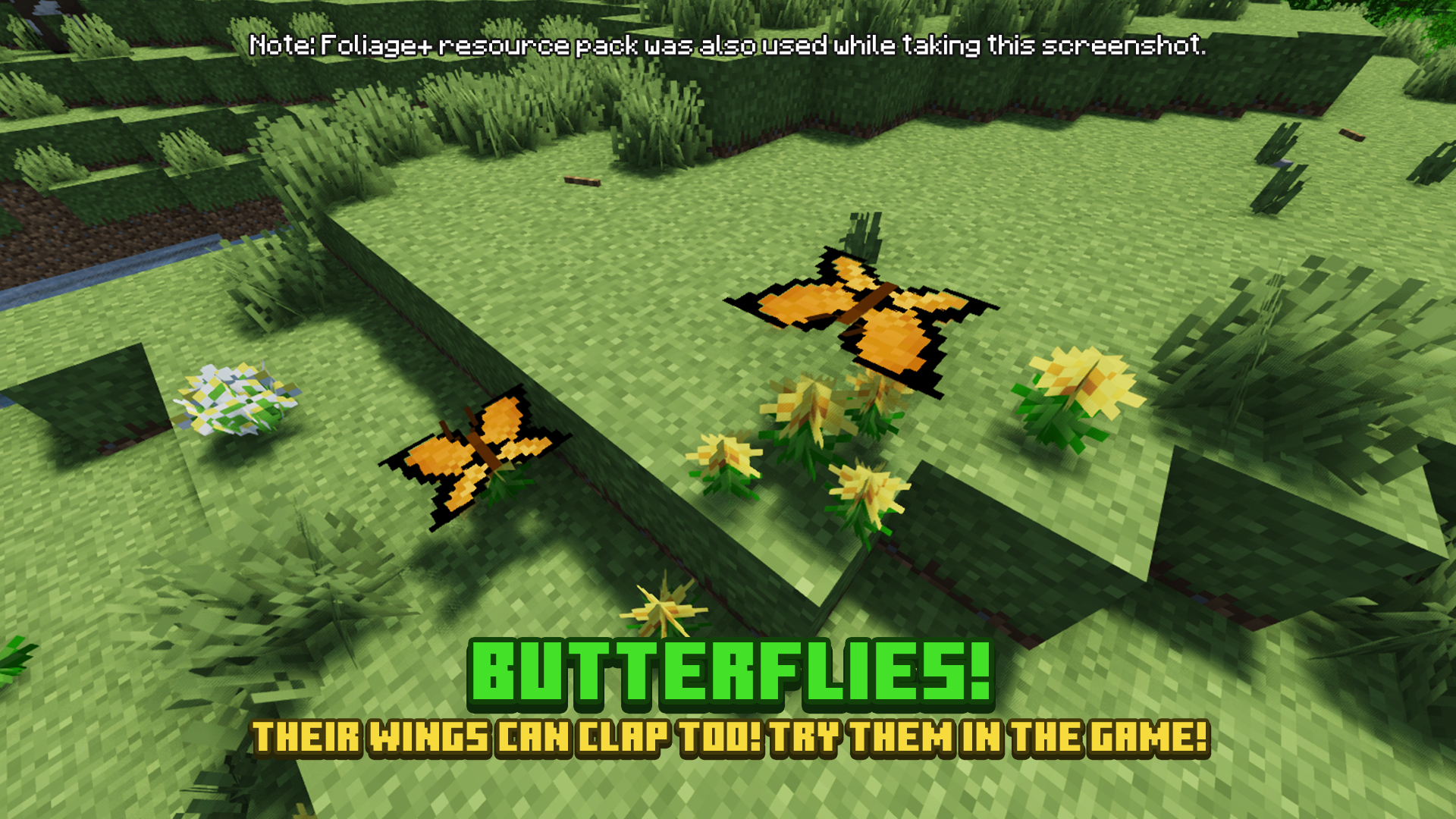
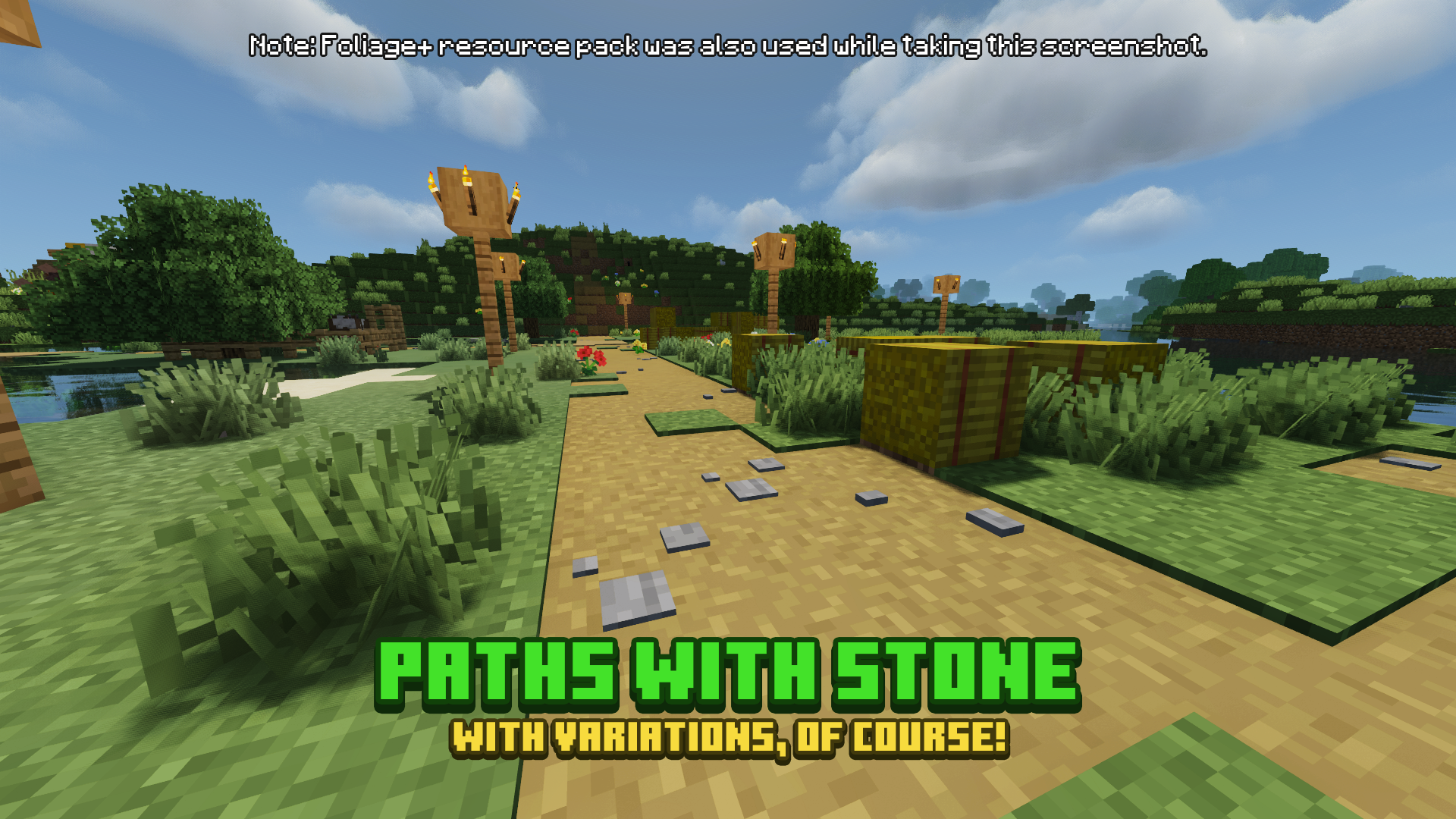
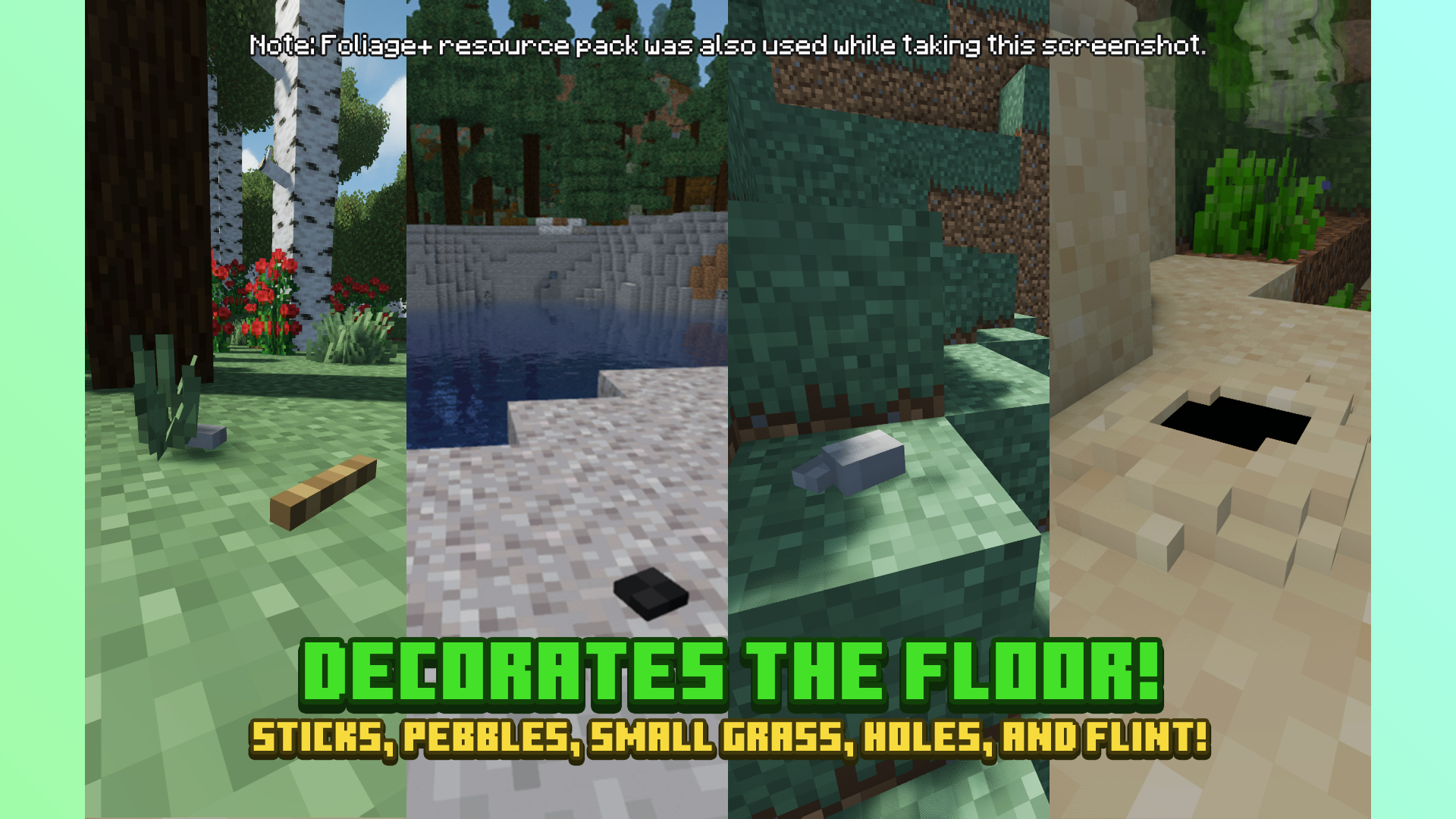
More Screenshots
## Additional Links
Old Versions | Add-Ons
## Description
**Foliage+ Tweaks** is made to improve and animate the game landscapes by adding more features to many blocks, such as mushrooms and branches on logs, skulls on sands, and many more. It tries its best to be **compatible** with other resource packs, including custom models; therefore, you can have fun using Foliage+ Tweaks with Foliage+ — the main pack — and your other favorite resource pack. 🙂
Plus, it also comes with add-ons, which you can disable certain features of Foliage+ Tweaks that you dislike.
## Recommendation
* ### Recommend using this with Foliage+
* **Setting Recommendation:**

—–

## Terms of Use

[Protected under a “NaiNonTheN00b1’s ToU [Class II]”](https://nainonth.github.io/tou#classii)
## Crediting
Thank you to these guys for the inspiration!
– Motschen for Better Grass
And Faithful Community for Faithful resource pack, used in add-ons’ pack icons.
### Specially, thank you to Blockbench for the Modeling software!
FogLock
FogLock is a client-side mod that allows you to customize fog in minecraft. With the mod you can create different fog customizations depending on the world, biome or biome tag.
With the mod you can customize the distance of fog, which may or may not depend on the settings of viewing distance. In addition to the distance mod allows you to change the color of the fog, as well as the time for which the color and distance of the fog will be changed.
Setting the time for which the fog will be changed is fully compatible with datapacks that change the fog.
Fix-level

> ### **Fix-level is a lightweight, client-side mod that replaces Roman numeral enchantment** levels with standard numeric values.
### In vanilla Minecraft, enchantment levels are displayed using Roman numerals (I, V, X, etc.), which become hard to read at higher levels and may cause UI issues. Fix-level
### solves this by displaying enchantment levels as regular numbers, ensuring clarity and ###
### consistency even at extremely high values.
### Features
### Converts Roman numeral enchantment levels to numeric values (e.g. V → 5)
### Correctly displays very high levels (such as 255 and above)
### Improves readability and UI clarity
### Does not affect gameplay balance or mechanics
### **Lightweight and fully client-side**
Ideal for
Modpacks
Custom servers
Players using high-level enchantments
Fix-level only changes how enchantment levels are displayed and does not modify their actual behavior or strength
—
| info | Description |
| ———– | ———— |
| Level I | → 1 |
| Level II | → 2 |
| Level III | → 3 |
| Level IV | → 4 |
| Level V | → 5 |
| Level VI | → 6 |
| Level VII | → 7 |
| Level VIII | → 8 |
FastQuit
## FastQuit
### About this mod
This mod lets you return to the title screen early while your world is still saving in the background.
Don’t worry, the mod will wait for the world to finish saving when necessary, no data will be lost!
The world will show up on the world list, and you can even edit, delete or recreate it while it is still saving.
This is done by reusing the info from the still saving world.
In its current state this should be safe to do as measures for thread safety have been taken.
If you do somehow still encounter an issue, the worst thing to happen will be the action failing and Minecraft showing you a toast informing you of it.
**If that happens, please [open an issue](#problems) with your .minecraft/logs/latest.log file attached!**
### Join the Discord!
If you are interested in my mods or have any questions, you can join my Discord!
### Configure
To configure the mod, open the config screen from ModMenu or go to .minecraft/config/fastquit-config.txt.
There is currently three options to configure:
**Show Toasts**:
Determines whether a toast gets shown when a world finishes saving.
**Background Thread Priority**:
Sets the thread priority of the server when saving worlds in the background.
This is done to improve client performance while saving, but will make the saving take longer over all.
Value has to be between 0 and 10, setting it to 0 will disable changing thread priority.
**Render “Saving world” Screen**:
When playing on high render distance, quitting the world can still take a bit because the client-side chunk storage has to be cleared.
By enabling this setting the “Saving world” screen will be rendered.
**Show Saving Time**
Determines whether the time it took to save the world gets displayed on toasts and the world list.
Value has to be between 0 and 2, with 0 never showing the time, 1 only on the toast and 2 also on the world list. In ModMenu these are accordingly labelled.
### How does this mod work?
**At it’s core, this mod is quite simple:**
Normally, when quitting a singleplayer world, the client will wait until the server thread has finished saving the world before going to the Title Screen.
This mod skips this waiting period and lets the server continue saving in the background.
**PLEASE NOTE** this does not always make quitting a world instant, as the client can still take a bit of time to unload rendered chunks etc. However, even in that case you will see a speedup as clientside unloading and serverside saving now perform simultaneously instead of one after the other.
**Of course in practice this is not quite that easy:**
When working with multiple threads like this, many problems arise.
For example, when going to the world list, Minecraft will try to read its level data but fails because the background saving still locks the world file.
Instead, we now access the information through the still saving server.
Similarly, when trying to edit, delete or recreate the world, we have to use the existing session.
To keep these processes thread safe, a lot of synchronization has to be done to ensure the saving server and the client don’t get in each other’s way.
For some things, like rejoining the still saving world or making a backup, we just wait for the server to finish saving completely.
We also wait for the worlds to finish saving when quitting the game to ensure no data is lost.
### Thanks to…
#### Translators:
– Felix14-v2 (Russian)
– Cccc-owo (Simplified Chinese)
– JustAlittleWolf (German)
– YakisikliBaran (Turkish)
– Skidamek (Polish)
– Oondanomala (Italian)
– Madis0 (Estonian)
– notlin4 (Traditional Chinese)
– BurrConnie (Ukrainian)
– GodGun968 (Simplified Chinese)
– ImVietnam (Vietnamese)
– ishi-sama (French)
– KAGUYA-1137 (Japanese)
– demorogabrtz (Portuguese)
– ReallySuperOtter (Swedish)
– asabhi6776 (Hindi)
####
### Compatibility
With the help of MixinExtras and a custom Mixin Config Plugin, the mixins have been designed to be very non-intrusive while also being very effective.
Fast Backups:
– (FIXED in FastQuit v3.1.0+) crash on world exit when “Allow multiple running Worlds” is ON
– (FIXED in Fast Backups v0.17+) crash when quitting Minecraft immediately after world exit, fixed in newer versions of Fast Backup
Wakes:
– (FIXED in Wakes v0.4.0+) crash on world exit with Wakes 0.3.0
If you suspect an incompatibility with another mod, please [open an issue](#problems)!
### Problems?
If you are experiencing any problems, please open an issue on the issue tracker!
Make sure to attach important info like other mods you were using, log- or crash-files and if possible steps to reproduce.
Before uploading any files make sure to get rid of personal data! (For example your computers username in logged directories)
Fast Leaves +
Made for The Last Frontier of Dominion project

**If any mod creators are concerned about this resource pack supporting their mods, I’m open to communication.**
🌴 **Features:**
– Transparency **removed** from modded leaves
– Supported Mods:
– Oh The Biomes We’ve Gone
– Burnt
– Chipped
– IceAndFire Community Edition
– Malum
– [[Let’s Do] Meadow](https://modrinth.com/mod/lets-do-meadow)
**! Hanging Birch Leaves have a temporary solution / fix, which will most likely change with updates.**
– Nature’s Aura
– Nature’s Spirit
– Pastel
– Project: Vibrant Journeys
– Regions Unexplored
– Roots
– Thavma
For lovers of solid foliage and mods – enjoy! 🎋
Fast Leaves
Made for The Last Frontier of Dominion project

🍀 **Features:**
– Transparency **removed** from all vanilla leaves
– Dark oak leaves are **darker** for clearer visual contrast with oak leaves
– Glow lichen **no longer has a backside** – you almost never see it, so there’s no reason for it to exist
For lovers of solid foliage – enjoy using it! 🍂
Fantasy.VT
Features:
Distant Horizons, Voxy, Colorwheel and other mods easily integrate with this shader!
The package includes several color schemes, the best one is VT Color, which is not available anywhere!
The fog system can be customized according to your preferences!
There are many cloud styles available!
Shadows can be created based on a light map or a shadow map!
An extensive color palette is available with the ability to adjust saturation, exposure, and balance!
Very easy to set up!
Compatibility:
At the moment, the software has been tested only for versions 1.17 and higher. Earlier versions may or may not work.
Modern Nvidia, AMD, and Intel GPUs are supported on both Windows and Linux. Macs may or may not work.
Please use the latest version of Iris. It should work with any version that supports custom uniforms. There are some bugs in Optifine, but in general it should also work.
Fancy End | End Aesthetic Overhaul

—

**Fancy End** is a small Resource Pack that replaces the texture of every End-related item, block and mob, updating their looks to look newer and fresher, while **mantaining a Vanilla approach**.
The main palette change of the Resource Pack focuses around changing every green End-related item and block, such as Ender Pearls and Ender Eyes, to match the **purple palette** of Purpur Blocks, Shulkers and Endermites, which have also received a **new reshaded look**.

Specifically, here is a list of all the items, blocks and mobs that have been updated:
– **Ender Pearl** and **Ender Eye**, now looking shinier than ever.
– **End Portal Frame**, **End Stone** and **End Stone Bricks**.
– **Purpur Block** and **Purpur Pillar** (which now have the face of a Shulker carved on their top side ^^).
– **Ender Chest**!
– **End Crystal**, both the entity and the item textures.
– **Shulker**, **Enderman** and **Endermite**.
– **Chorus Fruit** and **Popped Chorus Fruit**.
– **Dragon’s Breath**
– **Shulker Shell** and all 17 **Shulker Boxes**.
—

The Resource Pack is fully compatible with MC 1.9-1.21.11 and 26.1, with support planned for any future versions!
—
### Support
If you like my Data Packs, Resource Packs or textures, consider **donating**, it would really mean a lot to me. If you are interested in **commissioning** any content, **contact me** on any available platform, I’ll try to reach out to you as fast as I can.
**Suggestions** for future Minecraft content are also well received. Thank you for taking a look at my content. 🙂