Truly Small Items
### Features
– Smallified equipment and miscellaneous items.
– Fixes multiple texture issues, such as the end crystal offset.
– Blends in well with vanilla textures.
– Fully compatible with other smallifying resource packs!
– Fully functional in any version from 1.5!
### Questions?
Be sure to make suggestions and report bugs or inconsistencies to the [Jotform](https://form.jotform.com/260524716060046)!
### What Version?
If you are using the Modrinth loader, it should automatically select the resource pack for your version!
In case you are not using the Modrinth loader, the letter determines which pack to install:
* P: 1.5 – 18w43a
* T: 18w43a – Latest
Small Crosshair
Modified crosshair for PvP gameplay across all Minecraft versions (1.8.9 – 1.21.x), but feel free to use it for casual play if you like it! 🙂
This crosshair is part of my Crosshair Collection; you can find the others listed below:
– [Point Crosshair](https://modrinth.com/resourcepack/point-crosshair-quel13s-pack)
– [Square Crosshair](https://modrinth.com/resourcepack/square-crosshair-quel13s-pack)
– [Targeter Crosshair](https://modrinth.com/resourcepack/targeter-crosshair-quel13s-pack)
– [Scope Crosshair](https://modrinth.com/resourcepack/scope-crosshair-quel13s-pack)
**Developed by quel13.**
**If you are looking for a texture pack to make the Minecraft interface invisible, you can find it here:**
[](https://modrinth.com/resourcepack/invisible-gui)
Slightly Shorter Swords
# Makes Swords Slightly Shorter
## Why would you use this?
If you ever thought that swords are a bit too long (like me), especially when looking in the inventory or hotbar. Well i fixed it!
## List of Changes in the pack
– Shorter Wooden Sword
– Shorter Stone Sword
– Shorter Iron Sword
– Shorter Gold Sword
– Shorter Diamond Sword
– Shorter Netherite Sword
Slightly Better Mobs
Check out my Youtube channel, I make Youtube videos: https://youtube.com/@siberianugget
**[Requires Optifine]
[For Fabric, Forge, & NeoForge Users:] (Recommended)**
https://modrinth.com/mod/entitytexturefeatures
https://modrinth.com/mod/entity-model-features
https://modrinth.com/mod/nopackcompatcheck
**[“Human Era: Villagers & Illagers” Recommended for better experience when applying this pack, since this pack was made to enhance the experience of “Human Era: Villagers & Illagers”]**
**Pack Description:** This resource pack is yet an another better mobs pack or mobs refreshed, like, theres alot of better mobs pack, but this pack has a different approach with modeling, and instead of making it wide or big or however, this pack is more of a take of what the mobs could probably look like if i were Mojang’s team since like back then, with a different approach but still faithful to the jappa style, that’s why it’s more of a slight tweak.
There are some mobs however that have a full change due to some ideas in mind, specifically the fantasy mobs, like, i wanna give them a certain feel and mistique, i have no reason to drastically change some of them, but i wanna do experimentations of modeling and concepting mob designs while still retaining the vanilla style, the results is that the models can be a bit questionable… but i mean, not everyone’s preference, but i’m gonna roll.
This pack has a choice of not adding more variants, and this is because this pack is meant to be compatible with other packs that uses the same mechanic as the pack “Human Player Mobs” (EMF and ETF needs to be fixed for this, this works on Optifine somehow), which means that if theres a pack that uses model2.jem or model3.jem, or the properties mechanic for the CEM models, this pack should work on them, atleast in Optifine
**PMC Account:** https://www.planetminecraft.com/member/stalkermcnuggets/
Sleek DR
This fontpack adds a Sleek Digital Retro font.
To install it, make sure to select it in the resource packs screen and put it on top of other font packs.
# MY OTHER FONTS
– [Paramita Font by SourAlien](https://modrinth.com/resourcepack/paramita-font-by-souralien)
– [Marga Font by SourAlien](https://modrinth.com/resourcepack/marga-font-by-souralien)
– [PP Font](https://modrinth.com/project/pp-font)
– [Anicca Font by SourAlien](https://modrinth.com/resourcepack/anicca-font-by-souralien)
– [Warm Mojangles](https://modrinth.com/resourcepack/warm-mojangles)
– [Tiny Bold Font](https://modrinth.com/resourcepack/tiny-bold-font)
– [SAS SMALL CAPS FONT](https://modrinth.com/resourcepack/sas-small-caps-font)
– [sas all lowercase font](https://modrinth.com/resourcepack/sas-all-lowercase-font)
– [Samsara Mono by SourAlien](https://modrinth.com/resourcepack/samsara-mono-font-by-souralien)
– [Epsilon Font by SourAlien](https://modrinth.com/resourcepack/epsilon-font-by-souralien).
– [Ostrakon Font by SourAlien](https://modrinth.com/resourcepack/ostrakon-font-by-souralien)
– [Alice Font](https://modrinth.com/resourcepack/alice-font)
– [Synesthete’s Dream](https://modrinth.com/resourcepack/synesthetes-dream)
– [HD B&W Font](https://modrinth.com/resourcepack/hd-bw-font)
SKN’s Loopy Ores
Summary
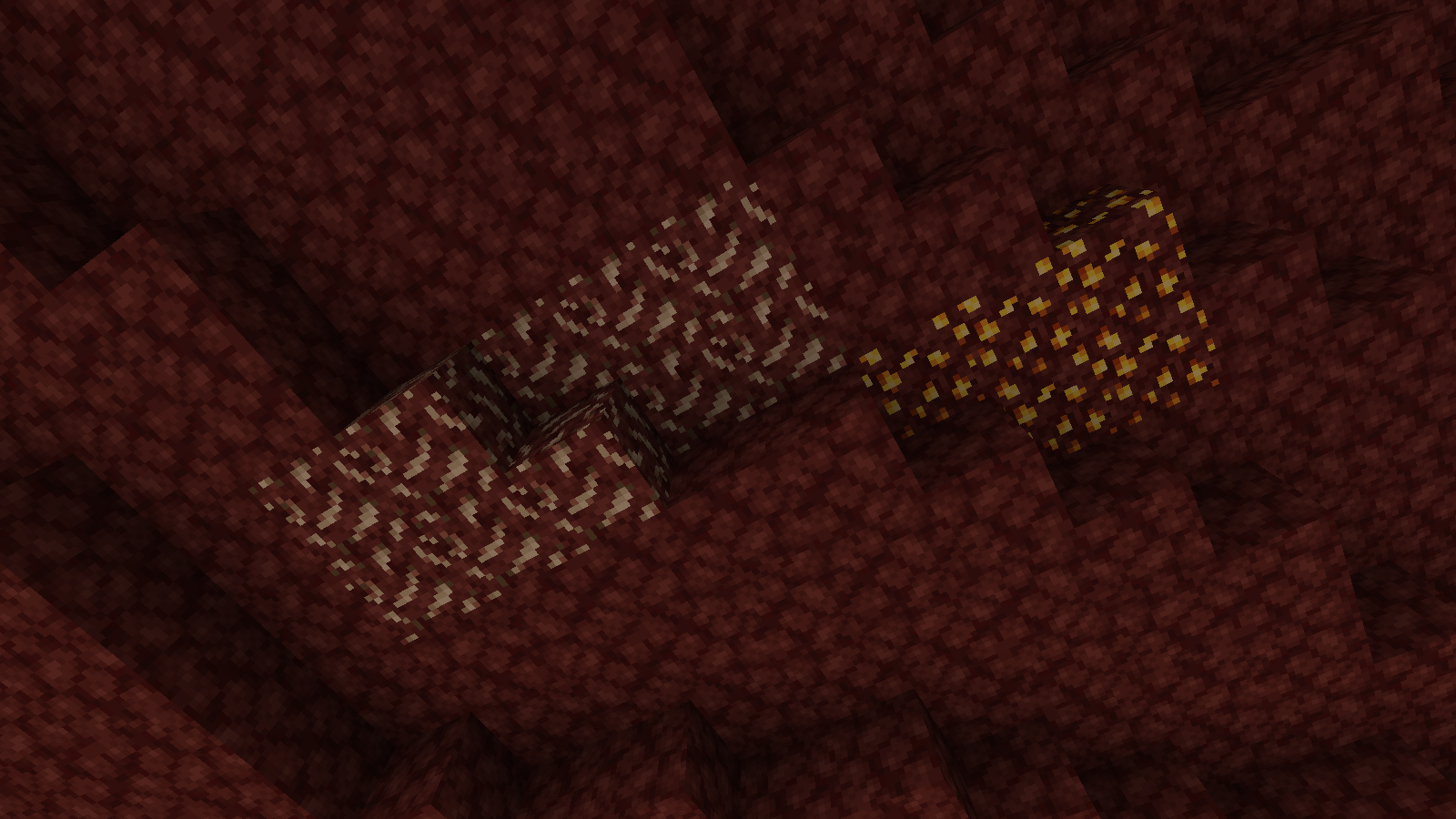
Vanilla ore textures have always seemed very “contained” in their blocks. You could draw a grid using the blocks themselves. This texture pack connects all those lonely ores together, albeit in a pretty rugged way.
This also functions as a more awesome version of all the “ore outline” resource packs.
I didn’t touch gilded blackstone or ancient debris because they’ve all been pretty cool textures already, and I wouldn’t be changing much. I included them in screenshots in the gallery, but I did not change them.
Images
All Ores Affected
1.19-Latest
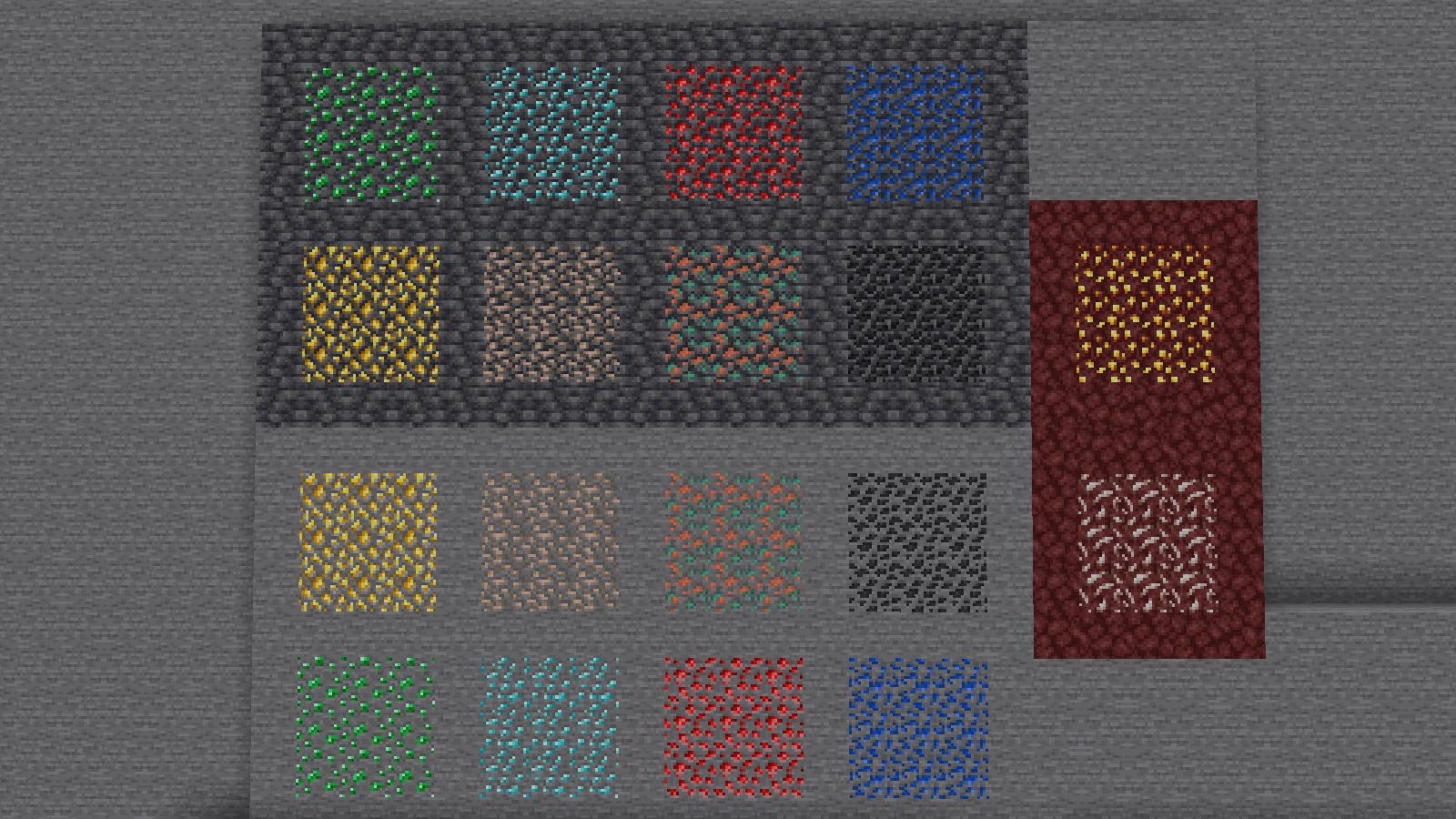
1.6-1.8.9
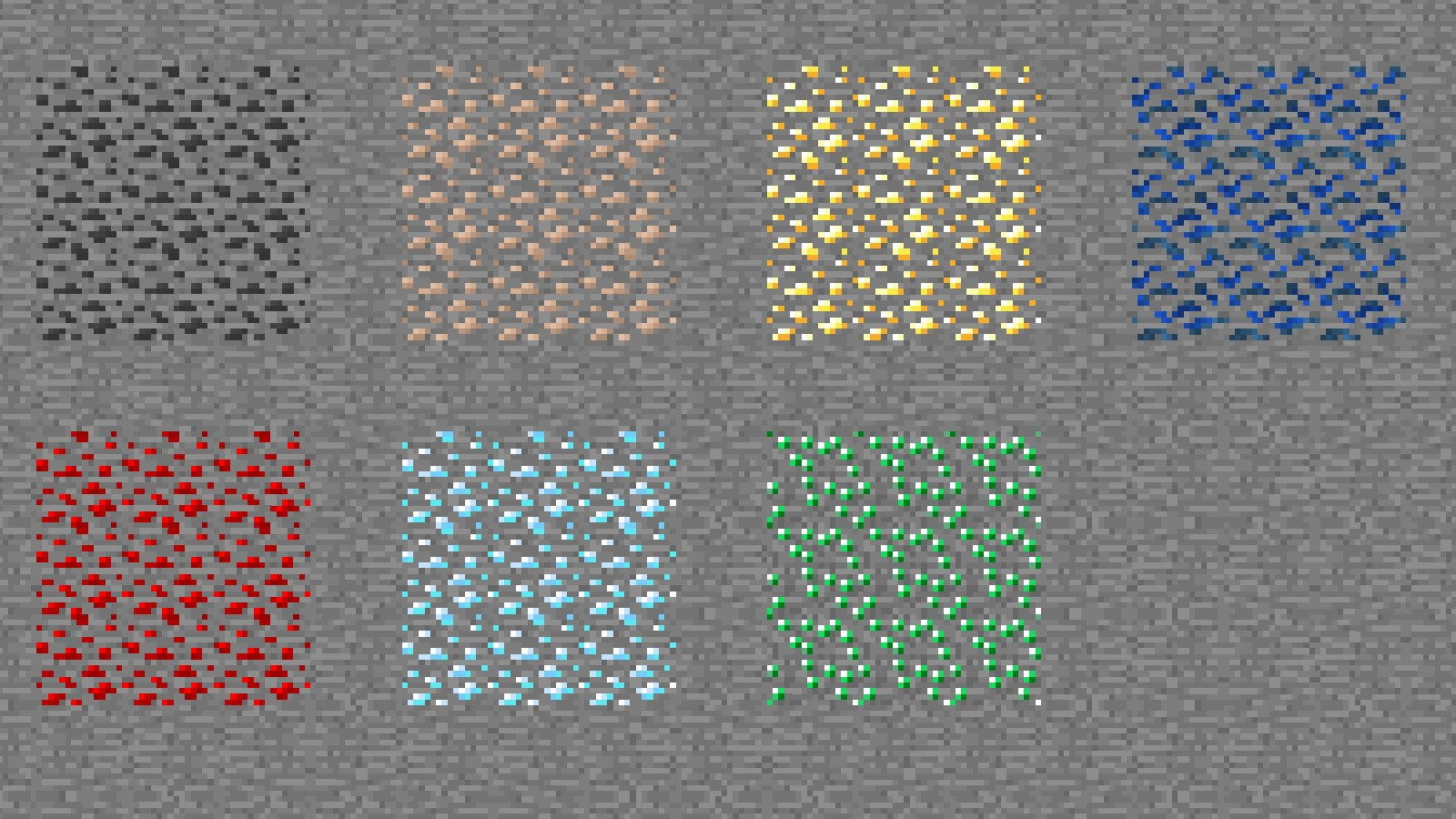
Ingame Screenshots
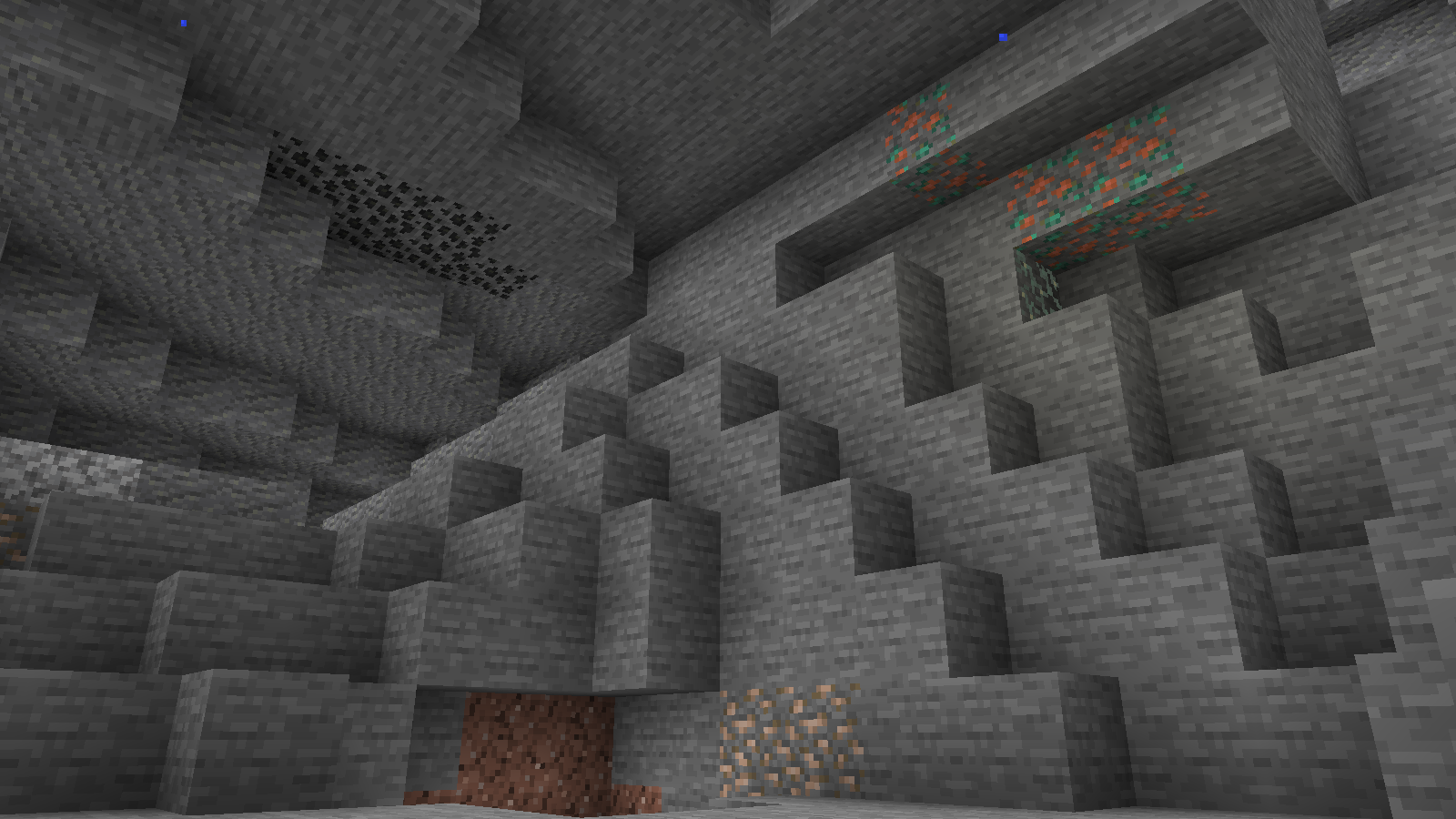
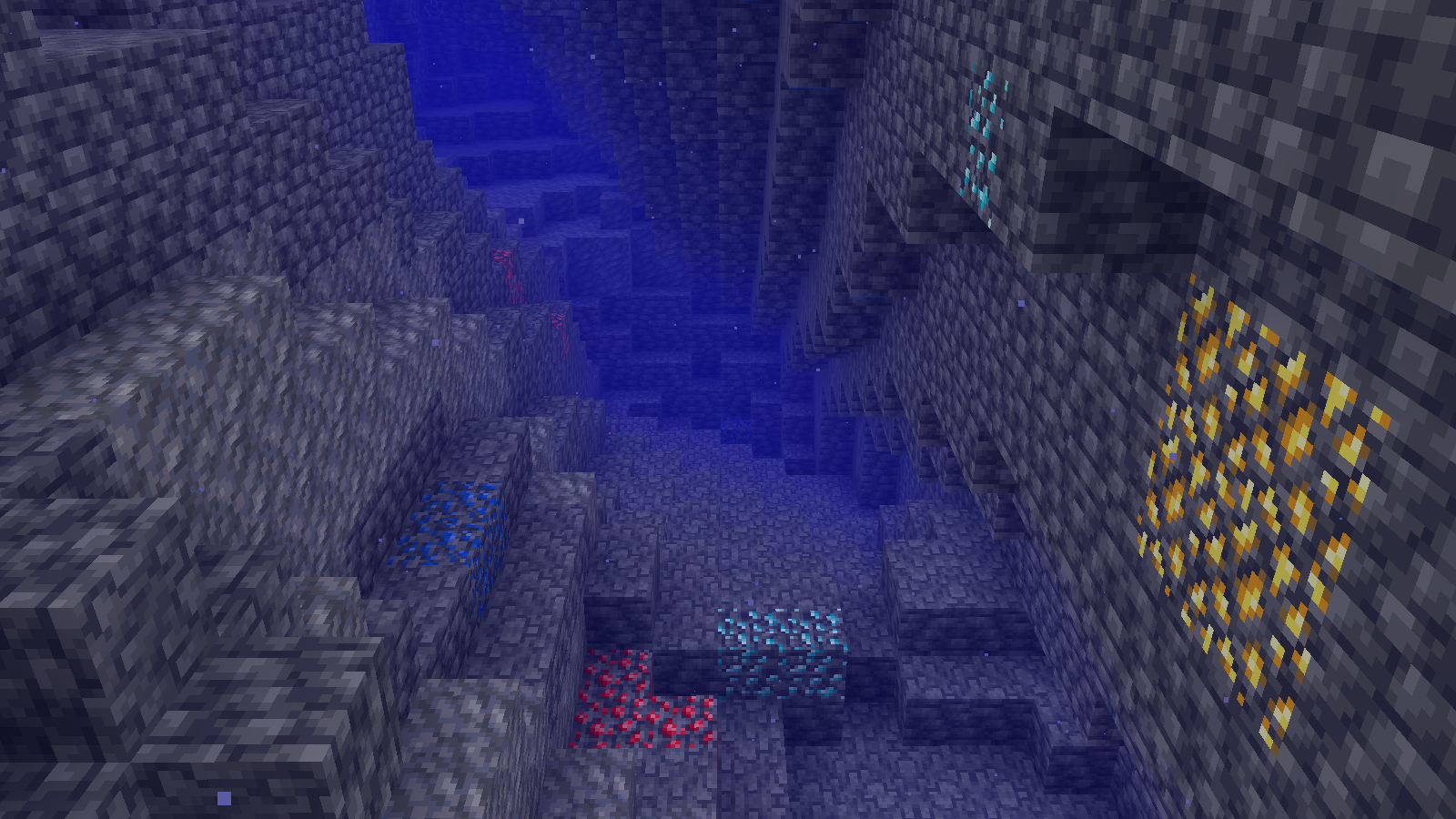
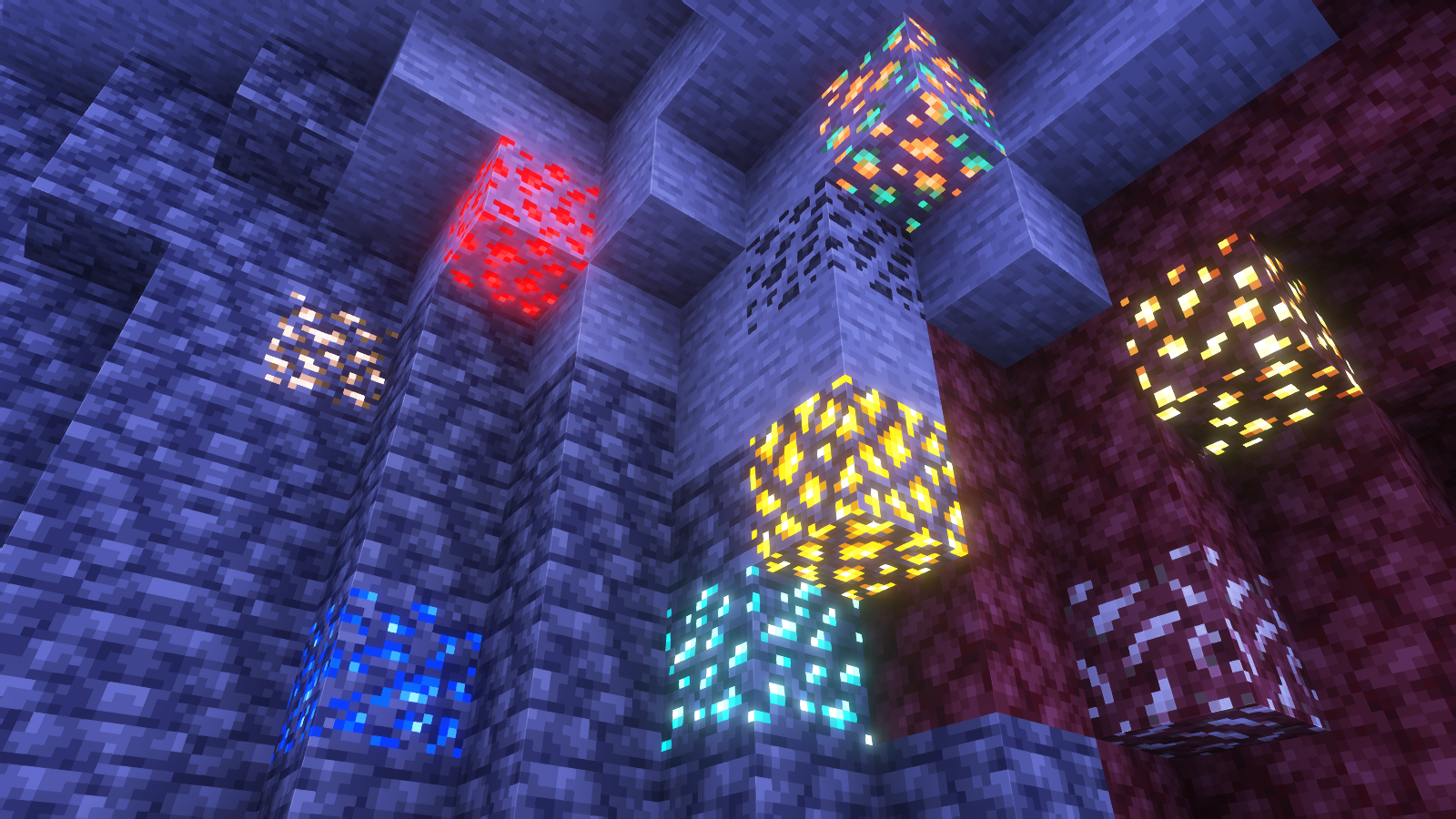
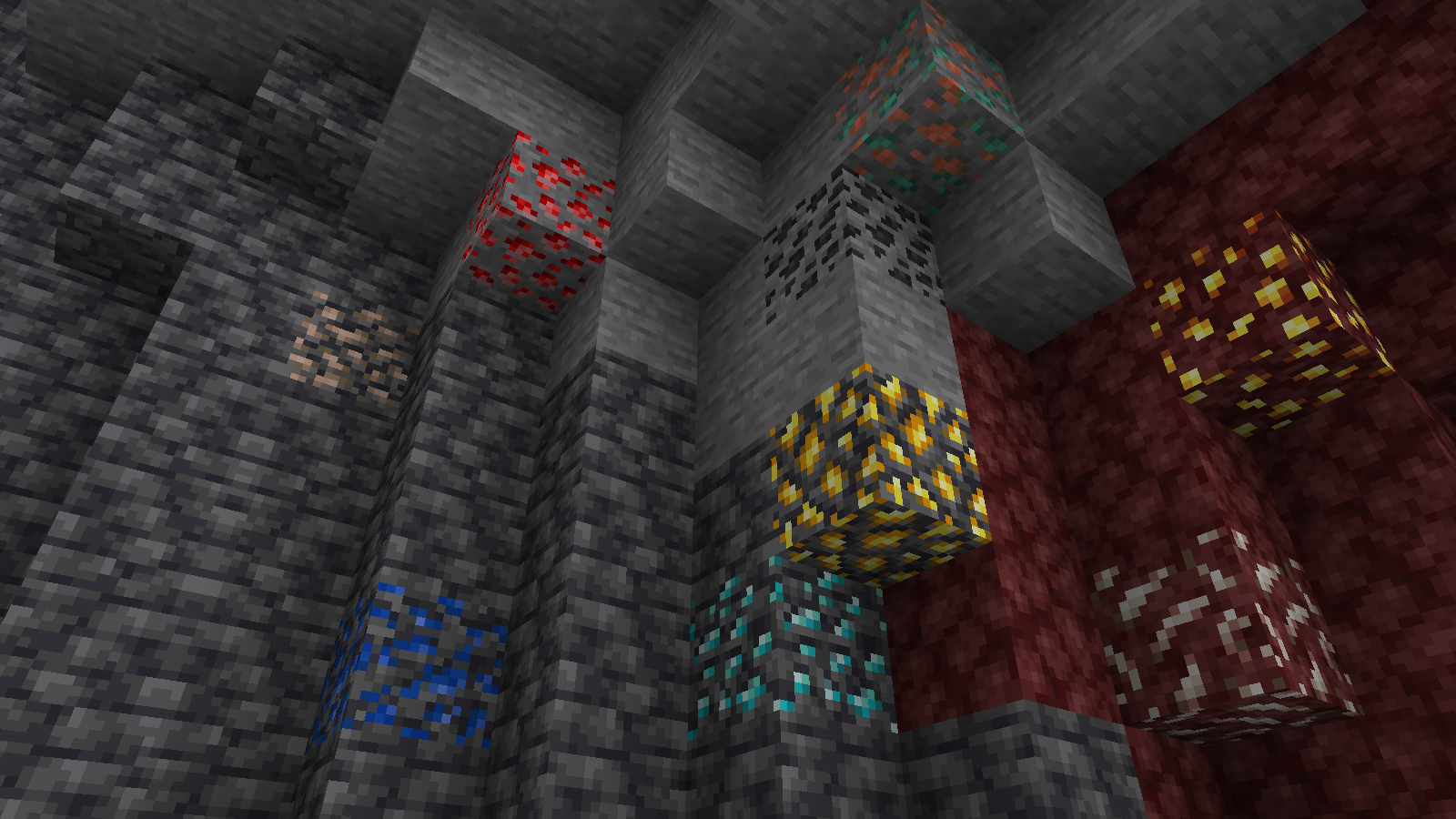
Shader Preview
Solas
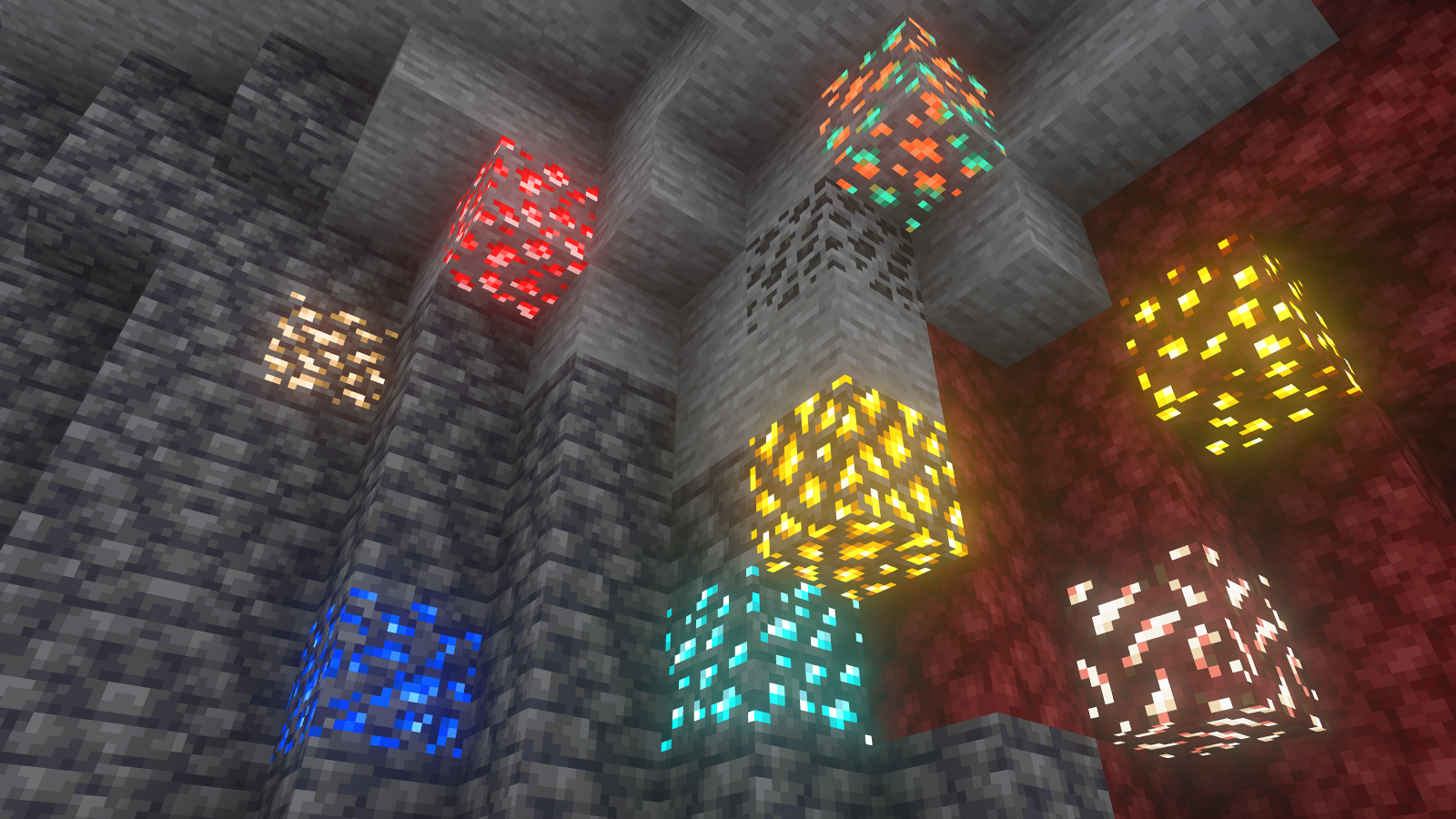
Complementary Reimagined
None
All shaders used are linked in the gallery with their corresponding images.
If you have any questions, comments, or ideas, please check out the wiki link and post them there.
Simple Voice Chat
[Modrinth](https://modrinth.com/mod/simple-voice-chat)
|
[CurseForge](https://legacy.curseforge.com/minecraft/mc-mods/simple-voice-chat)
|
[Discord](https://discord.gg/4dH2zwTmyX)
|
[Wiki](https://modrepo.de/minecraft/voicechat/wiki)
|
[FAQ](https://modrepo.de/minecraft/voicechat/faq)
|
[Credits](https://modrepo.de/minecraft/voicechat/credits)
|
[API](https://modrepo.de/minecraft/voicechat/api)
# Simple Voice Chat
A proximity voice chat for Minecraft with a variety of [addons](https://modrepo.de/minecraft/voicechat/addons) that offer additional features and functionalities.
⚠️ **NOTE** This mod requires special setup on the server in order to work.
Please read the [wiki](https://modrepo.de/minecraft/voicechat/wiki/setup) for more information.

Please join the Discord if you have questions!
## Downloads
– [Fabric](https://modrinth.com/mod/simple-voice-chat/versions?l=fabric)
– [NeoForge](https://modrinth.com/mod/simple-voice-chat/versions?l=neoforge)
– [Forge](https://modrinth.com/mod/simple-voice-chat/versions?l=forge)
– [Bukkit/Spigot/Paper](https://modrinth.com/plugin/simple-voice-chat/versions?l=bukkit)
– [Quilt](https://modrinth.com/mod/simple-voice-chat/versions?l=quilt)
– [Velocity](https://modrinth.com/mod/simple-voice-chat/versions?l=velocity)
– [BungeeCord/Waterfall](https://modrinth.com/mod/simple-voice-chat/versions?l=bungeecord)
## Features
– Push to talk
– Voice activation
– Proximity voice chat
– Password protected groups
– Automatic voice activity detection
– Automatic microphone gain adjustment
– [Opus codec](https://opus-codec.org/)
– [RNNoise](https://jmvalin.ca/demo/rnnoise/) recurrent neural network noise suppression
– OpenAL audio
– Cross compatibility between Fabric, NeoForge, Forge, Quilt, Bukkit, Spigot and Paper
– Support for Velocity, BungeeCord and Waterfall
– Compatibility with [ModMenu](https://modrinth.com/mod/modmenu) (Use [ClothConfig](https://modrinth.com/mod/cloth-config) for a better configuration UI)
– Configurable push to talk key
– Microphone and speaker test playback
– Configurable voice distance
– Whispering
– Individual player volume adjustment
– Microphone amplification
– 3D sound
– AES encryption
– Audio recording with separate audio tracks
– A powerful [API](https://modrepo.de/minecraft/voicechat/api)
– Many [addons](https://modrepo.de/minecraft/voicechat/addons)
## Icons
| Icon | Description |
|:————————————:|——————————————————-|
|  | You are talking |
|  | You are whispering |
|  | Player is talking |
|  | Player is whispering |
|  | Microphone muted |
|  | Voice chat disabled |
|  | Voice chat not connected
Voice chat not installed |
## The GUI
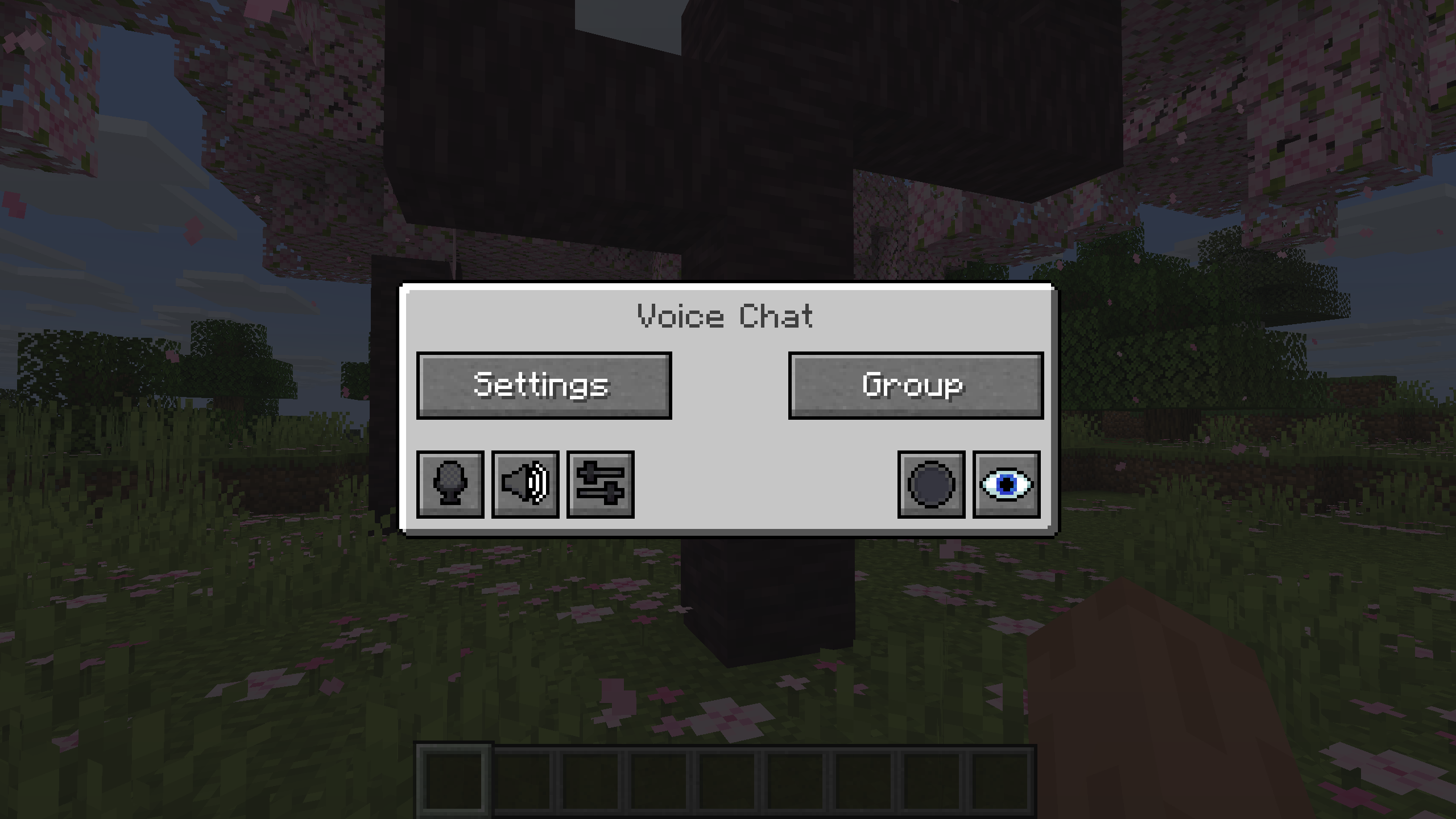
You can open the voice chat GUI by pressing the `V` key.
This allows you to open the settings, group chats, mute yourself, disable the voice chat, start/stop a recording and hide all icons.
### Group Chats
Group chats allow you to talk to players that are not in your vicinity.
To open the group chat interface, either press the group button in the voice chat GUI or just press the group key.
To create a new group, just type a name in the text field and press the button at the bottom.
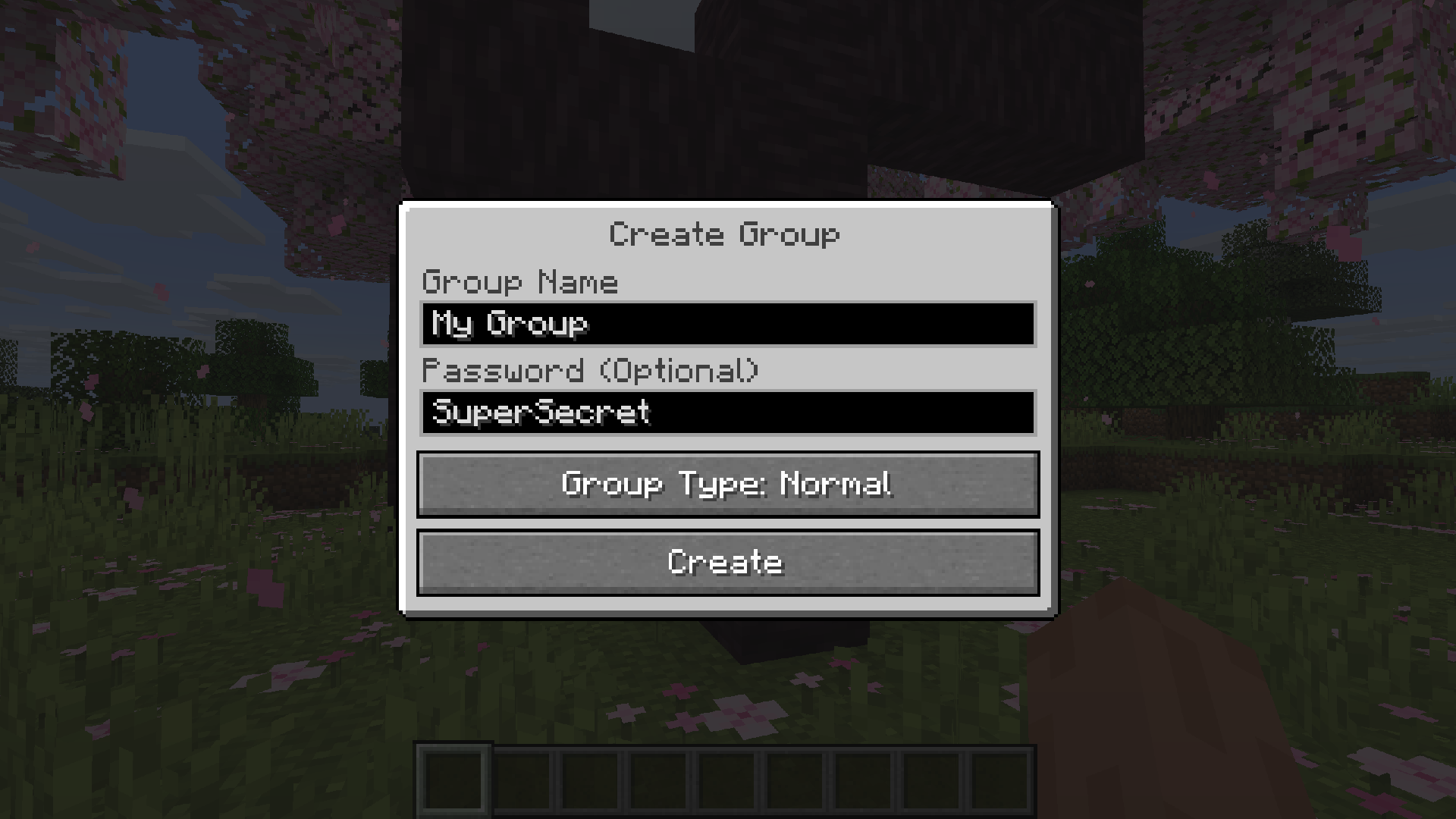
Creating or joining a group will bring you into the group chat interface.
You will also see the heads of the group members in the top left corner of your screen.
Talking players will be outlined.
You can disable these icons by pressing the third button from the left.
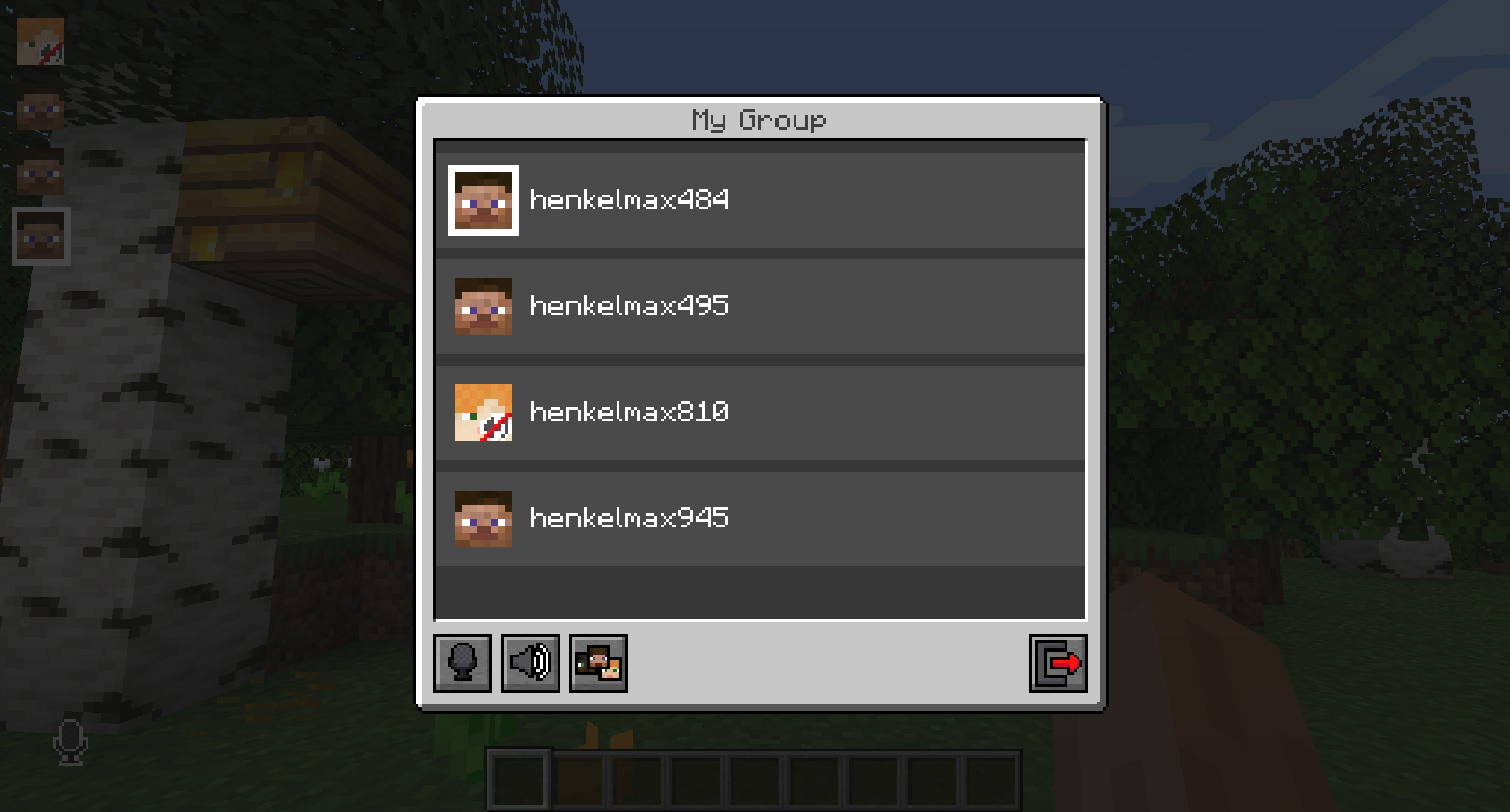
Players that are not in a group will see a group icon next to your head, indicating that you are in a group.
You can invite players to your group chat by entering the command `/voicechat invite ` or from the social interactions screen.
### Settings
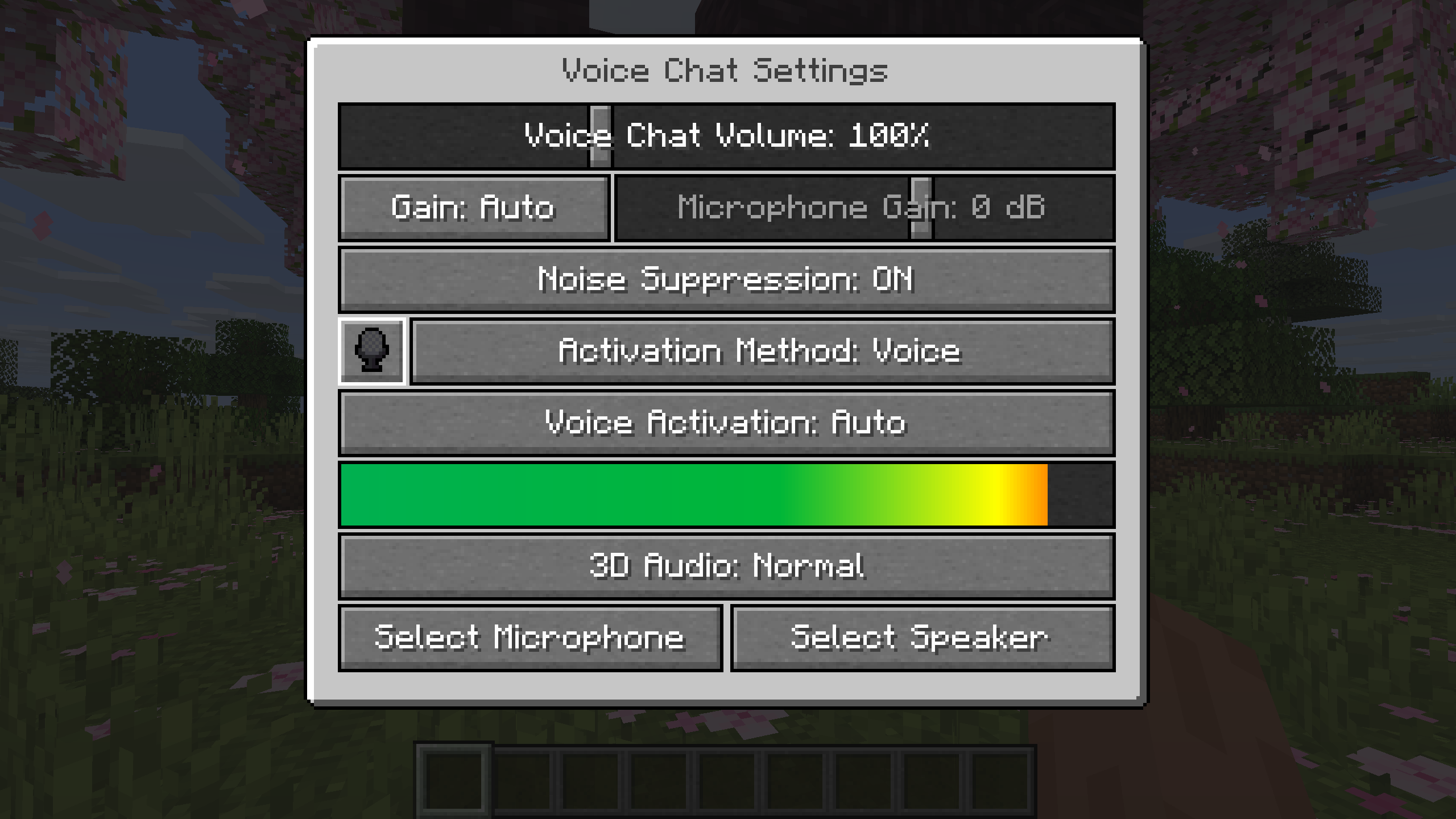
You can access the voice chat settings by pressing the `V` key and pressing the settings button.
This menu offers the ability to set up your voice chat audio settings.
By clicking the microphone button, you can test your microphone activation.
## Important Notes
You need to open a port on the server. This is port `24454` `UDP` by default.
Without opening this port, the voice chat will not work.
This port can be changed in the server config.
More information [here](https://modrepo.de/minecraft/voicechat/wiki/setup).
The voice chat is encrypted, but we don’t guarantee the security of it. Use at your own risk!
Simple hit sound
This resource pack enhances PvP hit sounds to make combat feel more responsive and satisfying ⚔️🔥 The sounds are clearer and less distracting, helping you stay focused and track your hits better 🎯 Perfect for players looking for a smoother, more engaging PvP experience 🚀
素颜简方 Simple Color
Soft colors, minimalist visuals, complete redstone display functionality,
along with item glow effects and block state indicators…
All while preserving the original palette, with more natural transitions in textures and hues.
柔和的色彩,简约的画面,完备的红石显示功能,
还有物品自发光、方块状态显示…
在保留原版配色的基础上使纹理、色彩有更自然的过度。
Spoiler
“素颜简方,简约,不简单”———卑微的作者
### **YOU CAN**你可以
✅ Modify the pack for **personal use**-✅改包、拼装材质包供**自己**使用
✅ Unpack texture packs for learning-✅解包材质包用于学习
✅ Add this texture pack to your modpacks-✅将纹理包加入整合包
### **YOU CAN`T**你不可以
❌ Redistribute modified versions-❌二次发布改包后的版本
Silent Horns
**Are you tired of hearing goat horns again and again?
Does your SMP friend annoy you with spamming goat horns while flying around you like a bug?**
This resourcepack will help you! 🤝
❌ There is currently no way to lower the volume of goat horn sounds exclusively, the only way is to lower the master game volume.
🔇 In this pack all goat horn sounds are replaced with silence, so you can enjoy peace without lowering your overall game volume all the way down.
### Troubleshooting
❓ If the horn sounds aren’t silenced after enabling resourcepack, you can try to rejoin the world/server or just relaunch the game entirely.