**MoreTotems** is a simple Paper plugin which adds some minor tweaks to Totems of Undying.
## 🚀 Quick Start
### 📥 Installation:
> #### ⚠️ Warning!
>
> Please, do not download versions from range:
> [0.1.0-data-1.20.5](https://modrinth.com/datapack/moretotems/version/0.1.0-data-1.20.5)..[0.1.0-1.20.5+mod](https://modrinth.com/datapack/moretotems/version/0.1.0-1.20.5+mod)!
> They are not loading because of [#11](https://github.com/JustHm228/MoreTotems/issues/11) (Data pack is not loading on >=1.20.5) and
> [#13](https://github.com/JustHm228/MoreTotems/issues/13) (Data pack never registers objectives).
>
> So, it is recommended not to use experimental data pack versions of the plugin.
Please ensure that you have the following software installed:
– [Java]() (≥ 11 LTS)
– [Minecraft]() (≥ 1.19.4)
– [Paper]() (≥ 1.19.2 build
[#191]())
To install the plugin on your Minecraft server, you should:
1. Download the latest version.
2. Place it to the “plugins“ directory in the root of the server.
3. Restart the server.
### ⚠️ Experimental versions:
> #### ⚠️ Disclaimer:
>
> I am currently developing some experimental alpha versions of this plugin,
> which can be loaded as vanilla data packs. I recommend not to use them because
> of many bugs. So, if you download such experimental version and load it to
> your world, please be ready for many serious errors.
### 💡 Features:
– **”Unbreakable” Totems of Undying.** A Totem of Undying with the
[“Unbreakable“ tag]() set will not
disappear when used. To get such totem you can use one of the following commands:
– ≤ 1.20.4: “/minecraft:give @s minecraft:totem_of_undying{Unbreakable:1b} 1“
– ≥ 1.20.5: “/minecraft:give @s minecraft:totem_of_undying[minecraft:unbreakable={}] 1“
– **Enchantments for Totems of Undying:**
– **[Unbreaking](https://minecraft.wiki/w/Unbreaking).** Every Totem of Undying enchanted with
Unbreaking of “n“th level has a “100/(n+1)“% chance that it will disappear when used.
Otherwise, it will not. So, the Totem of Undying enchanted with Unbreaking of 3 level has a
75% chance that it will not disappear when used.
### 🔧 Configuration:
Coming soon!
## 📭 Contact me:
## 📖 License
This project and its sources are licensed under the [MIT License](https://github.com/JustHm228/MoreTotems/blob/main/LICENSE):
“`text
MIT License
Copyright (c) 2025 JustHuman228
Permission is hereby granted, free of charge, to any person obtaining a copy
of this software and associated documentation files (the “Software”), to deal
in the Software without restriction, including without limitation the rights
to use, copy, modify, merge, publish, distribute, sublicense, and/or sell
copies of the Software, and to permit persons to whom the Software is
furnished to do so, subject to the following conditions:
The above copyright notice and this permission notice shall be included in all
copies or substantial portions of the Software.
THE SOFTWARE IS PROVIDED “AS IS”, WITHOUT WARRANTY OF ANY KIND, EXPRESS OR
IMPLIED, INCLUDING BUT NOT LIMITED TO THE WARRANTIES OF MERCHANTABILITY,
FITNESS FOR A PARTICULAR PURPOSE AND NONINFRINGEMENT. IN NO EVENT SHALL THE
AUTHORS OR COPYRIGHT HOLDERS BE LIABLE FOR ANY CLAIM, DAMAGES OR OTHER
LIABILITY, WHETHER IN AN ACTION OF CONTRACT, TORT OR OTHERWISE, ARISING FROM,
OUT OF OR IN CONNECTION WITH THE SOFTWARE OR THE USE OR OTHER DEALINGS IN THE
SOFTWARE.
“`
More Mobs
# Tschipcraft’s More Mobs
> A server-side data pack/mod for 1.14x-26.1x
YouTube showcase
## Features
Mobs have new variants through custom heads or through unused vanilla mobs! This pack uses **over 85 custom player heads** that can be obtained and placed in your world. Spiders also turn upside down when hanging from ceilings.
This data pack/mod is completely server-side, but can also be installed on the client for singleplayer worlds! No resource pack needed!
[-> For all added heads and available settings, take a look at the wiki <-](https://github.com/Tschipcraft/more_mobs/wiki)
## Installation
Install either as:
* **Data Pack [DP]** ➜ Place `.zip` in your world's `datapacks` folder
* **Mod [Mod]** ➜ Drop into your `mods` folder and optionally install [MidnightLib](https://modrinth.com/project/codAaoxh) for a global config file and UI
To manage settings, reset, or uninstall the pack, use `/trigger tschipcraft.menu` or `/function #tschipcraft:menu`.
## Compatibility
Tested with [Rare Mobs (PMC)](https://www.planetminecraft.com/data-pack/rare-mobs-5186029/) and [Mob Captains](https://modrinth.com/datapack/mob-captains).
**Forge** is only natively supported until Minecraft 1.21.5.
This data pack follows the [Smithed](https://wiki.smithed.dev/conventions/) and essential [MC Datapacks Discord Server](https://mc-datapacks.github.io/en/conventions/index.html) Conventions to ensure data pack compatibility.
## Current issues
>
>
> Currently incompatible with [Special Mobs](https://modrinth.com/datapack/special-mobs) – [see #7](https://github.com/Tschipcraft/more_mobs/issues/7). This will be fixed in a future release.
## External Links
## Partner Offers
Want to buy **Hytale** or upgrade your edition? Use creator code `Tschipcraft` upon checkout for me to receive a commission! (The price for you stays the same)
In Minecraft, the Data Pack is a powerful tool that allows players to extend the game’s content by modifying the game’s rules and logic. Here’s an introduction to a packet that features some monsters to drop minerals:
### Packet Name: **Monsters Drop Mine**
#### Features Overview:
The core function of this packet is to give specific monsters a chance to drop various minerals such as iron ore, gold ore, diamonds, etc., when defeated. This not only adds to the fun of the game, but also provides players with more ways to obtain resources and enrich the gameplay of the game.
#### Design Concept:
In Minecraft, minerals are usually only available through mining, and this packet breaks that convention. By having monsters drop minerals, players can get unexpected surprises as they explore and fight, while also providing another way to get resources for those who enjoy fighting but aren’t willing to dig for long periods of time.
#### Implementation:
This packet is mainly achieved by modifying the monster’s drop rules. In Minecraft, monster drops are defined by ‘loot_tables’ (loot tables). Packs will add new loot tables to specific monsters, or modify existing loot tables so that they have a chance to drop specified minerals when defeated.
For example, for zombies, a packet can add the following rules to its loot table:
“`json
{
“pools”: [
{
“rolls”: 1,
“entries”: [
{
“type”: “minecraft:item”,
“name”: “minecraft:iron_ore”,
“functions”: [
{
“function”: “minecraft:set_count”,
“count”: {
“type”: “minecraft:uniform”,
“min”: 1,
“max”: 3
}
}
]
}
],
“conditions”: [
{
“condition”: “minecraft:random_chance_with_looting”,
“chance”: 0.1,
“looting_multiplier”: 0.05
}
]
}
]
}
“`
This rule means that zombies have a 10% base chance of dropping between 1 and 3 iron ore, and that the drop chance increases by 5% for each level of the player’s loot level.
#### Applicable Scenarios:
This packet is for players who enjoy exploration and combat, especially those who want a richer resource acquisition experience in the game. It gives players the opportunity to earn valuable mineral resources when exploring biomes such as dungeons, forests, or deserts, and after encountering monsters and defeating them.
#### Installation Method:
The player needs to put this packet file (usually in ‘.zip’ format) into the ‘data_packs’ folder in Minecraft. Then enable the data package in the game settings, and you can experience the new feature of monster drop minerals in the game.
#### Notes:
– Players need to be aware that too many mineral drops can disrupt the balance of the game, so it is recommended that players adjust the drop chances according to their playstyle and preferences.
– Packet compatibility needs to be tested against the specific version of Minecraft to ensure it works properly.
Overall, this Monster Mineral Drop Pack brings new gameplay and fun to Minecraft, allowing players to earn resources in battle, enriching the game’s exploration and combat experience.
Mojang Black Background
# Mojang Black Background
Changes white background in mojang loading screen to black
Minecraft 1.14 and newer
OptiFine is required to work! [optifine.net](https://optifine.net/home)
## Minecraft 1.16+

## Minecraft 1.14 – 1.15
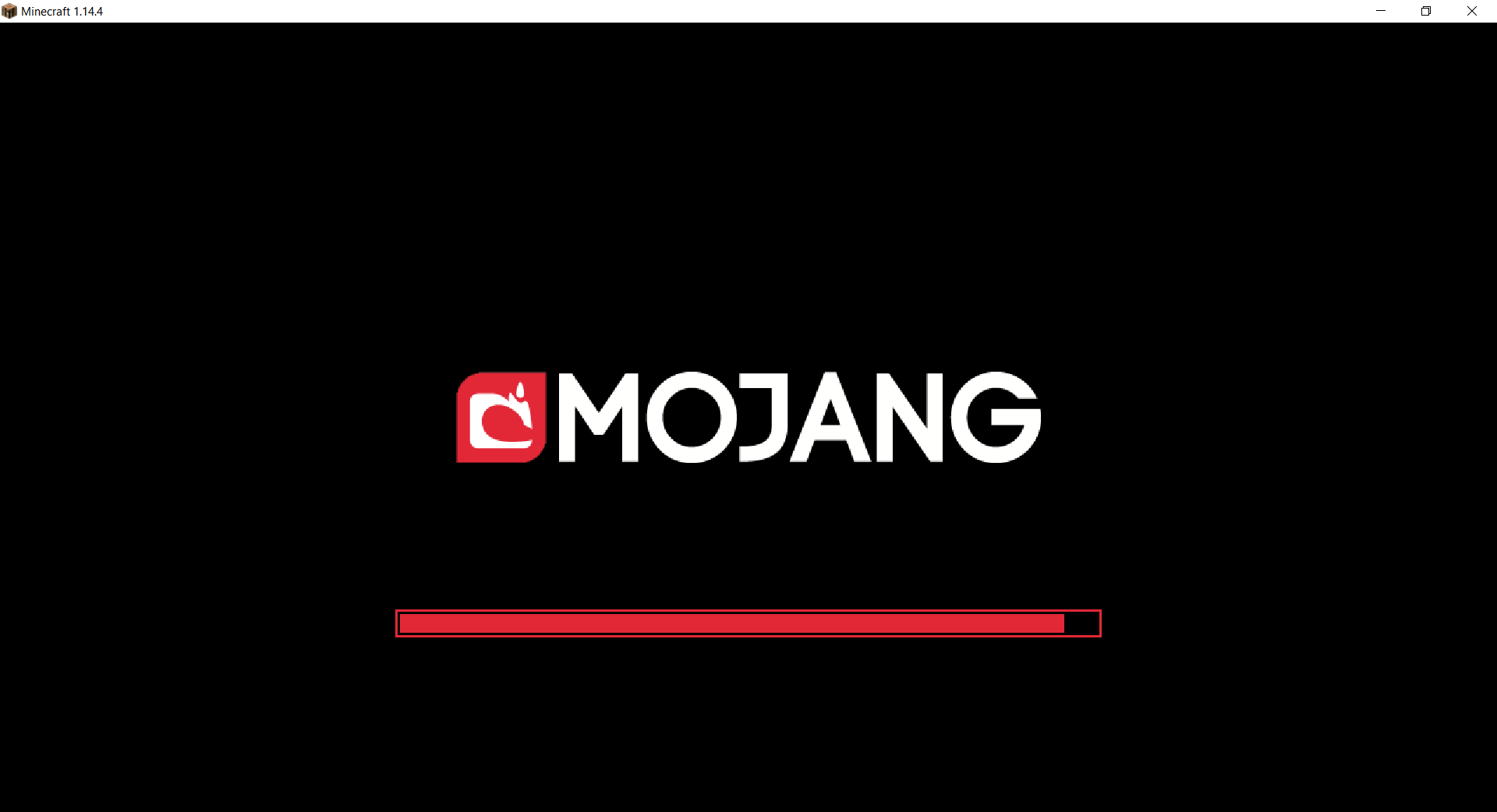
The resurcepack is also available on [CurseForge](https://www.curseforge.com/minecraft/texture-packs/mojang-black-background)
Mod Menu
# Mod Menu
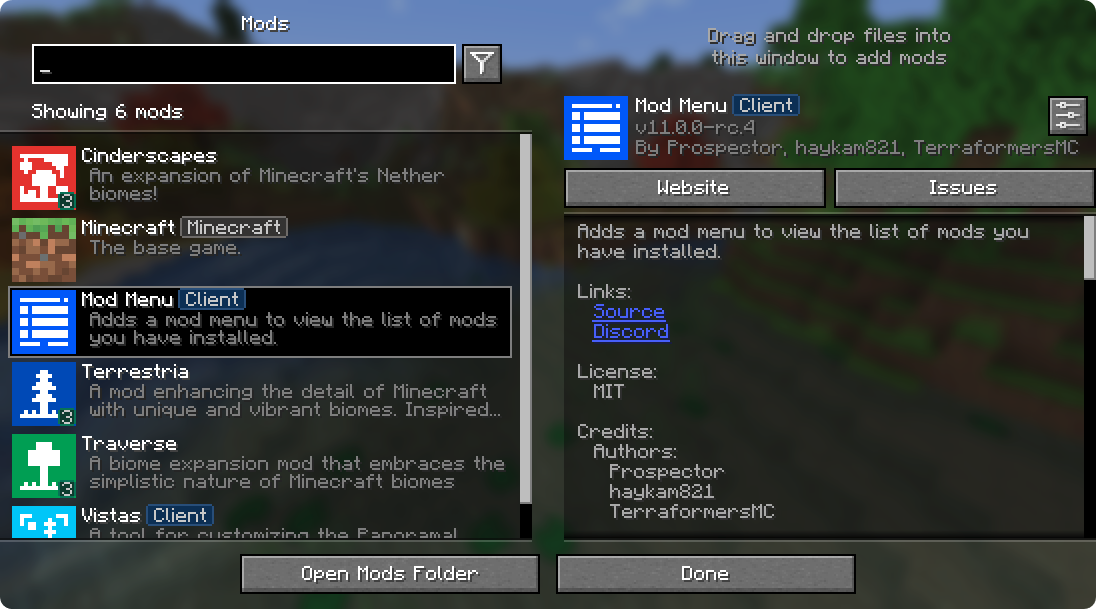
Mod Menu lets you view the mods you have installed and, if supported by the mod, enables quick and easy access to the mod’s config screens.
Mod Menu also supports some more advanced features, such as translatable mod names and descriptions, support for [QuickText formatting](https://placeholders.pb4.eu/user/quicktext/) in mod descriptions thanks to [Patbox](https://ko-fi.com/patbox)’s [Text Placeholder API](https://modrinth.com/mod/placeholder-api), filters library mods out from regular mods, a mod update checker for mods hosted on Modrinth or that provide their own update sources, and deep configuration for all the features we provide.
### Supported Platforms
Mod Menu is currently available for Fabric or Quilt on Minecraft: Java Edition 1.14 or newer.
## Developers
Mod Menu includes a number of APIs for developers to improve how their mod appears in Mod Menu. These come in the form of language keys, JSON metadata, and even a Java API.
### Translation API
You can translate your mod’s name, summary, and description all without touching any Java code. Simply add translation keys in the supported format to any language you’d like.
Translation API Documentation
Here’s an example of Mod Menu’s translations into Pirate Speak. To create your own, simply replace `modmenu` at the end (***NOT*** the one in the beginning) of the translation key with your own mod ID, for example `modmenu.descriptionTranslation.traverse`.
> The summary translation is redundant here and does not need to be included because it’s the same as the description, but it was included to show that you may translate the summary (a short, one-sentence description of the mod) separately from the description, even in English!
### Fabric Metadata API
There’s a number of things you can add just with metadata in your `fabric.mod.json`.
All of these are added to a custom block in your `fabric.mod.json` for Mod Menu’s metadata. Here’s an example usage of many of the features this API provides:
#### Badges (`”badges”: [ ]`)
While the `Client` badge is added automatically to mods set as client-side only (set `”environment”: “client”` in `fabric.mod.json` to do this.), other badges such as the `Library` and `Deprecated` badges require definition here.
Supported values:
– `library` – should be assigned to mods that are purely dependencies for other mods that should not be shown to the user by default unless they toggle them on.
– `deprecated` – should be assigned to mods that exist purely for legacy reasons, such as an old API module or such.
Any others will be ignored, and Mod Menu does not support adding your own badges. You may open an issue [here](https://github.com/TerraformersMC/ModMenu/issues) if you have a compelling use case for a new badge.
#### Links (`”links”: { }`)
The `links` object allows mod authors to add custom hyperlinks to the end of their description. If you specify a `sources` contact in the official `fabric.mod.json` metadata, it will also be included in the links section.
Any key in the `links` object will be included in the links section, with the key being used as a translation key. For example, this:
`fabric.mod.json`
“`json
“custom”: {
“modmenu”: {
“links”: {
“modmenu.discord”: “https://discord.gg/jEGF5fb”
}
}
}
“`
will show as a link with the text “Discord”, since “Discord” is the English translation of “modmenu.discord” provided by Mod Menu.
Mod Menu provides several default translations that can be used for links. A full list can be seen in Mod Menu’s language file [here](https://github.com/TerraformersMC/ModMenu/blob/-/src/main/resources/assets/modmenu/lang/en_us.json). All default link translation keys take the form `modmenu.`.
You can also provide your own translations if you would like to add custom links. Make sure to use ***your own namespace*** (as opposed to `modmenu`) for any custom keys.
#### Parents (`”parent”: “mod_id” or { }`)
Parents are used to display a mod as a child of another one. This is meant to be used for mods divided into different modules. The following element in a `fabric.mod.json` will define the mod as a child of the mod ‘flamingo’:
However, if you want to group mods under a parent, but the parent isn’t an actual mod, you can do that too. In the example below, a mod is defining metadata for a parent. Make sure that this metadata is included in all of the children that use the fake/dummy parent. This can also be used as a fallback for an optional parent, it will be replace by the mod’s real metadata if present.
Dummy parent mods only support the following metadata:
– `id` (String)
– `name` (String)
– `description` (String)
– `icon` (String)
– `badges` (Array of Strings)
#### Disable update checker (`”update_checker”: false`)
By default, Mod Menu’s update checker will use the hash of your mod’s jar to lookup the latest version on Modrinth. If it finds a matching project, it will check for the latest version that supports your mod loader and Minecraft version, and if it has a different hash from your existing file, it will prompt the user that there is an update available.
You can disable the update checker by setting `update_checker` to false in your Mod Menu metadata like so:
### Quilt Metadata API
Since Mod Menu supports Quilt as well, the same APIs in the Fabric Metadata API section are also available for Quilt mods, but the format for custom metadata is slightly different.
Instead of a `”modmenu”` block inside of a `”custom”` block, you put the `”modmenu”` block as an element in the root object. So it should look like:
`quilt.mod.json`
“`json5
{
…
“modmenu”: {
// Here’s where your links, badges, etc. stuff goes
}
}
“`
### Java API
To use the Java API, you’ll need to add Mod Menu as a compile-time dependency in your gradle project. This won’t make your mod require Mod Menu, but it’ll be present in your environment for you to test with.
`build.gradle`
“`gradle
// Add the Terraformers maven repo to your repositories block
repositories {
maven {
name = “Terraformers”
url = “https://maven.terraformersmc.com/”
}
}
// Add Mod Menu as a dependency in your environment
dependencies {
// Prior to Minecraft 26.x, use “modImplementation” instead
implementation(“com.terraformersmc:modmenu:${project.modmenu_version}”)
}
“`
Then, define the version of Mod Menu you’re using in your `gradle.properties`. You can get the latest version number [here](https://modrinth.com/mod/modmenu/version/latest), but you may need a different version if you’re not using the latest Minecraft version. See the [versions page](https://modrinth.com/mod/modmenu/versions) for a full list of versions.
`gradle.properties`
“`properties
modmenu_version=VERSION_NUMBER_HERE
“`
> If you don’t want it in your environment for testing but still want to compile against Mod Menu for using the Java API, you can use `modCompileOnly` instead of `modImplementation` (this will work even if Mod Menu is not updated to the version of Minecraft you’re running).
Java API Documentation
### Getting Started
To use the API, implement the ModMenuApi interface on a class and add that as an entry point of type “modmenu” in your `fabric.mod.json` like this:
### Mod Config Screens
Mods can provide a Screen factory to provide a custom config screen to open with the config button. Implement the `getModConfigScreenFactory` method in your API implementation to do this.
The intended use case for this is for mods to provide their own config screens. The mod id of the config screen is automagically determined by the source mod container that the entrypoint originated from.
### Provided Config Screens
Mods can provide Screen factories to provide a custom config screens to open with the config buttons for other mods as well. Implement the `getProvidedConfigScreenFactories` method in your API implementation for this.
The intended use case for this is for a mod like Cloth Config to provide config screens for mods that use its API.
### Modpack Badges
Mods can give other mods the `Modpack` badge by implementing the `attachModpackBadges` method, such as through the following:
“`java
@Override
public void attachModpackBadges(Consumer consumer) {
consumer.accept(“modmenu”); // Indicates that ‘modmenu’ is part of the modpack
}
“`
Note that ‘internal’ mods such as Minecraft itself and the mod loader cannot be given the modpack badge, as they are not distributed within a typical modpack.
### Static Helper Methods
`ModMenuApi` also offers a few helper methods for mods that want to work with Mod Menu better, like making their own Mods buttons.
#### Creating a Mods screen instance
You can call this method to get an instance of the Mods screen:
“`java
Screen createModsScreen(Screen previous)
“`
#### Creating a Mods button `Text`
You can call this method to get the Text that would be displayed on a Mod Menu Mods button:
“`java
Text createModsButtonText()
“`
Mod Remapping API
# Mod Remapping API
Remaps non-Fabric mods made for a different environment (by default obfuscated) to the current runtime mappings.
Provides hooks to expand the remapping process from other mods.
This mod doesn’t depend on a specific Minecraft version and should work on any version that Fabric Loader can launch.
### Mods depending on this API:
– [Fabricated Legacy Forge](https://modrinth.com/mod/fabricated-forge)
– [Apron](https://modrinth.com/mod/Apron)
– [Fabricated-Rift](https://modrinth.com/mod/fabricated-rift)
## Credits
### Most of the original code of the mod remapper
– paulevsGitch’s mod BetaLoader
Mod Loading Screen
# Mod Loading Screen
An advanced loading screen with the loading progress of mods. It works on all Minecraft versions, as it doesn’t even require Minecraft. Its only requirement is Fabric Loader 0.12.0 or later or Quilt Loader (specific versions of Quilt support are unknown). Do note that if you run this mod on a game other than Minecraft, the loading screen may not close itself.
## Agent
Mod Loading Screen provides a Java agent, which allows opening the loading screen before even the mod loader itself loads. This feature is primarily targeted at modpack developers who want to make a seamless loading experience. The agent can be used by passing `-javaagent:mod-loading-screen-1.0.4.jar` as a JVM argument. If the agent is used, the loading screen should *not* be installed as a mod.
## API
To depend on the API, use the Modrinth Maven. The API should be JiJed, and doing so will not include Mod Loading Screen inside your mod (it will only include the API, which is only a few kilobytes). The API is designed to have both forwards and backwards binary compatibility with future Mod Loading Screen versions. An API is provided for checking which API calls will return stubs and which ones are real.
dependencies {
// implementation, not modImplementation!
include(implementation(“maven.modrinth:mod-loading-screen:1.0.4:api”))
}
“`
The API has two top-level classes: `LoadingScreenApi` and `AvailableFeatures`. Full javadocs are available for both classes.
Mob Reskin
This resource pack will reskin mobs of the game!
This resource pack will be supported with versions above 1.18
This resource pack reskins mobs.
————————————————————————————–
HOW TO INSTALL:
First, Extract the resource pack and cut or copy it
Second, Open Minecraft Java Edition
Third, Go to settings and press resource pack
Lastly, Open pack folder and paste the file
—————————————————————————————
I am planning on making this resource pack keep the vanilla like aspect but with a little bit more detail to the mobs.
This resource pack does not work with Better Animation Collection
Credit to Ewan Howell to use his Minecraft Title Generator! [https://www.blockbench.net/plugins/minecraft_title_generator](https://www.blockbench.net/plugins/minecraft_title_generator)
Mo Glass
# Mo Glass
A Minecraft mod that adds glass stairs and glass slabs to the game, including stained and tinted glass variants, while maintaining all of the seamless transparency and translucency that makes vanilla Minecraft’s glass blocks look so great.

## Features
– Glass Slabs!
– Glass Stairs!
– Stained Glass Slabs! (since v1.3)
– Stained Glass Stairs! (since v1.3)
– Tinted Glass Slabs! (since v1.6)
– Tinted Glass Stairs! (since v1.6)
– Working Transparency! (see below)
– Working Translucency! (for tinted glass)
– Compatible with the Translucent Glass mod! (since Mo Glass v1.10, Translucent Glass v0.2)
## Seamless Transparency
Both the stairs and the slabs are see-through in the same way as vanilla glass blocks. You can place multiple stairs, slabs and full blocks next to each other and they will look like a single piece of glass.
## Why aren’t these blocks part of vanilla Minecraft?
Before I started making this mod, I always thought that Mojang just forgot about these blocks, or that they were too lazy to add them. But now that I’ve added these blocks myself and spent many hours to get the transparency to work, I think I finally understand why Mojang didn’t bother. Minecraft’s stairs are surprisingly complex blocks and they were never meant to be made transparent. Slabs might be easy enough, but I think if Mojang added those then people wouldn’t stop asking for the stairs. And glass stairs are an absolute nightmare to make.
Stairs can be placed facing North, East, South or West, they can be upside-down or right-side-up, they can be straight or curved in one of four different ways and they have six faces that may or may not be transparent, depending on what block is next to them. But here’s the catch: On each of those six faces, there could be another block of glass stairs that can also be placed facing North, East, South or West, upside-down or right-side-up and either straight or curved in one of four different ways. And then of course, on each of the six faces there could also be a non-transparent block, a regular glass block or a glass slab that is either placed on the bottom half, top half, or is a double slab.
In the end, there are 10800 possible scenarios that need to be accounted for just to calculate transparency of glass stairs. But then you also have to calculate the transparency of glass slabs (810 possible scenarios) and adjust the transparency calculation of regular glass blocks (270 possible scenarios, or 258 more than before).*
That’s a lot of effort just to add two new blocks to the game – and a lot of opportunities for new bugs to sneak in. That, I think, is why Mojang didn’t bother.
*Here’s how I got those numbers: (click to expand)
possible variations of stairs:
pvStairs = 4 * 2 * 5 = 40
possible variations of slabs:
pvSlabs = 3
possible variations of glass blocks:
pvGlass = 1
possible variations of non-transparent blocks:
pvBlocks = 1 (because any variations would be ignored when calculating transparency)
possibly transparent faces of a block (including stairs, even though they have more faces):
f = 6
possible scenarios for transparency of stairs:
psStairs = pvAll * f * pvStairs = 45 * 6 * 40 = 10800
possible scenarios for transparency of slabs:
psSlabs = pvAll * f * pvSlabs = 45 * 6 * 3 = 810
possible scenarios for transparency of glass blocks:
psGlass = pvAll * f * pvGlass = 45 * 6 * 1 = 270
possible scenarios for transparency of glass blocks if glass stairs and slabs don’t exist:
psGlassVanilla = (pvGlass + pvBlocks) * f * pvGlass = (1 + 1) * 6 * 1 = 12
## What about connected textures mods?
~~So far, all connected textures mods that I’ve seen only seem to work on full blocks. They don’t generate connected textures for stairs or slabs, which makes using them with Mo Glass impossible.~~
~~It’s not that Mo Glass doesn’t have support for connected textures, it’s that connected textures mods don’t have support for Mo Glass (or any other mod that adds stairs/slabs).~~
~~This might change one day as people make new mods all the time, so do let me know if there is a connected texture mod that supports stairs now. I’d be happy to add the extra texture files needed (if any) to make that work with Mo Glass.~~
This has changed and support for connected textures is currently being worked on. Please be patient.