Zume
# IMPORTANT LICENSE NOTICE
By using this project in any form, you hereby give your “express assent” for the terms of the license of this project (see [LICENSE](https://github.com/Nolij/Zume/raw/master/LICENSE)), and acknowledge that I (the author of this project) have fulfilled my obligation under the license to “make a reasonable effort under the circumstances to obtain the express assent of recipients to the terms of this License”.
# Zume
An ~~over-engineered~~ simple zoom mod.
This mod adds a keybind which zooms in your FOV while it’s held down, allowing you to see further away, and keybinds
for increasing and decreasing the zoom level.
# FAQ
#### Q: Where is the config?
A: You’ll find the config at `.minecraft/global/zume.json5` (note that this is the default `.minecraft` folder, not
the instance `.minecraft`). You can modify the file while the game is running, and the config will be automatically
reloaded. On platforms which have mod menus (such as Forge, and Fabric with [Mod Menu](https://modrinth.com/mod/modmenu)
installed), the config button for Zume will open this file in your system text editor.
#### Q: discord where
A: https://discord.gg/6ZjX4mvCMR
#### Q: What version is this for?
A: Zume supports the following platforms:
– Fabric: Any version supported by Fabric Keybinding API v1 (currently 14.4+)
– NeoForge: 20.4+ (requires NeoForge 20.4.195+)
– LexForge: 14.4 – 20.5 (requires MixinBootstrap before 16.1) (there are currently no plans to support 20.6+)
– Legacy Fabric: Any version supported by Legacy Fabric Keybinding API v1 (currently 7.10 – 12.2)
– Babric (Fabric for Minecraft Beta): Any version supported by Station API (currently b7.3)
– Vintage Forge: 8.9 – 12.2 (requires MixinBooter or UniMixins)
– Archaic Forge: 7.10 (requires UniMixins)
#### Q: Can you add support for ?
A: Every platform I intend to add support for myself is already supported. PRs are welcome for other platforms **if
the following conditions are met**:
– Must not break single-jar compatibility with any already supported platform (obviously).
– Must not be for a platform that has a 1st-party compatibility layer for an already supported platform – explicit
Quilt support will not be accepted so long as Quilt maintains a Fabric compatibility layer; it’d be a waste of CI
time. [Sinytra Connector](https://github.com/Sinytra/Connector) is a 3rd-party compatibility layer, so explicit
Forge support will be provided.
– Must not manually maintain overridden game options; implementations that look like
[Mooz’s](https://github.com/embeddedt/Mooz/blob/92570f7449a7e71c1c0b988788027b10c00f1346/src/main/java/org/embeddedt/mooz/ClientProxy.java#L35-L56)
will not be accepted – no offense [embeddedt](https://github.com/embeddedt). Direct ASM is fine as long as functionality is similar enough.
– Must make a reasonable effort to be maximize compatibility with existing mods on target platforms – see use of
Neo/LexForge API over mixins in Neo/LexForge implementations, and use of `@WrapWithCondition` and
`@ModifyExpressionValue` and such from MixinExtras over `@Redirect` in most implementations.
– Must follow existing format – add a Unimined subproject for each newly supported platform.
– Must not have exclusive features without significant justification – if you’re adding a feature, add it to every
version.
#### Q: What kind of weird license is this?
A: OSL-3.0 is the closest equivalent to a LAGPL I could find. AGPL and GPL are incompatible with Minecraft, and LGPL
doesn’t protect network use. OSL-3.0 protects network use and is compatible with Minecraft.
#### Q: Why though? It’s so strict!!!!
A: This is, and will remain, free, copyleft software. Any requests to change the license other than to make it even
stronger will be denied immediately (unfortunately GPL and AGPL aren’t compatible with Minecraft due to linking
restrictions, as much as I’d like to use them). Even in situations where I use parts of other projects with more
“permissive” licenses, I will treat them as copyleft, free software.
## License
This project is licensed under OSL-3.0. For more information, see [LICENSE](https://github.com/Nolij/Zume/raw/master/LICENSE).
## Need a Minecraft server? Consider CreeperHost!

Yellow powder snow
EN: This resource pack makes powder snow yellow
RU: Этот ресурспак делает рыхлый снег жёлтым

yadoomi’s Purple Haze Font
# What does this resource pack add?
This resource pack takes the font from a PvP resource pack called “Purple Haze” and puts it in a seperate resource pack.
Here is a showcase video of the resource pack “Purple Haze” by OmnicronGaming
## Other details.
– This resource pack just takes the font from an already existing resource pack, if you are using this somewhere and want to credit someone, credit TerribleChoices, the creator of “Purple Haze”.
– You can use this resource pack in a modpack without my permission, thats alright.
– This resource pack works on ANY version below 1.8.9, even snapshots.
X Ray (no cheats)
## X Ray
Mod/Datapack that removes stone and other blocks to keep ores visible. Also works in the nether.
X-Ray is a powerful mod that radically changes the way you explore the world of Minecraft. It allows you to see through ordinary blocks, highlighting valuable resources, structures, and objects.
To use it, you need to take a filled map in any hand.

## Usage
The mod is activated automatically and requires no additional settings. However, if you want to temporarily disable the mod, use the command “`/trigger bizcub.x_ray.t“`. Information about the mod’s current status will then appear in the chat.
## Dependencies
– Fabric loader requires [Fabric API](https://modrinth.com/mod/fabric-api)
WTHIT
# What The Hell Is That?
[](https://modrinth.com/mod/fabric-api)
[](https://modrinth.com/mod/badpackets)
> _“I am no longer interested in modding.”_
> – TehNut
Hwyla is 🦀!!1 Now how the hell I can play Minecraft??!!1!
Don’t worry, ladies and gentlemen, I got you covered!
Introducing WTHIT – a fork of [HWYLA](https://minecraft.curseforge.com/projects/hwyla) by [TehNut](https://www.curseforge.com/members/tehnut), which is itself is a fork of [WAILA](https://minecraft.curseforge.com/projects/waila) by [ProfMobius](https://minecraft.curseforge.com/members/ProfMobius)
WTHIT is a mod that adds an ingame tooltip with information about what block (or fluid) the player is looking at.
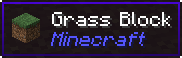
It also has an API for other mod to add more info about their blocks.
### Does WTHIT work with plugin X?
Of course, although make sure to use Fabric Loader 0.11+.
### Does it work with [insert minor version]?
Probably. The thing on brackets for every release is the version WTHIT compiled on.
It should work with any minor version if you want for some reason (like bruh just update)
### it’s A CLiEnt OnlY mod
It’s not. While some simpler feature may work in client only, more advanced stuff requires a server that has it installed. Feature that requires accessing NBT data (eg. inventory content) probably needs wthit on the server.
### Plz rENAmE
No. ~~Now that I think about it, “The hell I’m looking at” would work better :/~~
### Mod compatibility?
Check out [Megane](https://modrinth.com/mod/megane), it adds compatibility for tech mods to WTHIT.
WingAuth

[
](https://github.com/Elytrium)
# WingAuth
WingAuth is a modern Velocity authentication plugin for offline/hybrid networks.
## How it works
It runs login/register protection before players reach backend servers, using a Limbo-based auth flow.
Designed for server admins who want strong account protection with flexible setup.
## Key features
– Velocity-only architecture (runs the login on a virtual world)
– Session handling and brute-force protection
– Premium/hybrid and Floodgate-compatible scenarios (Bedrock support)
– Configurable messages and behavior
– Database-backed account storage (legacy-compatible migration path)
WI Zoom
# WI Zoom (Wurst-Imperium Zoom)
The WI Zoom Minecraft mod lets you zoom in and out with the mouse wheel, providing up to 50x magnification without the need for a spyglass. This mod is fully compatible with OptiFine and Sodium, but unlike OptiFine’s zoom, WI Zoom lets the camera move in a logical way, without making it wobble around. WI Zoom supports all of the latest Minecraft versions, including snapshots.

## Features
– Up to 50x zoom!
– No spyglass needed!
– Zoom in and out with the mouse wheel!
– No wobbly camera nonsense!
– Dynamic mouse sensitivity! (since v1.1)
– Fully compatible with OptiFine / Sodium!
## How To Zoom
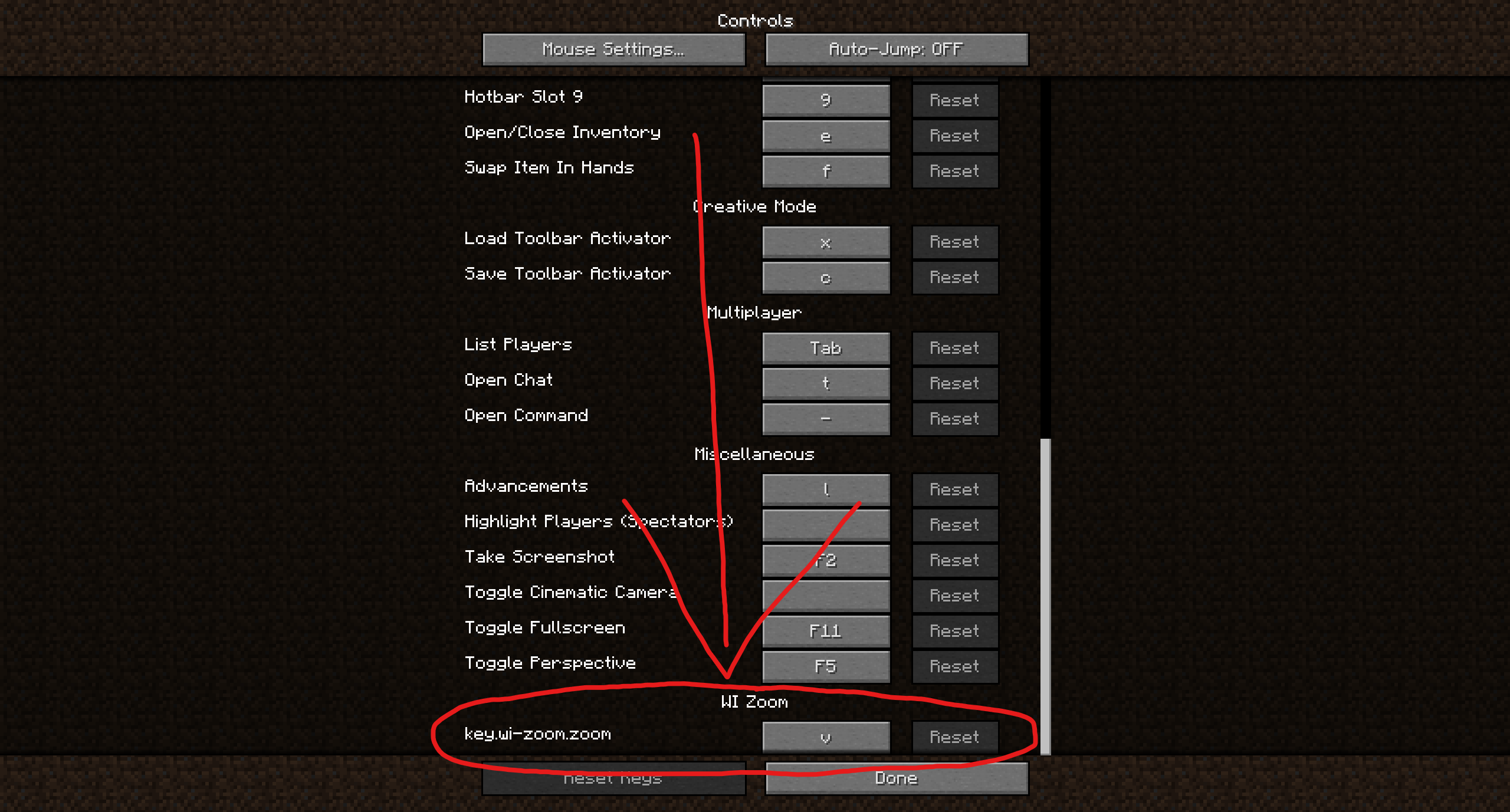
Hold down the V key to activate the zoom (this keybind can be changed).
While zooming, you can use the mouse wheel to zoom in further.
## Changing The Zoom Keybind
How to change the keybind (click to expand)
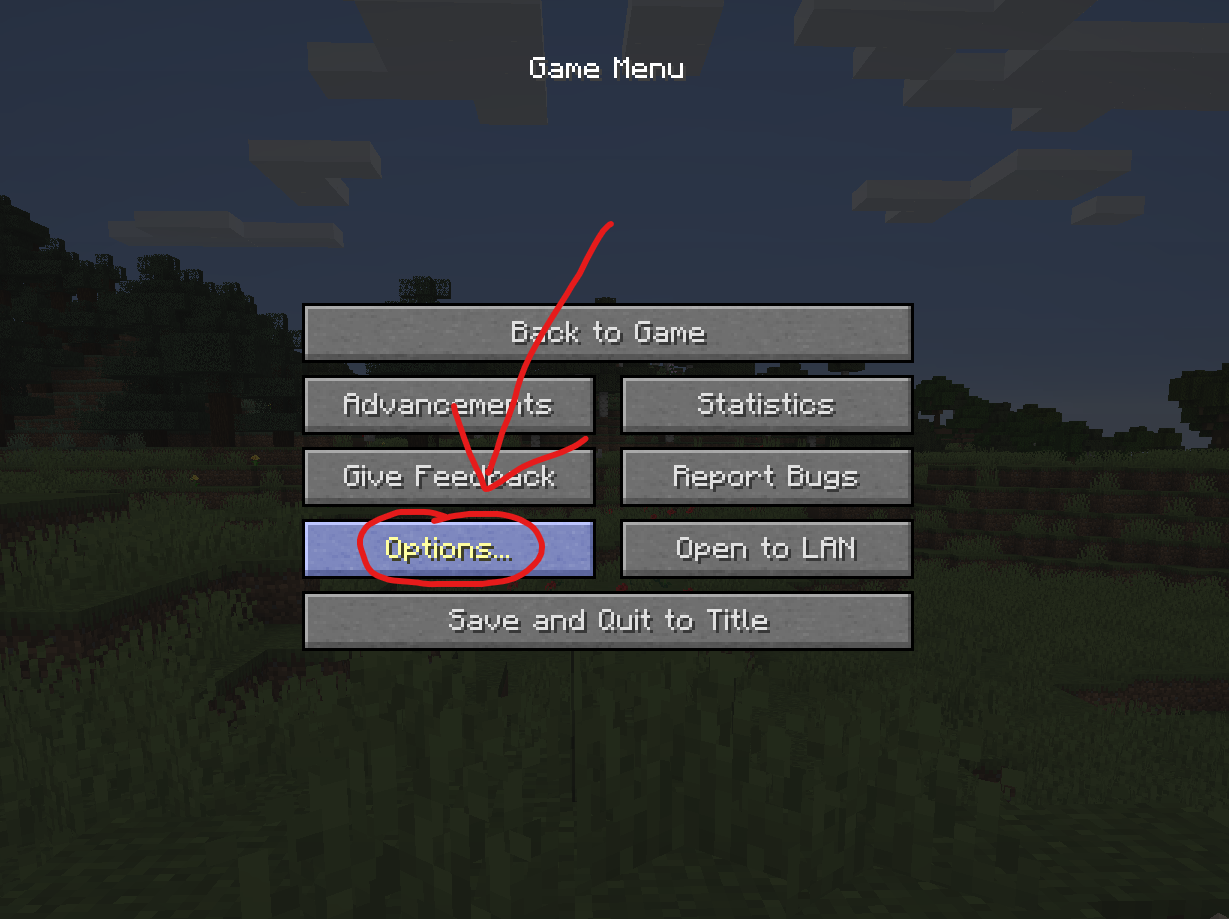
In the pause menu, click on “Options…”.
In the Options menu, click on “Controls…”.

In the Controls menu, scroll down to the “WI Zoom” section. If you don’t have any other mods installed, you will find this section at the very bottom.
## Supported Languages
– Azerbaijani (Azerbaijan) (since v1.5)
– Chinese (Simplified/Mainland) (since v1.4)
– Chinese (Traditional/Taiwan) (since v1.4)
– Cantonese (Hong Kong) (since v1.4)
– Classical Chinese (since v1.4)
– Dutch (Netherlands) (since v1.5)
– English (US)
– Estonian (Estonia) (since v1.4)
– French (France) (since v1.4)
– German (Germany)
– Kurdish (since v1.5)
– Portuguese (Brazil) (since v1.5)
– Russian (Russia) (since v1.3)
– Turkish (Turkey) (since v1.5)
– Ukrainian (Ukraine) (since v1.5)
White Anime Girl Totem
A clean and stylish Totem of Undying texture pack featuring a white-haired anime girl. This pack replaces the default Minecraft totem with a cute high-quality anime design while keeping the vanilla style smooth and lightweight. Perfect for PvP, survival, and aesthetic gameplay
Weird and powerful weapons – Texture pack
**This ressource pack add custom textures on the items of the datapack [Weird and powerful weapons](https://modrinth.com/project/Jr3nq9JV)**
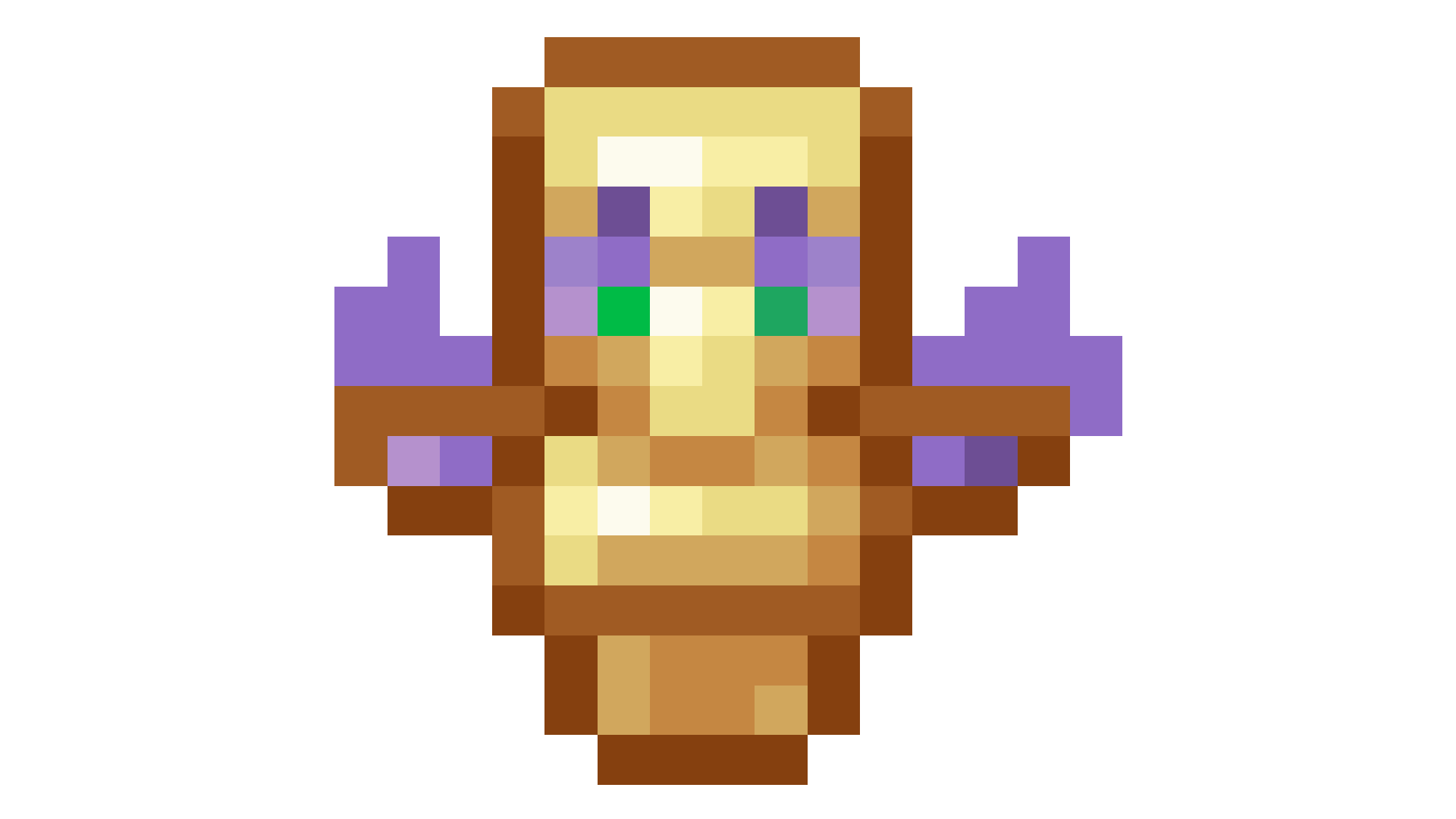
## Totem of protection
WasteLand Emeralds
# WasteLand Emeralds
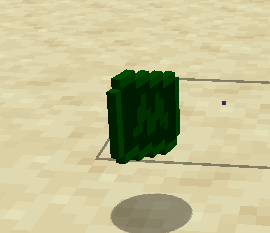
### This resource pack changes the texture of an emerald so that it looks like money