**This pack slightly modifies end stone, giving it a softer, pastel pink tone.**
nerdPVP
# NerdPVP – A Clean & Competitive PVP Resource Pack
### WARNING : This pack is still in alpha and NOT complete
## Overview
Nerd PVP is a streamlined resource pack designed for competitive Minecraft PVP. It enhances visibility, reduces distractions, and optimizes key elements to give you a tactical edge in combat. Whether you’re playing Bedwars, SkyWars, or Faction PVP, this pack keeps your focus sharp and your performance crisp.
## Key Features
– ✔ Clear & Minimalist Textures – Removes visual clutter for better enemy tracking.
– ✔ Optimized Sword & Tool Designs – Clean, high-visibility models for fast-paced combat.
– ✔ Low Fire – Less obstruction during fights.
– ✔ 16x Resolution – Balanced performance for smooth gameplay.
## Compatibility
Works on Minecraft [version (1.16.x, 1.17.x, 1.18.x,1.19.x, etc) ]
“Small” Minecraft Fabric mod featuring inventory utilities like scrolling, sorting and auto refilling of items.
_No mouses were harmed in the making of this mod._
## Main Features
| Feature | Description | How? | Availability |
|———————–|—————————————————————————-|———————————————–|———————————————————-|
| Inventory scrolling | Scroll over stacks in inventories to move them around | Scroll over stacks | Everywhere |
| Depositing/Restocking | Move all items that already exist in another inventory | Hold space and left click | Everywhere |
| Inventory sorting | Sort items in inventories by name, quantity or creative order | Press middle mouse button | Everywhere (faster if on server¹, creative since 1.19.3) |
| Scroll through tabs | Scroll through tabs and pages in the creative inventory or recipe book | Scroll over tabs/pages | Everywhere |
| Auto refill | Automatically refills used up tools, foods and the like from the inventory | Use something up | Everywhere |
| Tool picking | Pick the correct tools for the focused block | Press middle mouse button when holding a tool | Everywhere |
| Quick crafing/trading | Right click on recipes in the recipe book or trades to instant trade | Read to the left 🙂 | Everywhere |
| Armor swapping | Quickly swap equivalent armor pieces | Right-click while having the item in hotbar | Up to 1.19.4, later built in to Vanilla |
Additionally, clicks and scrolling in the inventory will change behavior when pressing the following modifier keys:
– Shift: Applies the action to the full stack instead of single items
– Ctrl: Applies the action to all items of the same type
– Alt: Drops the item instead of moving it
Basically all the actions are rebindable in the controls menu.
¹: Works on singleplayer or on servers if the mod is installed on the server as well.
## Configuration
Lots of stuff is configurable.
To open the config screen you’ll need to install [Mod Menu](https://modrinth.com/project/mOgUt4GM).
Alternatively, you can edit the config file `mousewheelie.hjson` in the config folder after the first launch.
Changes will only be applied after a restart when editing the config file.
Contribute or improve translations [here](https://weblate.siphalor.de/engage/mouse-wheelie).
## Notes for Server Operators
A bunch of the features in this mod are rightfully considered cheating.
See [here](https://github.com/Siphalor/mouse-wheelie/blob/master/SERVER_OPERATORS.md) for information on how to prevent this.
More Mobs
# Tschipcraft’s More Mobs
> A server-side data pack/mod for 1.14x-26.1x
YouTube showcase
## Features
Mobs have new variants through custom heads or through unused vanilla mobs! This pack uses **over 85 custom player heads** that can be obtained and placed in your world. Spiders also turn upside down when hanging from ceilings.
This data pack/mod is completely server-side, but can also be installed on the client for singleplayer worlds! No resource pack needed!
[-> For all added heads and available settings, take a look at the wiki <-](https://github.com/Tschipcraft/more_mobs/wiki)
## Installation
Install either as:
* **Data Pack [DP]** ➜ Place `.zip` in your world's `datapacks` folder
* **Mod [Mod]** ➜ Drop into your `mods` folder and optionally install [MidnightLib](https://modrinth.com/project/codAaoxh) for a global config file and UI
To manage settings, reset, or uninstall the pack, use `/trigger tschipcraft.menu` or `/function #tschipcraft:menu`.
## Compatibility
Tested with [Rare Mobs (PMC)](https://www.planetminecraft.com/data-pack/rare-mobs-5186029/) and [Mob Captains](https://modrinth.com/datapack/mob-captains).
**Forge** is only natively supported until Minecraft 1.21.5.
This data pack follows the [Smithed](https://wiki.smithed.dev/conventions/) and essential [MC Datapacks Discord Server](https://mc-datapacks.github.io/en/conventions/index.html) Conventions to ensure data pack compatibility.
## Current issues
>
>
> Currently incompatible with [Special Mobs](https://modrinth.com/datapack/special-mobs) – [see #7](https://github.com/Tschipcraft/more_mobs/issues/7). This will be fixed in a future release.
## External Links
## Partner Offers
Want to buy **Hytale** or upgrade your edition? Use creator code `Tschipcraft` upon checkout for me to receive a commission! (The price for you stays the same)
Mojang Black Background
# Mojang Black Background
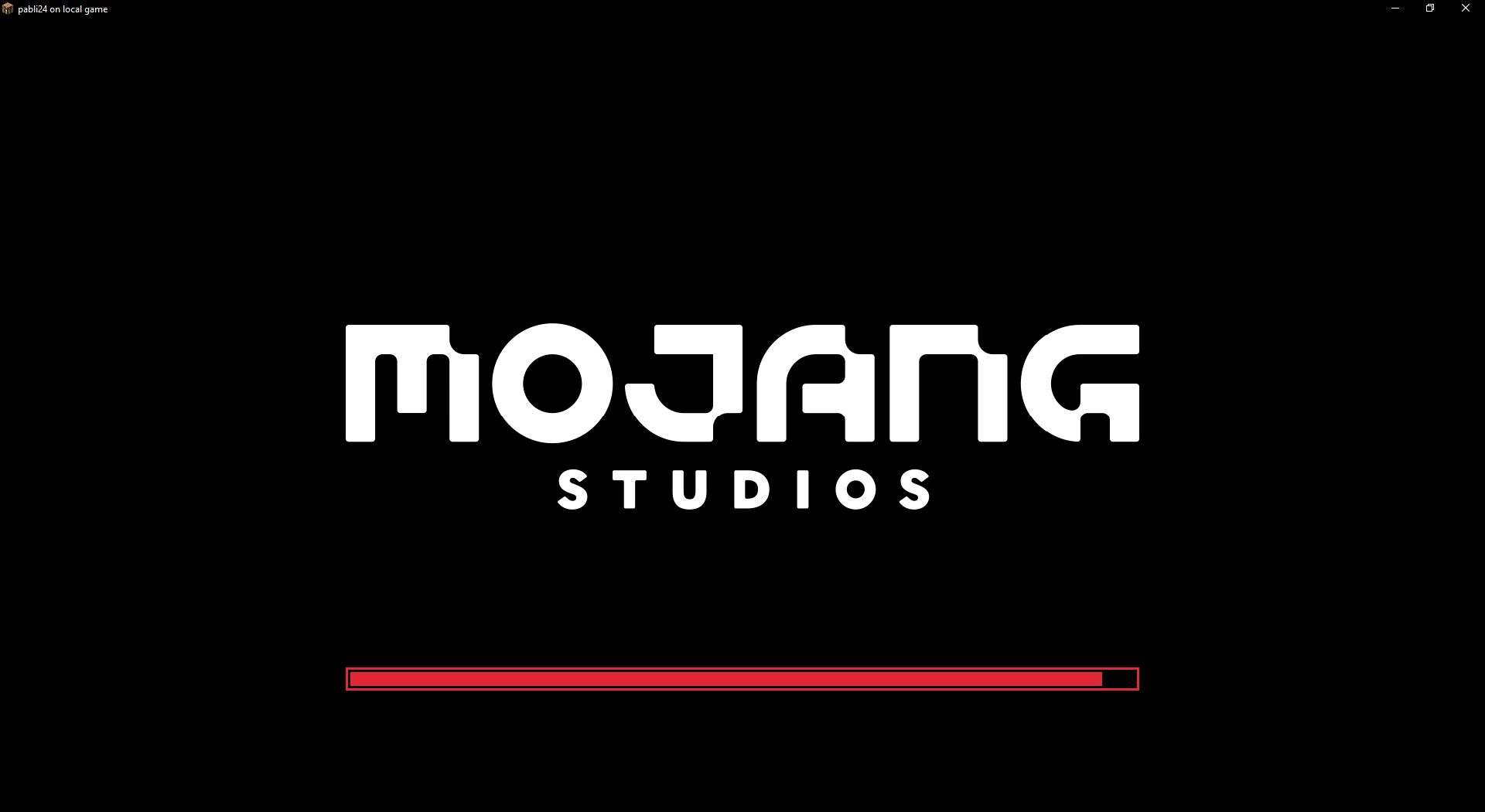
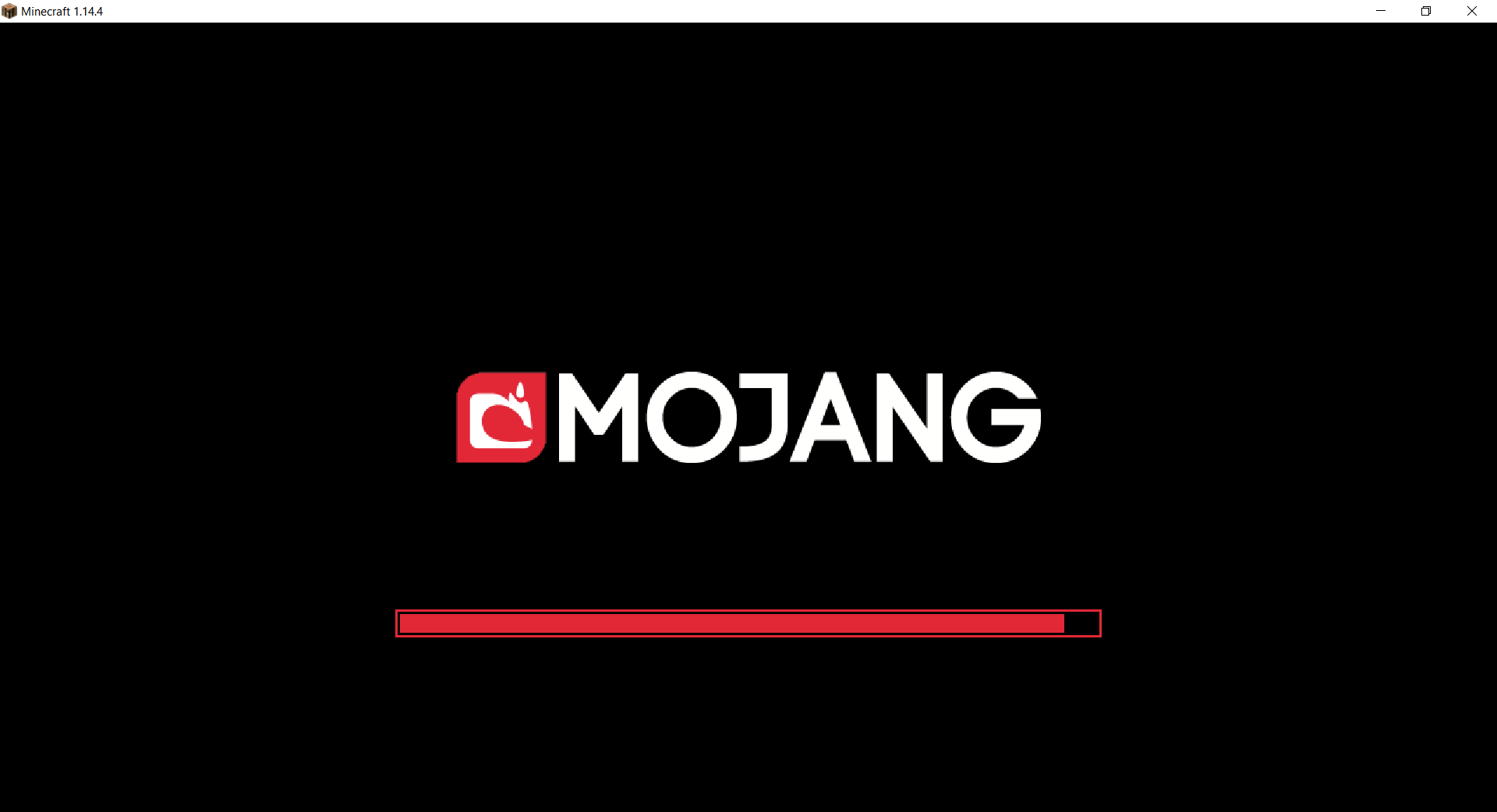
Changes white background in mojang loading screen to black
Minecraft 1.14 and newer
OptiFine is required to work! [optifine.net](https://optifine.net/home)
## Minecraft 1.16+
## Minecraft 1.14 – 1.15
The resurcepack is also available on [CurseForge](https://www.curseforge.com/minecraft/texture-packs/mojang-black-background)
A Fabric mod adding commands to list, search, and get information about installed mods.
Requires [Fabric API](https://www.curseforge.com/minecraft/mc-mods/fabric-api).
Command | Description | Permission
————————————————|—————————————————————————————————————————————————————————————————————————————————————————————————————————-|————————
`/mods [page] []` | Displays a paginated view of installed mods. | `modscommand.mods`
`/mods info ` | Displays detailed information about the specified mod. | `modscommand.mods`
`/mods info children []` | Displays a paginated view of child mods for the specified mod. | `modscommand.mods`
`/mods search []` | Displays a paginated view of mods matching the search query. | `modscommand.mods`
`/mods config ` | Opens the Mod Menu config screen for the specified mod. This command is only registered when installed on the client and Mod Menu is installed. | `modscommand.mods`
`/dumpmods` | Dumps the list of installed mods and some information about the current environment to `installed-mods.yml` in the game directory. When used in game, the contents of the file can be copied to the clipboard by clicking a chat message. This is a diagnostics command, meant to aid in creating more useful bug reports. | `modscommand.dumpmods`
### Client Commands
Client commands are commands which are processed on the client and never sent to the server.
All of Mods Command’s commands are usable as client commands.
– `/mods` and all subcommands are registered under `/clientmods` and `/modscommand:clientmods`.
– `/dumpmods` is registered as `/dumpclientmods` and `/modscommand:dumpclientmods`.
– The client variants of commands do not require any permissions.
### Configuration
Mods Command can be configured though the `mods-command.conf` generated in the `config` directory after the first run.
Mod Menu
# Mod Menu
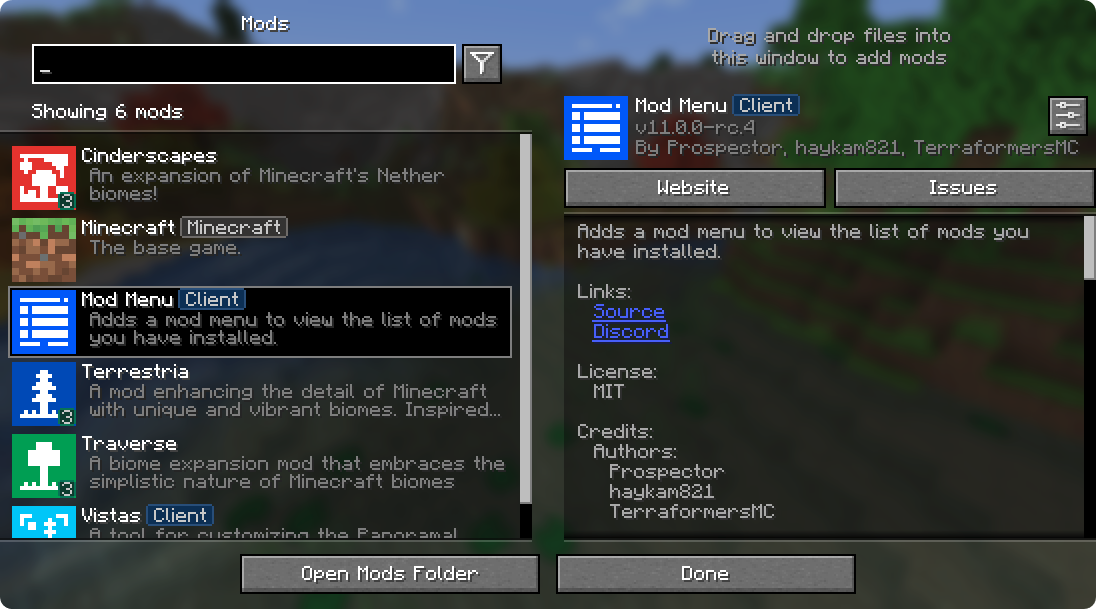
Mod Menu lets you view the mods you have installed and, if supported by the mod, enables quick and easy access to the mod’s config screens.
Mod Menu also supports some more advanced features, such as translatable mod names and descriptions, support for [QuickText formatting](https://placeholders.pb4.eu/user/quicktext/) in mod descriptions thanks to [Patbox](https://ko-fi.com/patbox)’s [Text Placeholder API](https://modrinth.com/mod/placeholder-api), filters library mods out from regular mods, a mod update checker for mods hosted on Modrinth or that provide their own update sources, and deep configuration for all the features we provide.
### Supported Platforms
Mod Menu is currently available for Fabric or Quilt on Minecraft: Java Edition 1.14 or newer.
## Developers
Mod Menu includes a number of APIs for developers to improve how their mod appears in Mod Menu. These come in the form of language keys, JSON metadata, and even a Java API.
### Translation API
You can translate your mod’s name, summary, and description all without touching any Java code. Simply add translation keys in the supported format to any language you’d like.
Translation API Documentation
Here’s an example of Mod Menu’s translations into Pirate Speak. To create your own, simply replace `modmenu` at the end (***NOT*** the one in the beginning) of the translation key with your own mod ID, for example `modmenu.descriptionTranslation.traverse`.
> The summary translation is redundant here and does not need to be included because it’s the same as the description, but it was included to show that you may translate the summary (a short, one-sentence description of the mod) separately from the description, even in English!
### Fabric Metadata API
There’s a number of things you can add just with metadata in your `fabric.mod.json`.
All of these are added to a custom block in your `fabric.mod.json` for Mod Menu’s metadata. Here’s an example usage of many of the features this API provides:
#### Badges (`”badges”: [ ]`)
While the `Client` badge is added automatically to mods set as client-side only (set `”environment”: “client”` in `fabric.mod.json` to do this.), other badges such as the `Library` and `Deprecated` badges require definition here.
Supported values:
– `library` – should be assigned to mods that are purely dependencies for other mods that should not be shown to the user by default unless they toggle them on.
– `deprecated` – should be assigned to mods that exist purely for legacy reasons, such as an old API module or such.
Any others will be ignored, and Mod Menu does not support adding your own badges. You may open an issue [here](https://github.com/TerraformersMC/ModMenu/issues) if you have a compelling use case for a new badge.
#### Links (`”links”: { }`)
The `links` object allows mod authors to add custom hyperlinks to the end of their description. If you specify a `sources` contact in the official `fabric.mod.json` metadata, it will also be included in the links section.
Any key in the `links` object will be included in the links section, with the key being used as a translation key. For example, this:
`fabric.mod.json`
“`json
“custom”: {
“modmenu”: {
“links”: {
“modmenu.discord”: “https://discord.gg/jEGF5fb”
}
}
}
“`
will show as a link with the text “Discord”, since “Discord” is the English translation of “modmenu.discord” provided by Mod Menu.
Mod Menu provides several default translations that can be used for links. A full list can be seen in Mod Menu’s language file [here](https://github.com/TerraformersMC/ModMenu/blob/-/src/main/resources/assets/modmenu/lang/en_us.json). All default link translation keys take the form `modmenu.`.
You can also provide your own translations if you would like to add custom links. Make sure to use ***your own namespace*** (as opposed to `modmenu`) for any custom keys.
#### Parents (`”parent”: “mod_id” or { }`)
Parents are used to display a mod as a child of another one. This is meant to be used for mods divided into different modules. The following element in a `fabric.mod.json` will define the mod as a child of the mod ‘flamingo’:
However, if you want to group mods under a parent, but the parent isn’t an actual mod, you can do that too. In the example below, a mod is defining metadata for a parent. Make sure that this metadata is included in all of the children that use the fake/dummy parent. This can also be used as a fallback for an optional parent, it will be replace by the mod’s real metadata if present.
Dummy parent mods only support the following metadata:
– `id` (String)
– `name` (String)
– `description` (String)
– `icon` (String)
– `badges` (Array of Strings)
#### Disable update checker (`”update_checker”: false`)
By default, Mod Menu’s update checker will use the hash of your mod’s jar to lookup the latest version on Modrinth. If it finds a matching project, it will check for the latest version that supports your mod loader and Minecraft version, and if it has a different hash from your existing file, it will prompt the user that there is an update available.
You can disable the update checker by setting `update_checker` to false in your Mod Menu metadata like so:
### Quilt Metadata API
Since Mod Menu supports Quilt as well, the same APIs in the Fabric Metadata API section are also available for Quilt mods, but the format for custom metadata is slightly different.
Instead of a `”modmenu”` block inside of a `”custom”` block, you put the `”modmenu”` block as an element in the root object. So it should look like:
`quilt.mod.json`
“`json5
{
…
“modmenu”: {
// Here’s where your links, badges, etc. stuff goes
}
}
“`
### Java API
To use the Java API, you’ll need to add Mod Menu as a compile-time dependency in your gradle project. This won’t make your mod require Mod Menu, but it’ll be present in your environment for you to test with.
`build.gradle`
“`gradle
// Add the Terraformers maven repo to your repositories block
repositories {
maven {
name = “Terraformers”
url = “https://maven.terraformersmc.com/”
}
}
// Add Mod Menu as a dependency in your environment
dependencies {
// Prior to Minecraft 26.x, use “modImplementation” instead
implementation(“com.terraformersmc:modmenu:${project.modmenu_version}”)
}
“`
Then, define the version of Mod Menu you’re using in your `gradle.properties`. You can get the latest version number [here](https://modrinth.com/mod/modmenu/version/latest), but you may need a different version if you’re not using the latest Minecraft version. See the [versions page](https://modrinth.com/mod/modmenu/versions) for a full list of versions.
`gradle.properties`
“`properties
modmenu_version=VERSION_NUMBER_HERE
“`
> If you don’t want it in your environment for testing but still want to compile against Mod Menu for using the Java API, you can use `modCompileOnly` instead of `modImplementation` (this will work even if Mod Menu is not updated to the version of Minecraft you’re running).
Java API Documentation
### Getting Started
To use the API, implement the ModMenuApi interface on a class and add that as an entry point of type “modmenu” in your `fabric.mod.json` like this:
### Mod Config Screens
Mods can provide a Screen factory to provide a custom config screen to open with the config button. Implement the `getModConfigScreenFactory` method in your API implementation to do this.
The intended use case for this is for mods to provide their own config screens. The mod id of the config screen is automagically determined by the source mod container that the entrypoint originated from.
### Provided Config Screens
Mods can provide Screen factories to provide a custom config screens to open with the config buttons for other mods as well. Implement the `getProvidedConfigScreenFactories` method in your API implementation for this.
The intended use case for this is for a mod like Cloth Config to provide config screens for mods that use its API.
### Modpack Badges
Mods can give other mods the `Modpack` badge by implementing the `attachModpackBadges` method, such as through the following:
“`java
@Override
public void attachModpackBadges(Consumer consumer) {
consumer.accept(“modmenu”); // Indicates that ‘modmenu’ is part of the modpack
}
“`
Note that ‘internal’ mods such as Minecraft itself and the mod loader cannot be given the modpack badge, as they are not distributed within a typical modpack.
### Static Helper Methods
`ModMenuApi` also offers a few helper methods for mods that want to work with Mod Menu better, like making their own Mods buttons.
#### Creating a Mods screen instance
You can call this method to get an instance of the Mods screen:
“`java
Screen createModsScreen(Screen previous)
“`
#### Creating a Mods button `Text`
You can call this method to get the Text that would be displayed on a Mod Menu Mods button:
“`java
Text createModsButtonText()
“`