Just Hotbar
# Just Hotbar
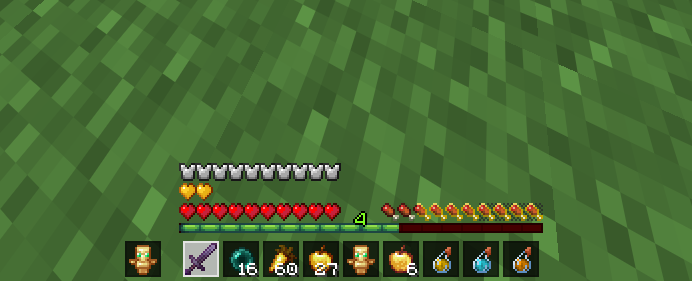
This texture pack changes the hearts and hotbar, making them simpler
# Just Hotbar
This texture pack changes the hearts and hotbar, making them simpler

Removes the Java Edition Text under The “Minecraft” Logo from the Title Screen!


Also works for with other resourcepacks!


This resource pack changes Minecraft title screen logo to unused official Japanese logo “マインクラフト”, the Japanese Katakana for “Minecraft”.
Originally sourced from the official website of a design company that created this logo for Mojang. but it was never officially used. For more information check the Minecraft Wiki logo page.
Version 1 replaces the main logo with “マインクラフト” and removes the subtitle.
Version 2 keeps the original main logo and changes the subtitle to “マインクラフト”.
Previews gallery
I do not own this.
日本語:
元は、Mojangのためにこのロゴをデザインしたデザイン会社の公式ウェブサイトからのものですが、公式には使用されませんでした。詳しくはMinecraft Wikiのロゴページをご覧ください。
バージョン1 は、メインロゴを「マインクラフト」に置き換え、サブタイトルを削除しています。
バージョン2 は、元のメインロゴを維持し、サブタイトルを「マインクラフト」に変更しています。
プレビューギャラリー
これは私の所有物ではありません。
Replace the main menu background with Jane Doe (Zenless Zone Zero).

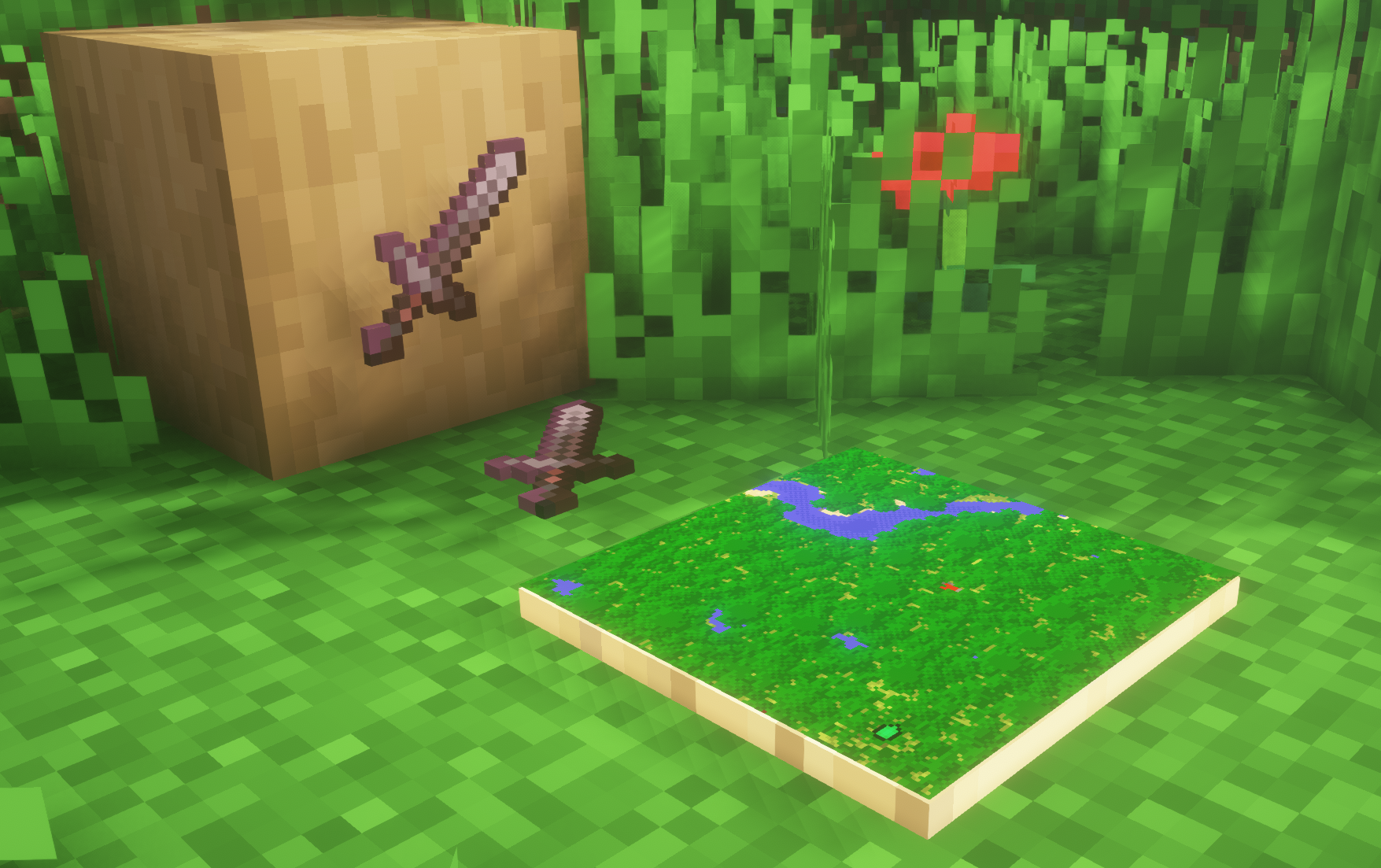
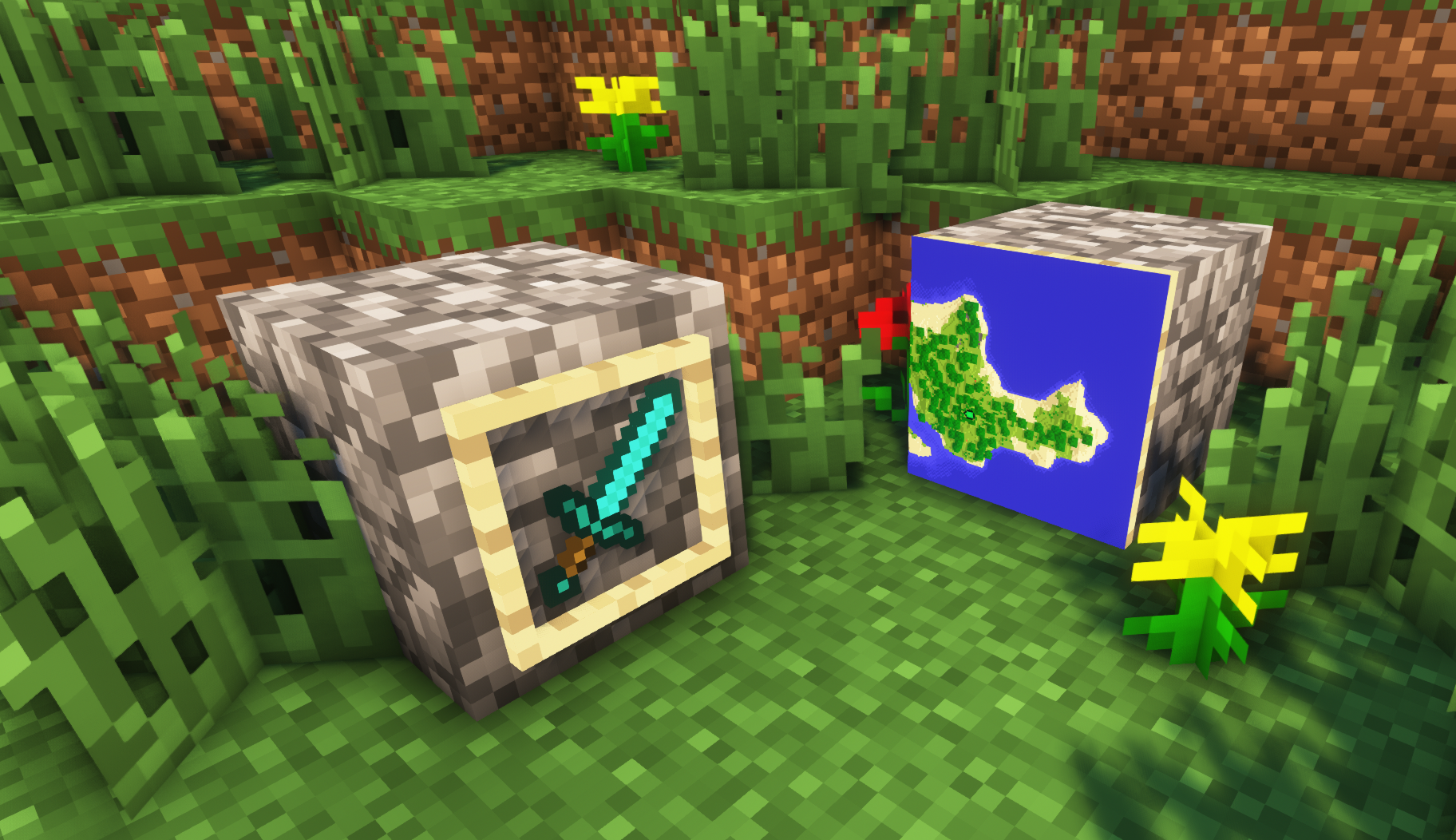
**A simple resource pack that makes item frames invisible**.
—
## Need a Minecraft Server? (Sponsor)
[](https://billing.sparkedhost.com/aff.php?aff=3138)
Get **25% off your first month** with Sparked Host.
—
## Quick info
– **Versions:** 1.4+ (full invisibility from 1.8+)
– **Works with almost all mods (Sodium/Iris and OptiFine too)**
– **No mods or commands required**
– **Additional files for invisible glow item frames and invisible map frames**
– **Versions below 1.8 will only have the center of the frame invisible (view images below for more info)**
—
## Showcase
**1.8+**
—
**Can I use this with other packs?**
> Yes, but place this pack in a **higher priority (above other packs)**.
**How do I remove item frames?**
> Enable debug hitboxes using **F3 + B** and break the frame.
**Can I use this pack in my modpack or server?**
> Yes you are free to use it, as long as you don’t claim this pack as your own.
**Why is my map/glow item frame not invisible?**
> You have to install those separately. They are available under **additional files** or the buttons near the top of this page.
**Does this make the game slower?**
> This pack actually slightly **improves the client-side framerate** in scenes with lots of item frames.
—
## Additional Files
– [Download Invisible Glow Item Frames](https://cdn.modrinth.com/data/gfr4403r/versions/SVxFWAm4/Invisible-Glow-Item-Frames-V4.zip)
– [Download Invisible Map Item Frames](https://cdn.modrinth.com/data/gfr4403r/versions/SVxFWAm4/Invisible-Map-Item-Frames-V1.zip)
—
## Need a Minecraft Server? (Sponsor)
[](https://billing.sparkedhost.com/aff.php?aff=3138)
Use code **MattyWalker** for 25% off your first month.
## Instant Respawn Always
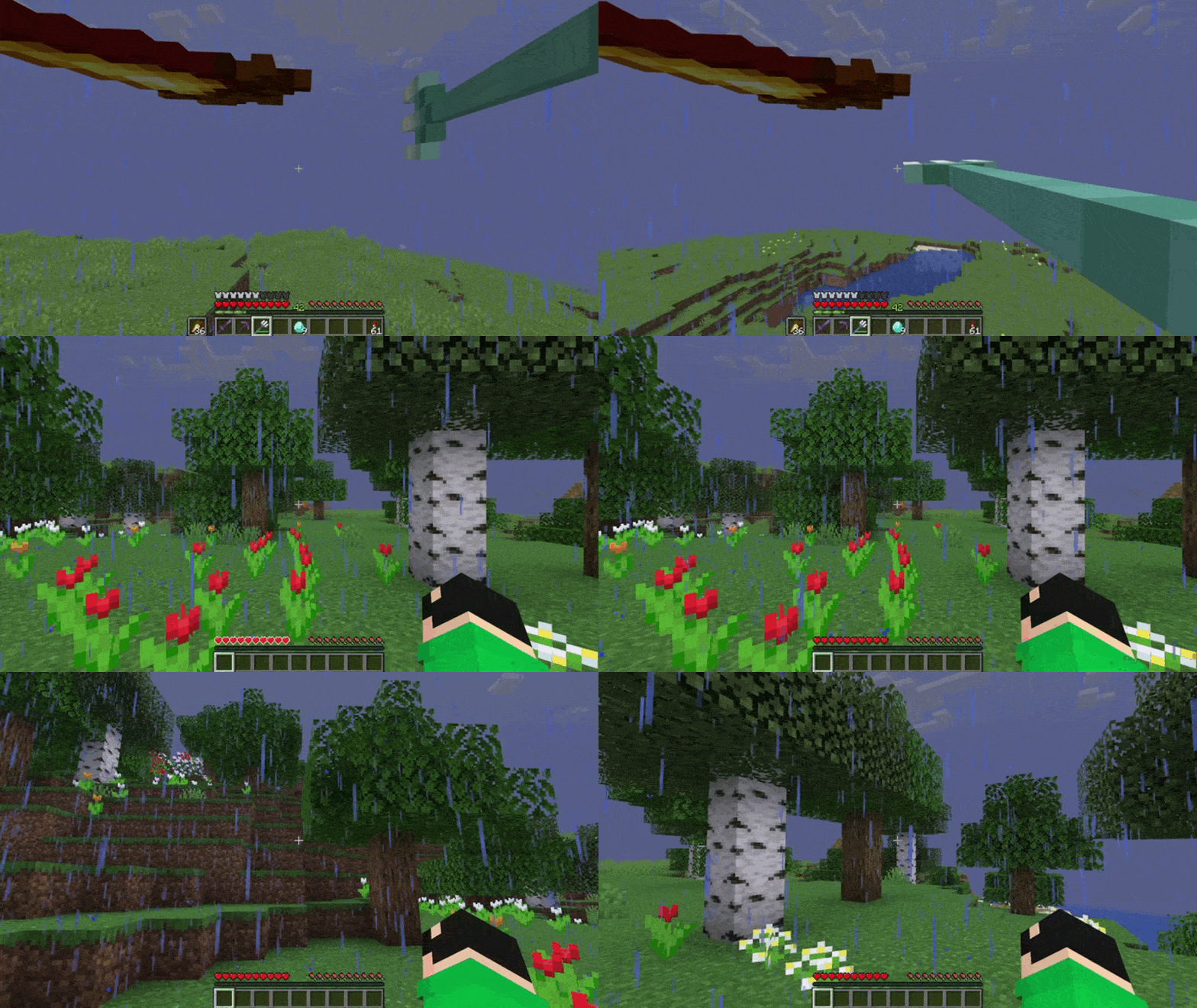
Skip the death screen in each world, like in short videos, so you don’t have to waste time on settings.
## Dependencies
– Fabric loader requires [Fabric API](https://modrinth.com/mod/fabric-api)
# Inspecio
[](https://raw.githubusercontent.com/Queerbric/Inspecio/1.18/LICENSE)

[![Mod loader: Quilt]][quilt]
Better and more tooltips on items!
## What’s this mod?
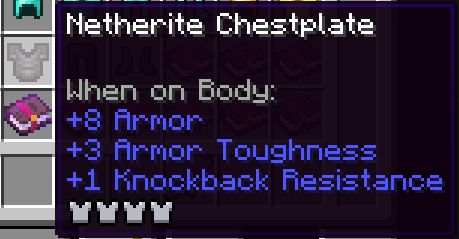
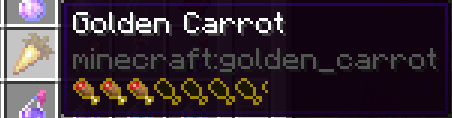
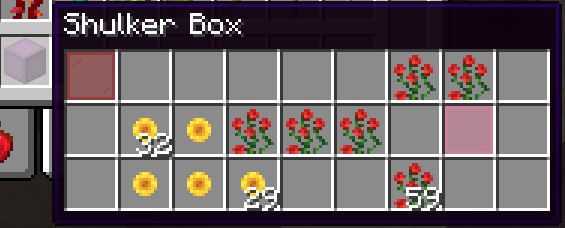
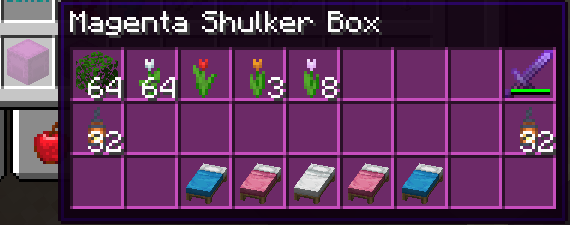
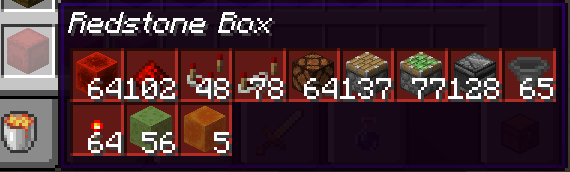
Inspecio adds new tooltips to items like shulker boxes, filled map, fish bucket, armor, food, banner patterns, etc.
Some of those are just replacement to the vanilla “text” tooltip with a more fancy one, others are extra information for the user!
Most of the mod is configurable, some parts can be enabled/disabled to your heart’s desire!
## Pictures
#### Armor tooltip
#### Food tooltip
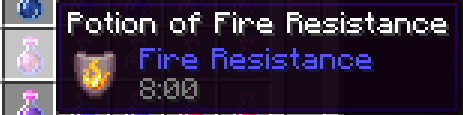
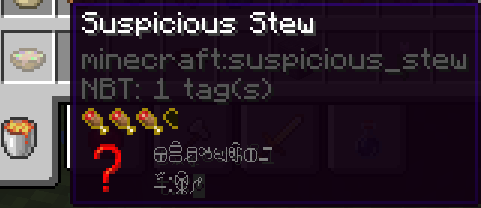
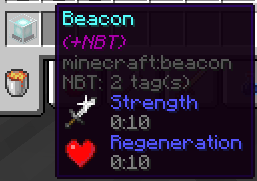
#### Effects tooltips
#### Shulker Box tooltips (and other storage blocks)
Normal:
Colored:
Compact:
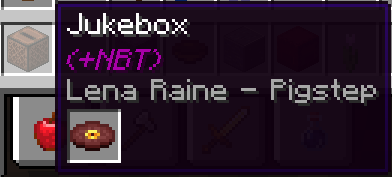
#### Jukebox tooltip
#### Loot Table Tooltip

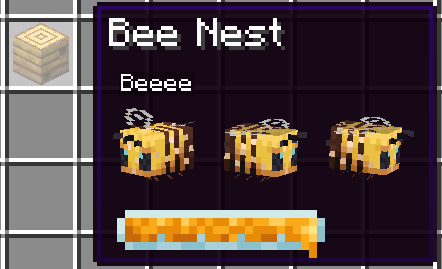
#### Bee Hive Tooltip
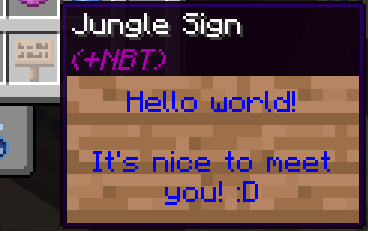
#### Sign Tooltip
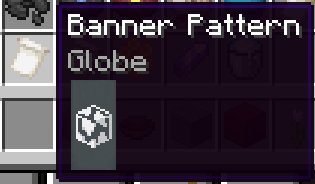
#### Banner Pattern
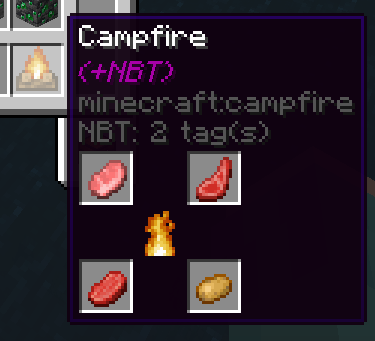
#### Campfire
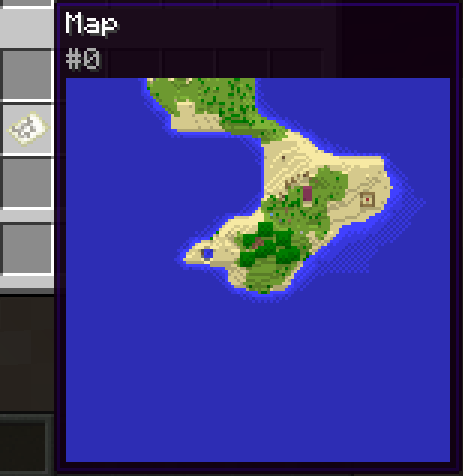
#### Filled Map
#### Entities
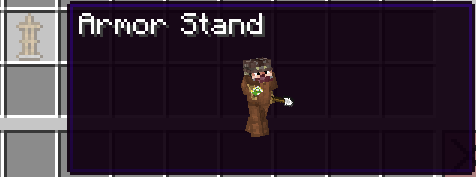
##### Armor Stand
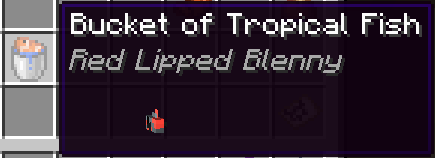
##### Bucket of Fish
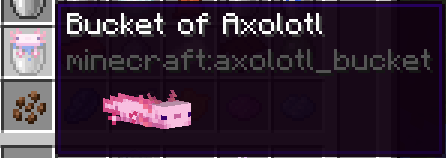
##### Bucket of Axolotl
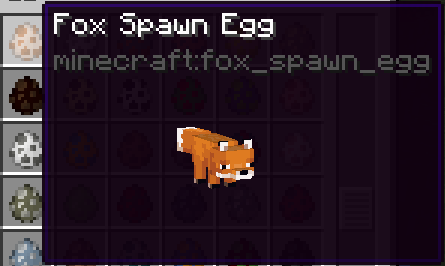
##### Spawn Eggs
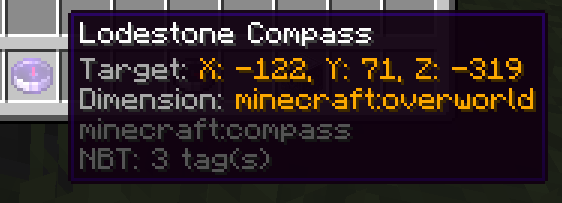
#### Lodestone Compass
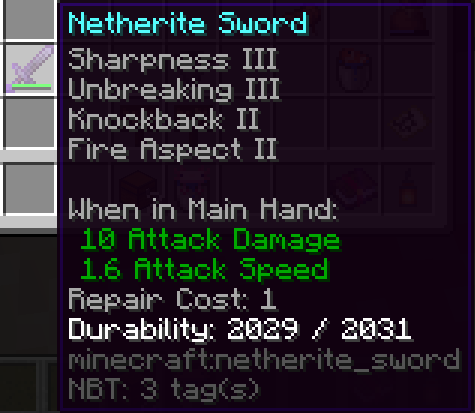
#### Repair Cost
## Configuration
The configuration file of the mod is located in `
You can use the command `/inspecio config` to manage configuration.
Here’s the default configuration:
“`json
{
“jukebox”: “fancy”,
“sign”: “fancy”,
“advanced_tooltips”: {
“repair_cost”: true,
“lodestone_coords”: false
},
“filled_map”: {
“enabled”: true,
“show_player_icon”: false
},
“food”: {
“hunger”: true,
“saturation”: “merged”
},
“containers”: {
“campfire”: true,
“storage”: {
“enabled”: true,
“compact”: false,
“loot_table”: true
},
“shulker_box”: {
“enabled”: true,
“compact”: false,
“loot_table”: true,
“color”: true
},
“chiseled_bookshelf”: {
“enabled”: true,
“compact”: false,
“loot_table”: true,
“block_render”: true
}
},
“effects”: {
“food”: true,
“hidden_motion”: true,
“hidden_effect_mode”: “enchantment”,
“beacon”: true,
“potions”: true,
“tipped_arrows”: true,
“spectral_arrow”: true
},
“entities”: {
“fish_bucket”: {
“enabled”: true,
“always_show_name”: false,
“spin”: true
},
“spawn_egg”: {
“enabled”: true,
“always_show_name”: false,
“spin”: true
},
“pufferfish_puff_state”: 2,
“armor_stand”: {
“enabled”: true,
“always_show_name”: false,
“spin”: true
},
“bee”: {
“enabled”: true,
“always_show_name”: false,
“spin”: true,
“show_honey_level”: true
},
“mob_spawner”: {
“enabled”: true,
“always_show_name”: false,
“spin”: true
}
},
“armor”: true,
“banner_pattern”: true,
“painting”: true
}
“`
Here’s a list of each configuration entries and what they do:
– `armor` (`bool`) – `true` if the display of the armor bar on armor items is enabled, or `false` otherwise.
– `banner_pattern` (`bool`) – `true` if the display of the pattern in the tooltip of banner patterns is enabled, or `false` otherwise.
– `painting` (`bool`) – `true` if the painting should be previewed in the tooltip of a painting item that has a known variant, or `false` otherwise.
– `advanced_tooltips`
– `repair_cost` (`bool`) – `true` if the display the repair cost value is enabled, or `false` otherwise.
– `lodestone_coords` (`bool`) – `true` if a display of the lodestone coordinates on lodestone compass is enabled, or `false` otherwise.
– `containers`
– `campfire` (`bool`) – `true` if the display of a special tooltip on campfires which hold custom NBT is enabled, or `false` otherwise.
– `storage`
– `enabled` (`bool`) – `true` if the inventory of storage items like chests, barrels, etc. should be shown in the tooltip, or `false` otherwise.
– `compact` (`bool`) – `true` if the inventory should be compacted to take as little space as possible, or `false` otherwise.
– `loot_table` (`bool`) – `true` if the loot table identifier should be displayed in the tooltip if specified, or `false` otherwise.
– `shulker_box`
– `enabled` (`bool`) – `true` if the inventory of shulker boxes should be shown in the tooltip, or `false` otherwise.
– `compact` (`bool`) – `true` if the inventory should be compacted to take as little space as possible, or `false` otherwise.
– `loot_table` (`bool`) – `true` if the loot table identifier should be displayed in the tooltip if specified, or `false` otherwise.
– `color` (`bool`) – `true` if the inventory tooltip should be colored the same as the shulker box, or `false` otherwise.
– `chiseled_bookshelf`
– `enabled` (`bool`) – `true` if the inventory of chiseled bookshelves should be shown in the tooltip, or `false` otherwise.
– `compact` (`bool`) – `true` if the inventory should be compacted to take as little space as possible, or `false` otherwise.
– `loot_table` (`bool`) – `true` if the loot table identifier should be displayed in the tooltip if specified, or `false` otherwise.
– `block_render` (`bool`) – `true` if the tooltip of chiseled bookshelves should display the block form instead of a standard inventory, or `false` otherwise.
– `effects`
– `potions` (`bool`) – `true` if replacing the effect tooltips with a fancy one on potion items is enabled, or `false` otherwise.
– `tipped_arrows` (`bool`) – `true` if replacing the effect tooltips with a fancy one on tipped arrows is enabled, or `false` otherwise.
– `spectral_arrow` (`bool`) – `true` if replacing the effect tooltips with a fancy one on spectral arrow item is enabled, or `false` otherwise.
– `food` (`bool`) – `true` if adding effect tooltips on food items is enabled, or `false` otherwise.
– `hidden_motion` (`bool`) – `true` if using obfuscated text for hidden effect tooltips is enabled, or `false` otherwise.
– `hidden_effect_mode` (`string`) – `”enchantment”` will display the obfuscated text for hidden effect tooltips with the enchantment font, `”obfuscated”` will use the normal font.
– `beacon` (`bool`) – `true` if adding a tooltip with the primary and secondary effects (if they exist) is enabled, or `false` otherwise.
– `entities`
– `armor_stand`
– `enabled` (`bool`) – `true` if armor stand tooltip should be displayed, or `false` otherwise.
– `always_show_name` (`bool`) – `true` if the name of an armor stand should always be shown, or `false` otherwise and use the CTRL key instead.
– `spin` (`bool`) – `true` if the armor stand spin in the tooltip, or `false` otherwise
– `bee`
– `enabled` (`bool`) – `true` if displaying the bees in the beehive tooltip is enabled, or `false` otherwise.
– `always_show_name` (`bool`) – `true` if the name of the bees should always be shown, or `false` otherwise and use the CTRL key instead.
– `spin` (`bool`) – `true` if the bees spin in the tooltip, or `false` otherwise.
– `show_honey_level` (`bool`) `true` if the honey level should be shown, or `false` otherwise.
– `fish_bucket`
– `enabled` (`bool`) – `true` if fish bucket tooltips should display the entity they hold, or `false` otherwise.
– `spin` (`bool`) – `true` if the entity spins in the tooltip, or `false` otherwise.
– `mob_spawner`
– `enabled` (`bool`) – `true` if mob spawner tooltips should display the entity they hold, or `false` otherwise.
– `always_show_name` (`bool`) – `true` if the name of the hold entity should always be shown, or `false` otherwise.
– `spin` (`bool`) – `true` if the entity spins in the tooltip, or `false` otherwise.
– `spawn_egg`
– `enabled` (`bool`) – `true` if spawn egg tooltips should display the entity they hold, or `false` otherwise.
– `always_show_name` (`bool`) – `true` if the name of the hold entity should always be shown, or `false` otherwise.
– `spin` (`bool`) – `true` if the entity spins in the tooltip, or `false` otherwise.
– `pufferfish_puff_state` (`int`) – the pufferfish puff state, between 0 and 2 inclusive.
– `filled_map`
– `enabled` (`bool`) – `true` if filled map tooltips should display the map, or `false` otherwise.
– `show_player_icon` (`bool`) – `true` if show the player icon on filled map tooltips, or `false` otherwise.
– `food`
– `hunger` (`bool`) – `true` if hunger bar should be displayed on food items, or `false` otherwise.
– `saturation` (`string`) – `”disabled”` does nothing, `”merged”` adds the saturation bar as an outline to the hunger bar, `”separated”` adds its own saturation bar.
– `jukebox` (`string`) – `”disabled”` does nothing, `”fast”` will add the inserted disc name if possible in the tooltip of jukeboxes, `”fancy”` will display the disc item as well.
– `sign` (`string`) – `”disabled”` does nothing, `”fast”` will add the sign content as text tooltip if possible, `”fancy”` will add a fancy sign tooltip if possible.
[quilt]: https://quiltmc.org
[Mod loader: Quilt]: https://img.shields.io/badge/modloader-Quilt-9115ff?style=flat-square
**This resource pack changes your hearts and hunger bar icons to be circles.**
### Features:
– Round hearts
– Round hunger bar
– Changes all types of hearts (poison, freezing, hardcore…)
– Compatible with the [AppleSkin mod](https://modrinth.com/mod/appleskin)
**♡ Make sure to follow!**

## Description
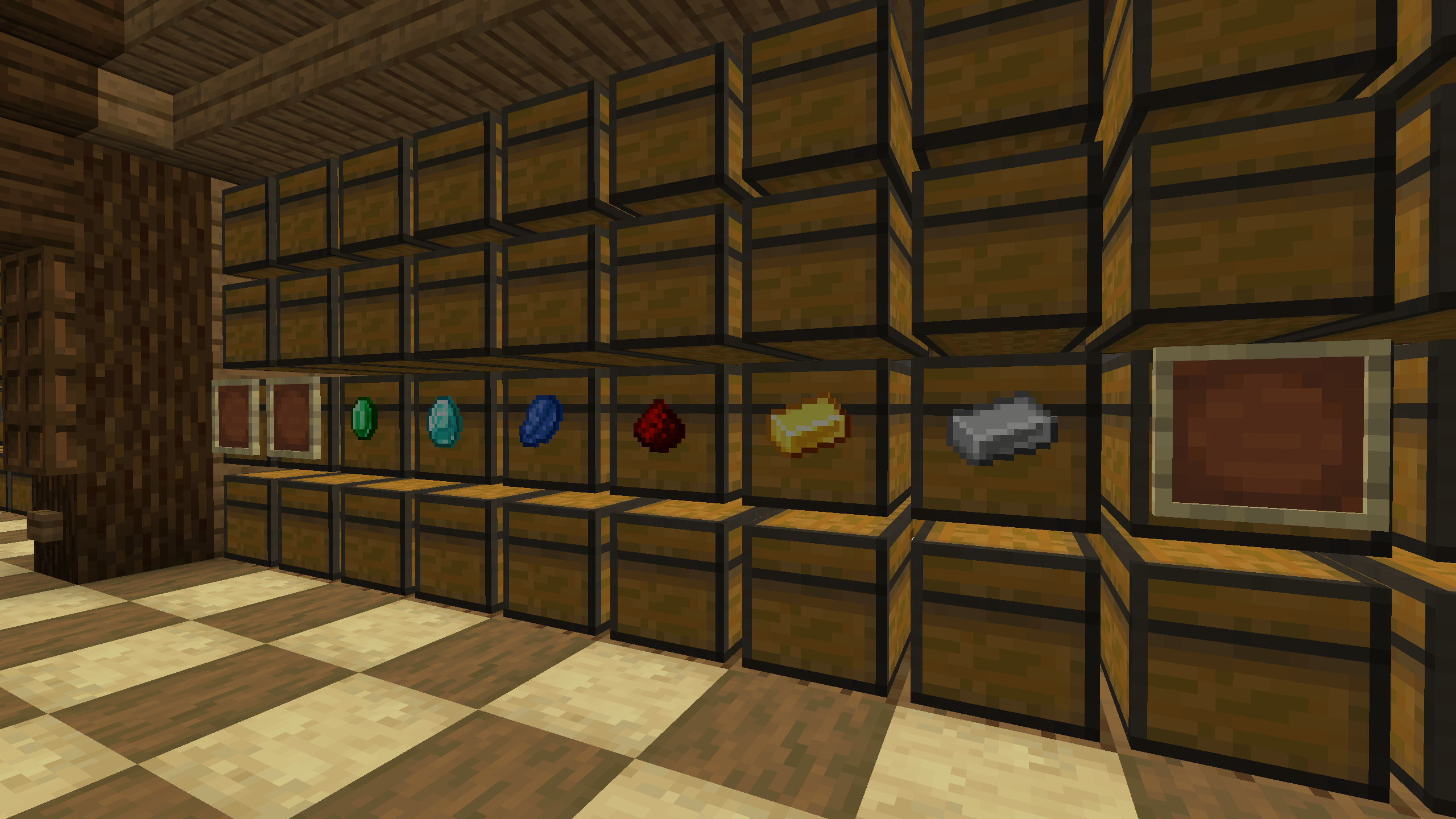
A mod that hides frames if they contain an item. This solution allows you to improve the interior and see the frames when they are empty.
## Usage
To see all frames again, even those that contain an item, you can press the H button (default). The frame state is saved in the configuration file “`hide_item_frame.json“`
## Hide HUD in Third-Person View
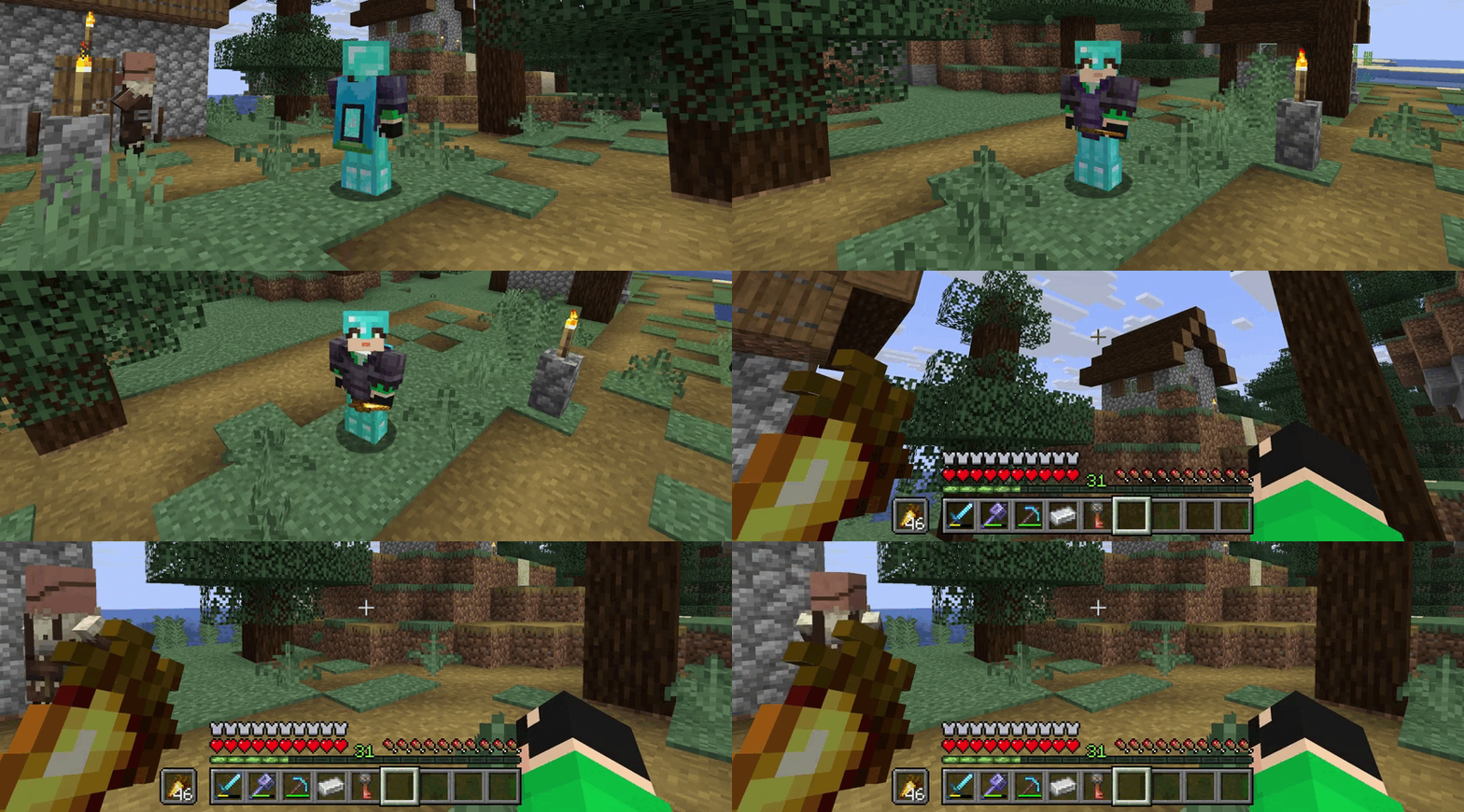
The mod hides the interface on the screen (F1) when the player changes the perspective to a third-person view (F5). This will help to avoid pressing the hide interface button again.