## Compatibility
This mod is proud to be in the sisterhood of [Amecs](https://www.curseforge.com/minecraft/mc-mods/amecs) and to be completely compatible with it. (This was not trivial)
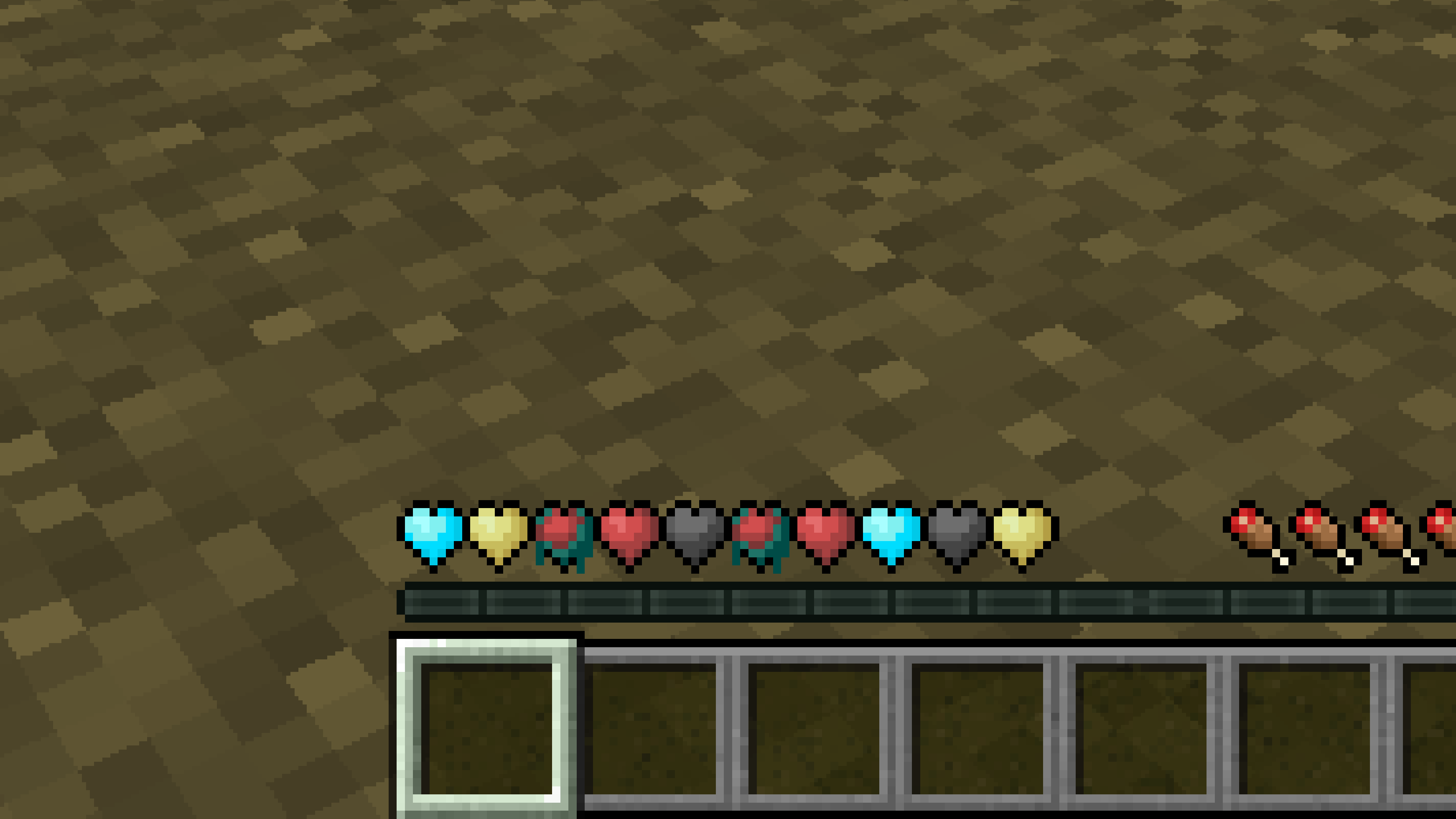
New Hearts, classic colors
# **New Hearts, classic colors**
**Not a fan of the pastel hearts in the [New Hearts](https://modrinth.com/resourcepack/new-hearts) texture pack?**
**This texture pack is for you.**
—
—
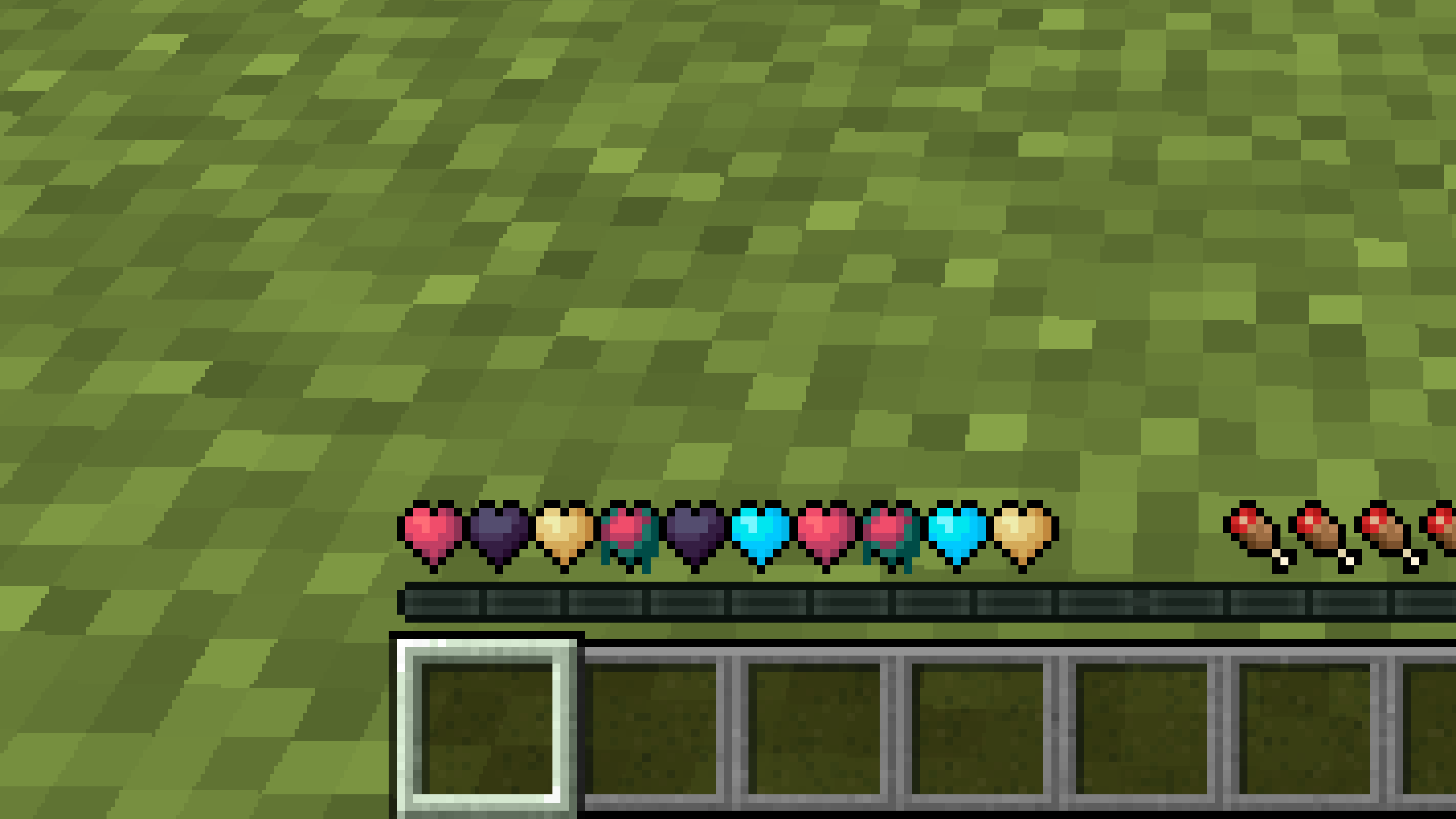
New Hearts
# **New Hearts**
**Don’t like the bright colors of the hearts?**
**This texture pack is for you.**
—
—
## **Description**
**Pastel-colored hearts with softer color transitions.**
—
**Texture pack in classic colors: [New Hearts, classic colors](https://modrinth.com/resourcepack/new-hearts-classic-colors)**
New end stone
# **New end stone**
**Like pink and pastel colors?**
**This texture pack is for you.**
**This pack slightly modifies end stone, giving it a softer, pastel pink tone.**
nerdPVP
# NerdPVP – A Clean & Competitive PVP Resource Pack
### WARNING : This pack is still in alpha and NOT complete
## Overview
Nerd PVP is a streamlined resource pack designed for competitive Minecraft PVP. It enhances visibility, reduces distractions, and optimizes key elements to give you a tactical edge in combat. Whether you’re playing Bedwars, SkyWars, or Faction PVP, this pack keeps your focus sharp and your performance crisp.
## Key Features
– ✔ Clear & Minimalist Textures – Removes visual clutter for better enemy tracking.
– ✔ Optimized Sword & Tool Designs – Clean, high-visibility models for fast-paced combat.
– ✔ Low Fire – Less obstruction during fights.
– ✔ 16x Resolution – Balanced performance for smooth gameplay.
## Compatibility
Works on Minecraft [version (1.16.x, 1.17.x, 1.18.x,1.19.x, etc) ]
“Small” Minecraft Fabric mod featuring inventory utilities like scrolling, sorting and auto refilling of items.
_No mouses were harmed in the making of this mod._
## Main Features
| Feature | Description | How? | Availability |
|———————–|—————————————————————————-|———————————————–|———————————————————-|
| Inventory scrolling | Scroll over stacks in inventories to move them around | Scroll over stacks | Everywhere |
| Depositing/Restocking | Move all items that already exist in another inventory | Hold space and left click | Everywhere |
| Inventory sorting | Sort items in inventories by name, quantity or creative order | Press middle mouse button | Everywhere (faster if on server¹, creative since 1.19.3) |
| Scroll through tabs | Scroll through tabs and pages in the creative inventory or recipe book | Scroll over tabs/pages | Everywhere |
| Auto refill | Automatically refills used up tools, foods and the like from the inventory | Use something up | Everywhere |
| Tool picking | Pick the correct tools for the focused block | Press middle mouse button when holding a tool | Everywhere |
| Quick crafing/trading | Right click on recipes in the recipe book or trades to instant trade | Read to the left 🙂 | Everywhere |
| Armor swapping | Quickly swap equivalent armor pieces | Right-click while having the item in hotbar | Up to 1.19.4, later built in to Vanilla |
Additionally, clicks and scrolling in the inventory will change behavior when pressing the following modifier keys:
– Shift: Applies the action to the full stack instead of single items
– Ctrl: Applies the action to all items of the same type
– Alt: Drops the item instead of moving it
Basically all the actions are rebindable in the controls menu.
¹: Works on singleplayer or on servers if the mod is installed on the server as well.
## Configuration
Lots of stuff is configurable.
To open the config screen you’ll need to install [Mod Menu](https://modrinth.com/project/mOgUt4GM).
Alternatively, you can edit the config file `mousewheelie.hjson` in the config folder after the first launch.
Changes will only be applied after a restart when editing the config file.
Contribute or improve translations [here](https://weblate.siphalor.de/engage/mouse-wheelie).
## Notes for Server Operators
A bunch of the features in this mod are rightfully considered cheating.
See [here](https://github.com/Siphalor/mouse-wheelie/blob/master/SERVER_OPERATORS.md) for information on how to prevent this.
More Mobs
# Tschipcraft’s More Mobs
> A server-side data pack/mod for 1.14x-26.1x
YouTube showcase
## Features
Mobs have new variants through custom heads or through unused vanilla mobs! This pack uses **over 85 custom player heads** that can be obtained and placed in your world. Spiders also turn upside down when hanging from ceilings.
This data pack/mod is completely server-side, but can also be installed on the client for singleplayer worlds! No resource pack needed!
[-> For all added heads and available settings, take a look at the wiki <-](https://github.com/Tschipcraft/more_mobs/wiki)
## Installation
Install either as:
* **Data Pack [DP]** ➜ Place `.zip` in your world's `datapacks` folder
* **Mod [Mod]** ➜ Drop into your `mods` folder and optionally install [MidnightLib](https://modrinth.com/project/codAaoxh) for a global config file and UI
To manage settings, reset, or uninstall the pack, use `/trigger tschipcraft.menu` or `/function #tschipcraft:menu`.
## Compatibility
Tested with [Rare Mobs (PMC)](https://www.planetminecraft.com/data-pack/rare-mobs-5186029/) and [Mob Captains](https://modrinth.com/datapack/mob-captains).
**Forge** is only natively supported until Minecraft 1.21.5.
This data pack follows the [Smithed](https://wiki.smithed.dev/conventions/) and essential [MC Datapacks Discord Server](https://mc-datapacks.github.io/en/conventions/index.html) Conventions to ensure data pack compatibility.
## Current issues
>
>
> Currently incompatible with [Special Mobs](https://modrinth.com/datapack/special-mobs) – [see #7](https://github.com/Tschipcraft/more_mobs/issues/7). This will be fixed in a future release.
## External Links
## Partner Offers
Want to buy **Hytale** or upgrade your edition? Use creator code `Tschipcraft` upon checkout for me to receive a commission! (The price for you stays the same)
Mojang Black Background
# Mojang Black Background
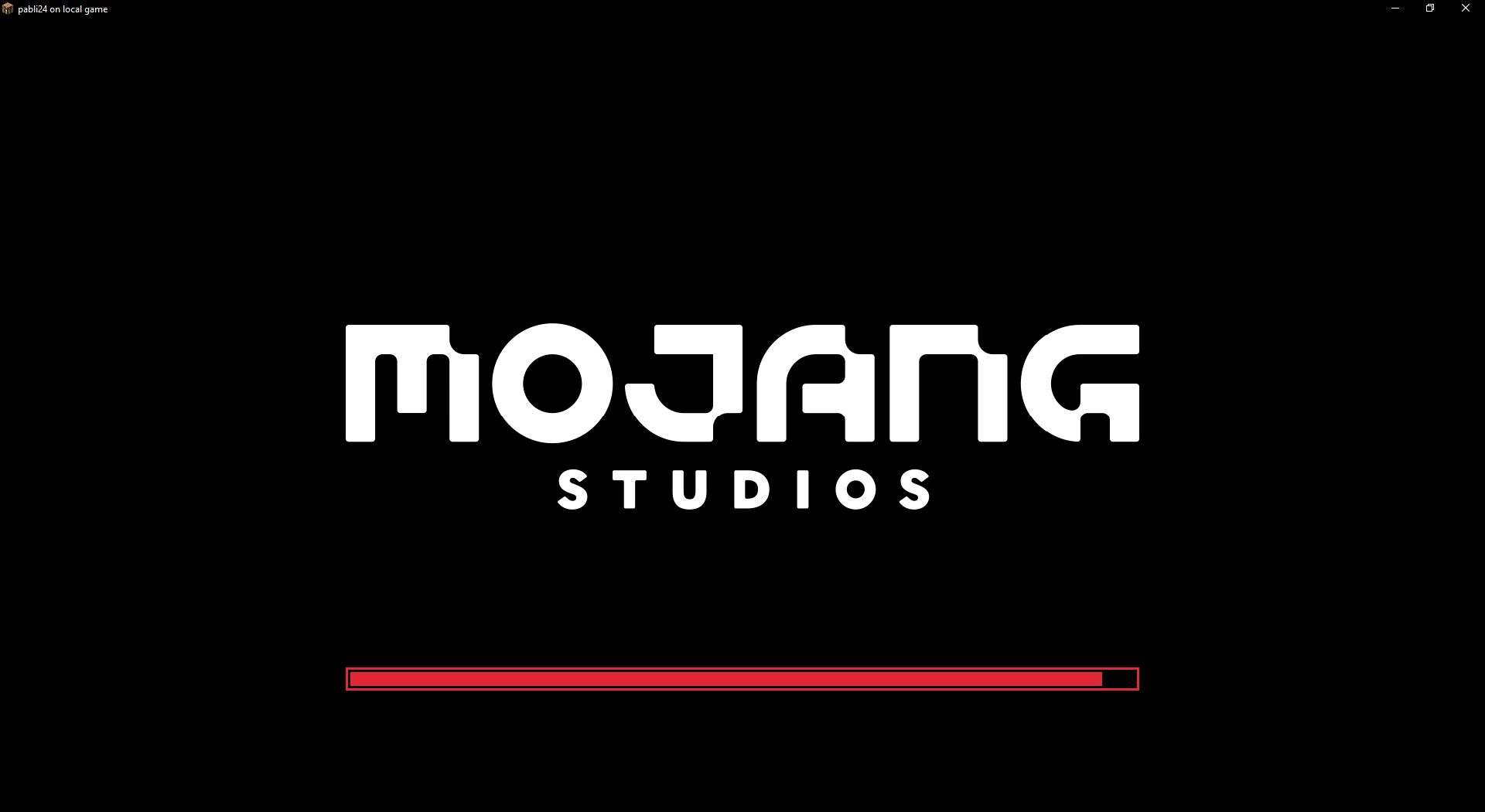
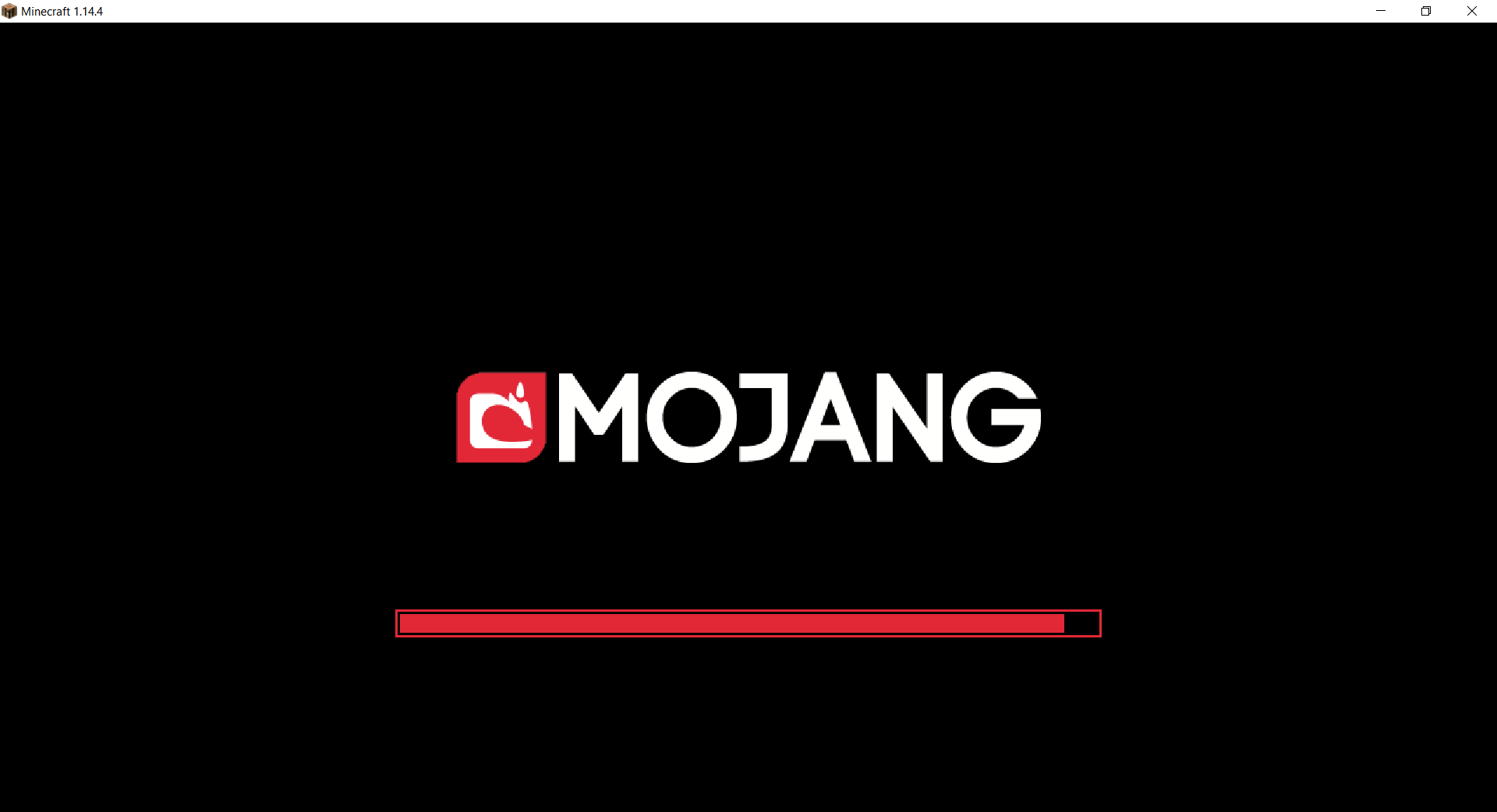
Changes white background in mojang loading screen to black
Minecraft 1.14 and newer
OptiFine is required to work! [optifine.net](https://optifine.net/home)
## Minecraft 1.16+
## Minecraft 1.14 – 1.15
The resurcepack is also available on [CurseForge](https://www.curseforge.com/minecraft/texture-packs/mojang-black-background)