I made a simple timer data pack with some customization!
# Commands
– /function timer:settings -> Change settings like color and style
– /function timer:pause -> Pause the timer
– /function timer:resume -> Start or resume the timer
– /function timer:reset -> Reset and pause the timer.
CRSS Resource Pack
# CRSS Resource Pack
This was the resource pack used in CRSS’ modpack, which has a panorama of the spawn area in [ROP](https://crss.cc/nation/psf).
## CRSS Resource Pack is no longer being updated
I don’t really see a reason to keep updating this resource pack as the modpack is also discontinued.
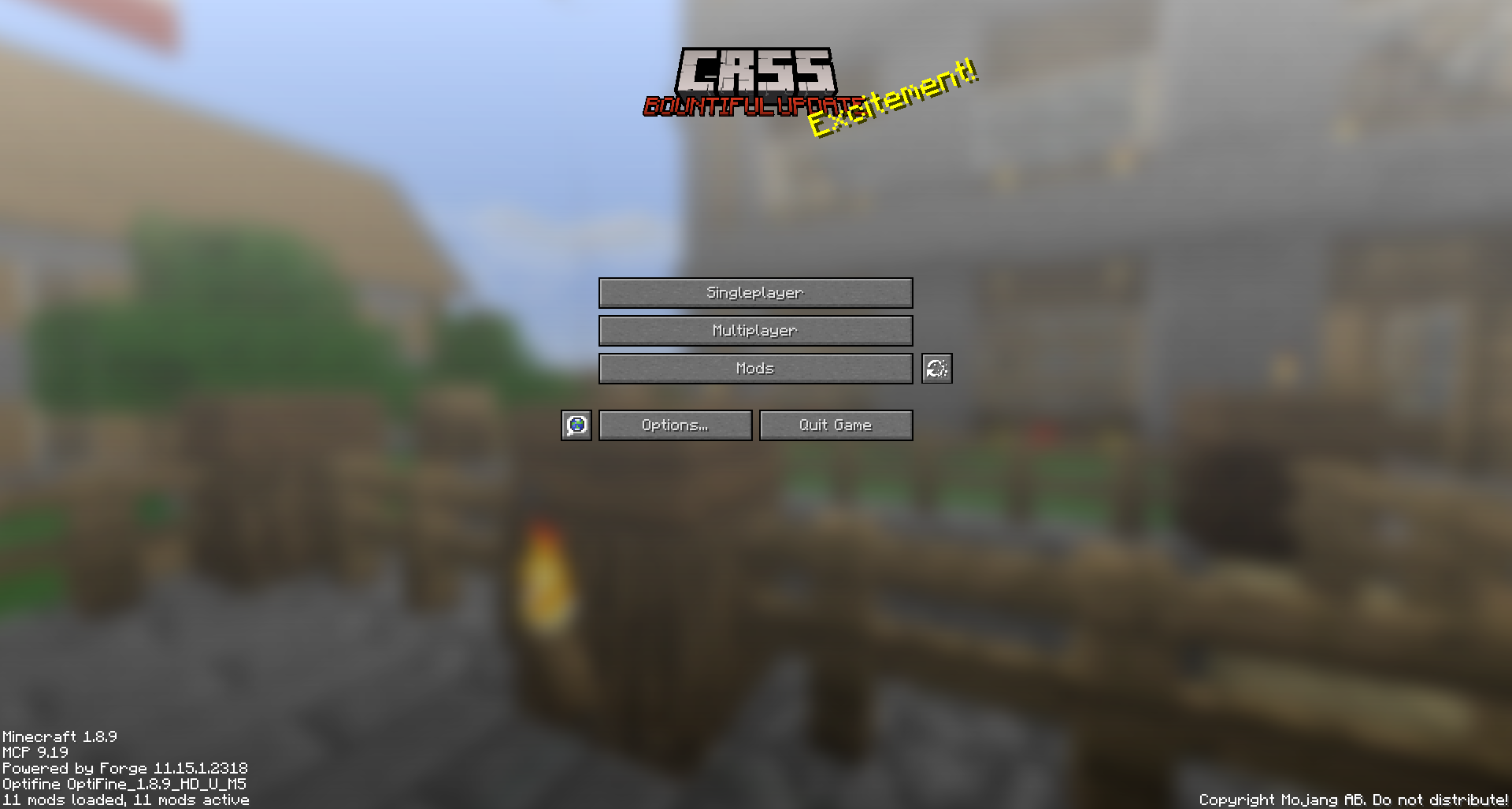
### What does this do?
This resource pack retextures all ores to resemble the face of a creeper.
### What versions does this support?
This resource pack works for versions 1.13 (1.13-pre3) and up.
Crazy Tool Models
Welcome to the CrazyToolModels texture pack for Minecraft! This unique texture pack provides a fresh perspective on the tools in your Minecraft world. Instead of focusing on traditional textures, this pack introduces a completely new dimension by overhauling the model rendering for tools.
Craftable Uncraftable Objects [CUO]
A Minecraft Project that adds crafting recipes for normally uncraftable items in Survival mode, along with custom advancements for a more rewarding experience.
**✨ Features**
* **New Crafting Recipes**: Craft items like the Enchanted Golden Apple, Totem of Undying, Trident, Horse Armors, Chainmail Armors, and more.
* **Custom Advancements**: Unique rewards for crafting special items.
* **Wide Compatibility**: Supports Minecraft Java Edition from version 1.13.x up to the latest snapshots.
Recommended to Use **[Tweaker Stick Data Pack](https://modrinth.com/datapack/tweaker-stick)** to able to use it with full functionality or instead use Creative mode to able to use it until I add an update that fix this problem.
World that already exists:
1. Go to this location “~/.minecraft/saves/” (Make sure you are showing the Hidden Folders and Files by pressing Left Ctrl + H).
2. Choose the world folder you want to put the Data Pack in it.
3. Open datapacks folder, then put the data pack.zip in the datapacks folder.
4. Reload the world by /reload command or by Quit the world and rejoin it.
New World:
1. Open Minecraft, then click on “Singleplayer”.
2. Click on “Create New World”, then click “More World Options…”.
3. Click on “Data Packs” button, then drag the data pack file into Minecraft.
4. Click “Done” and “Create New World”.
———————————————-
MacOS:
World that already exists:
1. Go to this location “~/Library/Application Support/minecraft”.
2. Choose the world folder you want to put the Data Pack in it.
3. Open datapacks folder, then put the data pack.zip in the datapacks folder.
4. Reload the world by /reload command or by Quit the world and rejoin it.
New World:
1. Open Minecraft, then click on “Singleplayer”.
2. Click on “Create New World”, then click “More World Options…”.
3. Click on “Data Packs” button, then drag the data pack file into Minecraft.
4. Click “Done” and “Create New World”.
———————————————-
Windows:
World that already exists:
1. Press Win + R, then type %appdata%, then press Enter.
2. Open “Roaming” folder, then “.minecraft” folder, then open “saves” (Make sure you are showing the Hidden Folders and Files by pressing Left Ctrl + Left Shift + . (period)).
4. Choose the world folder you want to put the Data Pack in it.
5. Open datapacks folder, then put the data pack.zip in the datapacks folder.
6. Reload the world by /reload command or by Quit the world and rejoin it.
New World:
1. Open Minecraft, then click on “Singleplayer”.
2. Click on “Create New World”, then click “More World Options…”.
3. Click on “Data Packs” button, then drag the data pack file into Minecraft.
4. Click “Done” and “Create New World”.
Enjoy.
# Important Thing!
I know this is a Minecraft Project and this project has Minecraft things but because my project is an open source, I will talk about this.
Starting September 2026, a silent update, nonconsensually pushed by Google, will block every Android app whose developer hasn’t registered with Google, signed their contract, paid up, and handed over government ID.
For more information: https://keepandroidopen.org/.
Config Backuper
A simple mod for backing up all configurations at the start of Minecraft.
## Mod review with subtitles
## Features
– Backs up configurations at the start of Minecraft
– Backs up game configurations
– Backs up mod configurations
– Backs up shader configurations
– Compression of backups
– Removes old backups
## Configuration
The configuration file is located at `config/config-backuper.json`.
– `includeGameConfigs` – add game configurations to the backup
– `includeModConfigs` – add mod configurations to the backup
– `includeShaderPackConfigs` – add shader configurations to the backup
– `maxBackups` – maximum number of stored backups (`-1` disables deletion of old backups, default `10`)
– `compressionEnabled` – use compression for backups (enabling compression reduces the size of the backup, but slows down its creation a bit)
– `backupFolder` – directory for backups (`./` – current game directory)
– `backupFilePrefix` – prefix for backup file names
– `backupFileSuffix` – suffix for backup file names
## Modpacks
You can use this mod in modpacks without requesting permission.
Compost
*Create compost based on what you toss into a composter!*
### Get more than just bone meal!
Compost modifies the vanilla composter to allow you to change what compost you get out of it! With version 3.x, the composter now uses a vanilla styled loot table for generating compost, offering the vast configurability that loot tables make possible. Simply create a data pack with a `compost:composter` loot table to use your own configuration!
You can make some items renewable that should be but are not, create deep interactions with different compostables for a complex and realistic compost, or simply make the compost give a modded compost item. The choice is yours!
### Let the world change your compost!
Compost supports using origin-based conditions in your loot table. You can have compost that generates only under certain light levels, elevations, biomes, dimensions, and more! Have a mod that adds an origin-based condition such as one that checks if it is snowing? Compost can use that to determine what compost is created, allowing nature to play a distinct role the composting process.
### Grow compost based on what compostables you add to it!
Compost adds a loot condition for matching what compostables have been used on the composter, so what you put in can determine what you get out! Want a chance of getting apple seeds when you compost apples? How about modded mulch when you compost saplings? Compost gives you the ability to do such and more!
Please note that the default compost loot table is designed to showcase Compost’s compostable matching condition to make bone meal available for villager farmers. You may also find mushrooms growing in your compost when the composter is rained upon in game versions that support the necessary conditions.
### Get the goods!
You can find releases of Compost on both *[Modrinth]* and *[CurseForge]* and also access development builds on *[GitHub]*!
Compost supports Fabric 1.16+, Forge 1.16+, and NeoForge 1.20.2+.
### Figure it all out!
You can delve into the *[wiki]* for details or submit a *[bug report]* if something isn’t quite right!
Still need something? Head on over to the *[discussions]* forum for support, to read announcements, or discuss anything about the mod!
RU:
Этот датапак объединяет сферы опыта в одну, **сохраняя их ценность**. Он немного оптимизирует игру, а также не заставляет ждать впитывания всего опыта. По умолчанию объединяет опыт на растоянии 2 блоков, но с CTE v3 можно выбрать своё растояние с момощью `/function cte:menu` прямо внутри игры.
_Если я забыл обновить на последнюю версию mc, то обновлю по запросу._
EN:
This datapack combines the spheres of experience into one, **preserving their value**. It optimizes the game a bit, and also does not make you wait for the whole experience to be absorbed. By default, it combines the experience at a distance of 2 blocks, but with CTE v3, you can select your distance with the power of `/function cte:menu` right inside the game.
_If I forgot to upgrade to the latest version of the mc, I will update it on request._


