Zume
# IMPORTANT LICENSE NOTICE
By using this project in any form, you hereby give your “express assent” for the terms of the license of this project (see [LICENSE](https://github.com/Nolij/Zume/raw/master/LICENSE)), and acknowledge that I (the author of this project) have fulfilled my obligation under the license to “make a reasonable effort under the circumstances to obtain the express assent of recipients to the terms of this License”.
# Zume
An ~~over-engineered~~ simple zoom mod.
This mod adds a keybind which zooms in your FOV while it’s held down, allowing you to see further away, and keybinds
for increasing and decreasing the zoom level.
# FAQ
#### Q: Where is the config?
A: You’ll find the config at `.minecraft/global/zume.json5` (note that this is the default `.minecraft` folder, not
the instance `.minecraft`). You can modify the file while the game is running, and the config will be automatically
reloaded. On platforms which have mod menus (such as Forge, and Fabric with [Mod Menu](https://modrinth.com/mod/modmenu)
installed), the config button for Zume will open this file in your system text editor.
#### Q: discord where
A: https://discord.gg/6ZjX4mvCMR
#### Q: What version is this for?
A: Zume supports the following platforms:
– Fabric: Any version supported by Fabric Keybinding API v1 (currently 14.4+)
– NeoForge: 20.4+ (requires NeoForge 20.4.195+)
– LexForge: 14.4 – 20.5 (requires MixinBootstrap before 16.1) (there are currently no plans to support 20.6+)
– Legacy Fabric: Any version supported by Legacy Fabric Keybinding API v1 (currently 7.10 – 12.2)
– Babric (Fabric for Minecraft Beta): Any version supported by Station API (currently b7.3)
– Vintage Forge: 8.9 – 12.2 (requires MixinBooter or UniMixins)
– Archaic Forge: 7.10 (requires UniMixins)
#### Q: Can you add support for ?
A: Every platform I intend to add support for myself is already supported. PRs are welcome for other platforms **if
the following conditions are met**:
– Must not break single-jar compatibility with any already supported platform (obviously).
– Must not be for a platform that has a 1st-party compatibility layer for an already supported platform – explicit
Quilt support will not be accepted so long as Quilt maintains a Fabric compatibility layer; it’d be a waste of CI
time. [Sinytra Connector](https://github.com/Sinytra/Connector) is a 3rd-party compatibility layer, so explicit
Forge support will be provided.
– Must not manually maintain overridden game options; implementations that look like
[Mooz’s](https://github.com/embeddedt/Mooz/blob/92570f7449a7e71c1c0b988788027b10c00f1346/src/main/java/org/embeddedt/mooz/ClientProxy.java#L35-L56)
will not be accepted – no offense [embeddedt](https://github.com/embeddedt). Direct ASM is fine as long as functionality is similar enough.
– Must make a reasonable effort to be maximize compatibility with existing mods on target platforms – see use of
Neo/LexForge API over mixins in Neo/LexForge implementations, and use of `@WrapWithCondition` and
`@ModifyExpressionValue` and such from MixinExtras over `@Redirect` in most implementations.
– Must follow existing format – add a Unimined subproject for each newly supported platform.
– Must not have exclusive features without significant justification – if you’re adding a feature, add it to every
version.
#### Q: What kind of weird license is this?
A: OSL-3.0 is the closest equivalent to a LAGPL I could find. AGPL and GPL are incompatible with Minecraft, and LGPL
doesn’t protect network use. OSL-3.0 protects network use and is compatible with Minecraft.
#### Q: Why though? It’s so strict!!!!
A: This is, and will remain, free, copyleft software. Any requests to change the license other than to make it even
stronger will be denied immediately (unfortunately GPL and AGPL aren’t compatible with Minecraft due to linking
restrictions, as much as I’d like to use them). Even in situations where I use parts of other projects with more
“permissive” licenses, I will treat them as copyleft, free software.
## License
This project is licensed under OSL-3.0. For more information, see [LICENSE](https://github.com/Nolij/Zume/raw/master/LICENSE).
## Need a Minecraft server? Consider CreeperHost!

yadoomi’s Purple Haze Font
# What does this resource pack add?
This resource pack takes the font from a PvP resource pack called “Purple Haze” and puts it in a seperate resource pack.
Here is a showcase video of the resource pack “Purple Haze” by OmnicronGaming
## Other details.
– This resource pack just takes the font from an already existing resource pack, if you are using this somewhere and want to credit someone, credit TerribleChoices, the creator of “Purple Haze”.
– You can use this resource pack in a modpack without my permission, thats alright.
– This resource pack works on ANY version below 1.8.9, even snapshots.
Xmas meowl Totem of Undying
– ENG: **Meowl** (in Russian, “Myaowl” or “Myaul”) is a creature with a cat’s head and an owl’s body, sitting on a branch. Initially, it was a fun photoshop creation.
The first images of the cat owl appeared in 2013 on the Chinese platform Weibo. However, it gained popularity only in October 2025 on TikTok
– RU: **Meowl** (в рунете — «Мяовл» или «Мяул») — существо с кошачьей головой и телом совы, сидящее на ветке. Изначально — это весёлое творение фотошопа.
Первые изображения с котосовой появились в 2013 году на китайской платформе Weibo. Но популярность они обрели только в октябре 2025 года в TikTok
[Meowl Totem](https://modrinth.com/resourcepack/meowl-totem-of-undying/versions)
[ALL RESOURCEPACKS COLLECTION: MEMES + STREAMERS](https://modrinth.com/collection/sfDcDGAi)
WorldPreview
# World Preview
[](https://ko-fi.com/voidxwalker)
Minecraft mod that draws a preview of the world on the loading screen during chunk generation.
– **Legal** for the minecraft java edition leaderboards
– The **full chunk map** must be shown in the recording to get a run verified
– Switching to the F3 + Esc menu will make your run **count as f3**
– **Compatible** with all allowed mods
– **Compatible** with the newest releases of specnr’s multi-instance macros and with FinestPigeon’s spawn reset macro for ssg
**For macro
– World preview **doesn’t modify world generation** in any way. It simply takes already completed chunks, converts them to client chunks (Chunks minecraft can render) and then draws these chunks on the loading screen.
– There are **no server side modifications** besides minecraft getting the random value for the player spawn earlier (Random is Random so it doesn’t change anything)
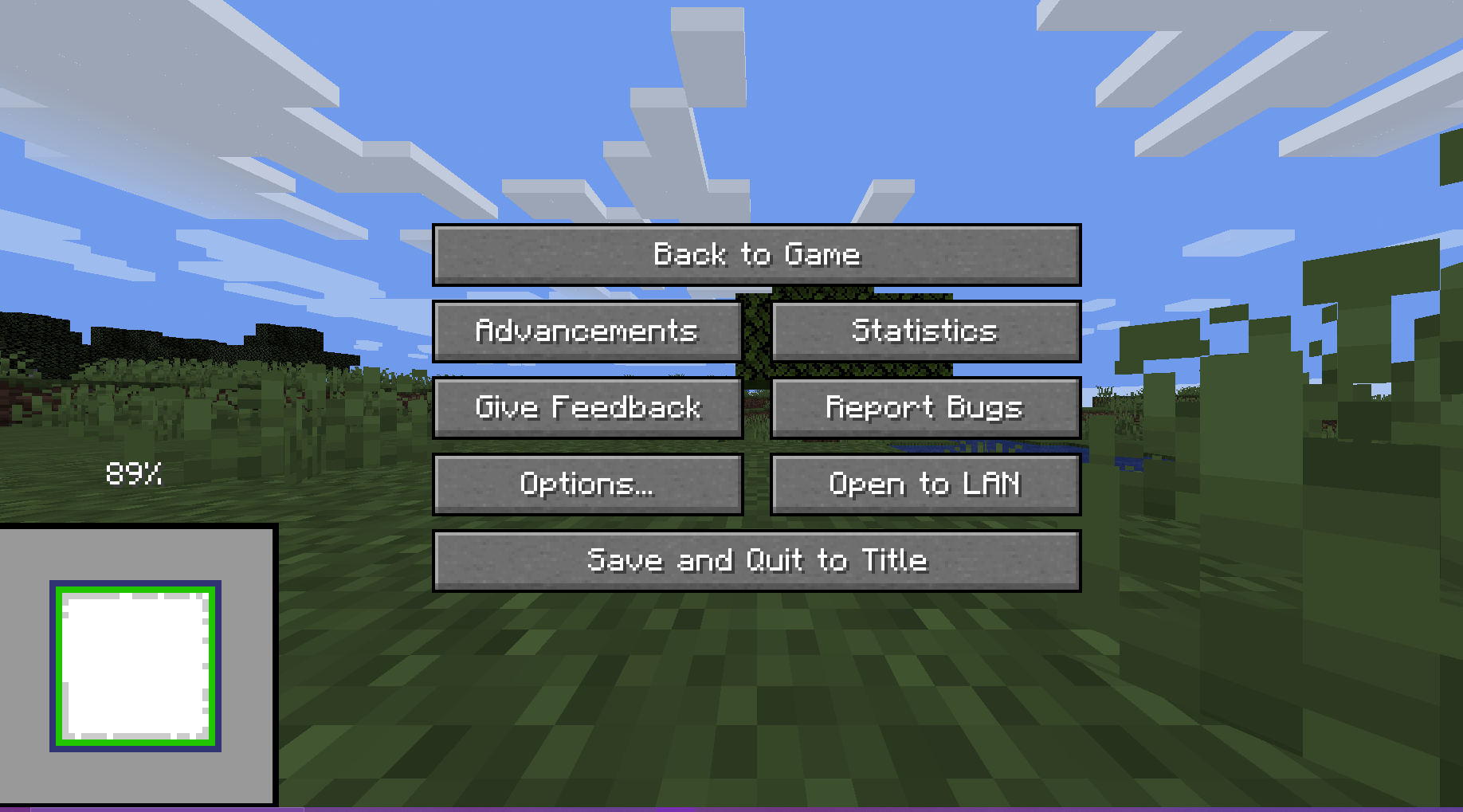
– You will not be able to reset after ~ when the chunk map reaches 100%. This is intentional
## Usage
The preview will always render when you create a world.
There are 5 ways the player can interact with the preview:
**Direct Inputs**
– Leave World Generation and Reset: Press the “Save and Quit to Title” button to instantly leave the World Generation to the title screen
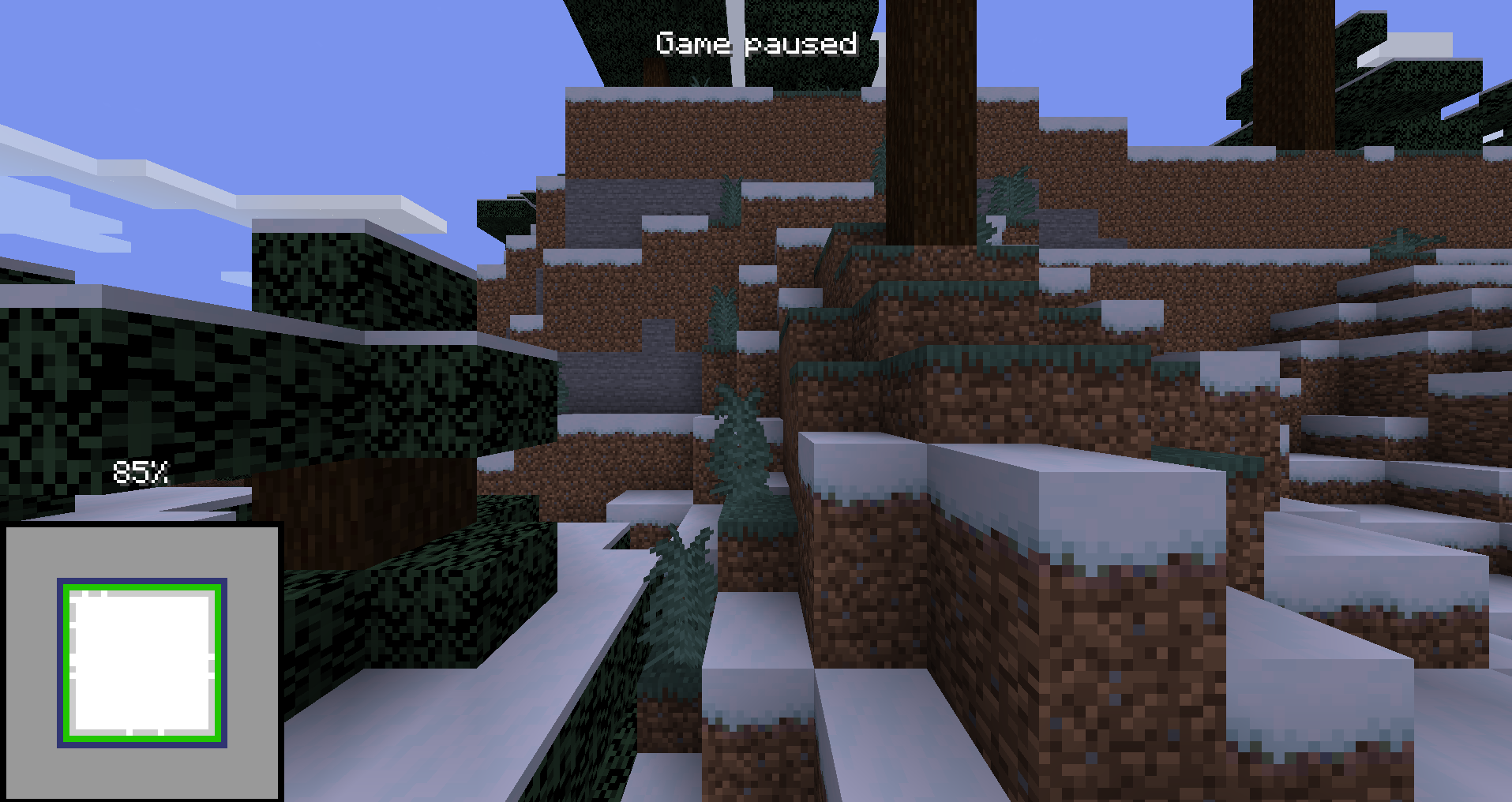
– F3 + Esc: Press F3 and Esc at the same time to switch the pause menu to the F3+Esc pause menu (shown below) and press Esc to switch back. This will make your run count as f3.
——–
**Hotkeys**
(These can be changed in the Controls Screen)
– Leave World Generation and Reset with Hotkey, default button “g” (English keyboard): Press the hotkey button to instantly leave the World Generation to the title screen
– Cycle Chunk Map, default button “h” (English keyboard): Cycle through the 4 positions of the chunk map
– Freeze Preview, default button “j” (English keyboard): Freezes the preview (helps with CPU performance)
## For Macro Makers
The mod prints 3 different log lines:
– “Starting preview at (x, y, z)” at the start of the preview (Reset buttons unlocked)
– “Leaving world generation” when leaving world generation (Reset buttons locked)
– “Freezing Preview / Unfreezing Preview” when the freezing / unfreezing the preview
You will not be able to reset after ~ when the chunk map reaches 100%. This is intentional.
## Authors
– [@Void_X_Walker](https://www.github.com/voidxwalker) (https://ko-fi.com/voidxwalker)
WingAuth

[
](https://github.com/Elytrium)
# WingAuth
WingAuth is a modern Velocity authentication plugin for offline/hybrid networks.
## How it works
It runs login/register protection before players reach backend servers, using a Limbo-based auth flow.
Designed for server admins who want strong account protection with flexible setup.
## Key features
– Velocity-only architecture (runs the login on a virtual world)
– Session handling and brute-force protection
– Premium/hybrid and Floodgate-compatible scenarios (Bedrock support)
– Configurable messages and behavior
– Database-backed account storage (legacy-compatible migration path)
WI Zoom
# WI Zoom (Wurst-Imperium Zoom)
The WI Zoom Minecraft mod lets you zoom in and out with the mouse wheel, providing up to 50x magnification without the need for a spyglass. This mod is fully compatible with OptiFine and Sodium, but unlike OptiFine’s zoom, WI Zoom lets the camera move in a logical way, without making it wobble around. WI Zoom supports all of the latest Minecraft versions, including snapshots.

## Features
– Up to 50x zoom!
– No spyglass needed!
– Zoom in and out with the mouse wheel!
– No wobbly camera nonsense!
– Dynamic mouse sensitivity! (since v1.1)
– Fully compatible with OptiFine / Sodium!
## How To Zoom
Hold down the V key to activate the zoom (this keybind can be changed).
While zooming, you can use the mouse wheel to zoom in further.
## Changing The Zoom Keybind
How to change the keybind (click to expand)
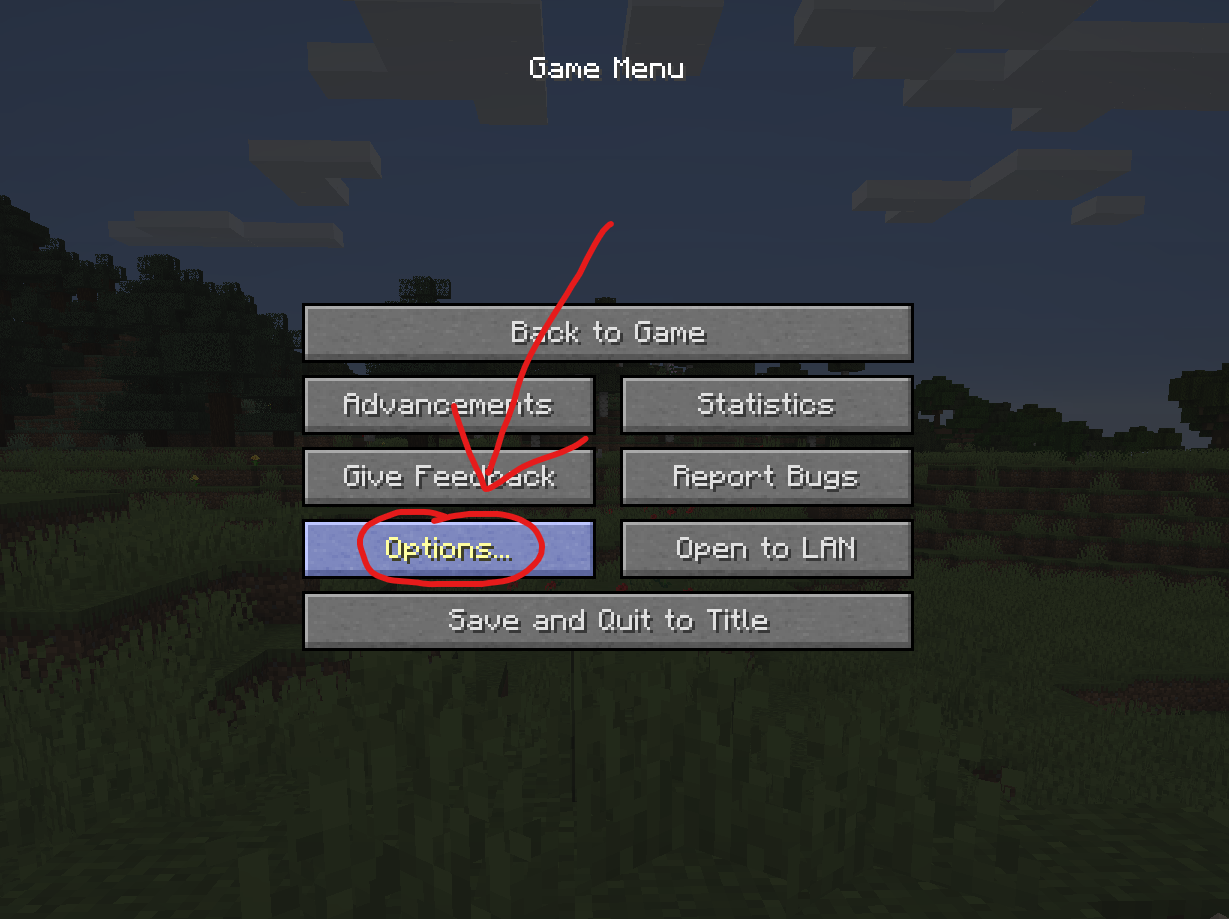
In the pause menu, click on “Options…”.
In the Options menu, click on “Controls…”.

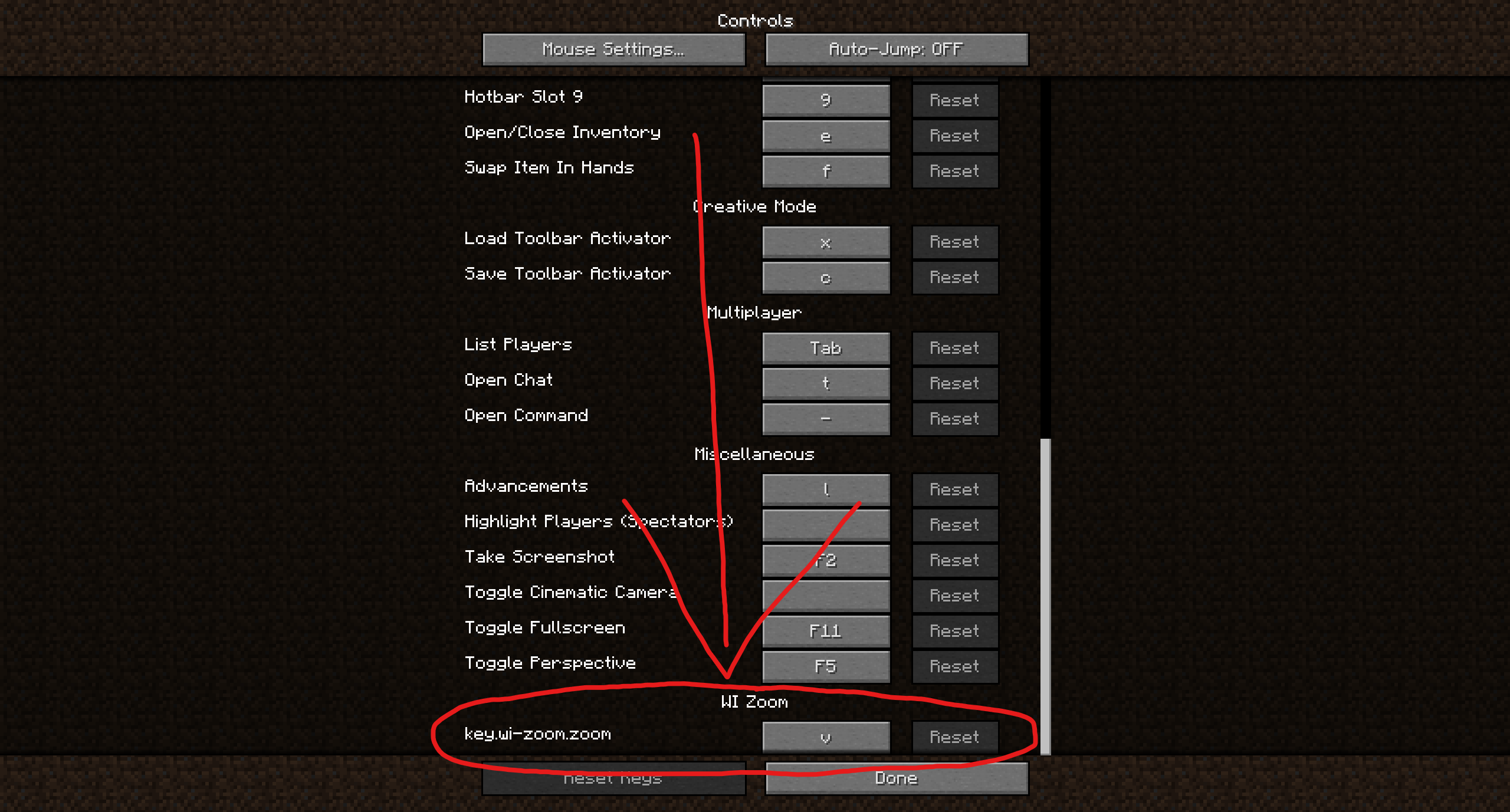
In the Controls menu, scroll down to the “WI Zoom” section. If you don’t have any other mods installed, you will find this section at the very bottom.
## Supported Languages
– Azerbaijani (Azerbaijan) (since v1.5)
– Chinese (Simplified/Mainland) (since v1.4)
– Chinese (Traditional/Taiwan) (since v1.4)
– Cantonese (Hong Kong) (since v1.4)
– Classical Chinese (since v1.4)
– Dutch (Netherlands) (since v1.5)
– English (US)
– Estonian (Estonia) (since v1.4)
– French (France) (since v1.4)
– German (Germany)
– Kurdish (since v1.5)
– Portuguese (Brazil) (since v1.5)
– Russian (Russia) (since v1.3)
– Turkish (Turkey) (since v1.5)
– Ukrainian (Ukraine) (since v1.5)
White Anime Girl Totem
A clean and stylish Totem of Undying texture pack featuring a white-haired anime girl. This pack replaces the default Minecraft totem with a cute high-quality anime design while keeping the vanilla style smooth and lightweight. Perfect for PvP, survival, and aesthetic gameplay
Weird and powerful weapons – Texture pack
**This ressource pack add custom textures on the items of the datapack [Weird and powerful weapons](https://modrinth.com/project/Jr3nq9JV)**
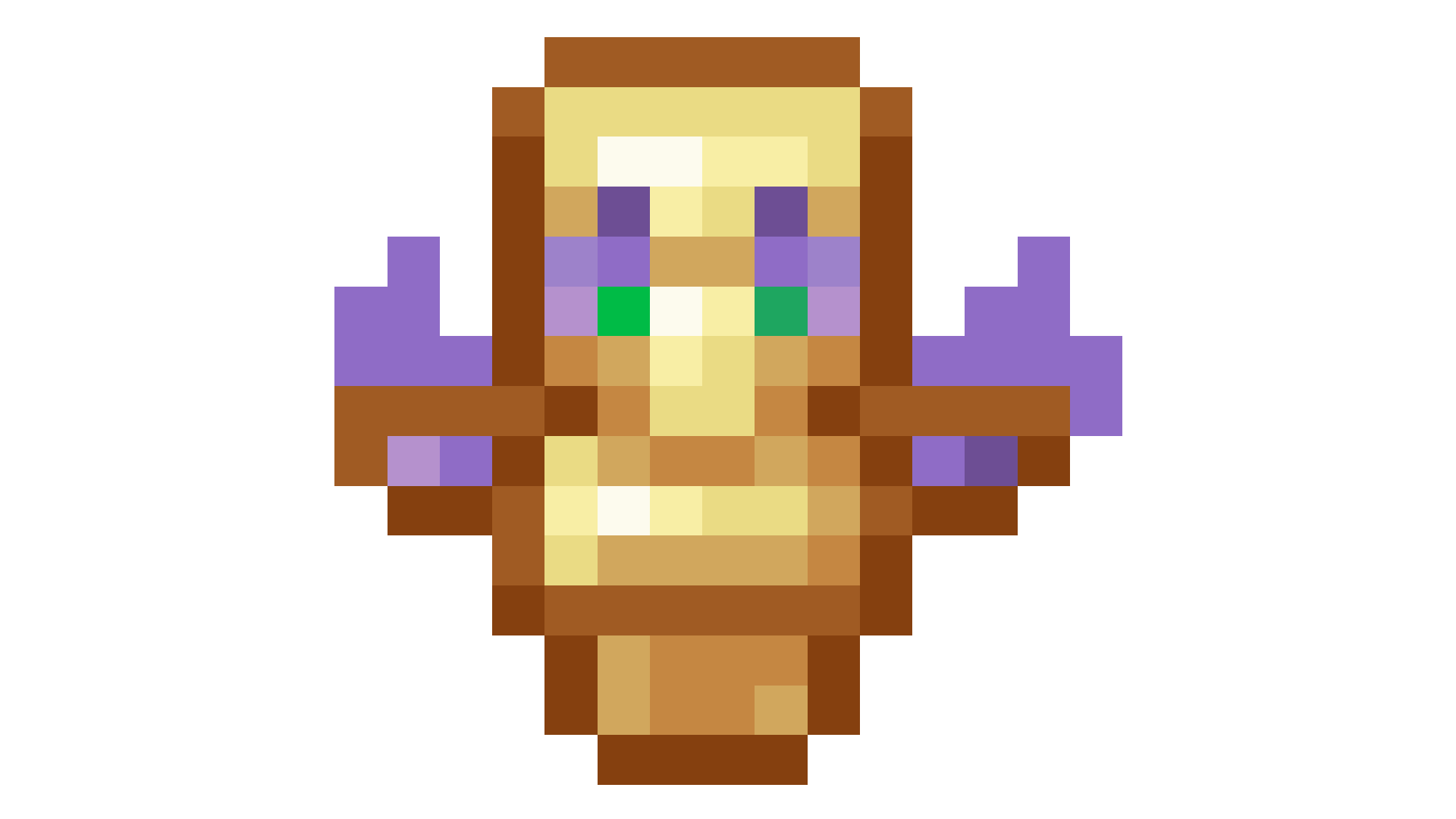
## Totem of protection
Vuurwerkshow Panorama
English version of the description
This is a project for a Dutch server but if you are really interested you can read the translation in English here.
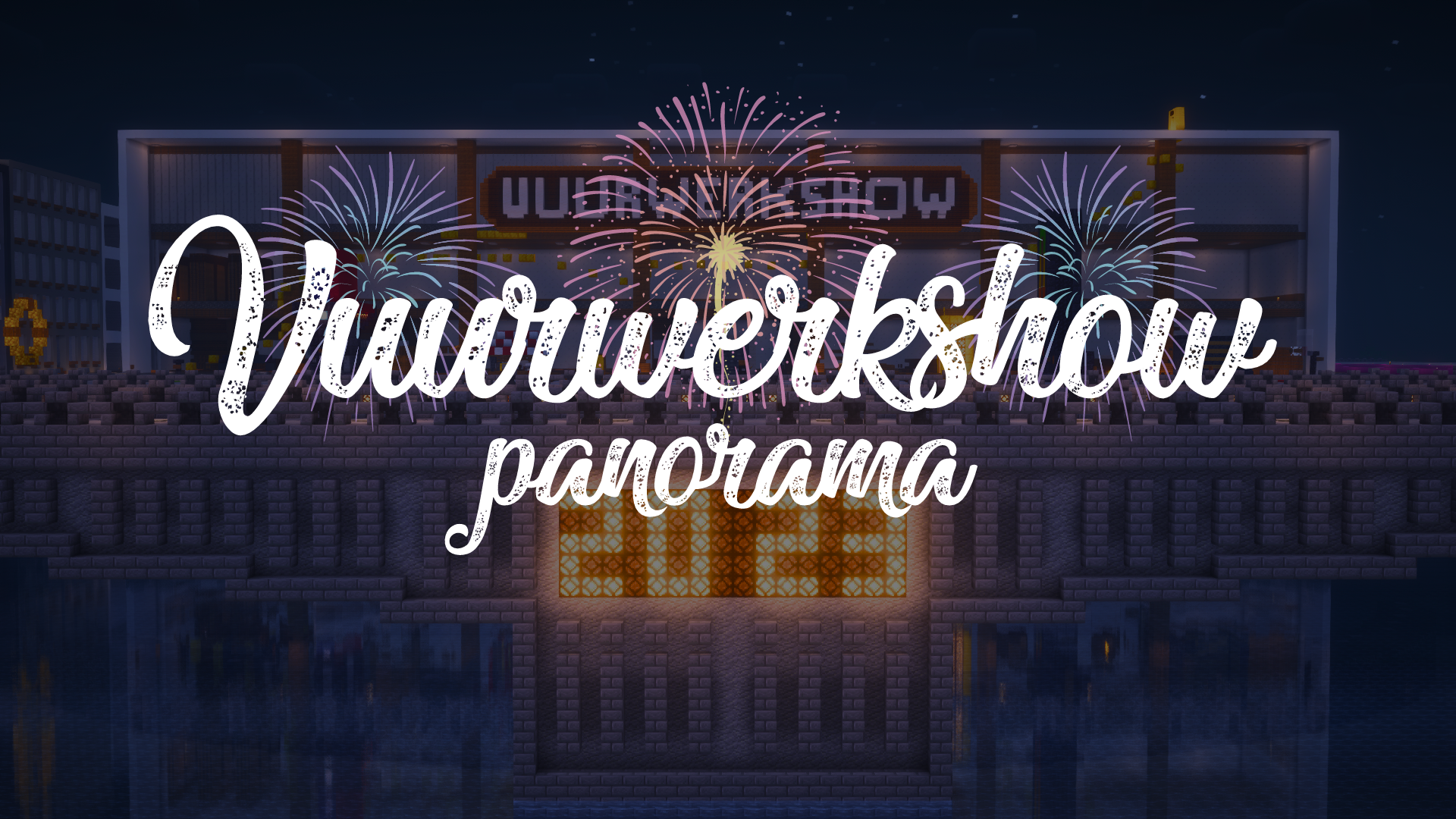
# Fireworks show panorama
A panorama resource pack for the 2023-2024 New Year’s Eve fireworks show on the Torchcraft server!
## Explanation
Every year we organize a fireworks show at the end of the year with a number of players on the Dutch server Torchcraft to celebrate New Year’s Eve together. We start the evening with a speech, followed by the fireworks show that lasts about 10 minutes. Afterwards we have lots of fun activities such as giveaways, checkers, 4 in a row and much more! This year the show will take place on 27/12, announcement will follow soon.
Announcement ➤ [https://torchcraft.nl/forums/topic/16285-🎇-vuurwerkshow-2023-2024/](https://torchcraft.nl/forums/topic/16285-🎇-vuurwerkshow-2023-2024/)
## Support
If you have any issues, ideas, or other feedback about this project, please contact me via Discord or email. You can contact me on Discord by sending a friend request so you can message me.
Discord: tibodp
Email: [email protected]
# Vuurwerkshow panorama
Een panorama resourcepack voor de vuurwerkshow van 2023-2024 met oud & nieuw op de Torchcraft server!
## Uitleg
Elk jaar organiseren we met een aantal spelers op de Nederlands server Torchcraft een vuurwerkshow op het einde van het jaar om samen oud & nieuw te vieren. We beginnen de avond met een toespraak waarop daarna de vuurwerkshow volgt die zo een 10 minuten duurt. Daarna hebben we tal van leuke activiteiten zoals giveaways, dammen, 4 op een rij en nog veel meer! De show vindt dit jaar plaats op 27/12, aankondiging volgt binnenkort.
Aankondiging ➤ [https://torchcraft.nl/forums/topic/16285-🎇-vuurwerkshow-2023-2024/](https://torchcraft.nl/forums/topic/16285-🎇-vuurwerkshow-2023-2024/)
## Support
Als je problemen, ideeën of andere feedback hebt over dit project, neem dan contact met mij op via Discord of e-mail. Je kunt contact met mij opnemen op Discord door een vriendschapsverzoek te sturen, zodat je mij een bericht kunt sturen.
Discord: tibodp
Mail: [email protected]
## 🌟 My other projects:
– [Torchcraft Lobby Panorama](https://modrinth.com/resourcepack/torchcraft-lobby-panorama)
– [The Ultimate Creator](https://modrinth.com/modpack/the-ultimate-creator)
– [Chromakey Blocks](https://modrinth.com/modpack/the-ultimate-creator)
– [No Worldborder](https://modrinth.com/modpack/the-ultimate-creator)
– [Vuurwerkshow Modpack](https://modrinth.com/modpack/the-ultimate-creator)
– [Vuurwerkshow Panorama](https://modrinth.com/modpack/the-ultimate-creator)
– [Vuurwerkshow Paintings](https://modrinth.com/resourcepack/vuurwerkshow-paintings)
_Please only join the server if you speak Dutch because it is a Dutch-speaking server._
Vuurwerkshow Paintings
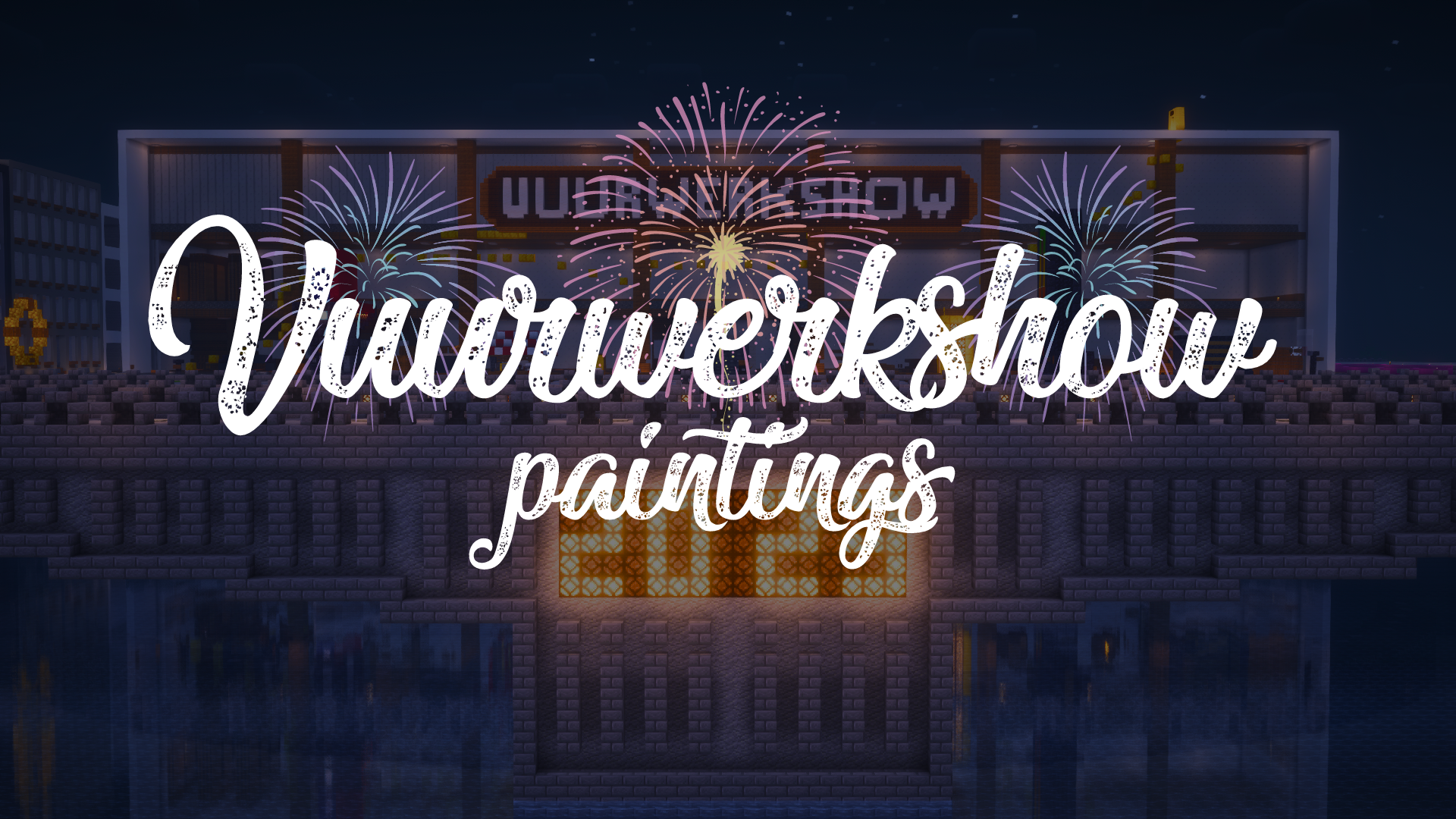
This resource pack turns all paintings into screenshots of the 2023-2024 fireworks show on the Dutch server Torchcraft.
## Support
If you have any problems, ideas, or other feedback about this project, please contact me via discord or email. You can contact me on Discord by sending a friend request, so you can send me a message.
Discord: tibodp
Mail: [email protected]
## 🌟 My other projects:
– [Torchcraft Lobby Panorama](https://modrinth.com/resourcepack/torchcraft-lobby-panorama)
– [The Ultimate Creator](https://modrinth.com/modpack/the-ultimate-creator)
– [Chromakey Blocks](https://modrinth.com/modpack/the-ultimate-creator)
– [No Worldborder](https://modrinth.com/modpack/the-ultimate-creator)
– [Vuurwerkshow Modpack](https://modrinth.com/modpack/the-ultimate-creator)
– [Vuurwerkshow Panorama](https://modrinth.com/modpack/the-ultimate-creator)
– [Vuurwerkshow Paintings](https://modrinth.com/resourcepack/vuurwerkshow-paintings)
_Please only join the server if you speak Dutch because it is a Dutch-speaking server._