Mobs have new variants through custom heads or through unused vanilla mobs! This pack uses **over 85 custom player heads** that can be obtained and placed in your world. Spiders also turn upside down when hanging from ceilings.
This data pack/mod is completely server-side, but can also be installed on the client for singleplayer worlds! No resource pack needed!
[-> For all added heads and available settings, take a look at the wiki <-](https://github.com/Tschipcraft/more_mobs/wiki)
## Installation
Install either as:
* **Data Pack [DP]** ➜ Place `.zip` in your world's `datapacks` folder
* **Mod [Mod]** ➜ Drop into your `mods` folder and optionally install [MidnightLib](https://modrinth.com/project/codAaoxh) for a global config file and UI
To manage settings, reset, or uninstall the pack, use `/trigger tschipcraft.menu` or `/function #tschipcraft:menu`.
## Compatibility
Tested with [Rare Mobs (PMC)](https://www.planetminecraft.com/data-pack/rare-mobs-5186029/) and [Mob Captains](https://modrinth.com/datapack/mob-captains).
**Forge** is only natively supported until Minecraft 1.21.5.
This data pack follows the [Smithed](https://wiki.smithed.dev/conventions/) and essential [MC Datapacks Discord Server](https://mc-datapacks.github.io/en/conventions/index.html) Conventions to ensure data pack compatibility.
## Current issues
>
>
> Currently incompatible with [Special Mobs](https://modrinth.com/datapack/special-mobs) – [see #7](https://github.com/Tschipcraft/more_mobs/issues/7). This will be fixed in a future release.
## External Links
## Partner Offers
Want to buy **Hytale** or upgrade your edition? Use creator code `Tschipcraft` upon checkout for me to receive a commission! (The price for you stays the same)
Mojang Black Background
# Mojang Black Background
Changes white background in mojang loading screen to black
Minecraft 1.14 and newer
OptiFine is required to work! [optifine.net](https://optifine.net/home)
## Minecraft 1.16+
## Minecraft 1.14 – 1.15
The resurcepack is also available on [CurseForge](https://www.curseforge.com/minecraft/texture-packs/mojang-black-background)
Mod Remapping API
# Mod Remapping API
Remaps non-Fabric mods made for a different environment (by default obfuscated) to the current runtime mappings.
Provides hooks to expand the remapping process from other mods.
This mod doesn’t depend on a specific Minecraft version and should work on any version that Fabric Loader can launch.
### Mods depending on this API:
– [Fabricated Legacy Forge](https://modrinth.com/mod/fabricated-forge)
– [Apron](https://modrinth.com/mod/Apron)
– [Fabricated-Rift](https://modrinth.com/mod/fabricated-rift)
## Credits
### Most of the original code of the mod remapper
– paulevsGitch’s mod BetaLoader
Mod Loading Screen
# Mod Loading Screen
An advanced loading screen with the loading progress of mods. It works on all Minecraft versions, as it doesn’t even require Minecraft. Its only requirement is Fabric Loader 0.12.0 or later or Quilt Loader (specific versions of Quilt support are unknown). Do note that if you run this mod on a game other than Minecraft, the loading screen may not close itself.
## Agent
Mod Loading Screen provides a Java agent, which allows opening the loading screen before even the mod loader itself loads. This feature is primarily targeted at modpack developers who want to make a seamless loading experience. The agent can be used by passing `-javaagent:mod-loading-screen-1.0.4.jar` as a JVM argument. If the agent is used, the loading screen should *not* be installed as a mod.
## API
To depend on the API, use the Modrinth Maven. The API should be JiJed, and doing so will not include Mod Loading Screen inside your mod (it will only include the API, which is only a few kilobytes). The API is designed to have both forwards and backwards binary compatibility with future Mod Loading Screen versions. An API is provided for checking which API calls will return stubs and which ones are real.
Changes music disc 13 to a very good song about MineZRoy. 100% recommend it!
MineGIT
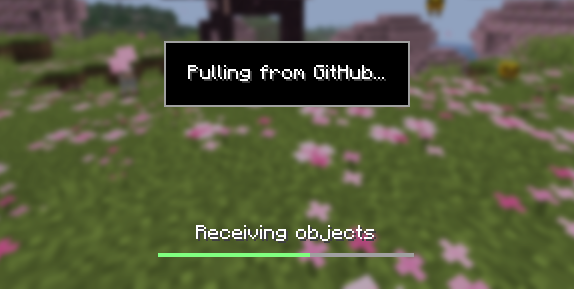
### Cloud sync for Minecraft worlds!
Sync and back up your worlds between multiple devices! Fully integrated into the Minecraft client for a seamless experience when loading, saving, and downloading worlds from the cloud.
## How does it work?
Worlds that you select are uploaded to your GitHub account as repositories. Every time you quit to the title screen, a commit of the current state of your world is created and pushed to the repository on GitHub. Whenever the world is loaded, the mod will check if any new versions of the world are available in the cloud, and if so, they will be downloaded to your device.
Since this mod uses Git internally, it also means that only the files in your world save folder that you modify will be uploaded and downloaded each time, saving storage space and internet bandwidth.
## How do I set it up?
There are several steps to setting up this mod, which include creating a personal access token for GitHub, as well as choosing the worlds you would like to enable MineGIT for.
### Video guide:
### Creating a GitHub personal access token
In order to do the first-time setup, you will need to generate a GitHub personal access token through the following steps:
1. Create an account on GitHub if you do not have one already (https://github.com)
2. Navigate to the [page to create a personal access token](https://github.com/settings/personal-access-tokens)
3. Click `Generate new token`
4. Enter any name (such as MineGIT) under `Token name`
5. Scroll to `Expiration` and set it to `No expiration` (so that you do not have to repeat this process when the token expires)
6. Under `Repository access` choose `All repositories`
7. Under `Permissions`, click `Add permissions` and select `Administration` and `Contents`
8. Set `Access` on the `Administration` and `Contents` lines to `Read and write`
9. Press `Generate token` and copy the generated token to be pasted into Minecraft later (the generated token should start with `github_pat_` and be followed by a long string of letters and numbers)
### Setting up in-game
Once the mod is installed and you are in-game, do the following steps to link your GitHub account with the mod:
1. Click on the cloud button on the bottom left corner of the world creation or world selection screen (If the button does not appear, you have already previously linked your account; see the section below entitled ‘Reconfiguring account linking’)
2. Enter your GitHub username and personal access token (PAT) that you created in the previous step on the new page that appears
3. Press the button labeled `Test credentials` to make sure you’ve entered the information properly
4. You may now exit the screen and proceed to either enable sync for a world or clone an existing one
#### Reconfiguring account linking
If you have already previously set up account linking and would like to change settings afterwards, you have a couple of options to get back to the configuration screen:
– **Configure through ModMenu:** If you have [ModMenu](https://modrinth.com/mod/mod-menu) installed, simply find the mod in the mods list and open the configuration from there
– **From the world clone screen:** There is a button in the top right corner of the world cloning screen that will open the configuration screen
– **From the world selection screen:** By holding alt and clicking on the world sync button on the bottom left of the world selection screen, you will be brought back into the configuration screen
### Enabling sync for a world
World syncing needs to be enabled individually for each world you would like to sync to your GitHub account. To enable sync for a world, do the following:
1. Select a world on the world selection screen
2. Press the cloud button in the bottom left of the screen labeled `Enable world sync`
3. Confirm your decision on the next screen
This process will create a new repository named `minegit_[world folder name]` on your GitHub account, initialize a Git repository in your world save folder, and push its current state to GitHub. From this point forward, loading the world will pull the world’s latest changes from GitHub, and exiting the world will push changes to GitHub.
You can now download this world on another device to effectively sync changes between them through the next step: cloning.
### Downloading a world on a different device (Cloning)
Cloning a world will download the exact state of the world as it was last saved to GitHub. Use the following steps to clone a world:
1. Navigate to [github.com](https://github.com) in a web browser
2. Click on your profile picture in the top right corner and then `Repositories`
3. Find the repository corresponding to the world you would like to clone and copy its name
4. Back in Minecraft, click on the button with an arrow pointing downwards labelled in the bottom left corner of either the world selection screen or world creation screen
5. Paste the name of the repository you copied earlier and press `Clone`
6. You are now able to load the world like normal and have changes be synced across your devices!
### Tips & Tricks
– If you want to exit a world without pushing it to GitHub (for example, if you wanted to restart Minecraft and load the same world without having to wait for changes to be pushed), you can hold `Alt` while clicking `Save and Quit to Title`. This will skip the ‘pushing to GitHub’ step.
– Git keeps a list of all of the worlds changes every time you exit the world. This is useful, since if you have a little knowledge of how to use the Git command line interface you can rollback your world to a previous version!
– If you want to save some storage space taken up by the size of the Git repository on your computer, or make the world quicker to clone on other devices, use the `Prune World Commits` button in the edit world menu. This will delete all of the old versions of your world, leaving only the most recent one.
## Report an issue
If you run into bugs, crashes, or simply have a suggestion on how to improve the mod, please feel free to open an issue on the mod’s [issue tracker](https://github.com/ModMonster/MineGIT/issues)!
Please include the current Minecraft version, Fabric version, mod version, and any relevant game logs when submitting an issue.
Mellstroy (Я уже красный) Totem of Undying
**EN**: This resource pack replaces the original **Totem of Undying** with the Meme from Mellstroy **I’m already red, it won’t work out culturally** with sound. This meme has become very popular on TikTok over the past couple of years.
**RU**: Этот ресурспак заменяет оригинальный **Тотем бессмертия** на Мем от Меллстроя **Я уже красный, культурно не получится** со звуком, данный мем за последние пару лет стал очень популярным в Тик Ток