Welcome to the CrazyToolModels texture pack for Minecraft! This unique texture pack provides a fresh perspective on the tools in your Minecraft world. Instead of focusing on traditional textures, this pack introduces a completely new dimension by overhauling the model rendering for tools.
Craftable Uncraftable Objects [CUO]
A Minecraft Project that adds crafting recipes for normally uncraftable items in Survival mode, along with custom advancements for a more rewarding experience.
**✨ Features**
* **New Crafting Recipes**: Craft items like the Enchanted Golden Apple, Totem of Undying, Trident, Horse Armors, Chainmail Armors, and more.
* **Custom Advancements**: Unique rewards for crafting special items.
* **Wide Compatibility**: Supports Minecraft Java Edition from version 1.13.x up to the latest snapshots.
Recommended to Use **[Tweaker Stick Data Pack](https://modrinth.com/datapack/tweaker-stick)** to able to use it with full functionality or instead use Creative mode to able to use it until I add an update that fix this problem.
World that already exists:
1. Go to this location “~/.minecraft/saves/” (Make sure you are showing the Hidden Folders and Files by pressing Left Ctrl + H).
2. Choose the world folder you want to put the Data Pack in it.
3. Open datapacks folder, then put the data pack.zip in the datapacks folder.
4. Reload the world by /reload command or by Quit the world and rejoin it.
New World:
1. Open Minecraft, then click on “Singleplayer”.
2. Click on “Create New World”, then click “More World Options…”.
3. Click on “Data Packs” button, then drag the data pack file into Minecraft.
4. Click “Done” and “Create New World”.
———————————————-
MacOS:
World that already exists:
1. Go to this location “~/Library/Application Support/minecraft”.
2. Choose the world folder you want to put the Data Pack in it.
3. Open datapacks folder, then put the data pack.zip in the datapacks folder.
4. Reload the world by /reload command or by Quit the world and rejoin it.
New World:
1. Open Minecraft, then click on “Singleplayer”.
2. Click on “Create New World”, then click “More World Options…”.
3. Click on “Data Packs” button, then drag the data pack file into Minecraft.
4. Click “Done” and “Create New World”.
———————————————-
Windows:
World that already exists:
1. Press Win + R, then type %appdata%, then press Enter.
2. Open “Roaming” folder, then “.minecraft” folder, then open “saves” (Make sure you are showing the Hidden Folders and Files by pressing Left Ctrl + Left Shift + . (period)).
4. Choose the world folder you want to put the Data Pack in it.
5. Open datapacks folder, then put the data pack.zip in the datapacks folder.
6. Reload the world by /reload command or by Quit the world and rejoin it.
New World:
1. Open Minecraft, then click on “Singleplayer”.
2. Click on “Create New World”, then click “More World Options…”.
3. Click on “Data Packs” button, then drag the data pack file into Minecraft.
4. Click “Done” and “Create New World”.
Enjoy.
# Important Thing!
I know this is a Minecraft Project and this project has Minecraft things but because my project is an open source, I will talk about this.
Starting September 2026, a silent update, nonconsensually pushed by Google, will block every Android app whose developer hasn’t registered with Google, signed their contract, paid up, and handed over government ID.
For more information: https://keepandroidopen.org/.
Config Backuper
A simple mod for backing up all configurations at the start of Minecraft.
## Mod review with subtitles
## Features
– Backs up configurations at the start of Minecraft
– Backs up game configurations
– Backs up mod configurations
– Backs up shader configurations
– Compression of backups
– Removes old backups
## Configuration
The configuration file is located at `config/config-backuper.json`.
– `includeGameConfigs` – add game configurations to the backup
– `includeModConfigs` – add mod configurations to the backup
– `includeShaderPackConfigs` – add shader configurations to the backup
– `maxBackups` – maximum number of stored backups (`-1` disables deletion of old backups, default `10`)
– `compressionEnabled` – use compression for backups (enabling compression reduces the size of the backup, but slows down its creation a bit)
– `backupFolder` – directory for backups (`./` – current game directory)
– `backupFilePrefix` – prefix for backup file names
– `backupFileSuffix` – suffix for backup file names
## Modpacks
You can use this mod in modpacks without requesting permission.
CTE – Combine The Experience
RU:
Этот датапак объединяет сферы опыта в одну, **сохраняя их ценность**. Он немного оптимизирует игру, а также не заставляет ждать впитывания всего опыта. По умолчанию объединяет опыт на растоянии 2 блоков, но с CTE v3 можно выбрать своё растояние с момощью `/function cte:menu` прямо внутри игры.
_Если я забыл обновить на последнюю версию mc, то обновлю по запросу._
EN:
This datapack combines the spheres of experience into one, **preserving their value**. It optimizes the game a bit, and also does not make you wait for the whole experience to be absorbed. By default, it combines the experience at a distance of 2 blocks, but with CTE v3, you can select your distance with the power of `/function cte:menu` right inside the game.
_If I forgot to upgrade to the latest version of the mc, I will update it on request._
[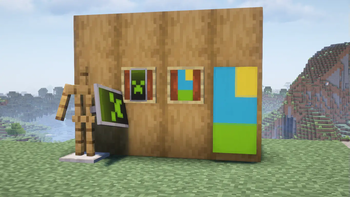 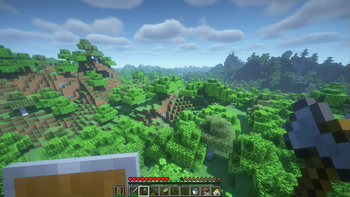 See more in the Gallery](https://modrinth.com/resourcepack/chicknturtles-better-shield/gallery)
## Features
👀 Smaller and lower shield
🛡️ Slightly improved shield texture
🏁 Banners on shields are no longer low quality (credit to [Vanilla Tweaks](https://vanillatweaks.net/))
🖼️ Shields & banners are displayed nicer in item frames
🔧 Center shield in gui slots
## Info
Feel free to modify this pack or include it in a modpack!


