Not Enough Wands
# Not Enough Wands
This is a mod that adds various utility wands to Minecraft. The main strength of this mod is the configurability. For every wand you can configure the following settings:
– Availability (not available, only creative, easy recipe, hard recipe)
– If it should use durability
– If it should use XP
– If it should use RF
– If (and how often) it can be generated in chests
In addition some wands have specific configuration options. This makes this mod ideal for modpacks where you want to specifically control which wands are available and how.
The wands that are currently available are:
– **Swapping wand:** select a block and make sure you have enough of that block in your inventory. Then you can replace other blocks with that block. Has a single mode, 3×3 mode, 5×5 mode and a 7×7 mode (a bit like the Wand of Equal Trade). In future this wand will also have an undo functionality.
– **Teleportation wand:** right click forward to teleport (by default) 30 blocks. If you right click on a block then the player will be teleported on that block if there is room. If not the player will be teleported next to the block.
– **Capturing wand:** capture any living mob (hostile or not) with a left click. Release it again with a right click.
– **Building Wand:** extend your builds easily with this wand. Has several modes and also features undo for the last two building operations! No more accidental doubling of your floor.
– **Illumination Wand:** light up dark places easily with this wand.
– **Moving Wand:** pick up a block (normal blocks as well as tile entities such as chests, furnaces, spawners, aura nodes, …) and place it down elsewhere. Configurable to make it more expensive to move some blocks and it is also possible to blacklist blocks from being moved.
– **Displacement Wand:** push or pull blocks or a rectangle of blocks. Works on tile entities as well.
– **Protection Wand:** protect blocks against explosions or harvesting attempts. Every wand can only unprotect blocks protected by the same wand. You can make backups of your wands.
– **Master Protection Wand:** this wand can unprotect blocks protected by any other wand.
– **Acceleration Wand:** this wand accelerates block ticks (like crops, saplings, …) as well as tile entity ticks (spawners, furnaces, …). It has three modes related to how fast it should accelerate.
Many more wands are planned. This is just the beginning.
Some wands in this mod have different modes. You can change the mode of a wand with the ‘=’ key (default, you can change this in the key bindings).
## Modpacks
No restrictions on modpack inclusion. Feel free to use this in any modpack you want.
## Spotlight by Direwolf20
Nose Goes Definitive
Simply removes the nosepiece from player helmets. Great for those who want their face unobscured! Also fixes two pixels on the side of netherite helmets. [A programmer art variant is also available here](https://modrinth.com/project/nose-goes-definitive-programmer).
This mod is compatible with every version, all the way back to `1.6.1` when resource packs were added. For versions pre-`1.14`, you probably want the [programmer art variant](https://modrinth.com/project/nose-goes-definitive-programmer). In theory, there is no reason it should break with updates, excluding the addition of more armor types or trims.
This is an updated version of [Nose Goes](https://modrinth.com/resourcepack/nose-goes). However, several changes have been made over the original.
– Unique [programmer art variant](https://modrinth.com/project/nose-goes-definitive-programmer)
– Copper helmet support
– Netherite helmet icon changed
– Wild armor trim edited, the only trim which uses the nosepiece
– An edit in the original, above the left and right of the netherite helmet’s face, was reverted
[Miniature](https://modrinth.com/shader/miniature-shader) used for the gallery screenshots.
[Programmer art variant.](https://modrinth.com/project/nose-goes-definitive-programmer) ;D
NoRollback
[](https://modrinth.com/project/K4Ytaql5)
[](https://discord.gg/FVq3j5heAc)
[](https://fabricmc.net/)
[](https://quiltmc.org/)
[](https://neoforged.net/)
[](minecraftforge.net)
___
## What’s NoRollback ?
**NoRollback** is a project that removes 99% _(source : trust me)_ of rollbacks.
**You can remove this project from a world after loading a world with it. One use is enough.**
## How it works ?
### Changed the game rule `elytra_movement_check` and `player_movement_check`
Ignores the player’s speed limit & speed limit when using elytra. This removes most rollbacks but makes it easier to cheat on a server. (source : [Minecraft Wiki – Gamerule](https://minecraft.wiki/w/Game_rule))
## Complementary
If you use this project, you might be interested by [ClienThings](https://modrinth.com/project/clienthings)
## Compatibility
**NoRollback** work with anything and anywhere.
## Support me!
Join my Hardcore Minecraft server: `38.143.19.130:51965`
Black Shield
# Black Shield
This resource pack replaces the default shield with a custom 3D model.
The design uses a black theme.
No OptiFine required. Vanilla compatible.
## More Shield Themes
– [Blue](https://modrinth.com/project/blue-shield)
– [Creeper](https://modrinth.com/project/creeper-shield)
– [Dark Red](https://modrinth.com/project/dark-red-shield)
– [Mirror](https://modrinth.com/project/mirror-shield)
– [Navy Blue](https://modrinth.com/project/navy-blue-shield)
– [Rabbit](https://modrinth.com/project/rabbit-shield)
– [Red](https://modrinth.com/project/red-shield)
No Hotbar
No Hotbar, Pretty Straight forward. Idk what this can be useful for tbh. Maybe clear hotbar? Just use idk.
Q&A:
Can I put this in my modpack?
Sure but add the credit. Or just paste the text below
No Hotbar
By Zacgamingpro1234
https://modrinth.com/resourcepack/nohotbar
If you want to redistribute to other websites just tell me and I’ll try.
You can use it in your modpack.
You can use it for personal use.
If you want to modify this resource you must ask me.
No GUI
No GUI,
A texture pack made for fun and as a challenge. Can you beat it? If you want you can record ur self beating it and I will put you below as a verified winner! (you should dm me on discord for notice)
Also the GUI isn’t black its invisible so you can see stuff under your current tab or something.
Q&A:
Can I put this in my modpack?
Sure but add the credit. Or just paste the text below
No GUI
By Zacgamingpro1234
https://modrinth.com/resourcepack/nogui
You can redistribute this resource but you may not monetize from it.
You can use it for personal use.
No Worldborder
**The first version of the No Worldborder resource pack, which of course removes the worldborder texture so that it is invisible. Useful for taking screenshots of, for example, builds that have a border.**
## Support
If you have any problems, ideas, or other feedback about this project, please contact me via discord or email. You can contact me on Discord by sending a friend request, so you can send me a message.
Discord: tibodp
Mail: [email protected]
## 🌟 My other projects:
– [Torchcraft Lobby Panorama](https://modrinth.com/resourcepack/torchcraft-lobby-panorama)
– [The Ultimate Creator](https://modrinth.com/modpack/the-ultimate-creator)
– [Chromakey Blocks](https://modrinth.com/modpack/the-ultimate-creator)
– [No Worldborder](https://modrinth.com/modpack/the-ultimate-creator)
– [Vuurwerkshow Modpack](https://modrinth.com/modpack/the-ultimate-creator)
– [Vuurwerkshow Panorama](https://modrinth.com/modpack/the-ultimate-creator)
– [Vuurwerkshow Paintings](https://modrinth.com/resourcepack/vuurwerkshow-paintings)
No TNT Minecarts
Whenever a player has a TNT minecart in their inventory, the player gets refunded 1 TNT and 1 minecart. Only works with vanilla TNT minecarts.
Friend and DM me on discord (@Cootshk#0001) for help.
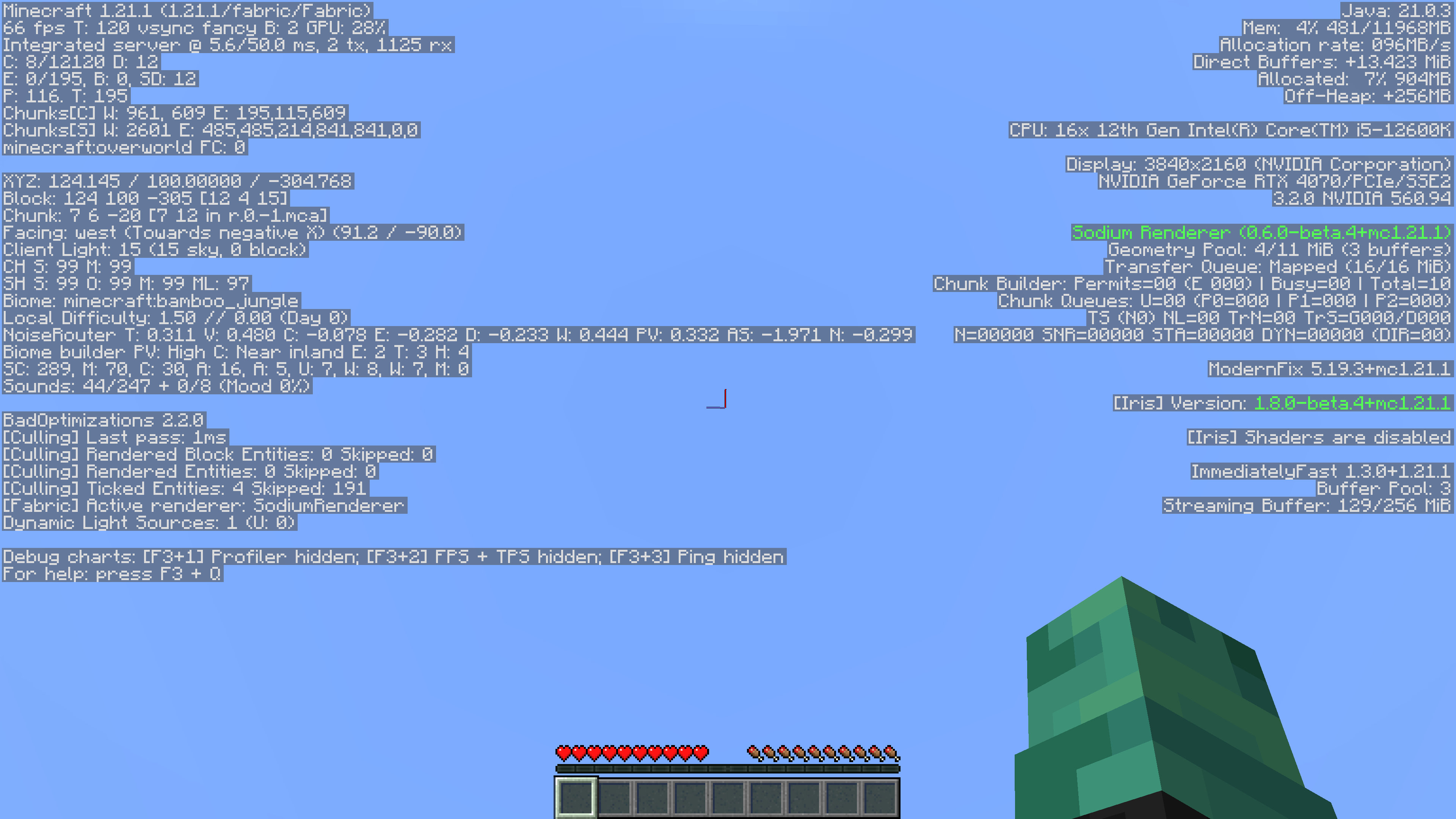
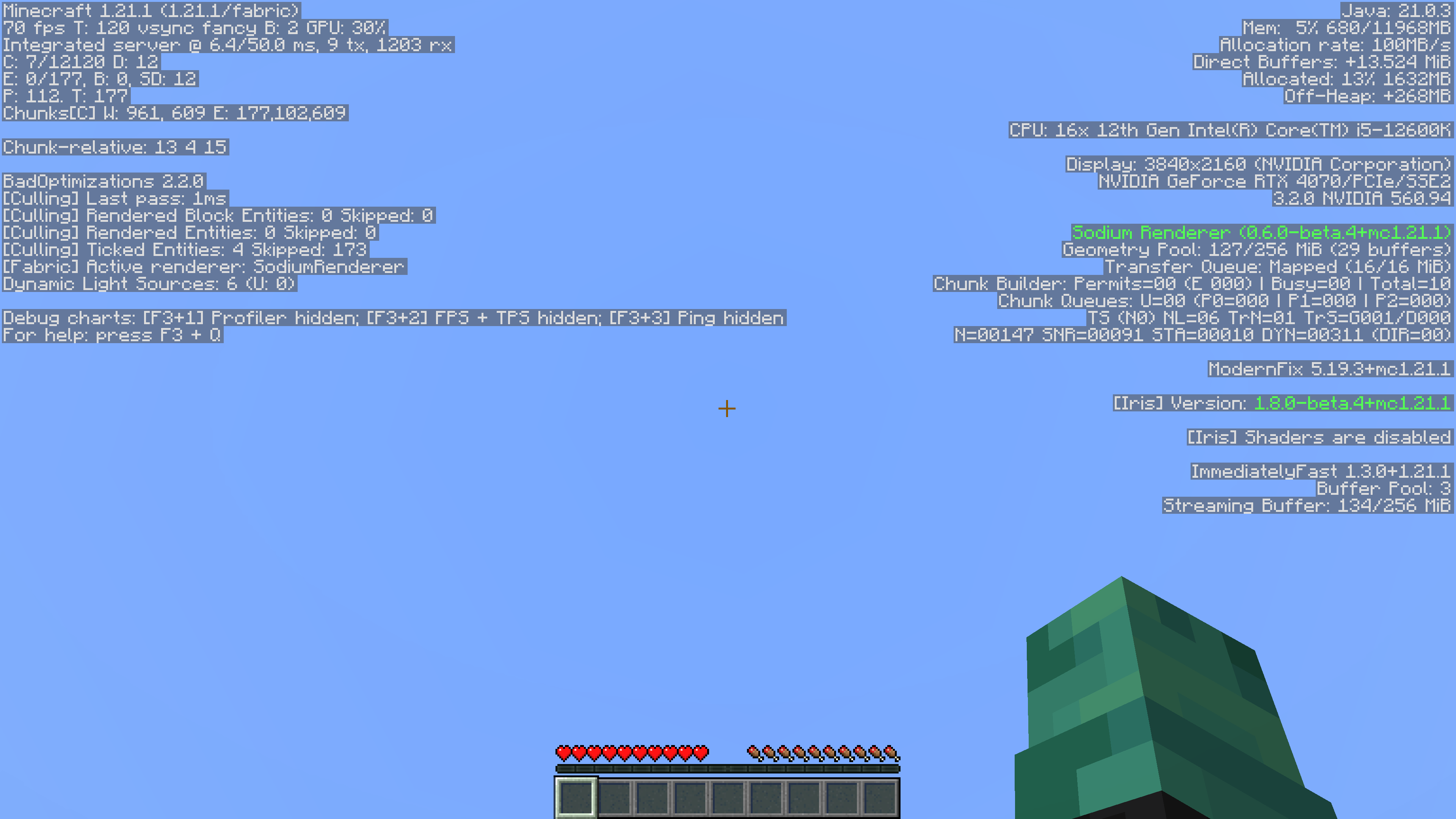
No F3/Debug Screen
This simple mod removes game-related information from the Debug Menu. Since its also a datapack, its server side so players don’t have to install it!
It also supports playing in single player.
Reasoning
I’ve always felt that the Debug menu was unnecessary. It took away from actual features in the game, like maps and compasses with coordinates, rendering them useless. Things like the pie chart and the ability to randomly find buried treasure by going to 9,9 in a chunk on a beach were too much for me, so I removed it.
Without Mod:
With Mod:
No Armour Armor HUD Hotbar
Removes the Armor Icons from the HUD, for a cleaner GUI. Protection still works!
v1.20.2 (latest) and above is compatible with every other resourcepack.
Just select and put this resourcepack above others in order to work.