Cypress (Alphaver) Font
# A font from an alternate timeline!
This font comes from a modified version of Minecraft that’s part of an **unfiction web series** centered around footage of the closed “16.05” branch from the Alpha stage of Minecraft’s development. **It’s basically the classic Minecraft font, but with rounded edges and some subtle differences.** I really like it, so I thought I’d go ahead and port it to modern versions!

Thank you to [the AlphaVer team](https://www.youtube.com/@MinecraftAlphaVersions) for making such a compelling story, and sparking my interest in modding Minecraft. If anyone involved would like for me to take this down, please don’t hesitate to contact me.
CustomSkinLoader
# CustomSkinLoader
## What’s this?
Custom Skin Loader mod for Minecraft.
It’s a mod which can load skins and capes from any online source or from your local.
## Download
Build Server : [CircleCI](https://circleci.com/gh/xfl03/MCCustomSkinLoader) & ~~[Infinity Studio CI](https://ci.infstudio.net/job/CustomSkinLoader/)~~
Release Page : [MCBBS](http://www.mcbbs.net/thread-269807-1-1.html) & [GitHub](https://github.com/xfl03/MCCustomSkinLoader/releases) & [CurseForge](https://minecraft.curseforge.com/projects/customskinloader)
## Contact Us
[QQ Group](https://im.qq.com/): [651287593](https://jq.qq.com/?_wv=1027&k=vF16R5tg)
[Telegram](https://telegram.org/): [@customskinloader](https://t.me/customskinloader)
## Feature
### Support Plenty of Skin Load API and Customizable Skin Load List
Supported Skin Load APIs:
– [Mojang API](http://wiki.vg/Mojang_API)
– [CustomSkinAPI](https://github.com/xfl03/CustomSkinLoaderAPI/tree/master/CustomSkinAPI)
– CustomSkinAPIPlus (Test Only)
– [UniSkinAPI](https://github.com/RecursiveG/UniSkinServer/tree/master/doc)
– [ElyByAPI](http://docs.ely.by/api.html)
– Legacy
You can use this feature to customize your skin load list so as to load your skins from any skin server you want.
If you are the owner of skin server, you can use CustomSkinLoader to load skins from your server if one of the APIs has been actualized by your server.
### HD Skins Support
Even though you don’t have OptiFine and MCPatcher, CustomSkinLoader can still load and render HD skins.
You can easily to get a better view of skins.
### Skull Support
Fixed skull loading bug, you can apply any skin to your skull now.
Dynamic skull supported.
### Profile Cache
– Decrease the frenquency of using the network.
– Meanwhile, you can still load profiles when network is unavailable.(*)
*Only when it is opened in configratulation.
### Local Skin
Load skins without a skin server.
Furthermore, by using this function you can preview your skins in game and even change the default skin and model.
You can load local skins by using any API (excluding MojangAPI).
*While using default configratulation, just put your skins into `.minecraft/CustomSkinLoader/LocalSkin/(skin|cape)s/{USERNAME}.png`.
### Extra List
A json file generated by skin servers which supports this feature.
To add a server to your load list, users just need to put the file into `.minecraft/CustomSkinLoader/ExtraList` .
### Transparent Skin Support
The problem of incorrectly rendering textures has been fixed.
### Spectator Menu Fixed
By using this mod, you can see correct avatar of players in Spectator Menu rather than steve and alex.
## Default Load List
– [Mojang](http://www.minecraft.net/) (Mojang API)
– [LittleSkin](https://littleskin.cn/) (CustomSkinAPI)
– [Blessing Skin](http://skin.prinzeugen.net/) (CustomSkinAPI)
– [ElyBy](http://docs.ely.by/) (ElyByAPI)
– SkinMe (UniSkinAPI)
– [TLauncher](https://tlauncher.org/) (ElyByAPI)
– LocalSkin (Legacy)
If you want to apply to add other skin server to default list, please go to [issue](https://github.com/JLChnToZ/MCCustomSkinLoader/issues).
## To Skin Server Owner
CustomSkinLoader is designed for loading from any server, which makes the mod complex.
It’s not a good idea to refer to CustomSkinLoader’s source code to develop your own skin mod.
It’s recommended to use CustomSkinLoader for your server directly.
Furthermore, you can add your server to ‘Default Load List’.
You can also use ‘ExtraList’ which makes it easier for users to add your server into load list.
## Development and Contribution
See [CONTRIBUTING.md](CONTRIBUTING.md)
## Copyright & LICENSE
### Binary File
You could not modify binary file.
Feel free to use and share this mod and unmodified file in anyway like modpack.
When using in modpack, you must put ‘CustomSkinLoader’ in mod list.
You could not repost this mod to any website without permission.
You could not earn money with this mod excluding modpack.
### Source Code
#### Package ‘customskinloader’
Including some codes from
– [AsteriskTeam/TabIconHackForge](http://git.oschina.net/AsteriskTeam/TabIconHackForge) (GPLv3)
– [RecursiveG/UniSkinMod](https://github.com/RecursiveG/UniSkinMod) (GPLv3)
– [NekoCaffeine/Alchemy](https://github.com/NekoCaffeine/Alchemy) (GPLv3)
Copyright © 2013-2014 Jeremy Lam “JLChnToZ”.
Copyright © 2014-2019 Alexander Xia “xfl03”.
This program is free software: you can redistribute it and/or modify it under the terms of the GNU General Public License as published by the Free Software Foundation, either version 3 of the License, or (at your option) any later version.
This program is distributed in the hope that it will be useful, but WITHOUT ANY WARRANTY; without even the implied warranty of MERCHANTABILITY or FITNESS FOR A PARTICULAR PURPOSE. See the GNU General Public License for more details.
GPLv3: http://www.gnu.org/licenses/gpl.html
You should change the name of the package to avoid others’ misunderstanding.
CRSS Resource Pack
# CRSS Resource Pack
This was the resource pack used in CRSS’ modpack, which has a panorama of the spawn area in [ROP](https://crss.cc/nation/psf).
## CRSS Resource Pack is no longer being updated
I don’t really see a reason to keep updating this resource pack as the modpack is also discontinued.
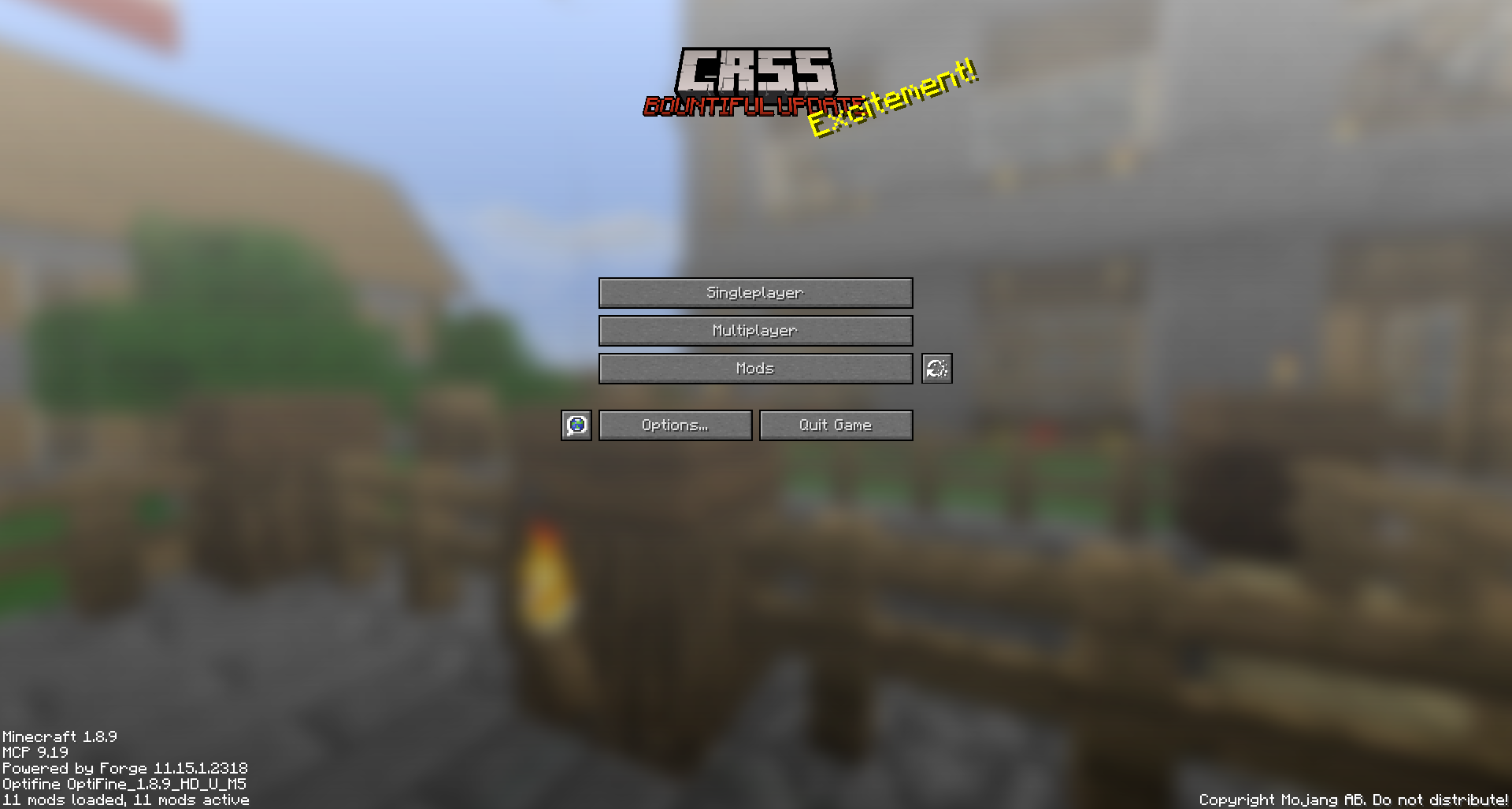
CRSS by Blryface is marked with CC0 1.0

Creeper Shield
# Creeper Shield
This resource pack replaces the default shield with a custom 3D model.
The design uses a creeper theme.
No OptiFine required. Vanilla compatible.
## More Shield Themes
– [Black](https://modrinth.com/project/noire-shield)
– [Blue](https://modrinth.com/project/blue-shield)
– [Dark Red](https://modrinth.com/project/dark-red-shield)
– [Mirror](https://modrinth.com/project/mirror-shield)
– [Navy Blue](https://modrinth.com/project/navy-blue-shield)
– [Rabbit](https://modrinth.com/project/rabbit-shield)
– [Red](https://modrinth.com/project/red-shield)
Creeper Ores
### What does this do?
This resource pack retextures all ores to resemble the face of a creeper.
### What versions does this support?
This resource pack works for versions 1.13 (1.13-pre3) and up.
Crazy Tool Models
Welcome to the CrazyToolModels texture pack for Minecraft! This unique texture pack provides a fresh perspective on the tools in your Minecraft world. Instead of focusing on traditional textures, this pack introduces a completely new dimension by overhauling the model rendering for tools.
Craftable Uncraftable Objects [CUO]
A Minecraft Project that adds crafting recipes for normally uncraftable items in Survival mode, along with custom advancements for a more rewarding experience.
**✨ Features**
* **New Crafting Recipes**: Craft items like the Enchanted Golden Apple, Totem of Undying, Trident, Horse Armors, Chainmail Armors, and more.
* **Custom Advancements**: Unique rewards for crafting special items.
* **Wide Compatibility**: Supports Minecraft Java Edition from version 1.13.x up to the latest snapshots.
**🏆 Advancements** & **📜 Recipes**
Advancements
Not Enough Recycling!

You will get this Advancement when you craft all **Recycling** recipes.
Who Enchanting Armor Those Days?

You will get this Advancement when you craft or have an **Enchanted Golden Apple**.
Forget Die.

You will get this Advancement when you craft or have a **Totem of Undying**.
Water Weapon.

You will get this Advancement when you craft or have a **Trident**.
It’s Time to Take a Horse.

You will get this Advancement when you craft or have a **Saddle**.
WoW!

You will get this Advancement when you craft or have an **Experience Bottle**.
Recipes
Bell

Chainmail Armors
Chainmail Helmet

Chainmail Chestplate

Chainmail Leggings

Chainmail Boots

Cobweb

Crying Obsidian (1.17 or newer)

Debug Stick

Recommended to Use **[Tweaker Stick Data Pack](https://modrinth.com/datapack/tweaker-stick)** to able to use it with full functionality or instead use Creative mode to able to use it until I add an update that fix this problem.
Elytra

Enchanted Golden Apple

Experience Bottle

Gunpowder


It will take 30 seconds to give you 1 **Gunpowder**.
(Only works on Furnace)
Horse Armors
Diamond Horse Armor

Golden Horse Armor

Iron Horse Armor

Copper Horse Armor (1.21.9 or newer)

Leather Horse Armor

(Only works on Furnace)
Leather

It will take 10 seconds to give you 1 **Leather**.
(Only works on Furnace)
Name Tag (1.21.11 or older)

Nautilus Armors (1.21.11 or newer)
Diamond Nautilus Armor

Golden Nautilus Armor

Iron Nautilus Armor

Copper Nautilus Armor

Nautilus Shell

Recycling Recipes
Recycling Amethyst Block (1.17 or newer)

Recycling Chainmail Boots

Recycling Chainmail Chestplate

Recycling Chainmail Helmet

Recycling Chainmail Leggings

Recycling Cobweb

Recycling Crying Obsidian

Recycling Packed Ice

Recycling Quartz Block

Saddle

Totem of Undying
~~~~
Trident
**Trident (1.21 or newer)**

**Trident (1.20.6 or older)**

**🗒️ News & Updates**
To see the latest News about my Projects:
[Telegram Channel](https://t.me/iAhmedMinecraft)
[Patreon](https://www.patreon.com/c/iahmedminecraft/posts)
Discord: (Coming Soon..)
**📂 Source Code & Issues**
To see the Source Code of the Project:
[GitLab](https://gitlab.com/iahmed_7024-group/craftable-uncraftable-objects)
Report about a problem or tell a suggestion:
[GitLab](https://gitlab.com/iahmed_7024-group/craftable-uncraftable-objects/-/issues)
**🗂️ Installation**
Linux:
World that already exists:
1. Go to this location “~/.minecraft/saves/” (Make sure you are showing the Hidden Folders and Files by pressing Left Ctrl + H).
2. Choose the world folder you want to put the Data Pack in it.
3. Open datapacks folder, then put the data pack.zip in the datapacks folder.
4. Reload the world by /reload command or by Quit the world and rejoin it.
New World:
1. Open Minecraft, then click on “Singleplayer”.
2. Click on “Create New World”, then click “More World Options…”.
3. Click on “Data Packs” button, then drag the data pack file into Minecraft.
4. Click “Done” and “Create New World”.
———————————————-
MacOS:
World that already exists:
1. Go to this location “~/Library/Application Support/minecraft”.
2. Choose the world folder you want to put the Data Pack in it.
3. Open datapacks folder, then put the data pack.zip in the datapacks folder.
4. Reload the world by /reload command or by Quit the world and rejoin it.
New World:
1. Open Minecraft, then click on “Singleplayer”.
2. Click on “Create New World”, then click “More World Options…”.
3. Click on “Data Packs” button, then drag the data pack file into Minecraft.
4. Click “Done” and “Create New World”.
———————————————-
Windows:
World that already exists:
1. Press Win + R, then type %appdata%, then press Enter.
2. Open “Roaming” folder, then “.minecraft” folder, then open “saves” (Make sure you are showing the Hidden Folders and Files by pressing Left Ctrl + Left Shift + . (period)).
4. Choose the world folder you want to put the Data Pack in it.
5. Open datapacks folder, then put the data pack.zip in the datapacks folder.
6. Reload the world by /reload command or by Quit the world and rejoin it.
New World:
1. Open Minecraft, then click on “Singleplayer”.
2. Click on “Create New World”, then click “More World Options…”.
3. Click on “Data Packs” button, then drag the data pack file into Minecraft.
4. Click “Done” and “Create New World”.
Enjoy.
# Important Thing!
I know this is a Minecraft Project and this project has Minecraft things but because my project is an open source, I will talk about this.
Starting September 2026, a silent update, nonconsensually pushed by Google, will block every Android app whose developer hasn’t registered with Google, signed their contract, paid up, and handed over government ID.
For more information: https://keepandroidopen.org/.
CTE – Combine The Experience
RU:
Этот датапак объединяет сферы опыта в одну, **сохраняя их ценность**. Он немного оптимизирует игру, а также не заставляет ждать впитывания всего опыта. По умолчанию объединяет опыт на растоянии 2 блоков, но с CTE v3 можно выбрать своё растояние с момощью `/function cte:menu` прямо внутри игры.
_Если я забыл обновить на последнюю версию mc, то обновлю по запросу._
EN:
This datapack combines the spheres of experience into one, **preserving their value**. It optimizes the game a bit, and also does not make you wait for the whole experience to be absorbed. By default, it combines the experience at a distance of 2 blocks, but with CTE v3, you can select your distance with the power of `/function cte:menu` right inside the game.
_If I forgot to upgrade to the latest version of the mc, I will update it on request._
