Zilibobka (Зилибобка) Totem of Undying
– EN: **Zilibobka** is a popular Russian meme, which was also stimulated during post-ironic memes in 2017 on the social network VKontakte and Tiktok. Texture pack replaces Totem of Immortality with this meme
– RU: **Zilibobka (Зилибобка)** – популярный российский мем который также был зафоршен во времена постироничных мемов в 2017 году в соц сети ВКонтакте и Тиктоке. Текстурпак заменяет тотем бессмертия на этот мем
[ALL RESOURCEPACKS COLLECTION: MEMES + STREAMERS](https://modrinth.com/collection/sfDcDGAi)
zHomes







zHomes is a modern, fast and fully-configurable homes plugin for Spigot/Paper/Purpur/PufferFish servers. It focuses on simplicity, speed and customization so server owners can give players a familiar — but powerful — teleportation experience.
Some features:
– Create, delete and list homes
– Admin tools for managing and converting homes
– PlaceholderAPI support for message placeholders
– MiniPlaceholders support for minimessage placeholders
– Vault support for economy/command-costs
– GriefPrevention and WorldGuard integration for region checks
– Teleport warmup and safe-teleport checks
– Configurable commands, messages and permissions
– 100% configurable menus
– Uses SQL (H2/SQLite/MariaDB/MySQL) for storage (no local data/ directory)
Maintained by [yL3oft](https://github.com/yL3oft). This project is free and open-source.
—

Requirements
– Java 17+ (check release notes for exact JDK requirement)
– Paper, Spigot or a compatible fork
Installation
1. Download the latest JAR from Releases / Modrinth / Hangar / Spigot.
2. Place the JAR in your server’s `plugins/` folder.
3. Start the server once to generate config files (src/main/resources/config.yml defaults).
4. You’re done!
Quick test
– As a player: `/sethome home1` then `/home home1`
– As an admin: `/zhomes reload`
—

Admin
– `/zhomes info` — Shows plugin info and stats.
– `/zhomes reload` — Reloads plugin configuration and messages.
– `/zhomes version ` — Checks the plugin version and updates if `` is specified.
– `/zhomes nearhomes [radius] <-u -h >` — Check for homes near a location (your location by default). Admins can specify a user and home to check near that home.
– `/zhomes parse ` – Parse a string with Plugin Placeholders & PlaceholderAPI placeholders for a specific player.
– `/zhomes export` — Export all homes to a .json.gz file in the plugin folder.
– `/zhomes import ` — Import homes from a .json.gz file exported by `/zhomes export`.
– `/zhomes converter ` — Inline converter tool to import homes from other plugins (example: `/zhomes converter ultimatehomes`). See detailed converter docs: https://docs.yleoft.me/zhomes/commands-and-permissions/zhomes-converter-less-than-type-greater-than
Player / Home commands
– `/sethome [name]` — Create a home (default name if omitted).
– `/delhome [name]` — Delete a home. Admins can use `/delhome `.
– `/home [name]` — Teleport to a home. Admins can use `/home `.
– `/homes [player]` — List homes. Admins can use `/homes `.
– `/home rename [oldName] [newName]` — Rename a home
Notes
– Command costs and vault integration require Vault to be installed.
– Some commands have admin-only variants (see Permissions below).
Full command list and usage: https://docs.yleoft.me/zhomes/commands-and-permissions
—

Below are the permission nodes and their default intent as defined in the plugin configuration (zHomes/config.yml). Use your permissions plugin to grant or deny these.
Command permissions
– zhomes.command.main — Main command (True by default)
– zhomes.command.main.help — Help SubCommand (Only OP by default)
– zhomes.command.main.version — Version SubCommand (True by default)
– zhomes.command.main.info — Info SubCommand (Only OP by default)
– zhomes.command.main.reload — Reload SubCommand (Only OP by default)
– zhomes.command.main.nearhomes – Nearhomes SubCommand (Only OP by default)
– zhomes.command.main.parse — Parse SubCommand (Only OP by default)
– zhomes.command.main.converter — Converter SubCommand (Only OP by default)
– zhomes.command.main.importexport — Import & Export SubCommand (Only OP by default)
– zhomes.command.sethome — `/sethome` (True by default)
– zhomes.command.delhome — `/delhome` (True by default)
– zhomes.command.delhome.others — `/delhome ` (Only OP by default)
– zhomes.command.homes — `/homes` (True by default)
– zhomes.command.homes.others — `/homes ` (Only OP by default)
– zhomes.command.home — `/home` (True by default)
– zhomes.command.home.others — `/home ` (Only OP by default)
– zhomes.command.home.rename — `/home rename` (True by default)
Bypass / misc permissions (as defined in config.yml)
– zhomes.bypass.limit — Bypass home limits (Only OP by default)
– zhomes.bypass.dimensionalteleportation — Bypass dimension restriction (Only OP by default)
– zhomes.bypass.safeteleport — Bypass safe-teleport checking (False by default)
– zhomes.bypass.warmup — Bypass teleport warmup (Only OP by default)
– %command_permission%.bypass.command-cost — Bypass command-cost (Only OP by default). Command-specific bypass permission is generated from the command permission string (see config.yml)
– %command_permission%.bypass.command-cooldown — Bypass commands cooldown (Only OP by default). Command-specific bypass permission is generated from the command permission string (see config.yml)
If you want to see the authoritative defaults and change them, open src/main/resources/config.yml in the repo or check the live docs: https://docs.yleoft.me/zhomes/commands-and-permissions
—

zHomes contains an inline converter to import homes from well-known plugins. The converter runs in-chat (not a GUI). See full converter details here: https://docs.yleoft.me/zhomes/commands-and-permissions/zhomes-converter-less-than-type-greater-than
—

Supported integrations:
– PlaceholderAPI — Message placeholders supported & custom [placeholders provided by zHomes](https://docs.yleoft.me/zhomes/hooks/placeholderapi).
– MiniPlaceholders – MiniMessage placeholders supported for advanced message formatting & custom [placeholders provided by zHomes](https://docs.yleoft.me/zhomes/hooks/miniplaceholders).
– Vault — for economy-based command-costs.
– GriefPrevention — region checks integration.
– WorldGuard — region and flag checks.
– MiniMessage — advanced message formatting.
– bStats — anonymous metrics (configurable).
Enable or disable integrations from config and ensure the third-party plugins are installed on the server when you expect integration behavior.
—

If you find zHomes helpful or need assistance:
– Discord: https://discord.gg/yCdhVDgn4K
– Issues: https://github.com/yL3oft/zHomes/issues
– Docs: https://docs.yleoft.me/zhomes
Support the project by starring the repo and joining the Discord!
—
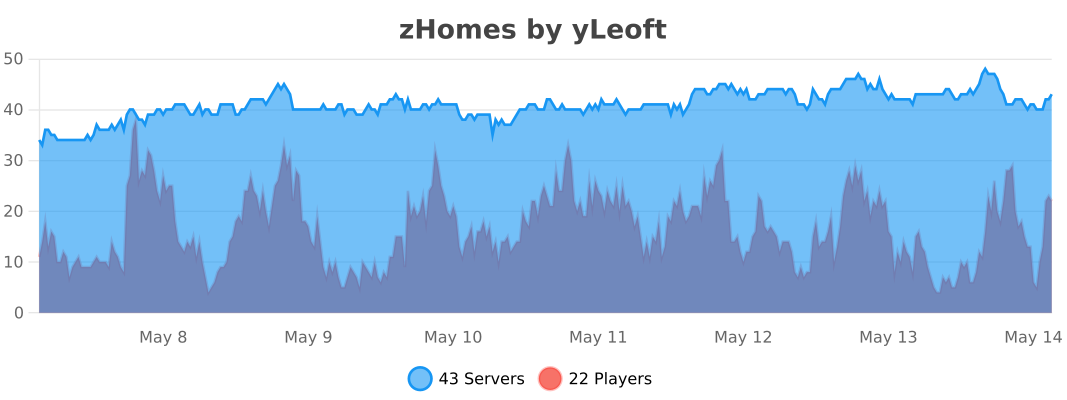
zHead
[](https://minestrator.com/a/GROUPEZ)
zHead is a swift and intuitive plugin enabling you to access thousands of custom Minecraft skulls with distinctive designs. This user-friendly skulls plugin opens the door to creative design possibilities, significantly improving your builds’ quality and offering creative liberty to both you and your players.
Should you seek additional methods to make your builds stand out with ease, zHead is the perfect solution!
Credit: [https://minecraft-heads.com/](https://minecraft-heads.com/)
## Commands:
– **/zhead** (aliases: /head, /zhd) – `zhead.use` – Display commands
– **/zhead reload** – `zhead.reload` – Reload configuration files
– **/zhead info** – `zhead.info` – Get head information
– **/zhead give [] []** – `zhead.give` – Give a head
– **/zhead search ** – `zhead.search` – Search heads
– **/zhead random [] []** – `zhead.random` – Give a random head
– **/playerhead ** – `zhead.player.head` – Give a player’s head
## Inventory Permissions:
– `zhead.miscellaneous`
– `zhead.plants`
– `zhead.monsters`
– `zhead.humanoid`
– `zhead.humans`
– `zhead.food.drinks`
– `zhead.decoration`
– `zhead.blocks`
– `zhead.animals`
– `zhead.alphabet`
– `zhead.refresh`
## Placeholders:
– **%zhead_count%** – Displays the total number of heads
– **%zhead_count_format%** – Displays the total number of heads with a format
– **%zhead_category_count_%** – Displays the total number of heads for a category
– **%zhead_category_count_format_%** – Displays the total number of heads for a category with a format
**API**: [https://github.com/Maxlego08/zHead?tab=readme-ov-file#api](https://github.com/Maxlego08/zHead?tab=readme-ov-file#api)
[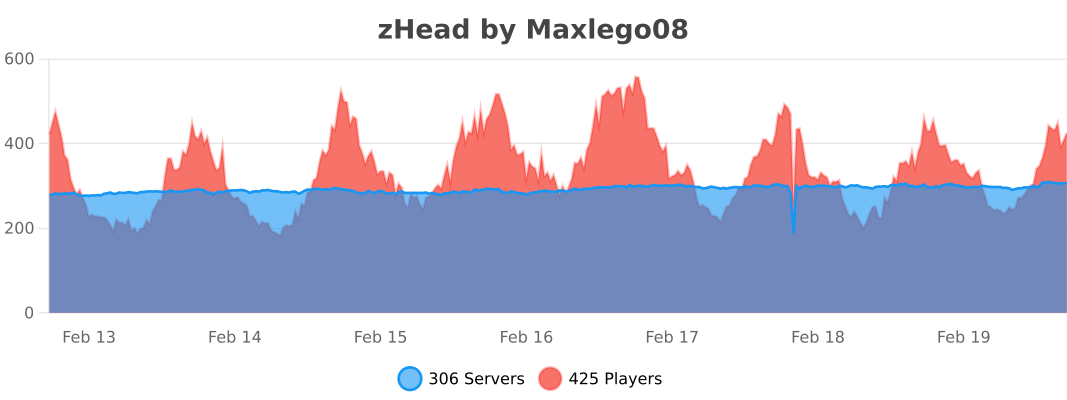](https://bstats.org/plugin/bukkit/zHead/21364)
## We would like to extend our heartfelt thanks to [Minecraft-Heads.com](https://minecraft-heads.com/) for providing their API, which has been an invaluable source of all the data used in our project.
ZeroTwo Totem
# ABOUT
**This texture pack replaces the totem with the character Zero Two from the anime Darling in the Franxx. The sound when using the totem has also been replaced with the phrase “Dar-ling.” If you liked the texture pack, add it to your favorites! Enjoy the game!**
# IMPORTANT
– ### **Is there a port on the Bedrock Edition?**
This texture pack is designed exclusively for Java Edition. We do not plan to release a version for Bedrock Edition.
– ### **Want to use it on Bedrock Edition?**
You can port the texture pack yourself, as long as you comply with all license terms.
– ### **Pack version warning ?**
There is a high chance that resource packs will work with different versions of Minecraft without the need to change the version of the pack, unless there is a major update that breaks resource packs.
ZeroCore
**FAQ:**
– Can I use ZeroCore as an external dependency of my mod? Yes. Drop on discord if you have any question on how to use it
– Fabric ? Yes, I’m working on it. No ETA yet but it’s coming
– Up-to-date versions are available on [CurseForge](https://www.curseforge.com/minecraft/mc-mods/zerocore)
# ZeroCore
**ZeroCore is a mod intended for other mod authors**
It contains code to handle the basic mechanics of the game and Forge, including:
– handlers to process network messages on the correct thread
– new GUI system
– a base TileEntity implementation that simplifiy data syncronization between server and remote clients, updates and GUI handling
– helper classes and blockstate properties to handle connected textures
– standard configuration handler with built-in support for in-game configs changes
– standard ore generator and re-generation
– much more
It’s also the home of a revised multiblock API that support multiple client mods without performance penalities
## MAVEN
ZC is available on my maven rep: https://maven.zerono.it/
## PLAY ALONG WITH YOUR FRIENDS OR STREAM YOUR GAMEPLAY
I’ve partnered with BisectHosting!
If you’re interested in hosting a server to play with Extreme Reactors and other mods or mods pack along with your friends, or in a robust server to play in while you stream your gameplay on You Tube or Twitch, click the image below!
[](https://bisecthosting.com/zero)
BisectHosting offers quick, simple to use and high quality server hosting with over a dozen locations available across the world, ensuring low latency for you and your friends. I use one of their server myself to test Extreme Reactors and play Minacraft along with my friends.
They’ve got greath support to help you choose the best server for your mod pack, be that an existing pack or one that you put together yourself. After your purchase, the server is already configured and ready to use.
Remember to use the code “zero” to get 25% off your first month as a new client for any of their gaming servers. Enjoy!
## CONTACTS
Since many of you have asked, I’ve opened a Discord server. Ask questions about my mods, share your Reactors designs and report issues. You can also find me on the Minecraft Forge discord server or the Direwolf20 one. Happy chat.
## MODPACKS AND LET’S PLAYs AND OTHER PERMISSIONS
You can add Zero Core to your mod pack or use them in your let’s play / live streams to your heart content, no need to ask for my permission: you got it.
If you like, post a comment here or on the main forum thread to let’s us know what fun stuff you are doing with the mods so we can all share in the fun.
No one is authorized to repost my mods, or any part of them, on any other website then the ones I post them to (see below). If you wish, you can link to this page from your website to let your users download the mod.
## A NOTE ON SAFETY
We release our mods only on CurseForge, Modrinth or the FTB launcher and their respective websites:
If you found our mods on another website be sure that they do not come from us and we cannot guarantee that you are downloading something safe to use and that will work on your version of Minecraft. To keep things short: do not download those files and always use the CurseForge, Modrinth or the FTB launcher or their respective websites
## TUTORIALS
A tutorial about the Multiblock API is available here:
http://zerono.it/zerocore-multiblock-api-tutorial/
It’s not up-to-date but still relevant.
AntiXRay
# 🛡️ zepAntiXRay — Hide Ores from X-Ray Cheaters
**Anti XRay** protects your server from players using X-Ray resource packs or hacked clients to locate ores. Ores are hidden **server-side** and only revealed when a player is close enough or has direct line of sight.
—
## ✨ Features
– **Hides ores server-side** — Diamond, Emerald, Gold, Iron, Redstone, Lapis, Ancient Debris and more
– **No client mod required** — works completely server-side
– **Lightweight** — minimal performance impact on your server
– **Simple & focused** — does exactly one thing, and does it well
—
## ⚙️ How it works
Ore blocks are **replaced with stone** in the chunk data before being sent to the client. They are only revealed when a player is **close enough**, preventing any X-Ray cheater from spotting them at a distance.
—
## 📋 Requirements
| | |
|—|—|
| **Minecraft** | 1.7.x-1.21.x |
| **Server Software** | Paper, Purpur, Folia, Bukkit, Spigot |
| **Java** | 21+ |
| **ProtocolLib** | Please use the Newst Version |
—
## ⚠️ Limitations
> This plugin is focused **solely on hiding ores**. It does not include any additional anti-cheat features beyond X-Ray protection.
Zenith’s LUT Shader
# Zenith’s LUT Shader
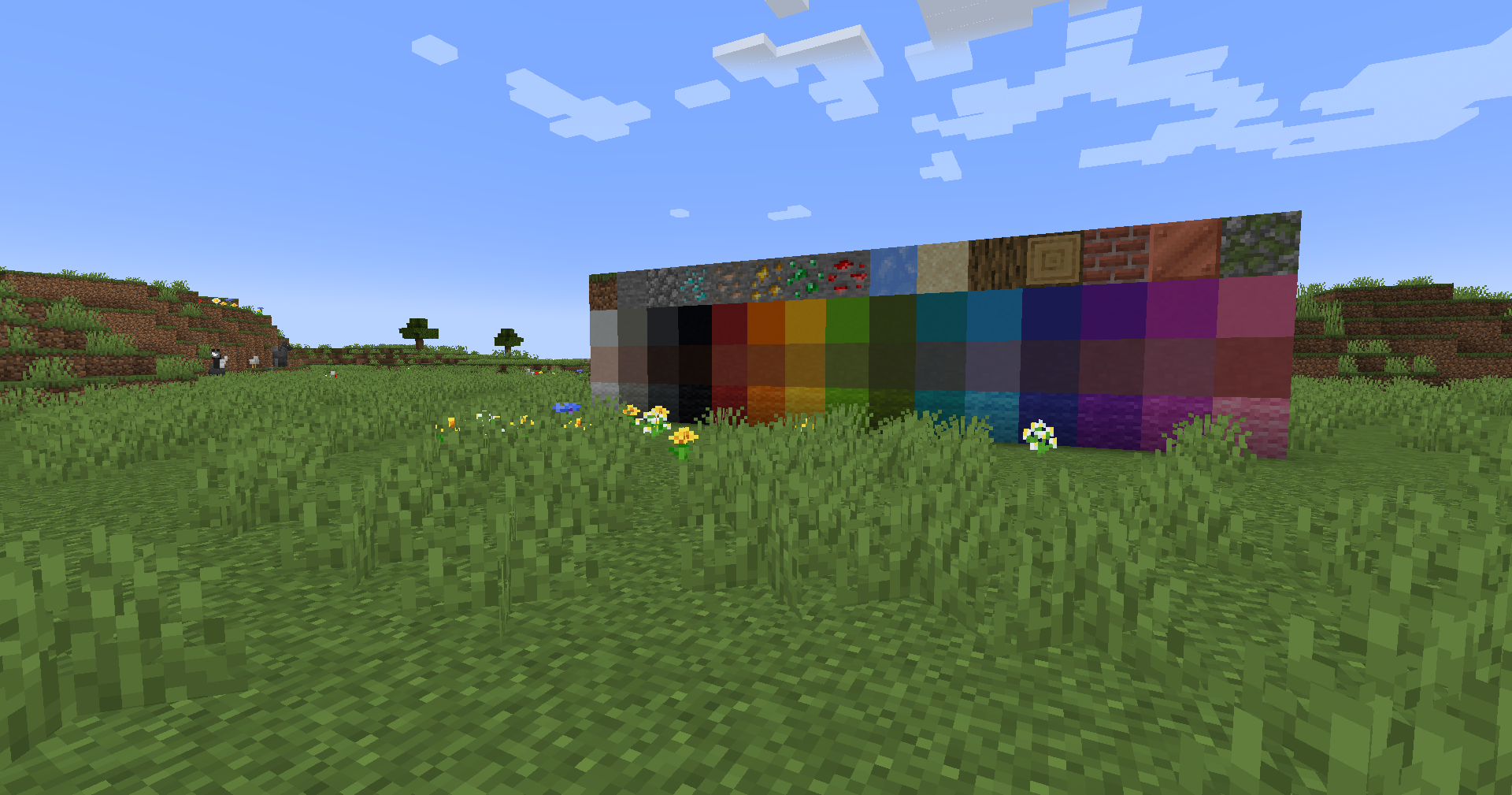
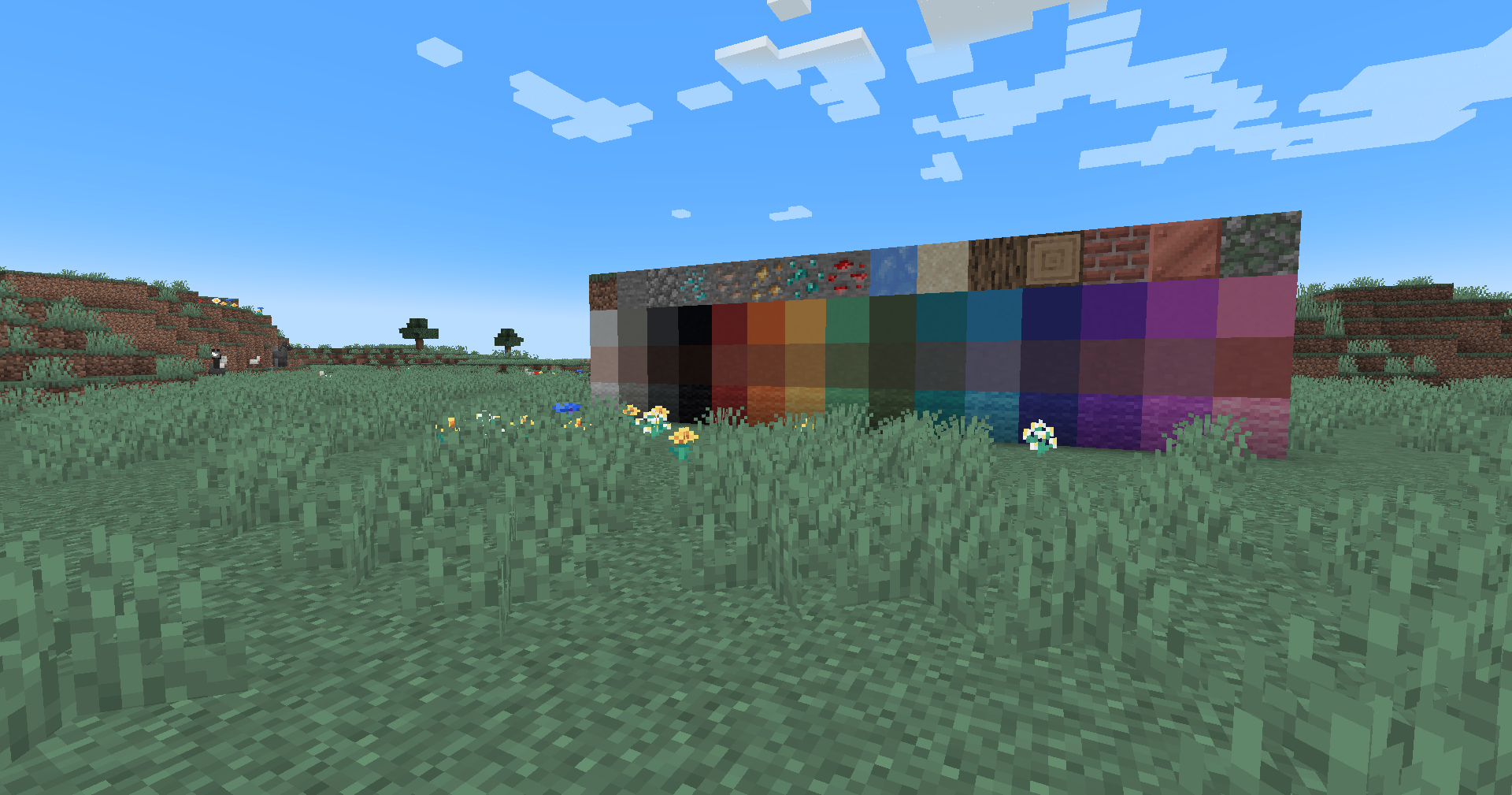
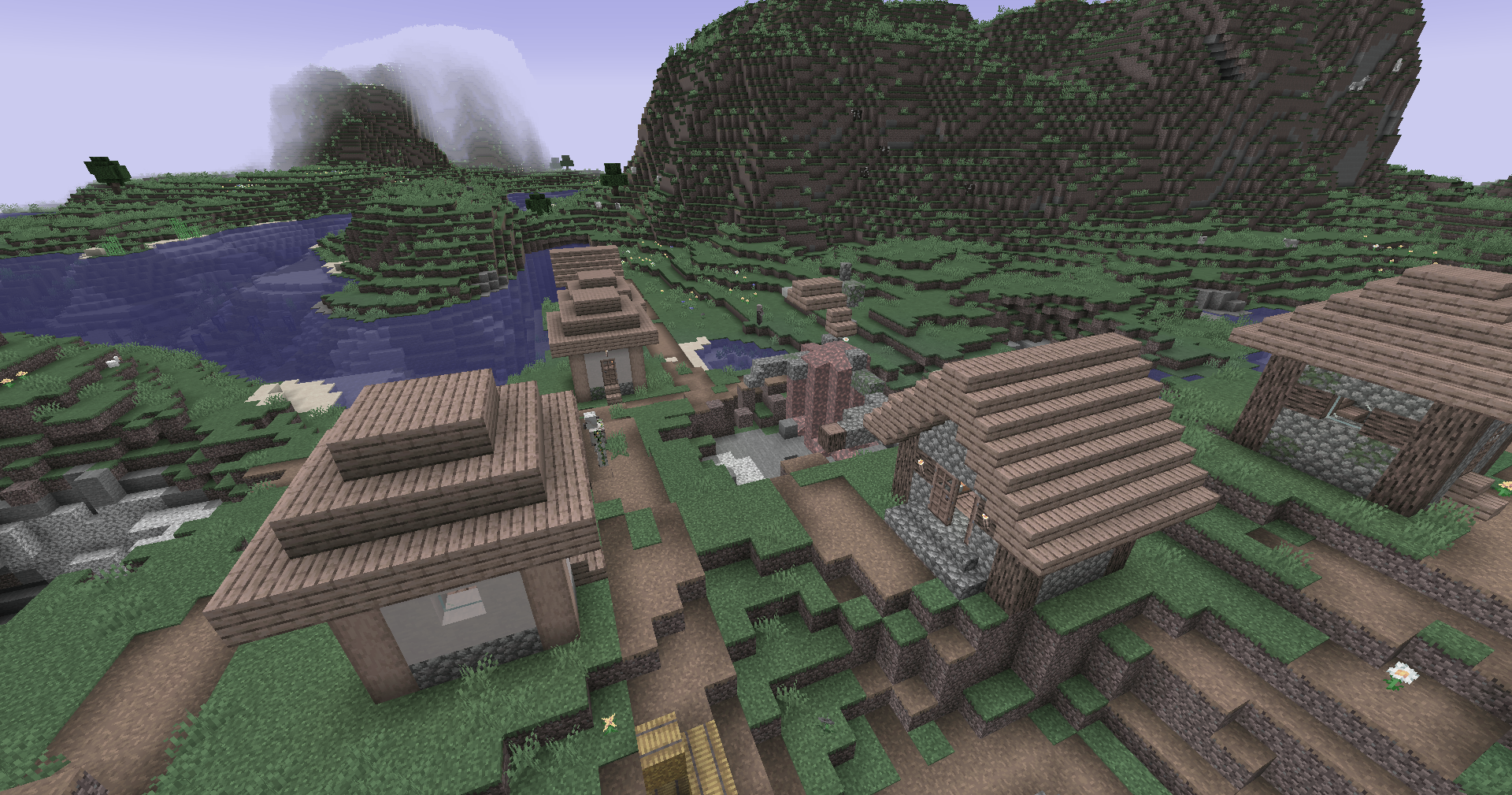
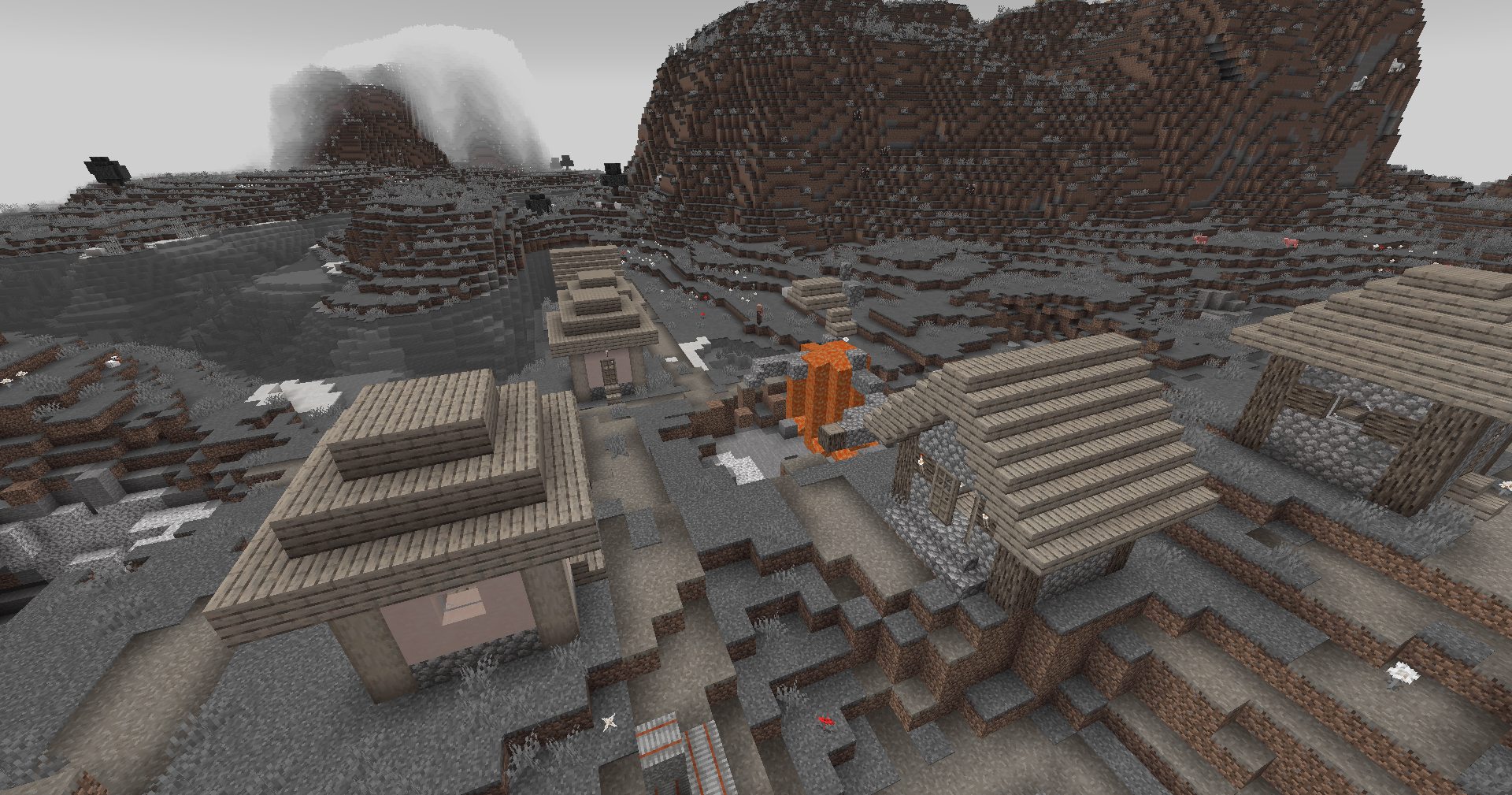
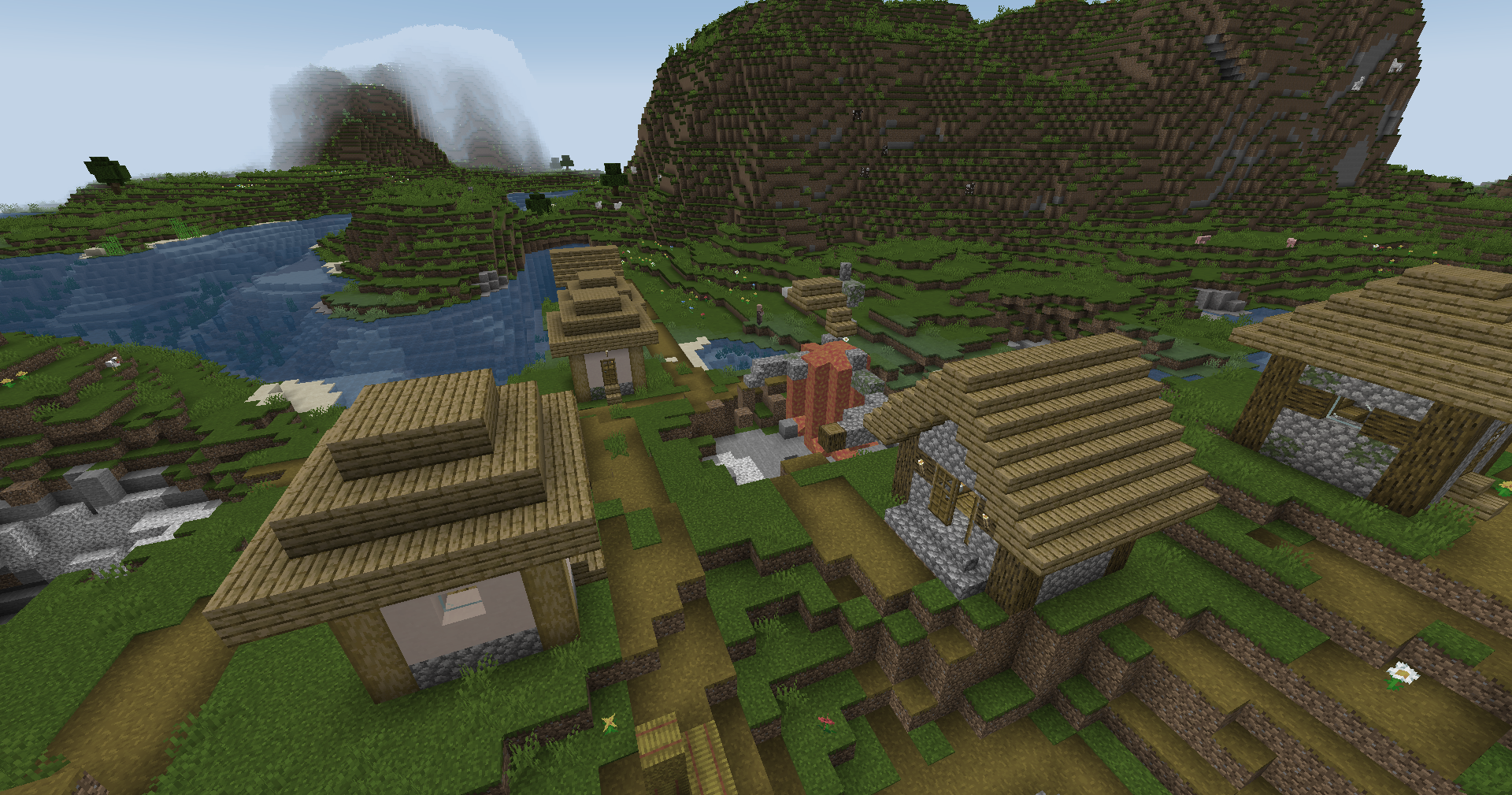
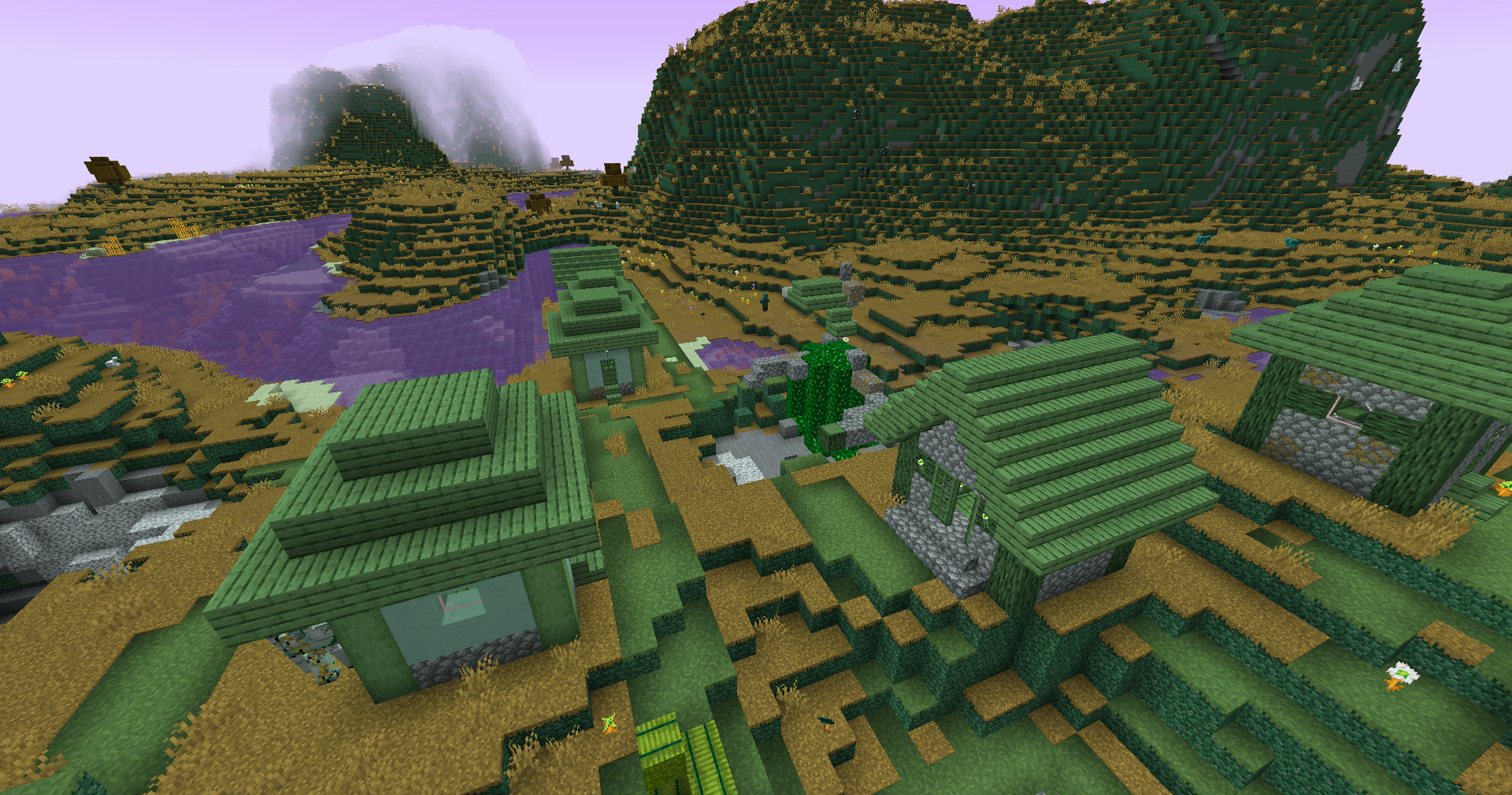
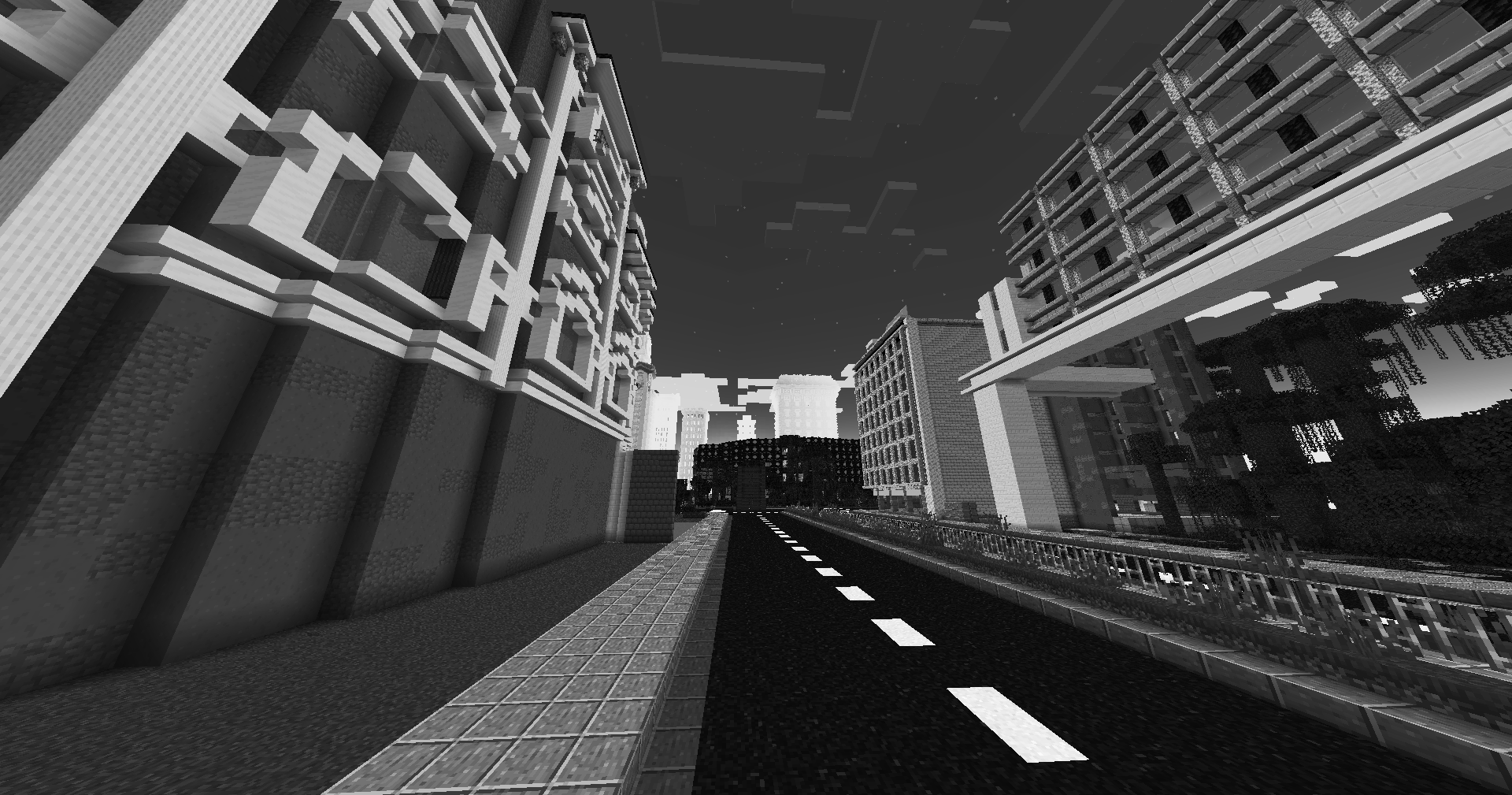
This simple vanilla shader allows you to customize the colors of your game by use of color lookup tables or LUTs
|Vanilla Colors|Custom LUT|
|–|–|
|||
## Installation
Vanilla
- Download the vanilla version of this shader
- Add to
.minecraft/resourcepacks
- Set graphics to
Fabulous
- Activate Resource Pack
OptiFine/Iris
- download the Iris/OptiFine version of this shader
- add to
.minecraft/shaderpacks
- Select shader in Shaders Menu
## Customization
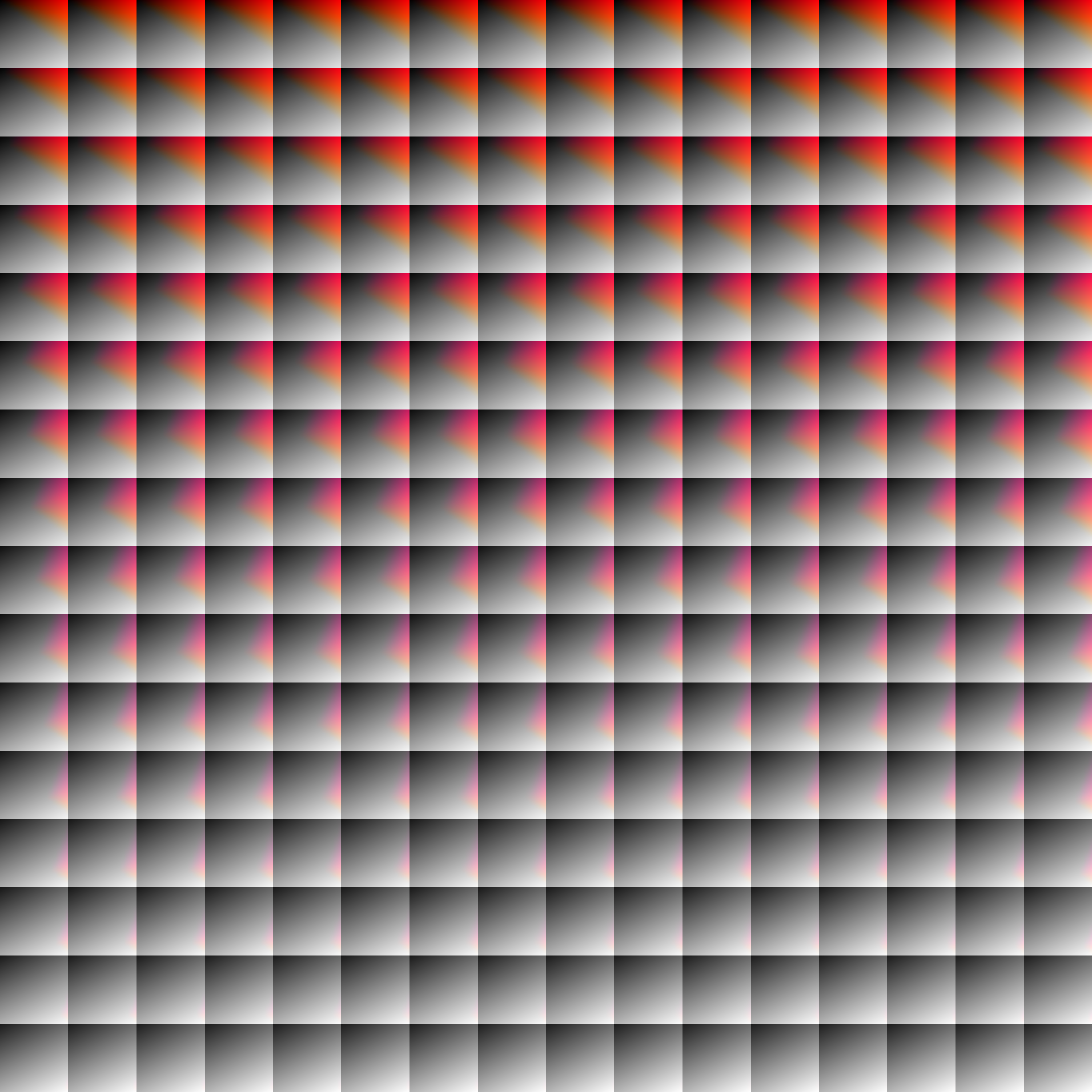
Provided within the pack zip, you may find a file called `init_LUT.psd`, which will allow you to customize the look and feel of this shader.
Customization Instructions
- Open
init_LUT.psd into your favorite photo editor (IE GIMP, Photoshop, Affinity Photo)
- I personally use the free online Photoshop alternative Photopea
- You can also just use the unmoddified
init_LUT.png which is also provided in the zip
- Apply as many adjustment layers, or edit the ones I have pre-selected, to achieve the look you desire
- These can be found under
Layer > Add New Adjustment Layer
- Hide the color preview layer
HIDE BEFORE EXPORT
- Export into the pack as
assetsminecrafttextureseffectlut.png or shaderslut.png, depending on whether you are using Vanilla or Iris/OptiFine
Example LUTs
Save one of the LUTs below as assetsminecrafttextureseffectlut.png or shaderslut.png, depending on whether you are using Vanilla or Iris/OptiFine:
| LUT |
Preview |
Reduced Reds

|
|
Red Isolated
|
|
Darkened World

|
|
Wut

|
|
Dramatic Black and White

|
|
Redistribution
If you wish to share your own custom LUT, please direct your users to download Zenith’s LUT Shader alongside your pack, or mark it as a dependancy on Modrinth
Zekren’s MusicPack
Experience Minecraft like never before with Zekren’s MusicPack! Designed to immerse you in a brand new auditory adventure, this pack replaces the entire main music soundtrack with 63 new tracks!
**_Features:_**
**Complete Overhaul:** Every piece of the main soundtrack has been replaced, including three music discs (5, 11, 13), ensuring a cohesive and fresh auditory experience.
**Ambient Vibes**: Inspired by the original OST, each track brings a blend of ambient and atmospheric electronic music, enhancing immersion and creating new memories.
**Modern Soundscape:** Perfect for those who have grown accustomed to or muted the decade-old music, this pack aims to reinvigorate your Minecraft sessions with contemporary sounds.
**Future-Proof:** Now compatible with Minecraft 1.7.2+! I went all the way back to the 2013 music update. **For 1.21+, please join my [Patreon](https://www.patreon.com/Zekren/)
Rediscover the joy of Minecraft with Zekren’s MusicPack and elevate your gameplay to a whole new level. Dive into your world with a refreshed sense of wonder and make every adventure unforgettable. Experience the Nether with a more hellish and spooky ambiance, feel the cosmic expanse of the End, and enjoy enhanced soundscapes that elevate every biome to new heights. Everything is designed to enhance your experience, not change it entirely, ensuring a familiar yet vastly improved Minecraft journey.
Zayko Shaders
⚠️Zayko has been put on pause while we work on different projects.⚠️
━━━━━━━━━━☆━━━━━━━━━━☆━━━━━━━━☆━━━━━━━━━━☆━━━━━━━━━━
### **_7.0 IS OUT! AND ITS OUR BEST YET! ✨🌊_**

[](https://www.curseforge.com/minecraft/shaders/zayko-lite)
### Short About
**Zayko is a shader pack for Minecraft Java Edition, designed with an emphasis on detail, excellent quality and optimization. It offers PBR effects, emissive textures for mobs, blocks and items, as well as a wide range of settings: from Low to Ultra. provides a stable frame rate, while allowing you to adjust the settings to suit any requirements.**

━━━━━━━━━━☆━━━━━━━━━━☆━SPONSORS━☆━━━━━━━━━━☆━━━━━━━━━━
[](https://www.voicemod.net/?refn=skynexushd&tracking_id=999d68a19a244ef5af11d60f1ef6384d&utm_campaign=6023bf347e9fb&utm_source=WHuVawz6)
━━━━━━━━━━☆━━━━━━━━━━☆━SPONSORS━☆━━━━━━━━━━☆━━━━━━━━━━

Zayko Shaders is a shader pack for Minecraft Java Edition with amazing attention to detail, great quality, and the best possible optimisation. Offering a range of amazing quality visuals and ajustable effects, instead of just giving you presets we also give you great ajustability with our shaders, including emmissive textures for mobs and blocks even certain items including PBR thanks to compatablity with [Optifine](https://optifine.net/home) and [Iris](https://www.irisshaders.dev/),and for those who just want a simple click and play without ajusting there are profiles ranging from Very Low to Ultra and it’s build for Keeping a stable framerate with amazing shaders.
### Want to know more?
Keep scrolling or go to Trusted wikis [FiveNova](https://fivenova.net) or [Minecraft France](https://www-minecraft–france-fr.translate.goog/zayko-shaders/?_x_tr_sl=fr&_x_tr_tl=en&_x_tr_hl=en&_x_tr_pto=sc)
Untrusted wikis (Could be Harmful!)
[Note](https://note.com/quick_squid5246/n/na88bd2b8a706), [Minecraft Mods.Pro](https://minecraft–mods-pro.translate.goog/mods/zayko-shaders?_x_tr_sl=ru&_x_tr_tl=en&_x_tr_hl=en&_x_tr_pto=sc), [Minecraft Imba](https://minecraft-imba.ru/308-zayko.html) or [MinecraftStorage](https://minecraftstorage.com/shaders/zayko), [9Minecraft.net](https://www.9minecraft.net/zayko-shaders)
Harmful wiki detections!!
Do Not download from [Mineload](https://mineload-ru.translate.goog/shaders/low-pc/low-pc-1-16-5/?_x_tr_sl=ru&_x_tr_tl=en&_x_tr_hl=en&_x_tr_pto=sc), [mods-minecraft.ru](https://mods-minecraft.ru/shaders/7577-zayko.html), [Xenolith.ru](https://xenolith.ru/shaders/2758-zayko-12110-1206-1194-1182-1171-1165.html)
━━━━━━━━━━☆━━━━━━━━━━☆━━━━━━━━☆━━━━━━━━━━☆━━━━━━━━━━
**Why Do we take wikis so seriously? simple because if you go to the wrong one and get a virus we could be blamed without our shaders having any malware. we also dont want people to get viruses and let the scammers succeed so please never download from Harmful sites. we only include them so you know they are harmful if you ever download a mod or shader from them.** (the way we check is we look through the sites and if it links to modrinth for the download it automaticlly goes to trusted if it downloads from their site thats auto untrusted because we cannot tell if they added something to the file and untrusted is if the file size is smaller then our offical shaders which mejority are or if they get a harmful detection from VirusTotal.)

if your new or don’t know how to download shaders then were here to help!
### Modrith Launcher
Click Install **–>** Pick an Instence or Create one **–>** Wait for it to do its magic **–>** Launch and Enjoy the Shaders!
### Natrual Launcher
Download File **–>** Launch Game with [Optifine](https://optifine.net/home) or [Iris](https://www.irisshaders.dev/) **–>** Options **–>** shaders **–>** Open shaderpack folder **–>** drag and drop the file into the folder **–>** close folder and click on the shaders in game and enjoy!
# Showcase Videos
Even videos where they show off shaders takes time to create which can take away from their personal lives. Originally this only showed our offical showcase but we wanted to support the community. ([email protected] if you want a video added or removed.)
━━━━━━━━━━☆━━━━━━━━━━☆━━━━━━━━☆━━━━━━━━━━☆━━━━━━━━━━
[**Gamomnia**](https://www.youtube.com/@gamomnia) – Shows Zayko at **4:02**
━━━━━━━━━━☆━━━━━━━━━━☆━━━━━━━━☆━━━━━━━━━━☆━━━━━━━━━━
[**FiveNova**](https://www.youtube.com/@FiveNova) – Shows Zayko for **full video**
━━━━━━━━━━☆━━━━━━━━━━☆━━━━━━━━☆━━━━━━━━━━☆━━━━━━━━━━
YuRTP
# YuRandomTeleport | Cross-Version · High Performance · Universal Compatibility
**Supported Versions: 1.8.x – 1.26.x**
**Compatible Server Types: Spigot / Paper / All Hybrid Forks (Mohist, Magma, Arclight, etc.)**
—
## 🎉 Promotional Text
### ✦ Escape the Crowd. Explore the Unknown. — YuRandomTeleport
Tired of overcrowded spawn points? Struggling to find untouched, pristine land?
**YuRandomTeleport** is an intelligent random teleportation plugin built for Minecraft servers, delivering a safe, smooth, and highly customizable teleport experience.
#### ✨ Why Choose YuRandomTeleport?
– **Ultimate Cross-Version Compatibility**
From 1.8 to the latest 1.26.x, it runs seamlessly on Spigot, Paper, and all hybrid server forks—one plugin for every version.
– **Smart & Safe Location Algorithm**
Automatically avoids lava, cacti, the void, fire, and other hazardous blocks. Players always land on solid ground with open sky above—safe upon arrival.
– **Granular Per‑World Configuration**
Each world can have independent radius, height limits, safety rules, and blocked material lists. Perfectly tailored for Overworld, Nether, and End dimensions.
– **Seamless Economy & Cooldown Integration**
Supports Vault economy deductions and customizable cooldowns. Granular permission nodes keep everything under control and prevent abuse.
– **Programmable Command Hooks**
Execute custom commands (including JSON titles and particle effects) before and after teleportation, taking your server’s interactivity to the next level.
– **Zero‑Fuss, Out‑of‑the‑Box**
Default configurations work immediately. No complex setup required—even novice server admins can deploy it effortlessly.
– **Active Maintenance & Community**
The plugin is under continuous development. Join our official community **1080918424** to report issues, request features, or just chat with fellow admins.
#### 🚀 Join Us
**Official Community Group: 1080918424**
Bug Reports · Update Announcements · Tech Support · Customization Inquiries
—
## 📖 User Manual
### 1. Installation Guide
1. Place `YuRandomTeleport-.jar` into your server’s `plugins` folder.
2. Restart the server or load the plugin using a plugin manager.
3. The plugin will automatically generate `config.yml` and `messages.yml` inside `plugins/YuRandomTeleport/`.
4. (Optional) Edit the configuration files as desired and apply changes with `/yurtp reload`.
### 2. Commands & Permissions
#### Player Commands
| Command | Description | Permission |
|———|————-|————|
| `/yurtp` or `/rtp` | Randomly teleports yourself within your current world. | `yurtp.use` |
| `/yurtp ` | Randomly teleports the specified player within their current world (requires permission). | `yurtp.teleport.others` |
| `/yurtp ` | Randomly teleports the specified player to the specified world (requires permission). | `yurtp.teleport.others` |
| `/yurtp help` | Displays the help menu. | None |
#### Admin Commands
| Command | Description | Permission |
|———|————-|————|
| `/yurtp reload` | Reloads the configuration files (`config.yml` and `messages.yml`). | `yurtp.reload` |
#### Permission Nodes
| Permission | Default | Description |
|————|———|————-|
| `yurtp.use` | Everyone | Allows use of random teleport. |
| `yurtp.teleport.others` | OP | Allows teleporting other players. |
| `yurtp.bypass.cooldown` | OP | Bypasses the cooldown timer. |
| `yurtp.bypass.cost` | OP | Bypasses economy charges. |
| `yurtp.reload` | OP | Allows reloading the plugin configuration. |
### 3. Configuration Quick Reference
#### Core Options in `config.yml`
“`yaml
# Economy settings (requires Vault)
economy:
enabled: false
cost: 0.0
# Cooldown in seconds
cooldown:
seconds: 3
# Worlds where teleportation is forbidden
world-blacklist:
– lobby
# Default parameters (inherited by all worlds unless overridden)
default:
radius:
min: 500
max: 2000
height:
min: -64 # Leave blank to auto-detect from world
max: 320
safety:
check: true
allow-void: false
allow-water: false
allow-lava: false
max-attempts: 32
min-air-above: 8
blocked-materials:
– “MAGMA*”
– “CACTUS”
– “SWEET_BERRY_BUSH”
– “COBWEB”
– “*FIRE*”
# Per‑world overrides
worlds:
world_nether:
radius:
min: 200
max: 800
safety:
allow-lava: true
# Custom commands to execute (supports placeholders: {player}, {x}, {z}, etc.)
commands:
on-teleport:
– “title {player} title {“text”:”Searching for a safe location…”,”color”:”yellow”}”
on-success:
– “title {player} title {“text”:”Teleport Successful!”,”color”:”green”}”
on-fail:
– “title {player} title {“text”:”Teleport Failed”,”color”:”red”}”
“`
#### Notes on `messages.yml`
All frontend messages support color codes (`&` in place of `§`) and can be fully translated or customized. After editing, run `/yurtp reload` to apply changes.
### 4. Frequently Asked Questions
**Q: Why can’t a player teleport?**
A: Verify that the world is not listed in `world-blacklist`, the player has the `yurtp.use` permission, and cooldown/balance requirements are met.
**Q: The teleport locations aren’t ideal. How can I improve them?**
A: Adjust the `radius` range, `height` limits, or relax the `blocked-materials` rules for the specific world. Enable `debug: true` in the config to view detailed location‑search logs in the console.
**Q: Does the plugin support sounds on 1.8?**
A: Yes. A built‑in cross‑version sound compatibility layer ensures sounds work across all supported versions without errors or silence.
**Q: Is Moonrise asynchronous server supported?**
A: Moonrise is not currently supported due to conflicts between its asynchronous architecture and some core plugin logic. We will evaluate potential compatibility in future updates.
### 5. Community & Support
– **QQ Group: 1080918424**
Bug reports · Feature suggestions · Update notifications · Technical discussions
– **Documentation & Updates**
The latest version and detailed documentation are always available within the community group.
—
**YuRandomTeleport — Every journey begins with anticipation.**