MelonPack
# Welcome to Melonpack
Do you like Melons? Do you like Minecraft texture packs? If so, this pack is for you!
This pack makes most things melon! Melons? MELON! tools? MELON! hotbar? MELON!
FEATURES INCLUDED ARE
- Watermelon tools
- Watermelon Armor
- Easy Brewing
- Melon Particles
- Melon Health
- AND MUCH MORE
# Info/Contact
Click here for discord!
Contact me at “[email protected]” OR “abstractmelon#0115”
We hope you enjoy the Pack:)
Water Sounds pack
**This is an underwater acoustic themed sound package designed around a 1.9+combat system.**
**The current version (0.3a) has been modified:**
– Bow and Arrow sound Effects
– Crossbow sound effects
– Strike sound effects
**FAQ:**
– Q:Will it be ported to an old version?
– A:No plan.
*Using machine translation
中文翻译:
**这是一个围绕 1.9+战斗系统 所制作的水声主题音效包**
**当前版本(0.3a)修改了**
– 弓箭音效
– 弩箭音效
– 打击音效
**常见问题:**
– 将会移植到旧版本吗?
– 目前没有计划
WasteLand Emeralds
# WasteLand Emeralds
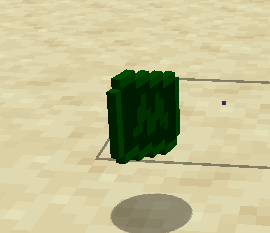
### This resource pack changes the texture of an emerald so that it looks like money
Warm Mojangles
This fontpack changes the color of the default font in Minecraft to be more pleasing to the eye.
To install it, make sure to select it in the resource packs screen and put it on top of other font packs.
# MY OTHER FONTS
– [Marga Font by SourAlien](https://modrinth.com/resourcepack/marga-font-by-souralien)
– [Paramita Font by SourAlien](https://modrinth.com/resourcepack/paramita-font-by-souralien)
– [PP Font](https://modrinth.com/project/pp-font)
– [Anicca Font by SourAlien](https://modrinth.com/resourcepack/anicca-font-by-souralien)
– [Tiny Bold Font](https://modrinth.com/resourcepack/tiny-bold-font)
– [SAS SMALL CAPS FONT](https://modrinth.com/resourcepack/sas-small-caps-font)
– [sas all lowercase font](https://modrinth.com/resourcepack/sas-all-lowercase-font)
– [Samsara Mono by SourAlien](https://modrinth.com/resourcepack/samsara-mono-font-by-souralien)
– [Ostrakon Font by SourAlien](https://modrinth.com/resourcepack/ostrakon-font-by-souralien)
– [Epsilon Font by SourAlien](https://modrinth.com/resourcepack/epsilon-font-by-souralien)
– [Alice Font](https://modrinth.com/resourcepack/alice-font)
– [Sleek DR](https://modrinth.com/resourcepack/sleek-dr)
– [Synesthete’s Dream](https://modrinth.com/resourcepack/synesthetes-dream)
– [HD B&W Font](https://modrinth.com/resourcepack/hd-bw-font)
WardSS
# WardSS 1.4
## Description:
A powerful Minecraft plugin for managing staff controls (ScreenShare) with advanced features.
## Features:
freeze_system:
– command: “/ss ”
description: “Freeze a player for screening”
– automatic_teleport: “Moves staff and player to a predefined location”
– custom_titles: “Display titles/subtitles when a player is frozen/unfrozen”
– automatic_return: “Player is returned to their original location after unfreeze”
## Private_chat:
– “Exclusive chat between staff and frozen players”
– “Customizable message format”
– “Invisible to other players”
## Report_system:
– command: “/ssreport ”
description: “Report a player for staff review”
– command: “/reportlist”
permission: “wardss.report”
description: “View the list of all reported players”
– “Staff notified when a report is sent”
– “Configurable report broadcasts”
– “Customizable report message format”
– “Improved tab completions for /ssreport ”
## Protections:
– “Block commands for frozen players”
– “Notify staff on command attempts”
– “Automatic ban if a player disconnects during screening”
– “Staff bypass mode for unrestricted movement”
## Commands:
– “/ss – Freeze/unfreeze a player”
– “/ss setlocation – Set teleport location for screenings”
– “/ss bypass – Toggle bypass mode for staff”
– “/ssreport – Report a player for staff review”
– “/reportlist – View all reported players”
permissions:
– “wardss.use – Use the /ss command”
– “wardss.notify – Receive notifications”
– “wardss.bypass – Use bypass mode”
– “wardss.setlocation – Set screening teleport location”
– “wardss.report – Access /reportlist command”
## Configuration:
messages:
– prefix: “&7[&c&lWardSS&7]”
– staff-freeze: “&aYou have frozen %player% for screening!”
– player-frozen: “&cYou have been frozen by %staff%!”
– staff-unfreeze: “&aYou have unfrozen %player%!”
– player-unfrozen: “&aThe screening is over, you have been unfrozen!”
– frozen-title: “&c&lYOU HAVE BEEN FROZEN”
– frozen-subtitle: “&7Do not disconnect or you will be banned!”
– unfrozen-title: “&a&lYOU HAVE BEEN UNFROZEN”
– unfrozen-subtitle: “&7Thank you for your cooperation!”
– no-permission: “&cYou don’t have permission!”
– player-not-found: “&cPlayer not found!”
– already-frozen: “&cThis player is already frozen!”
– not-frozen: “&cThis player is not frozen!”
– teleport-set: “&aThe teleport position has been set!”
– teleport-not-set: “&cThe teleport position has not been set!”
– teleport-usage: “&cUsage: /ss ”
– report-sent: “&aReport sent successfully!”
– report-received: “&7You have received a new report”
– report-broadcast: “&7New report: &c%report%”
– report-submitted: “&7Report submitted by &c%player%”
– bypass-active: “&aBypass mode activated”
– bypass-inactive: “&cBypass mode deactivated”
– private-chat-format: “&8[&cSS&8] &7%player%: &f%message%”
– player-quit: “&c%player% disconnected during screening!”
– command-blocked: “&cYou cannot use commands while frozen!”
– command-attempt: “&c%player% attempted to use command: %command%”
### settings:
– notify-staff: true
– prevent-commands: true
– prevent-movement: true
– prevent-interaction: true
– prevent-damage: true
– title-fade-in: 10
– title-stay: 100
– title-fade-out: 10
## Installation:
– “Download the JAR from the releases section”
– “Place it in your server’s plugins folder”
– “Restart the server”
– “Configure config.yml as needed”
– “Set the teleport location with /ss setlocation”
## Requirements:
– “Bukkit/Spigot Server 1.8+”
– “Java 8 or higher”
– “Properly configured permissions”
## Additional_notes:
– “Ensure permissions are correctly set in your permissions plugin”
– “Recommended: Set teleport location in a secure, enclosed area”
– “Check for updates regularly for new features and fixes”
## License: “All Rights Reserved – No part of this plugin, including source code and resources, may be used, copied, modified, or redistributed without the explicit permission of the author.”
Kid Named Finger Title Screen (Waltuh)
**Changes the Minecraft logo on the title screen (and the menu background) to a stupid shitpost I’ve had in my mind for a while.**
Two versions are available, one for 1.20 and up, and another for 1.19 and under. Make sure you download the correct version.
[](https://ko-fi.com/nanobuntv)
Special thanks to [Ewan Howell](https://ewanhowell.com) for making the [Blockbench plugin](https://www.blockbench.net/plugins/minecraft_title_generator) that made this possible.
This work is licensed under [CC BY-NC-SA 4.0](https://creativecommons.org/licenses/by-nc-sa/4.0)
Waguri pack
This is pvp project for anime lovers!
you can play pvp better because I added a lot of things
for pvp. for example: small totem small items no particles
waifu guis and custom items custom paints custom
music. Yes it is true I added phonk discs for you
You can listen phonks with jukebox and you can see
custom armor and tools and I added fullbright yes You
don’t need any resurcepack everything is here just
install and play 🙂
VServerInfo
# VServerInfo [](https://github.com/4drian3d/VServerInfo/actions/workflows/maven.yml) [](https://discord.gg/5NMMzK5mAn)
Get the information of each server in your Velocity network
[](https://www.bisecthosting.com/4drian3d?r=ModVServerInfo)
## Requirements
– Velocity 3.3.0
– Java 17+
## Commands
#### Permission `vserverinfo.command`
### /vserverinfo
This command will give you information about all the servers you have in your Velocity network.
### /vserverinfo
Get the information about a single server
## How does this plugin differ from the Velocity(/glist) integrated command?
This plugin allows you to check the online/offline status of each of your servers, as well as to obtain additional information such as their MOTD and allows a complete customization of the plugin formats.
All messages are fully customizable from the configuration (config.conf)

## Tutorial
**Spanish**
VRealmsConnector
# VRealms Connector
This is a simple server connector I made for Velocity, because I couldn’t find one that suited my needs. Currently, you can only register and unregister Servers through a Command, later it’s also planned to do so through a Rest API.
For now, this is how to use the Commands:
– `/addserver
[port]`
– `/removeserver `
The port uses 25565 by default
## THIS PROJECTS SOURCE CODE WILL NOT BE MADE PUBLIC (FOR NOW)
If you need the Source, decompile it, or just make it yourself
VPlayerLimit
# VPlayerLimit
[](https://discord.gg/5NMMzK5mAn)
Limit how many players can join your server.
This is not a plugin to set the maximum number of players in motd, it simply limits the number of connected players.
[](https://www.bisecthosting.com/4drian3d)
## Installation
– Download VPlayerLimit from Modrinth
– Drag and drop on your plugins folder
– Start the server
– Configure the player limit and the expulsion message