Yeahlows PVP Pack
THIS IS A TEXTURE PACK
Okay you probably already knew that…
This texture pack prioritizes making the most important changes for a pvp pack without making the game look completley different. Older versions of this texture pack include short swords for 1.8, low shields and smaller items.
This pack supports both 1.6.1-1.8.9 for short swords, and 1.21-1.21.10 (Might support older versions)

YAML Resources
Addon for [Simple Resources](https://github.com/Yorick-06/SimpleResources) based on
[jackson-dataformats-text](https://github.com/FasterXML/jackson-dataformats-text) which adds support for “`.yml“`/“`.yaml“` files
for both minecraft and custom-registered resources.
Simply place this mod in your mods folder (SimpleResources version 2.1.0 or higher required) and all resources can now
be specified in the YAML format.
YAML API

# YAML API
YAML API is a specialized library that simplifies working with YAML configuration files in Bukkit/Spigot/Paper plugins. It provides a robust and consistent interface for loading, saving, updating, and managing YAML-based configurations, along with advanced mapping capabilities for configuration sections and configurable units.
—
## Overview
The **YAML API** package offers a set of tools designed to handle YAML configuration files efficiently. It abstracts the complexity of file I/O and reflection-based configuration parsing, allowing you to focus on using configuration data in your plugin.
Key components include:
– **YAMLFile**: A class to load, save, and update YAML configuration files.
– **ResourceUtils**: Utility methods for handling resources and file operations.
– **Configurable & ConfigurableFile**: Interfaces and classes that provide easy access to the underlying `FileConfiguration`.
– **ConfigurableUnit**: An interface representing a configuration unit, useful for handling permissions or groups in the configuration.
– **Mappable, SectionMappable, UnitMappable & HashMappable**: A set of interfaces and classes for mapping configuration sections and units into Java collections.
– **YAMLUpdater**: A class that updates YAML files by merging default values and preserving comments.
—
## Key Features
– **Unified Configuration Management**:
Provides a consistent API for reading, writing, and updating YAML configuration files.
– **Dynamic Mapping and Conversion**:
Supports mapping configuration sections to custom units and collections, making it easier to work with complex configuration structures.
– **Resource and File Utilities**:
Includes helper classes to simplify file loading, resource saving, and directory management.
– **Comment Preservation and Updates**:
YAMLUpdater handles merging of default configuration values while preserving existing comments.
– **Reflection-Based Parsing**:
Uses reflection to dynamically access configuration sections and values, ensuring compatibility across server versions.
—
## Usage Example
Below is an example demonstrating how to use the YAML API to load, update, and work with configuration files.
### Example: Using ConfigurableFile and YAMLFile
“`java
package com.example.myplugin;
import me.croabeast.file.ConfigurableFile;
import me.croabeast.file.YAMLFile;
import org.bukkit.configuration.file.FileConfiguration;
import org.bukkit.plugin.java.JavaPlugin;
import java.io.IOException;
public class MyPlugin extends JavaPlugin {
private ConfigurableFile config;
@Override
public void onEnable() {
try {
// Create a new configuration file located in the “config” folder
config = new ConfigurableFile(this, “config”, “settings”)
// Optionally, override methods to control updatability or other behaviors
{
@Override
public boolean isUpdatable() {
// Retrieve the “update” key from the configuration to decide if updates are allowed
return get(“update”, false);
}
};
// Save the default configuration if not present
config.saveDefaults();
// Update the configuration file (merges defaults and preserves comments)
config.update();
} catch (IOException e) {
e.printStackTrace();
}
// Access configuration values
String prefix = config.get(“lang-prefix”, “&e MyPlugin »&7”);
getLogger().info(“Language prefix: ” + prefix);
}
}
“`
### Example: Working with Mappable and SectionMappable
“`java
package com.example.myplugin;
import me.croabeast.file.SectionMappable;
import me.croabeast.file.ConfigurableFile;
import org.bukkit.configuration.ConfigurationSection;
import org.bukkit.plugin.java.JavaPlugin;
public class MyPlugin extends JavaPlugin {
private ConfigurableFile config;
@Override
public void onEnable() {
try {
config = new ConfigurableFile(this, “config”, “settings”);
config.saveDefaults();
config.update();
} catch (Exception e) {
e.printStackTrace();
}
// Assume we have a configuration section “advancements”
ConfigurationSection section = config.getConfiguration().getConfigurationSection(“advancements”);
if (section != null) {
// Create a SectionMappable from the configuration section
SectionMappable.Set sectionMap = SectionMappable.asSet(section.getValues(false));
// Process the mapped configuration as needed
getLogger().info(“Loaded advancements: ” + sectionMap);
}
}
}
“`
—
## Maven / Gradle Installation
To include YAML API to the project, add the following repository and dependency to your build configuration. Replace `${version}` with the desired version tag.
### Maven
Add the repository and dependency to your `pom.xml`:
“`xml
croabeast-repo
https://croabeast.github.io/repo/
me.croabeast
YAML-API
${version}
compile
“`
### Gradle
Add the repository and dependency to your `build.gradle`:
“`groovy
repositories {
maven {
url “https://croabeast.github.io/repo/”
}
}
dependencies {
implementation “me.croabeast:YAML-API:${version}”
}
“`
Replace `${version}` with the appropriate module version.
—
## Conclusion
**YAML API** is a powerful library for managing YAML configurations in your Bukkit/Spigot/Paper plugins. It streamlines file operations, mapping, and updates while preserving comments and ensuring compatibility across server versions. Whether you are building simple configuration systems or working with complex, nested settings, YAML API provides the tools you need to efficiently manage your plugin’s configuration.
Happy coding!
— *CroaBeast*
XTransfer

# 0 What the heck is this?
A new plugin designed to **transfer players’ data between names or UUIDs**. I didn’t find any other plugin can handle this problem before, so I made my own one and uploaded it to here to help anyone who needs this feature for his/her server.
# 1 Features
## 1.1 Smart UUID Detection
Automatically detects UUIDs from:
– Online players
– usercache.json (for premium players)
– Offline-mode UUID generation
## 1.2 Complete Data Transfer
Transfers all vanilla player data:
– Player inventory and Ender Chest (`playerdata/`)
– Statistics (`stats/`)
– Advancements (`advancements/`) for 1.13+
## 1.3 Safe & Reliable
– Creates automatic backups before overwriting
– Kicks online players to prevent data overwrite (configurable)
– Asynchronous file operations – no server lag!
# 2 Commands and Permission Nodes
## 2.1 Commands
“`markdown
– /xtransfer – Show version info
– /xtransfer transfer – Transfer by player names
– /xtransfer transferuuid – Transfer by UUIDs
– /xtransfer list – List all player data files
– /xtransfer list – Show files for specific player
– /xtransfer reload – Reload configuration
– /xtransfer help – Show the help message
/xtf = /transfer = /xtransfer
“`
## 2.2 Permission Nodes
“`markdown
– xtransfer.manage – Allows using all XTransfer commands (default: op)
“`
# 3 Config
“`yaml
# Show logo when plugin enabled
show_logo: true
# World settings
world:
# Manual world name (only used if auto-detect is false)
name: “world”
# Automatically detect world name from server
auto-detect: true
# Transfer settings
transfer:
# Transfer statistics files
stats: true
# Transfer advancements files (1.13+)
advancements: true
# Backup settings
backup:
# Create backup of existing files before overwriting
create: true
# Suffix for backup files
suffix: “.old”
# Online player handling
# If true, kick online players before transfer
# If false, show warning but continue
kick-online-player: true
# Language settings
language: “en”
# Debug mode (enable only for troubleshooting)
debug: false
# Messages – You can customize all messages here
messages:
# English messages
en:
no-permission: “&cYou don’t have permission!”
usage-header: “&9&lX&f&lTransfer &f&lHelp”
usage-transfer: “&7/xtransfer transfer &f ”
usage-transferuuid: “&7/xtransfer transferuuid &f ”
usage-list: “&7/xtransfer list &f[player]”
usage-reload: “&7/xtransfer reload”
usage-help: “&7/xtransfer help”
reload-success: “&a✓ Configuration reloaded!”
transfer-start: “&eStarting async transfer…”
looking-up: “&eLooking up UUIDs for &f{old} &eand &f{new}&e…”
uuid-not-found: “&cCould not find UUID for: &f{name}”
try-uuid: “&7Try using /xtransfer transferuuid with direct UUIDs”
invalid-uuid: “&cInvalid UUID format! Use: /xtransfer transferuuid ”
uuid-example: “&7Example: 12345678-1234-1234-1234-123456789012”
source-data-missing: “&cSource player {name} ({uuid}) has no data file!”
transfer-from: “&7From: &f{name} &7({uuid})”
transfer-to: “&7To: &f{name} &7({uuid})”
transfer-file: “&7File: &f{file}”
backup-created: “&7Backed up existing file to: &f{file}”
transfer-success: “&a✓ Successfully transferred player data!”
transfer-stats: “&7✓ Transferred stats file”
transfer-advancements: “&7✓ Transferred advancements file”
transfer-error: “&cError during transfer: {error}”
folder-not-found: “&cPlayer data folder not found: {path}”
source-not-found: “&cSource file not found: {file}”
source-location: “&7Looked in: {path}”
player-online-warning: “&e⚠ Warning: Player {player} is online! Data may be overwritten when they log out.”
player-kicked: “&e✓ Player {player} has been kicked for data transfer.”
kick-message: “&cYour data is being transferred. Please rejoin in a few seconds.”
no-files: “&eNo player data files found”
list-header: “&6=== Player Data Files ({count}) ===”
list-more: “&7… and {count} more”
list-entry: “&7{name} &8- {uuid}”
list-unknown: “&8{uuid} &7(unknown)”
files-header: “&6=== Files for {player} ===”
file-playerdata: “&7Player Data: {status}{size}”
file-stats: “&7Stats: {status}”
file-advancements: “&7Advancements: {status}”
# Other language…
“`
xRods

**xRods is a plugin to improve fishing rods for 1.8 PvP servers. It works by enhancing the movement of fishing rods by simply increasing its momentum and also setting a timer to decrease it over-time.**

xRods focuses on combat performance in order to have a smooth combat experience. The rod mechanic does not affect the server and has been tested with 80+ players and can handle many more.
All rod settings are super easy to configure from the plugin’s config and reload with a single command.


Setting up the plugin is super easy; upload it to the plugins
folder, and restart your server. The default configuration is
currently the best setup, and it replicates larger networks.
1. Upload the plugin to your Plugins folder
2. Restart the server
Commands:
– /xrods reload – Reloads the plugin
– Permission: xrods.reload
XPHearts
# **About**
[](https://modrinth.com/plugin/xphearts) [](https://www.curseforge.com/minecraft/bukkit-plugins/xphearts)
[](https://ko-fi.com/J3J71G0IUZ)
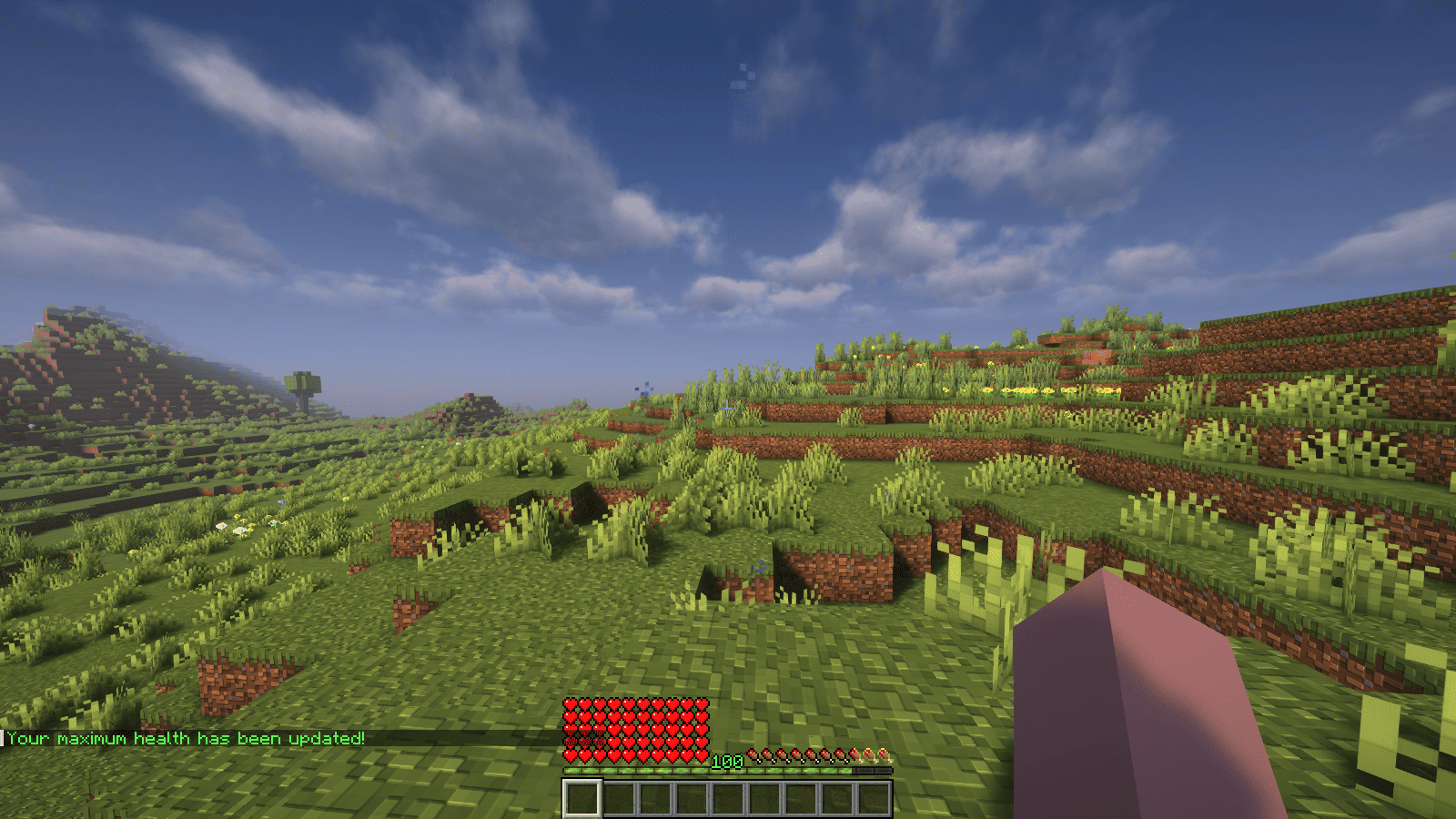
XPHearts is a plugin that automatically adjust maximum hearts/health depending on your experience level. You can configure the amount of experience level needed in the configuration file.
### Features
– Automatically adjust the player’s maximum hearts/health when they reach the experience level specified in the configuration.
– Easy to understand config.
– Lightweight.
### Commands
| Command | Description | Permission |
|—————-|————————————-|—————–|
| `/xh` | Get the information about the plugin. | `xh.use` |
| `/xh reload` | Reloads the config file. | `xh.admin` |
| Command aliases| **xh, xpheart, xphearts** |
### Issues and Suggestions
Suggest and report issues on [Github](https://github.com/seyviyer2/XPHearts/issues).
XP Stacker
🎉 **XPStacker: Let Your Server Breathe!** 🎉
Is your server slowing down because of all the scattered XP orbs? 🐢 XPStacker offers a sleek and effective solution to this problem. This lightweight plugin automatically merges nearby XP orbs into a single one, significantly reducing server load while providing a smoother experience for players.
✨ **Key Features:**
– **Lag Reduction:** 💨 Drastically reduces server lag by merging hundreds of scattered XP orbs into a single orb.
– **Automatic Merging:** 🤝 New XP orbs automatically merge with nearby ones. No player action is required.
– **Configurable Radius:** ⚙️ Easily adjust the merge radius of XP orbs in the config.yml file.
– **Lightweight and Stable:** 🔋 Operates with minimal resource usage and does not affect your server’s other features.
Add XPStacker to your server now and let your players collect XP without any lag! 💎
✨ **Check Out Our Other Plugins!** ✨
If you enjoy the **XPStacker** plugin, don’t forget to check out our other high-quality plugins for your server!
– **BuildByBit**: https://builtbybit.com/creators/fisfiskoray.600970
– **PolyMart:** https://polymart.org/user/57522/fisfiskoray
– **Modrinth:** https://modrinth.com/user/FisFisKoray
XP-like HUD
# **About  XP-like HUD**
**XP-like HUD** (or wixewsky’s XP-like HUD) will change in-game HUD (health, food, armor, etc) to use colored experience-like bars, being very vanilla-friendly.

Originally I made this HUD for Better than Adventure! and published it on Planet Minecraft, but came up porting this to vanilla Minecraft with some improvements and publishing here, on Modrinth.
You can download XP-like HUD for BTA! [here](https://modrinth.com/resourcepack/xp-like-hud-for-bta!)!
## Mod Support
This Resource Pack supports 182 mods in total! ≈143 with custom assets and ≈39 tested out*. Currently supported mods:
Expand to see
– [AppleSkin](https://modrinth.com/mod/appleskin) by squeek502.
– [Amarite](https://modrinth.com/mod/amarite) by AmyMialee.
– [Armor Toughness Bar](https://modrinth.com/mod/armor-toughness-bar) by pbone64.
– [Armor Toughness Bar, Again](https://modrinth.com/mod/armor-toughness-bar,-again) by paypur.
– [Armor Chroma for Fabric](https://modrinth.com/mod/armor-chroma-for-fabric) by A5b84.
– [Armor Chroma](https://www.curseforge.com/minecraft/mc-mods/armor-chroma) by jobicade.
– [Farmer’s Delight](https://modrinth.com/mod/farmers-delight) by vectorwing.
– [Brewin’ And Chewin’](https://modrinth.com/mod/brewin-and-chewin) by Torty.
– [More Heart Types](https://modrinth.com/mod/more-heart-types) by Oth3r.
– [Heartache](https://modrinth.com/mod/heartache) by spzla.
– [Detail Armor Bar](https://modrinth.com/mod/detail-armor-bar) by RedLime.
– [Detail Armor Bar Reconstructed](https://modrinth.com/mod/detail-armor-bar-reconstructed) by Coredex.
– [Pick Your Poison](https://modrinth.com/mod/pick-your-poison) by Ladysnake.
– [Raised](https://modrinth.com/mod/raised) by yurisuika.*
– [Colorful Hearts](https://modrinth.com/mod/colorful-hearts) by Terrails.
– [Nostalgic Tweaks](https://modrinth.com/mod/nostalgic-tweaks) by rjxkenshin.
– [Heart Effects](https://modrinth.com/mod/heart-effects) by Doublea06_.
– [Victus](https://modrinth.com/mod/victus) by glisco.
– [Stamina](https://modrinth.com/mod/insane-stamina) by Insane96.
– [PartialHearts](https://modrinth.com/mod/partialhearts/versions) by DialingSpoon527.*
– [ArmorSkin](https://modrinth.com/mod/armorskin) by IzzyDotExe.
– [Extra Armor Info](https://modrinth.com/mod/extra-armor-info) by mrmelon54.
– [Insane’s Survival Overhaul (aka IguanaTweaks Reborn)](https://www.curseforge.com/minecraft/mc-mods/iguanatweaks-reborn) by Insane96.
– [Thirst Was Taken](https://modrinth.com/mod/thirst-was-taken) by ghen-git and mlus.
– [Thirst Bar](https://modrinth.com/datapack/thirst-bar) by 3geE.
– [It’s Thirst](https://modrinth.com/mod/its-thirst) by capybaro.
– [Tough As Nails](https://modrinth.com/mod/tough-as-nails) by Adubbz and Forstride.
– [Survive](https://modrinth.com/mod/survive) by Stereowalker.
– [Simple Hydration](https://modrinth.com/datapack/simple-hydration) by Boid.
– [uku’s Armor HUD](https://modrinth.com/mod/ukus-armor-hud) by uku.*
– [Auto HUD](https://modrinth.com/mod/autohud) by Crendgrim.*
– [Homeostatic](https://modrinth.com/mod/homeostatic) by wendall911.
– [Energy Bar Indicator](https://modrinth.com/datapack/stamina-bar-indicator) by Diesse.
– [Dehydration](https://modrinth.com/mod/dehydration) by Globox1997.
– [Bewitchment](https://modrinth.com/mod/bewitchment) by MoriyaShiine and cybercat5555.
– [Upgrade Aquatic](https://modrinth.com/mod/upgrade-aquatic) by Team Abnormals.
– [The Aether](https://modrinth.com/mod/aether) by The Aether Team.
– [Njol’s HUD](https://modrinth.com/mod/njols-hud) by Njol.
– [Fancy Health Bar](https://modrinth.com/mod/fancy-health-bar) by efekos.*
– [Armor Hud](https://modrinth.com/mod/armor-hud) by SaolGhra.
– [SpiffyHUD](https://modrinth.com/mod/spiffyhud) by Keksuccino.*
– [Melancholic Hunger & HUD](https://modrinth.com/mod/melancholic_hunger) by antigers.
– [Mediumcore](https://modrinth.com/mod/alexs-mediumcore) by AlexModGuy.
– [NutritionZ](https://modrinth.com/mod/nutritionz) by xR4YM0ND and Globox1997.
– [Health Indicators](https://modrinth.com/mod/health-indicators) by AdyTech99.
– [Dietary Statistics](https://modrinth.com/mod/dietary_statistics) by Rikka-Kitani.
– [Quark](https://modrinth.com/mod/quark) by Vazkii.
– [Water Source 2](https://modrinth.com/mod/watersource2) by Koiro.
– [Mantle](https://modrinth.com/mod/mantle) by KnightMiner.
– [BedrockIfy](https://modrinth.com/mod/bedrockify) by juancarloscp52.*
– [Bedrock Hotbar](https://modrinth.com/mod/bedrock-hotbar) by BizCub.*
– [Malum](https://modrinth.com/mod/malum) by SammySemicolon.
– [Energizer](https://modrinth.com/mod/energizer) by Gauraaaaaaaa.
– [Arthritis](https://modrinth.com/mod/arthritis) by ProstStuff and Bloxedzero.
– [Hydration](https://modrinth.com/mod/hydration) by Exzotic.
– [Hydration](https://modrinth.com/mod/hydration-mod) by BlackVault.
– [Armor Points ++](https://modrinth.com/mod/armorpoints) by Cheos and SopsyHallow.
– [ParCool!](https://modrinth.com/mod/parcool) by alRex_U.
– [Scaling Health](https://modrinth.com/mod/scaling-health) by SilentChaos512.
– [Legacy4J](https://modrinth.com/mod/legacy4j) by Kyubion Studios.
– [Feathers](https://modrinth.com/mod/feathers) by Elenai.
– [Verticality](https://modrinth.com/mod/verticality) by KrLite.*
– [HUDTweaks](https://modrinth.com/mod/hudtweaks) by burgerindividual.*
– [Crim’s Party GUI](https://modrinth.com/mod/crims-party-gui) by Crim and Favouriteless.*
– [Hunger Remover](https://modrinth.com/mod/hunger-remover) by SmushyTaco.*
– [Overflowing Bars](https://modrinth.com/mod/overflowing-bars) by Fuzs.
– [Mindful Eating](https://www.curseforge.com/minecraft/mc-mods/mindful-eating) by camcam_burger.
– [Botania](https://modrinth.com/mod/botania) by Vazkii.
– [Cracker’s Wither Storm Mod](https://modrinth.com/mod/crackers-wither-storm-mod) by nonamecrackers2.
– [Frostbyte’s Improved Inventory](https://modrinth.com/mod/frostbytes-improved-inventory) by FrostbyteGames.
– [Totem Bar](https://modrinth.com/mod/totem-bar) by Yomna.
– [I ❤ TFC (I Heart TFC)](https://modrinth.com/mod/ihearttfc) by alekiponi.
– [Leave My Bars Alone](https://modrinth.com/mod/leave-my-bars-alone) by Fuzs.*
– [Colorful ui](https://modrinth.com/mod/cui) by pustoykishka.*
– [Overloaded Armor Bar](https://modrinth.com/mod/overloaded-armor-bar) by Tfarcenim.*
– [Crumbling Hearts](https://modrinth.com/mod/crumbling-hearts) by KreaDex.*
– [Scorchful](https://modrinth.com/mod/scorchful) by TheDeathlyCow.
– [Frostiful](https://modrinth.com/mod/frostiful) by TheDeathlyCow.
– [Mana Attributes](https://modrinth.com/mod/mana-attributes) by TheRedBrain.
– [Life Fruits](https://modrinth.com/mod/life-fruits) by super_okina.
– [ArmorHUD](https://modrinth.com/mod/armorhud-fabric) by kyh148.
– [Vampirism](https://modrinth.com/mod/vampirism) by maxanier and cheaterpaul.
– [Would you Rather](https://modrinth.com/mod/wyr) by EightSidedSquare.
– [Chococraft](https://modrinth.com/mod/chococraft) by clienthax and Mrbysco.
– [Hudless](https://modrinth.com/mod/hudless) by ZipeStudio.*
– [Withered Hearts](https://modrinth.com/mod/withered-hearts) by Ramixin.*
– [Extended Hotbar](https://modrinth.com/mod/extended-hotbar) by DenWav and unilock.*
– [Double Hotbar](https://modrinth.com/mod/double-hotbar) by sidezbros.*
– [RemoveHUD](https://modrinth.com/mod/removehud) by IzzyDotExe.*
– [Better GUI Scaling](https://modrinth.com/mod/betterguiscaling) by yeahimrose.*
– [Granular Hunger](https://modrinth.com/mod/granular-hunger) by Tetro48.
– [Blue Skies](https://modrinth.com/mod/blue-skies) by Modding Legacy.
– [Extra RPG Attributes](https://modrinth.com/mod/extra-rpg-attributes) by cleannrooster.
– [RunicLib](https://modrinth.com/mod/runiclib) by Yirmiri and BackupCup.
– [Cold Sweat](https://modrinth.com/mod/cold-sweat) by Mikul.
– [Dungeon’s Delight](https://modrinth.com/mod/dungeons_delight) by Yirmiri and Betwixer.
– [Additional Saturation](https://modrinth.com/mod/additional-saturation) by wet_noodles90.
– [Advanced UI Scaling](https://modrinth.com/mod/advanced-ui-scale) by qendolin.*
– [Head-down Display Continuation](https://modrinth.com/mod/hdd-continuation) by The_Computerizer.*
– [Vehicle Hunger Bar](https://modrinth.com/mod/vehicle-hunger-bar) by CrownSheep.*
– [Hexed](https://modrinth.com/mod/hexed) by BackupCup.
– [Better Bubbles](https://modrinth.com/mod/betterbubbles) by IllagerCaptain.
– [Vampire’s Delight](https://modrinth.com/mod/vampires-delight) by GridExpert.
– [Meulti’s Backrooms](https://modrinth.com/mod/meultis-backrooms) by Meulti and hacone.
– [Extended Armor Bars](https://www.curseforge.com/minecraft/mc-mods/extended-armor-bars) by RebelKeithy.
– [Elytra Bar HUD](https://www.curseforge.com/minecraft/mc-mods/elytra-bar-hud) by Fotatata.
– [Advanced Armor Bar](https://modrinth.com/mod/advanced-armor-bar) by Sygikal.
– [Saturative](https://modrinth.com/mod/saturative) by emilahmaboy.*
– [More Offhand Slots](https://modrinth.com/mod/more-offhand-slots) by TkkynaA.*
– [Giacomo’s HUD Overlays Configurator](https://www.curseforge.com/minecraft/mc-mods/giacomos-hud-overlays-configurator) by zacomat.*
– [Cyra](https://modrinth.com/mod/cyra) by Le_Keko.
– [Ametrine](https://modrinth.com/mod/ametrine) by nickfluffingfox and Buff_sheep.
– [LemonSkin](https://modrinth.com/mod/lemonskin) by myxazaur.
– [Haema](https://modrinth.com/mod/haema) by will_bl.
– [Spells & Shields](https://modrinth.com/mod/spells-shields) by CAS_ual_TY.
– [Oreganized](https://modrinth.com/mod/oreganized) by TeamGalena.
– [Fantazia](https://modrinth.com/mod/fantazia) by ArkadiyHimself.
– [Secrets of the Void](https://modrinth.com/mod/secrets-of-the-void) by the_destiny.
– [Horseman](https://modrinth.com/mod/horseman) by mortuusars.*
– [Offhand Hotbar](https://modrinth.com/mod/offhand-hotbar) by ThePotatoArchivist.*
– [Bountiful Fares](https://modrinth.com/mod/bountiful-fares) by Hecco.
– [FireHud](https://modrinth.com/mod/firehud) by LordEnder_Kitty.
– [WinWeapons](https://modrinth.com/mod/winweapons) by Lumineade and TheTrueYak.
– [Etherology](https://modrinth.com/mod/etherology) by Faradey and Feytox.
– [Fright’s Delight](https://modrinth.com/mod/frights-delight) by ChefMooon.
– [Metabolism](https://modrinth.com/mod/metabolism) by lilypuree.
– [Just Another Witchery Remake](https://modrinth.com/mod/just-another-witchery-remake) by mrsterner and anatevka.
– [Toxony](https://modrinth.com/mod/toxony) by MrFrostyDev.
– [SmartHUDReheated](https://modrinth.com/mod/smarthudreheated) by deflatedpickle.*
– [CustomHealthHUD](https://modrinth.com/mod/customhealthhud) by POHH.*
– [Ecological Replenishment Station](https://modrinth.com/mod/ecological-replenishment-station) by niannianan and mlus.
– [Eternal Starlight](https://modrinth.com/mod/eternal-starlight) by LeoMinecraftModding.
– [Eidolon:Repraised](https://modrinth.com/mod/eidolonrepraised) by Alexthw46.
– [Stellarity](https://modrinth.com/mod/stellarity) by kohara.
– [Trailier Tales](https://modrinth.com/mod/trailier-tales) by FrozenBlock.
– [Sweet Calamity](https://modrinth.com/mod/sweet-calamity) by Valent and Valend.
– [Better Flight](https://modrinth.com/mod/betterflight) by ArkVeil and rejahtavi.
– [Illager Revolution](https://modrinth.com/mod/illager-revolution) by SangreBK and AstianBK.
– [Unusual End](https://modrinth.com/mod/unusual_end) by Sweetygamer2 and SashaKYotoz.
– [BITE](https://modrinth.com/mod/bite) by KevReTV.
– [Stamina Attributes](https://modrinth.com/mod/stamina-attributes) by TheRedBrain.
– [ExtendedHotbarRebared](https://modrinth.com/mod/extendedhotbarrebared) by deflatedpickle.*
– [Eleron](https://modrinth.com/mod/eleron) by Sindercube.
– [Aileron](https://modrinth.com/mod/aileron) by Lodestar.
– [Overhauled Damage](https://modrinth.com/mod/overhauled-damage) by TheRedBrain.
– [Combat Roll](https://modrinth.com/mod/combat-roll) by ZsoltMolnarrr.
– [ArmorWeight](https://modrinth.com/mod/armorweight) by ptayur.
– [Goety – The Dark Arts](https://modrinth.com/mod/goety) by Polarice3.
– [Chai’s Better HUD](https://modrinth.com/mod/chais-better-hud) by Chai.*
– [Axiom](https://modrinth.com/mod/axiom) by Moulberry.*
– [Rats](https://modrinth.com/mod/rats) by AlexModGuy and GizmoTheMoonPig.
– [The Undergarden](https://modrinth.com/mod/the-undergarden) by quek and GizmoTheMoonPig.
– [Galosphere](https://modrinth.com/mod/galosphere) by Orcinus, Ninni and lunarbunten.
– [Aylyth](https://modrinth.com/mod/aylyth) by cybercat5555.
– [Burnt](https://modrinth.com/mod/burnt) by pxlbnk.
– [JCRAFT: Eyes of Ender](https://modrinth.com/mod/jojo-eyes-of-ender) by Arna and more.
– [L_Ender’s Cataclysm](https://modrinth.com/mod/l_enders-cataclysm) by mcl_ender.
– [Unusual Prehistory](https://modrinth.com/mod/unusual-prehistory-forge) by peeko322131 and crydigo.
– [WitherUtils](https://modrinth.com/mod/witherutils) by klangzwang.
– [Sanity: Descent Into Madness](https://modrinth.com/mod/sanity-descent-into-madness) by croissantnova.
– [StaminaZ](https://modrinth.com/mod/staminaz) by Globox1997.*
– [Sprint O’ Meter](https://modrinth.com/mod/sprintometer) by PaperScorpio.*
– [Goblins & Dungeons](https://modrinth.com/mod/goblins-dungeons) by superlord9362 and Weastiann.
– [Exotelcraft](https://modrinth.com/mod/exotelcraft) by TKD_Kedis.
– [Euphorics](https://modrinth.com/mod/euphorics) by TalonMinecraft and EightSidedSquare.
– [Enigmatic Legacy](https://modrinth.com/mod/enigmatic-legacy) by Aizistral.
– [Legendary Survival Overhaul](https://www.curseforge.com/minecraft/mc-mods/legendary-survival-overhaul) by krampus_there, armkath and Alex_Hashtag.
– [Hardcore Survival](https://modrinth.com/mod/hardcore-survival) by AFrozenRain.
– [Nycto](https://modrinth.com/mod/nycto) by MoriyaShiine and cybercat5555.
– [TerraFirmaCraft](https://modrinth.com/mod/terrafirmacraft) by eerussianguy, Therighthon, dries007 and alcatrazEscapee.
– [Enlightend](https://modrinth.com/mod/enlightend) by lixir and hhumanoid.
– [Jaden’s Nether Expansion](https://modrinth.com/mod/jadens-nether-expansion) by ThatJadenXgamer.
– [GD656MotionHUD](https://modrinth.com/mod/gd656motionhud) by Minecraft_GD656.*
– [Inventorio](https://modrinth.com/mod/inventorio) by RubixDev and LizardOfOz.
– [Supplementaries](https://modrinth.com/mod/supplementaries) by MehVahdJukaar and Plantkillable.
– [Mutant More](https://modrinth.com/mod/new-mutant-more) by AlexandersFunAndGames.
– [Confluence: Otherworld](https://modrinth.com/mod/confluence) by Magic_Team.Jvav.
– [Embers Rekindled](https://modrinth.com/mod/embers) by RCXcrafter.
– [Obscure API](https://modrinth.com/mod/obscure-api) by Obscuria.
– [Frozify](https://modrinth.com/mod/frozify) by XZX.
– [Defile](https://modrinth.com/mod/defile) by RAT and more.
– [Slotted Armor HUD](https://modrinth.com/mod/slotted-armor-hud) by poqbox.*
| * — _mods that already work but were tested for some issues_.
**This count will grow with updates.** If you want to see your favorite mod in this list, DM me on Discord or Telegram (read Contact). Some mods not included in this list can work without issues, but it is not guaranteed. Forks of included mods must work fine, if textures and texture structuring was not affected by the fork. I recommend use mod versions that were released before XP-like HUD’s update since some mods may add more content in the HUD or change it with updates.
Due to the rounded corners, some mods, like hunger removal or HUD flipping mods, may cause some visual problems. You can download sharp or circular corner variant to fix these compatibility issues. Just download additional (supplementary) file by selecting it on download page, since it is not the main version of this Resource Pack. Also you can find an addon for flipped armor bar inside .zip file.
## Variants and Addons
This Resource Pack comes in three variants:
– **Rounded**: The main variant, rounds only the left or right side of bars, depending on its position.
– **Sharp**: No corners of the bars are rounded.
– **Circular**: Every corner of the bars is rounded.
This Resource Pack includes four optional addons inside .zip file:
– **Pre-hunger Addon**. Flips armor and oxygen bars for better experience with hunger removal mods.
– **Numbered Hotbar Addon**. Adds numbers on hotbar for better accessibility.
– **Alpha and Beta Addon**. Extends XP-like HUD’s support to every single Minecraft version.
– **Armor Chroma Addon**. Adds full compatibility for Armor Chroma and Armor Chroma for Fabric.
Due to some limitations with assets count, some XP-like HUD versions on Minecraft 1.20.3 and below can crash your game because it has too much folders inside assets. Delete useless mods, update your game, use version with less content, or use older Resource Pack versions, there is nothing I can do (except stop adding more and more mod support) (Minecraft 1.20.X and below worked fine on my end while I was testing mods ever since I added “CRASH FIX” and “Vanilla” versions inside main .zip btw).
You can leave a comment on [Planet Minecraft](https://www.planetminecraft.com/texture-pack/xp-like-hud/)!
## Contact
If you want contact me, ask a question, help with development, suggest a mod to support, or report a bug, DM me on Discord **[@wixewsky](https://discord.com/users/372017357222313987)** or Telegram **[@wixewsky](https://t.me/wixewsky)**.
License and Legal
You are **NOT allowed** to:
– Publish this Resource Pack or its modifications on third-party websites and platforms without permission AND original [Modrinth link](https://modrinth.com/resourcepack/xp-like-hud).
– Steal or modify this Resource Pack unless it is for personal use or help with develepment.
– Port and publish this Resource Pack to the Bedrock Edition or BE’s Marketplace.
– Sell this Resource Pack.
– Share this Resource Pack as a file on your media, like Telegram channels.
You are allowed to do anything not included in this list, like including this Resource Pack to your modpacks or use it in your videos or livestreams.
If you are not sure what you are allowed or disallowed to do, feel free to DM me on Discord or Telegram.
This Resource Pack officially published **ONLY** on Modrinth and Planet Minecraft, if you downloaded it from somewhere else, you have been scammed and you shouldn’t use these websites ever again. **They deprive authors of revenue, overtake traffic and adding virues in their reuploads**.
This list can be changed at any moment. LICENSE.txt can be different from this section.
A stable and bug-free experience is not guaranteed, especially with old Minecraft versions or a modded client. **In my experience**, vanilla and modded Minecraft 1.20.1, 1.21.1 and 1.21.8 worked perfectly fine. Modded Minecraft 1.21.8 with a few supported mods worked fine as well.
Xmas meowl Totem of Undying
– ENG: **Meowl** (in Russian, “Myaowl” or “Myaul”) is a creature with a cat’s head and an owl’s body, sitting on a branch. Initially, it was a fun photoshop creation.
The first images of the cat owl appeared in 2013 on the Chinese platform Weibo. However, it gained popularity only in October 2025 on TikTok
– RU: **Meowl** (в рунете — «Мяовл» или «Мяул») — существо с кошачьей головой и телом совы, сидящее на ветке. Изначально — это весёлое творение фотошопа.
Первые изображения с котосовой появились в 2013 году на китайской платформе Weibo. Но популярность они обрели только в октябре 2025 года в TikTok
[Meowl Totem](https://modrinth.com/resourcepack/meowl-totem-of-undying/versions)
[ALL RESOURCEPACKS COLLECTION: MEMES + STREAMERS](https://modrinth.com/collection/sfDcDGAi)
xLogin
# 🛡️ xLogin – Simple, Lightweight & Powerful Authentication

**xLogin** is an all-in-one authentication system designed for servers that want maximum security without the bloat. Forget about complex external database setups; xLogin is optimized to work locally, fast, and secure out of the box, whether you run a standalone server or a massive Proxy network.
> Note: /premium is only available for networks and proxies. Compatible with Bungeecord, Velocity, Waterfall, and others.
How do I activate proxy mode?
Go to config.yml and enable proxy mode, then download and install the add-on for your proxy, and you’re all set!
—
## 🚀 Key Features
* **🌐 Smart Network & Proxy Ready:** Fully compatible with **BungeeCord** and **Velocity**. Features auto-detection to enable secure UUID verification and includes an automatic Auth-Lobby redirect system to send players to a specific server upon successful login.
* **📦 Local-First Storage & Backups:** High-performance, thread-safe H2 database system (`data.mv.db`). No need for MySQL to get professional network-level performance. Easily create instant database backups via in-game commands!
* **💎 Smart Premium System:** Using an official Minecraft account? Players can use `/premium` to enable auto-login. The plugin uses real Mojang validation (via your Proxy) to ensure nobody can steal a premium identity.
* **🧠 Industrial-Grade Security:**
* **BCrypt Hashing:** Passwords are encrypted with the industry standard, making them virtually impossible to crack.
* **Premium Name Impersonation Protection:** Automatically kicks non-premium players trying to join with the username of an official purchased account.
* **Anti-Bot Captcha:** A visual verification system during registration to stop bot attacks in their tracks.
* **Total Protection:** Blindness, immobilization, and block/damage protection until the user is authenticated.
* **Asynchronous Logging:** Keeps a silent, detailed history of logins, registrations, and admin actions.
* **🖼️ Ultimate Admin Control:** Manage everything from the console or in-game. Features an intuitive visual GUI menu with player heads, plus a massive arsenal of commands to purge inactive users, force logins, change UUIDs, and more.
* **📱 Bedrock Support (Geyser):** Fully compatible with console and mobile players via Floodgate integration. Bedrock players authenticated via Xbox Live can automatically bypass the login screen (100% configurable).
* **⚡ Performance Optimized:** Fully asynchronous database operations ensure your TPS stays at 20.0, no matter how many players are joining.
—
## 🛠️ Commands & Permissions
### Player Commands
| Command | Description | Permission |
| :— | :— | :— |
| `/login ` | Log in to your account. | None |
| `/register ` | Create a new account with captcha. | None |
| `/premium [confirm]` | Toggle Auto-login (Premium Mode). | None |
| `/changepassword ` | Securely change your current password. | None |
| `/captcha ` | Solve the registration captcha. | None |
### Admin Commands (`xlogin.admin`)
| Command | Description |
| :--- | :--- |
| `/xlogin gui` | Open the visual administration menu. |
| `/xlogin backup` | Create an instant backup of the database. |
| `/xlogin purge ` | Delete all accounts inactive for ``. |
| `/xlogin verify ` | View a player's UUID, IP, Premium status, & last login. |
| `/xlogin forcelogin ` | Forcefully log a player into the server. |
| `/xlogin setspawn` / `spawn` | Set or teleport to the login spawn location. |
| `/xlogin changepass ` | Forcefully change a player's password. |
| `/xlogin changeuuid ` | Manually update a player's registered UUID. |
| `/xlogin unpremium ` | Remove the premium auto-login status from an account. |
| `/xlogin unban ` | Remove an IP from the registration blacklist. |
| `/xlogin unregister ` | Completely delete a player's account. |
| `/xlogin reload` | Reload the plugin configuration and messages. |
---
## ⚙️ Simplified Configuration
We've stripped the config down to the essentials so you don't waste time, while giving you absolute control over your network.
### `config.yml`
```yaml
# -------------------------------------------------------
# __ _
# __ __ / / ___ __ _(_)_ __
# / // / / _ / _` | | '_ Made by xPlugins
# > '
before-register:
title: '&#FAD7A0Register!'
subtitle: '&fUse /register '
after-login:
title: '&#A9DFBFSuccess!'
subtitle: '&fEnjoy your stay'
incorrect-password:
title: '&#F1948AIncorrect Password!'
subtitle: '&7Please try again'
logging:
enabled: true
log-successful-logins: true
log-registrations: true
log-failed-attempts: true
log-admin-actions: true