TPA
—
# TPA
English
一个支持 **Folia** 的简易传送插件,支持 **Bukkit/Spigot/Paper/Folia**。
## 特点
– **简单**:易于使用和配置。
– **可配置**:支持自定义配置文件。
– **多语言支持**:内置多种语言文件。
– **可自定义语言文件**:支持用户自定义语言文件。
## 命令
### 传送
– **/tpa <玩家名称>**
向玩家发送传送请求。
– **/tphere <玩家名称>**
请求玩家传送到你身边。
– **/tpall [player/warp/spawn] [玩家名称/传送点名称]**
强制将所有在线玩家传送到目标位置(如果不加参数,默认传送到使用者身边)。
– **/tplogout <玩家名称>**
传送到该玩家最后一次下线的位置。
– **/tpaccept**
接受传送请求(你可以点击聊天框里的 **[接受]** 来直接接受)。
– **/tpdeny**
拒绝传送请求(你可以点击聊天框里的 **[拒绝]** 来直接拒绝,点击聊天框中的 **[拒绝并拉黑]** 将拒绝请求并且拉黑该玩家)。
– **/denys [add/remove] [玩家名称]**
列出玩家的黑名单列表。
### 传送点
– **/warp <传送点>**
传送到传送点。
– **/setwarp <传送点>**
设置传送点。
– **/delwarp <传送点>**
删除传送点。
### 家
– **/home <家>**
传送到家。
– **/homes**
列出你设置的家。
– **/sethome <家>**
设置家。
– **/setdefaulthome <家>**
设置默认的家。
– **/delhome <家>**
删除家。
### 主城
– **/spawn**
传送到主城。
– **/setspawn**
设置主城。
– **/delspawn**
删除主城。
### 其他
– **/back**
传送到上一次的位置。
– **/rtp**
随机传送。
– **/tpa version**
检查插件更新。
– **/tpa setlang **
设置客户端显示语言。
– **/tpa reload**
重新加载配置文件。
## 权限
### 管理员
– **tpa.admin**
最高权限,可执行所有操作。
– **tpa.tpall**
可使用 `/tpall` 命令强行将所有在线玩家传送到你的位置。
– **tpa.tplogout**
可使用 `/tplogout` 传送到玩家最后的下线位置。
– **tpa.reload**
可使用 `/reload` 命令重新加载配置文件。
– **tpa.version**
拥有这个权限的玩家会收到插件更新通知,可使用 `/tpa version` 来检查插件更新。
– **tpa.nodelay**
拥有这个权限的玩家不会受到命令等待时间的限制。
### 传送
– **tpa.tpa**
可使用 `/tpa` 命令请求传送到指定玩家的位置(默认关闭权限检查)。
– **tpa.tphere**
可使用 `/tphere` 命令请求指定玩家传送到你的位置(默认关闭权限检查)。
– **tpa.rtp**
可使用 `/rtp` 命令随机传送(默认关闭权限检查)。
### 黑名单
– **tpa.denys**
可使用 `/denys` 管理黑名单。
### 主城
– **tpa.spawn**
可使用 `/spawn` 命令传送到主城(默认关闭权限检查)。
– **tpa.setspawn**
可使用 `/setspawn` 命令设置主城。
– **tpa.delspawn**
可使用 `/delspawn` 命令删除主城。
### 传送点
– **tpa.spawn**
可使用 `/warp` 命令传送到传送点(默认关闭权限检查)。
– **tpa.setwarp**
可使用 `/setwarp` 命令设置传送点。
– **tpa.delwarp**
可使用 `/delwarp` 命令删除传送点。
### 家
– **tpa.home**
可使用 `/home`、`/homes`、`/sethome`、`/setdefaulthome`、`/delhome`(默认关闭权限检查)。
### VIP
– **tpa.vip**
– **tpa.vip+**
– **tpa.mvp**
– **tpa.mvp+**
– **tpa.mvp++**
可在配置文件中设置拥有该权限的玩家最多可以设置多少个家(-1 为不限制)以及命令间隔时间等。
### 其他
– **tpa.back**
可使用 `/back` 命令传送到上一次的位置(默认关闭权限检查)。
## 关于配置迁移问题
3.2.0 版本添加了老版本配置文件自动迁移的功能,无需过多担心。
但出于安全考虑,迁移后会自动备份旧版本配置文件到 `plugins/TPA/backup/旧版本号` 目录下。如果迁移失败,请手动尝试迁移配置文件。
## 感谢
本插件使用了 FoliaLib 来做 **Folia** 兼容。
### 代码贡献者
– fanlepian1
– Apleax
– LFWQSP2641
– sky-3311
– Ukiyograin
### Bug 报告者
– fanlepian1
– Apleax
– luckeist
– DuckCattyCotton
– Ry4nnnnn
– sky-3311
– zhgiuu45
– notwhitebear
– Amin2478
– TritiumBro
– XiaoST-one
– Cc-Cece
– Ukiyograin
– xszx-tbh
– Carrot520
### 功能建议者
– Apleax
– xiaoleaw
– Onako2
### AI 大模型
– DeepSeek
—
# TPA
[简体中文](#)
A simple teleportation plugin that supports **Folia**, compatible with **Bukkit/Spigot/Paper/Folia**.
## Features
– **Simple**: Easy to use and configure.
– **Configurable**: Supports custom configuration files.
– **Multilingual Support**: Built-in multiple language files.
– **Customizable Language Files**: Allows users to customize language files.
## Commands
### Teleportation
– **/tpa **
Send a teleportation request to a player.
– **/tphere **
Request a player to teleport to your location.
– **/tpall [player/warp/spawn] [player name/warp name]**
Force all online players to teleport to the target location (if no parameters are provided, defaults to teleporting to the user’s location).
– **/tplogout **
Teleport to the last logout location of the specified player.
– **/tpaccept**
Accept a teleportation request (you can click **[Accept]** in the chat to directly accept).
– **/tpdeny**
Deny a teleportation request (you can click **[Deny]** in the chat to directly deny, or click **[Deny and Block]** to deny the request and block the player).
– **/denys [add/remove] [player name]**
Manage the player’s blacklist.
### Warp
– **/warp **
Teleport to a warp point.
– **/setwarp **
Set a warp point.
– **/delwarp **
Delete a warp point.
### Home
– **/home **
Teleport to a home location.
– **/homes**
List all your home locations.
– **/sethome **
Set a home location.
– **/setdefaulthome **
Set the default home location.
– **/delhome **
Delete a home location.
### Spawn
– **/spawn**
Teleport to the spawn point.
– **/setspawn**
Set the spawn point.
– **/delspawn**
Delete the spawn point.
### Others
– **/back**
Teleport to the previous location.
– **/rtp**
Random teleportation.
– **/tpa version**
Check for plugin updates.
– **/tpa setlang **
Set the client display language.
– **/tpa reload**
Reload the configuration file.
## Permissions
### Admin
– **tpa.admin**
Highest permission, allows execution of all commands.
– **tpa.tpall**
Allows using the `/tpall` command to force all online players to teleport to your location.
– **tpa.tplogout**
Allows using the `/tplogout` command to teleport to a player’s last logout location.
– **tpa.reload**
Allows using the `/reload` command to reload the configuration file.
– **tpa.version**
Players with this permission will receive plugin update notifications and can use `/tpa version` to check for updates.
– **tpa.nodelay**
Players with this permission are not restricted by command cooldowns.
### Teleportation
– **tpa.tpa**
Allows using the `/tpa` command to request teleportation to a specified player (permission check is disabled by default).
– **tpa.tphere**
Allows using the `/tphere` command to request a specified player to teleport to your location (permission check is disabled by default).
– **tpa.rtp**
Allows using the `/rtp` command for random teleportation (permission check is disabled by default).
### Blacklist
– **tpa.denys**
Allows using the `/denys` command to manage the blacklist.
### Spawn
– **tpa.spawn**
Allows using the `/spawn` command to teleport to the spawn point (permission check is disabled by default).
– **tpa.setspawn**
Allows using the `/setspawn` command to set the spawn point.
– **tpa.delspawn**
Allows using the `/delspawn` command to delete the spawn point.
### Warp
– **tpa.warp**
Allows using the `/warp` command to teleport to a warp point (permission check is disabled by default).
– **tpa.setwarp**
Allows using the `/setwarp` command to set a warp point.
– **tpa.delwarp**
Allows using the `/delwarp` command to delete a warp point.
### Home
– **tpa.home**
Allows using the `/home`, `/homes`, `/sethome`, `/setdefaulthome`, and `/delhome` commands (permission check is disabled by default).
### VIP
– **tpa.vip**
– **tpa.vip+**
– **tpa.mvp**
– **tpa.mvp+**
– **tpa.mvp++**
Allows configuring the maximum number of homes a player with this permission can set (-1 for unlimited) and command cooldowns in the configuration file.
### Others
– **tpa.back**
Allows using the `/back` command to teleport to the previous location (permission check is disabled by default).
## About Configuration Migration
Version 3.2.0 added automatic migration for old configuration files, so there is no need to worry.
However, for safety reasons, the old configuration files will be automatically backed up to the `plugins/TPA/backup/old version number` directory. If the migration fails, please manually attempt to migrate the configuration files.
## Acknowledgments
This plugin uses FoliaLib for **Folia** compatibility.
### Code Contributors
– fanlepian1
– Apleax
– LFWQSP2641
– sky-3311
– Ukiyograin
### Bug Reporters
– fanlepian1
– Apleax
– luckeist
– DuckCattyCotton
– Ry4nnnnn
– sky-3311
– zhgiuu45
– notwhitebear
– Amin2478
– TritiumBro
– XiaoST-one
– Cc-Cece
– Ukiyograin
– xszx-tbh
– Carrot520
### Feature Suggesters
– Apleax
– xiaoleaw
– Onako2
### AI Models
– DeepSeek
—
TPA FisFis
## ✨ TPAFisFis – The Ultimate Teleportation Suite ✨
Tired of clunky, outdated teleportation commands? 🚀 **TPAFisFis** revolutionizes how players interact on your server by providing a sleek, modern, and highly intuitive teleportation management system. Designed for performance and broad compatibility, this plugin supports Minecraft versions from 1.8 all the way to 1.21+, making it the perfect fit for any server!
🖥️ **The All-in-One GUI Menu!**
Why memorize a dozen commands when you can do it all from one place? Simply type /tpa to open a beautifully designed graphical user interface (GUI) that puts all the power at your players’ fingertips!
➡️ **Send TPA & TPAHere Requests:** Click an icon, and the command is suggested in the chat, waiting for a player’s name. No more typos!
📬 **View Incoming Requests:** A dedicated icon opens a second menu displaying all pending requests as player heads. Simply click a player’s head to accept their request instantly!
**Toggle TPA Status:** Players can easily enable or disable receiving TPA requests with a single click, giving them full control over their gameplay experience.
This GUI-driven approach minimizes chat spam and makes teleportation accessible and easy for everyone, from new players to server veterans.
### ⌨️ Commands
– **/tpa ** Sends a teleport request to a player.
– **/tpa** Opens the main TPA GUI menu.
– **/tpahere ** Sends a request for a player to teleport to you.
– **/tpaccept [player]** Accepts an incoming teleport request.
– **/tpdeny [player]** Denies an incoming teleport request.
– **/tpcancel** Cancels the teleport request you have sent.
– **/tpatoggle** Toggles your ability to receive TPA requests.
### 🛡️ Permissions
– **tpafisfis.use** Grants access to all basic TPA commands. default: true
– **tpafisfis.nocooldown** Bypasses the command cooldown timer. default: op
– **tpafisfis.nowarmup** Bypasses the teleport warm-up timer. default: op
– **tpafisfis.admin** (Future Use) For admin commands like reloading. default : op
Note: You can use a permissions plugin like LuckPerms to manage these permissions.
🚀 **More Amazing Features**
⚙️ **Fully Configurable:** Almost everything is customizable via config.yml! Change all messages, GUI titles, icon materials, names, lores, and slots to perfectly match your server’s theme.
⏳ **Teleport Safety Warm-up:** Prevent combat logging with a configurable warm-up timer. Teleportation is automatically cancelled if the player moves or takes damage.
⚡ **Performance Focused:** Built to be lightweight and efficient, ensuring no impact on your server’s performance.
🌍 **World Control:** Set command cooldowns and disable the plugin in specific worlds (like PvP arenas or event worlds).
Upgrade your server’s teleportation system today with **TPAFisFis** and give your players the seamless experience they deserve! ❤️
✨ **Check Out Our Other Plugins!** ✨ If you enjoy the **TPAFisFis** plugin, don’t forget to check out our other high-quality plugins for your server!
– **BuildByBit:** https://builtbybit.com/creators/fisfiskoray.600970
– **PolyMart:** https://polymart.org/user/57522/fisfiskoray
– **Modrinth:** https://modrinth.com/user/FisFisKoray
Tower Crane Totem of Undying
– ENG: **Tower Crane** is a famous meme in Reddit and type of crane with a vertical mast and a horizontal boom, designed to lift and move loads to great heights and distances. Resource pack replaces the Totem of Immortality with this Building item
– RU: **Башенный кран** это популярный мем из реддита тип подъёмного крана с вертикальной мачтой и горизонтальной стрелой, предназначенный для подъёма и перемещения грузов на большую высоту и расстояние. Ресурспак заменяет тотем бессмертия на этот предмет
ALL RESOURCEPACKS COLLECTION: MEMES + STREAMERS
TouHouMusic
If you’re an Oriental Project fan then you’ll love this pack, it replaces the music with the soundtrack!
Theoretically support 1.7~1.19.x official version
Change in-game discography and BGM
You can choose to change only the discography/bgm/bgm.
or all 🙂
Totem Pickle Rick
# **TOTEM PICKLE RICK**
## **ENGLISH**
This texture pack replaces Pickle Rick’s Totem of Immortality from the series Rick and Morty.
It’s a reference to a very popular episode of that series, in which Rick turns into a pickle.
**By @d_de_diego_d**
## **ESPAÑOL**
Este paquete de texturas reemplaza el Tótem de la Inmortalidad de Pickle Rick de la serie Rick y Morty.
Es una referencia a un capitulo muy popular de esa serie, en la que rick, se convierte en pepinillo.
**By @d_de_diego_d**
© TRIDEX 2025 – All Rights Reserved
TOTEM OF YOUR SKIN
# ENGLISH #
This texture pack allows you to quickly and easily replace your boring totem with a totem in the shape of your skin, giving it a truly new lease on life.
Below, I leave you a YouTube TUTORIAL video on how to put on your skin.
TUTORIAL:
By @d_de_diego_d
# ESPAÑOL #
Este pack de texturas te permite reemplazar de manera facil y rapida, tu aburrido totem, por un totem con la forma de tu skin, para que se sienta realmente una segunda vida.
Aqui arriba te dejo un video TUTORIAL de YouTube sobre como poner tu skin.
By @d_de_diego_d
© TRIDEX 2025 – All Rights Reserved
Total Light✨
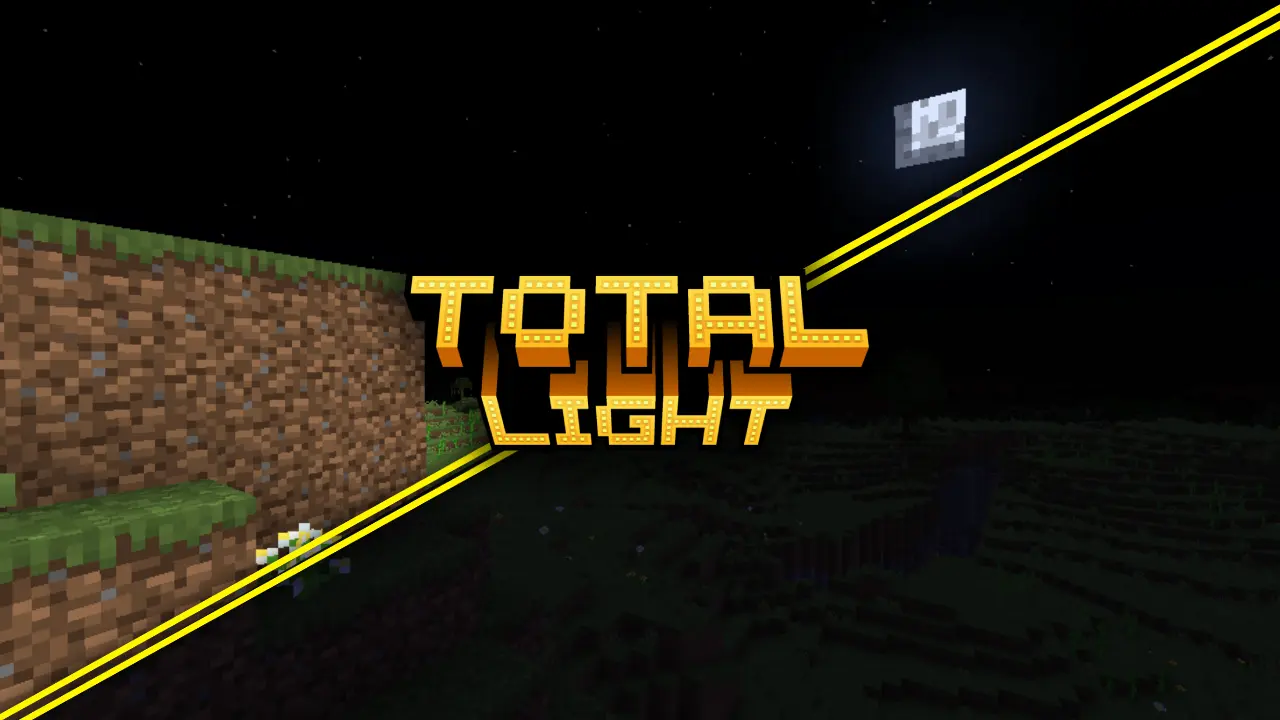
Brighten your entire Minecraft world with ✨ Total Light ✨! This texture pack boosts the game’s overall lighting, letting you see clearly 💧 underwater, ⛏️ in caves, and 🌙 during the night. Say goodbye to darkness and explore every corner of your world with clarity and confidence!
✨ Features:
– 💡 Brightness Boost: Increases global visibility, making dark areas easy to explore.
– 🌊 Underwater Vision: See perfectly in the depths of rivers and oceans.
– 🕳️ Clear Caves: Navigate caves and mines with full visibility.
– 🌃 Radiant Nights: Move through the night as if it were daytime — no torches needed!
– 🎨 Compatible with Other Packs: Works smoothly alongside other resource packs.
⚙️ Requirements:
OptiFine: This texture pack requires OptiFine to function properly.
Topper
# Info
This is another leaderboard plugin that stores values from various providers. Lightweight & Performance are all it has. Other features may you see in other plugins.
# Story
I had used a lot of leaderboard plugins. Some had fulfilled my needs, but one problem was either the plugin is not in a good shape (bad performance, crashing my server, etc.) or it is a paid one with bloated features. Therefore, I created this plugin for my server, and then shared it here.
# Feature
– Friendly for servers of any size
– Lightweight
– Leaderboard
– Placeholders
– Support YAML, JSON, SQLITE & MYSQL storage
# Stats

# Extra
 
Topaz
# Topaz – A simple FOSS Anti-VPN plugin for Velocity
### Inspired by egg82’s/Laarryy’s Anti-VPN plugin.
## Installation guide:
You need:
* Velocity 3.2.0+
* Java 17+
* Email address
* A custom plan from ProxyCheck.io **(required only if you will be making more than 100/1000 requests a day)**
1. Download the plugin from the releases tab.
1. Install the plugin on your Velocity proxy.
1. Start the proxy.
1. In the config file and enter your API key. (This step is not required but is really recommended!)
1. Restart the proxy.
And you’re good to go! 🙂
## FAQ:
Q: Can I change the clear cache interval?
A: Yeah! Just keep in mind that the interval there is in seconds, not minutes or hours. 😉
Q: My players are getting kicked with an error message! What do I do?
A: Check your logs! It is possible that you just ran out of queries for today!
Q: What are the permissions that Topaz checks for?
A: `topaz.bypass` for bypassing the IP proxy check.
Q: What permission plugin do you recommend?
A: LuckPerms never failed me. 🙂
## Support is offered on my Discord server.
Tools but small
You know these **PvP-resource packs** with 4-pixel-swords? I made one, except **now it’s really beautiful!**
And quite useful too!!!

You know what? That is so cool _imo_ that i am going to use this pack myself.