The Master Sword
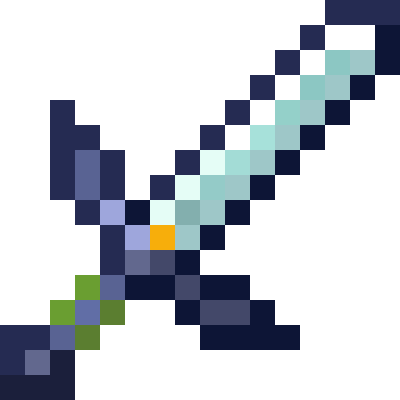
A resource pack which replaces either the Netherite Sword or the Diamond Sword with a vanilla-styled Master Sword from The Legend of Zelda!
The Food Eating Animation
**The Food Eating Animation**
A texture pack that adds sprite animations for edible and drinkable items.
This pack animates every single item you can eat or drink in vanilla Minecraft without mods

CapPack – CaptainSparklez Texture Pack
# **CapPack**


The Official CaptainSparklez Texture Pack, used by CaptainSparklez himself. Plenty of custom textures, splash texts and fun features you won’t find anywhere else. Oh, and it reduces rain particles without the need for OptiFine :P. Community inspired and made. The perfect texture pack for any CaptainSparklez fan, loved by all.
## **To Enable Custom Item Names:**
**Java:** Make sure you enable the texture pack, open *”Options”*, then *”Language”*, and change the language to *”CaptainSparklez (US)”*.
**Bedrock:** Make sure you enable the texture pack, open *”Settings”*, then *”Language”*, and change the language to *”English (CaptainSparklez)”*.
# **Versions**
## **Supported Minecraft Versions:**
**Java:** 1.6.1 – 1.21.11
**Bedrock:** 1.21.130
## **Current CapPack Version:**
**Java:** v14
**Bedrock:** v14
**If you would like to use an older version of the CapPack, please visit the GitHub.**
## **Update Information:**
This Texture Pack will be updated if CaptainSparklez sees something he likes, or if bugs are found. If you have any textures you would like to submit (that are CaptainSparklez related), please mention them to CaptainSparklez through X, Reddit, or Twitch. We are **not** in charge of approving submissions.
# **Textures**
## **Texture Version Compatibility Info:**
Click here to view which textures are supported in each Minecraft version
## **This Texture Pack Currently Includes the Following Textures:**
Note: Not all textures are available in every version. Please refer to the above link for details.
An `*` = Requires OptiFine or Entity Model Features
– “Boomer” Creeper `*`
– “How to Kill a Slime” Enchantment Table Book
– “Jerry” Edition
– “Revenge” Creeper
– “You demonetized!” Death Screen (follow instructions listed above)
– Bluephones Diamond Helmet
– CaptainBarklez Dog
– CaptainSparklez Facts Loading Screen for Bedrock Edition
– CaptainSparklez Logo Loading Screen for Java Edition `*`
– Car Boats
– Commander Piglin Brute
– Custom Death Messages (follow instructions listed above)
– Custom Item Names (follow instructions listed above)
– Custom Paintings
– Custom Splash Texts
– Fallen Kingdom Panorama Main Menu
– Fallen Kingdom Pig
– Fallen Kingdom Shield
– Fork Trident
– Frienderman
– Golemnator
– Happy Battle Ghast `*`
– Hoglin Burps
– Hummingshark Parrot
– Ianite Snow Fox
– Jimmy’s Turtle Shell
– Jordan Sun
– Lightning McFeet Raft
– McLaren Minecart
– Pillager Barrel
– Pista Furnace
– QC Diamond Leggings
– QC Leather Gear
– Reduced Rain/Snow Particles
– Sharkinghum Cod
– Totem of Un-unaliving
– Villager Chest
– Wandering Trader Ender Chest
– Witch Hopper
– Zombie Villager Copper Chest
# **Credits**
Click here for credits
# **Licensing**
You have the right to share and adapt this work, however, you **must** provide the name of the creator (ThermicWaffle), a copyright notice, a license notice, and a link to this work. You must **also** distribute your adaptations under the same license as the original. You **may not** use this work for commercial purposes or make a profit off of it. (CC BY-NC-SA 4.0)
The Best Hud
This is a simple resourse pack that makes your HUD Colerful and fun Please Enjoy!
And also check out my Youtube Chennel
TF2 Scout Zombies
The default – and admittedly boring – zombies are replaced with Scout zombies from Team Fortress 2. Comes with custom zombie textures and custom sounds. This was inspired by a L4D2 mod that changes all common infected to zombie mercenaries. Subtitles are also replaced appropriately. **_With Optifine/ETF, spawns will be 50% Red and 50% Blu._**
TF2 hit sound
A meme resourcepack that replaces the hitting sound with the tf2 hit sound
Even if it says that the pack is outdated, it should work on all versions
You can submit bugs or suggestions here
TF2 Heavy Eating SFX
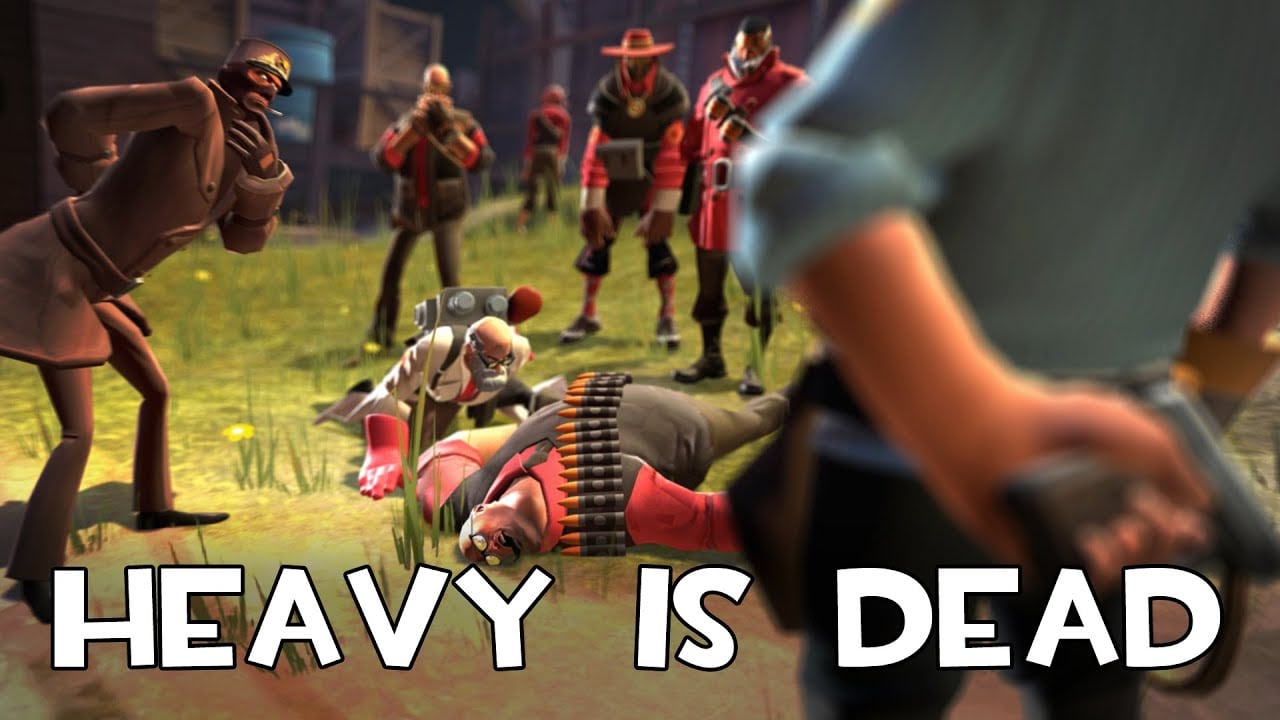
Eating items in Minecraft is a bit… stale. Well, the sounds are, anyway. If you want something to shake it up, why not change the sounds to make them sound like Heavy is eating his sandvich? It’s bit more whimsical then the default ones.
TextWhitelist
# 💬 TextWhitelist
Tired of managing a cumbersome `whitelist.json` file? **TextWhitelist** is a powerful, lightweight whitelist plugin for Spigot-based servers (Paper, Purpur, etc.) designed for wide compatibility (**1.8 – 1.21+**).
It’s the perfect solution for offline-mode servers or any community that needs to quickly manage player access using simple text files instead of dealing with UUIDs.
This plugin evolves beyond a simple whitelist into a full-fledged access management tool, allowing you to control every aspect directly from in-game commands without ever needing a server restart.
—
## ✨ Features
– **Full In-Game Management:** Control every aspect of the plugin with a comprehensive command suite.
– **Master On/Off Switch:** Globally enable or disable the plugin’s functionality on the fly with `/wltxt enable|disable`.
– **Dual Whitelist Modes:**
– **PLAYERS Mode:** Standard operation. Allows players listed in `players.txt`.
– **ADMINS Mode:** Maintenance mode. Only allows staff listed in `admins.txt`.
– **Context-Aware Commands:** The plugin is smart! It provides different kick messages for different scenarios and only kicks players when it makes sense.
– **Instant Reloading:** Use `/wltxt reload` to apply changes to your `.txt` files instantly without a server restart.
– **Enforce on Reload:** When reloaded, the plugin automatically kicks any online players who are no longer on the active whitelist.
– **Wide Version Compatibility:** Works on most Spigot-based servers from version 1.8 to 1.21 and newer.
– **High-Priority Login-Blocking:** Built to coexist with other plugins like AuthMe by using the highest event priority, ensuring its rules are final.
—
## 🚀 Installation
1. Download the latest `.jar` file from the **Versions** tab.
2. Place the `TextWhitelist.jar` file into your server’s `plugins` directory.
3. Restart your server. The plugin will automatically generate a `TextWhitelist` folder inside your `plugins` directory, containing `config.yml`, `players.txt`, and `admins.txt`.
—
## 💻 Commands & Usage
The base command is `/whitelistxt` (alias: `/wltxt`). All subcommands require the `textwhitelist.admin` permission.
| Command | Description |
| :— | :— |
| `/wltxt` | Shows the current status (enabled/disabled) and active mode. |
| `/wltxt help` | Displays a list of all available commands. |
| `/wltxt enable` | Enables the whitelist checks. |
| `/wltxt disable`| Disables the whitelist checks. |
| `/wltxt change ` | Switches the active mode. |
| `/wltxt reload`| Reloads both `.txt` files from the disk. |
| `/wltxt add ` | Adds a player to the specified list. |
| `/wltxt remove ` | Removes a player from the specified list. |
## ⚙️ Permissions
– **`textwhitelist.admin`**: Grants access to all `/wltxt` commands. This permission is given to server operators (OPs) by default.
ColorCraft

# 🎨 ColorCraft — Bring Color to Your Interface
**ColorCraft** redefines how you see Minecraft’s UI — literally.
It enhances text visibility and adds rich formatting to menus, messages, and UI elements across multiple languages and mods.
Better contrast, better clarity, better *vibes*. 🌈
—
## ✨ What It Does
Tired of dull, unreadable menus or chat text blending into the background?
ColorCraft injects vibrant colors and styles into Minecraft’s interface — making it more intuitive and eye-catching without altering the game’s vanilla spirit.
✅ Improved contrast on menus and buttons
✅ Styled text for game modes, tooltips, effects, and more
✅ Support for mods & multiple languages
✅ Seamless integration with existing UI packs
—
## 🖼️ Sneak Peek
| Feature | Preview |
|———-|———-|
| Main Menu |  |
| Create World Menu |  |
| Settings & UI |  |
| Sodium Compatibility |  |
| Keybinds |  |
| Enchantments |  |
| Dye Colors |  |
| Effects |  |
| Pause Menu |  |
| Death Screen |  |
| Chat Messages |  |
—
## 🌍 Supported Languages
Almost all major Minecraft Vanilla languages are supported ! (some mods may not be fully supported yet for all languages)
`ru_ru` Thanks to YarTom for some of the translations.
—
## 🧩 Mod Compatibility
ColorCraft supports a wide variety of mods to ensure every text in your world stays clean and colorful.
✅ Supported mods:
– Alex’s Caves
– Alex’s Mobs
– Alexs Caves: Stuff & Torpedoes
– Better Statistics Screen
– Bobby
– Cave Dust
– Cloth Config
– Create
– Detail Armor Bar Reconstructed
– Durability Tooltip
– Dynamic FPS
– Dynamic Crosshair
– Embeddium
– Enderite Mod
– Enhanced Block Entities
– Extended Enchanting
– Fancy Block Particles – Renewed
– Farmer’s Delight
– Immersive Hotbar
– Inventory Particles
– Inventory Management
– InvMove
– Malilib
– Mod Menu
– Naturally Trimmed
– Nvidium
– oωo
– Physics Mod
– Presence Footsteps
– Shulker Box Tooltip
– Sodium
– Sodium Extra
– Sounds
– Stellar View
– Supplementaries
– TCDCommons API
– Terralith
– VanillaTweaks
– Vein Mining
– Veinminer Enchantments
– Wakes
– Waystones
– Xaero’s Minimap
– Xaero’s World Map
– Yet Another Config Lib (YACL)
> 🧱 *Want your mod supported?*
Drop your mod link in the issues tab — compatibility updates are frequent.
—
## 🧠 Compatibility Notes
– Works with (maybe) any Minecraft version
– Compatible with all major mod loaders (Fabric, Forge, etc.)
– Can be used alongside other **UI enhancement** or **dark mode** packs
– Designed for **vanilla readability** — no texture changes outside of text
– Some of the UI Texture Pack features may conflict with other UI packs, so make sure to place ColorCraft above them in the resource pack list for best results.
—
## ⚙️ Installation
1. Download the latest release from Modrinth or your launcher.
2. Drop it into your `resourcepacks` folder.
3. Enable it in-game and place it **above** any UI pack (for priority).
4. Enjoy your clean, colorful Minecraft interface. ✨
—
## ❤️ Contribute
Want to translate, tweak, or suggest a new color scheme?
Open a Pull Request or start a Discussion.
> Every contribution keeps ColorCraft vibrant — thank you for helping make Minecraft more readable for everyone!
—
**🧡 Stay colorful. Stay creative.**
Text Effects
—
This library adds text effects which can be used by servers and mods to add unique effects to component-based text.
Integrated effects:
– Wobble
– Shake
– Marquee
… and more
### Usage
#### Add Dependency
build.gradle.kts:
“`kotlin
repositories {
// …
maven(“https://maven.axolotlclient.com/releases”)
}
dependencies {
// …
// use modImplementation for versions <26.1 if on fabric
implementation("io.github.moehreag:text-effects:“)
}
“`
#### Apply Effects
“`java
// A few other pre-made effects are available in the `TextEffects` class.
// Usage may differ slightly depending on game version.
var text = Component.literal(“This is a text with effect!”).withStyle(Style.EMPTY.text_effects$withEffect(TextEffects.WOBBLE));
“`
#### Create your own effects
A few factory methods for common operations are provided in the `TextEffect` class.
Some pre-made effects are provided in the `TextEffects` class, with a few additional helper methods as well as registration handling. If you’d like to build on top of another effect you can use `TextEffect#combine`.
“`java
public static TextEffect CUSTOM_EFFECT = TextEffects.register(Identifier.fromNamespaceAndPath(“modid”, “custom_effect”), TextEffect.constantYOffset(-2));
“`
Effects are automatically able to be de/serialized in components using their id provided at registration.
“`
{
text: “text with a nice effect”,
text-effects: “text-effects:wobble”
}
“`
*This component works for 26.1, it may not for earlier minecraft versions.*
This format can also be used in commands, for example `/tellraw`.