Trains of Ruun requires Immersive Railroading to properly operate
TRAINS OF RUUN
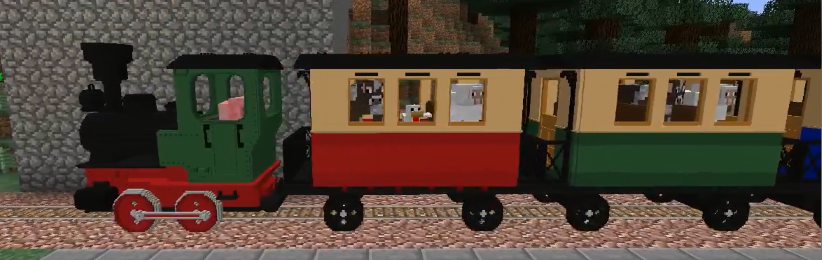
This is a pack for Immersive Railroading. It’s set in a fictional setting named Ruun (pronounced rune) roughly equating to 1920s Western USA. The rolling stock contained in this pack is designed to be proportional to the player and scaled roughly according to real world equivalents found on the Durango & Silverton, Cumbres & Toltec, and other 3 ft gauge North American heritage lines.
CONTENTS
Locomotives
– 0-4-0 “Steph”, a small yard switcher
– 2-6-0 “Ingot”, a medium sized tank locomotive
– 2-4-2 “Nattie”, a medium sized tank locomotive
– 2-8-0 “Adaylia”, based on various north american 2-8-0s
Passenger Cars
– An overton coach based on car plans for various C&S and D&RGW narrow gauge coaches
– Overton baggage car
– Overton combine car
– Overton private car
Freight Cars
– A 30ft boxcar for freight operations, based largely on C&S narrow gauge boxcars
– A 30ft boxcar with some vagrants taking a ride
– A 30ft reefer for food
– A 30ft stock car
– A 30ft flat car with many loads and customization
– A 30ft tank car
Cabooses
– A caboose based on C&S bobber cabooses built from DSP&P waycars
– A waycar based on DSP&P waycars
Misc
– A rotary snowplow inspired by D&RGW OY and similar ALCo rotaries
NOTES
This pack is done as a hobby and will be updated inconsistently and as I see fit.
Usage and redistribution in any form is allowed, just please credit me and link back here in some form =)
Curseforge
Discord
Patreon
Iron Horse Dev Group
TrainCarts
〚 ⤓ Modrinth / ⤓ Spigot / ⤓ Jenkins Dev Builds / Source on GitHub / Javadocs / Discord 〛
## About TrainCarts
Trains in Minecraft! Automated metro networks, rollercoasters, gondolas, ski-lifts or amusement park rides. TrainCarts does it all with support for custom models, animations, automation with signs and a large API that supports add-ons that can do even more!
### **This plugin requires BKCommonLib**
#### **Join our discord server for help: https://discord.gg/wvU2rFgSnw**
##### Please do not use very old versions with older versions of Minecraft. The latest release of TrainCarts and BKCommonLib are **backwards-compatible** with older Minecraft versions.
## WIKI
Discover how to use this plugin over at https://wiki.traincarts.net/p/TrainCarts
## Custom Trains
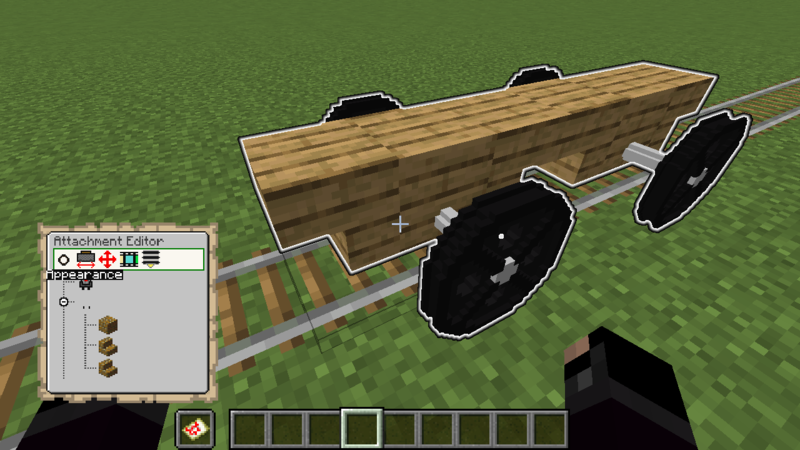
With the Attachment Editor you can customize the appearance of your trains. Create custom cart models in Blockbench and ride inside them in-game. Large models are possible by adding multiple sections of a model as separate (Armorstand) item models. TrainCarts will do the animating for you and move the parts as a whole.
Recommended reading before going into this: Custom Item Models in 1.9 and Up
#### Ingame Map Editor
#### Animations
For custom ride enthusiasts, trains can be fully animated. This means you can have doors that open and close, carts that spin around, or even create theme park rides like Ferris wheels, spinners and merry-go-rounds!
#### Demo Resource Pack
Download
TrainCarts has a demo resource pack that you can download that includes a couple of train and rollercoaster cart models. You can already play around with these without having to delve into Blockbench yourself
The locomotive and carriages were made by Nullblox. Maxi made the different color rollercoaster carts.
You can download the zip file from here or use the server.properties configuration shown on the webpage: packs.traincarts.net
Usage Instructions
#### Spawn the trains
The new models are bound to durability values of the golden pickaxe. You can spawn these trains using:
* Spawn Sign
* Train Spawn Chest Item: /train chest [name]
* Create it in the attachment editor. You can find the items to use with /train model search
#### The following train names can be spawned
* loco – Spawns locomotive without animations
* carr / carg / carb – Spawns red/green/blue carriages without animations
* loco_anim – Spawns locomotive with animated wheels and pistons
* carr_anim / carg_anim / carb_anim – Spawns red/green/blue carriages with animated wheels
* ferris – Animated Ferris wheel, use animation ‘spin’ to control it (WARNING: VERY LAGGY)
* spinner – Animated spinning ride with 3 controllable animations (‘spin’, ‘turn’ and ‘arm’)
* rolr / rolg / rolb – Rollercoaster carts with 4 seats
***
Saved Train Configurations
#### Extracting
The pack zip file includes saved train configurations at _assets/traincarts/saved_train_properties/tcdemo.yml_.
When the resource pack is configured in _server.properties_ this file is automatically detected by TrainCarts and the trains inside are made available under _/savedtrain list_ and such.
If for some reason this mechanism doesn’t work (because you are merging resource packs or such):
1. Extract this _tcdemo.yml_ yourself and place it at plugins/Train_Carts/savedTrainModules/tcdemo.yml
2. Run /train globalconfig reload --savedtrainproperties
Normally you don’t have to do this.
## Physics
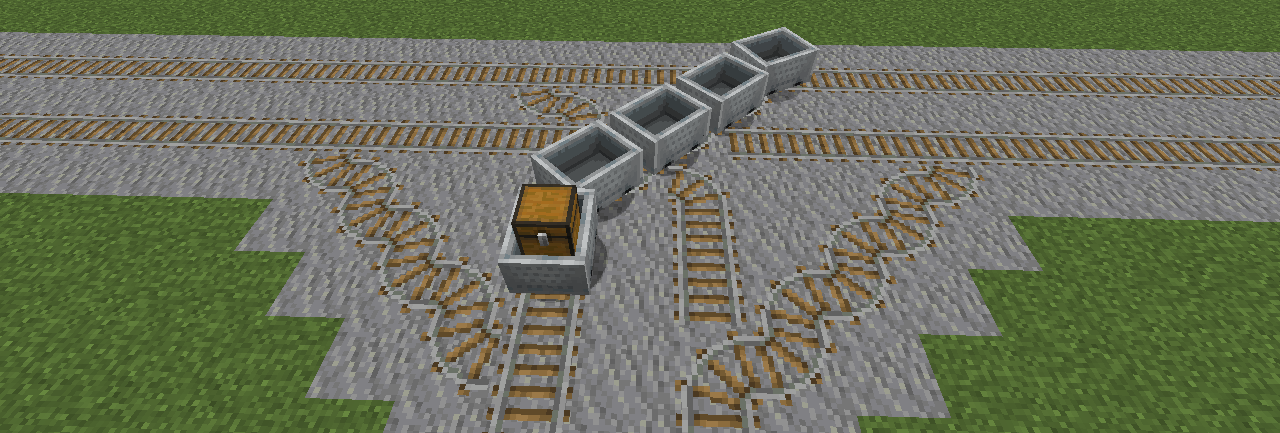
Trains don’t just follow a line or are limited by Minecraft’s own Minecart physics. They are simulated in real-time with gravity physics, rail switching and wheels that track the rails.
#### New Speed Limits
It is possible to make trains move much faster than the usual 0.4 blocks per tick. Zoom! The default (configurable) maximum speed limit is 5 blocks per tick (300kph!).
#### Keep Chunks Loaded
Trains can be set to keep chunks loaded. Then they act as moving chunk loaders, keeping themselves and a small area around them loaded and animated. This way they can run autonomously, no matter if no players are nearby.
#### Waiter
Make trains automatically slow down or stop completely when another train or occupied mutex zone is up ahead. An acceleration and/or deceleration can be set to make trains stop and start realistically to avoid obstacles.
➦Wiki
#### Properties
There are lots of other properties to change the train’s behavior, and more are added all the time.
* Banking, gravity and friction: create realistic rollercoaster rides, or turn it off entirely
* Collision: change whether mobs enter automatically, or what happens when a player collides with a train
* Player enter and exit: Whether players can get in or out of your train
* Change view distance of the occupants (Paper server only)
* Tags: tag a train and route it through the train network, or do special things to it along the way
➦Wiki
## Sign Actions
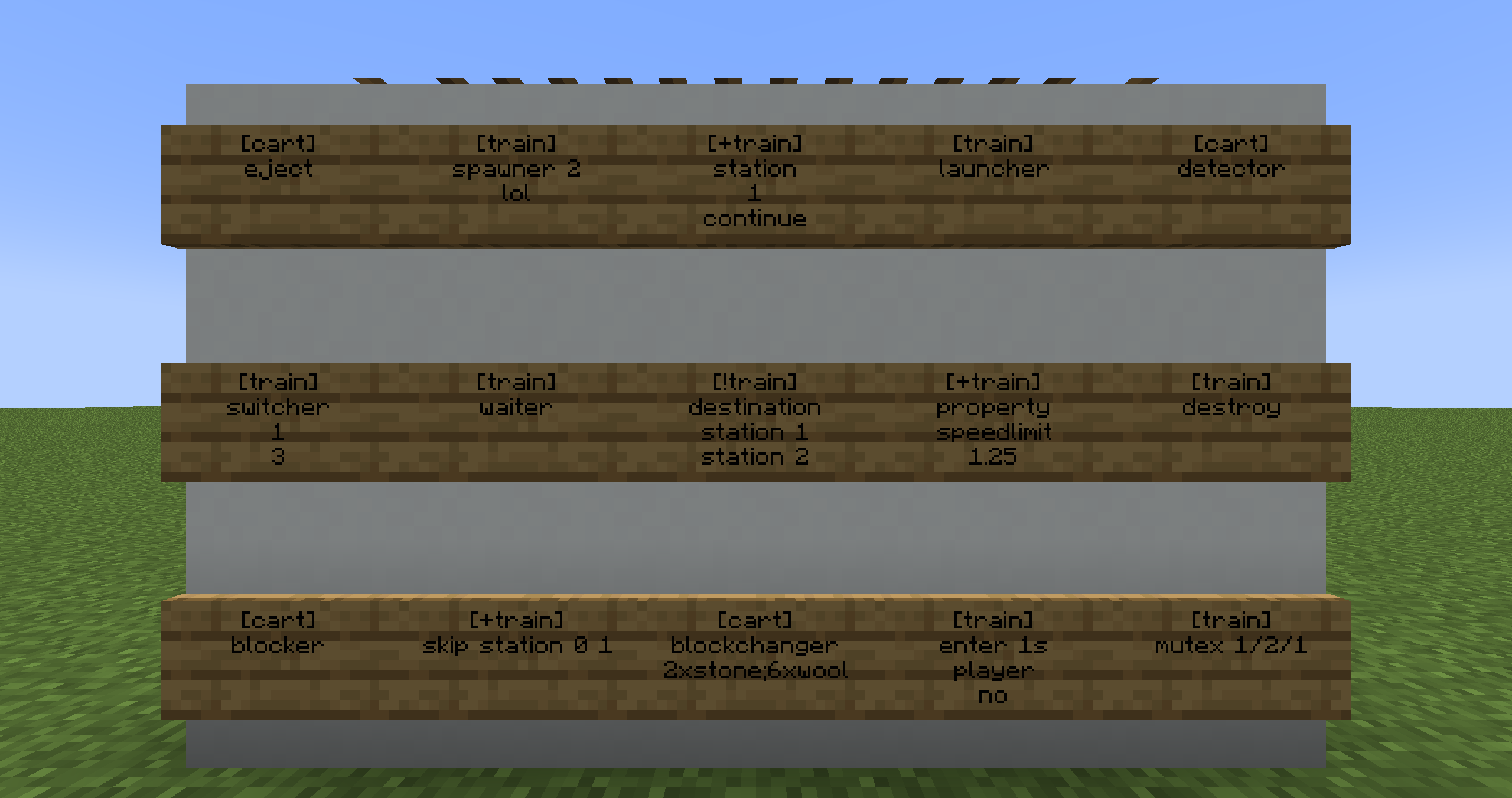
Signs placed along the rails are used to make the trains do things. Change train properties, launch trains, create stations or automatically switch junctions. With an extendable API anything is possible.
➦Wiki
## Path Finding
Make your train network come alive with trains that automatically travel to destinations all over your Minecraft world.
➦Wiki
## Commands
Everything that can be done with sign actions, and more, can also be done using commands.
➦Wiki
#### Selector Support
Use the **@ptrain** selector to use the player passengers of a train as an argument in other (non-TrainCarts) commands. Or use **@train** to perform actions on multiple trains at once. Trains can be selected by cuboid, distance, set properties and many more. ➦Wiki
#### Featured
This plugin uses the Cloud Command Framework for handling commands
If you’re impressed by the quality of TrainCarts’ command auto-completions, suggestions and help menu and want this in your plugin, check out Cloud by Incendo!
## Addons
TrainCarts exposes an API that allows third parties to extend the plugin. Primarily it adds support for new rail types, new attachment types and custom action signs.
* **TC-Hangrail**: Trains floating below iron fences and also below/above other kinds of blocks _(by TeamBergerhealer)_
* **TC-Coasters**: Rails in the air without requiring actual rails blocks _(by TeamBergerhealer)_
* **SmoothCoasters**: Minecraft Client Fabric mod that, if installed, smoothens armor stand animations and improves the first-person camera view
* **TCTicketShop**: Use sign interaction to buy train tickets _(by DefinitlyEvil)_
* **LightAPI**: Powers the built-in Light attachment. (Use this fork for MC 1.17.1 and below)
* **TCJukebox**: Plays music for players inside the train using MCJukebox _(by melerpe)_
* **TC-Portals**: Teleport trains between servers in a realistic way _(by J0schlZ)_
* **TC-Destinations**: Cross-server train destination pagination and helpful clickable commands _(by J0schlZ)_
* **TrainCartsDestinationSelector**: Adds clickable signs so players can select train destinations
* **Traincarts AdvancedSigns**: Adds additional sign types, particularly useful for rollercoaster rides
* **TCAnimatronics**: Play Animatronics animations with a TrainCarts sign
## FAQ
When some players ride a train, the train glitches out and the player’s cart gets stuck in position
**NoCheatPlus** thinks the player is cheating, because the cart is moving in unintended ways. The cart is teleported back to a valid state causing these strange glitches. To fix this, set the following to false in the NoCheatPlus configuration:
“`yaml
checks:
moving:
vehicle:
enforcelocation: false
“`
I’m on Minecraft 1.16 and players can get out of my playerexit=false train by pressing shift
Sadly, the Minecraft client had a bug in it where the server could not cancel players exiting from vehicles. Updating to Minecraft 1.17+ will fix this again. See also: SPIGOT-5891
When players are near, trains reach their destinations. With no one near, they don’t.
Enable the **keep chunks loaded** property of the train.
I created an auto-spawner but trains are piling up somewhere closeby
Enable the **keep chunks loaded** property of the train. Trains will otherwise unload in the same spot when no player is near.
When I exit a train, the train disappears
If you have CraftBook installed on the server, this plugin can actually do exactly that. Turn it off in the CraftBook Configuration.
## Donate
If you really like my work and want to give something in return, feel free to donate something small to me over PayPal using the button down below. Thank you! 🙂
1.20 Panorama with Shaders
# 1.20 Panorama with Shaders
This is a really simple Resource Pack that adds shaders to the original panorama.
The seed was discovered by the Minecraft@Home team.
➼ Seed: 8554477380691140270
➼ Coordinates: X=1839.272 Y=128 Z=6312.295
➼ Version: Minecraft Java Snapshot 23w14a
The shaders used are the Complementary Reimagined Shaders.
Show other Panoramas with Shaders

Click the image^
**Note: GUI not included.**
___
Follow my socials!
➽Twitch ➽Instagram ➽Twitter ➽YouTube
___

This work is licensed under a Creative Commons Attribution-NonCommercial-ShareAlike 4.0 International License.
– Feel free to include this resource pack in your mod pack or server.
– If you wish to use this pack in any form of content, please credit with a link to the original PlanetMinecraft/Modrinth/CurseForge page where you can.
TrailPaths
# TrailPaths
This plugin is very simple and lightweight. It allows players to create a “path” behind them while walking. This can be configured to be any block and change any type. You can also reset this path after x amount of time to return back to the original state. This is a unique addon for many servers.
Commands:
– /trails help – View the plugin commands.
– /trails reload – Reload the configuration files.
– /trails – Toggle your trail path on and off.
– /trails on – Toggle your trail path on.
– /trails off – Toggle your trail path off.
Permissions:
– TRAILS.* – Access to all commands.
– TRAILS.HELP – Use the /trails help command.
– TRAILS.RELOAD – Use the /trails reload command.
– TRAILS.TOGGLE – Use the /trails, /trails on, /trails off commands.
## **TradePro – The Ultimate Trading Plugin for Your Server!**
TradePro is a very customizable trading plugin, designed to give your players a seamless and secure way to exchange items, XP, and more! Whether you’re managing an economy-driven server or an RPG adventure world, TradePro ensures fair and balanced trades with extensive configuration options.
### **Features:**
✅ Fully Customizable – Modify every menu item, message, and setting to fit your server’s needs.
✅ Trade Logging – All trades between players can be logged & saved into a logs folder.
✅ MySQL Support.
✅ Simple Web interface – You can view & search the logs of specific players on the web panel. (Disabled by default)
✅ Cross-World Trading – Enable or restrict trading between worlds and block specific ones.
✅ WorldGuard Support – Block trades in designated WorldGuard regions.
✅ Flexible Trade Distance – Set a maximum trade range to control player trading interactions.
✅ Trade Spectating – Admins can observe ongoing trades to prevent scams and disputes.
✅ Smooth & Simple Commands – Intuitive commands for both players and administrators.
# TPA
[简体中文](#) A simple teleportation plugin that supports **Folia**, compatible with **Bukkit/Spigot/Paper/Folia**.
## Features
– **Simple**: Easy to use and configure.
– **Configurable**: Supports custom configuration files.
– **Multilingual Support**: Built-in multiple language files.
– **Customizable Language Files**: Allows users to customize language files.
## Commands
### Teleportation
– **/tpa **
Send a teleportation request to a player.
– **/tphere **
Request a player to teleport to your location.
– **/tpall [player/warp/spawn] [player name/warp name]**
Force all online players to teleport to the target location (if no parameters are provided, defaults to teleporting to the user’s location).
– **/tplogout **
Teleport to the last logout location of the specified player.
– **/tpaccept**
Accept a teleportation request (you can click **[Accept]** in the chat to directly accept).
– **/tpdeny**
Deny a teleportation request (you can click **[Deny]** in the chat to directly deny, or click **[Deny and Block]** to deny the request and block the player).
– **/denys [add/remove] [player name]**
Manage the player’s blacklist.
### Warp
– **/warp **
Teleport to a warp point.
– **/setwarp **
Set a warp point.
– **/delwarp **
Delete a warp point.
### Home
– **/home **
Teleport to a home location.
– **/homes**
List all your home locations.
– **/sethome **
Set a home location.
– **/setdefaulthome **
Set the default home location.
– **/delhome **
Delete a home location.
### Spawn
– **/spawn**
Teleport to the spawn point.
– **/setspawn**
Set the spawn point.
– **/delspawn**
Delete the spawn point.
### Others
– **/back**
Teleport to the previous location.
– **/rtp**
Random teleportation.
– **/tpa version**
Check for plugin updates.
– **/tpa setlang **
Set the client display language.
– **/tpa reload**
Reload the configuration file.
## Permissions
### Admin
– **tpa.admin**
Highest permission, allows execution of all commands.
– **tpa.tpall**
Allows using the `/tpall` command to force all online players to teleport to your location.
– **tpa.tplogout**
Allows using the `/tplogout` command to teleport to a player’s last logout location.
– **tpa.reload**
Allows using the `/reload` command to reload the configuration file.
– **tpa.version**
Players with this permission will receive plugin update notifications and can use `/tpa version` to check for updates.
– **tpa.nodelay**
Players with this permission are not restricted by command cooldowns.
### Teleportation
– **tpa.tpa**
Allows using the `/tpa` command to request teleportation to a specified player (permission check is disabled by default).
– **tpa.tphere**
Allows using the `/tphere` command to request a specified player to teleport to your location (permission check is disabled by default).
– **tpa.rtp**
Allows using the `/rtp` command for random teleportation (permission check is disabled by default).
### Blacklist
– **tpa.denys**
Allows using the `/denys` command to manage the blacklist.
### Spawn
– **tpa.spawn**
Allows using the `/spawn` command to teleport to the spawn point (permission check is disabled by default).
– **tpa.setspawn**
Allows using the `/setspawn` command to set the spawn point.
– **tpa.delspawn**
Allows using the `/delspawn` command to delete the spawn point.
### Warp
– **tpa.warp**
Allows using the `/warp` command to teleport to a warp point (permission check is disabled by default).
– **tpa.setwarp**
Allows using the `/setwarp` command to set a warp point.
– **tpa.delwarp**
Allows using the `/delwarp` command to delete a warp point.
### Home
– **tpa.home**
Allows using the `/home`, `/homes`, `/sethome`, `/setdefaulthome`, and `/delhome` commands (permission check is disabled by default).
### VIP
– **tpa.vip**
– **tpa.vip+**
– **tpa.mvp**
– **tpa.mvp+**
– **tpa.mvp++**
Allows configuring the maximum number of homes a player with this permission can set (-1 for unlimited) and command cooldowns in the configuration file.
### Others
– **tpa.back**
Allows using the `/back` command to teleport to the previous location (permission check is disabled by default).
## About Configuration Migration
Version 3.2.0 added automatic migration for old configuration files, so there is no need to worry.
However, for safety reasons, the old configuration files will be automatically backed up to the `plugins/TPA/backup/old version number` directory. If the migration fails, please manually attempt to migrate the configuration files.
## Acknowledgments
This plugin uses FoliaLib for **Folia** compatibility.
## ✨ TPAFisFis – The Ultimate Teleportation Suite ✨
Tired of clunky, outdated teleportation commands? 🚀 **TPAFisFis** revolutionizes how players interact on your server by providing a sleek, modern, and highly intuitive teleportation management system. Designed for performance and broad compatibility, this plugin supports Minecraft versions from 1.8 all the way to 1.21+, making it the perfect fit for any server!
🖥️ **The All-in-One GUI Menu!**
Why memorize a dozen commands when you can do it all from one place? Simply type /tpa to open a beautifully designed graphical user interface (GUI) that puts all the power at your players’ fingertips!
➡️ **Send TPA & TPAHere Requests:** Click an icon, and the command is suggested in the chat, waiting for a player’s name. No more typos!
📬 **View Incoming Requests:** A dedicated icon opens a second menu displaying all pending requests as player heads. Simply click a player’s head to accept their request instantly!
**Toggle TPA Status:** Players can easily enable or disable receiving TPA requests with a single click, giving them full control over their gameplay experience.
This GUI-driven approach minimizes chat spam and makes teleportation accessible and easy for everyone, from new players to server veterans.
### ⌨️ Commands
– **/tpa ** Sends a teleport request to a player.
– **/tpa** Opens the main TPA GUI menu.
– **/tpahere ** Sends a request for a player to teleport to you.
– **/tpaccept [player]** Accepts an incoming teleport request.
– **/tpdeny [player]** Denies an incoming teleport request.
– **/tpcancel** Cancels the teleport request you have sent.
– **/tpatoggle** Toggles your ability to receive TPA requests.
### 🛡️ Permissions
– **tpafisfis.use** Grants access to all basic TPA commands. default: true
– **tpafisfis.nocooldown** Bypasses the command cooldown timer. default: op
– **tpafisfis.nowarmup** Bypasses the teleport warm-up timer. default: op
– **tpafisfis.admin** (Future Use) For admin commands like reloading. default : op
Note: You can use a permissions plugin like LuckPerms to manage these permissions.
🚀 **More Amazing Features**
⚙️ **Fully Configurable:** Almost everything is customizable via config.yml! Change all messages, GUI titles, icon materials, names, lores, and slots to perfectly match your server’s theme.
⏳ **Teleport Safety Warm-up:** Prevent combat logging with a configurable warm-up timer. Teleportation is automatically cancelled if the player moves or takes damage.
⚡ **Performance Focused:** Built to be lightweight and efficient, ensuring no impact on your server’s performance.
🌍 **World Control:** Set command cooldowns and disable the plugin in specific worlds (like PvP arenas or event worlds).
Upgrade your server’s teleportation system today with **TPAFisFis** and give your players the seamless experience they deserve! ❤️
✨ **Check Out Our Other Plugins!** ✨ If you enjoy the **TPAFisFis** plugin, don’t forget to check out our other high-quality plugins for your server!
– ENG: **Tower Crane** is a famous meme in Reddit and type of crane with a vertical mast and a horizontal boom, designed to lift and move loads to great heights and distances. Resource pack replaces the Totem of Immortality with this Building item
– RU: **Башенный кран** это популярный мем из реддита тип подъёмного крана с вертикальной мачтой и горизонтальной стрелой, предназначенный для подъёма и перемещения грузов на большую высоту и расстояние. Ресурспак заменяет тотем бессмертия на этот предмет
ALL RESOURCEPACKS COLLECTION: MEMES + STREAMERS
TouHouMusic
If you’re an Oriental Project fan then you’ll love this pack, it replaces the music with the soundtrack!
Theoretically support 1.7~1.19.x official version
Change in-game discography and BGM
You can choose to change only the discography/bgm/bgm.
or all 🙂
Totem Pickle Rick
# **TOTEM PICKLE RICK**
## **ENGLISH**
This texture pack replaces Pickle Rick’s Totem of Immortality from the series Rick and Morty.
It’s a reference to a very popular episode of that series, in which Rick turns into a pickle.
**By @d_de_diego_d**
## **ESPAÑOL**
Este paquete de texturas reemplaza el Tótem de la Inmortalidad de Pickle Rick de la serie Rick y Morty.
Es una referencia a un capitulo muy popular de esa serie, en la que rick, se convierte en pepinillo.