Der’s Smooth Shaded Font (Faithful 32x)


This resourcepack simply modifies Faithful 32x’s font by adding targeted colored shading to the lower parts of its characters, giving the game a more refreshing/visually appealing look! Supports **11,000+** characters, various languages, many symbols and is available for a wide range of game versions!
_**Note:** This pack has various (former) shading styles, check them out in the gallery! Only the latest release style is showcased here._

**All of Faithful 32x’s font is currently supported and shaded, consisting of:**
– **ascii.png**: Most-used characters and some other symbols
– **ascii_sga.png**: Standard Galactic Alphabet used for enchanting
– **asciillager.png**: Secret characters only illagers may understand (pre v16)
– **accented.png**: Versions of letters with accents, diacritics, ligatures and circled numbers/letters
– **nonlatin_european.png**: Accented characters, miscellaneous symbols, some non-european characters, latin script characters
**Beyond that, the latest releases also added:**
– **8,500+** shaded glyphs across 37 unicode pages
– **Extensive** language & symbol support
– **Vanilla fixes** for incorrect glyph widths like for “▚”
– Support for popular servers like **Hypixel** (symbols) and **Wynncraft** (tooltips)

**Q1**: May I use this for my modpack?
**A1**: Feel free to include it in your modpacks on Curseforge and Modrinth! If you are using it as a content creator, giving credit by linking to this project’s page in your content’s description is highly appreciated!
***
**Q2**: What are editions?
**A2**: Editions were used to group game versions, indicated by a letter at the end of the pack’s name, ex.: (C) for Copper Edition, supporting MC 1.18+, including the files shown in the table of editions (gallery). **v10+ no longer uses editions** as there is only one file for MC 1.16+ now.
***
**Q3**: What are shading styles?
**A3**: Shading styles used to provide variety in the font’s appearance. v9.2 needs the Respackopts mod to access all styles (pair with Sinytra Connector if on forge). Standalone versions for each style, ex.: “Rose” (pink tint) are also available, not needing any mods. **v10+ no longer has multiple shading styles** nor needs any mods.
***
**Q4:** How do I tell **Der’s Shaded Font** apart from other shaded fonts?
**A4:** Last time I checked, this one was the only vanilla shaded font that supported anything other than just ascii.png characters (see features section for details). Symbols, accented characters and otherwise special characters with shading are most likely from here as well as any of the exclusive colored shading styles.
***
**Q5**: Why do a few special characters/symbols look double-struck when bold?
**A5**: Those (usually thin) characters appear as double-struck/outline due to Minecraft applying the same bolding method (duplicating and shifting by two pixels) across the board. Resourcepacks are limited in this regard as they cannot adjust said method. It is best to avoid using such characters in “**bold**” for now. Only a handful are affected.
***
Click here for a 16x version! / Submit feedback
Smooth Low Fire
## SMOOTH LOW FIRE 32x
> Smooth Low Fire 32x is a resource pack that makes your View of the game Less obstructive when caught on fire! BUT you may still see the effect of Burning! This has always been an issue for the majority base of minecraft members. So a pack has been made for it in order to fix this!
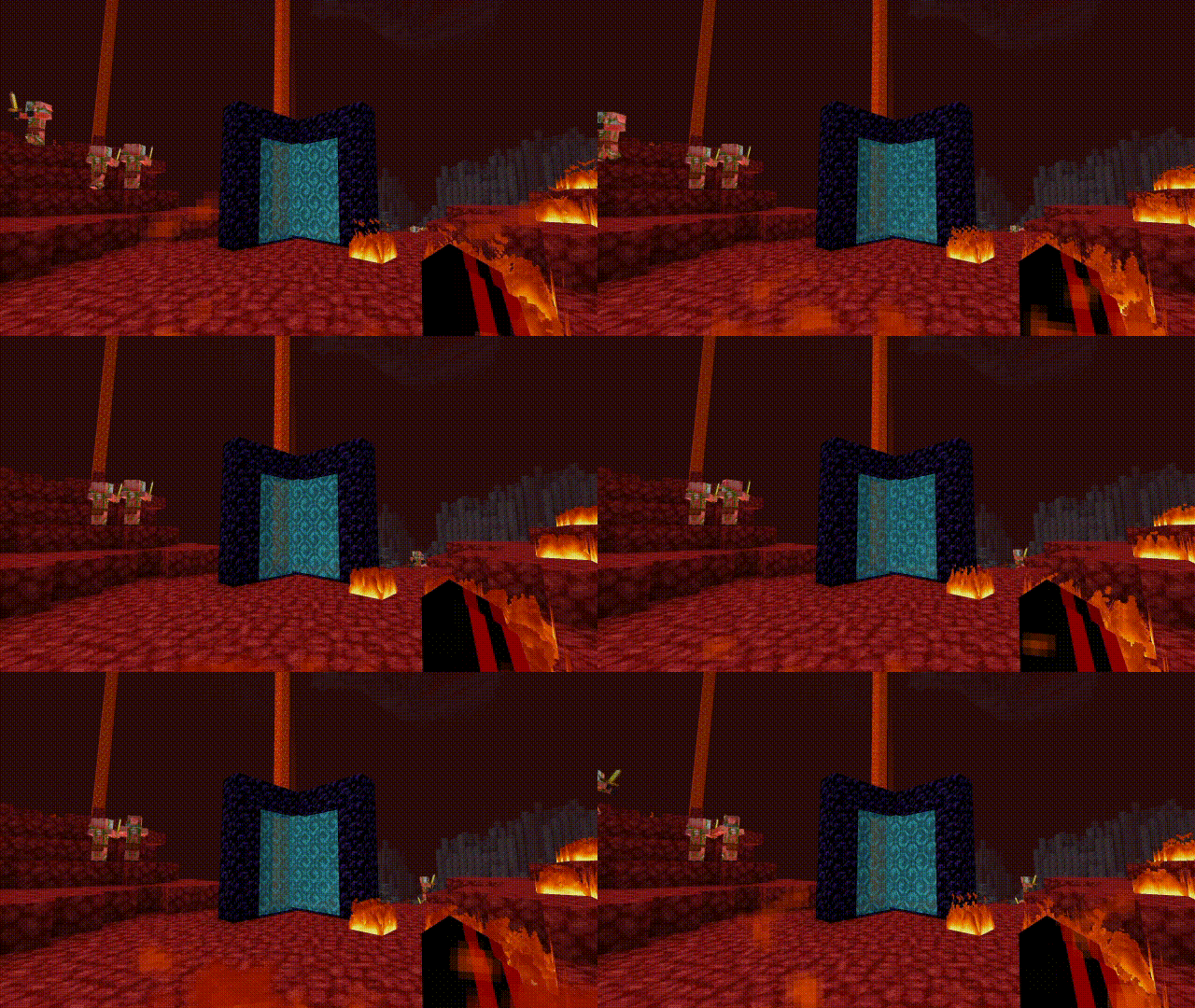
Heavily inspired by Better low fire
Other texture packs used in these pictures:
Saturated MC , Skyblue Nether Portal
> please support me on paypal
Smooth font(X32)
> I have drawn the basics, and for now, it’s only in English (unfinished). 
> > I will complete it later.!!
> > Looks really nice, doesn’t it? :)
> > This is the font under nametag, I think it looks really nice.<❤️> :p
Smooth Entity Shadows
Makes the Shadows under Entities Smooth. The closest you can get without shaders and optifine!

VS Vanilla:

Smol PVP Swords
**A Texture Pack For Shorter And Cleaner Swords**
—
Where To Download?
—


—
**Q&A**
—
**Q: What Is It?**
—
A: This Pack Is Used In PVP To Make Swords Take Up Less Room On Screen.
—
**Q: What Does This Pack Change?**
—
A: This Pack Changes The Swords Within Game To Make Them Look Shorter And Cleaner.
—
**Q: Should I Download From A New Developer That Makes MC Packs And Why?**
—
A: Yes Absolutely, Downloading From A New Dev Can Help Support Them With Creating New And Better Content, You May Even Find Something That Has Low Downloads And Views But Is What You Really Needed (For Example Going In The Nether In 1.13 But With A Modern Texture Pack).
—
How To Install :
—
Drag and Drop The File You Downloaded Into Your Resourcepacks Folder.
—
How To Get To Resourcepacks Folder :
—
Way 1 : Go In Game And Click Onto “Options” Then “Resource Packs…” Then “Open Pack Folder”.
Way 2 : On Windows Click Win + R and Type %appdata% Then Click Onto “.minecraft” Then “resourcepacks”.
—
Usage
—
This Pack May Be Used Personaly And In Videos (Credit Would Be Nice To Support Me :D).
If This Pack Goes On To A Public Server, Credit Is Required.
Reuploading This Pack Is Prohibited Without Concent.
Pvp-Swords
This resource pack turns swords into smaller and slightly sharper ones, making them more comfortable to fight in Minecraft.

Smol Swords
Makes swords smaller
Smiley Totem
This Resource Pack changes the totem to an Animated Smiley. No OptiFine.

SmartRouter
# SmartRouter
SmartRouter is a Velocity plugin that smartly routes players based on their last connected server. It is designed for networks with multiple sub-servers like `hub`, `spawn`, and `smp`.
## ✨ Features
– Redirect players trying to connect to a fallback server (e.g., `spawn`) to their **previous server**.
– Track players’ last connected server and remember it across reconnects.
– Fully configurable with `config.yml`.
– Requires **LuckPerms** to store and retrieve player metadata.
—
## 📦 Requirements
– **Velocity** Proxy
– **LuckPerms** (must be installed and active on the proxy)
If LuckPerms is not found, the plugin will automatically disable itself.
—
## ⚙️ Configuration
The configuration file is created at `plugins/smartrouter/config.yml`.
“`yaml
file-version: 1
intercept-servers:
– spawn
remember-servers:
– spawn
– smp
“`
### `intercept-servers`
A list of server names to intercept when a player connects.
If a player attempts to join any of these servers, SmartRouter checks their last known server and redirects them if needed.
**Example:**
If a player tries to join `spawn`, but their last known server was `smp`, they’ll be redirected back to `smp` instead of joining `spawn`.
—
### `remember-servers`
A list of server names to remember as a player’s last server.
When a player joins any of these servers, SmartRouter saves the server name to metadata (via LuckPerms).
**Tip:**
Add any servers here that players might return to after a reconnect.
—
### 💡 Example Use Case
Let’s say your network has:
– A hub server players always connect to first.
– A spawn area where players are teleported initially.
– An SMP world players explore and return to.
With SmartRouter, players are routed to spawn the first time. If they log out in `smp`, the next time they connect, SmartRouter will skip spawn and send them back to `smp`.
SmartRejoin
# SmartRejoin for Velocity


**SmartRejoin** is a modern alternative to older reconnect plugins, built with a highly customizable rule-based engine.
—
## Features
– 🧠 Automatically sends players back to the server they disconnected from.
– ⚙️ Define custom rules based on a player’s last server. For example, send players from a `bedwars_` game to the most populated `bedwars_lobby`.
– ⚖️ Distributes players across lobbies by connecting them to the server with the **most** or **least** players, or to a **random** one.
– 🛡️ Configure a safe fallback server (or a pool of servers) for new players or when a target server is offline.
– ⚡ Reload the configuration on-the-fly with a simple command.
—
## Installation
1. Download the plugin
2. Place the plugin into your Velocity proxy’s `/plugins` directory.
3. Restart your Velocity proxy. A `config.yml` file will be generated in `/plugins/SmartRejoin/`.
—
## Commands & Permissions
| Command | Alias | Permission | Description |
| :— | :— | :— | :— |
| `/smartrejoinreload` | `/srr` | `smartrejoin.command.reload` | Reloads the `config.yml` file. |
—
## Configuration (`config.yml`)
The configuration is split into three main parts: **Fallback**, **Default Rule**, and **Custom Rules**.
### Quick Start
For the simplest setup, just install the plugin. By default (`rule: SAME`), it will automatically reconnect players to the server they left. New players will be handled by your `velocity.toml` configuration. To use the plugin’s fallback for new players, set `fallback.enabled: true`.
### Example Use Cases
– **BedWars Lobby**: If a player leaves `bedwars_12`, send them to the `bedwars_lobby` with the most players.
– **Persistent Survival**: If a player leaves `survival`, always send them back to `survival`.
– **Random Lobby**: If a player was in any `lobby_` server, send them to another random `lobby_` server.
– **AFK Escape**: If a player was in an `afk` server, send them to the `lobby` with the fewest players.
### Full Configuration Example (different from default one!)
“`yml
# ————————————————— #
# SmartRejoin Configuration #
# ————————————————— #
# — General Settings —
settings:
# If true, the plugin will print informational messages to the console.
# Critical errors are always logged.
logging_enabled: true
# — Fallback Configuration —
# Used for new players or when a target server from a rule is offline.
fallback:
# If ‘enabled’, this plugin’s fallback logic will be used.
enabled: true
# ‘RANDOM’: Connects to a random server whose name CONTAINS the ‘name’ value.
# ‘SERVER’: Connects to a specific server with an exact ‘name’.
type: RANDOM
name: “lobby”
# — Default Rule —
# Applied if a player’s last server doesn’t match any custom rules below.
default:
# ‘SAME’: Connects to the exact same server. (Most common)
# ‘FALLBACK’: Immediately uses the fallback rule.
# ‘SMART’: Finds a related lobby. See comments below for details.
rule: SAME
# Arguments for the ‘SMART’ rule.
# Example: [‘MOST’, ‘%last_seen%_lobby’]
arguments: []
# — Custom Rules —
# Define specific redirection rules here. They are checked in order.
rules:
stay_on_survival:
last_seen:
# Condition: Player’s last server name must be an exact match.
type: EQUALS
name: “survival”
where_to_join:
# Action: Connect to a server with this exact name.
type: EQUALS
name: “survival”
bedwars_lobby_fallback:
last_seen:
# Condition: Player’s last server name must contain “bedwars”.
type: CONTAINS
name: “bedwars”
where_to_join:
# Action: Find all online servers containing “bedwars_lobby” and
# connect to the one with the MOST players.
type: MOST
name: “bedwars_lobby”