1.20 Panorama with Shaders
# 1.20 Panorama with Shaders
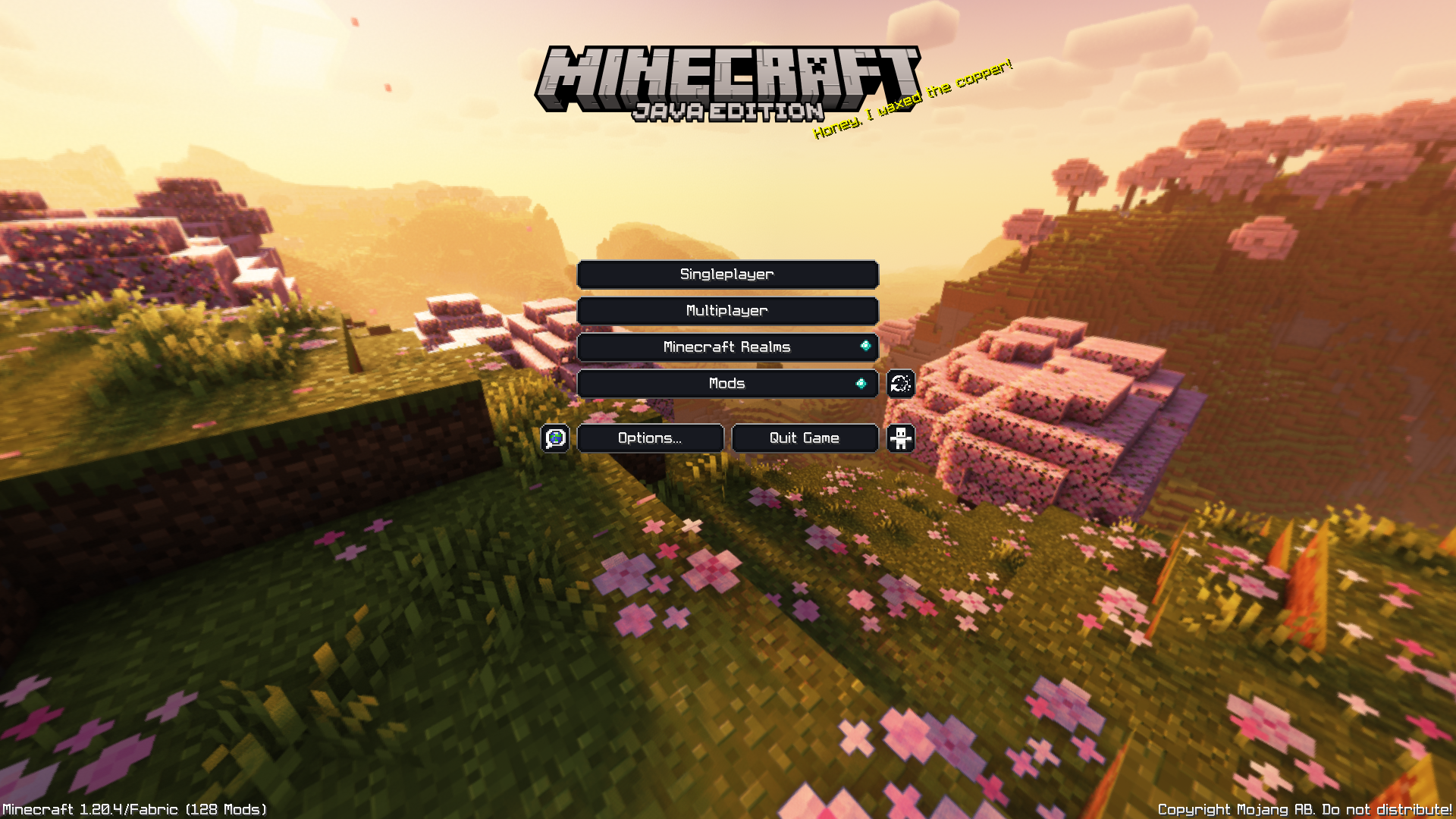
This is a really simple Resource Pack that adds shaders to the original panorama.
The seed was discovered by the [Minecraft@Home](https://www.youtube.com/@MinecraftAtHome) team.
➼ Seed: 8554477380691140270
➼ Coordinates: X=1839.272 Y=128 Z=6312.295
➼ Version: Minecraft Java Snapshot 23w14a
The shaders used are the [Complementary Reimagined](https://www.complementary.dev/reimagined/) Shaders.
Show other Panoramas with Shaders
[](https://modrinth.com/collection/CJAr4HQN)
Click the image^
___
**Note: GUI not included.**
___
Follow my socials!
➽[Twitch](https://www.twitch.tv/itsmemed_552) ➽[Instagram](https://www.instagram.com/itsmemed_554/) ➽[Twitter](https://twitter.com/itsmemed_554) ➽[YouTube](https://www.youtube.com/@itsmemed_552)
___
[](https://creativecommons.org/licenses/by-nc-sa/4.0/)
This work is licensed under a [Creative Commons Attribution-NonCommercial-ShareAlike 4.0 International License](https://creativecommons.org/licenses/by-nc-sa/4.0/).
– Feel free to include this resource pack in your mod pack or server.
– If you wish to use this pack in any form of content, please credit with a link to the original PlanetMinecraft/Modrinth/CurseForge page where you can.
TrailPaths
# TrailPaths
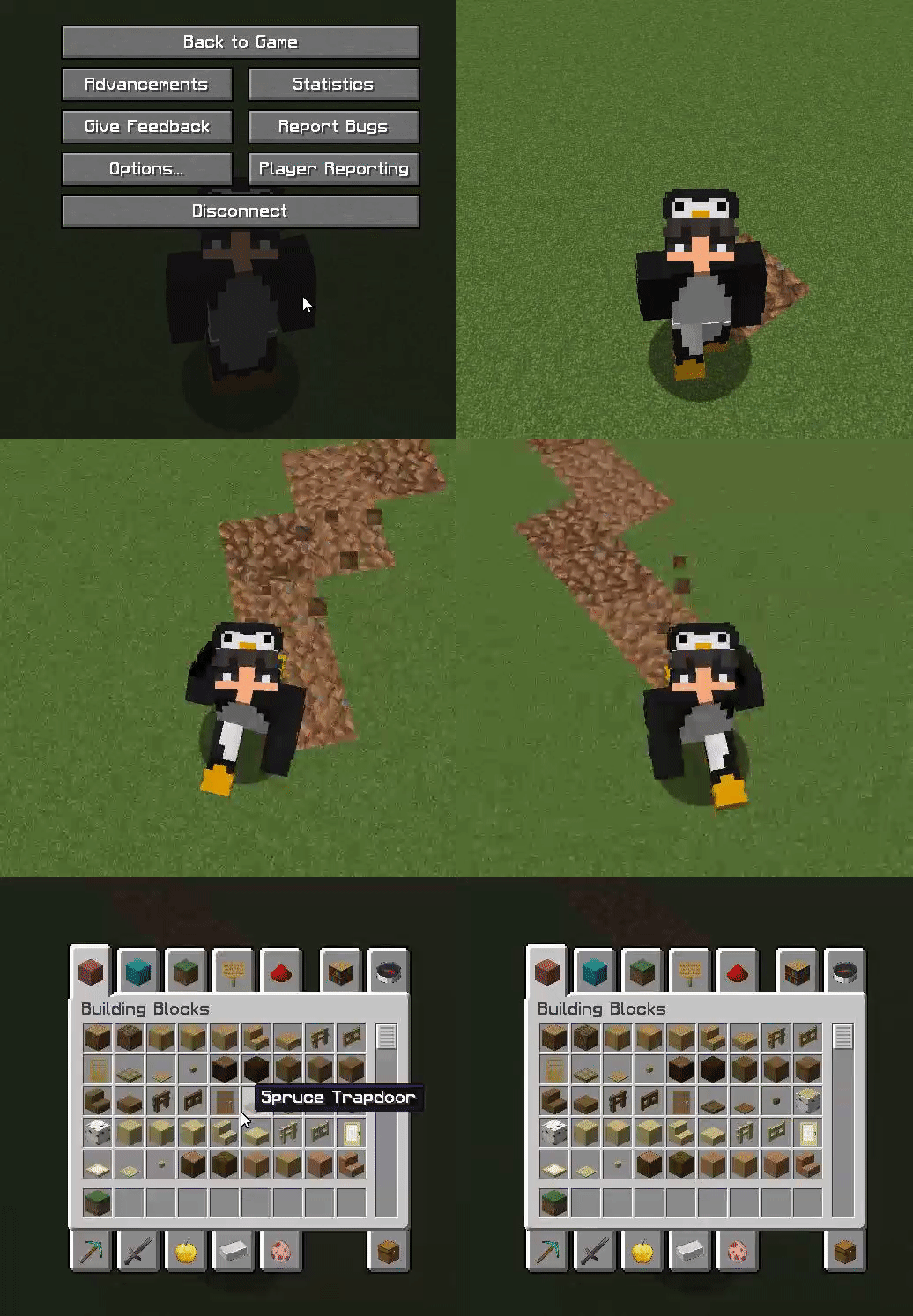
This plugin is very simple and lightweight. It allows players to create a “path” behind them while walking. This can be configured to be any block and change any type. You can also reset this path after x amount of time to return back to the original state. This is a unique addon for many servers.
Commands:
– /trails help – View the plugin commands.
– /trails reload – Reload the configuration files.
– /trails – Toggle your trail path on and off.
– /trails on – Toggle your trail path on.
– /trails off – Toggle your trail path off.
Permissions:
– TRAILS.* – Access to all commands.
– TRAILS.HELP – Use the /trails help command.
– TRAILS.RELOAD – Use the /trails reload command.
– TRAILS.TOGGLE – Use the /trails, /trails on, /trails off commands.
Images
Topaz
# Topaz – A simple FOSS Anti-VPN plugin for Velocity
### Inspired by [egg82’s/Laarryy’s Anti-VPN plugin](https://github.com/Laarryy/Anti-VPN).
## Installation guide:
You need:
* Velocity 3.2.0+
* Java 17+
* Email address
* A custom plan from ProxyCheck.io **(required only if you will be making more than 100/1000 requests a day)**
1. Download the plugin from the [releases tab](https://github.com/MrZomka/Topaz/releases).
1. Install the plugin on your Velocity proxy.
1. Start the proxy.
1. In the config file and enter your API key. (This step is not required but is really recommended!)
1. Restart the proxy.
And you’re good to go! 🙂
## FAQ:
Q: Can I change the clear cache interval?
A: Yeah! Just keep in mind that the interval there is in seconds, not minutes or hours. 😉
Q: My players are getting kicked with an error message! What do I do?
A: Check your logs! It is possible that you just ran out of queries for today!
Q: What are the permissions that Topaz checks for?
A: `topaz.bypass` for bypassing the IP proxy check.
Q: What permission plugin do you recommend?
A: [LuckPerms never failed me. :)](https://luckperms.net)
## Support is offered on my [Discord server](https://discord.gg/y3VdCeJaC2).
Tools but small
You know these **PvP-resource packs** with 4-pixel-swords? I made one, except **now it’s really beautiful!**
And quite useful too!!!

You know what? That is so cool _imo_ that i am going to use this pack myself.
Too Much Bread
# Too Much Bread
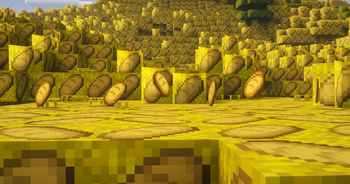
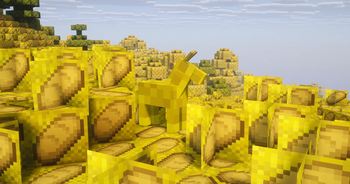
Everything bread and only bread
### Features:
1. Every Item Name is Bread
2. Every Item is Bread
3. Every Block is Bread
4. Every Armor is Bread
5. basicly EVERYTHING is Bread
Toby Fox Music
# Toby Fox Music
This resource pack replaces the songs on all music disc with a selection of songs from Undertale and Deltarune
You can use this on any version, please ignore the game’s warning about improper versions
Undertale and Undertale OST created by Toby Fox
Deltarune and Deltarune OST created by Toby Fox
Made by myself with inspo from DogeCowboy (there are other iterations of this idea but this pack is not based on those creators’ designs)
## Discs -> New Tracks:
5 -> A DARK ZONE
11 -> Dogsong
13 -> THE WORLD REVOLVING
Blocks -> Black Knife
Cat -> Rude Buster
Chirp -> A CYBER’S WORLD?
Creator -> Field of Hopes and Dreams
Creator (Music Box) -> sans.
Far -> Death By Glamour
Lava Chicken -> Scarlet Forest
Mall -> MEGALOVANIA
Mellohi -> Acid Tunnel of Love
Otherside -> Hopes and Dreams
Pigstep -> Spear of Justice
Precipice -> Battle Against a True Hero
Relic -> Dark Sanctuary
Stal -> BIG SHOT
Strad -> My Castle Town
Tears -> It’s TV Time!
Wait -> GUARDIAN
Ward -> Your Best Nightmare
TNT to Grass

# What does this resource pack do?
This resource pack **replaces the TNT textures to the grass textures**.
# How do I trick someone into using this pack?
1) **Download the pack**
2) **Change the name** of the .zip file
3) **Change the pack.mcmeta file** and **pack.png** to less _suspicious_ ones.
# Credits
We (**_ELTE Studios_**), **developed** and **made** this pack using the **Butterium** modpack for the **best optimisation, smoothness and QOL**, you can **download it on modrinth [here](https://modrinth.com/modpack/butterium)**.
# pack.png
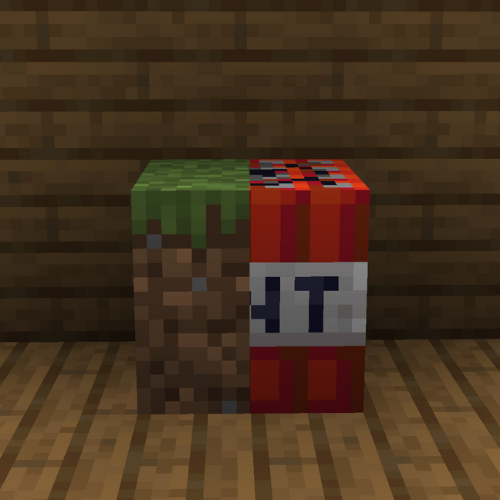
TNT Rust
Replaces the textures of vanilla TNT with a pixel skin for sachel from the game Rust, this version of TNT looks beige, which looks more beautiful to me, this resource pack may also be useful to you for some mode in Minecraft in the style of Rust
LeoTweaks TNTRUN Outlines
Just adds a slightly darker outline to all TNT-RUN related blocks to make Single hopping and Area perception a bit easier in the TNT RUN minigame.
TitleAnnouncer
# TitleAnnouncer
[](https://github.com/4drian3d/TitleAnnouncer/actions)

[](https://discord.gg/5NMMzK5mAn)


A lightweight plugin to send Titles, Actionbars, Bossbars and Chat Announces to Paper servers and Velocity networks.
## Features
– Ability to send announcements by using titles, actionbars, bossbars, and chat messages.
– Send announcements to users in the same world or server you are in.
– Send announcements to a specific user.
– Use of the [MiniMessage format](https://docs.adventure.kyori.net/minimessage.html#format) throughout the plugin, allowing the maximum possible customization.
– [MiniPlaceholders](https://modrinth.com/plugin/miniplaceholders) support
[](https://www.bisecthosting.com/4drian3d?r=ModTitleAnnouncer)
## Commands
To use the commands in Velocity, just add a “v” at the beginning of the command, for example: “/vannounce” or “/vtitleannouncer”.
### Announce Command
| Command | Arguments | Permission |
|————————-|————————————————————————————————|————————|
| /announce or /vannounce | [(Format type)](#format-argument) [(Target Argument)](#target-argument) (Format Arguments) | titleannouncer.command |
## Arguments
### Target Argument
When sending an announcement, you can define who to send it to using the target argument.
This argument allows you to select either an online player or the executor themselves, a server, or a world to send the announcement to.
The available targets are:
#### Self Target
This target allows you to send the respective announcement to the same executor of the command.
Keep in mind that if the server console uses this target, it will not be able to receive bossbars, actionbars, titles, or sounds;
it will only be able to receive chat announcements
**Example Usage**
`/(v)announce chat self Some announcement`
#### Player Target
This target allows you to send an announcement to a specific player.
Use the format `“player:PlayerName”`.
As it is an argument that uses a colon character and due to limitations of the Minecraft Vanilla command system,
it must be enclosed in quotation marks.
If executed in-game, online player names will be suggested.
**Example Usage**
`/(v)announce title “player:4drian3d” “TitleAnnouncer” “by 4drian3d”`
#### All Target
This target allows you to send an announcement to all players on the server or proxy.
If you run the command from TitleAnnouncer in Velocity, the announcement will be sent to all players on your network.
If you run it from TitleAnnouncer installed in Paper, the announcement will be sent to players connected to the server where it is run.
**Example Usage**
`/(v)announce actionbar all TitleAnnouncer | `
#### Server Target
> This target is exclusive to Velocity
This target allows you to send an announcement to the specific server where the player executing it is connected, or to a specific server.
For the executor to send the announcement to the server where it is connected, you only need to place `server` as an argument.
But if the executor wants it to be executed on another server, it must be specified with the format `“server:ServerName”`.
Like the player argument, when requiring `:`, it must be enclosed in quotation marks.
**Example Usage**
`/vannounce bossbar server 30 blue notched_12 A big announcement!!!`
`/vannounce bossbar “server:lobby” 30 blue notched_12 A big announcement!!!`
#### World Target
> This target is exclusive to Paper
This target allows you to send an announcement to the world where the player executing the command is located or to a specified world.
If you want to send the announcement to the world where the player is located, you must use the `world` argument.
But if you want to specify another world, you must use the `“world:WorldName”` argument.
Like the player argument, when requiring `:`, it must be enclosed in quotation marks.
**Example Usage**
`/announce bossbar world 30 blue notched_12 A big announcement!!!`
`/announce bossbar “world:lobby” 30 blue notched_12 A big announcement!!!`
### Format Argument
#### Chat Format
| Arguments | Permission |
|————-|—————————–|
| [Message] | titleannouncer.command.chat |

#### Actionbar Format
| Arguments | Permission |
|————-|———————————-|
| [Message] | titleannouncer.command.actionbar |

#### Title Format
| Arguments | Permission |
|—————————————————————–|——————————|
| [Title] [SubTitle] (FadeIn Time) (Stay Time) (FadeOut Time) | titleannouncer.command.title |

#### BossBar Format
| Arguments | Permission |
|—————————————————|——————————–|
| [Display Time] [Color] [Overlay] [Content] | titleannouncer.command.bossbar |

#### Sound Format
> If running on Velocity, this format will only be able to send sounds to players with versions higher than 1.19.3.
| Arguments | Permission |
|———————————————-|——————————|
| [Sound Key] (Source Type) (Volume) (Pitch) | titleannouncer.command.sound |