Short Swords 4 PVP
# Short Swords 4 PVP
it just makes the Swords Short like the rest of the PVP texture packs

# Versions
There is a new version which is for 1.21.9+
There is also an older version for 1.8.9 for the people who prefer the older mechanics for combat.
Short Swords
This texture pack makes swords short for your convenience!
This texture pack supports 1.8.9, 1.21.11, 26.1
PvP Swords
# PvP Swords
Shorter/smaller textured swords for easier PvP.
insert copper sword from imagination below… or go to the gallery tab i guess
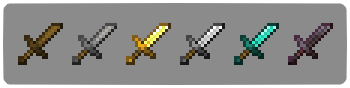
The resource pack file is shorterswords.zip
shea’s simple Totem x bare bones
# shea’s simple Totem x bare bones
## what does this pack does
### it takes Totems and cleans it up
This pack does not include any bare bones textures
**Bare Bones is required for the intended look**
disclaimer if you use this pack make sure to place this pack above bare Bones in your resource pack list for it to use its own instead of bare bones
i recomend using other shader and resource packs like bliss to improve looks but that is optional
**you can showcase this if you want just dont redistrabute it**
Shady’s Dark Okami GUI
The default Minecraft interface is too bright for me, and other dark mode packs I’ve downloaded in the past are just a step away from perfect. So, I made my own.
Features a dark mode interface that’s not too dark and not too light, double resolution font, and a custom-made Okami inspired HUD for hearts, air, armor, and hunger. To go a bit farther, the sun and moon are also replaced with custom Okami textures.
**_Check the gallery for more examples of how this pack looks when applied._**

Shadow 16x
🌑 Shadow 16x – Resource Pack Description
Shadow 16x is a clean PvP-focused pack built for clarity and performance, while keeping a smooth 16× style.
✨ Key Features:
16x resolution – lightweight and sharp visuals.
Short swords – more screen space during PvP.
Custom skies – immersive day & night views. (REQUIRES OPTIFINE MOD)
Optimized wool textures – designed for godbridging & bridging practice.
Special crosshair – precise alignment for bridging and combat.
_**Note: I do not have explicit permission for some textures used. I am fine with removing said textures if it is an obligation to the creators. Contact me via Discord @void2d, Instagram @void46_ , and e-mail : [email protected]
**_
Der’s Shaded Font Plus (Default 16x)


This resourcepack simply modifies Minecraft’s font by adding targeted colored shading to the lower parts of its characters, giving the game a more refreshing/visually appealing look! Supports **11,000+** characters, various languages, many symbols and is available for a wide range of game versions!
_**Note:** This pack has various (former) shading styles, check them out in the gallery! Only the latest release style is showcased here._

**All of Minecraft’s font is currently supported and shaded, consisting of:**
– **ascii.png**: Most-used characters and some other symbols
– **ascii_sga.png**: Standard Galactic Alphabet used for enchanting
– **asciillager.png**: Secret characters only illagers may understand (pre v16)
– **accented.png**: Versions of letters with accents, diacritics, ligatures and circled numbers/letters
– **nonlatin_european.png**: Accented characters, miscellaneous symbols, some non-european characters, latin script characters
**Beyond that, the latest releases also added:**
– **8,500+** shaded glyphs across 37 unicode pages
– **Extensive** language & symbol support
– **Vanilla fixes** for incorrect glyph widths like for “▚”
– Support for popular servers like **Hypixel** (symbols) and **Wynncraft** (tooltips)

**Q1**: May I use this for my modpack?
**A1**: Feel free to include it in your modpacks on Curseforge and Modrinth! If you are using it as a content creator, giving credit by linking to this project’s page in your content’s description is highly appreciated!
***
**Q2**: What are editions?
**A2**: Editions were used to group game versions, indicated by a letter at the end of the pack’s name, ex.: (C) for Copper Edition, supporting MC 1.18+, including the files shown in the table of editions (gallery). **v10+ no longer uses editions** as there is only one file for MC 1.16+ now.
***
**Q3**: What are shading styles?
**A3**: Shading styles used to provide variety in the font’s appearance. v9.2 needs the Respackopts mod to access all styles (pair with Sinytra Connector if on forge). Standalone versions for each style, ex.: “Rose” (pink tint) are also available, not needing any mods. **v10+ no longer has multiple shading styles** nor needs any mods.
***
**Q4:** How do I tell **Der’s Shaded Font** apart from other shaded fonts?
**A4:** Last time I checked, this one was the only vanilla shaded font that supported anything other than just ascii.png characters (see features section for details). Symbols, accented characters and otherwise special characters with shading are most likely from here as well as any of the exclusive colored shading styles.
***
**Q5**: Why do a few special characters/symbols look double-struck when bold?
**A5**: Those (usually thin) characters appear as double-struck/outline due to Minecraft applying the same bolding method (duplicating and shifting by two pixels) across the board. Resourcepacks are limited in this regard as they cannot adjust said method. It is best to avoid using such characters in “**bold**” for now. Only a handful are affected.
***
Click here for a 32x version! / Submit feedback
Shaded Caps
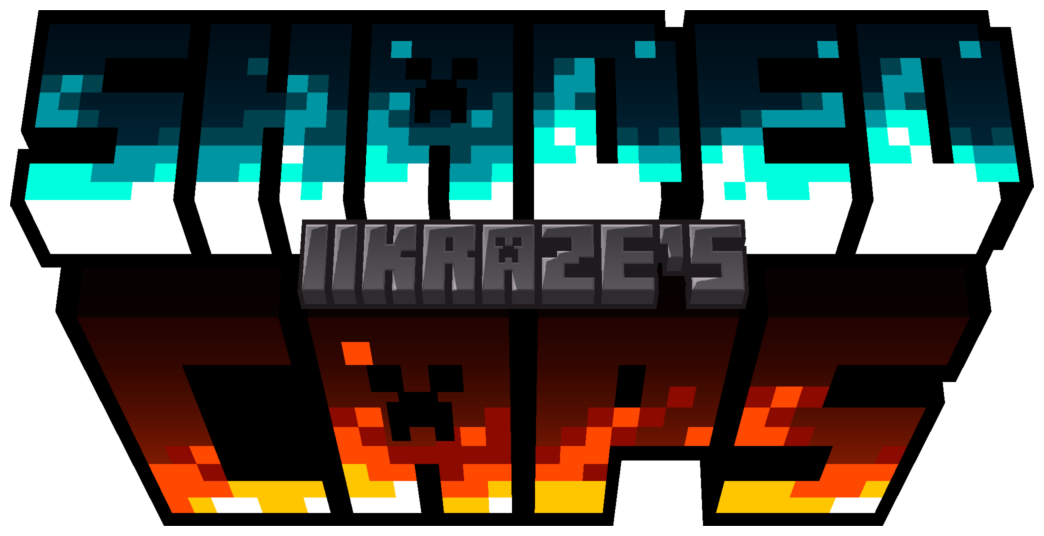
This resource pack capitalizes the minecraft font & adds a shading effect
to make your font look amazingly tasty.

This resource pack was made with inspiration from the 2 following resource packs
so if you want either of them without the other then click the links below.

philliamm’s Shaded Font This adds a shaded effect to the base minecraft font.
qrafty’s Capitalized Font This turns all the lowercase letters into smaller capitals.

### CREDITS
**philliamm** – For the font shading idea
**qrafty** – For the capital font idea
ServerPermissions

Add permissions to access your servers.
### Compatibility
– Velocity 3.2.0+ Support
– Java 17+

– Sends error messages when someone tries to access a non-allowed server
– MiniPlaceholders Support
– High performance using Velocity’s most powerful features
### Permissions
`serverpermissions.server.`
#### For example:
– `serverpermissions.server.survival`
– `serverpermissions.server.skyblock`
### How to configure it?
ServerPermissions requires no configuration, just add permissions (`serverpermissions.server.`) to access any of your servers. For this, you must install a permissions plugin in Velocity, such as LuckPerms.
Also, don’t forget to assign everyone the permission to access your lobby or first server, otherwise, no one will be able to access your server.
Spanish Tutorial


LogCleaner
## 🧹 LogCleaner
**LogCleaner** is a lightweight and efficient plugin that automatically cleans up your server’s `logs/` and `crash-reports/` folders — so you don’t have to!
I originally made it because I was tired of my WinSCP almost crashing every time I opened the logs folder — now it’s public, and maybe it can help you too.
### 🔧 Features
– Automatically delete old log files
– Supports two cleaning modes:
– **By days**: delete logs older than a defined number of days
– **By amount**: keep only the most recent X log files
– Optional cleanup of crash reports
– Fully configurable via `config.yml`
– Java 8 compatible — works on **all Minecraft versions from 1.7+**
### 📂 Example use cases
– Keep your server clean and tidy
– Prevent lag when opening folders via FTP clients like WinSCP
– Automate annoying manual cleanup work