Руссикй
Данный ресурс-пак добавляет в вашу игру 3D оружие!

Сейчас в ресурс-паке есть:
Незеритовый мечь,
Алмазный мечь,
Золотой мечь,
Железный мечь,
Каменный мечь,
Деревянный мечь
и Булава!
Український
Цей ресурс-пак додає у вашу гру 3D зброю!

Зараз у ресурс-паку є:
Незеритовый мечь,
Алмазный мечь,
Золотой мечь,
Железный мечь,
Каменный мечь,
Деревянный мечь
и Булава!
Simple Reconnect
A plugin for Velocity that reconnects players to the last server they were playing on
## Features
– **Automatic reconnection to the last server on player login**
– Configurable messages for reconnect success and server unavailable
– Multiple storage backends: YAML, SQLite, MySQL, MariaDB, PostgreSQL, LuckPerms
– Optional per-server permission (velocity.reconnect.)
– Server blacklist to prevent reconnection to specific servers
– Optional LiteBans integration to prevent reconnecting banned players
– Optional fallback prevention (block redirect to fallback server when kicked)
– _reload_ command to reload configuration without restarting the proxy
## Commands
– **/vreconnect reload** Reloads the plugin configuration
## Permissions
– **reload:** requires permission velocity.reconnect.reload (default: op)
## Configuration
“`
# For debugging purposes, recommended to disable
debug: false
# Should we check for the latest version?
checkUpdates: true
# Send players a message when they are reconnected
messageOnReconnect: true
reconnectMessage:
– “You were reconnected to %server%.”
# Send a message when their previous server isn’t available
notAvailable: true
notAvailableMessage:
– “Unable to reconnect you to your last server.”
# Require velocity.reconnect. permission per server
perServerPermission: false
# Servers that players cannot reconnect to
blacklist: []
# Prevent connection to fallback servers when kicked
preventFallback: false
preventFallbackMessage: []
# LiteBans hook – prevents banned players from reconnecting to banned servers
liteBansHook: false
storage:
method: “yaml”
data:
address: “localhost:3306”
database: “reconnect.db”
username: “root”
password: “1234”
“`
– **debug:** Enable debug logging
– **checkUpdates:** Check for new versions on startup; admins with velocity.reconnect.admin get update notifications
– **messageOnReconnect / reconnectMessage:** Message shown when player is reconnected. Placeholders: %server%, %player%
– **notAvailable / notAvailableMessage:** Message when the last server is offline or unreachable
– **perServerPermission:** If true, player needs velocity.reconnect. to reconnect to each server
– **blacklist:** List of server names where reconnection is never allowed
– **preventFallback / preventFallbackMessage:** When kicked, prevent redirect to fallback server (if not on blacklist)
– **liteBansHook:** Integrate with LiteBans to block reconnection to servers where the player is banned
– **storage.method:** Storage backend. Options: yaml, sqlite, mysql, mariadb, postgresql, luckperms
– **storage.data:** Connection settings for database backends. For SQLite/YAML, database is the file path
## Storage
In the **config.yml**, there are different storage options. If you don’t need your own plugins to interact with this one, we recommend you keep the **method** set as the default option **(yaml)**
“`
storage:
method: “yaml”
# The below is only needed if you are using MySQL
data:
address: localhost
database: reconnect
username: root
password: ”
“`
To change the method, alter the **method** key. Current options are:
– **yaml:** Local .yml file
– **sqlite:** Local SQL database
– **mysql:** Local or remote SQL database
The **data** section is for if you are using the **mysql** option for **method**
– **address:** The address of the SQL database
– **database:** The name of the database
– **username:** Username for the SQL database
– **password:** Password for the SQL database
###Requirements
– Java 21 (LTS)
– Velocity Proxy on the latest supported version
### Internal behaviour
– When using a forced host, the plugin does not override the initial server choice
– Storage location for YAML: **plugins/reconnect/data.yml**
– For LuckPerms storage, the last server is stored as user metadata
Simple PvP Edit
# Simple PvP Edit
## Discontinued the project has been abandoned and will no longer receive updates!
**This Minecraft Resource Pack enhances the aesthetics of PvP, making it look more attractive, simple, and even potentially useful due to some of its features.**
## Features
– `Makes swords and axes smaller.`
– `Reduces the size of fire and shields.`
– `Shrinks utility items like potions, golden apples, totems, and more.`
– `Compatible with versions 1.6.1-1.21.1`
– `Compatible with Sodium and Optifine.`
– `You can check the gallery for more information.`
– `It focuses more on cpvp (crystal pvp).`
##
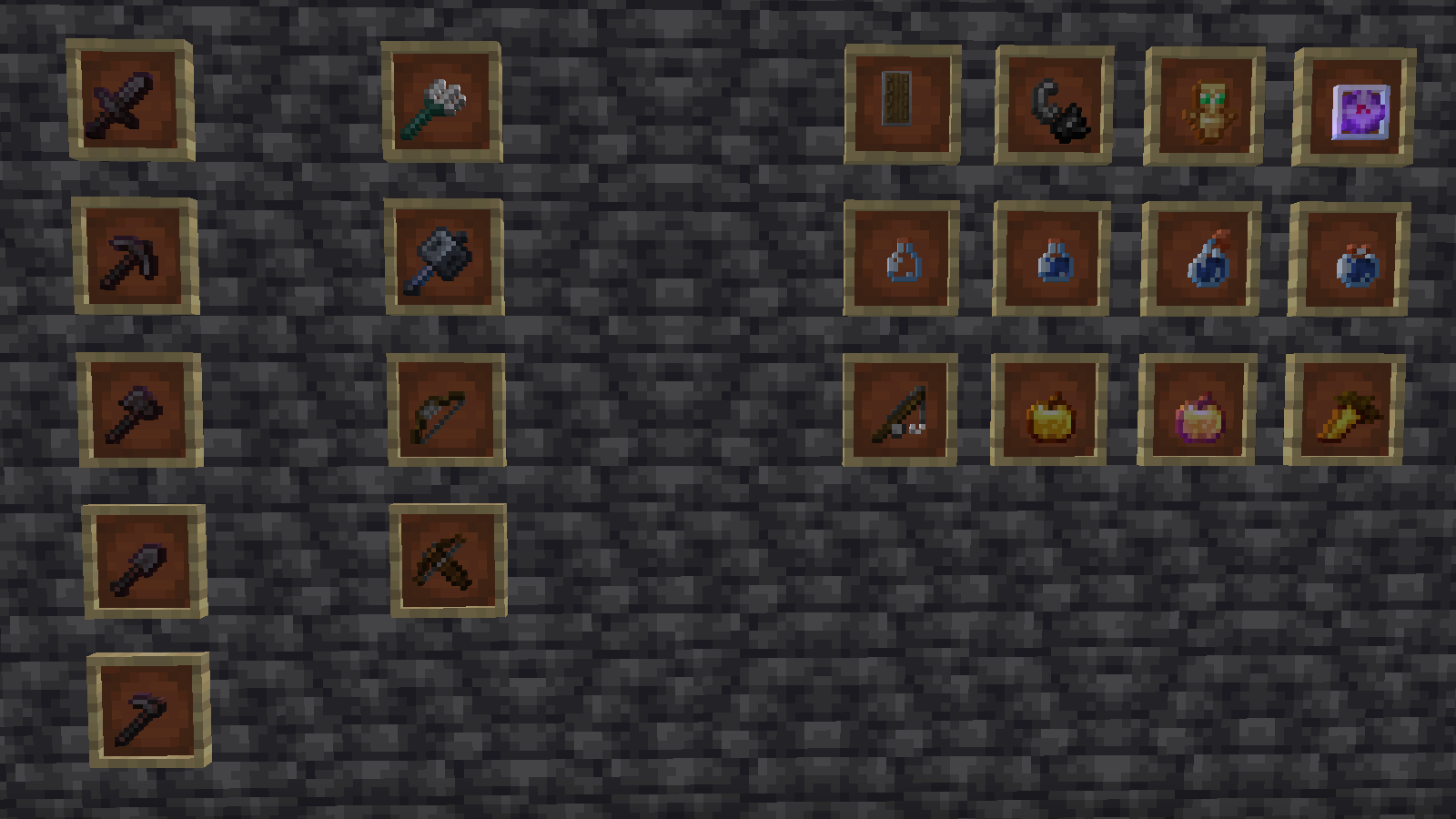
– `Check the gallery for more information.`
Español
># Simple PvP Edit
## Descontinuado ¡El proyecto ha sido abandonado y ya no recibirá actualizaciones!
**Este resource pack de Minecraft mejora la estética del PvP, haciéndolo atractivo, simple e incluso potencialmente útil debido a algunas de sus características.**
## Características
– `Hace que las espadas y las hachas sean más pequeñas.`
– `Reduce el tamaño del fuego y los escudos.`
– `Encoge objetos de utilidad como pociones, manzanas doradas, tótems y más.`
– `Compatible con las versiones 1.6.1-1.21.1`
– `Compatible con Sodium y Optifine.`
– `Puedes consultar la galería para obtener más información’.`
– `Se centra más en cpvp (crystal pvp).`
##

– `Consulta la galería para obtener más información.`
Simple Pack
## **The Simple Pack**

The simple pack is a new way experience Minecraft! We have re-textured the whole game to produce a simple and more artistic look that maintains its Minecraft feel. Enjoy new mob, block, item and game menu graphics! Install this simplifying pack into your Minecraft world and experience a more diminished outlook on your average blocks. The lack of extra pixels produces a more unique and almost satisfying form of gameplay, almost a whole new experience! I hope you enjoy it!
Pixels by IcyDice : )
—
Simple hit sound
This resource pack enhances PvP hit sounds to make combat feel more responsive and satisfying ⚔️🔥 The sounds are clearer and less distracting, helping you stay focused and track your hits better 🎯 Perfect for players looking for a smoother, more engaging PvP experience 🚀
Simple Grass Blocks
# About
This resource pack just makes the grass block texture simpler. It makes the texture of them only grass, so the dirt will not be visible. There are already a lot of resource packs that do the same thing.
# Issues
If you have any issue, please tell me here.
Simple Click
**WARNING**: Compatible with all version from 1.7 and higher! Ignore the information in the game and just use!
Tired of a loud, sharp, unpleasant clicking sound with any action in the game menu? Simply replace the old click with a quiet and modern. Don’t let anything annoy you while you concentrate on the game.
Silent Portals
# Silent Portals
**A Minecraft resource pack to remove the portal sounds from 1.6.1+**
•Will update as new versions are released to avoid in-game warning•
Removed Sounds
-Nether Portal Random Sounds
-Nether Portal Travel Sounds
How It Works
The resource pack replaces the .ogg sound files with versions containing no audio but the game still sees as a valid audio file.
This resource pack includes both “sound” and “sounds” folders to insure the maximum compatibility. No other files are changed to keep the size as small as possible.

**Enjoy the silence** of no annoying portal sounds!


