Suspecious Totem
Retextured totem of undying to among us looks sus. Compitable with version 1.21.4 singleplayer or multiplayer. Not any function just retextures it. Try it!
⚠️ In compitable with [Sodium](https://modrinth.com/mod/sodium)
Retextured totem of undying to among us looks sus. Compitable with version 1.21.4 singleplayer or multiplayer. Not any function just retextures it. Try it!
⚠️ In compitable with [Sodium](https://modrinth.com/mod/sodium)
an original album made as a tribute to C418 in his signature style, made into a custom music pack:
this pack features 6 tracks:
– 1 title track: jang
– 2 creative tracks: albeit, burning konkrete
– 3 survival tracks: rose field, cliff hanger, supernova
this resourcepack should be compatible with versions 1.7.2 and above. newer versions may complain about it being broken or incompatible, ignore that.
there are two versions of the pack: one that replaces the vanilla music and one that does not. the one that replaces the original soundtrack doesn’t seem to do so on 1.7.2, but the music should still be added to the pool.
you may use this music in your own resource/data/mod-packs only if it’s ENTIRELY FREE. this music may NOT be resold or used for COMMERICAL PURPOSES.
[https://aurigrave.org/audio/release/supernova](https://aurigrave.org/audio/release/supernova)
Super TNT mod is coming to 1.20.1+!
Veraster has supplied the original mod’s source code and assets so this can happen. Huge thank you to Manu5l for testing and making some of the TNTs, Jayden4293 for making a few TNTs, PhilTheBuilder for inspiration and olotheoriginal for some of the optimized explosion code and logic!
Found a bug, have a question or just want to discuss the mod? Join the official TNT discord server: https://discord.gg/aWDEk7EZ9u
## ALL TNT NOW FUNCTIONAL!
# List of TNT:
Large TNT
Massive TNT
Super TNT
Doom TNT
One to rule them all
True Ruler TNT (NEW)
Black Hole TNT
Anti Dimensional Singularity
NO TNT
NEVER TNT (NEW)
Biome Buster
Cluster TNT
Super Cluster TNT
Ultra Cluster TNT (NEW)
Airborne TNT
Anti Mob TNT
Arrow TNT
Atomic Diamond TNT
Atomic Lava Nuke TNT
Atomic Mob Swarm TNT
Bunker TNT
Cave TNT
Cheesy TNT
Crack TNT
Crappy TNT
Diamond TNT
Everything TNT
Fact TNT
Fire TNT
Flat TNT
Forest TNT
Heck TNT
House TNT
Is It Christmas TNT
Island TNT
Jail TNT
Kim Jong TNT
Lava Ocean TNT
Lightning TNT
Mining TNT
Mob Swarm TNT
Mob TNT
Nostalgia TNT
Ocean TNT
Rainbow TNT
Rake TNT
Really Crappy TNT
Save TNT
Snow TNT
Sponge TNT
Super Flat TNT (NEW)
Teleportation TNT
Time TNT
Tiny Island TNT
Tree TNT
Trump TNT
Warp TNT
Wave TNT
Weather TNT
Weed TNT
sunsetule d’ou cobax is a sunset recolor of a texture pack made by Akooa and myself made for 1.8.9 pvp.
It is based arround the vanilla game textures while still adding some fresh details to it making it more pleasant to play with 🙂
It is mainly made for gamemodes like bedwars and skywars but can be used all arround 1.8.9.
The main goal of this pack is to make the overall pvp experience fill more smooth by shortening swords as well as adding a custom sky as well as a sound pack.
/! The Sky and the soundpack ONLY WORKS WITH Optifine, while you can use the pack without optifine, the sky as well as the soundpack wont work without it /!
Here are some in game screenshots to showcase more of the pack :
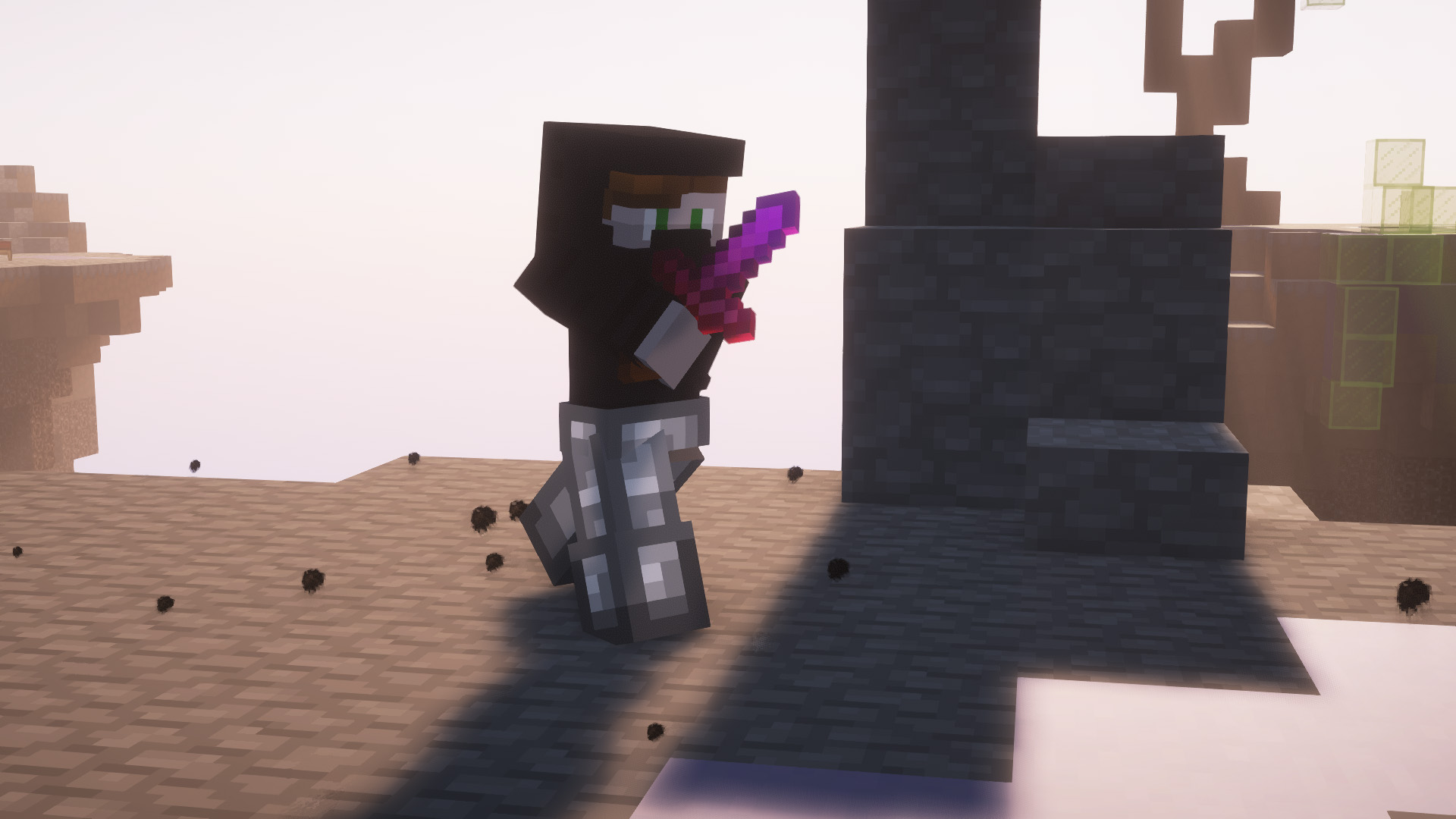
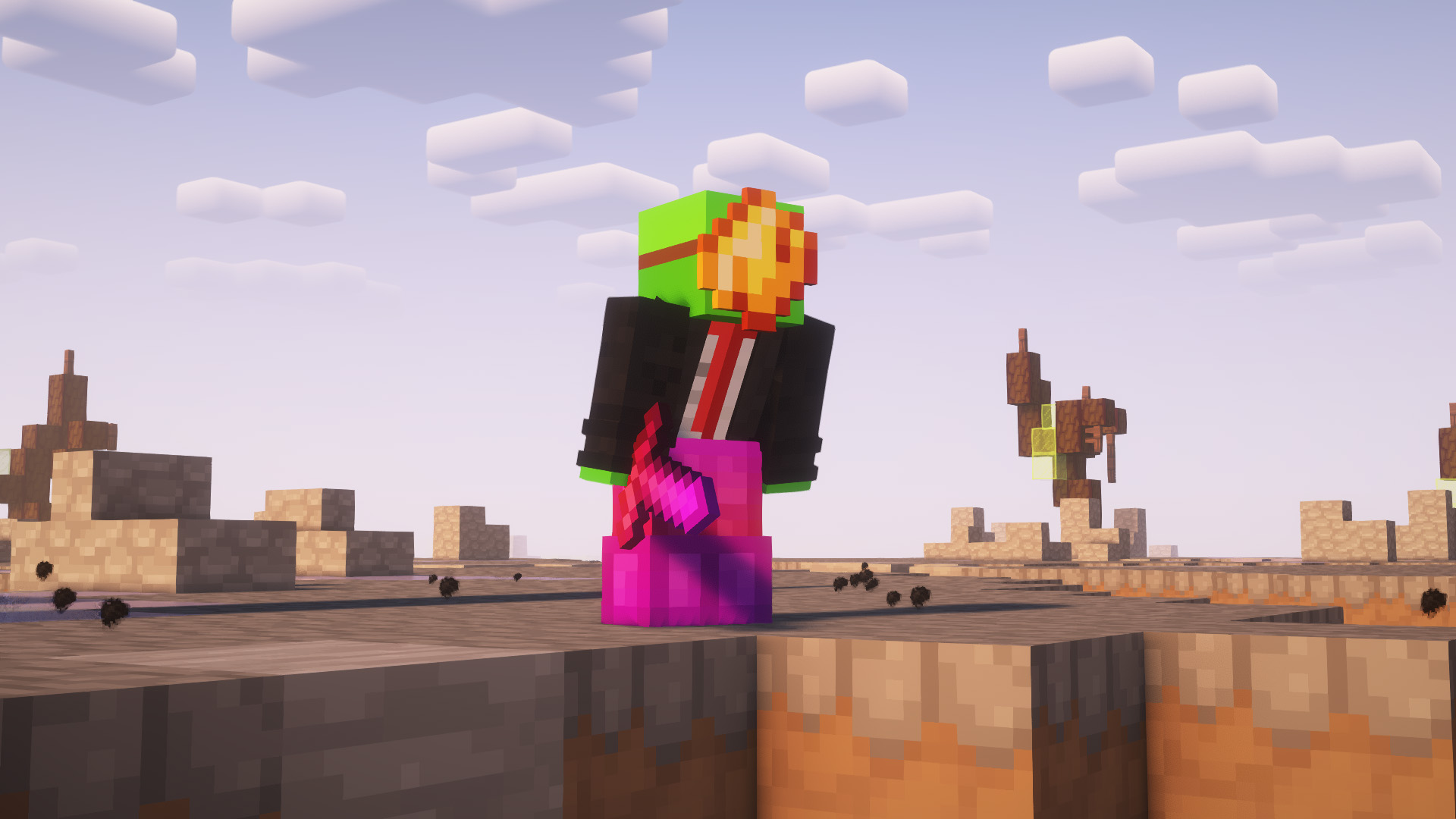
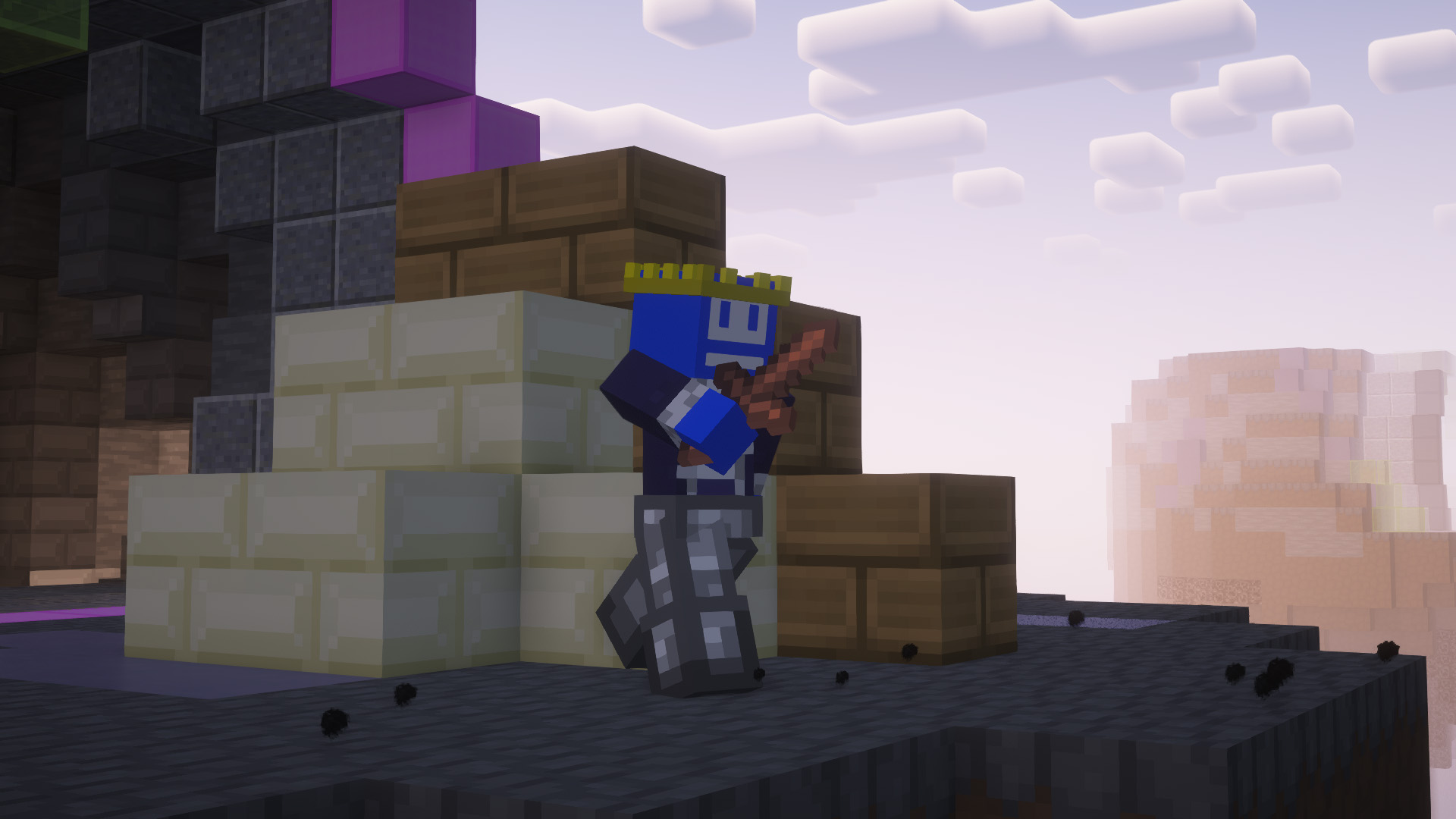
Sidenote : Feel free to join the discord if there is any issues with the Texture pack (Rendering Issues, Crashes, Textures not working properly, Sky glitches and/or not rendering…) It helps us greatly improve the work we do and provide the best for you all !
Resourcepack changes the ghast face to an emote from twitch “SubPrice”

# Bad Apple Shaders
  
This is an Iris/OptiFine shader which changes rendering to look like [【東方】Bad Apple!! PV【影絵】](https://youtu.be/FtutLA63Cp8)
 
## Screenshots

## FAQ
Q: Does this work on OptiFine?
A: Yes. **This does come with an epilepsy warning if you are on an m-series mac.**
Q: Does this work on Iris/Oculus?
A: Yes.
Q: Does this work on 1.8?
A: The Legacy version should work with 1.8.
## Pridepack
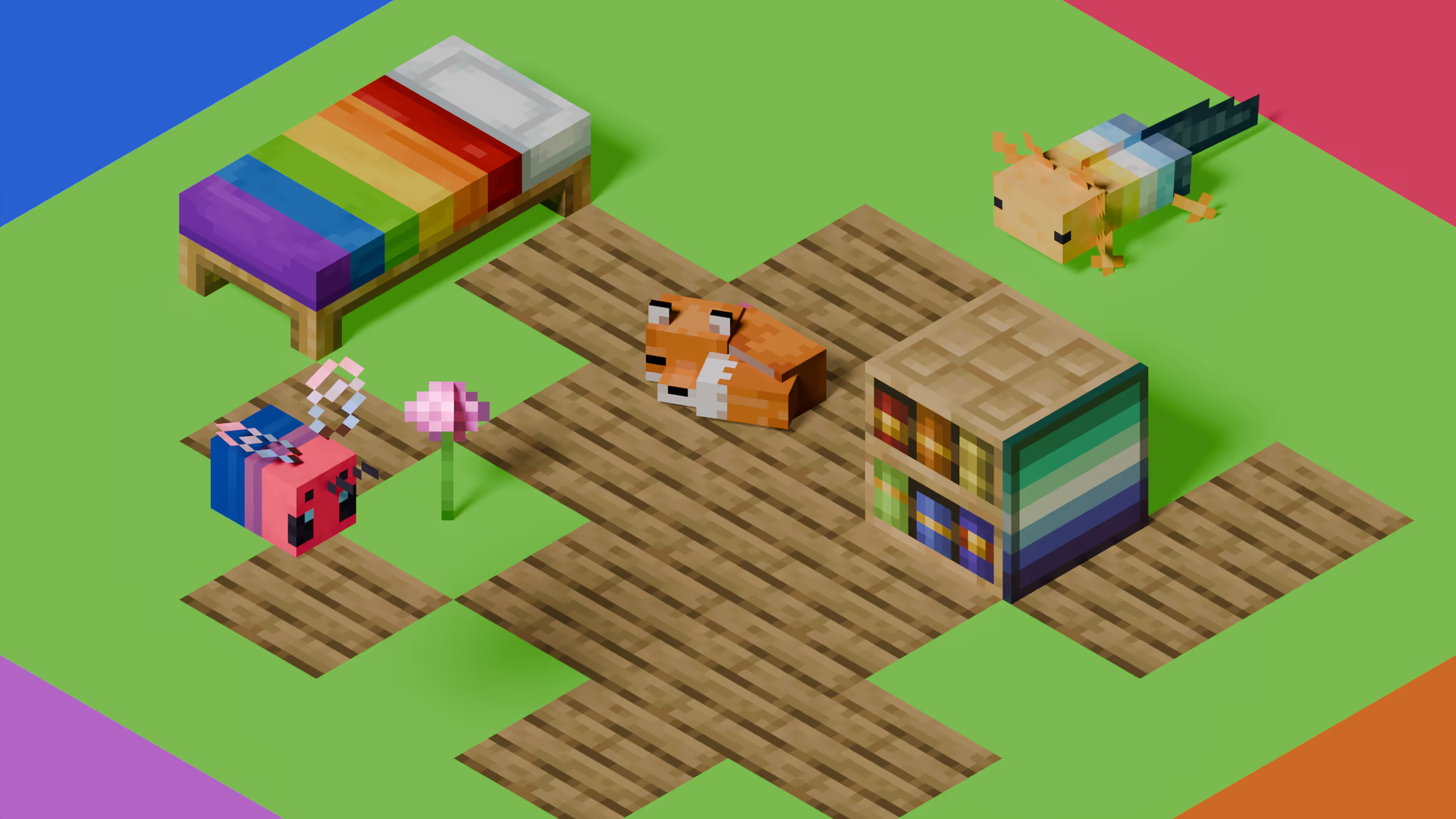
[Pridepack](https://pridecraft.gay/pridepack) is a Resource Pack made by [Pridecraft Studios](https://pridecraft.gay). It comes with many LGBT Pride additions, such as paintings, beds, mobs and Main Menu changes. If you’re interested in gaying your game, you should check it out!
## SubAuth
SubAuth is a server-sided mod or plugin, designed to be used by content creators on Twitch who wish to create servers for their subscribers to play on. SubAuth automatically whitelists your subscribers who have linked their Twitch accounts to SubAuth via the SubAuth server.
## Setup for Server Admins
1. Log in to `subauth.thatgamerblue.com` using your Minecraft client, with version 1.15 or newer.
2. Link your Twitch account following the steps in the chatbox. Make sure to get your token, you’ll need it in a minute.
3. Install the SubAuth mod or plugin on your server. After first run, it will create a config file for you to put in your tokens.
4. Put your token in the config file, either in `config/subauth.json` or `plugins/SubAuth/config.yml`, make sure you delete the placeholder tokens.
5. Restart your server, and SubAuth will be enabled!
For your subscribers to join, they just have to link their twitch account on the `subauth.thatgamerblue.com` server, then they will be automatically able to join the server!
If you wish for subscribers to multiple users to be able to join the server, simply add the other creators tokens into the config file, and if a user is subscriber to any of them, they will be able to join.
## Issues
Please report any issues on [the GitHub page](https://github.com/ThatGamerBlue/subauth)
# Strudelgame V2
## Strudelgame – Offizielles Texture Pack [1.13 – 1.21+]
### Allgemeine Info:
– Es werden ständig Änderungen vorgenommen oder neue Funktionen hinzugefügt. Siehe _[Versionen](https://modrinth.com/resourcepack/strudelgame-v2/versions)_.
– Das ist mein erstes Texturepack! Bitte seid daher nicht zu streng. Alles wurde komplett selbst gepixelt und erstellt. ❤️
### GUI
Alle Inventare wie Amboss, Craftingtable usw. wurden neu gestaltet.
Auch Hotbar, Lebens- und Hungerbalken sind überarbeitet.
### Blöcke
Wolle wurde schöner und simpler gestaltet – perfekt für Bedwars.
### Items
Schwerter, Äxte und Spitzhacken wurden durch kleinere Varianten ersetzt, damit man im PvP mehr Übersicht hat. Es gibt auch ein Benutzerdefiniertes Schild.
### Custom Sky
Der Custom Sky funktioniert problemlos.
Bitte beachten: **Sodium unterstützt keine Custom Skies**.
Dafür musst du **[Skyboxify](https://modrinth.com/mod/skyboxify)** installieren.
### Optional: GUI entfernen
Wenn dir die GUI nicht gefällt:
“`
Strudelgame.zip → assets → minecraft → textures → gui → Lösche alle Dateien AUßER den Ordner sprites.
“`
## Strudelgame – Official Texture Pack [1.13 – 1.21+]
### General information
– Things are constantly being changed or added. See _[versions](https://modrinth.com/resourcepack/strudelgame-v2/versions)_.
– This is my first texture pack, so please don’t be too harsh. Everything was completely hand‑pixelled and created by myself. ❤️
### GUI
All major interfaces such as the anvil, crafting table, and other inventories have been redesigned.
The hotbar, health bar, hunger bar, and additional UI elements have also been updated.
### Blocks
Wool blocks have been redesigned with a simpler and cleaner look, especially optimized for Bedwars.
### Items
Swords, axes, and pickaxes have been replaced with smaller versions to improve visibility in PvP. There is also a custom shield.
### Custom Sky
The custom sky works without issues.
Please note: **Sodium does not support custom skies**.
To enable them, you need to install **[Skyboxify](https://modrinth.com/mod/skyboxify)**.
### Optional: Remove the GUI textures
If you do not like the custom GUI, you can remove it manually:
Go to:
“`
Strudelgame.zip → assets → minecraft → textures → gui → Delete all files EXCEPT the folder named .
“`
### Wasted Time:
– **Hotbar:** _5h 13min_
– **Inventory GUI’s:** _4h_
– **Shield:** _12h_ (Bugs, Designing…)
– **Small Items:** _4h_
– **Sky’s:** _1h 15min_
– **Bloks:** _1h 47min_
– **Other:** _2h 27min_

MUST HAVE:
– LuckPerms. [**[ FOUND HERE ]**](https://luckperms.net/download)
– BukkitOfUtils (__For Bukkit / Spigot / Paper ONLY__). [**[ FOUND HERE ]**](https://www.spigotmc.org/resources/118276/)

Please join the Streamline Hub Discord in order to get updates and for me to fully assist you with bugs, questions, or suggestions.
Discord: [**click here**](https://dsc.gg/streamline)
[**Download Modules for Streamline Here (Click)**](https://storage.drak.gg/share/75RJ__vUBVQrC_PRfuHeTg)
# Introduction to Streamline
### What is Streamline?
Streamline is a Minecraft plugin that adds limitless functionality to Minecraft servers through what is known as **Modules**. These Modules are downloadable content that you insert into the Streamline plugin’s “modules“ folder to enhance your server.
Streamline Modules can do many things and even allow server admins and developers to make their own with a very nice framework.
The currently made modules add functionality such as:
– Redirecting players from one server to another when that server goes down. (**StreamlineRedirect Module**)
– Network staff chat, whispering, and friends. (**StreamlineMessaging Module**)
– Discord to Minecraft and Minecraft to Discord. (**StreamlineDiscord Module**)
– Logging messages to your Discord server with only webhooks. (**SimpleLogger Module**)
– Aliases, buildable functions, online list (per server, per group, or network wide), cross-network tpa, cross-network homes, cross-network teleporting, and more. (**StreamlineUtilities Module**)
– Data-Driven event-based protection for proxy and backend servers. (**ProxProtect Module**)
– Send resourcepacks to players on join. (**ResourcePackUtils Module**)
– Cross-network quests system with limitless potential. (**StreamQuests Module**)
– TAB (the plugin) integration, adding support for Streamline placeholders in TAB configurations. (**TAB-SL Module**)
– Simple and easily configured MOTD system like that of MiniMOTD. (**StreamlineMOTD Module**)
– *More.*
**NOTE**: Not seeing a feature you want? Ask Drak to add it on his Discord! – [**click here**](https://dsc.gg/streamline)
### What makes Streamline special?
Streamline allows for **universal cross-platform capabilities** with its Modules.
This essentially means you can run the same modules on a BungeeCord proxy that you would on a Velocity proxy (or even your backend servers). This, with the addition of **Modularized features** means that server admins and owners can choose *exactly* what they want in their server without bloatware.
This also makes it very easy for server admins to use a specific module across different servers. Or even for Developers to develop modules for servers (or the community).
### What exactly is Streamline capable of?
Literally *anything*. Seriously.
#### Supported Proxies:
> – Velocity
> – BungeeCord
> – Waterfall
> – FlameCord
> – Travertine
> – XCord
> – Etc.
#### Supported Backend Servers:
> – Spigot.
> – Paper.
> – Folia.
> – Purpur.
> – Tuinity.
> – ImmanitySpigot.
> – FlamePaper.
> – Mohist / Banner / Youer.
> – Etc.
#### Natively-Supported Plugins:
> – Luckperms. (Required.)
> – BukkitOfUtils. (Required on Bukkit-like servers.)
> – Geyser / Floodgate. (Everything work the same for Bedrock players as would Java players!)
> – PlaceholderAPI.
> – CMI. (With Utils module.)
> – EssentialsX. (With Utils module.)

Follow the Discord setup guide [**[ FOUND HERE ]**](https://github.com/Streamline-Essentials/StreamlineWiki/wiki/Discord-Setup) to set up the discord module.
# What can I do with the `Discord Module`?
– Link **Discord to Minecraft** and **Minecraft to Discord** with `Routes`.
– Available link types:
– Natively (Without other Modules):
– **Proxy local chat** `<->` **Discord Text Channel**
– **Proxy global chat** `<->` **Discord Text Channel**
– **All online players with specific permission** `<->` **Discord Text Channel**
– **Discord Text Channel** `<->` **Discord Text Channel**
– Groups (With `StreamlineGroups` Module):
– **Guild chat** `<->` **Discord Text Channel**
– **Party chat** `<->` **Discord Text Channel**
– Messaging (With `StreamlineMessaging` Module):
– **Local Room chat** `<->` **Discord Text Channel**
– **Global Room chat** `<->` **Discord Text Channel**
– **Custom Room chat** `<->` **Discord Text Channel**
– Message formats are completely customizable.
– Avatar with player’s skin will pop up when their message is sent to Discord.
– Link player’s Discord profile with your server.
– Players can chat using their StreamlineUser profile from Discord.
– All Discord messages can be configured to be sent as completely customized Discord embedded messages

More information is found on our wiki: [**FOUND HERE**](https://wiki.plas.host/streamline)
### NOTICE ABOUT COMMANDS, PERMISSIONS, AND MESSAGES.
***All commands are completely customizable in their `.yml` file. Including permissions and message outputs!***

1. Install dependencies.
– “BukkitOfUtils“ if on Bukkit / Spigot / Paper / Forks.
– “LuckPerms“ for all platforms.
2. Download the plugin file.
3. Drop it into your server’s plugins folder.
4. Start and stop your server.
5. Fill out the configs where necessary.
– Configurations for the streamline plugin can be found in your `plugins` folder, under `StreamlineCore`.
6. Add desired modules.
– Modules can be downloaded from here: [**click here**](https://wiki.plas.host/modules)
7. Start and stop your server again.
8. Fill out module configs where necessary.
– Module files can be found in your `plugins` folder, under `StreamlineCore`, under `module-resources`.
9. Start your server again.
More information can be found on our wiki: [**click here**](https://wiki.plas.host/streamline)

1. Look on the wiki: [**click here**](https://wiki.plas.host/streamline)
2. Get in touch on the Streamline Discord: [**click here**](https://dsc.gg/streamline)
3. Submit a bug on the issue tracker (this is rarely checked): [**click here**](https://github.com/Streamline-Essentials/StreamlineCore/
# BStats
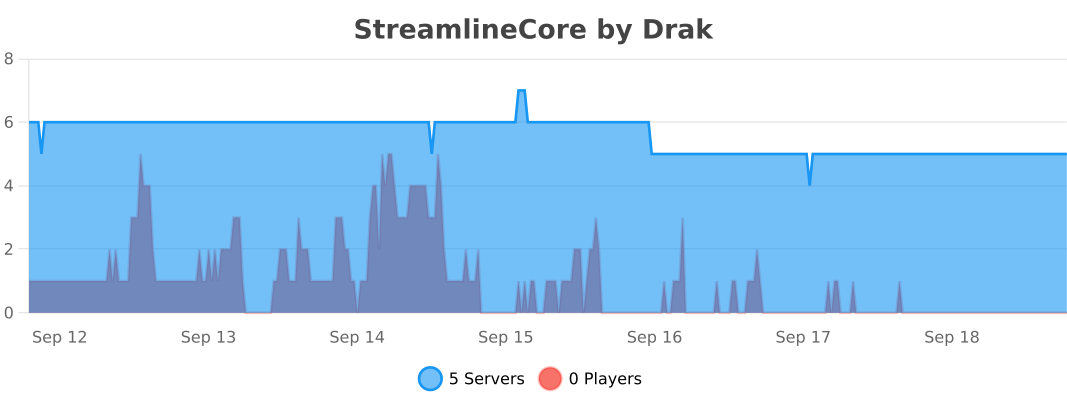
**Bukkit**
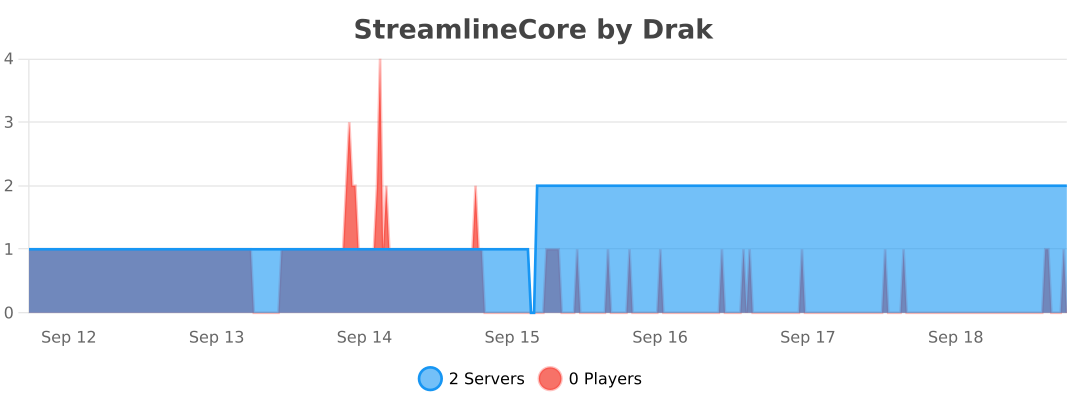
**BungeeCord**
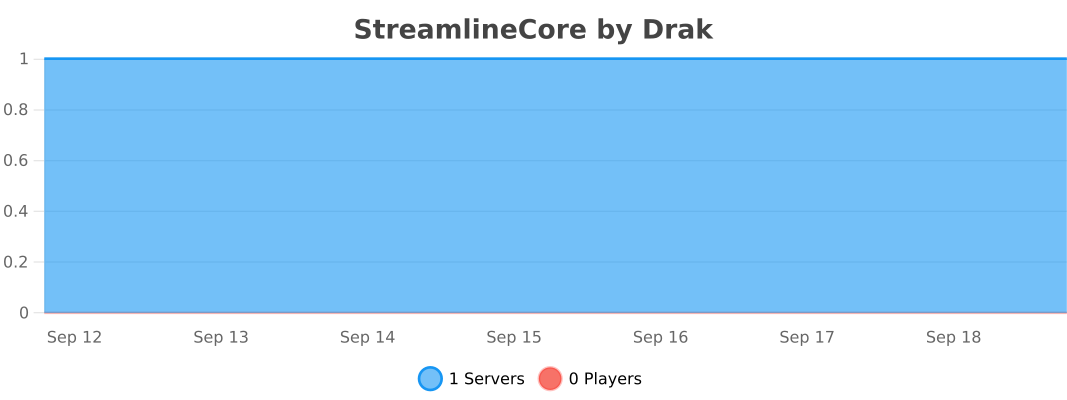
**Velocity**

* [BukkitOfUtils](https://modrinth.com/plugin/bukkitofutils)

Please join the Streamline Hub Discord in order to get updates and for me to fully assist you with bugs, questions, or suggestions.
Discord: [**click here**](https://dsc.gg/streamline)

Stonecutter functionality everyone wants. (Allow stonecutters to hurt entities with or without also hurting players.)

This offers a very simple configuration and setup all while remaining very light-weight.
Straight and to the point: damage entities on top of a stonecutter — including or excluding players and inside or outside of certain worlds.

1. Download and install BukkitOfUtils. Found here: [BukkitOfUtils](https://modrinth.com/plugin/bukkitofutils)
2. Download the correct version of this plugin for you server version.
3. Place in your `plugins` folder.
4. Stop server.
5. Start server.
6. Use to your liking.

## How to Add/Remove Whitelisted/Blacklisted Worlds
1. Install plugin. (Shown above.)
2. Go to the configuration (`config.yml`).
3. Add or remove the world name from the `names` list under `worlds`.
4. Change the setting `is-whitelist` to `true` or `false`.
– NOTE: `false` means that it is a blacklist.
## How to Add/Remove Whitelisted/Blacklisted Entity Types.
1. Install plugin. (Shown above.)
2. Go to the configuration (`config.yml`).
3. Add or remove the world name from the `types` list under `entities`.
4. Change the setting `is-whitelist` to `true` or `false`.
– NOTE: `false` means that it is a blacklist.
## Functionability
* Blacklist/whitelist worlds.
* Blacklist/whitelist entity types.
* Set amount of damage.
* Set amount of game ticks between each damage tick.

## Commands
`
`(optional)`
– No commands! Easy as that!