Weezer Albums
Replaces some music discs with songs from each Weezer album. The resource pack is client-side only. All music belongs to Weezer. WARNING: SOME SONGS ARE 18+ | New ideas? Email me at [email protected].
Replaces some music discs with songs from each Weezer album. The resource pack is client-side only. All music belongs to Weezer. WARNING: SOME SONGS ARE 18+ | New ideas? Email me at [email protected].
WebSender Reloaded, ready to help you!
Send a command to your Minecraft or Hytale server via DrawWEB or similar web scripts.
– Send command with PHP your Bungee, Velocity or Bukkit server!
– BungeeCord/Velocity and Spigot support!
– %100 Customizable config!
– Fast socket system!
– Multiple server support!
– /websender command. Perm: websender.admin
– Important: When you install the plugin, make sure to change the password, otherwise the plugin will not work. Also, if you change the websender port, enter a port that is not used elsewhere on your server.
**Important:** When you install the plugin, make sure to change the password, otherwise the plugin will not work. Also, if you change the websender port, enter a port that is not used elsewhere on your server.
**PHP EXAMPLE:**
If you downloaded version 1.0.1 or lower, the contents of the folder named “ExamplePHP” in the zip are incorrect, you can download version 1.0.2 or 1.2 to get the correct examples.
**Configuration for Plugin v1.5+ (Important)**
If you have installed version 1.5 or higher, you must configure your
“`
WebsenderAPI.php
“`
file according to your server’s Java version. Please follow the steps below.
**Step 1: Update the WebsenderAPI.php File**
1. Open the **.zip** archive you downloaded for the plugin.
1. Find the **WebsenderAPI.php** file located inside the ExamplePHP folder.
1. Replace the existing **WebsenderAPI.php** file on your website with this new one.
### Forge [1.7.10 / 1.8.9 / 1.9.4 / 1.10.2 / 1.11.2 / 1.12.2 / 1.13.2 / 1.14.4 / 1.15.2 / 1.16.2-5 / 1.17.1 / 1.18.2 / 1.19.x / 1.20.x / 1.21.x / 26.1.x]
### NeoForge [1.21.7 / 1.21.8 / 1.21.11 / 26.1.x]
### Fabric [1.20.1 -> 1.21.11 / 26.1.x]
With this Mod your Hotbar items will be visible on your Character, with a unique location for a Shield and Banner.
You can turn on or off the visibility for all of them one-by-one in the settings window (Press V to open it).
Good compatibility with other mod Items.
(With these types of Items: TieredItem (Sword), TridentItem, ShieldItem, BowItem, CrossbowItem, BannerItem, DiggerItem (Tools))
### **There are 3 versions available for this mod!**
1. A **Client-Only** where others won’t see these items on you, but you can use it on servers without any problems.
2. There is a **Multiplayer** version where others see you the same way you see yourself!
So if you hide some of your items with the toggle screen (can be opened with the V key by default)
other players won’t see those items on you.
**3. From v4.1.0+ the first 2 version in merged**
If you find any errors please let me know.
Only the latest minecraft version gets support!
Thanks for downloading my mod!
### IMPORTANT:
The Client-Only and Multiplayer version is merged from v4.1.0+
### Credits:
[-russian translations: rey_zex](https://www.curseforge.com/members/rey_zex/projects)
# WC Tech & Magic
WCTM is a pack based around tech & magic. Now it has been brought back to life and has an official server.
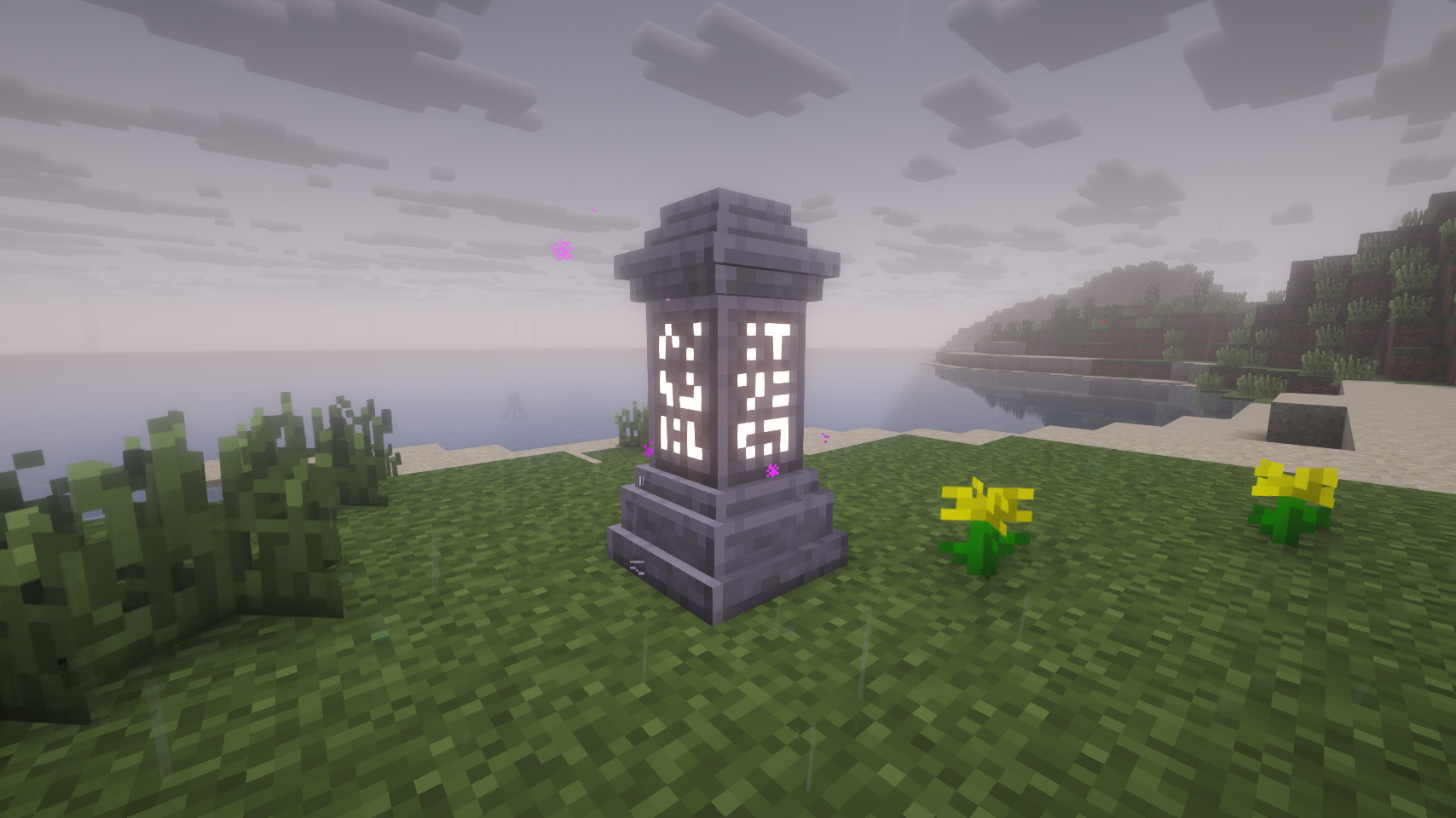
# Waystones-X (Unofficial Waystones Fork)
Teleport back to activated waystones. For Survival, Adventure or Servers.
([Waystones](https://github.com/TwelveIterations/Waystones) mod fork.)
[](https://github.com/JackOfNoneTrades/WaystonesFork/releases)
[](https://modrinth.com/mod/waystones-x)
[](https://www.curseforge.com/minecraft/mc-mods/waystones-x)
[](https://www.mcmod.cn/class/24645.html)
[](https://67.fentanylsolutions.org/mod/waystones-x)
[](https://maven.fentanylsolutions.org/#/releases/net/blay09/mods/waystones)

[](https://discord.gg/xAWCqGrguG)
[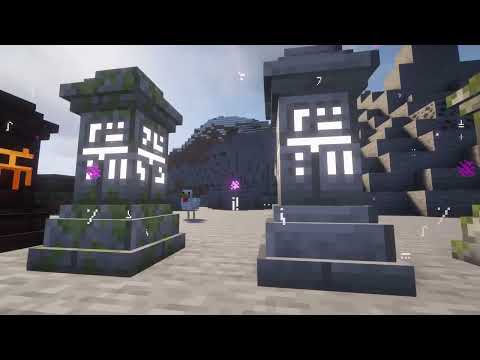](https://www.youtube.com/watch?v=3zaHQrlv-5o)
[ Trailer](https://www.youtube.com/watch?v=3zaHQrlv-5o)
### Fixes:
* Nether portals aren’t generated when teleporting to the Nether (@kuzuanpa)
* Fixed some rendering bugs (@kuzuanpa)
### New features:
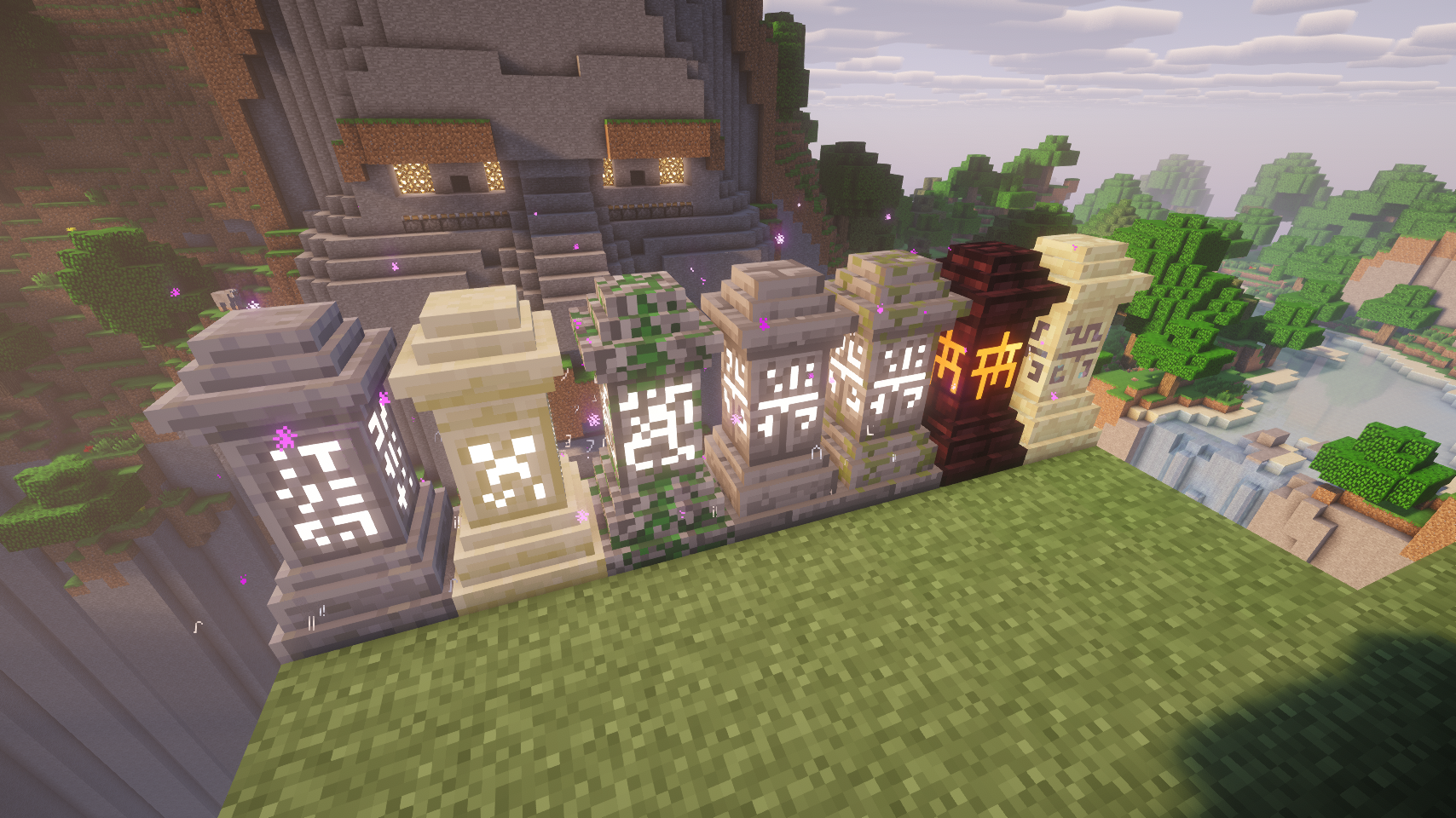
* New textures by DarkBum.
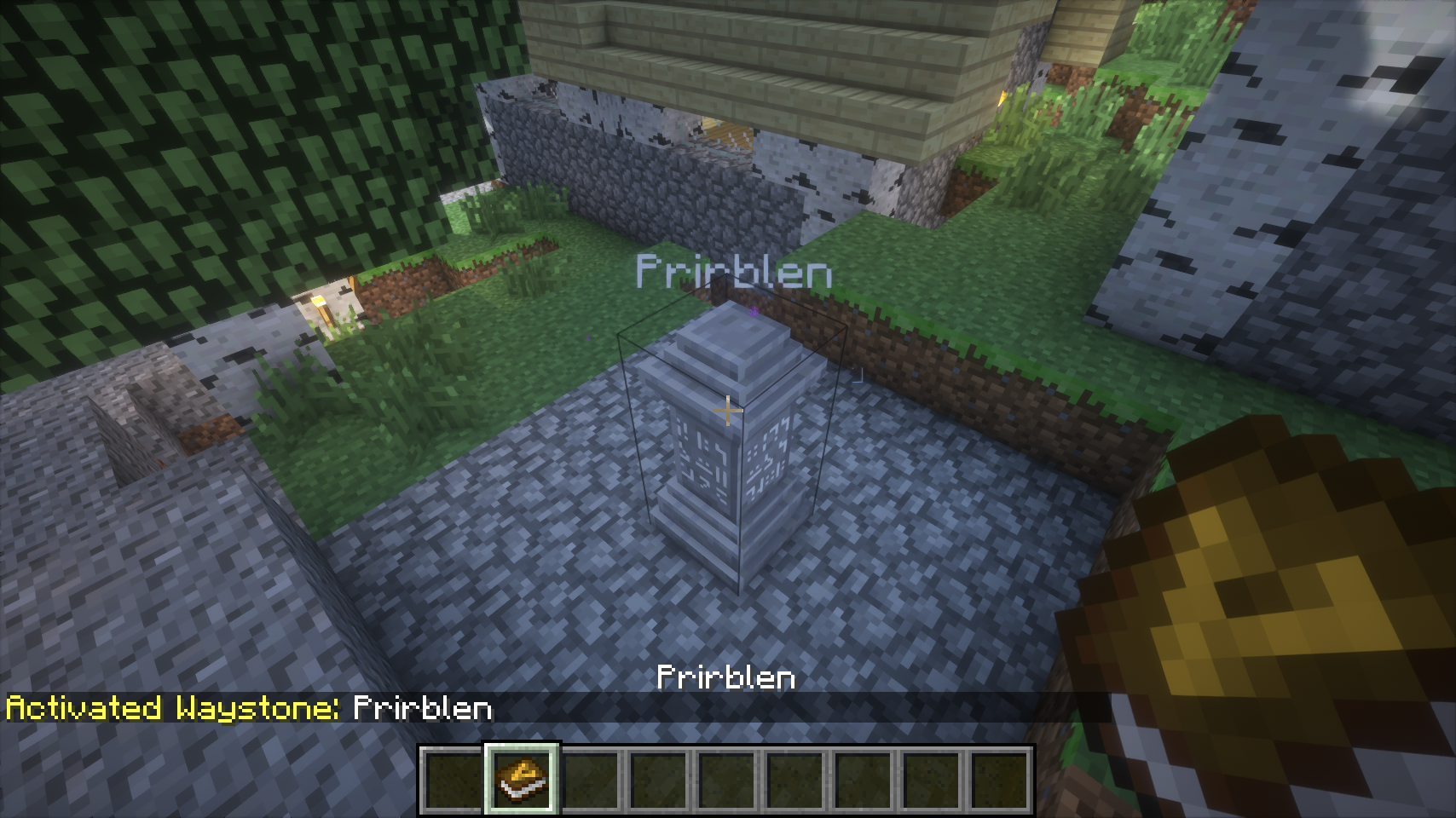
* Clicking an activated Waystone will open the teleport menu, instead of needing to shift-click it (much more intuitive)
* If configured, Waystones show nametags with their name.
* Duplicate Waystone names are disallowed.
* If a player exits the Waystone creation menu without properly naming it, the creation/naming menu will be shown upon next interaction (instead of creating an empty-named Waystone).
* GUI Configuration.
* Configurable worldgen.
* Automatic activation upon naming.
* Configurable [Village Names](https://modrinth.com/mod/village-names) mod compatibility.
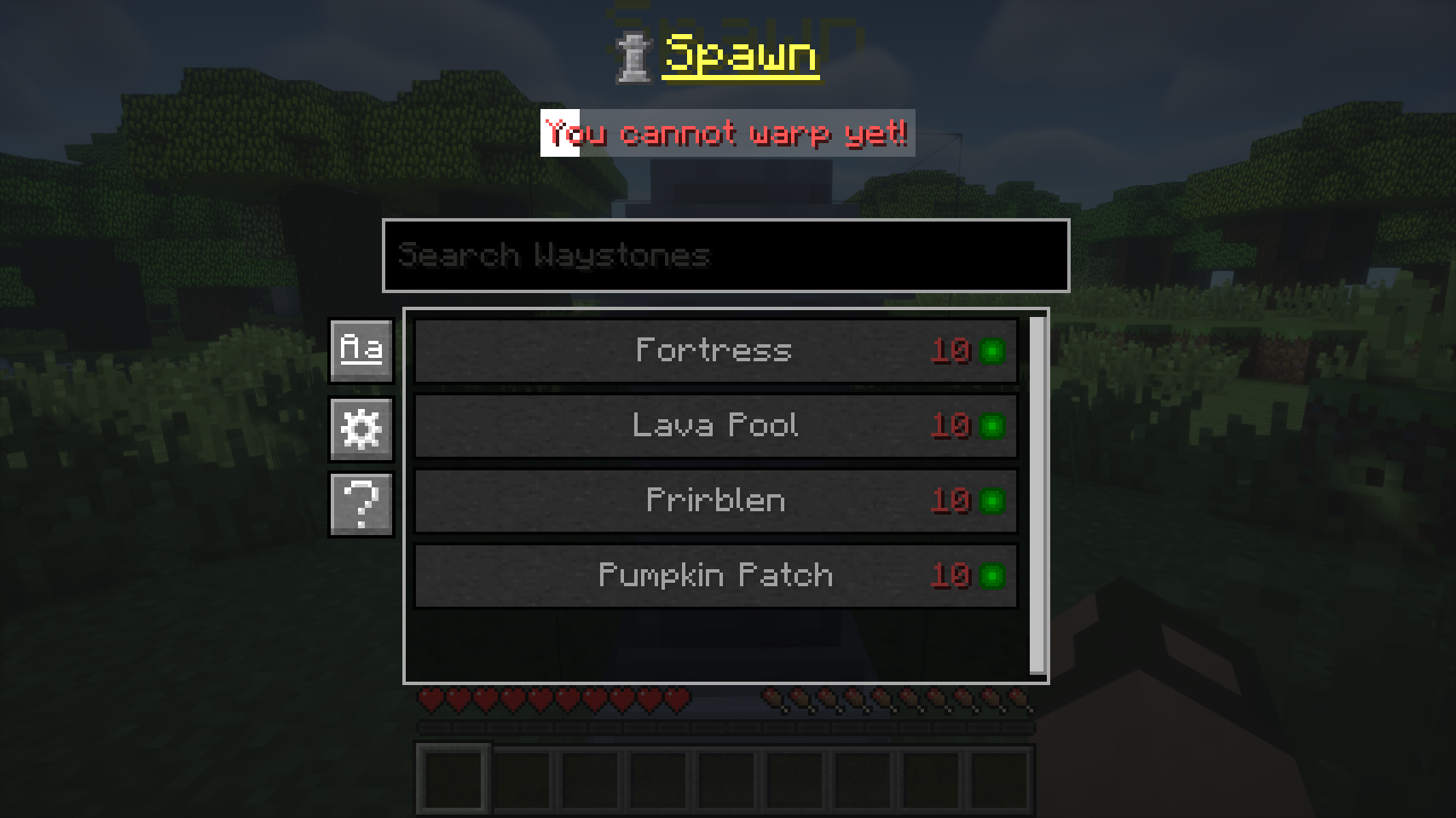
* Configurable teleportation XP level cost. Flat cost, distance cost, flat cross-dim cost.
* Configurable global teleportation cooldown. Cooldown status indicator.
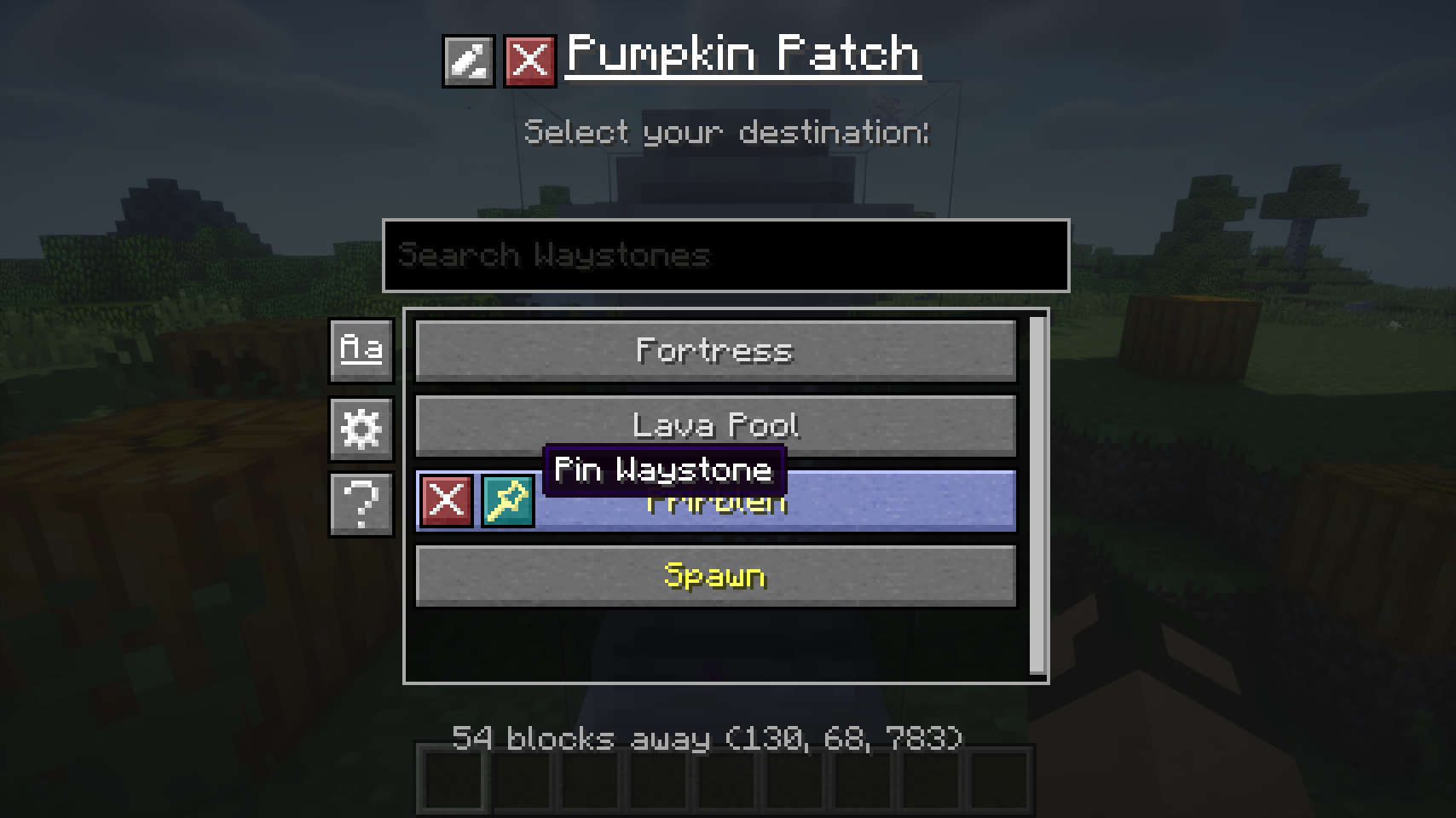
* Waystone list sorting by Name and Distance.
* Waystone list filtering.
* “Undiscovering/Forgetting” Waystones.
* Waystone renaming.
* Pinned Waystones which appear at the top of the list.
* Global Waystones are stored in the save NBT, no more conflicts.
* Sandstone, Mossy, (Mossy) Stonebrick, Netherbrick, Endstone Waystone variants.
* Journeymap and Xaero’s Minimap integration: adding waypoints upon interaction with Waystones
### Worldgen configuration system:
You can define a list of rules under the `structureWaystoneRules` key in the config. Each rule can have the following properties:
* `structure`: Vanilla or modded structure id this rule applies to (for example village, temple_desert).
* `chance`: Spawn probability from `0` to `1` (`0` = never, `1` = always).
* `type`: Waystone variant override: `auto`, `stone`, `sandy`, or `mossy`. `auto` keeps structure/default logic.
* `name`: Optional fixed name override. If duplicates exist, a number suffix is appended automatically. Makes the most sense for unique structures.
* `forceGlobal`: `true`/`false`. If `true`, the Waystone is forced to become global. Requires name to be set.
* `autoActivateGlobal`: `true`/`false`. Only relevant when `forceGlobal=true`. `true` immediately registers as global, false waits until player activation.
* `dimensionWhitelist`: Allowed dimension IDs, comma-separated (for example `0,-1,1`) or `*` for all.
* `biomeWhitelist`: Allowed biome IDs, comma-separated (for example `2,17,21`) or `*` for all.
Example: `structure=village;chance=0.35;type=auto;dimensionWhitelist=0;biomeWhitelist=2,17,35`
Currently supported `structure` ids:
* `village`
* `temple_desert`
* `temple_jungle`
* `stronghold`
* `fortress`
* `end_spike`
* `world_spawn`
## Dependencies
* [UniMixins](https://modrinth.com/mod/unimixins) [](https://www.curseforge.com/minecraft/mc-mods/unimixins) [](https://modrinth.com/mod/unimixins/versions) [](https://github.com/LegacyModdingMC/UniMixins/releases)
## Building
`./gradlew build`.
## Credits
* BlayTheNinth for the original mod.
* New textures by DarkBum.
* kuzuanpa for some bugfixes.
* Textures and ideas from [BetterWaystonesMenu](https://github.com/Loxoz/BetterWaystonesMenu/tree/1.18.2).
* brandyyn for some fixes.
* Omgise for Chinese translation.
* [GT:NH buildscript](https://github.com/GTNewHorizons/ExampleMod1.7.10).
## License
This project is a fork of [Waystones](https://github.com/TwelveIterations/Waystones/tree/1.7.10) by BlayTheNinth.
– **Original Waystones code**: [MIT License](LICENSE-MIT) (Copyright 2016 BlayTheNinth) ([archive](https://archive.md/IolUS))
– **New contributions**: [LGPLv3 + SNEED](LICENSE) (Copyright 2025 jack)
The combined work is distributed under LGPLv3 + SNEED terms. The original MIT-licensed portions remain available under MIT terms.
## Buy me a coffee
* [ko-fi.com](https://ko-fi.com/jackisasubtlejoke)
* Monero: `893tQ56jWt7czBsqAGPq8J5BDnYVCg2tvKpvwTcMY1LS79iDabopdxoUzNLEZtRTH4ewAcKLJ4DM4V41fvrJGHgeKArxwmJ`

*Note: if you do not use Linux, this mod is not for you*
“[Wayland](https://wayland.freedesktop.org/) is a replacement for the X11 window system protocol and architecture with the aim to be easier to develop, extend, and maintain.”
With the increasing popularity of Wayland compositors on Linux, including several desktop environments switching to Wayland by default, application support for Wayland makes the Linux desktop experience all the better.
While Minecraft does run under XWayland, features like per-monitor HiDPI scaling do not function. If you experience problems related to XWayland, this mod is for you.
# Requirements
A Wayland-supported system GLFW installation and the following JVM flag is required:
“`
-Dorg.lwjgl.glfw.libname=/usr/lib/libglfw.so
“`
To install the proper GLFW on Arch Linux, run:
“`sh
sudo pacman -S glfw-wayland
“`
# Motivation
I wrote this mod after using [Sway WM](https://swaywm.org/) with a HiDPI display. All XWayland applications look blurry, so it is not an option. The community solution was to [patch the system glfw](https://github.com/Admicos/minecraft-wayland), but I’d rather not do that.
# Bug Reports
If you continue to experience problems with Minecraft on Wayland after installing this mod, file a bug report [on the issue tracker](https://github.com/StackDoubleFlow/MCWaylandFix/issues) if it hasn’t already been reported.
This mod is an addon for Waila/Hwyla. It gathers a lot of additional information about the game and presents it using the information display HUD. This mod requires Hwyla or Waila, along with Bookshelf.
NOTE: This mod requires other mods to run properly!
Features include
Notice: If you are using older versions of the mods, some features may not be available, and some additional features may not be documented. This page only maintains info on the latest versions.
Like the mod and want to support me?
[](https://nodecraft.com/r/darkhax)
**This project is sponsored by Nodecraft. Use code [DARKHAX](https://nodecraft.com/r/darkhax) for 30% off your first month of service!**
# Wawel Auth

Authentication mod for Minecraft 1.7.10. Use Microsoft or any Yggdrasil-compatible provider, or run your own auth server alongside the game server. Includes modern and HD skins, animated capes, and optional 3D skin layers.
Some highlights of what **Wawel Auth** allows you to do:
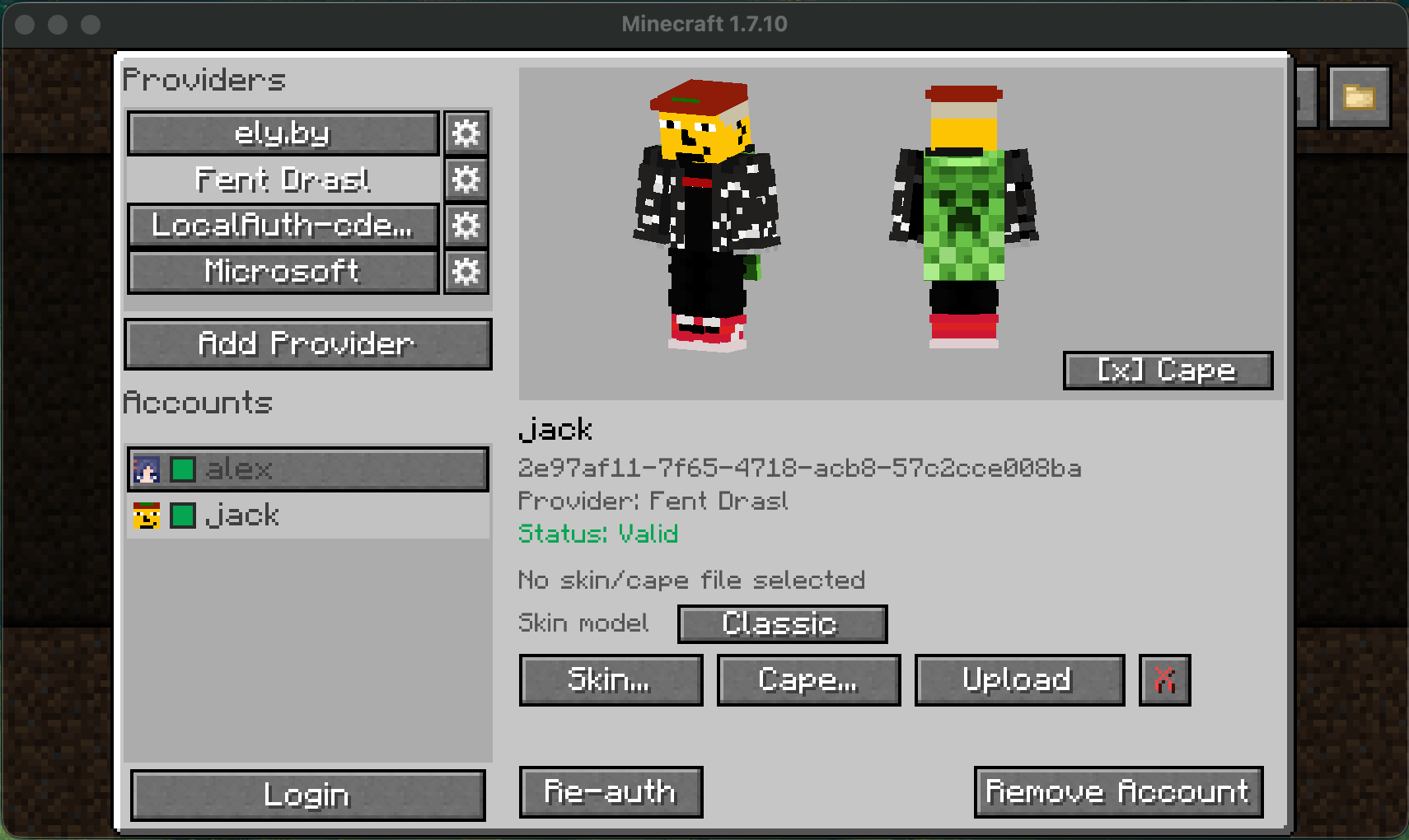
* Login into any Yggdrasil-compatible provider on the client (Microsoft, [ely.by](https://ely.by/), [drasl](https://github.com/unmojang/drasl), …)
* Bind accounts to servers
* Host an account and skin provider directly on the game server
* Allow any Yggdrasil-compatible provider to join your server
* Modern and HD skin support
* Animated capes for Wawel Auth accounts
* 3D skin layers implementation
* Admin web UI for server-side management
**Wawel Auth** does not need to be installed on the client, nor on the server to benefit from a lot of features.
You can setup a server that allows Microsoft and ely.by users, without clients having to do anything special.
Clients can also benefit from account management, modern skins, and 3d skin layers, even if a server doesn’t run **Wawel Auth**.
[](https://github.com/JackOfNoneTrades/WawelAuth/releases)
[](https://www.curseforge.com/minecraft/mc-mods/wawel-auth)
[](https://modrinth.com/mod/wawel-auth)
[](https://67.fentanylsolutions.org/mod/wawel-auth)
[](https://maven.fentanylsolutions.org/#/releases/org/fentanylsolutions/wawelauth/WawelAuth)

[](https://discord.gg/xAWCqGrguG)
## Dependencies
* [UniMixins](https://modrinth.com/mod/unimixins) [](https://www.curseforge.com/minecraft/mc-mods/unimixins) [](https://modrinth.com/mod/unimixins/versions) [](https://github.com/LegacyModdingMC/UniMixins/releases)
* [FentLib](https://github.com/JackOfNoneTrades/FentLib) [](https://github.com/JackOfNoneTrades/FentLib)
* [ModularUI2](https://github.com/GTNewHorizons/ModularUI2) [](https://github.com/GTNewHorizons/ModularUI2) (Client only)
## Client Setup And Use
**Wawel Auth** stores a small Minecraft instance-bound config file under `config/wawelauth/local.json`.
Most other settings, however, are shared across all Minecraft instances (can be disabled using `useOsConfigDir`).
Those settings live in files stored under the following locations:
* Windows: `%APPDATA%/wawelauth/`
* macOS: `~/Library/Application Support/wawelauth/`
* Linux: `$XDG_DATA_HOME/wawelauth/` or `~/.local/share/wawelauth/`
The main menu is opened with the `Auth` button in the multiplayer screen.
From there, you can add auth providers, and accounts.
Some things of note:
* Microsoft, Ely.by, and LittleSkin providers are built in.
* Any Yggdrasil / authlib-injector provider can be added by URL.
* The `Manage Local Auth…` button is the quickest way to use local accounts on a Wawel Auth server.
* Adding the same local server manually as a normal provider is also supported.
* Skin management buttons can be suppressed per provider through `client.json`, in the case a provider does not provide these functions. This is purely cosmetic.
The following options let you configure this:
* `disableSkinUpload`
* `disableCapeUpload`
* `disableTextureReset`
The `disable*` lists are regexes matched against provider name or API root.
* Animated capes are only supported by Wawel Auth servers, and are in the `minecraftcapes.net` format.
> [!NOTE]
> You can also drag and drop skins and capes, if using Java 17+.
## Server Setup And Use
### Files and locations
* Dedicated servers always use `config/wawelauth/` to store their config, and state data
* That state directory contains the SQLite database, generated keys, and stored textures
> [!WARNING]
> * Your private server key is sensitive information, never share it.
> * It is important to not change your server keys, if not absolutely necessary. Wawel Auth client users will need to trust the key again, and authlib-injector users will refuse to connect to a server whose public key has changed.
### Example local-only setup
`server.json`
“`json
{
“wawelAuthEnabled”: true,
“serverName”: “My WawelAuth Server”,
“publicBaseUrl”: “auth.example.com:25565”,
“apiRoot”: “auth”,
“admin”: {
“enabled”: true,
“token”: “strong_password_best_if_randomly_generated”
}
}
“`
1. set `online-mode=true` in `server.properties`
2. set `publicBaseUrl` to the real public base URL clients use
3. leave `apiRoot` as a relative path such as `auth`
4. set an admin token through `server.admin.token` or `WAWELAUTH_ADMIN_TOKEN`
5. restart the server
Notes:
* if `publicBaseUrl` has no scheme, Wawel Auth assumes `http://`
* with the example above, the auth API is published at `http://auth.example.com:25565/auth`
* on dedicated servers, Wawel Auth now hard-stops before world load if `online-mode=false`, `publicBaseUrl` is missing, or `apiRoot` is configured as a full URL
* for CI smoke tests only, `WAWELAUTH_CI=true` or `GITHUB_ACTIONS=true` bypasses the missing-`publicBaseUrl` hard stop
### Important server settings
* `registration.policy`: `OPEN`, `INVITE_ONLY`, `CLOSED`
* `textures`: max skin / cape dimensions, file limits, animated cape limits
* `http`: same-port HTTPS enable flag, HTTP read timeout, TLS handshake timeout, and max request body size
* `admin`: web UI enable flag, login token, session TTL
### Admin web UI
If `server.admin.enabled=true`, the admin UI is available at:
* `https://your-host:your-port/admin` when `server.http.httpsEnabled=true` (default)
* `http://your-host:your-port/admin` for bootstrap/status only; login requires HTTPS
It manages users, textures, invites, whitelist, ops, `server.json`, and `server.properties`.
Same-port HTTPS uses a self-signed certificate generated in WawelAuth’s data directory; verify the SHA-256 fingerprint printed in the server log when accepting the browser warning.
### Fallback providers
Fallback providers are defined in `fallback-servers.json` and checked in order.
“`json
{
“fallbackServers”: [
…
]
}
“`
> [!WARNING]
> `name` must not contain whitespaces.
> [!TIP]
> `name` is used in provider-scoped commands such as `/op player@provider`.
#### Microsoft fallback example
“`json
{
“name”: “mojang”,
“sessionServerUrl”: “https://sessionserver.mojang.com”,
“accountUrl”: “https://authserver.mojang.com”,
“servicesUrl”: “https://api.minecraftservices.com”,
“skinDomains”: [
“.minecraft.net”,
“.mojang.com”
],
“cacheTtlSeconds”: 300
}
“`
#### Ely.by fallback example
“`json
{
“name”: “ely.by”,
“sessionServerUrl”: “https://authserver.ely.by/api/authlib-injector/sessionserver”,
“accountUrl”: “https://authserver.ely.by/api”,
“servicesUrl”: “https://authserver.ely.by/api/authlib-injector/minecraftservices”,
“skinDomains”: [
“ely.by”,
“.ely.by”
],
“cacheTtlSeconds”: 300
}
“`
### LittleSkin fallback example
“`json
{
“enabled”: true,
“name”: “littleskin”,
“apiRoot”: “https://littleskin.cn/api/yggdrasil”,
“sessionServerUrl”: “https://littleskin.cn/api/yggdrasil/sessionserver”,
“accountUrl”: “https://littleskin.cn/api/yggdrasil/authserver”,
“servicesUrl”: “https://littleskin.cn/api/yggdrasil”,
“signaturePublicKeyBase64”: “”,
“skinDomains”: [
“littleskin.cn”
],
“cacheTtlSeconds”: 300
}
“`
## Commands
### `/wawelauth`
* `/wawelauth register
* `/wawelauth invite create [uses|unlimited]`
* `/wawelauth invite list`
* `/wawelauth invite delete `
* `/wawelauth invite purge`
* `/wawelauth test`
### Provider-qualified whitelist and op commands
* `/whitelist add
* `/whitelist remove
* `/op
* `/deop
`
Regular whitelist and op commands are disabled.
> [!WARNING]
> Plain authlib-injector clients (or vanilla) can authenticate against a Wawel Auth server, but mixed-provider skin handling only works if the client and server run Wawel Auth.
## Interoperability Notes
## Building
```bash
./gradlew build
```
## Credits
* Skin layer implementation inspired by [last MIT commit](https://github.com/tr7zw/3d-Skin-Layers/commit/1830e6ed7b86550afc2ed2695391a09ca70285e2) of [3D Skin Layers Mod](https://github.com/tr7zw/3d-Skin-Layers)
* [Catalogue-Vintage](https://github.com/RuiXuqi/Catalogue-Vintage) for folder icon and system-open inspiration
* [GT:NH buildscript](https://github.com/GTNewHorizons/ExampleMod1.7.10)
* [Background image](https://www.pinterest.com/pin/367536019569661725/)
## License
`LGPLv3 + SNEED`
## Buy me some creatine
* [ko-fi.com](https://ko-fi.com/jackisasubtlejoke)
* Monero: `893tQ56jWt7czBsqAGPq8J5BDnYVCg2tvKpvwTcMY1LS79iDabopdxoUzNLEZtRTH4ewAcKLJ4DM4V41fvrJGHgeKArxwmJ`

# WasteLand Emeralds
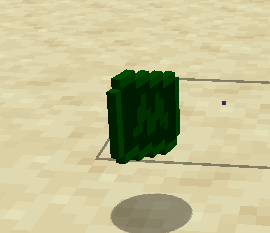
### This resource pack changes the texture of an emerald so that it looks like money
This fontpack changes the color of the default font in Minecraft to be more pleasing to the eye.
To install it, make sure to select it in the resource packs screen and put it on top of other font packs.
# MY OTHER FONTS
– [Marga Font by SourAlien](https://modrinth.com/resourcepack/marga-font-by-souralien)
– [Paramita Font by SourAlien](https://modrinth.com/resourcepack/paramita-font-by-souralien)
– [PP Font](https://modrinth.com/project/pp-font)
– [Anicca Font by SourAlien](https://modrinth.com/resourcepack/anicca-font-by-souralien)
– [Tiny Bold Font](https://modrinth.com/resourcepack/tiny-bold-font)
– [SAS SMALL CAPS FONT](https://modrinth.com/resourcepack/sas-small-caps-font)
– [sas all lowercase font](https://modrinth.com/resourcepack/sas-all-lowercase-font)
– [Samsara Mono by SourAlien](https://modrinth.com/resourcepack/samsara-mono-font-by-souralien)
– [Ostrakon Font by SourAlien](https://modrinth.com/resourcepack/ostrakon-font-by-souralien)
– [Epsilon Font by SourAlien](https://modrinth.com/resourcepack/epsilon-font-by-souralien)
– [Alice Font](https://modrinth.com/resourcepack/alice-font)
– [Sleek DR](https://modrinth.com/resourcepack/sleek-dr)
– [Synesthete’s Dream](https://modrinth.com/resourcepack/synesthetes-dream)
– [HD B&W Font](https://modrinth.com/resourcepack/hd-bw-font)