Wild 16x
Wild 16x is, like my dream ressource pack, oraginaly made for my own, but then showing it to some friend who pushed me to publish it. A big thank you to all of them !
## Quick note :
please use the pack on 1.21.4, it’s currently the lastest version with the most features (like block selection)
## What is the point of wild 16x ?
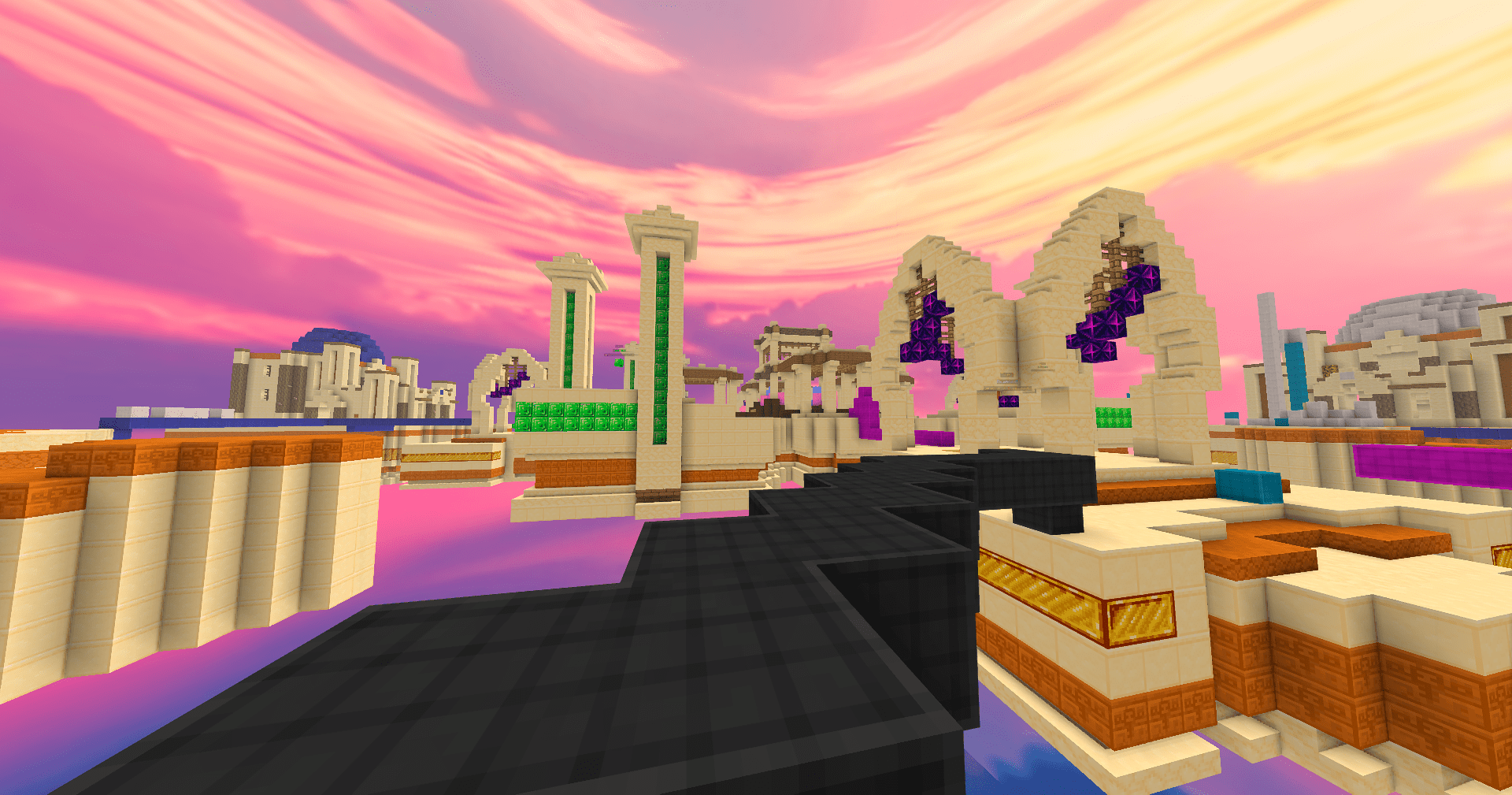
Wild 16x is a resource pack mostly made for pvp and bedwars, but it was made with the goal in mind that you can use it for survival too.
## Dependencies
Wild 16x uses optifine so you can have 4 differents custom skys, and a total of 36 blocks with connected textures :
– every planks
– the end stone
– the gold block
– the black, blue, brown, cyan, pink, purple, red, white, yellow and basic terracota
– the black, blue, brown, cyan, pink, purple, red, white and yellow wool
– the chiseled sandstone
– the chiseled stone bricks
– the polished granite
– and the smooth stone
## Features
– the gui is now transparent, so you can see more clearly what is behind your inventory
– a colorfull block selection can help you to see more quickly wich block you are trying to break than the default black selection
– wild 16x provide a low fire
– the breaking animation is clearer than the vanilla one
## Incoming features
– water and lava block
– cobweb
– end crystal
– remake the gui
## Credits
Custom Block Selection / Entity Hitboxes were created using this online tool: https://outlines.enchanted.games
### Contact
If you want to contcact me, you can send me a message on discord : chanatole.
I hope you will appriciate the ressource pack !
WhiteNight PvP
WhiteNight PvP is a **_16x_** texturepack for Minecraft **_1.8.9 pvp_**.
_working with 1.6.1 – 1.8.9_
_if you do not like the endstone and/or tool texture get v1.2_
It has a **_clean design_**, **_sound_** and everything you need for pvp!
The Resourcepack adds:
– wool textures
– natural-block textures
– Custom UI _(inventory, hotbar..)_
– new place sounds
– item-textures _(swords, fishing rod, firecharge, bow..)_
– no pumpkin overlay
– block breaking animation
– low fire
– smaller handhelds _(firstperson, 0.5x Scale)_
– tool & sword textures
– **_and much more_**
Try it out yourself!
_~I may remake the endstone texture (added in v1.3)~_
WhitelistFixer
In 2024 January, Mojang has deprecated the old API endpoint used for retrieving player UUIDs for the /whitelist command.
This small mod fixes this issue by making the server use the new API endpoint.
White UwU apple
# White UwU apple
This resourcepack replaces the **golden apple**
– Features
– simple **white apple** with **UwU face**
– Eating Animation [1.21.4+]
– support for **[the Eating animation mod](https://modrinth.com/mod/eating-animation ‘Title’)**[1.21.3 or below]
White pack
# 3b3France Texture Pack
This texture pack was specially designed for the 3b3France community. It enhances the graphics while keeping the original spirit of the game. Blocks, items, and environments have been reworked to provide a more pleasant and immersive visual experience without losing the classic style. Perfect for builds and creative projects by 3b3France members!
White Enderman
Makes Enderman White
White Enchantment Glint
# White Enchantment Glint
Makes the enchantment glint **white**!
Where Are The Ores?
This mod is and addon for [NotEnoughItems](https://www.curseforge.com/minecraft/mc-mods/notenoughitems). It is intended for modpack makers, who love to shuffle the ore generation around or just want a better experience for their players.
So what does this do? You can look up the recipe of any ore and see, in which dimensions it generates and other details, like max vein size or the y-range. This Information must first be configured via an easy-to-use JSON-file. Further Information on how to do this can be found on the [wiki](https://github.com/FPSP-Modpack/WhereAreTheOres/wiki/The-Configuration-File).
Mitchej123’s [updated NotEnoughItems](https://modrinth.com/mod/notenoughitems-unofficial) is supported aswell.
**This mod is client-side only!**
What Language Is That?
### Consider joining the Discord server for updates!
**”What Language Is That?”** fixes one of Minecraft’s most confusing features by **converting the Standard Galactic Alphabet into readable English**.
The mysterious symbols used in enchanting tables are fully translated, so you can finally understand what you’re looking at instead of guessing like a wizard who skipped class.
This pack works directly on the Enchanting Table interface, making enchantment text clear and easy to read while keeping the original vanilla style intact.
No gameplay changes, no mods required — just a simple, clean upgrade that makes Minecraft make sense.
✔ Works with Enchanting Tables
✔ Translates Standard Galactic Alphabet
✔ Keeps vanilla style
✔ No mods required
WorldEditSelectionVisualizer
# WorldEditSelectionVisualizer
## Overview
WorldEditSelectionVisualizer (WESV) is essentially the famous [WorldEditCUI mod](http://www.minecraftforum.net/forums/mapping-and-modding/minecraft-mods/1292886-worldeditcui-1-11-2-version-available) in the form of a bukkit plugin, which means that players **don’t need to install anything on their client**.
## Features
* Spawns particles around WorldEdit selections so players can see them
* No client mod required
* Supports cuboid, sphere, ellipsoid, cylinder, polygon and convex selections
* Can display the current clipboard (use `/wesv toggle clipboard` to enable)
* Use `/wesv toggle` to toggle the visualizer
* Option to only show the selection when holding the selection item
* Configurable particle effect and view distance
* Prevent players from spawning too many particles when selecting huge regions
* Highly customizable for the performance of your server
* Supports both [WorldEdit](https://enginehub.org/worldedit) and [FastAsyncWorldEdit](https://www.spigotmc.org/resources/fastasyncworldedit.13932/)
* Compatible with all Minecraft versions starting with 1.7.10
* [PlaceholderAPI](https://placeholderapi.com/) support (you can use the placeholders `%wesv_toggled_selection%`, `%wesv_toggled_clipboard%`, `%wesv_volume_selection%` and `%wesv_volume_clipboard%`)
* Support for RGB color codes in messages on Minecraft 1.16 and higher, with the `&#rrggbb` format
* [Folia](https://github.com/PaperMC/Folia) support for better performance
## Screenshots
| Cuboid selection | Cylinder selection | Convex selection |
|——————————————————|——————————————————–|——————————————————|
|  |  |  |
[More screenshots](https://modrinth.com/plugin/wesv/gallery)
## Usage
### Commands
* `/wesv toggle` and `/wesv toggle clipboard`: toggle the selection/clipboard visualization
* `/wesv lock`: lock/unlock the origin of the clipboard visualization to your current location
* `/wesv lock tp`: teleport to the lock location (when clipboard visualization lock is enabled)
* `/wesv reload`: reload the configuration
### Permissions
* `wesv.toggle`: use the toggle command
* `wesv.use`: allows the visualizer to be turned on
* `wesv.reload`: allows the configuration of this plugin to be reloaded from the config.yml file
### Configuration
This plugin can be very resource expensive, try adjusting the configuration if you experience lag.
Configuration File
“`yaml
# WorldEditSelectionVisualizer configuration
# When enabled, if a new update is available it will display a message in the console on enable
check-updates: true
# You can edit the plugin messages here
messages:
no-permissions: “&cYou don’t have the permission to use this command.”
config-reloaded: “&aThe config was reloaded”
selection-too-large: “&6The visualizer only works with selections up to a size of %blocks% blocks.”
visualizer-enabled: “&6Your visualizer has been &eenabled.”
visualizer-disabled: “&6Your visualizer has been &cdisabled.”
visualizer-clipboard-enabled: “&6Your clipboard visualizer has been &eenabled&6.”
visualizer-clipboard-disabled: “&6Your clipboard visualizer has been &cdisabled&6.”
# When enabled, if a player disables the selection visualization and leaves the server, when he will
# come back, the selection visualization will be still disabled until he activates it again with /wesv toggle.
save-toggle: true
# Delay in ticks when the WorldEdit selection and clipboard are updated.
# This doesn’t affect particles spawning and players performances.
# The server impact is medium
selection-update-interval: 20
# When enabled, the particles are displayed only when holding the WorldEdit selection wand item (by default a wooden axe)
# You can change the WorldEdit wand item in the WorldEdit configuration
need-we-wand: false
# When enabled, top and bottom particles will be displayed for cuboid selections
cuboid-top-bottom: false
# Settings for visualization
# ‘selection’: The WorldEdit current selection
# ‘clipboard’: The WorldEdit clipboard (when you use //copy or //schem load )
# ‘primary’: The primary selection points (the region borders)
# ‘secondary’: The secondary selection points
# ‘fade-delay’: The number of seconds before the particles disappears. You can set it to 0 to remove the fade delay
# ‘max-selection-size’ : The maximum size of a selection to be display. A big value (> 1000000) can cause important lags
# ‘points-distance’: The distance between each particle. The higher this number is, fewer particles will be spawn
# ‘lines-gap’ (secondary selection only): The distance between each particles lines on cuboid and polygon. The higher this number is, fewer particles will be spawn. Set it to 0 to remove cuboid lines
# ‘update-interval’: The delay in ticks between particles spawn. This impact the players performances
# ‘view-distance’: The maximum distance in which players can see the particles. On 1.7.10 the particle distance is limited to 16 (Minecraft limitation)
# ‘particles’: The particles type and data. The data can be a color for redstone like in the form ‘r,g,b’ or a Material for block crack/item crack
# The particle types are available on https://hub.spigotmc.org/javadocs/spigot/org/bukkit/Particle.html
visualization:
selection:
fade-delay: 0
max-selection-size: 50000
primary:
points-distance: 1.0
update-interval: 12
view-distance: 64
particles:
type: “FLAME”
data: “”
secondary:
points-distance: 3.0
lines-gap: 5.0
update-interval: 18
view-distance: 32
particles:
type: “REDSTONE”
data: “RED”
clipboard:
fade-delay: 0
max-selection-size: 50000
primary:
points-distance: 1.0
update-interval: 12
view-distance: 64
particles:
type: “FLAME”
data: “”
secondary:
points-distance: 3.0
lines-gap: 5.0
update-interval: 18
view-distance: 32
particles:
type: “REDSTONE”
data: “BLUE”
“`
### Video
## Bugs & suggestions
Please don’t post bugs or suggestions in the review section, but please open an [issue on GitHub](https://github.com/MrMicky-FR/WorldEditSelectionVisualizer/issues).
If you just have a question, you can ask it on my [Discord server](https://discord.gg/q9uwabt).
And if you like this plugin you can leave a review or star the [GitHub project](https://github.com/MrMicky-FR/WorldEditSelectionVisualizer).
## Original Author
WorldEditSelectionVisualizer (WESV) has been originally created by [rojet601](https://dev.bukkit.org/members/rojet601). Since this user’s gone inactive since November 2015 and the plug-in contains some errors, [ZathrusWriter](https://www.spigotmc.org/members/zathruswriter.137995/) decided to release an 1.8. forward-compatible version with those errors fixed.