Shorty Swords
Shortened Sword are Just Built Different! Aren’t they look hot?
Texture-pack makes swords a bit shorter. Supports almost **EVERY** ever existed Minecraft Version.
Shortened Sword are Just Built Different! Aren’t they look hot?
Texture-pack makes swords a bit shorter. Supports almost **EVERY** ever existed Minecraft Version.
# shea’s simple Totem x bare bones
## what does this pack does
### it takes Totems and cleans it up
This pack does not include any bare bones textures
**Bare Bones is required for the intended look**
disclaimer if you use this pack make sure to place this pack above bare Bones in your resource pack list for it to use its own instead of bare bones
i recomend using other shader and resource packs like [bliss](https://github.com/X0nk/Bliss-Shader) to improve looks but that is optional
**you can showcase this if you want just dont redistrabute it**
The default Minecraft interface is too bright for me, and other dark mode packs I’ve downloaded in the past are just a step away from perfect. So, I made my own.
Features a dark mode interface that’s not too dark and not too light, double resolution font, and a custom-made Okami inspired HUD for hearts, air, armor, and hunger. To go a bit farther, the sun and moon are also replaced with custom Okami textures.
**_Check the gallery for more examples of how this pack looks when applied._**

# ServerJoinPerms
A Velocity proxy plugin that enforces server-specific join permissions for Minecraft servers.
## Features
– Restricts players from joining servers they don’t have permission for
– Prevents server switching to unauthorized servers
– Simple permission-based access control
– Native Velocity integration
## Requirements
– Velocity 3.0.0 or higher
– Java 11 or higher
## Installation
1. Download the latest `ServerJoinPerms.jar` from the releases page
2. Place the JAR file in your Velocity server’s `plugins` directory
3. Restart your Velocity proxy
## Usage
### Permissions
The plugin uses a simple permission structure:
– `server.
### Examples
– To allow access to a server named `survival`: `server.survival`
– To allow access to a server named `creative`: `server.creative`
### Behavior
– Players without the required permission will be disconnected with an error message
– Permission checks occur on both initial join and server transfers
– The error message clearly indicates the reason for disconnection
## Configuration
No configuration file is needed. The plugin works out of the box with Velocity’s permission system.
## Building from Source
1. Clone the repository
2. Run `mvn clean package`
3. Find the compiled JAR in the `target` directory
## Support
For support, please open an issue on the GitHub repository.
## License
This project is licensed under the MIT License.
## Author
– **LOLYAY** – Initial development
Changes The Redstone Piston Texture to be Made out of Sandstone instead of cobblestone and will fit into sandstone builds
Replaces emeralds with the og ruby textures
# Retro-Release Discord Bridge
[](https://modrinth.com/plugin/RRDiscordBridge)
[](https://rrdiscordbridge.nostalgica.net/javadocs)
[](https://discord.gg/k2wGKEaCRA)
Discord bridge/relay plugin that [supports old Minecraft versions and server software](#tested-versions) (Beta 1.4-Release 1.21.1)
For config info, check out [this page](https://rrdiscordbridge.nostalgica.net/javadocs/me/dexrn/rrdiscordbridge/config/Settings.html#field-summary).
Download: https://modrinth.com/plugin/rrdiscordbridge
When reading the source code, you may notice that the projects have odd names, this is to make the source look slightly cleaner.
See [versions.md](https://github.com/DexrnZacAttack/RRDiscordBridge/tree/master/versions.md) for more info.
## Features
– Message Relay
– [Version support](#supported-versions)
– Broadcasting (/dcbroadcast)
– Server Stats from Discord (/about)
– Relays the following to Discord (configurable)
– Player Join
– Player Leave
– Player Kick
– Player Death
– Player Chat
– Player Advancements/Achievements
– Contains advancement description (if applicable) and link to wiki page
– Server Start
– Plugin Reload
– Server Stop
– /say
– /me
– [~~Server Console (if configured)~~](https://github.com/DexrnZacAttack/RRDiscordBridge/issues/12)
– Relays the following information from Discord (configurable)
– Channel message
– User join (if the relay channel is also the system messages channel)
– Server boost (if the relay channel is also the system messages channel)
– Thread creation
– Message pin
– Poll created/ended (with results)
– Slash commands used
– User app used (also activities)
– Message forwarded (probably not complete)
– Extensions (configurable)
– **Extra info available in-game by typing `/rdbext help`**.
– Built-in extensions:
– Waypoint embed (Waypoints)
– Allows for Xaero’s Minimap and JourneyMap/VoxelMap waypoints to be embedded in the relay channel.
– **[See config options](https://rrdiscordbridge.nostalgica.net/javadocs/me/dexrn/rrdiscordbridge/extensions/options/WaypointExtensionOptions.html#field-summary)**
– Operator Chat (OpChat)
– Allows for communicating between ops and optionally a (likely private) discord channel.
– Inspired by MCGalaxy’s OPChat feature.
– Syntax: ##
– **[See config options](https://rrdiscordbridge.nostalgica.net/javadocs/me/dexrn/rrdiscordbridge/extensions/options/OpChatExtensionOptions.html#field-summary)**
– ### For development info, see [the example repo](https://github.com/Nostalgica-Reverie/RRDiscordBridgeExampleExtension)
– Customizable [color palette](https://rrdiscordbridge.nostalgica.net/javadocs/me/dexrn/rrdiscordbridge/config/ColorPalette.html#field-summary) for messages sent to Discord
## Supported versions
### CraftBukkit (and forks)
– [X] [UberBukkit](https://github.com/Moresteck/uberbukkit)
– [X] b1.2_01-b1.3_01 (int. `bukkitCake` | Made for Bukkit Build 33)
– Missing many features, as build 33 was missing many events.
– No commands
– [X] b1.4-r1.0 (int. `bukkitCookie`)
– [X] [Project Poseidon](https://github.com/retromcorg/Project-Poseidon)
– [X] 1.1-1.2.5 (int. `bukkitFlat`)
– [X] 1.3.1-1.7.8 (int. `bukkitEmerald`)
– [X] 1.7.9-1.11.2 (int. `bukkitRealms`)
– [X] 1.12-1.19.1 (int. `bukkitColor`)
– [X] 1.19.2-Latest (int. `bukkitVex`)
### Fabric
– [ ] 1.14.4
– [ ] 1.15.2
– [X] 1.16.4-1.18.2
– [X] 1.19
– [X] 1.19.1-1.19.2
– [X] 1.19.3-1.20.1
– [X] 1.20.2
– [X] 1.20.3-1.20.5
– [X] 1.20.5-1.21.8
– [X] 1.21.9-Latest
### NeoForge
– [X] 1.20.2-1.20.4
– `neoforge.mods.toml` was unused until 1.20.5
– [X] 1.20.5-1.21.8
– [X] 1.21.9-Latest
### Forge
– [ ] 1.1-1.20
– [X] 1.20.1
– [X] 1.20.2
– [X] 1.20.3-1.20.5
– [X] 1.20.6-1.21.5
– [X] 1.21.6-1.21.8
– [X] 1.21.9-Latest
### Ornithe
– Coming soon (hopefully)
## Credits
– [placeholder.co](https://placeholder.co)
– Used for waypoint badges
– [MCHeads](https://www.mc-heads.net/)
– Used for player head avatar
– [p0t4t0sandwich](https://github.com/p0t4t0sandwich)
– Was very helpful in helping me set up gradle and helped me through every issue I had
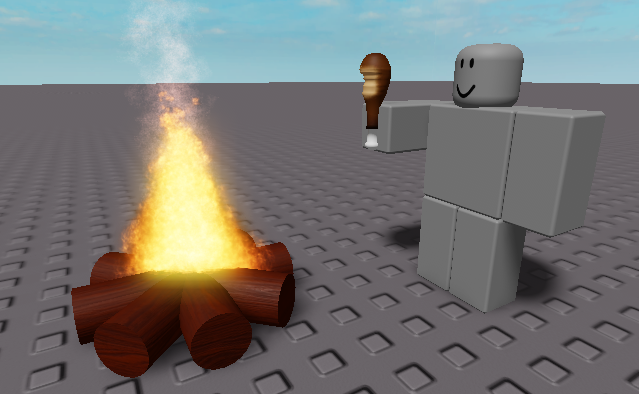
A meme resourcepack that replaces the eating sound with the roblox “nom nom nom” sound
Even if it says that the pack is outdated, it should work on all versions
You can submit bugs or suggestions [here](https://docs.google.com/forms/d/e/1FAIpQLSeELpo_gqlwn4ftgP_tkB6I-rq6c6nyvs4BM07e89AKy3DI2g/viewform?usp=sf_link)
This mod adds several components including an array of gems, tools, and armor and some nifty machines. Using the machines you can refine the raw gems mined from the earth, or sift through dirt, sand and gravel to find the bits of metals and gems hidden inside.
The gems:
Turquoise – Lowest tier. Makes tools that are about as effective as wood.
Onyx – Slightly better than Turquoise. Twice the durability and a mining level equal to that of stone tools
Amethyst – Twice the durability of Onyx.
Citrine – Twice the durability of Amethyst.(Seeing a pattern yet?)
Emerald – Twice the durability of Citrine. Can be used to make a hammer that mines a 3x3x3 cube.
Ruby – Twice the durability of Emerald. Can be used to make a hammer that mines a 5x5x5 cube.
Sapphire – The most rare. Has a durability of 4096(Twice Ruby). Can be used to make a hammer that mines a 7x7x7 cube.
Each gem has a complete set of tools and armor that(when crafted with refined gems) comes pre-enchanted.
The machines:
Sifter – This machine can sift dirt/gravel/sand/soulsand, their dense counterparts, and their loaded counterparts and produce bits of gold, iron, diamonds, and other drops. This includes gold, iron flakes, and diamond chips.
Pressure Vessel – This machine runs on blaze fuel and can smelt down the metal flakes into nuggets, as well as melting down the diamond chips to form whole diamonds. In addition this machine can smelt that extra armor one gets from looting dungeons and killing mobs down to get the resources back out of it. Currently only supports vanilla armor/tools and Resource Engineering armor/tools that are undamaged.
Gem Tumbler – This machine is crafted from the sifter and turns unrefined gems into shiny refined ones. Put sand or gravel in the bottom slot to act as grit and watch as your dull gems become shiny and refined, ready to be used in crafting.
Fracking Machine – This machine smashes apart cobble, netherrack, endstone and sandstone to find the tiny bits of useful materials hidden inside. This also supports the dense variants of the resources.
Compressor – This machine takes a stack of a resource and compresses it into the dense variety. This works with cobblestone, endstone, netherrack, soulsand, sand, dirt, and gravel. Each operation takes 200 ticks, and costs 400RF/tick.
Now you may be wondering what the dense variants are and how to get them. Wonder no more:
The Thors Hammer and the Chunk Hammer are the answer. The Thors Hammer will mine all of the ores out of a chunk when activated. If you have a chest in your inventory it will place it down and put as many of the ores into it as possible. It will then shove what it can into your inventory before dropping any remaining ores on the ground. The Chunk Hammer is an upgrade that will mine the entire chunk and attempt the same drop operation. Inventory>Ground. Both hammers will attempt to craft down any redstone/lapis/diamond/coal that it mines into blocks to reduce the number of items being spawned. The Chunk Hammer will also craft down cobble/sand/gravel and other common blocks into dense variants. These can be uncrafted at a ratio of 1 dense block > 64 block.
A word of warning: only vanilla stone is supported at the moment. Other types of stone from such mods as Underground Biomes are not currently supported, and will throw many stacks of items at your feet. Use caution when preparing to mine with these tools.
Adds a command that allows you to direct message the last player who sent a direct message to you.
**Completely Client Sided**, **Requires Fabric API on modern versions**
**Command Structure** – `/r
# WARNING – Might not work on servers with chat decoration plugins
This mod targets players who play on vanilla or vanilla+ servers which do not offer additional chat features such as a `/r` command.
This mod is **NOT** guaranteed to work on every server, especially if the said server uses a chat related plugin. There is simply no way I can account account for every direct message format of every chat or nickname plugins.
***If you are experiencing any issues on a vanilla server, please report it over at the linked github page or in the linked discord***
# Pre-1.13.2 versions
All the versions of this mod that support versions below minecraft 1.13.2 uses [Ornithe](https://github.com/OrnitheMC). **Legacy Fabric IS NOT supported**