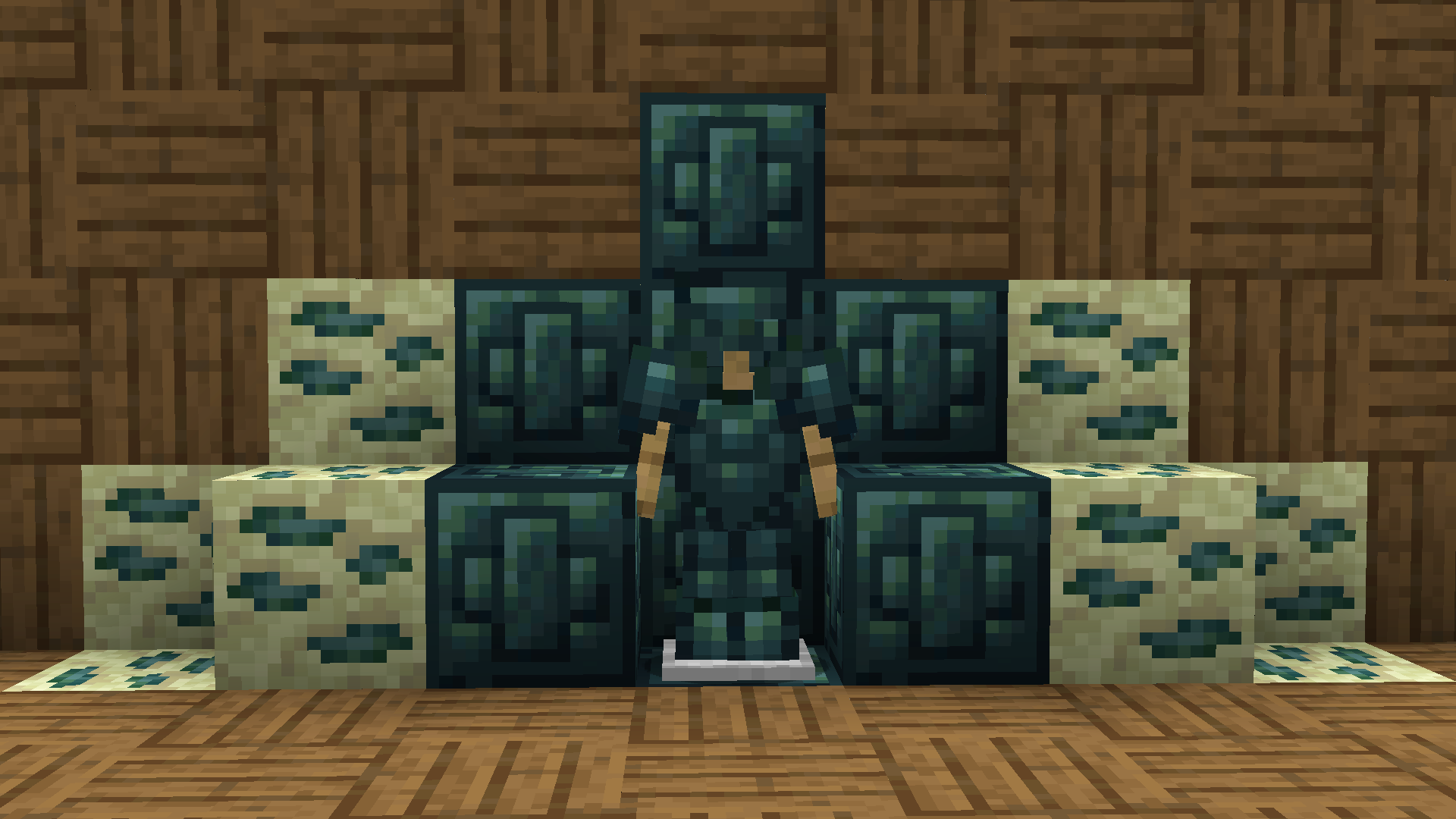
Ruby Pack
Replaces emeralds with the og ruby textures
Replaces emeralds with the og ruby textures
# Retro-Release Discord Bridge
[](https://modrinth.com/plugin/RRDiscordBridge)
[](https://rrdiscordbridge.nostalgica.net/javadocs)
[](https://discord.gg/k2wGKEaCRA)
Discord bridge/relay plugin that [supports old Minecraft versions and server software](#tested-versions) (Beta 1.4-Release 1.21.1)
For config info, check out [this page](https://rrdiscordbridge.nostalgica.net/javadocs/me/dexrn/rrdiscordbridge/config/Settings.html#field-summary).
Download: https://modrinth.com/plugin/rrdiscordbridge
When reading the source code, you may notice that the projects have odd names, this is to make the source look slightly cleaner.
See [versions.md](https://github.com/DexrnZacAttack/RRDiscordBridge/tree/master/versions.md) for more info.
## Features
– Message Relay
– [Version support](#supported-versions)
– Broadcasting (/dcbroadcast)
– Server Stats from Discord (/about)
– Relays the following to Discord (configurable)
– Player Join
– Player Leave
– Player Kick
– Player Death
– Player Chat
– Player Advancements/Achievements
– Contains advancement description (if applicable) and link to wiki page
– Server Start
– Plugin Reload
– Server Stop
– /say
– /me
– [~~Server Console (if configured)~~](https://github.com/DexrnZacAttack/RRDiscordBridge/issues/12)
– Relays the following information from Discord (configurable)
– Channel message
– User join (if the relay channel is also the system messages channel)
– Server boost (if the relay channel is also the system messages channel)
– Thread creation
– Message pin
– Poll created/ended (with results)
– Slash commands used
– User app used (also activities)
– Message forwarded (probably not complete)
– Extensions (configurable)
– **Extra info available in-game by typing `/rdbext help`**.
– Built-in extensions:
– Waypoint embed (Waypoints)
– Allows for Xaero’s Minimap and JourneyMap/VoxelMap waypoints to be embedded in the relay channel.
– **[See config options](https://rrdiscordbridge.nostalgica.net/javadocs/me/dexrn/rrdiscordbridge/extensions/options/WaypointExtensionOptions.html#field-summary)**
– Operator Chat (OpChat)
– Allows for communicating between ops and optionally a (likely private) discord channel.
– Inspired by MCGalaxy’s OPChat feature.
– Syntax: ##
– **[See config options](https://rrdiscordbridge.nostalgica.net/javadocs/me/dexrn/rrdiscordbridge/extensions/options/OpChatExtensionOptions.html#field-summary)**
– ### For development info, see [the example repo](https://github.com/Nostalgica-Reverie/RRDiscordBridgeExampleExtension)
– Customizable [color palette](https://rrdiscordbridge.nostalgica.net/javadocs/me/dexrn/rrdiscordbridge/config/ColorPalette.html#field-summary) for messages sent to Discord
## Supported versions
### CraftBukkit (and forks)
– [X] [UberBukkit](https://github.com/Moresteck/uberbukkit)
– [X] b1.2_01-b1.3_01 (int. `bukkitCake` | Made for Bukkit Build 33)
– Missing many features, as build 33 was missing many events.
– No commands
– [X] b1.4-r1.0 (int. `bukkitCookie`)
– [X] [Project Poseidon](https://github.com/retromcorg/Project-Poseidon)
– [X] 1.1-1.2.5 (int. `bukkitFlat`)
– [X] 1.3.1-1.7.8 (int. `bukkitEmerald`)
– [X] 1.7.9-1.11.2 (int. `bukkitRealms`)
– [X] 1.12-1.19.1 (int. `bukkitColor`)
– [X] 1.19.2-Latest (int. `bukkitVex`)
### Fabric
– [ ] 1.14.4
– [ ] 1.15.2
– [X] 1.16.4-1.18.2
– [X] 1.19
– [X] 1.19.1-1.19.2
– [X] 1.19.3-1.20.1
– [X] 1.20.2
– [X] 1.20.3-1.20.5
– [X] 1.20.5-1.21.8
– [X] 1.21.9-Latest
### NeoForge
– [X] 1.20.2-1.20.4
– `neoforge.mods.toml` was unused until 1.20.5
– [X] 1.20.5-1.21.8
– [X] 1.21.9-Latest
### Forge
– [ ] 1.1-1.20
– [X] 1.20.1
– [X] 1.20.2
– [X] 1.20.3-1.20.5
– [X] 1.20.6-1.21.5
– [X] 1.21.6-1.21.8
– [X] 1.21.9-Latest
### Ornithe
– Coming soon (hopefully)
## Credits
– [placeholder.co](https://placeholder.co)
– Used for waypoint badges
– [MCHeads](https://www.mc-heads.net/)
– Used for player head avatar
– [p0t4t0sandwich](https://github.com/p0t4t0sandwich)
– Was very helpful in helping me set up gradle and helped me through every issue I had
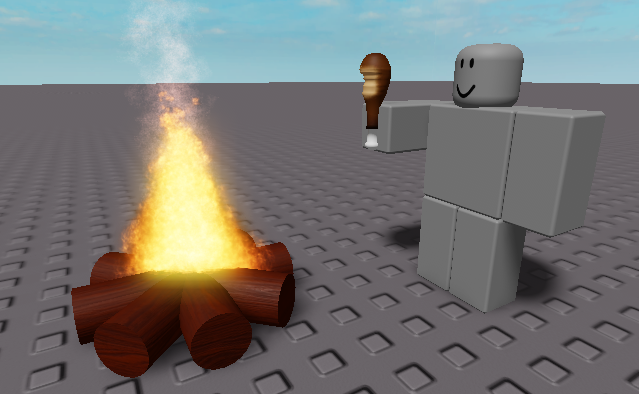
A meme resourcepack that replaces the eating sound with the roblox “nom nom nom” sound
Even if it says that the pack is outdated, it should work on all versions
You can submit bugs or suggestions [here](https://docs.google.com/forms/d/e/1FAIpQLSeELpo_gqlwn4ftgP_tkB6I-rq6c6nyvs4BM07e89AKy3DI2g/viewform?usp=sf_link)
Adds a command that allows you to direct message the last player who sent a direct message to you.
**Completely Client Sided**, **Requires Fabric API on modern versions**
**Command Structure** – `/r
# WARNING – Might not work on servers with chat decoration plugins
This mod targets players who play on vanilla or vanilla+ servers which do not offer additional chat features such as a `/r` command.
This mod is **NOT** guaranteed to work on every server, especially if the said server uses a chat related plugin. There is simply no way I can account account for every direct message format of every chat or nickname plugins.
***If you are experiencing any issues on a vanilla server, please report it over at the linked github page or in the linked discord***
# Pre-1.13.2 versions
All the versions of this mod that support versions below minecraft 1.13.2 uses [Ornithe](https://github.com/OrnitheMC). **Legacy Fabric IS NOT supported**
# RelishAuth
**Advanced Authentication System for Velocity Proxy Servers 🔐**

*Secure your Velocity network with advanced authentication, Discord integration, and premium account support*
## 🌟 Features
### 🔐 **Multi-Method Authentication**
– **Password Authentication**: Traditional secure password system with Argon2 hashing
– **Discord Integration**: Link Discord accounts for seamless authentication
– **Premium Auto-Login**: Automatic authentication for premium Minecraft accounts
– **Hybrid Mode**: Combine password + Discord for maximum security
### 🛡️ **Advanced Security**
– **Session Management**: Configurable session durations (0-1 hour)
– **IP Validation**: Optional IP-based session validation
– **Rate Limiting**: Protection against brute force attacks
– **Premium Verification**: Real-time Mojang API validation
– **Bedrock Support**: Compatible with Floodgate for cross-platform play
### 🤖 **Discord Bot Integration**
– **Real-time Verification**: Instant Discord DM verification
– **Join Notifications**: Security alerts when someone joins with your account
– **Account Management**: Change passwords, manage sessions via Discord
– **Admin Commands**: Full server management through Discord slash commands
– **Rich Embeds**: Beautiful, informative Discord messages
### 🌐 **Multi-Language Support**
– **English** and **Arabic** language packs included
– **Customizable Messages**: Full message customization support
### 💾 **Flexible Database Support**
– **SQLite**: Zero-configuration local database (default)
– **MySQL/MariaDB**: Network database support for multi-server setups
– **PostgreSQL**: Enterprise-grade database with advanced features
– **Connection Pooling**: High-performance HikariCP integration
—
## 📸 Screenshots
### Discord Integration

*Seamless Discord verification with interactive buttons*
### Admin Dashboard

*Powerful admin tools accessible through Discord slash commands*
### Security Notifications

*Real-time security notifications keep your account safe*
### Optimized Limbo world

—
## 🚀 Installation
### Prerequisites
– **Velocity Proxy** 3.4.0 or higher
– **Java** 21 or higher
– **LimboAPI** plugin (required dependency)
– **Discord Bot** (optional, for Discord features)
### Step 1: Download and Install
1. Download plugin JAR file
2. Place the JAR file in your Velocity `plugins/` folder
3. Install [LimboAPI](https://github.com/Elytrium/LimboAPI) Place it in the same folder
4. Restart your Velocity proxy
### Step 2: Initial Configuration
1. Navigate to `plugins/relishauth/`
2. Edit `config.yml` to configure your authentication method
3. Set up your database connection
4. Configure Discord bot (optional but recommended)
### Step 3: Discord Bot Setup (Optional)
1. Create a Discord application at [Discord Developer Portal](https://discord.com/developers/applications)
2. Create a bot and copy the token
3. Add the token to your `config.yml`
4. Invite the bot to your Discord server with appropriate permissions
—
## ⚙️ Configuration
### Basic Configuration
“`yaml
# Choose your authentication method
authentication:
method: “password” # Options: password, discord
premium-auto-login: true
allow-bedrock-players: true
# Session management
session:
duration: “5m” # Options: 0, 1m, 5m, 15m, 30m, 1h
allow-different-locations: true
# Database setup
database:
type: “sqlite” # Options: sqlite, mysql, mariadb, postgresql
sqlite:
path: “data.db”
“`
### Authentication Methods
#### 🔑 Password Authentication
Perfect for traditional servers wanting secure password-based auth:
“`yaml
authentication:
method: “password”
password:
min-length: 6
max-length: 32
hashing: “argon2” # Secure password hashing
“`
**How it works:**
1. New players create a password when first joining
2. Returning players enter their password to authenticate
3. Sessions are saved based on configured duration
4. Optional Discord linking for additional features

#### 💬 Discord Authentication
Ideal for Discord-centric communities:
“`yaml
authentication:
method: “discord”
discord:
bot-token: “YOUR_BOT_TOKEN”
server-id: “YOUR_DISCORD_SERVER_ID”
“`
**How it works:**
1. Players enter their Discord username in-game
2. Bot sends verification DM with interactive buttons
3. Players click “Verify” to authenticate
4. Account is permanently linked to Discord


#### 🏆 Premium Auto-Login
Streamlined experience for premium players:
“`yaml
authentication:
premium-auto-login: true
allow-premium-username-impersonation: false # Security: prevent impersonation
“`
**How it works:**
1. Premium accounts are automatically verified via Mojang API
2. No password or Discord verification required
3. Instant server access for legitimate premium players
4. Cracked clients cannot impersonate premium accounts

### Security Configuration
“`yaml
security:
authentication-timeout: 300 # 5 minutes to authenticate
password-attempts:
max-attempts: 3
lock-duration: 15 # Minutes
premium:
verification-timeout: 5
api-url: “https://api.mojang.com/users/profiles/minecraft/”
“`
### Limbo World Customization
“`yaml
customization:
limbo:
dimension: “THE_END” # OVERWORLD, NETHER, THE_END
gamemode: “SPECTATOR”
spawn:
x: 0
y: 64
z: 0
block-movement: true
“`
## 🎮 Commands
### Player Commands
| Command | Description | Usage |
|———|————-|——-|
| `/ra password
| `/ra discord
| `/ra logout` | Clear all sessions | `/ra logout` |
| `/ra session [duration]` | Set session duration | `/ra session 30m` |
| `/ra notify
| `/ra unlink` | Unlink Discord account | `/ra unlink` |
| `/ra info` | View account information | `/ra info` |
### Admin Commands
| Command | Description | Usage |
|———|————-|——-|
| `/ra reload` | Reload configuration | `/ra reload` |
| `/ra info
| `/ra unlink
| `/ra block
| `/ra unblock
| `/ra clearblocks
| `/ra setpassword
| `/ra resetpassword
—
## 🤖 Discord Bot Integration
### Setup Process
1. **Create Discord Application**
– Go to [Discord Developer Portal](https://discord.com/developers/applications)
– Click “New Application” and give it a name
– Navigate to “Bot” section and create a bot
2. **Configure Bot Permissions**
Required permissions:
– Send Messages
– Use Slash Commands
– Manage Roles (for linked role)
– Read Message History
3. **Invite Bot to Server**
“`
https://discord.com/api/oauth2/authorize?client_id=YOUR_BOT_ID&permissions=268435456&scope=bot%20applications.commands
“`
4. **Configure in RelishAuth**
“`yaml
discord:
bot-token: “YOUR_BOT_TOKEN”
server-id: “YOUR_DISCORD_SERVER_ID”
linked-role-id: “ROLE_ID_FOR_LINKED_USERS”
“`
### Discord Slash Commands
| Command | Description | Permission |
|———|————-|————|
| `/link` | Instructions for linking account | Everyone |
| `/session [duration]` | Set session duration | Linked users |
| `/notifications [toggle]` | Toggle join notifications | Linked users |
| `/info [player]` | View account information | Admin |
| `/kick
| `/unlink
| `/block
| `/unblock
| `/clearblocks
| `/setpassword
| `/resetpassword
| `/reload` | Reload plugin configuration | Admin |
—
## 📞 **Support & Links**
[](https://discord.gg/jDr2KZcGXk)
[](https://github.com/iM5LB/relishauth/issues)
[](https://github.com/im5lb/relishauth)
—
**Made with ❤️ by M5LB**
# Redstone Multimeter
[Redstone Multimeter](https://github.com/NarcolepticFrog/RedstoneMultimeter) is a LiteMod for 1.12 by NarcolepticFrog. It is an easy to use, intuitive redstone debugging tool. Since LiteLoader never updated past 1.12.2, the mod is stuck in that version. Redstone Multimeter Fabric is a Fabric port of the original mod, which makes it compatible with the newest versions of Minecraft!
# Features
Redstone Multimeter allows you to track a myriad of redstone related events by placing virtual “meters” in the world. This makes it incredibly easy to see when blocks are e.g. powered or moved, and the order in which they do so. An overview of logged events is displayed in a HUD in the top left corner of the screen. This HUD has three components:
– The meter list: Each meter gets its own row and simply displays its name here.
– The primary event viewer: This is a graph showing logs of a 60 gt period. It usually shows logs of the past 60 gt, meaning you will see them scroll by in real-time. You can use the hotkeys to pause the HUD and scroll through the logs at your own pace.
– The secondary event viewer: This graph is usually hidden, but when the HUD is paused, it will appear next to the primary event viewer. It shows the order of events within the selected tick.
Meters are organized into meter groups. A meter group is a collection of meters and a unique name. You can have multiple meter groups, but the HUD will only display the logs of a single meter group. To subscribe to a meter group, use the `/meter group
## Commands
* `/metergroup list`: query a list of all available meter groups.
* `/metergroup subscribe`: subscribe to your default meter group (which you can configure in the Options Menu).
* `/metergroup subscribe
* `/metergroup unsubscribe`: unsubscribe from this metergroup.
* `/metergroup private`*: query whether this meter group is private or public.
* `/metergroup private [true|false]`*: set this meter group to private or public.
* `/metergroup members list`*: query a list of all members of this meter group.
* `/metergroup members add
* `/metergroup members remove
* `/metergroup members clear`*: remove all members from this meter group.
* `/metergroup clear`: remove all meters from this metergroup.
* these subcommands are only available to you if you are the owner of this meter group
## Keybindings
– `Toggle Meter` (default `M`): Adds or removes a meter at the block you are looking at. Holding `ctrl` makes the meter immovable.
– `Reset Meter` (default `B`): Resets the properties of the meter you are looking at.
– `Pause Meters` (default `N`): Pauses HUD.
– `Step Forward` (default `.` ): If paused, moves the display 1 tick ahead in time. Holding `ctrl` moves 10 ticks.
– `Step Backward` (default `,`): If paused, moves the display 1 tick back in time. Holding `ctrl` moves 10 ticks.
– `Toggle HUD` (default `H`): toggles the HUD.
– `Scroll HUD` (default `alt`): scrolling while holding this key steps forward or backward through the HUD.
– `Open Multimeter Screen` (default `G`): opens the Multimeter screen.
– `Open Meter Controls` (default `I`): opens the meter controls of the meter you are looking at.
– `Open Options Menu` (default `O`): opens the Options Menu.
– `View Tick Phase Tree` (default `U`): opens the Tick Phase Tree screen.
– `Print Logs To File` (default `P`): toggles the printer.
Are you tired of not seeing a creeper in the middle of a grass field? Just use this pack for more contrast between the creeper and the blocks around it.
– This [version](https://modrinth.com/resourcepack/red-creepers/version/1.0.0) is for [Fresh Animations](https://modrinth.com/project/50dA9Sha) and is not suitable for Vanilla Minecraft.
– This [version](https://modrinth.com/resourcepack/red-creepers/version/1.0.1) is for Vanilla Minecraft and is not suitable for [Fresh Animations](https://modrinth.com/project/50dA9Sha).
This texture pack changes the appearance of chests by turning them bright red, which makes them much easier to spot from a distance, especially in cluttered or dark environments
[Discontinued]
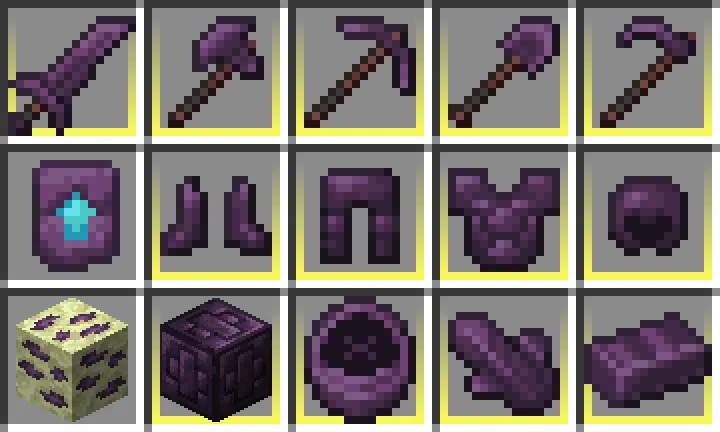
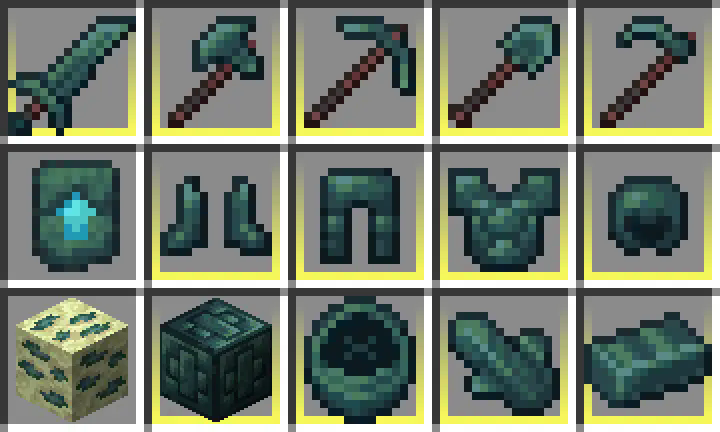
**Recolored Enderium [Majrusz’s Progressive Difficulty](https://modrinth.com/mod/majruszs-progressive-difficulty)**
## Without the texture pack (Before)
## With the texture pack (After)
## Without the texture pack (Before)
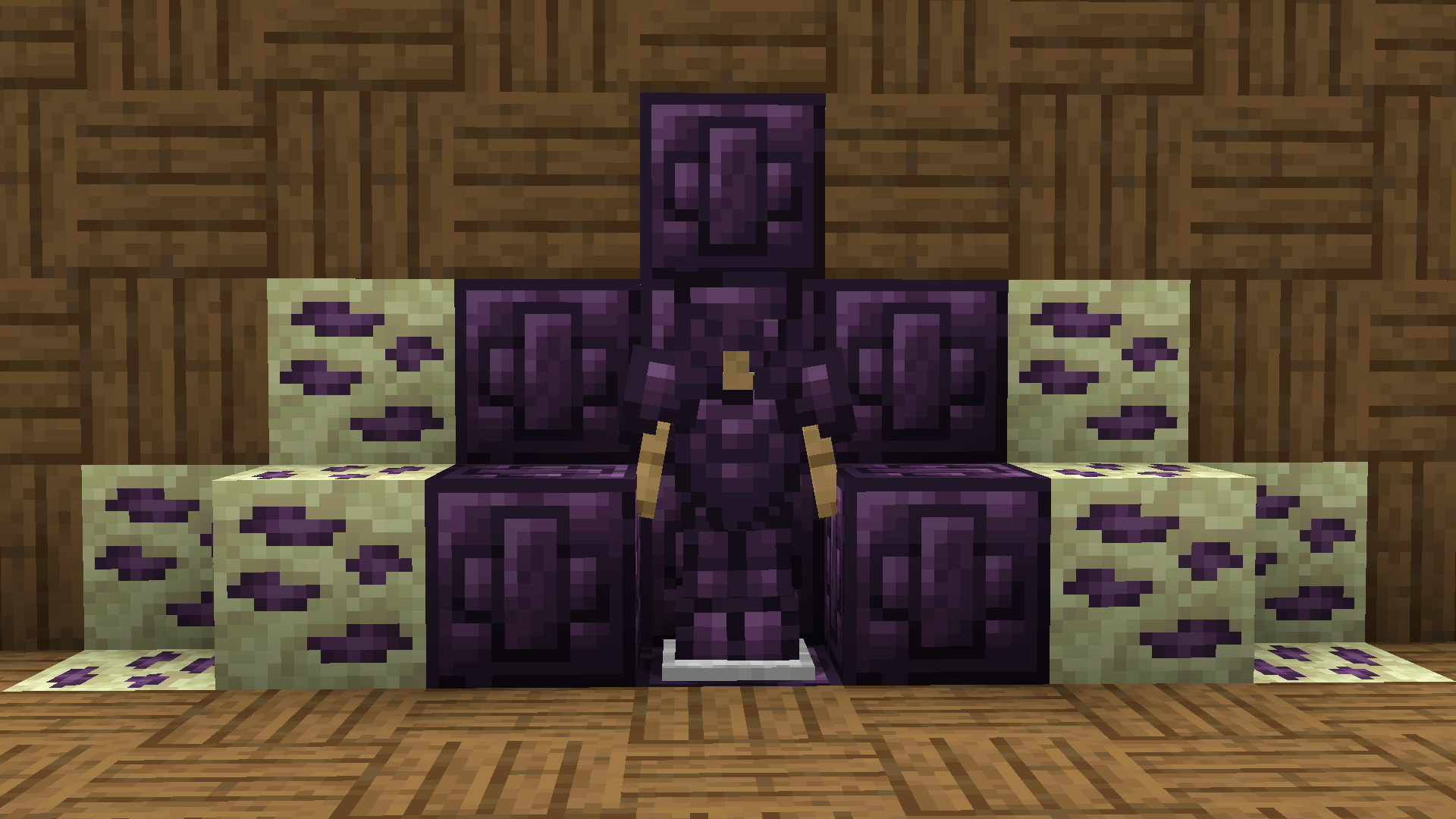
## With the texture pack (After)