Roblox eating sound
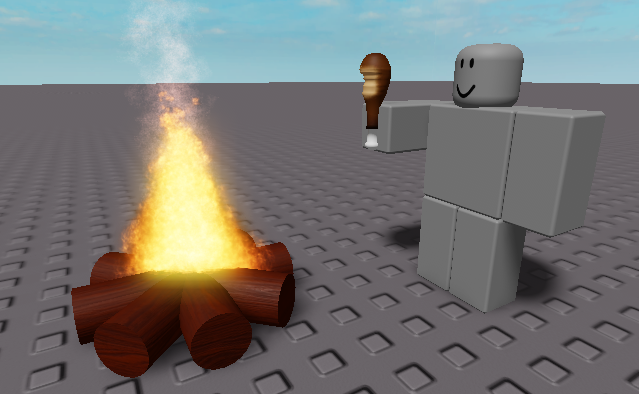
A meme resourcepack that replaces the eating sound with the roblox “nom nom nom” sound
Even if it says that the pack is outdated, it should work on all versions
You can submit bugs or suggestions [here](https://docs.google.com/forms/d/e/1FAIpQLSeELpo_gqlwn4ftgP_tkB6I-rq6c6nyvs4BM07e89AKy3DI2g/viewform?usp=sf_link)
Resource Engineering
This mod adds several components including an array of gems, tools, and armor and some nifty machines. Using the machines you can refine the raw gems mined from the earth, or sift through dirt, sand and gravel to find the bits of metals and gems hidden inside.
The gems:
Turquoise – Lowest tier. Makes tools that are about as effective as wood.
Onyx – Slightly better than Turquoise. Twice the durability and a mining level equal to that of stone tools
Amethyst – Twice the durability of Onyx.
Citrine – Twice the durability of Amethyst.(Seeing a pattern yet?)
Emerald – Twice the durability of Citrine. Can be used to make a hammer that mines a 3x3x3 cube.
Ruby – Twice the durability of Emerald. Can be used to make a hammer that mines a 5x5x5 cube.
Sapphire – The most rare. Has a durability of 4096(Twice Ruby). Can be used to make a hammer that mines a 7x7x7 cube.
Each gem has a complete set of tools and armor that(when crafted with refined gems) comes pre-enchanted.
The machines:
Sifter – This machine can sift dirt/gravel/sand/soulsand, their dense counterparts, and their loaded counterparts and produce bits of gold, iron, diamonds, and other drops. This includes gold, iron flakes, and diamond chips.
Pressure Vessel – This machine runs on blaze fuel and can smelt down the metal flakes into nuggets, as well as melting down the diamond chips to form whole diamonds. In addition this machine can smelt that extra armor one gets from looting dungeons and killing mobs down to get the resources back out of it. Currently only supports vanilla armor/tools and Resource Engineering armor/tools that are undamaged.
Gem Tumbler – This machine is crafted from the sifter and turns unrefined gems into shiny refined ones. Put sand or gravel in the bottom slot to act as grit and watch as your dull gems become shiny and refined, ready to be used in crafting.
Fracking Machine – This machine smashes apart cobble, netherrack, endstone and sandstone to find the tiny bits of useful materials hidden inside. This also supports the dense variants of the resources.
Compressor – This machine takes a stack of a resource and compresses it into the dense variety. This works with cobblestone, endstone, netherrack, soulsand, sand, dirt, and gravel. Each operation takes 200 ticks, and costs 400RF/tick.
Now you may be wondering what the dense variants are and how to get them. Wonder no more:
The Thors Hammer and the Chunk Hammer are the answer. The Thors Hammer will mine all of the ores out of a chunk when activated. If you have a chest in your inventory it will place it down and put as many of the ores into it as possible. It will then shove what it can into your inventory before dropping any remaining ores on the ground. The Chunk Hammer is an upgrade that will mine the entire chunk and attempt the same drop operation. Inventory>Ground. Both hammers will attempt to craft down any redstone/lapis/diamond/coal that it mines into blocks to reduce the number of items being spawned. The Chunk Hammer will also craft down cobble/sand/gravel and other common blocks into dense variants. These can be uncrafted at a ratio of 1 dense block > 64 block.
A word of warning: only vanilla stone is supported at the moment. Other types of stone from such mods as Underground Biomes are not currently supported, and will throw many stacks of items at your feet. Use caution when preparing to mine with these tools.
Reply Mod
Adds a command that allows you to direct message the last player who sent a direct message to you.
**Completely Client Sided**, **Requires Fabric API on modern versions**
**Command Structure** – `/r `
# WARNING – Might not work on servers with chat decoration plugins
This mod targets players who play on vanilla or vanilla+ servers which do not offer additional chat features such as a `/r` command.
This mod is **NOT** guaranteed to work on every server, especially if the said server uses a chat related plugin. There is simply no way I can account account for every direct message format of every chat or nickname plugins.
***If you are experiencing any issues on a vanilla server, please report it over at the linked github page or in the linked discord***
# Pre-1.13.2 versions
All the versions of this mod that support versions below minecraft 1.13.2 uses [Ornithe](https://github.com/OrnitheMC). **Legacy Fabric IS NOT supported**
RelishAuth
# RelishAuth
**Advanced Authentication System for Velocity Proxy Servers 🔐**

*Secure your Velocity network with advanced authentication, Discord integration, and premium account support*
## 🌟 Features
### 🔐 **Multi-Method Authentication**
– **Password Authentication**: Traditional secure password system with Argon2 hashing
– **Discord Integration**: Link Discord accounts for seamless authentication
– **Premium Auto-Login**: Automatic authentication for premium Minecraft accounts
– **Hybrid Mode**: Combine password + Discord for maximum security
### 🛡️ **Advanced Security**
– **Session Management**: Configurable session durations (0-1 hour)
– **IP Validation**: Optional IP-based session validation
– **Rate Limiting**: Protection against brute force attacks
– **Premium Verification**: Real-time Mojang API validation
– **Bedrock Support**: Compatible with Floodgate for cross-platform play
### 🤖 **Discord Bot Integration**
– **Real-time Verification**: Instant Discord DM verification
– **Join Notifications**: Security alerts when someone joins with your account
– **Account Management**: Change passwords, manage sessions via Discord
– **Admin Commands**: Full server management through Discord slash commands
– **Rich Embeds**: Beautiful, informative Discord messages
### 🌐 **Multi-Language Support**
– **English** and **Arabic** language packs included
– **Customizable Messages**: Full message customization support
### 💾 **Flexible Database Support**
– **SQLite**: Zero-configuration local database (default)
– **MySQL/MariaDB**: Network database support for multi-server setups
– **PostgreSQL**: Enterprise-grade database with advanced features
– **Connection Pooling**: High-performance HikariCP integration
—
## 📸 Screenshots
### Discord Integration

*Seamless Discord verification with interactive buttons*
### Admin Dashboard

*Powerful admin tools accessible through Discord slash commands*
### Security Notifications

*Real-time security notifications keep your account safe*
### Optimized Limbo world

—
## 🚀 Installation
### Prerequisites
– **Velocity Proxy** 3.4.0 or higher
– **Java** 21 or higher
– **LimboAPI** plugin (required dependency)
– **Discord Bot** (optional, for Discord features)
### Step 1: Download and Install
1. Download plugin JAR file
2. Place the JAR file in your Velocity `plugins/` folder
3. Install [LimboAPI](https://github.com/Elytrium/LimboAPI) Place it in the same folder
4. Restart your Velocity proxy
### Step 2: Initial Configuration
1. Navigate to `plugins/relishauth/`
2. Edit `config.yml` to configure your authentication method
3. Set up your database connection
4. Configure Discord bot (optional but recommended)
### Step 3: Discord Bot Setup (Optional)
1. Create a Discord application at [Discord Developer Portal](https://discord.com/developers/applications)
2. Create a bot and copy the token
3. Add the token to your `config.yml`
4. Invite the bot to your Discord server with appropriate permissions
—
## ⚙️ Configuration
### Basic Configuration
“`yaml
# Choose your authentication method
authentication:
method: “password” # Options: password, discord
premium-auto-login: true
allow-bedrock-players: true
# Session management
session:
duration: “5m” # Options: 0, 1m, 5m, 15m, 30m, 1h
allow-different-locations: true
# Database setup
database:
type: “sqlite” # Options: sqlite, mysql, mariadb, postgresql
sqlite:
path: “data.db”
“`
### Authentication Methods
#### 🔑 Password Authentication
Perfect for traditional servers wanting secure password-based auth:
“`yaml
authentication:
method: “password”
password:
min-length: 6
max-length: 32
hashing: “argon2” # Secure password hashing
“`
**How it works:**
1. New players create a password when first joining
2. Returning players enter their password to authenticate
3. Sessions are saved based on configured duration
4. Optional Discord linking for additional features

#### 💬 Discord Authentication
Ideal for Discord-centric communities:
“`yaml
authentication:
method: “discord”
discord:
bot-token: “YOUR_BOT_TOKEN”
server-id: “YOUR_DISCORD_SERVER_ID”
“`
**How it works:**
1. Players enter their Discord username in-game
2. Bot sends verification DM with interactive buttons
3. Players click “Verify” to authenticate
4. Account is permanently linked to Discord


#### 🏆 Premium Auto-Login
Streamlined experience for premium players:
“`yaml
authentication:
premium-auto-login: true
allow-premium-username-impersonation: false # Security: prevent impersonation
“`
**How it works:**
1. Premium accounts are automatically verified via Mojang API
2. No password or Discord verification required
3. Instant server access for legitimate premium players
4. Cracked clients cannot impersonate premium accounts

### Security Configuration
“`yaml
security:
authentication-timeout: 300 # 5 minutes to authenticate
password-attempts:
max-attempts: 3
lock-duration: 15 # Minutes
premium:
verification-timeout: 5
api-url: “https://api.mojang.com/users/profiles/minecraft/”
“`
### Limbo World Customization
“`yaml
customization:
limbo:
dimension: “THE_END” # OVERWORLD, NETHER, THE_END
gamemode: “SPECTATOR”
spawn:
x: 0
y: 64
z: 0
block-movement: true
“`
## 🎮 Commands
### Player Commands
| Command | Description | Usage |
|———|————-|——-|
| `/ra password ` | Set/change password | `/ra password mypass123 mypass123` |
| `/ra discord ` | Link Discord account | `/ra discord john_doe` |
| `/ra logout` | Clear all sessions | `/ra logout` |
| `/ra session [duration]` | Set session duration | `/ra session 30m` |
| `/ra notify ` | Toggle join notifications | `/ra notify on` |
| `/ra unlink` | Unlink Discord account | `/ra unlink` |
| `/ra info` | View account information | `/ra info` |
### Admin Commands
| Command | Description | Usage |
|———|————-|——-|
| `/ra reload` | Reload configuration | `/ra reload` |
| `/ra info ` | View player information | `/ra info PlayerName` |
| `/ra unlink ` | Unlink player’s Discord | `/ra unlink PlayerName` |
| `/ra block ` | Block username from IP | `/ra block Griefer 192.168.1.1` |
| `/ra unblock ` | Unblock username from IP | `/ra unblock Griefer 192.168.1.1` |
| `/ra clearblocks ` | Clear all stored blocks for username | `/ra clearblocks Griefer` |
| `/ra setpassword ` | Admin set a player’s password | `/ra setpassword PlayerName NewPass NewPass` |
| `/ra resetpassword [length]` | Admin reset password (temp password) | `/ra resetpassword PlayerName 16` |
—
## 🤖 Discord Bot Integration
### Setup Process
1. **Create Discord Application**
– Go to [Discord Developer Portal](https://discord.com/developers/applications)
– Click “New Application” and give it a name
– Navigate to “Bot” section and create a bot
2. **Configure Bot Permissions**
Required permissions:
– Send Messages
– Use Slash Commands
– Manage Roles (for linked role)
– Read Message History
3. **Invite Bot to Server**
“`
https://discord.com/api/oauth2/authorize?client_id=YOUR_BOT_ID&permissions=268435456&scope=bot%20applications.commands
“`
4. **Configure in RelishAuth**
“`yaml
discord:
bot-token: “YOUR_BOT_TOKEN”
server-id: “YOUR_DISCORD_SERVER_ID”
linked-role-id: “ROLE_ID_FOR_LINKED_USERS”
“`
### Discord Slash Commands
| Command | Description | Permission |
|———|————-|————|
| `/link` | Instructions for linking account | Everyone |
| `/session [duration]` | Set session duration | Linked users |
| `/notifications [toggle]` | Toggle join notifications | Linked users |
| `/info [player]` | View account information | Admin |
| `/kick ` | Kick player from server | Admin |
| `/unlink ` | Unlink player’s account | Admin |
| `/block ` | Block username from IP | Admin |
| `/unblock ` | Unblock username from IP | Admin |
| `/clearblocks ` | Clear all stored blocks for username | Admin |
| `/setpassword ` | Admin set a player’s password | Admin |
| `/resetpassword [length]` | Admin reset password (temp password) | Admin |
| `/reload` | Reload plugin configuration | Admin |
—
## 📞 **Support & Links**
[](https://discord.gg/jDr2KZcGXk)
[](https://github.com/iM5LB/relishauth/issues)
[](https://github.com/im5lb/relishauth)
—
Redstone Multimeter Fabric
# Redstone Multimeter
[Redstone Multimeter](https://github.com/NarcolepticFrog/RedstoneMultimeter) is a LiteMod for 1.12 by NarcolepticFrog. It is an easy to use, intuitive redstone debugging tool. Since LiteLoader never updated past 1.12.2, the mod is stuck in that version. Redstone Multimeter Fabric is a Fabric port of the original mod, which makes it compatible with the newest versions of Minecraft!
# Features
Redstone Multimeter allows you to track a myriad of redstone related events by placing virtual “meters” in the world. This makes it incredibly easy to see when blocks are e.g. powered or moved, and the order in which they do so. An overview of logged events is displayed in a HUD in the top left corner of the screen. This HUD has three components:
– The meter list: Each meter gets its own row and simply displays its name here.
– The primary event viewer: This is a graph showing logs of a 60 gt period. It usually shows logs of the past 60 gt, meaning you will see them scroll by in real-time. You can use the hotkeys to pause the HUD and scroll through the logs at your own pace.
– The secondary event viewer: This graph is usually hidden, but when the HUD is paused, it will appear next to the primary event viewer. It shows the order of events within the selected tick.
Meters are organized into meter groups. A meter group is a collection of meters and a unique name. You can have multiple meter groups, but the HUD will only display the logs of a single meter group. To subscribe to a meter group, use the `/meter group ` command. You can get a list of all meter groups by using the `/meter listGroups` command.
## Commands
* `/metergroup list`: query a list of all available meter groups.
* `/metergroup subscribe`: subscribe to your default meter group (which you can configure in the Options Menu).
* `/metergroup subscribe `: subscribe to the meter group with the given name, or create it if it does not already exist.
* `/metergroup unsubscribe`: unsubscribe from this metergroup.
* `/metergroup private`*: query whether this meter group is private or public.
* `/metergroup private [true|false]`*: set this meter group to private or public.
* `/metergroup members list`*: query a list of all members of this meter group.
* `/metergroup members add `*: add a player as a member of this meter group.
* `/metergroup members remove `*: remove a player as a member of this meter group.
* `/metergroup members clear`*: remove all members from this meter group.
* `/metergroup clear`: remove all meters from this metergroup.
* these subcommands are only available to you if you are the owner of this meter group
## Keybindings
– `Toggle Meter` (default `M`): Adds or removes a meter at the block you are looking at. Holding `ctrl` makes the meter immovable.
– `Reset Meter` (default `B`): Resets the properties of the meter you are looking at.
– `Pause Meters` (default `N`): Pauses HUD.
– `Step Forward` (default `.` ): If paused, moves the display 1 tick ahead in time. Holding `ctrl` moves 10 ticks.
– `Step Backward` (default `,`): If paused, moves the display 1 tick back in time. Holding `ctrl` moves 10 ticks.
– `Toggle HUD` (default `H`): toggles the HUD.
– `Scroll HUD` (default `alt`): scrolling while holding this key steps forward or backward through the HUD.
– `Open Multimeter Screen` (default `G`): opens the Multimeter screen.
– `Open Meter Controls` (default `I`): opens the meter controls of the meter you are looking at.
– `Open Options Menu` (default `O`): opens the Options Menu.
– `View Tick Phase Tree` (default `U`): opens the Tick Phase Tree screen.
– `Print Logs To File` (default `P`): toggles the printer.
Red Creepers
Are you tired of not seeing a creeper in the middle of a grass field? Just use this pack for more contrast between the creeper and the blocks around it.
– This [version](https://modrinth.com/resourcepack/red-creepers/version/1.0.0) is for [Fresh Animations](https://modrinth.com/project/50dA9Sha) and is not suitable for Vanilla Minecraft.
– This [version](https://modrinth.com/resourcepack/red-creepers/version/1.0.1) is for Vanilla Minecraft and is not suitable for [Fresh Animations](https://modrinth.com/project/50dA9Sha).
Red Chest
This texture pack changes the appearance of chests by turning them bright red, which makes them much easier to spot from a distance, especially in cluttered or dark environments
[Discontinued]
[Discontinued]
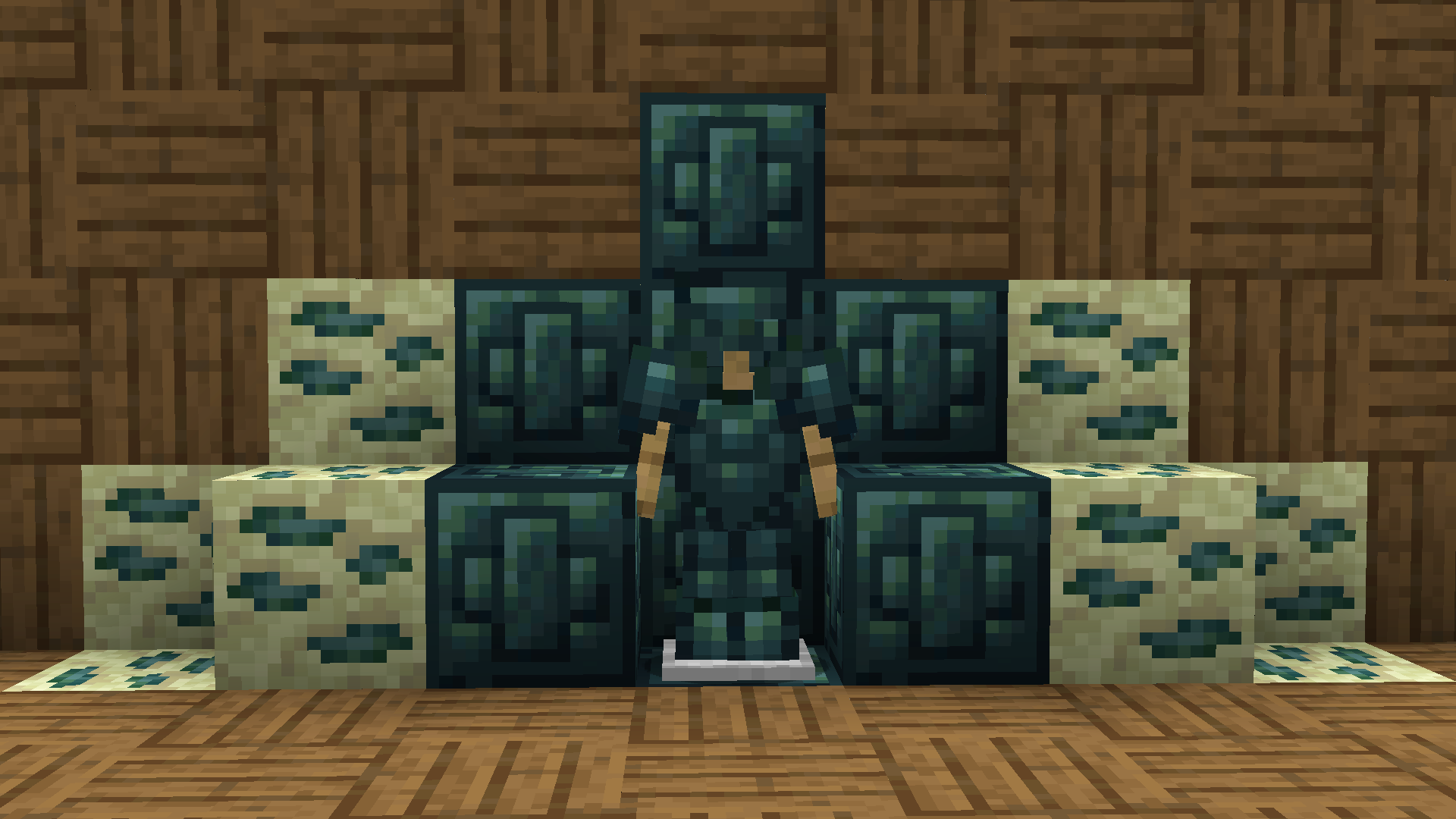
Recolored Enderium Majrusz’s Progressive Difficulty
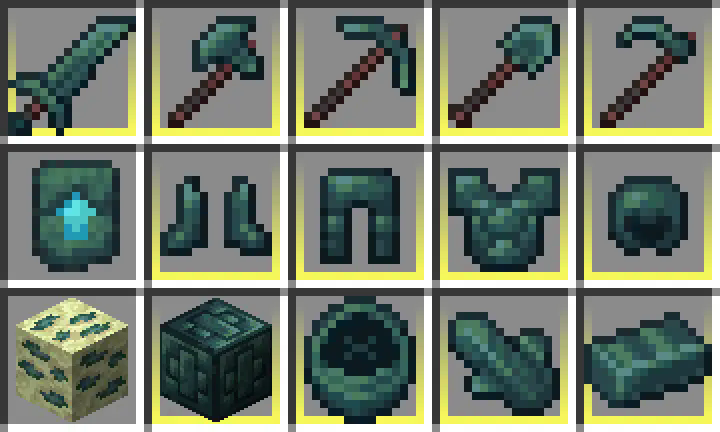
**Recolored Enderium [Majrusz’s Progressive Difficulty](https://modrinth.com/mod/majruszs-progressive-difficulty)**
## Without the texture pack (Before)
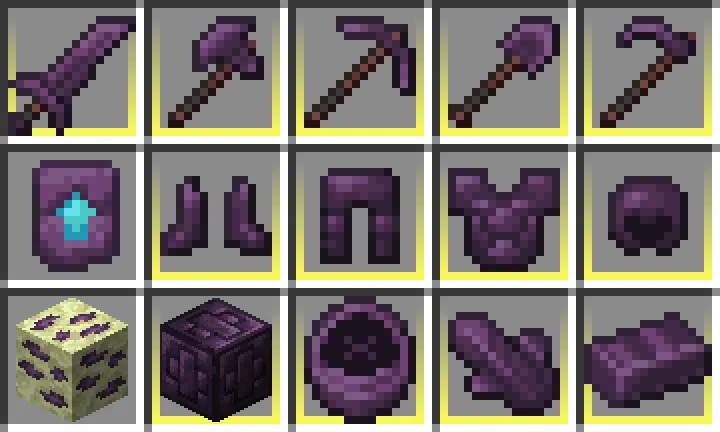
## With the texture pack (After)
## Without the texture pack (Before)
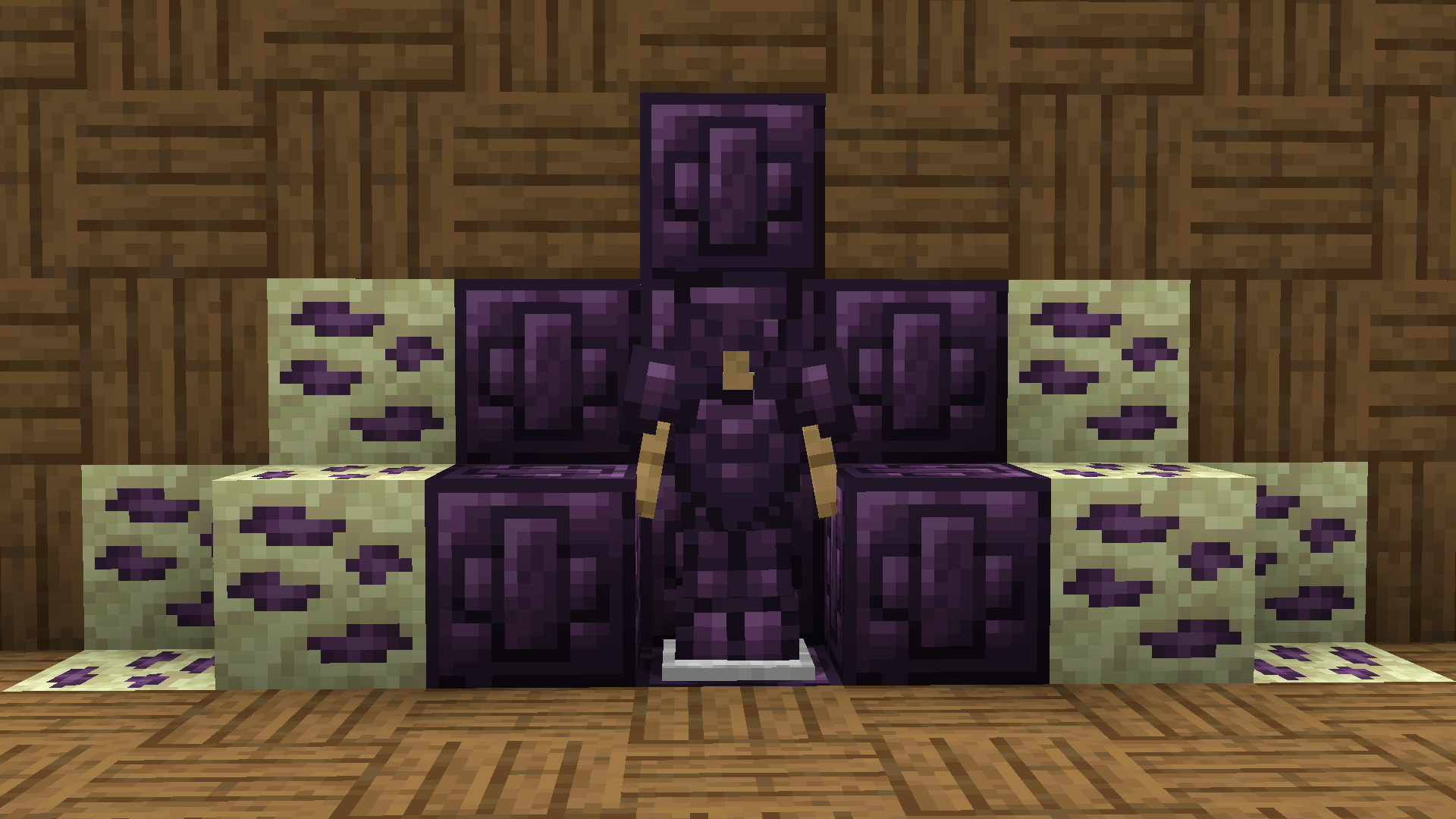
## With the texture pack (After)
QUIPT
# QUIPT [](https://github.com/Quipt-Minecraft/quipt/actions/workflows/gradle-publish.yml)
[](https://github.com/QuickScythe/QUIPT)
[](https://www.modrinth.com/plugin/QUIPT)
[](https://discord.gg/EhfMJmjTXh)
[](https://papermc.io/downloads/paper)


QUIPT is a multi-module toolkit for Minecraft servers and developers. It provides:
– Paper and Fabric integration layers
– An embedded HTTP server (Jetty) for callbacks/resources
– Resource pack auto-updates via webhooks
– A Discord bot integration with plugin loading
– Developer APIs for events, registries, messaging, placeholders, and ephemeral advancements
Quick Links
– Overview: docs/OVERVIEW.md
– Installation: docs/INSTALLATION.md
– Configuration Reference: docs/CONFIGURATION.md
– Modules: docs/MODULES.md
– Developer Guide: docs/DEVELOPER.md
– Contributing: docs/CONTRIBUTING.md
Getting Started (Paper)
1) Download a release from Modrinth or GitHub and place the JAR in plugins/.
2) Start your server once to generate default configs.
3) Edit configs under plugins/quipt-paper/ (see docs/CONFIGURATION.md).
4) Restart the server. QUIPT will start the embedded web server and Discord bot if enabled.
Server Owner Features
– Resource Pack Management: Configure resources.json with your pack repo and server IP. Trigger updates via /resourcepack update or a webhook to http://:/resources/update/.
– Teleportation Management: Simple P2P teleports and configurable warps/homes.
Developer Features
– Events and Listeners: Ready-to-use listeners and an event system to hook into.
– Ephemeral Advancements: Send toast-like updates to players using Bukkit advancements under the hood.
– Embedded Web Server: Mount your own handlers at custom routes.
– Discord Integration: Post server status and extend via bot plugins.
Building From Source
– Requirements: Java 21, Git
– Windows PowerShell: .gradlew.bat build
– Other platforms: ./gradlew build
– Artifacts are available under each module’s build/libs directory.
Support and Community
– Discord: https://discord.gg/EhfMJmjTXh
– Issues: https://github.com/Quipt-Minecraft/quipt/issues
Versioning
– See gradle.properties for project_version and supported_minecraft_versions.
License
– Copyright © QuickScythe.
– See repository license file for details.