CH Motion
**This Simple, Super light weight motion blur pack adds a beautiful, smooth and satisfying motion blur to your game!**
_This motion blur pack makes use of Nvidia’s Motion Blur as a Post-Processing Effect
which optimizes graphic load and gives some amazing effects._
**Pros**
+ Cool effects
+ Easy for the eye
+ Light weight, Any device could run this
+ Looks beautiful
**Cons**
– Non, It’s perfect 🙂
CC: Tweaked
# 
CC: Tweaked is a mod for Minecraft which adds programmable computers, turtles and more to the game. A fork of the much-beloved [ComputerCraft], it continues its legacy with improved performance and stability, along with a wealth of new features.
## Testimonials
> I’m not sure what that is […] I don’t know where that came from.
>
> – direwolf20, December 2020
> It is basically ComputerCraft. It has the turtles, and the computers, and writing Lua programs and all that stuff.
>
> – direwolf20, May 2022
## Features
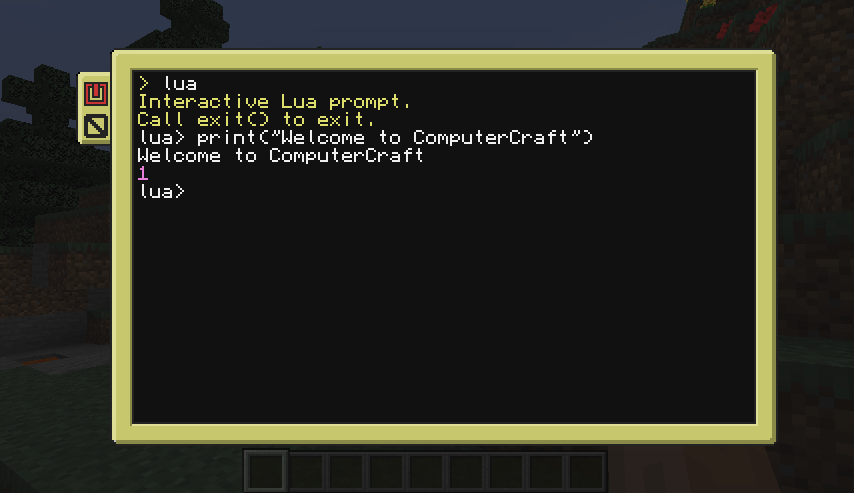
Controlled using the [Lua programming language][lua], CC: Tweaked’s computers provides all the tools you need to start
writing code and automating your Minecraft world.
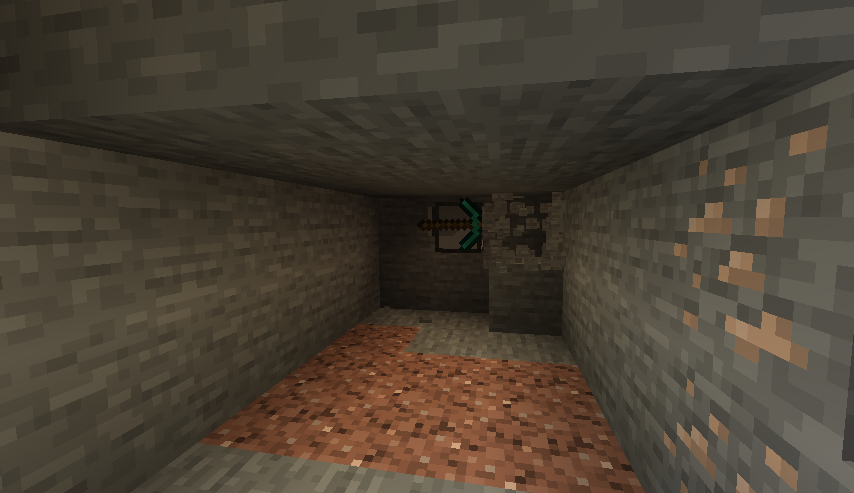
While computers are incredibly powerful, they’re rather limited by their inability to move about. *Turtles* are the
solution here. They can move about the world, placing and breaking blocks, swinging a sword to protect you from zombies,
or whatever else you program them to!
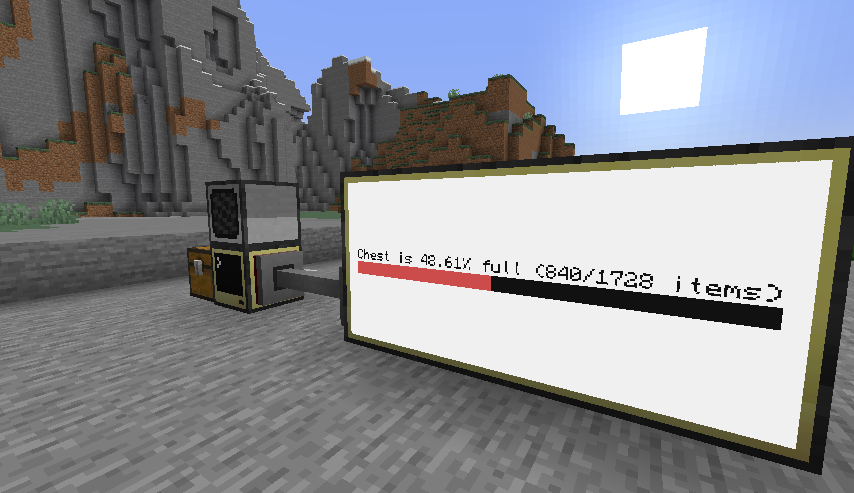
Not all problems can be solved with a pickaxe though, and so CC: Tweaked also provides a bunch of additional peripherals
for your computers. You can play a tune with speakers, display text or images on a monitor, connect all your
computers together with modems, and much more.
Computers can now also interact with inventories such as chests, allowing you to build complex inventory and item
management systems.
## Getting Started
While ComputerCraft is lovely for both experienced programmers and for people who have never coded before, it can be a
little daunting getting started. Thankfully, there’s several fantastic tutorials out there:
– Direwolf20’s ComputerCraft tutorials
– Sethbling’s ComputerCraft series
– Lyqyd’s Computer Basics 1
Once you’re a little more familiar with the mod, the wiki provides more detailed documentation on the
various APIs and peripherals provided by the mod.
## Community
If you need help getting started with CC: Tweaked, want to show off your latest project, or just want to chat about
ComputerCraft, do check out our [GitHub discussions page][GitHub discussions]! There’s also a fairly populated,
albeit quiet IRC channel on [EsperNet], if that’s more your cup of tea. You can join `#computercraft` through your
desktop client, or online using [KiwiIRC].
## Get Involved
CC: Tweaked lives on [GitHub]. If you’ve got any ideas, feedback or bugs please do [create an issue][bug].
[github]: https://github.com/cc-tweaked/CC-Tweaked/ “CC: Tweaked on GitHub”
[bug]: https://github.com/cc-tweaked/CC-Tweaked/issues/new/choose
[computercraft]: https://github.com/dan200/ComputerCraft “ComputerCraft on GitHub”
[lua]: https://www.lua.org/ “Lua’s main website”
[GitHub Discussions]: https://github.com/cc-tweaked/CC-Tweaked/discussions
[EsperNet]: https://www.esper.net/
[KiwiIRC]: https://kiwiirc.com/nextclient/#irc://irc.esper.net:+6697/#computercraft “#computercraft on EsperNet”
Cave Tweaks
CAVE TWEAKS!
❤️ Made by Wilozyx and DraconicAxolotl! ❤️
Cave tweaks is a vanilla-esque tweaks 16x pack for most minecraft versions. The goal of the pack is to include most versions from infdev (yep), alpha, beta and release!
This pack is 100% public domain, we totally allow and encourage people who enjoy the pack to use, edit and improve upon our textures for their own works if you wish to do so!
Wish to support us?
Subscribe to our channels on youtube!
Wilozyx’s Channel |
DraconicAxolotl’s Channel
—
What versions is the pack available for, currently?
| Sign | State |
|———————|:———————:|
| ✔️ | Fully done & uploaded |
| ❌ | Not done but planned |
| 🔨 | Currently being worked on |
| ⏳ | Done and awaiting to be posted |
| Version | Status |
|———————|:———————:|
| Beta 1.0 | 🔨 |
| Beta 1.1 | 🔨 |
| Beta 1.2 | 🔨 |
| Beta 1.3 | ⏳ |
| Beta 1.4 | ⏳ |
| Beta 1.5 | ✔️ |
| Beta 1.6 | ✔️ |
| Beta 1.7 | ✔️ |
| Beta 1.8 | ✔️ |
| Release 1.0 | ✔️ |
| Release 1.1 | ✔️ |
| Release 1.2| ✔️ |
| Release 1.3| ✔️ |
| Release 1.4| ✔️ |
| Release 1.5| ✔️ |
| Release 1.6| ✔️ |
| Release 1.7| ✔️ |
| Release 1.8| ✔️ |
| Release 1.9| ✔️ |
| Release 1.10| ✔️ |
| Release 1.11| 🔨 |
| Release 1.12+| ❌ |
cardiac changes
This is a set of resources that changes all the hearts in the game. Hearts can be ordinary, burning, poisonous, chilling, metallic and hardcore.
BukkitVersion
Handy utility for dealing with different aspects of Bukkit/Spigot/etc. server version strings.
Use cases & features:
* Extract vanilla Minecraft version strings from server API version
* Allow only a given version or range of versions to execute certain code
* Compare versions with varying granularity
## Installation
Download the latest JAR file and add it to your plugins directory.
## Documentation
“`xml
net.ssterling
bukkitversion
0.3.1
compile
ssterling-repo
https://www.ssterling.net/comp/maven
“`
For a thorough explanation of how to use the library itself
in your code, refer to the Javadocs.
BukkitGreentext
The best >greentext plugin out there. Probably.
Prefix any message with a “>” and *bam* it’s >green. Or postfix it with “<” and it's orange<.

Cool features:
* Per-player and global toggling via command
* Optional permissions check
* Compatibility with emoticons >:c >_<
* Custom exceptions to greenification
* 1.16+ RGB support for 4chan-accurate color
Everything should work right out-of-the-box.
Metrics for the plugin can be found on bStats.
## Usage
Download the plugin JAR
and drop it in the `plugins/` directory of your Minecraft server.
Any message starting with the greater-than sign, `>`,
is made green, whilst any message *ending* with the opposite `<`
is made orange.
Players can avoid making anything starting with `>` green by
prepending a space, i.e. ` >`, or by using `/greentext [on|off]`.
### Configuration
To avoid automatic greenification of angry emotions, e.g. `>:C`,
or Japanese-style emoticons such as `>_>`, *exceptions*
for `:` and `_` are specified in the config file.
Custom exceptions are allowed as well, naturally.
Greentext can be either enabled or disabled upon startup.
In the case the parameter `enabled-by-default` is set true,
each player must manually enable the plugin with `/greentext on`.
Additionally, orangetext, an obscure feature
used probably once,
can be disabled via config.
If you want to take advantage of 1.16’s full RGB support and
use 4chan-accurate colors in chat, set `use-hex-colors` as true.
### Permissions
If `check-for-permissions` is set true in the config file,
give players the desired permissions to enable use of the plugin:
* `greentext.chat.*`: all features
* `greentext.chat.green`: greentext
* `greentext.chat.orange`: orangetext
* `greentext.toggle`: toggle ability to use features
* `greentext.toggle.others`: toggle others’ ability to use features
BuildCraft
BuildCraft – the all-encompassing transport/mining/building/power mod of the pre-1.6 era. Originally created by SpaceToad, it has received contributions from the who’s who of notable modders and is now maintained by AlexIIL.
Source code for really old versions is available here: https://sourceforge.net/projects/buildcraft/
Not all versions are features as part of this project! Some are available in modular form only, as part of the projects below. For this and licensing information, refer to the table below:
| Versions | License | Packaging |
| – | – | – |
| 1.4.1 ~ 1.5_01.3 | Public domain (1) | Non-modular only |
| 1.5_01.4 | Public domain (1) | Modular only |
| 1.6.5.1 ~ 2.2.4 | Unclear (2) | Modular only |
| 2.2.5 ~ 2.2.14 | MMPLv1 (3) | Modular only |
| 3.0.0 ~ 3.1.5 | MMPLv1 (3) | Modular only |
| 3.2.0 ~ 6.4.x, 7.0.0 | MMPLv1 | Non-modular only |
| 7.0.1 ~ 7.1.x, 7.2.x | MMPLv1 | Both |
| 7.99.0 ~ 7.99.4 | MMPLv1 + MPLv2 (4) | Non-modular only |
| 7.99.5 ~ 7.99.19 | MMPLv1 + MPLv2 (4) | Both |
| 7.99.20 onwards | MMPLv1 + MPLv2 (4) | Both (5) |
* (MMPLv1) – Minecraft Mod Public License
* (MPLv2) – Mozilla Public License Version 2.0
* (1) – Retroactively re-licensed by SpaceToad in 2016.
* (2) – Mostly public domain as per (1), but include contributions by hawkye and plashal whose licensing status is unknown.
* (3) – These may also be mostly public domain, however the source code history for these versions is lost.
* (4) – All licenses listed apply.
* (5) – All versions after 7.99.20 include the compat module inside the `all` file
This project is the non-modular, or “combined” version of BuildCraft, with every module *except* Compat. If you want to download only specific modules then you’ll need to go to these module projects:
* Core containing the wrench, gears, wooden engine, and a few other things that the other modules make use of. You always need this!
* Builders has the Architect Table, Builder, Filler, and a few related things for building in-world.
* Energy has Oil and Fuel, as well as Stirling and Combustion engines.
* Factory containing the pump, tank, mining well, autoworkbench, etc.
* Transport containing pipes!
* Silicon contains logic gates, a laser system and laser tables to make more advanced items.
* Robotics contains robots!
The following modules are separate from BuildCraft itself before 7.99.20, and as such serve the role of add-ons:
* Compat for enhanced compatibility with other mods.
There’s also a separate Lib module, containing only code used by the rest of buildcraft. You only need to download it if another mod requires it but you don’t have Core/All.
BrighterAccessibility
# BrighterAccessibility
## Overview
**Compatible with Distant Horizons**
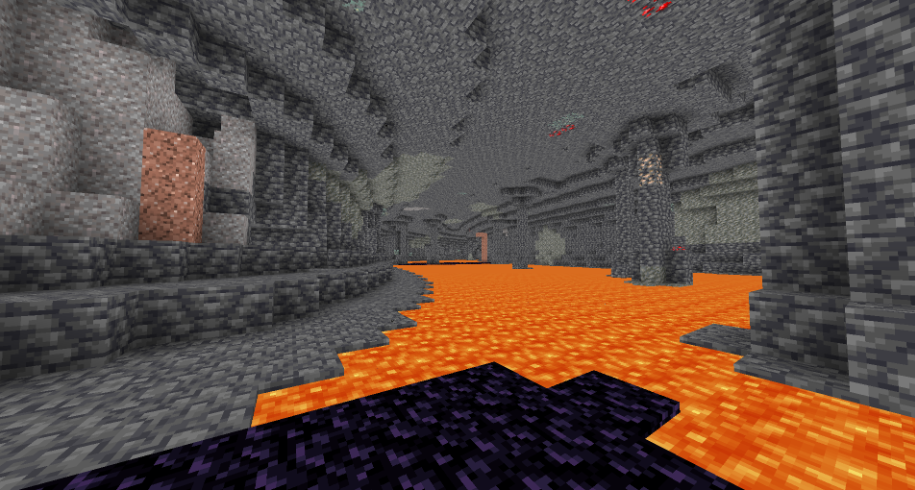
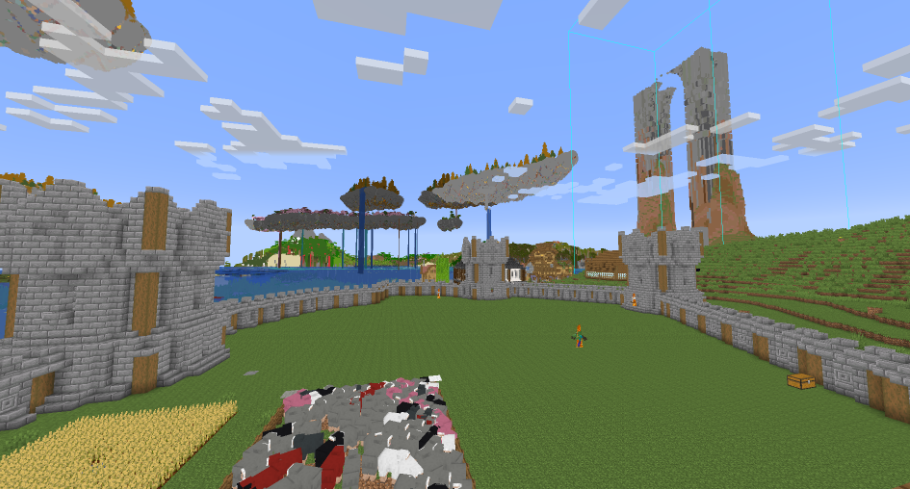
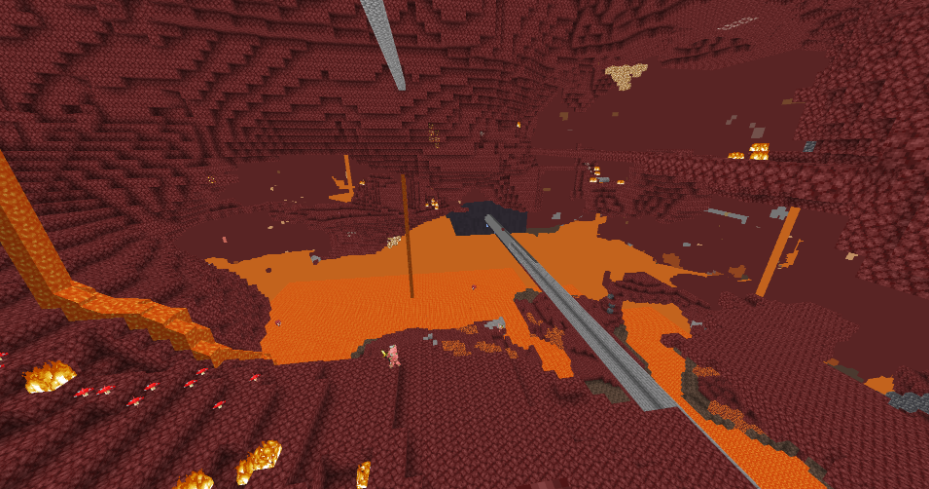
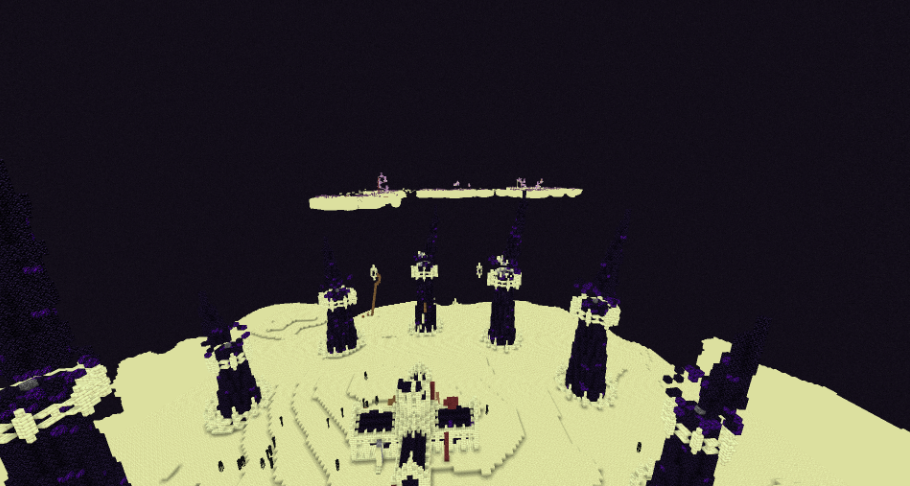
**BrighterAccessibility** is a custom shader designed to enhance visibility for visually impaired players by making the world brighter. This shader aims to improve accessibility.
## Installation
1. Download the `BrighterAccessibility.zip` file from the link provided.
2. Extract the contents into your Minecraft shaderpacks folder.
3. Launch Minecraft and select the BrighterAccessibility shader from the iris shaders menu.
## Usage
Once installed, the shader will automatically adjust the brightness levels, making dark areas easier to see for visually impaired players. Enjoy a more accessible Minecraft
### This shader is intended solely for accessibility purposes. It should not be used to gain gameplay advantages. If you have any concerns or feedback, please reach out to me.
###
## Screenshots
Blue TNT
Just a very simple resource pack that makes TNT blue 😀
Blue Poppy
A resource pack I made to make poppies blue 😀
If the .zip file doesn’t work, try unzipping it and use the raw folder.