Enhanced Sun
By Using Code “GARTMAN” When Buying A Server You Are Not Only Getting A Discount, But Supporting Me In The Process!
Get Your Server Now!
Are You Tired Of The Vanilla Minecraft Sun? Don’t Like Square Style Mojang Went For? Well, You’re In Luck Because This pack makes the sun round but keeps the same vanilla colors. Sunsets Look Great With This Resource Pack!
I strongly recommend using this with my other resource pack Enhanced Moon.
Shader Support:
– BSL Shaders
– Complementary Shaders
– Sildurs Vibrant Shaders
– Sora Shaders
– Rethinking Voxels
– Seus Renewed
– Sildurs Vibrant
– Seus PTGI HRR 3
(I Might Have Missed Some Shaders)
Поэма Края. Переклад на русский стих
Переклад Поэмы Края на русский стих, выполнен Иоганном Искандером, 2026.
Автор оригинала — Юлиан Гоф.
Против версии Кириченко ничего не имею, но я внезапно и твёрдо захотел иначе — так за три-четыре свободных вечера я написал свою, идя верно по строкам, без сокращений.
Текст можно найти на сайте Стихи.ру в открытом доступе.
Ресурспак можно распространять с упоминанием авторства как моего, так и Гофа — только бесплатно и открыто, без извлечения прибыли.
End Portal Frame Fix
Information
—
I changed a couple pixels so end portal frame fronts and backs are distinguishable.
Never build a portal wrong again!
Versions
—
This is designed to work in any version with end portal frames in it, but I’ve only tested a handful of versions.
Having issues?
—
Report it on the Github issue tracker so I know I need to fix something 😀
This tweak not for you?
—
Check out my other projects, I might have something you didn’t know you needed! 😀
Eating Animations Quark Compatibility
**Bundle Texture Pack Compat** **Eating Animations More Mod Compatibility (NEO/FORGE/FABRIC)**

### Eating Animations More Mod Compatibility
**Add compatibility for mods with Eating animation(NEO/FORGE) & (FABRIC)**
### Mod Compatibility & Fixes:
– **Quark**
– **Quark Delight**
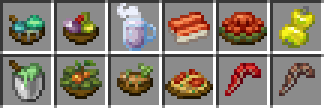
Eating Animations More Mod Compatibility [FORGE/FABRIC]
Add compatibility for mods with Eating animation(Fabric)/Eating Animations(Forge) and fix some errors that Eating Animations+
### Mod Compatibility & Fixes:
– **Aether**
– **Aether Delight**
– **Aether: Redux**
– **Artifacts Delight**
– **Bosses of Mass Destruction** & **Forge**
– **Born in Chaos**
– **Born in Chaos Delight** (from **Compat Delight**)
– **Call of Yucatán**
– **Caverns & Chasms**
– **Critters n’ Crawlers**
– **Ender’s Delight**
– **Drop the Meat** _(Combine with Eating Animations+)_
– **Farmer´s Delight**
– **Fungi Stew**
– **Fungus Stew**
– **Golden Delicacies**
– **Inka**
– **Jaden’s Nether Expansion**
– **Legionary**
– [**[Let’s Do] Beachparty**](https://modrinth.com/mod/lets-do-beachparty)
– [**[Let’s Do] Meadow**](https://modrinth.com/mod/lets-do-meadow)
– **Loot & Explore (More RPG Content)** & **(LNE Add-Ons)**
– **Minecraft** (Small Details)
– **Mineral Delight**
– **Nether´s Delight** & **Fabric**
– **Ocean´s Delight**
– **Quark**
– **Quark Delight**
– **Queen Cats & Dogs**
– **Slimy Stuff**
– **Supplementaries** _(Combine with Eating Animations+)_
– **Rotten Creatures**
– **Twilight Forest** _(Combine with Twilight Forest: JAPPA Pack_ _&_ _Eating Animations+)_
– **Twilight’s Flavor & Delight** _(Combine with Eating Animations+)_
– **Twilight Forest Artifacts**
– **Vanilla Cookbook** _(Combine with Eating Animations+)_
– **Victus**
– **YUNG’s Cave Biomes**
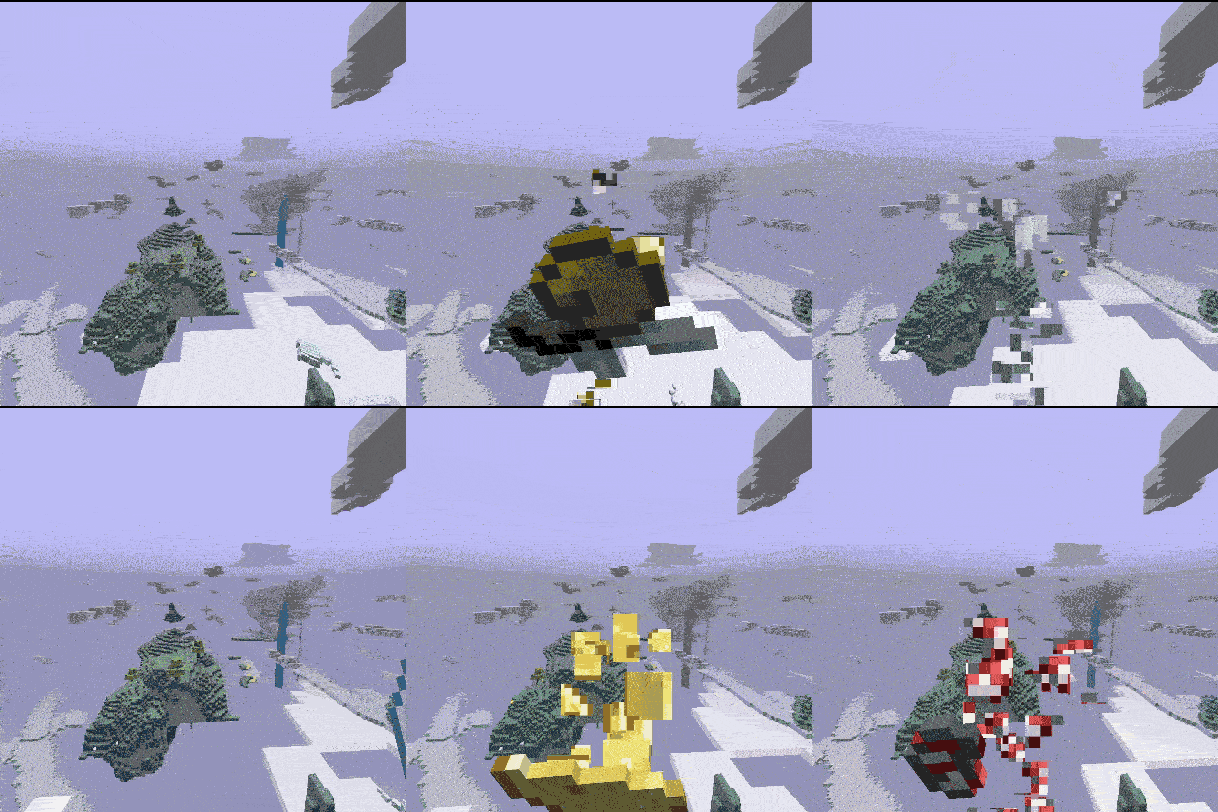
## Other mods compatibilities in parts:




## Other resourcepacks compatibilities in parts:

### Specific order (to avoid any type of texture error)
I recommend installing (Eating Animations+) Because this package also corrects some errors in version 1.20.x
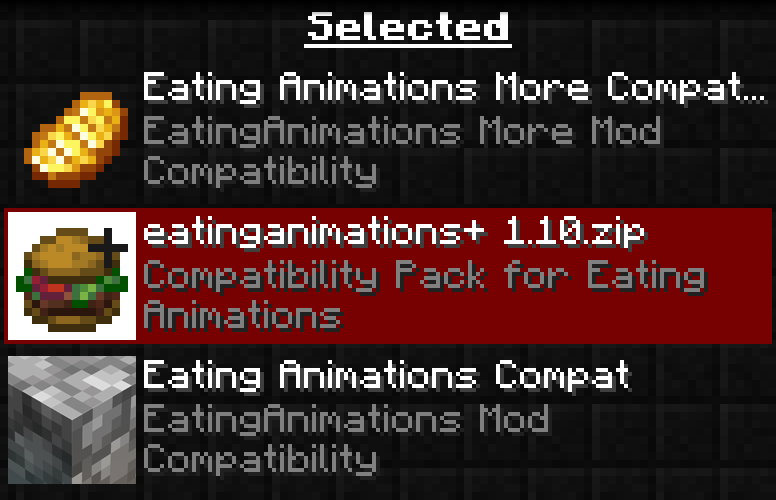
### Some Meals Compat with Eat Animation (Including Eatanimations+ 1.10 arrangements)

### This pack adds new compatibilities and fixes things from another pack
Ears (+ Snouts/Muzzles, Tails, Horns, Wings, and More)

Faithful fancy fashion features for fuzzy folk.
Created due to a lack of the Tails mod for 1.16, Ears is a mod that adds ears, snouts, tails, horns, wings, and more to the player. Eventually, it also became a complete lightweight open source 1.9 skin backport for many old versions, which works even if you aren’t using its special features.
Ears has a more vanilla-faithful appearance than Tails, with a lot of 2D regions but a few 3D ones too. There are a wide variety of possible configurations and it can all be customized.

Why use Ears instead of Tails? Because Ears is easy to port to other versions, based on a multi-version abstraction allowing the mod to even run in web browsers. The Tails mod has wonderful 3D models and animations, but it’s a burden to update it to any version due to its large rendering system and all the data syncing code, causing it to be tightly coupled with the version of the game and mod loader it was designed for. Ears stores all data as pixels in the player’s skin.
However, Ears requires you to draw your own additions, and does not come with easy recolorable prefabs like Tails. Additionally, unlike CPM or Figura, Ears has a limited number of customization options. (Note that if you have a simple idea, I may add it. Open an issue on GitHub or hop in Discord.) Ears offers a good middle-ground that will work in almost any version you wish to play. It also does not and never will use external servers, just Mojang’s skin server, so there’s no concerns about a third-party server going down (be it temporarily or for good).
Why use Ears instead of other skin fixes? Ears provides a lot of new features to customize your skin, and is a much more lightweight patch with no usage of third-party servers and is completely open source. Additionally, Ears backports translucent secondary layer support to 1.8 and 1.7.
Come discuss this mod and any of my others on Discord or Matrix, or send me an email.
Drogtor the Nickinator
## *Drogtor is in feature freeze and has been obsoleted by the PlaceholderAPI ecosystem, including Styled Nicknames.* It was created in early 1.16 when alternatives were not readily available. All of the mods in the PlaceholderAPI ecosystem massively outdo Drogtor in every way imaginable, and mods that previously were Drogtor-exclusive have been receiving ports to use PlaceholderAPI mods instead.
### It additionally has multiple bugs when combined with other mods that modify player names and associated data, such as the “Modder Modder” bug at ModFest: Singularity, and is incompatible with chat signing. *It was designed in a vacuum to be used alone.*
***A port to 1.19.3 or 1.20 will not be released unless someone opens a PR for it again.***
—-

It’s a nickname mod. You try naming mods; it’s not easy.
Run /nick followed by your desired nickname. Run /color followed by a color to set your name color to that. 15 of the 16 Minecraft colors are supported. (No, you can’t use black.)
Drogtor does not perform validation that the nick is not taken. It is assumed you trust your players. This may change in the future.
Run /nick or /color with no arguments to reset to default.
Works even if only installed on the server.
Doku’s RPG
**About**:
————
This pack is a continuation of Doku’s RPG,
a texture pack by Doku, it was the initial inspiration for Gerudoku and several other remix packs, Doku’s RPG was discontinued in 2010.
in 2014 Handsome_Dan started a continuation project called Doku RPG: Faithful Continuation,
it had a few items and new blocks, but was discontinued in 2015 due to lack of time,
most of Doku RPG: Faithful Continuation is used within this pack.
the original plan for this continuation was to avoid using anything made for Gerudoku and parts of Dokucraft, however I realized that I would never finish the pack if I didn’t use a few parts from them, the original version of Doku’s RPG didn’t have items or mobs and the task of making nearly 14 years worth of textures all at once was a little too daunting, so I’ve tried to use as few as possible while updating the pack through each version of minecraft and trying to maintain a consistent style.
**Links and Other Information**
——————————
I recommend **Optifine** for full functionality of the pack.
For Fabric I’d recommend the **Fabulously Optimized** modpack for ease of use, or https://lambdaurora.dev/optifine_alternatives/ for a list of Optifine alternatives
Some things will not work without optifine or an alternative,
**Optifine**
– https://www.optifine.net/downloads
**Fabulously Optimized**
– https://modrinth.com/modpack/fabulously-optimized
– https://www.curseforge.com/minecraft/modpacks/fabulously-optimized
——————————
– **Doku RPG: Faithful Continuation**
– **Gerudoku Faithful**
– **Gerudoku Genesis**
– **Proof of Permission**
**Alternate Textures & Add-on files**
——————————
Alternate Textures & add-on files available on Github:
– **Doku’s RPG Github**
**Credits**
——————————
Doku, Handsome_Dan, SOM3GUY, Tyken132, Jademalo, Lilyo, Coagulated, Runesmith, Krayloon, Jzus,TDWP_FTW/Forstride, DrZhark, Executive_Hamster, Bloody_Toast, Vamediah, History, Hozz, Richasackboy/Teknician, GameslayerX2, DooDooRoonys, Velimas,
Specific Credits in zip file.
All Dokucraft textures included within this pack were made by Doku for Dokucraft 1.0 to 2.5 between March 2011 and July 2011.
Doemeth’s Simple Armor
**This is my very first texture pack! It features simplified armor for Leather, Iron, Gold, Diamond, and Netherite.**
DockBridge
# DockBridge
Velocity plugin to auto-register Docker-backed servers (e.g., Limbo) and check for updates on Modrinth.
## Features
– Auto-discovery: Containers with label `net.uebliche.dockbridge.autoregister=true` are registered as Velocity servers. Host from container name, port from label `net.uebliche.dockbridge.server_port` (fallback: first exposed port, else 25565).
– Name collisions: Default `suffix` → append short container id (`basename-abcdef`). Alternative `overwrite` → keep basename, last writer wins.
– `/dockbridge` command (permission `dockbridge.command`): Shows label filter, duplicate strategy, last scan stats, and registered servers (no sensitive data).
– Modrinth update check on proxy start; login hint for players with permission `dockbridge.update.notify`.
## Installation
1) Download the latest DockBridge release from Modrinth (jar file).
2) Place the jar into your Velocity `plugins/` folder.
3) (Optional) If Velocity runs in Docker, mount `/var/run/docker.sock` into the Velocity container so DockBridge can discover containers.
4) Start Velocity. On first start, the config file `dockbridge.conf` is created in the Velocity data folder; adjust settings and restart.
5) Permissions:
– `dockbridge.command` for `/dockbridge`
– `dockbridge.update.notify` for update hints on login
## Configuration
`dockbridge.conf` (created in the Velocity data folder on first start):
“`
docker.endpoint=unix:///var/run/docker.sock
docker.poll_interval_seconds=30
filters.proxy_group=default
docker.autoregister.label_key=net.uebliche.dockbridge.autoregister
docker.autoregister.label_value=true
docker.autoregister.name_label=net.uebliche.dockbridge.server_name
docker.autoregister.port_label=net.uebliche.dockbridge.server_port
docker.autoregister.duplicate_strategy=suffix # suffix | overwrite
“`
## Docker labels (example)
“`
net.uebliche.dockbridge.autoregister=true
net.uebliche.dockbridge.server_name=limbo
net.uebliche.dockbridge.server_port=30000
“`
## Local testing
### Gradle run
“`
./gradlew runVelocity
“`
Downloads Velocity, builds the plugin (shadowJar), and starts the proxy with the plugin loaded.
### Docker Compose (Limbo set)
“`
docker compose up –build # or: docker compose -f docker-compose.limbo.yml up –build
“`
Includes three Limbo backends (ports 30000/30001/30002) and Velocity on host port 26678. Velocity runs via `runVelocity` inside the container and mounts your sources/config.
## Commands & permissions
– `/dockbridge` (permission `dockbridge.command`): Status and registered servers.
– Update hint on login: permission `dockbridge.update.notify`.
## Troubleshooting
– No servers registered?
– Ensure your containers have the label `net.uebliche.dockbridge.autoregister=true` and a valid `net.uebliche.dockbridge.server_port`.
– Make sure Velocity can reach Docker: mount `/var/run/docker.sock` (or set `docker.endpoint` to a reachable TCP endpoint).
– Check `/dockbridge` output for last scan count and registered servers.
– Port mismatch or forwarding errors?
– Verify the Limbo (or other backend) port matches the label and the server properties.
– For Velocity forwarding, ensure forwarding secret/mode match on both ends.
– Duplicate names?
– Default strategy is `suffix`. Switch to `overwrite` via `docker.autoregister.duplicate_strategy` if you want last-writer-wins.
## Build
“`
./gradlew build
“`
Produces the shaded jar at `build/libs/DockBridge-.jar`.
## Contributing
– Fork & PRs welcome. Keep code comments minimal but purposeful.
– Default Java 21, Gradle Kotlin DSL, Velocity API 3.4.0-SNAPSHOT for run task; 3.1.1 for compileOnly/annotationProcessor.
– Run `./gradlew build` before submitting; Docker-based tests are optional.
