Rainless
# Rainless
This simple resource pack removes rain textures, rain sounds, and snow textures!
WARNING!
This resources pack may not be compatable with any mods that change the rain sounds or textures. This does work with most shaders.
Now on Curseforge.
No Pumpkin Blur
🎃 Simple resource pack that removes the blur when you put on a pumpkin. 🎃
🎃 Why Choose No Pumpkin Blur 16x?
| ✅ No Pumpkin Blur 16x |
❌ Competitors |
| 📦 Only 776 bytes |
📁 Usually 8–80 KB |
| ⚡ Fast updates |
🐢 Slower updates |
| 🧩 Supports all versions in one file |
📂 Often requires separate files for different versions |

No Mod Armor / Invisible Mod Armor
I like my skins and i can´t stand it anymore that i cant view my skin when i wear my armor
So i made this ressourcepack
**You can join my Discord server to make mod request so i can make the armor invisible**
No Mining Fatigue
A simple Datapack that clears mining fatigue every tick and makes ocean monuments easier. This should work for every version between 1.21.10 and 1.42
If the minecraft says the mod is made for a older/newer version, check if you downloaded the correct one and if it is, its fine. Sometimes, the file names are not updated.
No HUD
# Info
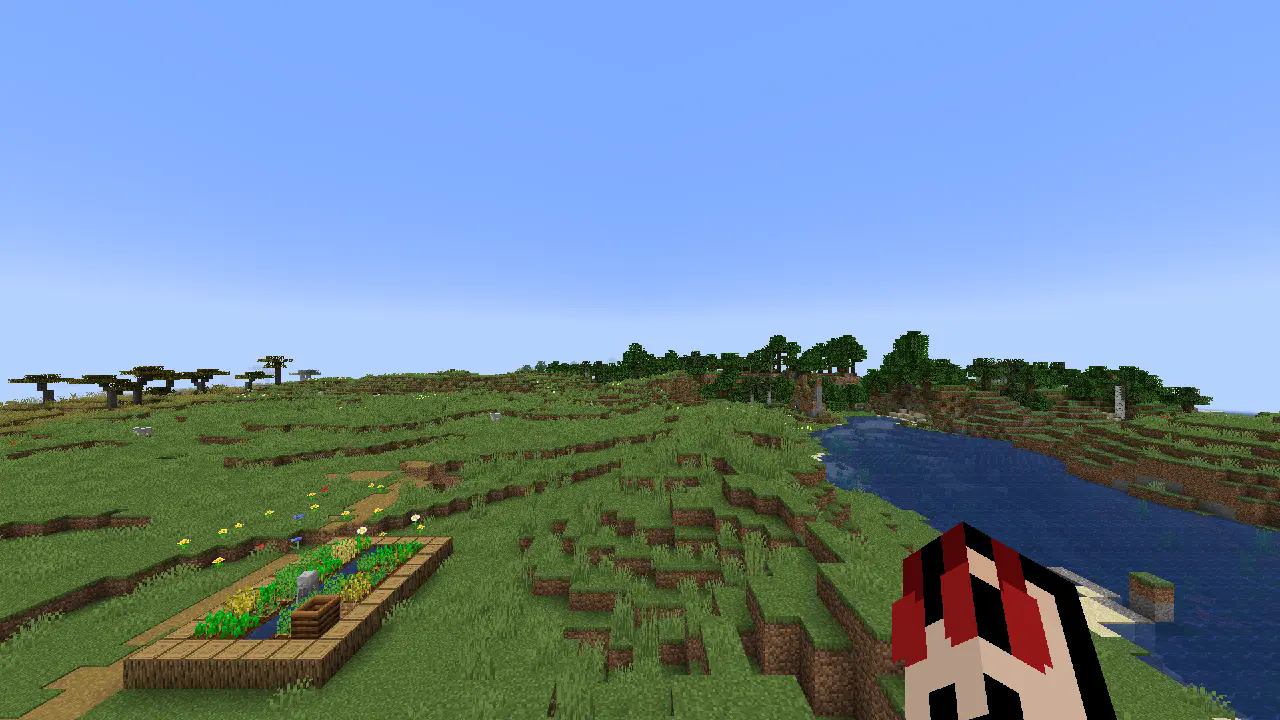
**No HUD** is a resourcepack that removes everything from the screen **hotbar**, **hearts**, **food bar** and **crosshair** (except the hand).
NNBSP Fix
## NNBSP Fix
Fixes the NNBSP character in DateFormat outputs in Java 20+ as caused by the CLDR Unicode v42 update. This was fixed in 23w17a (1.20-alpha.23.17.a) though a font rendering revamp and was introduced in 11w49a (1.1-alpha.11.49.a), which, fun fact, was the same version that put the Save and Quit to Title button into title case.
Another way of fixing this would be to set the java property `-Djava.locale.providers=FALLBACK`, which is what I do for my speedrunning instances (`JRE` or `COMPAT` also work, but they are set to be removed in the future).
Supports Fabric 1.14-1.19.4, Legacy Fabric 1.3.1-1.13.2, and Ornithe 1.1-1.14.4.
i tested 11w49a and 23w16a (the extreme snapshots) and they work, so I have no reason to believe that any other snapshot won’t work (maybe really early Fabric ones if the intermediary wasn’t matched but other than that).
the code for this is maybe a little cursed
Nilcord
What started as a niche project for a niche modloader for a niche Minecraft version has now been extended to all Minecraft versions (that I personally care about)!
# Nilcord | Yet another Discord bridge for Minecraft
Nilcord connects the chat of your Minecraft server to a specified [Discord](https://en.wikipedia.org/wiki/Discord) text channel, using a Discord bot and (optionally) webhook.
## Installation
To get the mod set up, simply place the mod file in the `mods` directory (or `nilmods` with [NilLoader](https://git.sleeping.town/Nil/NilLoader)), start your Minecraft server, and wait for it to generate the config file (and crash because it’s not yet populated).
The config file, named `nilcord.toml`, is found in the `config` folder, and is pretty self-explanatory.
(default configuration)
“`toml
# Settings pertaining to Discord itself
[discord]
# The Discord bot token to use
# default: EMPTY
token = “EMPTY”
# The Discord channel ID for the bot to send messages to / receive messages from
# default: EMPTY
channel_id = “EMPTY”
# Settings pertaining to the Discord webhook
[discord.webhook]
# Whether to use a webhook for sending players’ chat messages to Discord
# default: false
enabled = false
# The webhook URL to use
# default: EMPTY
url = “EMPTY”
# Settings pertaining to Minecraft itself
[minecraft]
# Whether to allow mentioning Discord users from Minecraft
# default: false
enable_mentions = false
# Whether to allow mentioning @everyone and @here from Minecraft
# default: false
enable_everyone_and_here = false
# Whether to show Discord message attachments in-game
# default: true
show_attachments = true
# Whether to show messages from other Discord bots in-game
# default: false
show_bot_messages = false
# Settings pertaining to message formatting
[formatting]
# Settings pertaining to messages visible in Discord
# Available placeholders:
[formatting.discord]
# Server start message
# Available placeholders: N/A
# default: **Server started!**
server_start_message = “**Server started!**”
# Server stop message
# Available placeholders: N/A
# default: **Server stopped!**
server_stop_message = “**Server stopped!**”
# Player chat messages
# Additional placeholders:
# default: **<>**
chat_message = “**<>** ”
# Player join messages
# Additional placeholders: N/A
# default: > ** joined the game**
join_message = “> ** joined the game**”
# Player leave messages
# Additional placeholders: N/A
# default: > ** left the game**
leave_message = “> ** left the game**”
# Player advancement messages
# Additional placeholders:
# default: > **** has just earned the achievement **[]**n> > __
advancement_fallback_message = “> **** has just earned the achievement **[]**n> \> __”
# default: > **** has completed the challenge **[]**n> > __
advancement_challenge_message = “> **** has completed the challenge **[]**n> \> __”
# default: > **** has reached the goal **[]**n> > __
advancement_goal_message = “> **** has reached the goal **[]**n> \> __”
# default: > **** has made the advancement **[]**n> > __
advancement_task_message = “> **** has made the advancement **[]**n> \> __”
# Player death messages
# Additional placeholders:
# default: ** died:** __
death_message = “** died:** __”
# Settings pertaining to messages sent from the webhook, if enabled
[formatting.discord.webhook]
# The URL to use for the webhook’s avatar
# Additional placeholders:
# default: https://visage.surgeplay.com/bust/128/
avatar_url = “https://visage.surgeplay.com/bust/128/”
# The webhook’s username
# Additional placeholders: N/A
# default:
username = “”
# Player chat messages
# Additional placeholders:
# default:
chat_message = “”
# Settings pertaining to messages visible in Minecraft
# Available placeholders:
[formatting.minecraft]
# Discord messages
# Additional placeholders:
# default: [Discord] ‘><>
discord_message = “[Discord] ‘><> ”
# Username format
# Additional placeholders: N/A
# default: ‘>‘>
username_format = “‘>‘>”
# Mention format
# Additional placeholders: N/A
# default: ‘>@
mention_format = “‘>@”
# Reply format
# Additional placeholders:
# default: ‘>: ‘>[←‘>]
reply_format = “‘>: ‘>[←‘>] ”
# Attachment format
# Additional placeholders:
# default: ‘>[Attachment]
attachment_format = “‘>[Attachment]”
“`
(Note that this is the config file for Nilcord `2.1.0+1.20.4+fabric`. It may look different on other versions.)
Only the `token` and `channel_id` fields (under the `discord` category) are *strictly required* to be filled out; the mod falls back to sensible defaults for everything else. But feel free to change it to your liking!
## Notes
For setting up a Discord application (to get a bot token), follow discord.js’ guide: [Setting up a bot application | discord.js Guide](https://discordjs.guide/preparations/setting-up-a-bot-application.html)
For finding a Discord channel’s “Channel ID”, follow Discord’s guide: [Where can I find my User/Server/Message ID? – Discord](https://support.discord.com/hc/en-us/articles/206346498-Where-can-I-find-my-User-Server-Message-ID#h_01HRSTXPS5FMK2A5SMVSX4JW4E)
With 1.21.1 and below, the Fabric (and NeoForge!?) versions can also make use of the [Simplified Text Format](https://placeholders.pb4.eu/user/text-format/), as well as placeholders supplied by [Text Placeholder API](https://modrinth.com/mod/placeholder-api) and the various mods that support it.
With 1.21.2 and above, the Fabric versions allow using [QuickText](https://placeholders.pb4.eu/user/quicktext/) as well.
The Forge 1.7.10 version has additional support for [ChromatiCraft](https://www.curseforge.com/minecraft/mc-mods/chromaticraft)’s progression messages, as well as [ServerUtilities](https://github.com/GTNewHorizons/ServerUtilities)’ AFK messages.
***
Comments? Questions? Suggestions? Demands? Open an issue on the [issue tracker](https://github.com/unilock/nilcord/issues)!
NickColourPlugin
🎨 NickColorPlugin v5.0 – Ultimate Nickname Customization
Transform your server with 200+ colors, animated effects, coin games, and an engaging economy system!
✨ Why Choose NickColorPlugin?
🎮 3 Fun Coin Games – Coin Flip, Dice Roll & Lucky Slots
💰 Full Economy System – Earn, spend, and compete!
🌈 200+ Colors – Standard, HEX, Gradients & Animations
🏆 30+ Achievements – Track your progress
👥 Friends System – Connect with other players
📊 Leaderboards – Compete in 6 categories
🎁 Daily Rewards – Login streaks with bonuses
🛒 In-Game Shop – Buy features with coins
💾 Database Support – SQLite & MySQL
🔌 PlaceholderAPI – 30+ custom placeholders
🚀 Features
🎨 Color Customization
52 Standard Colors – Classic Minecraft colors (FREE!)
68 HEX Colors – Premium RGB presets
49 Gradients – Sunset, Ocean, Fire, Galaxy & more
20 Animations – Rainbow, Wave, Pulse effects
Custom HEX Input – 16.7 million color combinations
🎮 Coin Games
Game
Min Bet
Max Bet
Win Rate
Multiplier
🪙 Coin Flip
10
500
50%
2x
🎲 Dice Roll
10
300
16.6%
5x
🎰 Lucky Slots
50
–
Varies
Up to 50x
💰 Economy System
Starting balance: 100 coins
Daily rewards with streak bonuses
Level up system with XP rewards
Coin & XP boosters (2x, 3x)
Transaction logging
🏆 Progression
30+ Achievements to unlock
100 Levels to reach
6 Leaderboard Categories:
Level Ranking
Coins Ranking
Streak Ranking
Colors Changed
Achievements
Game Wins
👥 Social Features
Friends System – Add up to 100 friends
Friend Requests – Accept/decline system
Online Status – See when friends are online
Friend Notifications
📋 Commands
Player Commands
/nc – Open main menu GUI
/nc nickname – Set custom nickname
/nc reset – Reset nickname to default
/nc help – Show help menu
/daily – Claim daily reward
/stats – View your statistics
/leaderboard [category] – View rankings
/friends – Manage friends
/achievements – View achievements
Admin Commands
/nc coins give – Give coins
/nc coins take – Remove coins
/nc coins set – Set balance
/nc reload – Reload configuration
Aliases:
/nc = /nickcolor, /color, /nickname
/leaderboard = /lb, /top, /baltop
/friends = /friend, /f
/achievements = /ach, /achievement
/stats = /statistics, /mystats
🔐 Permissions
Player Permissions
nickcolor.use – Use basic commands and GUI (default: true)
nickcolor.daily – Claim daily rewards (default: true)
nickcolor.stats – View statistics (default: true)
nickcolor.leaderboard – View leaderboard (default: true)
nickcolor.friends – Use friends system (default: true)
nickcolor.achievements – View achievements (default: true)
nickcolor.games – Play coin games (default: true)
Premium Permissions (Can be purchased in-game)
nickcolor.hex – Use HEX colors
nickcolor.gradient – Use gradients
nickcolor.animation – Use animations
nickcolor.vip – VIP bundle access
Admin Permissions
nickcolor.admin – Admin commands (default: op)
nickcolor.bypass – Bypass cooldowns (default: op)
nickcolor.* – All permissions (default: op)
🔌 PlaceholderAPI
Available Placeholders
Display & Color
%nickcolor_displayname% – Player’s colored display name
%nickcolor_color% – Current color code
%nickcolor_nickname% – Custom nickname
Economy
%nickcolor_coins% – Player balance
%nickcolor_coins_formatted% – Formatted balance (1K, 1M)
%nickcolor_level% – Player level
%nickcolor_xp% – Current XP
%nickcolor_xp_required% – XP needed for next level
%nickcolor_xp_progress% – XP progress percentage
Statistics
%nickcolor_streak% – Login streak (days)
%nickcolor_rank% – Overall leaderboard rank
%nickcolor_rank_level% – Level leaderboard rank
%nickcolor_rank_coins% – Coins leaderboard rank
%nickcolor_colors_changed% – Total colors changed
%nickcolor_achievements% – Completed achievements
%nickcolor_achievement_points% – Achievement points
Social
%nickcolor_friends% – Friend count
%nickcolor_friends_online% – Online friends
%nickcolor_friend_requests% – Pending requests
Games
%nickcolor_games_played% – Total games played
%nickcolor_games_won% – Games won
%nickcolor_win_rate% – Win rate percentage
%nickcolor_total_winnings% – Total coins won
Animations & Status
%nickcolor_animation_active% – Animation status (true/false)
%nickcolor_animation_type% – Current animation type
%nickcolor_has_hex% – Has HEX colors (true/false)
%nickcolor_has_gradient% – Has gradients (true/false)
%nickcolor_has_animation% – Has animations (true/false)
%nickcolor_status% – Display status indicator
%nickcolor_vip_status% – VIP status badge
Boosters
%nickcolor_booster_coins% – Coin booster multiplier
%nickcolor_booster_xp% – XP booster multiplier
%nickcolor_booster_coins_active% – Coin booster active
%nickcolor_booster_xp_active% – XP booster active
Progress Bars
%nickcolor_xp_bar% – XP progress bar
%nickcolor_achievement_bar% – Achievement progress bar
Leaderboard (Top Players)
%nickcolor_top_level_1_name% – Top level player name
%nickcolor_top_level_1_value% – Top level value
%nickcolor_top_coins_1_name% – Top coins player
… (supports positions 1-10)
⚙️ Configuration
Highly Customizable!
✅ 150+ Config Options
✅ Economy Settings – Starting balance, prices, rewards
✅ Game Settings – Min/max bets, multipliers, cooldowns
✅ Level System – XP formula, rewards, max level
✅ Restrictions – Name filters, length limits
✅ Anti-Spam – Rate limiting, temp bans
✅ Messages – Join/quit/first join messages
✅ Performance – Cache, async operations, thread pool
✅ Backup – Auto-backup, intervals, retention
Example Config:
economy:
starting-balance: 100.0
daily-reward:
enabled: true
base-amount: 50
streak-bonus: 10
games:
coinflip:
min-bet: 10
max-bet: 500
win-multiplier: 2
leveling:
xp-per-change: 10
max-level: 100
📦 Installation
Download the plugin JAR file
Place in your server’s plugins/ folder
Restart your server
Configure in plugins/NickColorPlugin/config.yml
Enjoy! Use /nc to get started
Optional Dependencies
PlaceholderAPI – For placeholder support
Vault – For economy integration (optional)
🎯 Supported Versions
✅ Minecraft 1.20.x
✅ Minecraft 1.21.x
✅ Spigot, Paper, Purpur
Requirements:
Java 17 or higher
Spigot/Paper server
📊 Database Support
SQLite (Default)
✅ No setup required
✅ Perfect for small-medium servers
✅ Auto-backup system
MySQL (Optional)
✅ Better for large servers
✅ Remote database support
✅ Connection pooling
🎨 Shop Pricing
Item
Price
Description
🎨 HEX Colors
500 coins
68+ premium HEX presets
🌈 Gradients
1000 coins
49+ smooth gradients
⚡ Animations
1500 coins
20+ animated effects
💎 VIP Bundle
2000 coins
All features + 500 bonus
🔥 2x Coin Booster
300 coins
7 days duration
🔥 3x Coin Booster
500 coins
7 days duration
⭐ 2x XP Booster
250 coins
7 days duration
⭐ 3x XP Booster
400 coins
7 days duration
🏆 Achievements
30+ achievements to unlock including:
Beginner:
First Steps – Change color for the first time
Color Explorer – Change colors 5 times
Color Master – Change colors 10 times
Daily:
Daily Visitor – Claim daily reward once
Dedicated – 3 day login streak
Loyal – 30 day login streak
Collection:
HEX Collector – Unlock HEX Colors
Gradient Artist – Unlock Gradients
Animator – Unlock Animations
Social:
Friendly – Add 1 friend
Social Butterfly – Add 5 friends
Popular – Add 10 friends
…and 20 more!
📈 Statistics Tracked
✅ Colors changed
✅ Games played & won
✅ Total winnings
✅ Login streak
✅ Level & XP
✅ Achievements completed
✅ Friends added
✅ Playtime
✅ Join count
🔒 Anti-Cheat & Security
✅ Rate limiting – Prevent spam
✅ Input validation – Sanitize nicknames
✅ Transaction logging – Track all economy changes
✅ Cooldown system – Prevent abuse
✅ Name filters – Block offensive words
✅ Temp bans – Auto-ban spammers
🆘 Support
Need Help?
📖 Wiki/Documentation
💬 Discord Server
🐛 Bug Reports
💡 Feature Requests
Found a Bug?
Please report with:
Server version
Plugin version
Error logs (if any)
Steps to reproduce
🌟 Why Players Love It
“Best nickname plugin I’ve used! The coin games are super addicting!” – Steve123
“Love the gradient colors. Server looks so much better now!” – AlexGamer
“Daily rewards keep me coming back. Great economy system!” – ProPlayer
“Easy to use, tons of features. 10/10!” – MinecraftFan
🔄 Update History
v5.0-FINAL (Current)
✅ Initial release
✅ 200+ colors
✅ 3 coin games
✅ Full economy system
✅ Achievements
✅ Friends system
✅ Leaderboards
✅ Database support
Coming Soon (v5.1)
🎁 Crates system
🏆 Tournaments
🎨 Custom gradient builder
💎 Premium effects
📜 License
This plugin is licensed under MIT License
You are free to:
✅ Use commercially
✅ Modify
✅ Distribute
Conditions:
Include original license
Include copyright notice
💝 Credits
Developer: DipuXPro
Version: 5.0-FINAL
Support: Discord
Donate: PayPal
⬇️ Download Now!
Total Downloads: 1,000+
Rating: ⭐⭐⭐⭐⭐ (5.0/5.0)
Tags
nickname colors hex gradients animations economy games achievements friends leaderboard customization gui placeholderapi
Made with ❤️ for the Minecraft community
New Style Squid
# New Style Squid
**Hi!**
This pack updates plain squids to match their glowy friends!

**Hope you like it!**
© 2021 Daggsy ∘ [CC-BY-NC-ND](https://creativecommons.org/licenses/by-nc-nd/4.0/)
New Hearts, classic colors
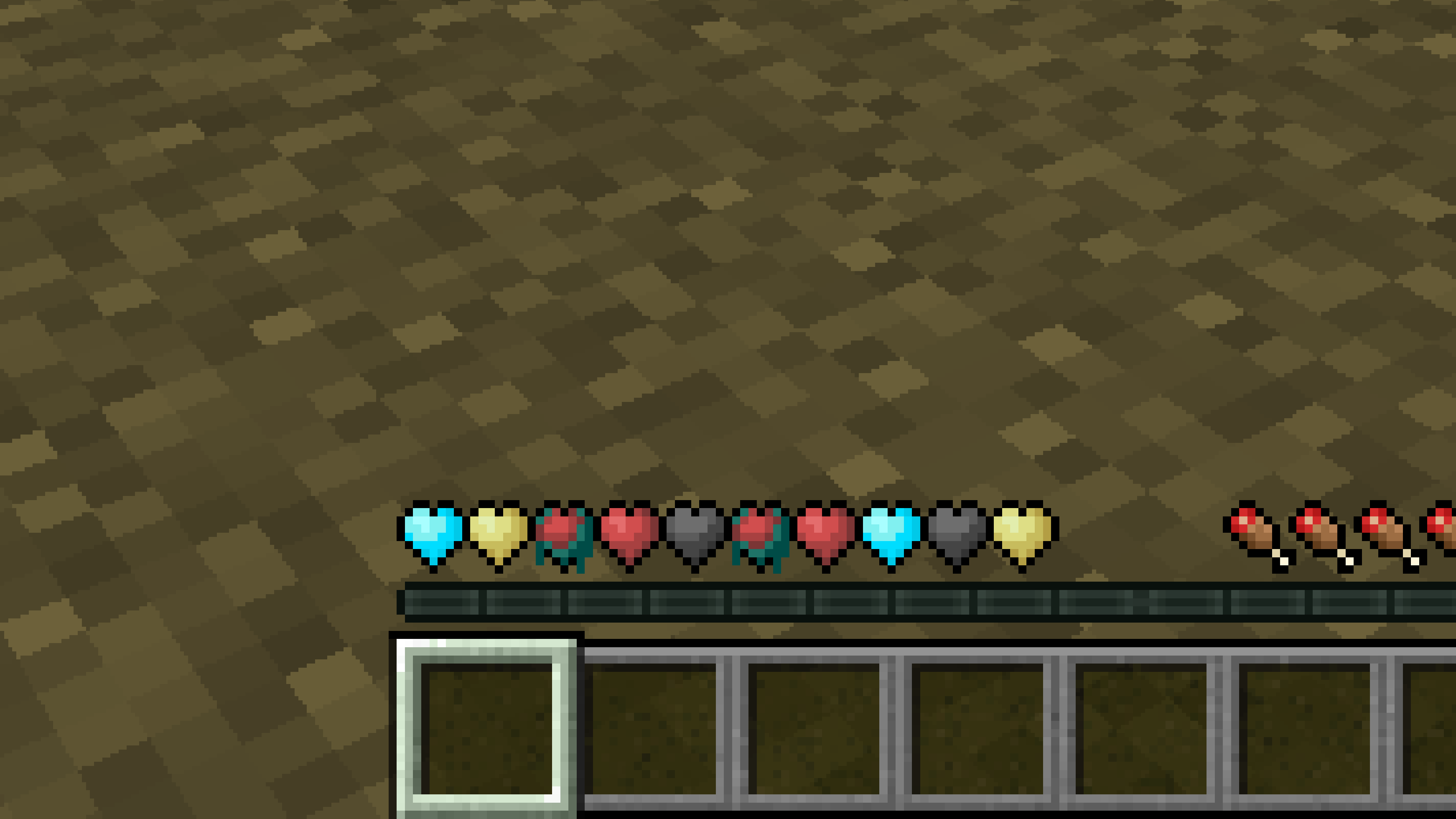
# **New Hearts, classic colors**
**Not a fan of the pastel hearts in the [New Hearts](https://modrinth.com/resourcepack/new-hearts) texture pack?**
**This texture pack is for you.**
—
—