Redstone Multimeter Fabric
# Redstone Multimeter
[Redstone Multimeter](https://github.com/NarcolepticFrog/RedstoneMultimeter) is a LiteMod for 1.12 by NarcolepticFrog. It is an easy to use, intuitive redstone debugging tool. Since LiteLoader never updated past 1.12.2, the mod is stuck in that version. Redstone Multimeter Fabric is a Fabric port of the original mod, which makes it compatible with the newest versions of Minecraft!
# Features
Redstone Multimeter allows you to track a myriad of redstone related events by placing virtual “meters” in the world. This makes it incredibly easy to see when blocks are e.g. powered or moved, and the order in which they do so. An overview of logged events is displayed in a HUD in the top left corner of the screen. This HUD has three components:
– The meter list: Each meter gets its own row and simply displays its name here.
– The primary event viewer: This is a graph showing logs of a 60 gt period. It usually shows logs of the past 60 gt, meaning you will see them scroll by in real-time. You can use the hotkeys to pause the HUD and scroll through the logs at your own pace.
– The secondary event viewer: This graph is usually hidden, but when the HUD is paused, it will appear next to the primary event viewer. It shows the order of events within the selected tick.
Meters are organized into meter groups. A meter group is a collection of meters and a unique name. You can have multiple meter groups, but the HUD will only display the logs of a single meter group. To subscribe to a meter group, use the `/meter group ` command. You can get a list of all meter groups by using the `/meter listGroups` command.
## Commands
* `/metergroup list`: query a list of all available meter groups.
* `/metergroup subscribe`: subscribe to your default meter group (which you can configure in the Options Menu).
* `/metergroup subscribe `: subscribe to the meter group with the given name, or create it if it does not already exist.
* `/metergroup unsubscribe`: unsubscribe from this metergroup.
* `/metergroup private`*: query whether this meter group is private or public.
* `/metergroup private [true|false]`*: set this meter group to private or public.
* `/metergroup members list`*: query a list of all members of this meter group.
* `/metergroup members add `*: add a player as a member of this meter group.
* `/metergroup members remove `*: remove a player as a member of this meter group.
* `/metergroup members clear`*: remove all members from this meter group.
* `/metergroup clear`: remove all meters from this metergroup.
* these subcommands are only available to you if you are the owner of this meter group
## Keybindings
– `Toggle Meter` (default `M`): Adds or removes a meter at the block you are looking at. Holding `ctrl` makes the meter immovable.
– `Reset Meter` (default `B`): Resets the properties of the meter you are looking at.
– `Pause Meters` (default `N`): Pauses HUD.
– `Step Forward` (default `.` ): If paused, moves the display 1 tick ahead in time. Holding `ctrl` moves 10 ticks.
– `Step Backward` (default `,`): If paused, moves the display 1 tick back in time. Holding `ctrl` moves 10 ticks.
– `Toggle HUD` (default `H`): toggles the HUD.
– `Scroll HUD` (default `alt`): scrolling while holding this key steps forward or backward through the HUD.
– `Open Multimeter Screen` (default `G`): opens the Multimeter screen.
– `Open Meter Controls` (default `I`): opens the meter controls of the meter you are looking at.
– `Open Options Menu` (default `O`): opens the Options Menu.
– `View Tick Phase Tree` (default `U`): opens the Tick Phase Tree screen.
– `Print Logs To File` (default `P`): toggles the printer.
Red Creepers
Are you tired of not seeing a creeper in the middle of a grass field? Just use this pack for more contrast between the creeper and the blocks around it.
– This [version](https://modrinth.com/resourcepack/red-creepers/version/1.0.0) is for [Fresh Animations](https://modrinth.com/project/50dA9Sha) and is not suitable for Vanilla Minecraft.
– This [version](https://modrinth.com/resourcepack/red-creepers/version/1.0.1) is for Vanilla Minecraft and is not suitable for [Fresh Animations](https://modrinth.com/project/50dA9Sha).
Red Chest
This texture pack changes the appearance of chests by turning them bright red, which makes them much easier to spot from a distance, especially in cluttered or dark environments
[Discontinued]
[Discontinued]
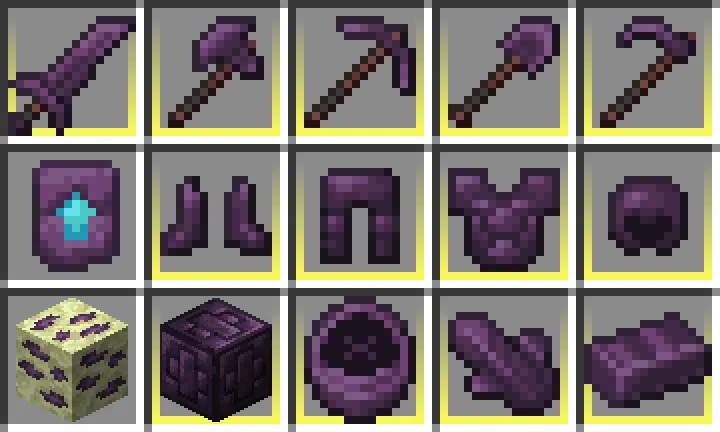
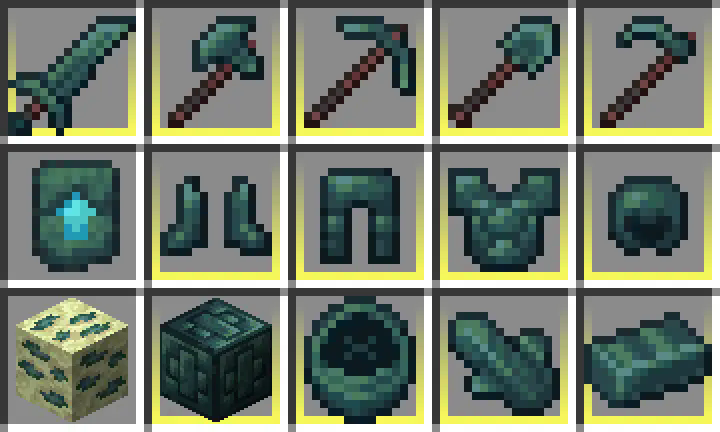
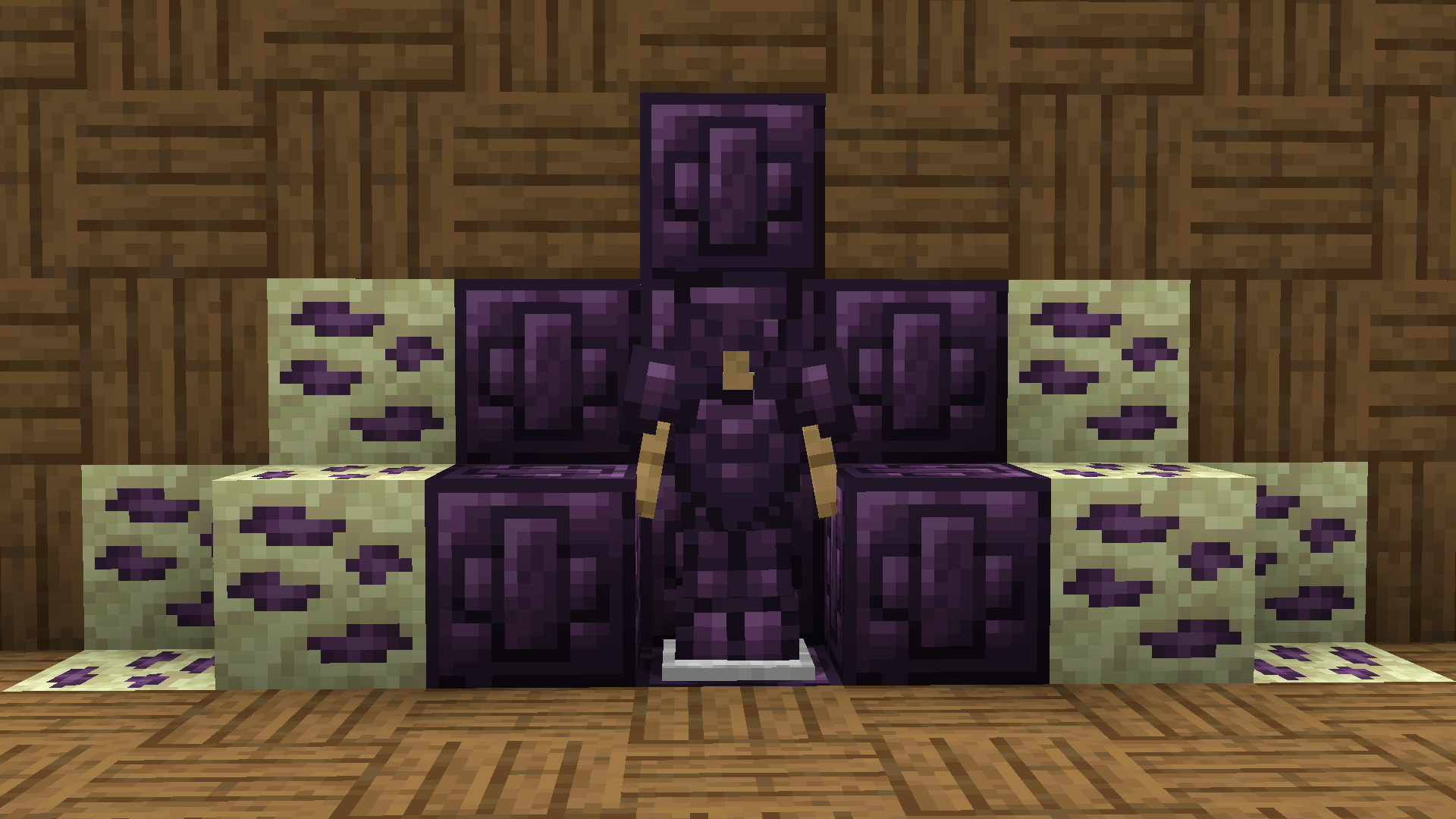
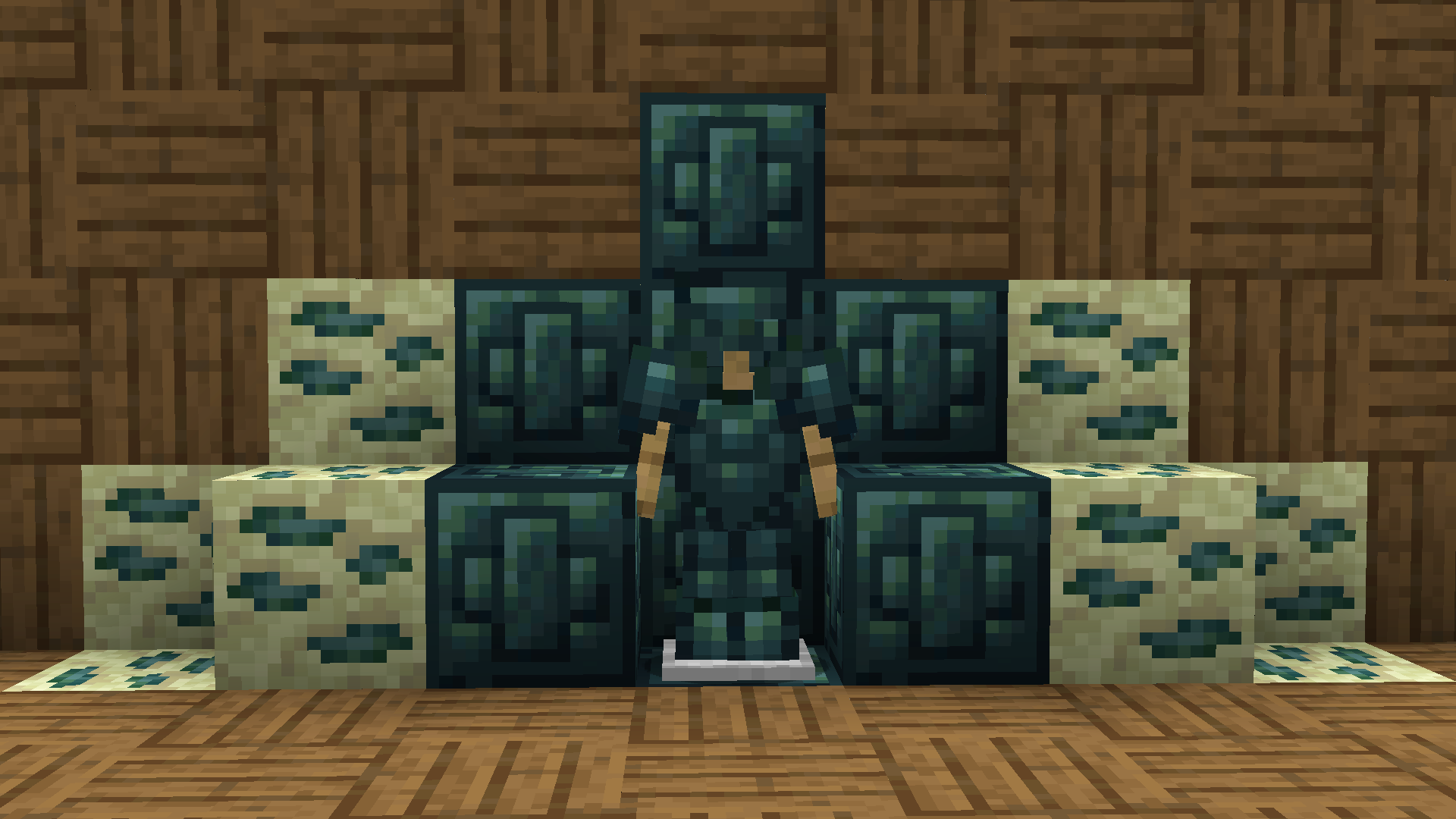
Recolored Enderium Majrusz’s Progressive Difficulty
**Recolored Enderium [Majrusz’s Progressive Difficulty](https://modrinth.com/mod/majruszs-progressive-difficulty)**
## Without the texture pack (Before)
## With the texture pack (After)
## Without the texture pack (Before)
## With the texture pack (After)
QUIPT
# QUIPT [](https://github.com/Quipt-Minecraft/quipt/actions/workflows/gradle-publish.yml)
[](https://github.com/QuickScythe/QUIPT)
[](https://www.modrinth.com/plugin/QUIPT)
[](https://discord.gg/EhfMJmjTXh)
[](https://papermc.io/downloads/paper)


QUIPT is a multi-module toolkit for Minecraft servers and developers. It provides:
– Paper and Fabric integration layers
– An embedded HTTP server (Jetty) for callbacks/resources
– Resource pack auto-updates via webhooks
– A Discord bot integration with plugin loading
– Developer APIs for events, registries, messaging, placeholders, and ephemeral advancements
Quick Links
– Overview: docs/OVERVIEW.md
– Installation: docs/INSTALLATION.md
– Configuration Reference: docs/CONFIGURATION.md
– Modules: docs/MODULES.md
– Developer Guide: docs/DEVELOPER.md
– Contributing: docs/CONTRIBUTING.md
Getting Started (Paper)
1) Download a release from Modrinth or GitHub and place the JAR in plugins/.
2) Start your server once to generate default configs.
3) Edit configs under plugins/quipt-paper/ (see docs/CONFIGURATION.md).
4) Restart the server. QUIPT will start the embedded web server and Discord bot if enabled.
Server Owner Features
– Resource Pack Management: Configure resources.json with your pack repo and server IP. Trigger updates via /resourcepack update or a webhook to http://:/resources/update/.
– Teleportation Management: Simple P2P teleports and configurable warps/homes.
Developer Features
– Events and Listeners: Ready-to-use listeners and an event system to hook into.
– Ephemeral Advancements: Send toast-like updates to players using Bukkit advancements under the hood.
– Embedded Web Server: Mount your own handlers at custom routes.
– Discord Integration: Post server status and extend via bot plugins.
Building From Source
– Requirements: Java 21, Git
– Windows PowerShell: .gradlew.bat build
– Other platforms: ./gradlew build
– Artifacts are available under each module’s build/libs directory.
Support and Community
– Discord: https://discord.gg/EhfMJmjTXh
– Issues: https://github.com/Quipt-Minecraft/quipt/issues
Versioning
– See gradle.properties for project_version and supported_minecraft_versions.
License
– Copyright © QuickScythe.
– See repository license file for details.
🗿QuiltGoSlightlyFasterLol🗿
Replaces KnotClassDelegate.getRawClassByteArray with a version that uses libdeflate so it goes slightly faster lmao.
Supported platforms:
* aarch64-linux-gnu
* aarch64-macos-none
* i386-linux-gnu
* i386-windows-gnu
* powerpc64le-linux-gnu
* x86_64-linux-gnu
* x86_64-macos-none
* x86_64-windows-gnu
Quieter pistons
A resource pack that makes pistons quieter, to reduce noise while standing close to redstone contraptions.
PvP particles
Most particles will have a yellow background. The only exceptions are :
– Strength (orange)
– Slowness (greenish)
– Regeneration (red)
– Weakness (dark greenish)
– Luck (green)
– Fire resistance (orange)
– Water breathing (green)
– Swiftness (flashy green)
– Poison (greenish)
Every other potion effect are yellow tints.
PVP Hittracking
This project adds a lightweight, client-side hit tracker for PvP. It displays in real time how many hits you have landed and how many hits your opponent has landed. The counter updates instantly during fights and is designed to be unobtrusive so it does not block gameplay. The UI is fully draggable using the /hittracker customize command, letting you position elements anywhere on the screen. The layout is resilient to different HUD sizes and supports clear numeric and visual feedback so you can track combos and exchanges at a glance.(with _**/hittracking**_ you can activate the tracking.) Additional it adds a custom hud wich is toggleble with **/customhud _(fps,edit,ping,ram,keystroke)_**
## (keybind : H)


