BukkitVersion
Handy utility for dealing with different aspects of Bukkit/Spigot/etc. server version strings.
Use cases & features:
* Extract vanilla Minecraft version strings from server API version
* Allow only a given version or range of versions to execute certain code
* Compare versions with varying granularity
## Installation
Download the latest JAR file and add it to your plugins directory.
## Documentation
“`xml
net.ssterling
bukkitversion
0.3.1
compile
ssterling-repo
https://www.ssterling.net/comp/maven
“`
For a thorough explanation of how to use the library itself
in your code, refer to the Javadocs.
BukkitGreentext
The best >greentext plugin out there. Probably.
Prefix any message with a “>” and *bam* it’s >green. Or postfix it with “<” and it's orange<.

Cool features:
* Per-player and global toggling via command
* Optional permissions check
* Compatibility with emoticons >:c >_<
* Custom exceptions to greenification
* 1.16+ RGB support for 4chan-accurate color
Everything should work right out-of-the-box.
Metrics for the plugin can be found on bStats.
## Usage
Download the plugin JAR
and drop it in the `plugins/` directory of your Minecraft server.
Any message starting with the greater-than sign, `>`,
is made green, whilst any message *ending* with the opposite `<`
is made orange.
Players can avoid making anything starting with `>` green by
prepending a space, i.e. ` >`, or by using `/greentext [on|off]`.
### Configuration
To avoid automatic greenification of angry emotions, e.g. `>:C`,
or Japanese-style emoticons such as `>_>`, *exceptions*
for `:` and `_` are specified in the config file.
Custom exceptions are allowed as well, naturally.
Greentext can be either enabled or disabled upon startup.
In the case the parameter `enabled-by-default` is set true,
each player must manually enable the plugin with `/greentext on`.
Additionally, orangetext, an obscure feature
used probably once,
can be disabled via config.
If you want to take advantage of 1.16’s full RGB support and
use 4chan-accurate colors in chat, set `use-hex-colors` as true.
### Permissions
If `check-for-permissions` is set true in the config file,
give players the desired permissions to enable use of the plugin:
* `greentext.chat.*`: all features
* `greentext.chat.green`: greentext
* `greentext.chat.orange`: orangetext
* `greentext.toggle`: toggle ability to use features
* `greentext.toggle.others`: toggle others’ ability to use features
BuildCraft
BuildCraft – the all-encompassing transport/mining/building/power mod of the pre-1.6 era. Originally created by SpaceToad, it has received contributions from the who’s who of notable modders and is now maintained by AlexIIL.
Source code for really old versions is available here: https://sourceforge.net/projects/buildcraft/
Not all versions are features as part of this project! Some are available in modular form only, as part of the projects below. For this and licensing information, refer to the table below:
| Versions | License | Packaging |
| – | – | – |
| 1.4.1 ~ 1.5_01.3 | Public domain (1) | Non-modular only |
| 1.5_01.4 | Public domain (1) | Modular only |
| 1.6.5.1 ~ 2.2.4 | Unclear (2) | Modular only |
| 2.2.5 ~ 2.2.14 | MMPLv1 (3) | Modular only |
| 3.0.0 ~ 3.1.5 | MMPLv1 (3) | Modular only |
| 3.2.0 ~ 6.4.x, 7.0.0 | MMPLv1 | Non-modular only |
| 7.0.1 ~ 7.1.x, 7.2.x | MMPLv1 | Both |
| 7.99.0 ~ 7.99.4 | MMPLv1 + MPLv2 (4) | Non-modular only |
| 7.99.5 ~ 7.99.19 | MMPLv1 + MPLv2 (4) | Both |
| 7.99.20 onwards | MMPLv1 + MPLv2 (4) | Both (5) |
* (MMPLv1) – Minecraft Mod Public License
* (MPLv2) – Mozilla Public License Version 2.0
* (1) – Retroactively re-licensed by SpaceToad in 2016.
* (2) – Mostly public domain as per (1), but include contributions by hawkye and plashal whose licensing status is unknown.
* (3) – These may also be mostly public domain, however the source code history for these versions is lost.
* (4) – All licenses listed apply.
* (5) – All versions after 7.99.20 include the compat module inside the `all` file
This project is the non-modular, or “combined” version of BuildCraft, with every module *except* Compat. If you want to download only specific modules then you’ll need to go to these module projects:
* Core containing the wrench, gears, wooden engine, and a few other things that the other modules make use of. You always need this!
* Builders has the Architect Table, Builder, Filler, and a few related things for building in-world.
* Energy has Oil and Fuel, as well as Stirling and Combustion engines.
* Factory containing the pump, tank, mining well, autoworkbench, etc.
* Transport containing pipes!
* Silicon contains logic gates, a laser system and laser tables to make more advanced items.
* Robotics contains robots!
The following modules are separate from BuildCraft itself before 7.99.20, and as such serve the role of add-ons:
* Compat for enhanced compatibility with other mods.
There’s also a separate Lib module, containing only code used by the rest of buildcraft. You only need to download it if another mod requires it but you don’t have Core/All.
BrighterAccessibility
# BrighterAccessibility
## Overview
**Compatible with Distant Horizons**
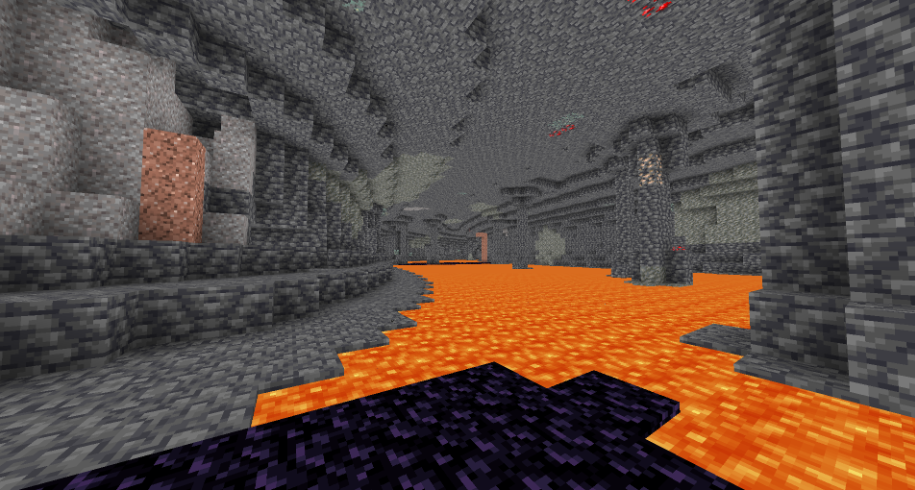
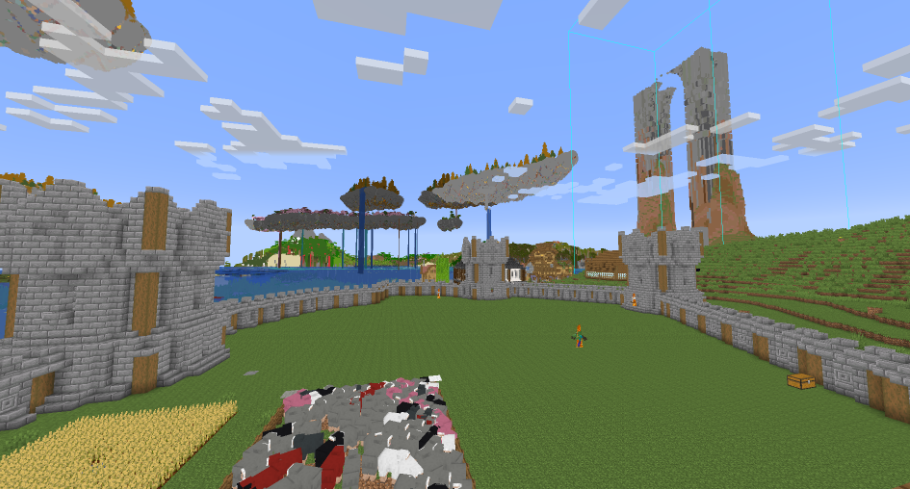
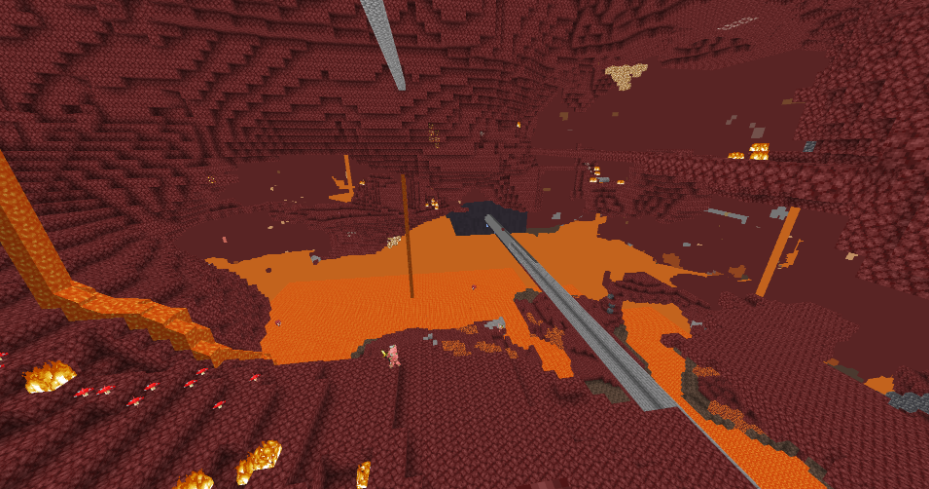
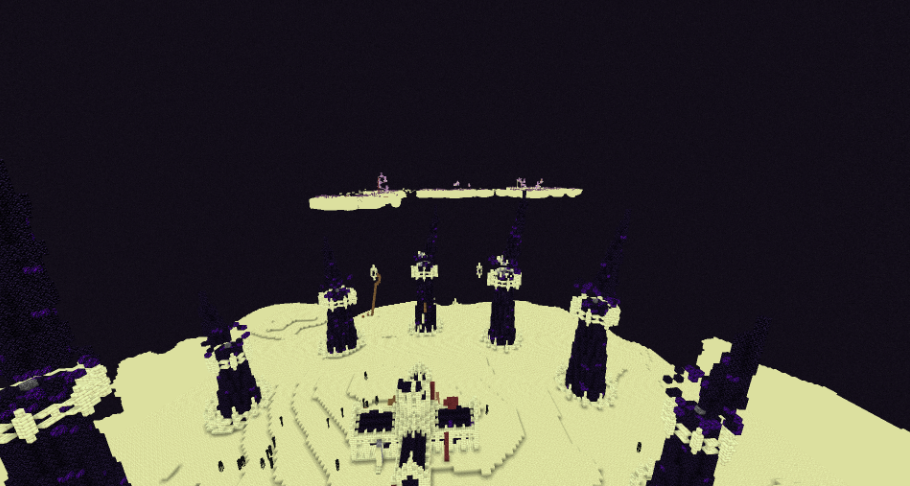
**BrighterAccessibility** is a custom shader designed to enhance visibility for visually impaired players by making the world brighter. This shader aims to improve accessibility.
## Installation
1. Download the `BrighterAccessibility.zip` file from the link provided.
2. Extract the contents into your Minecraft shaderpacks folder.
3. Launch Minecraft and select the BrighterAccessibility shader from the iris shaders menu.
## Usage
Once installed, the shader will automatically adjust the brightness levels, making dark areas easier to see for visually impaired players. Enjoy a more accessible Minecraft
### This shader is intended solely for accessibility purposes. It should not be used to gain gameplay advantages. If you have any concerns or feedback, please reach out to me.
###
## Screenshots
Blue TNT
Just a very simple resource pack that makes TNT blue 😀
Blue Poppy
A resource pack I made to make poppies blue 😀
If the .zip file doesn’t work, try unzipping it and use the raw folder.
Blue Pack
This Resource pack combines all my Blue texture packs into one! Current blue blocks:
– **TNT**
– **TNT Minecart**
– **Poppy**
– **Furnace Flame**
BlockMessage
# BlockMessage
BlockMessage is a simple Velocity plugin for temporarily blocking player connections during server maintenance or emergencies.
It allows you to restrict server access with a single command, displaying custom messages to players in both the server list (MOTD) and upon connection attempts.
## Features
– Command-Based Blocking: Toggle connection blocking on and off in real-time with the /block command, no server restart required.
– Custom Kick Message: Fully customize the message shown to blocked players in config.yml. Multi-line messages and color codes are supported.
– Custom MOTD: Change the MOTD (server description), version name, and player count displayed in the server list while blocking is active. This makes it easy to inform players about maintenance at a glance.
– Permission Control: Restrict command usage to administrators with the blockmessage.command.admin permission.
– Persistent Settings: The plugin’s state is saved in config.yml, so your settings will be maintained even after restarting Velocity.
Configuration (default.yml)
The plugins/blockmessage/config.yml file is generated on the first startup.
“`
# =================================================================
# BlockMessage Plugin Configuration (Default Profile Template)
# This file will be copied to profiles/default.yml if it doesn’t exist.
# =================================================================
# Enable or disable the entire plugin for this profile.
# If false, no players will be blocked and the MOTD will not be changed when this profile is active.
enabled: true
# The message displayed to players when they are blocked from joining.
# This is a list of strings, where each string represents a new line.
# You can use ‘&’ for color codes.
block-message:
– “&cThis server is currently in maintenance mode.”
– “&ePlease try again later.”
# Configuration for the custom MOTD (Message of the Day) shown in the server list.
block-motd:
# Enable or disable the custom MOTD when the plugin is enabled in this profile.
enabled: true
# The first line of the MOTD.
line1: “&cServer is in Maintenance”
# The second line of the MOTD.
line2: “&eWe will be back soon!”
# The maximum player count to display. Set to -1 to use the server’s default from bungee config.
max-players: 0 # Set to 0 to override Bungee default and show ‘Maintenance’ count
# The online player count to display. Set to -1 to use the server’s default from bungee config.
online-players: 0 # Set to 0 to override Bungee default and show ‘Maintenance’ count
# Players in this list will not be blocked, even if the plugin is enabled in this profile.
# This is useful for allowing admins to join during maintenance.
# Names are case-insensitive during checks, but stored as entered.
whitelist:
– “AdminPlayer1”
– “AnotherAdmin”
“`
Color Codes
“`
&0 Black
&1 Dark Blue
&2 Dark Green
&3 Dark Aqua
&4 Dark Red
&5 Purple
&6 Gold
&7 Gray
&8 Dark Gray
&9 Blue
&a Green
&b Aqua
&c Red
&d Pink
&e Yellow
&f White
“`
Formatting Codes
“`
&k Obfuscated (scrambled text)
&l Bold
&m Strikethrough
&n Underline
&o Italic
&r Reset Formatting
“`
# Installation
1. Download the latest .jar file from the Releases page.
2. Place the downloaded .jar file into your Velocity server’s plugins folder.
3. Start or restart your Velocity server.
4. Edit the plugins/blockmessage/config.yml file as needed.
`© 2025 MichiJP. All Rights Reserved.`
Block Helper
# Block Helper
A direct WAILA port for old versions of Minecraft, with almost the same API and many, many additional fixes!
## Download
**Download on CurseForge**
**Download on Modrinth** (More versions are available here)
### Fixers
Some Minecraft versions have bugs. That’s normal. In order to fix some of them, you can install the following fixers:
– Class Loader Fixer
– Font Fixer
## Old source code
This repository hosts the source code for BlockHelper versions 2.x and onwards.
The source code for older versions (0.x and 1.x), has moved here.
## Installation
### Forge (all versions) / ModLoaderMP (≤ 1.2.3)
#### Client
Just drop the mod into the `mods` folder. Done! 🙂
#### Server
If you are running a server on MC 1.3.x or newer, just copy the Block Helper jar file into the `mods` folder.
On older versions, you need to download the dedicated server build of the mod.
It can be found under “Additional files” both on Modrinth and CurseForge.
In MC b1.5_02 and older, you need to copy all the files from this jar into the server jar.
In all newer versions, it is sufficient to just copy the jar file into the `mods` folder.
#### MCPC+/Cauldron/Bukkit
If you are running a server on MC 1.3.x or newer, just copy the Block Helper jar file into the `mods` folder.
On older versions, you need to download the dedicated Bukkit/MCPC+ build of the mod.
It can be found under “Additional files” both on Modrinth and CurseForge.
In MC b1.7.3 and older, you need to copy all the files from this jar into the Bukkit jar.
In all newer versions, it is sufficient to just copy the jar file into the `mods` folder.
### Fabric
Drop the mod into the `mods` folder and install Apron or BetaLoader (for b1.7.3)
or Fabricated Forge (for 1.3.2+).
## Features
### Mod Compatibility
Next to Vanilla blocks, integration modules for the following mods are in place (list updated only irregularly!):
– Advanced Machines
– Advanced Solar Panels
– Applied Energistics 1
– Barrels
– BuildCraft 2 and 3
– ChickenChunks
– Ender Storage
– Equivalent Exchange 1, 2 and 3
– Factorization
– Falling Meteors
– Flora & Soma / Natura
– Forestry
– Forge Multipart
– GregTech
– IC²
– Immibis’s Microblocks
– IndustrialCraft
– InfiCraft
– NEI
– Pam’s Mods
– Project Zulu
– Railcraft
– Red Power
– Thaumcraft
– Thermal Expansion
– Total Panels
– Twilight Forest
Some of these mods still host downloads to this day.
If you cannot find downloads for some of these,
chances are that they are still downloadable via MCModArchive.
### API
Block Helper features WAILA’s API (with minimal changes) from version 2.x onwards.
Since there are many resources online on how to use the API, I will keep this as simple as possible here and just list a few “good” examples:
– Block Helper’s own plugins
– BlockHelperAddons
Just try to follow these examples and you will succeed. To safely register your plugin, use the code snippet from the
JavaDoc of the `mod_BlockHelper#registerPlugin` function.
### Other features
Yes, Block Helper has a few additional features and integrations you probably have not seen before 🙂
On the Modrinth and CurseForge page, there are a few images of most of these features in action!
_Please note that not every feature is available for every Minecraft version due to modding limitations._
#### NEI/AMI/HMI integration
– Two new keybinds (default: NUM3 and NUM4), which show all the recipes for or using the
block currently looked at
– Show the mod an item is from in the item’s tooltip [this also works without NEI/AMI/HMI in Apron]
– Another keybind specific for NEI (default: I), which shows all the applicable enchantments for the
currently highlighted item in the inventory
#### World Overlays
Just like NEI in MC 1.4.7 and onwards, Block Helper features a light level overlay and chunk border overlay. The default
keybinds for these are F7 and F9, respectively.
## Source Code
Block Helper is being developed for:
– a1.2.6
– b1.1_01/b1.1_02
– b1.2_02
– b1.3_01
– b1.4_01
– b1.5/b1.5_01
– b1.6.5/b1.6.6
– b1.7-b1.7.3
– b1.8/b1.8.1
– b1.9p5
– 1.0/1.0.1
– 1.1
– 1.2.3
– 1.2.4/1.2.5
– 1.3.2
– 1.4
– 1.4.1/1.4.2
– 1.4.3
– 1.4.4/1.4.5
– 1.4.6/1.4.7
– 1.5.x
Blinding Pumpkin Overlay
You ever wanted to completely blind your foes with a curse of binding pumpkin? Then this is the resource pack for you!
Should work for every version.
It just makes the pumpkin overlay completely black, thats it.
[Alternative Download [PlanetMinecraft]](https://www.planetminecraft.com/texture-pack/blinding-pumpkin-overlay)