> **WARNING**
> This mod is obsolete for all Minecraft versions newer than 1.21.11. It will still be maintained for older versions.
Discord: https://discord.gg/XSB7jn9
Web Version: https://stackdeobf.net/
See wiki for configuration
## What does this mod do?
All errors displayed in the console and all crash reports will be remapped from unreadable production names (e.g.
`net.minecraft.class_310`) to readable mapped names (e.g. `net.minecraft.client.MinecraftClient`).
This allows mod developers to more easily identify issues in a non-development environment, as the errors are instantly
human-readable.
### Comparison
Before
“`
[23:13:08] [Render thread/ERROR]: Reported exception thrown!
net.minecraft.class_148: Manually triggered debug crash
at net.minecraft.class_309.method_1474(class_309.java:509) ~[client-intermediary.jar:?]
at net.minecraft.class_310.method_1574(class_310.java:1955) ~[client-intermediary.jar:?]
at net.minecraft.class_310.method_1523(class_310.java:1180) ~[client-intermediary.jar:?]
at net.minecraft.class_310.method_1514(class_310.java:801) ~[client-intermediary.jar:?]
at net.minecraft.client.main.Main.main(Main.java:237) ~[minecraft-1.19.4-client.jar:?]
at net.fabricmc.loader.impl.game.minecraft.MinecraftGameProvider.launch(MinecraftGameProvider.java:462) ~[fabric-loader-0.14.18.jar:?]
at net.fabricmc.loader.impl.launch.knot.Knot.launch(Knot.java:74) ~[fabric-loader-0.14.18.jar:?]
at net.fabricmc.loader.impl.launch.knot.KnotClient.main(KnotClient.java:23) ~[fabric-loader-0.14.18.jar:?]
at org.prismlauncher.launcher.impl.StandardLauncher.launch(StandardLauncher.java:88) ~[NewLaunch.jar:?]
at org.prismlauncher.EntryPoint.listen(EntryPoint.java:126) ~[NewLaunch.jar:?]
at org.prismlauncher.EntryPoint.main(EntryPoint.java:71) ~[NewLaunch.jar:?]
Caused by: java.lang.Throwable: Manually triggered debug crash
at net.minecraft.class_309.method_1474(class_309.java:506) ~[client-intermediary.jar:?]
… 10 more
“`
After (yarn/quilt mappings)
“`
[23:11:25] [Render thread/ERROR]: Reported exception thrown!
net.minecraft.util.crash.CrashException: Manually triggered debug crash
at net.minecraft.client.Keyboard.pollDebugCrash(Keyboard.java:509) ~[client-intermediary.jar:?]
at net.minecraft.client.MinecraftClient.tick(MinecraftClient.java:1955) ~[client-intermediary.jar:?]
at net.minecraft.client.MinecraftClient.render(MinecraftClient.java:1180) ~[client-intermediary.jar:?]
at net.minecraft.client.MinecraftClient.run(MinecraftClient.java:801) ~[client-intermediary.jar:?]
at net.minecraft.client.main.Main.main(Main.java:237) ~[minecraft-1.19.4-client.jar:?]
at net.fabricmc.loader.impl.game.minecraft.MinecraftGameProvider.launch(MinecraftGameProvider.java:462) ~[fabric-loader-0.14.18.jar:?]
at net.fabricmc.loader.impl.launch.knot.Knot.launch(Knot.java:74) ~[fabric-loader-0.14.18.jar:?]
at net.fabricmc.loader.impl.launch.knot.KnotClient.main(KnotClient.java:23) ~[fabric-loader-0.14.18.jar:?]
at org.prismlauncher.launcher.impl.StandardLauncher.launch(StandardLauncher.java:88) ~[NewLaunch.jar:?]
at org.prismlauncher.EntryPoint.listen(EntryPoint.java:126) ~[NewLaunch.jar:?]
at org.prismlauncher.EntryPoint.main(EntryPoint.java:71) ~[NewLaunch.jar:?]
Caused by: java.lang.Throwable: Manually triggered debug crash
at net.minecraft.client.Keyboard.pollDebugCrash(Keyboard.java:506) ~[client-intermediary.jar:?]
… 10 more
“`
After (mojang mappings)
“`
[23:04:12] [Render thread/ERROR]: Reported exception thrown!
net.minecraft.ReportedException: Manually triggered debug crash
at net.minecraft.client.KeyboardHandler.tick(KeyboardHandler.java:509) ~[client-intermediary.jar:?]
at net.minecraft.client.Minecraft.tick(Minecraft.java:1955) ~[client-intermediary.jar:?]
at net.minecraft.client.Minecraft.runTick(Minecraft.java:1180) ~[client-intermediary.jar:?]
at net.minecraft.client.Minecraft.run(Minecraft.java:801) ~[client-intermediary.jar:?]
at net.minecraft.client.main.Main.main(Main.java:237) ~[minecraft-1.19.4-client.jar:?]
at net.fabricmc.loader.impl.game.minecraft.MinecraftGameProvider.launch(MinecraftGameProvider.java:462) ~[fabric-loader-0.14.18.jar:?]
at net.fabricmc.loader.impl.launch.knot.Knot.launch(Knot.java:74) ~[fabric-loader-0.14.18.jar:?]
at net.fabricmc.loader.impl.launch.knot.KnotClient.main(KnotClient.java:23) ~[fabric-loader-0.14.18.jar:?]
at org.prismlauncher.launcher.impl.StandardLauncher.launch(StandardLauncher.java:88) ~[NewLaunch.jar:?]
at org.prismlauncher.EntryPoint.listen(EntryPoint.java:126) ~[NewLaunch.jar:?]
at org.prismlauncher.EntryPoint.main(EntryPoint.java:71) ~[NewLaunch.jar:?]
Caused by: java.lang.Throwable: Manually triggered debug crash
at net.minecraft.client.KeyboardHandler.tick(KeyboardHandler.java:506) ~[client-intermediary.jar:?]
… 10 more
“`
## Mappings Overview
Mappings are downloaded and parsed asynchronously. They are downloaded only once per version.
Yarn and Quilt refresh their version every 48 hours to check for updates.
¹: Mojang mappings are not compressed
²: Sizes as of 12th May 2024 (1.20.6 is latest)
Stackable
# Stackable
Stackable is a mod that increases all block stacking limits to any value less than 127 for Minecraft 1.19.2-1.20.4 and 2.147B in 1.20.6+.
# Why 127?
Effectively, I’m lazy, but in reality, Minecraft stores all items with a single signed byte which for our purposes only can be between -128 to 127, since negative values are invalid that leaves a maximum stack size of 127. Moreover, this mod is intended to be compatible with other mods which may also use signed bytes to store items.
# Why make this mod
I don’t know, other mods already exist that allow for stack sizes above 127. This was more for experimentation with creating mixins and understanding Minecrafts code a little better.
# Will you update to X?
Maybe.
# Will you backport to X?
Eh, not really.
# There’s a bug here?
I might fix bugs that are Vanilla specific, but mod compatibility is gonna be kinda hard to do
# Mod support?
This mod should be compatible with most other mods, I’ve tested this mod in all of Fabric Orion, and it generally works, some blocks will limit their storage size to 64 but shouldn’t crash. Most of my mixins to the code surround editing the interface that all inventory mods should implement to begin with, so if they call the stack size from that interface they should receive the appropriate value.
Stack potions, boats, buckets, ender pearls, and more! increase the stack limits of commonly used items
Features
Auto-Stacking
Unlike other stack-size datapacks, Stackable Items automatically consolidates your inventory. Pick up a second boat and it merges into your existing stack
Note: Items with variant data (potions, tipped arrows, suspicious stew, goat horns, bundles) get the increased stack size but must be manually combined to preserve their unique effects/contents.
## Command
– **/function speedometer:on**
> To turn on the speedometer
– **/function speedometer:off**
> To turn off the speedometer
– **/function speedometer:toggle**
> Allows you to change the style.
Squared Shadow
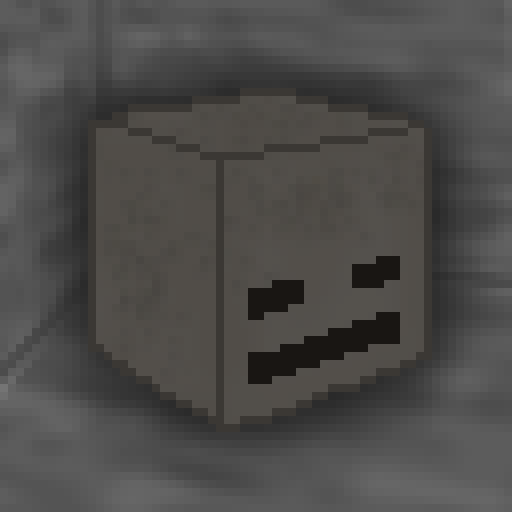
This is a Texture Pack, originally designed for “Better Than Adventure!”, and consequentially Beta 1.7.3 (although it will work with ANY version of Minecraft that has a Shadow, since the location and filename has never changed, despite the outdated Resource Pack version warning), that gives the Entities a squared Shadow, instead of a circular one. Consistency, my beloved.

# CREDITS
– Shadow texture and “pack.png” made by AndreWharn.
– Do not use the assets without permission, please!
# Thanks for using this pack! 😀
Square Entity Shadows
Makes the Shadows under Entities Squares. How they should’ve been from the start!
**I am currently inactive on this project at the moment, and new updates may be extremely delayed**
### **Important info:**
This RP **does not** contain any creepy/scary content or jumpscares. It only contains shader effects and only intends to just make the atmosphere more spooky feeling.
This RP **does not** work with optifine or sodium.
### About the pack
Spook is a resource pack making use of core shaders to add a spooky vibe to the game, without having to use optifine/iris.
### What this RP adds:
– Desaturated colour with red tint
– A red UI
– A dark, close fog around the player
– Slight effects to mobs with emissive eye rendering
### Known issues:
– Items held are completely black on inventory preview
– Fog does not apply to sign text
– Objects may ignore fog at large distances from player
Spawn Eggs Backported
# 25w08a Spawn Egg Textures – Backported!
This resource pack brings the **spawn egg textures** introduced in **Minecraft Snapshot 25w08a** to **all versions from Minecraft 1.14 snapshots up to 25w07a**! If you love the new spawn egg textures but prefer playing on older versions, this pack is perfect for you.
### ✨ **Features:**
– Backports **25w08a spawn egg textures** to **all versions from Minecraft 1.14 snapshots up to 25w07a**.
– Faithful to the vanilla aesthetic.
– Perfect for those who want the latest textures on older versions.
Enjoy and let me know if you find any issues! 🥚🎨
Spawn Animations Compats
## This datapack adds Spawn Animations compatibility to the modded entities.
This data pack/mod is designed to be as unintrusive as possible. Hidden entities including their worn armor and tools will only be invisible and silent.
Spawn Animations is completely server-side!
-> For available settings and customization, take a look at the wiki <-
More sophisticated animations with Animated Java are planned for v2.0!
## Installation
Install either as:
* **Data Pack [DP]** ➜ Place `.zip` in your world's `datapacks` folder
* **Mod [Mod]** ➜ Drop into your `mods` folder and optionally install MidnightLib for a global config file and UI
For hiding entities with emissive layers in 1.20.4 or below, and generally smoother animations, you may additionally install Pehkui.
To manage settings, reset, or uninstall the pack, use the command `/trigger tschipcraft.menu` or `/function #tschipcraft:menu`.
## Demo GIFs
Click here to expand
## Compatibility
**Forge** is only natively supported until Minecraft 1.21.5.
For Minecraft 1.14, 1.15 or 1.16, you can use a legacy version.
For mod support, check out Spawn Animations Compats by Fyoncle.
## External Links
## Partner Offers
Want to buy **Hytale** or upgrade your edition? Use creator code `Tschipcraft` upon checkout for me to receive a commission! (The price for you stays the same)



























 Features





