**I am currently inactive on this project at the moment, and new updates may be extremely delayed**
### **Important info:**
This RP **does not** contain any creepy/scary content or jumpscares. It only contains shader effects and only intends to just make the atmosphere more spooky feeling.
This RP **does not** work with optifine or sodium.
### About the pack
Spook is a resource pack making use of core shaders to add a spooky vibe to the game, without having to use optifine/iris.
### What this RP adds:
– Desaturated colour with red tint
– A red UI
– A dark, close fog around the player
– Slight effects to mobs with emissive eye rendering
### Known issues:
– Items held are completely black on inventory preview
– Fog does not apply to sign text
– Objects may ignore fog at large distances from player
Spawn Eggs Backported
# 25w08a Spawn Egg Textures – Backported!
This resource pack brings the **spawn egg textures** introduced in **Minecraft Snapshot 25w08a** to **all versions from Minecraft 1.14 snapshots up to 25w07a**! If you love the new spawn egg textures but prefer playing on older versions, this pack is perfect for you.
### ✨ **Features:**
– Backports **25w08a spawn egg textures** to **all versions from Minecraft 1.14 snapshots up to 25w07a**.
– Faithful to the vanilla aesthetic.
– Perfect for those who want the latest textures on older versions.
Enjoy and let me know if you find any issues! 🥚🎨
Spawn Animations Compats
## This datapack adds Spawn Animations compatibility to the modded entities.
This data pack/mod is designed to be as unintrusive as possible. Hidden entities including their worn armor and tools will only be invisible and silent.
Spawn Animations is completely server-side!
-> For available settings and customization, take a look at the wiki <-
More sophisticated animations with Animated Java are planned for v2.0!
## Installation
Install either as:
* **Data Pack [DP]** ➜ Place `.zip` in your world's `datapacks` folder
* **Mod [Mod]** ➜ Drop into your `mods` folder and optionally install MidnightLib for a global config file and UI
For hiding entities with emissive layers in 1.20.4 or below, and generally smoother animations, you may additionally install Pehkui.
To manage settings, reset, or uninstall the pack, use the command `/trigger tschipcraft.menu` or `/function #tschipcraft:menu`.
## Demo GIFs
Click here to expand
## Compatibility
**Forge** is only natively supported until Minecraft 1.21.5.
For Minecraft 1.14, 1.15 or 1.16, you can use a legacy version.
For mod support, check out Spawn Animations Compats by Fyoncle.
## External Links
## Partner Offers
Want to buy **Hytale** or upgrade your edition? Use creator code `Tschipcraft` upon checkout for me to receive a commission! (The price for you stays the same)
Sparkweave Engine
Sparkweave is a modding library to share code and functionality between all my mods.
—
⚠ THIS IS A LIBRARY; IT DOES NOT DO ANYTHING BY ITSELF ⚠
—
### Current Features:
– registration helpers
– GUI utilities
– package context annotations
– automatic loading of environment variables from a `.env` file
##### also see the api package

In addition to adding all vanilla hostile mobs, this datapack adds hostile mobs from the FroggyCraft modpack to the frog food list of (**_SpaceFrog’s Hungry Hungry Frogs_**) datapack. If you’re running some or all of the mods from FroggyCraft that add custom hostile mobs, this datapack will expand the types of mobs frogs can eat. However, if you run this datapack without the base SpaceFrog’s Hungry Hungry Frogs datapack, your frogs will be left pretty underpowered, and no one wants to see a frog exploded by a creeper! The base datapack adds buffs to frogs to make sure your froggy friends stand a good chance in any fight they get into.
This datapack is also a good option for those running vanilla Minecraft who want to give all frogs the ability to attack hostile vanilla mobs without the getting the buffs found in SpaceFrog’s Hungry Hungry Frogs.
We’ve all dealt with that loud portal before, or those ridiculously loud mob farms. Perhaps you’re even listening out for a particular mob while caving. Have you ever wanted to just fine-tune those specific sounds without being limited by the category sliders?
Sound Controller is a fabric mod providing complete volume control over the sounds played in the game. It adds an extra set of options to your sound settings, providing you with volume sliders for every single sound between 0-200%.
By utilising the minecraft registry, this mod should also include all other sounds added to the game by your favourite mods (provided those mods add their sounds to the normal registry).
This mod is available on GitHub, CurseForge, and Modrinth.
—
## Features
– A search bar to quickly find the sound you’re looking for
– A toggle that filters to your modified volumes, so you can easily find the sounds you’ve changed
– A toggle that replaces vanilla subtitles with sound ids, so you can identify the name of that pesky noise nearby
– Sliders for every sound in the game, including those added by mods. Allows setting volumes between 0% to 200%.
– A button for every slider that will play the sound at the volume you’ve set
– A button to reset sounds to their default values
When using the final feature, it may be hard to hear your sound around all the other game sounds. The easiest place to use it is directly from the menu, however you may want to temporarily disable the `minecraft:music.menu` too!
—
## Images
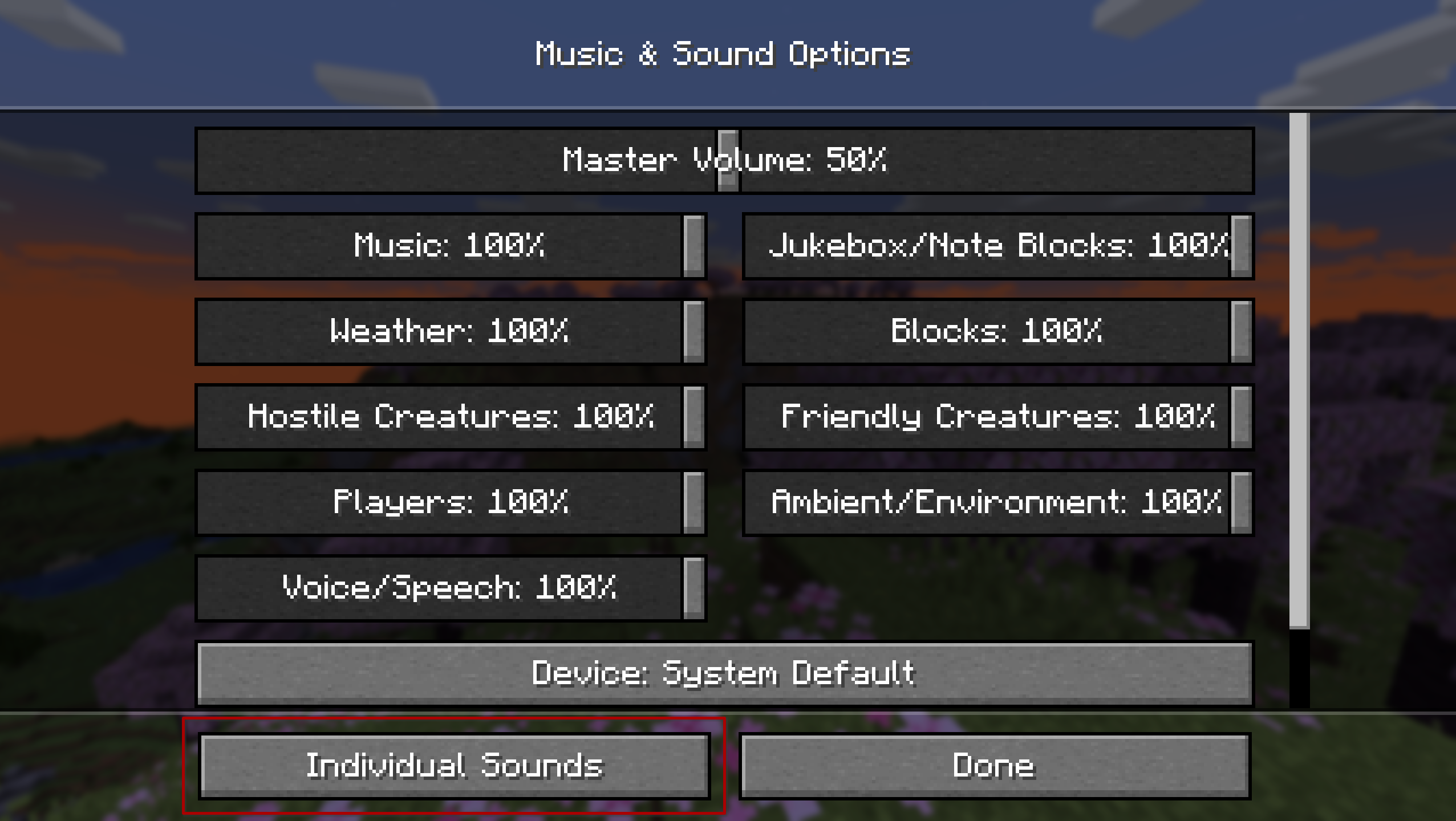
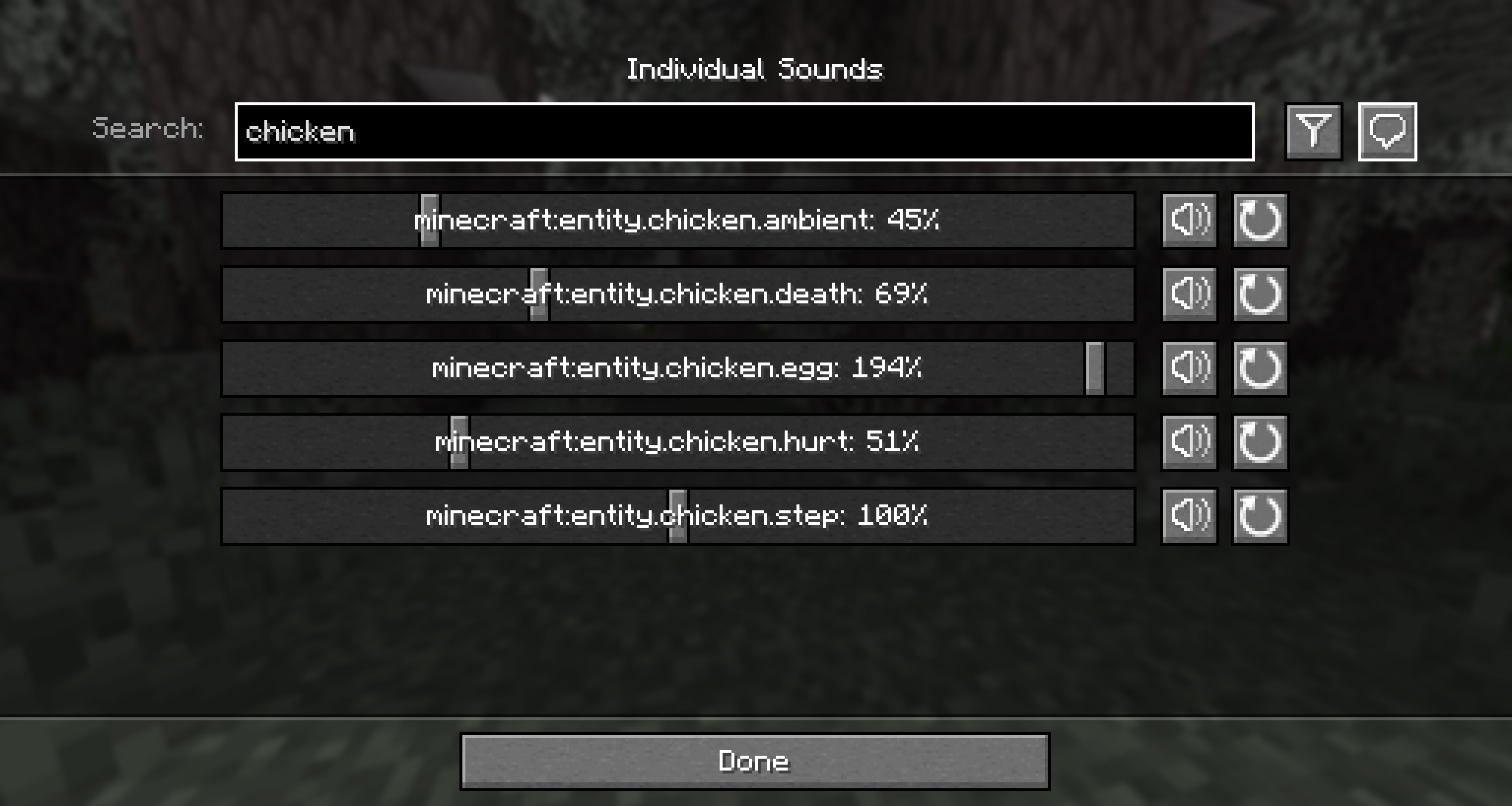
—
## Contributing
Contributions and suggestions are always welcome! Please limit all issues to only one feature at a time – feel free to open multiple at once if you have many ideas. Similarly, please limit pull requests to a single feature at a time and try to follow the existing code style.
To further discuss or get notifications of new updates, check out my Discord. If you like what I do, consider supporting me on Ko-Fi! 
Soul Link
This data pack adds a new Soul Link enchantment.
This enchantment returns the item with this enchantment to you upon your death.
Requires general GalLab resourcepack
## Since version 1.6 (1.21+) it now uses the enchantment system instead of a custom item. So enchanting items is done through an anvil.
##
There are three variants of this enchantment:
– **Soul Link** – the normal version of the enchantment. The item will always return to you after death.
Can be found in chests in Ancient City, with a small chance to be fished in the Deep Dark biome, or as a drop from Warden.
– **Weak Soul Link** – Weakened version of Soul Link. Enchantment level will decrease with each death. Can transform into Unstable Soul Link. Can be found in chests in Ancient City, with a small chance to be fished in any biome.
– **Unstable Soul Link** – A special version of Soul Link that will save the player’s entire inventory, then the item with this enchantment will be destroyed after the player’s death.
To obtain this enchantment on any item, drop a Resonating Soul / Weak Resonating Soul with the desired item on the Enchanting Table.
The item will be returned even if you die in lava or the void.
SobhanA11 modern Vanilla+ Cpvp (crystal pvp)
**hello!
this is a crystal and modern and mace pvp resource pack (with some survival features)**
🖼️Vanilla Minecraft textures like blocks and items have a width and height of 16 pixelsbut Some textures make the resolution of textures smaller than the default, such as 8x, and some bigger, such as 32x.
# 🌟main features
– 3d crystal item
– pvp crosshair
– glassed boats bottems
– BrewingStand Guide
– smaller totem and shield and mace
– very low fire effect
– Transparent GUI
– custom texture for items with some enchants
– show loading level of bow
– smal totem pop
– no explosion particle
– smoth water
– numbered redstone dusts
– A11 totem! (SobhanA11 logo)
– rounded edge hotbar gui
– smal foods
– unrandom textures
# 💠 Why Use This Pack?
Whether you are dueling in Crystal PvP, trying out the new mace mechanics, or just enjoying a survival world, this pack gives you:
– Better visibility during fights
– Cleaner UI & particles
– A mix of performance-friendly textures and modern style
> # NOTICE
> I have decided to abandon this mod as the method it uses to implement the mechanic is fundamentally broken and causes issues when mod is present on the client but not on the server. I tried working around it but I’m not proficient enough in Minecraft modding to make it work. The project has an open-source license so anyone who is willing is free to fork this project and update it.
> As of May 2026 there is a mod for 1.21.11 called Visual Snowy Leaves that address some of the issues of this mod by implementing the feature client-side using shaders, however it has some of its own issues due to using that method.
Old readme
# SnowyLeavesPlus
In Bedrock Edition, leaves slowly turn white when it is snowing.
SnowyLeavesPlus brings this feature to Java Edition!
When it is snowing, leaves will slowly turn white, and when it is not, they will turn back to normal.
## Installation
You can install SnowyLeavesPlus by downloading it from any of the following:
You will also need (Quilted) Fabric API. Put the mod files in your `mods` folder, and load Minecraft using Fabric or Quilt.
You can also use a mod manager like GDLauncher, Prism Launcher, or my own ferium.
## Compiling from Source
Prerequisites: JDK 17
1. Clone this repository by running `git clone https://github.com/theRookieCoder/SnowyLeavesPlus.git` or `gh repo clone theRookieCoder/SnowyLeavesPlus`
2. Build the project by running `./gradlew build`
3. The mod jar file can be found at `build/libs/`































 Features





