Survival Islands
# Survival Islands
This is a datapack that changes the overworld generation to create islands in an endless ocean. Along with changing the biomes, the terrain has been slightly altered as well, always being flatter near coasts for the more traditional survival island experience, as well as making oceans ~1.5x deeper. It is a very small modification and should be compatible with most other biome and terrain mods.
I highly recommend using Jacobjo’s Datapack Map to scout the seed if you are wanting to find the perfect spawn island.
Supernova (Original Music Pack)
an original album made as a tribute to C418 in his signature style, made into a custom music pack:
this pack features 6 tracks:
– 1 title track: jang
– 2 creative tracks: albeit, burning konkrete
– 3 survival tracks: rose field, cliff hanger, supernova
this resourcepack should be compatible with versions 1.7.2 and above. newer versions may complain about it being broken or incompatible, ignore that.
there are two versions of the pack: one that replaces the vanilla music and one that does not. the one that replaces the original soundtrack doesn’t seem to do so on 1.7.2, but the music should still be added to the pool.
you may use this music in your own resource/data/mod-packs only if it’s ENTIRELY FREE. this music may NOT be resold or used for COMMERICAL PURPOSES.
https://aurigrave.org/audio/release/supernova
Superflat Dimensions
# Superflat Dimensions Datapack Collection
This is a collection of datapacks that overrides the default world generation to functionally apply superflat to all dimensions, while retaining all biomes and structures.
### Please note when using this, just add the datapack on the world creation screen and create a world like normal. You should not to use the Superflat Preset.
Why does it replace the default overworld, and why can’t it use a preset?
Datapacks allow creators to edit many things in Minecraft, but some things are hardcoded, meaning they require a mod to change. Datapacks do allow for custom superflat presets, but unfortunately they only allow for single-biome worlds. Datapacks also allow for custom world presets, but unfortunately, any changes outside of the terrain must be done globally, meaning anytime I need to change the structure or feature generation to get it to fit, it would change it for all presets. If I made a preset and someone was using the mod version of this pack, then they could easily be unknowingly altering vanilla worldgen!
## Compatibility Notes:
These datapacks do not work with any biome mods! There is a technical reason behind this because of the limitations of datapacks. I may be able to look into resolving this with Lithostitched though.
If you’ve never used terrain mods together, you should know that they generally override each other. The same case is for this mod.
# Versions:
### Classic Superflat Dimensions
Three blocks of terrain and one block of bedrock at y=0. No trees/foliage, caves, or ores. Just structures and biomes.
*Modeled after the “Classic” Superflat preset*
### Superflat Dimensions
Exactly like the Classic Superflat Dimensions, but with trees and other biome features!
## “I wish the world actually had terrain from -64 to 64…” / “Where did ‘Flat Dimensions’ Go?”
### Checkout Flat Dimensions (BEING REVIEWED)
## Generation Notes:
Pre-1.21.2 Only
– Phantoms can only spawn above Y=63
– Most aquatic mobs can only spawn from ~Y=50 to Y=63
## Sponsor: Sparked Host

Super Enchants

# Super Enchants
**Super Enchants** allows you to combine enchantments to much higher levels than you’re able to do normally in survival mode.
# How to combine enchantments
Throwing 2 enchanted books on top of an anvil will combine them. If they have the same enchantment at the same level, the new enchanted book they create will have that enchantment at the next level. And if you throw an enchantment book and an enchantable item on top of an anvil, that enchantment will be applied to the item, removing the need for experience levels.
# Extra Item Compatiblity (MC 1.20.5 – 1.21.10)
If you want more items to work with Super Enchants. you can click here to download a Super Enchants Item Compatibility Data Pack. Extract the zip file contents into a folder. Once you’ve done that, go to the file path data/superenchants/tags/item and modify the item tag json files. **Read the README.txt** as it will tell you exactly what you need to do.
# Experiencing issues?
If you have any issues, just message me on PlanetMinecraft
Try and answer these questions when you first message me:
1. Is it on a Minecraft server, and if so, what type?
2. Which Minecraft version is it?
3. Is it vanilla, or modded? If modded, which mod loader? (Forge, Fabric, etc.)
4. If it’s modded, which mod loader are you using?
Also, if you can, test the issues on a single-player vanilla world beforehand. This way you’ll know for sure it’s a problem with the data pack itself.
# No more mutually exclusive enchantments!
With this pack, you’re able to combine enchantments you couldn’t combine before.
Here’s a list of some things you can do in this pack.
– **Combine Infinity and Mending on a Bow.**
– **Use Infinity on a Crossbow.**
– **Combine Infinity and Mending on a Crossbow.**
– **Use All Protection Enchantments TOGETHER on Armor Pieces.**
# Config
Type **/function superenchants:config** to access the config of Super Enchants. Here, you can change the max levels of all enchantments that aren’t hard-capped at level 1 by clicking the wrench to the left of the enchantment you want to change. By default, the max enchantment levels are set to their hard-cap. All of the enchantment level hard-caps are shown under the config image below.


# Enchantment Level Hard-caps
| Enchantment | Level Hard-cap |
|–|–|
| Aqua Affinity | 1 |
| Bane of Arthropods | 255 |
| Blast Protection | 255 |
| Breach | 255 |
| Channeling | 1 |
| Curse of Binding | 1 |
| Curse of Vanishing | 1 |
| Density | 255 |
| Depth Strider | 3 |
| Efficiency | 255 |
| Feather Falling | 7 |
| Fire Aspect | 255 |
| Fire Protection | 10 |
| Flame | 1 |
| Fortune | 255 |
| Frost Walker | 14 |
| Impaling | 255 |
| Infinity | 1 |
| Knockback | 255 |
| Looting | 255 |
| Loyalty | 127 |
| Luck of the Sea | 255 |
| Lunge | 255 |
| Lure | 5 |
| Mending | 1 |
| Multishot | 1 |
| Piercing | 127 |
| Power | 255 |
| Projectile Protection | 10 |
| Protection | 20 |
| Punch | 255 |
| Quick Charge | 5 |
| Respiration | 255 |
| Riptide | 1 |
| Sharpness | 255 |
| Silk Touch | 1 |
| Smite | 255 |
| Soul Speed | 255 |
| Sweeping Edge | 255 |
| Swift Sneak | 5 |
| Thorns | 255 |
| Unbreaking | 255 |
| Wind Burst | 255 |
# Uninstallation
If you’d like to uninstall Super Enchants from your world, simply type **/function superenchants:uninstall**
Summit


> ### **THIS RESOURCE PACK REQUIRES THESE MODS TO FUNCTION:**
> 1. **ETF**
> 2. **EMF**
> 3. **Continuity**
> 4. **Polytone**
# Summit: Minecraft At Its Peak
**Summit** is a realistic texture pack for Minecraft, designed to enhance your game with a touch of natural beauty. It’s subtle, refined, and compatible with a range of systems.
## Summit 64x is now free!




## Features:
– **Varied Resolutions:** Choose from 16x to 64x to match your system.
– **Balanced Realism:** Enhanced textures that feel right at home in Minecraft.
– **Optimized Performance:** Smooth and efficient gameplay experience.
**Rediscover Minecraft with Summit!**
[Patron]: https://patreon.com/Summitmc?utm_medium=clipboard_copy&utm_source=copyLink&utm_campaign=creatorshare_fan&utm_content=join_link
[1]: https://i.imgur.com/vZ1vIat.png
[2]: https://www.optifine.net/home “Redirect to Optifine”
[3]: https://i.imgur.com/a7UsCgN.png
[4]: https://irisshaders.dev/ “Redirect to Iris”
[5]: https://i.imgur.com/XCZiKxy.png
[6]: https://patreon.com/Summitmc?utm_medium=clipboard_copy&utm_source=copyLink&utm_campaign=creatorshare_fan&utm_content=join_link “Redirect to Patreon”
Stupid MC Translate

# StupidMC Translate——沙雕翻译包
## MoeRain Codeopen Project/已列入萌雨社开源计划
## 介绍
这是辉夜星瞳与萌雨社的作品——沙雕翻译包。本翻译包具有跟APT一样的强大力量。
## 与其他模组的兼容性
>您知道吗?在一般情况下,资源包翻译文件优先级大于模组翻译的优先级
为了更好的体验,沙雕翻译包目前正在尝试兼容部分模组的翻译,目前支持情况如下:
|模组名称|兼容情况|
|——-|——|
|Bedrockify|兼容加载提示|
|Modmenu(模组菜单)|考虑兼容中|
|Sodium(钠)|已兼容部分翻译|
|IRIS(鸢尾花光影加载器)|已兼容部分翻译|
|~~quickbackupmulti(多槽位备份)~~|~~与作者讨论后无果,遂取消兼容~~|
* 您也可以开一个issue,请求翻译包加上你喜欢的模组的翻译。
* 由于作者不是很喜欢使用Forge,所以Forge上的独占模组可能将不会被兼容。
* 您提交的新的模组翻译将随下一个版本(绝大部分是正式版)进行发布,如果您的模组不兼容发布的版本,请手动修改pack.mcmeta以手动兼容
## 文件结构
当前版本的沙雕翻译包文件结构如下所示。(*表示下载后可自行删除,不影响使用)
“`Python
#资源包元文件,删除将导致资源包不可用
[assets]
[bedrockify]#兼容Bedrockify的模块
[lang]
[minecraft]#原版兼容Minecraft的模块
[lang]#语言文件
*#英文原版语言文件(可能过时)
#沙雕翻译包核心——中文语言文件
*#旧版社区语言文件,未翻译完
[texts]#通用文本文件(例如终末之诗和演职员表)
#现在的演职员表
#为向下兼容打造的旧版演职员表(停止更新)
#终末之诗原文以及翻译
#以上文件的副本
#终末之诗及演职员表后的那段寄语
#向下兼容的闪烁标语(停止更新)
#主界面闪烁的黄色的沙雕文本(闪烁标语)
“`
## 用法
### Modrinth版本下载(推荐)
如果您的启动器自带从Modrinth检索资源包的功能,您可以直接搜索”Stupid MC”,之后按照启动器的说明安装即可。
如果您的启动器不带有从Modrinth检索资源包的功能,您可以通过此链接进行下载,Modrinth的zip无需解压,直接放在资源包文件夹即可使用。
### git版本下载
在这里下载发行版,拿到压缩包后将里面的放到你的版本的[resourcespacks]文件夹下,之后在Minecraft的资源包选取界面应该就可以看到,加载在最上面即可(本包无纹理改动功能,请放心使用)
### 使用模组进行更新(实验性)
>此功能正在开发,请稍后回来查看
您可以下载“StupidMC Updater”模组来保持翻译的最新版本
## 与其他资源包的反应
本资源包可与梗体中文资源包合并使用;但在使用前请确保您的梗体中文资源包启用了*兼容模式*且此资源包在最顶端,否则您将只能看到梗体中文的翻译。
本资源包建议配合沙雕附加包使用,否则可能会少了很多乐趣。
## 如何贡献
您需要Fork或者Git这个仓库,之后在本地创作您的杰作,如果您认为已经创作完毕,提交PR即可
如果PR出现了冲突,我们首先会遵循“先来后到”原则,如果后者有比前者更为优质的翻译,我们将会考虑后者而不是前者。
如果您对此资源包有任何疑问,欢迎开issue与我们一起讨论。
如果是涉及到个人隐私,您也可以发送邮件到[[email protected]](mailto:[email protected]),我们会尽全力解决。
## 开源许可
本翻译包使用GNU GPLv3许可条款进行许可.
Structures

***
## About:
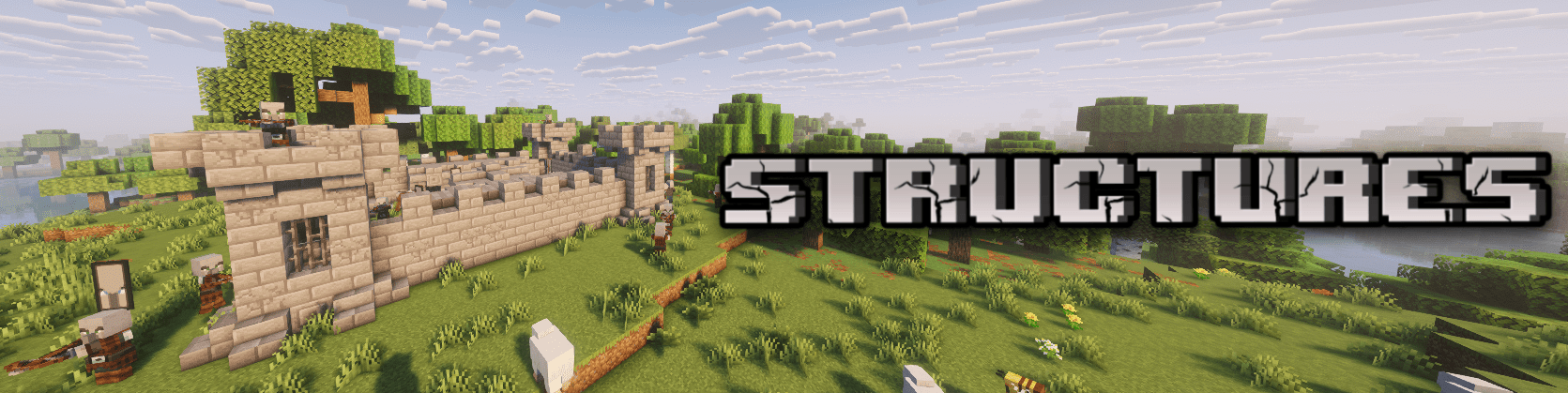
Structures is a datapack that adds new structures to your world!
The added structures not only look great (well, as good as I can make them :D) but also add depth to the game. Instead of just random and meaningless structures, the goal is to make the world feel richer and more immersive.
## Notes:
This datapack has been released as a mod, which means you can use it on Neoforge, Forge, Fabric, and Quilt modloaders. Across a wide range of versions.
The mod is still under active development (not abandoned). Keep in mind: I can add, remove, or change anything about the structures!
Stonecuttable Smooth Stone
# What does this do?
This Datapack lets you use a stonecutter with stone/cobblestone to make smooth stone, and smooth stone slabs! That’s it basically.

STONEBORN UI Overhaul

STONEBORN is a simple and unique UI overhaul inspired by fantasy media. Easy on the eyes, lightly ornamented and stylistically cohesive, it should suit any playthrough, whether vanilla or modded.
It’s dangerous out there, so take STONEBORN on your next adventure!

Check out other STONEBORN packs:


IMPORTANT TERMS ON REHOSTING AND COMPATIBILITY WITH OTHER MODS:
-
- Please DO NOT rehost the pack files, whether on Modrinth, Planet Minecraft, CurseForge, or any other hosting or forum pages. If you should need to refer or link another to the pack, link them to this CurseForge page.
-
- Please DO NOT claim ownership or pass the pack off as your own. If you should need to refer or link the pack elsewhere, please provide the appropriate credit to me (Sindavar).
-
- You may create or edit assets in the pack for compatibility with other
mod’s UIs. However, these resourcepacks must only contain the bundled assets for the mod it is replacing, and cannot contain the base
STONEBORN texturepack. (Your mod support pack should need to load on top of STONEBORN in game)
-
- You may host these packs as you want, but please link back the
STONEBORN page as a dependency and add all appropriate credits to me.
-
- You may not bundle STONEBORN with another resourcepack, and rehost it on Modrinth, or anywhere else. I understand the convenience this may offer for servers and the like, however it takes away from my revenue and downloads on this page.
-
- You may edit or create assets for STONEBORN for PERSONAL USE, and these edited files may not be rehosted in any form.
-
- If you are unsure about any of these terms or have any questions regarding rehosting or editing the pack, please contact me. If you happen across any rehosting or miscrediting, or any breaches of the above terms, please let me know.
Developer Notes:
- I am always looking to improve my work, so suggestions for the pack are always welcome.
- Using languages other than English may result in some text elements not appearing.
- The pack will (hopefully) be maintained for future Minecraft versions past 1.17. The pack will not support older versions.
- Feel free to post any issues you encounter in the comments below, and thank you so much for your interest 🙂
- Questions? DM me on discord or ask in the discord server!
– Sindavar
Support me on other platforms & join the discord!:



Stone Rooms
My social networks

—
## Description👀
**This datapack/mod adds 2 underground structures to your world, the first structure is for the upper parts of the caves (where the stone is), and the second structure is for the lower parts of the caves (where the deepslate is)**
**You can see screenshots of the rooms by going to the Gallery section**
—
## Useful Сommands🔧
– **Use /locate structure elysianfields:stone_rooms for see dungeon coordinates**
– **Use /place structure elysianfields:stone_rooms for spawn dungeon**
—
– **Use /locate structure elysianfields:stone_rooms_deepslate for see dungeon coordinates**
– **Use /place structure elysianfields:stone_rooms_deepslate for spawn dungeon**
—
Update Log⚒️
### Update V1.2:
* **Bug fix**
* **Balancing Enchantment**
* **Slightly reduced the chance of dungeon spawning**
—