WI Zoom
# WI Zoom (Wurst-Imperium Zoom)
The WI Zoom Minecraft mod lets you zoom in and out with the mouse wheel, providing up to 50x magnification without the need for a spyglass. This mod is fully compatible with OptiFine and Sodium, but unlike OptiFine’s zoom, WI Zoom lets the camera move in a logical way, without making it wobble around. WI Zoom supports all of the latest Minecraft versions, including snapshots.

## Features
– Up to 50x zoom!
– No spyglass needed!
– Zoom in and out with the mouse wheel!
– No wobbly camera nonsense!
– Dynamic mouse sensitivity! (since v1.1)
– Fully compatible with OptiFine / Sodium!
## How To Zoom
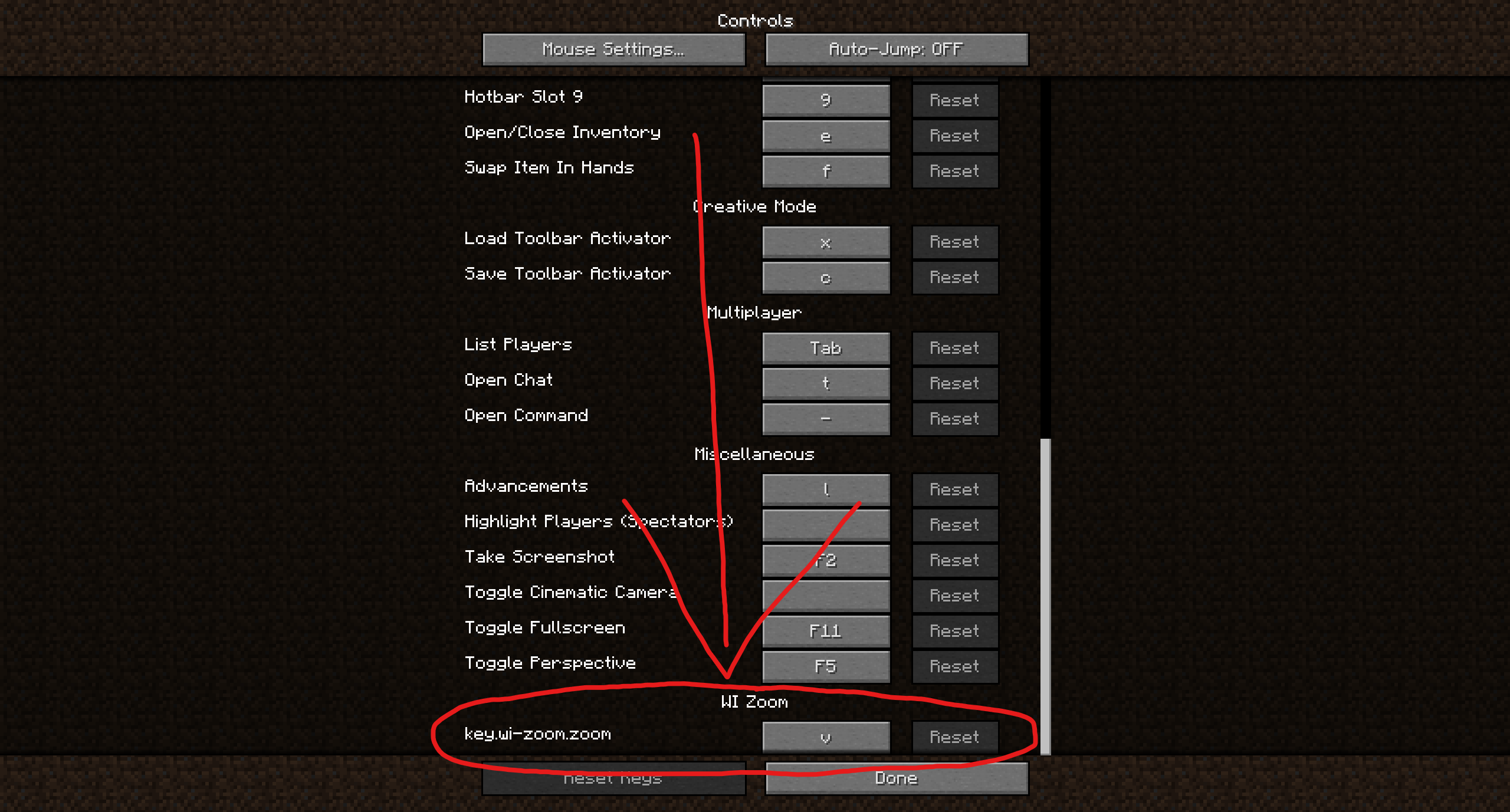
Hold down the V key to activate the zoom (this keybind can be changed).
While zooming, you can use the mouse wheel to zoom in further.
## Changing The Zoom Keybind
How to change the keybind (click to expand)
In the pause menu, click on “Options…”.
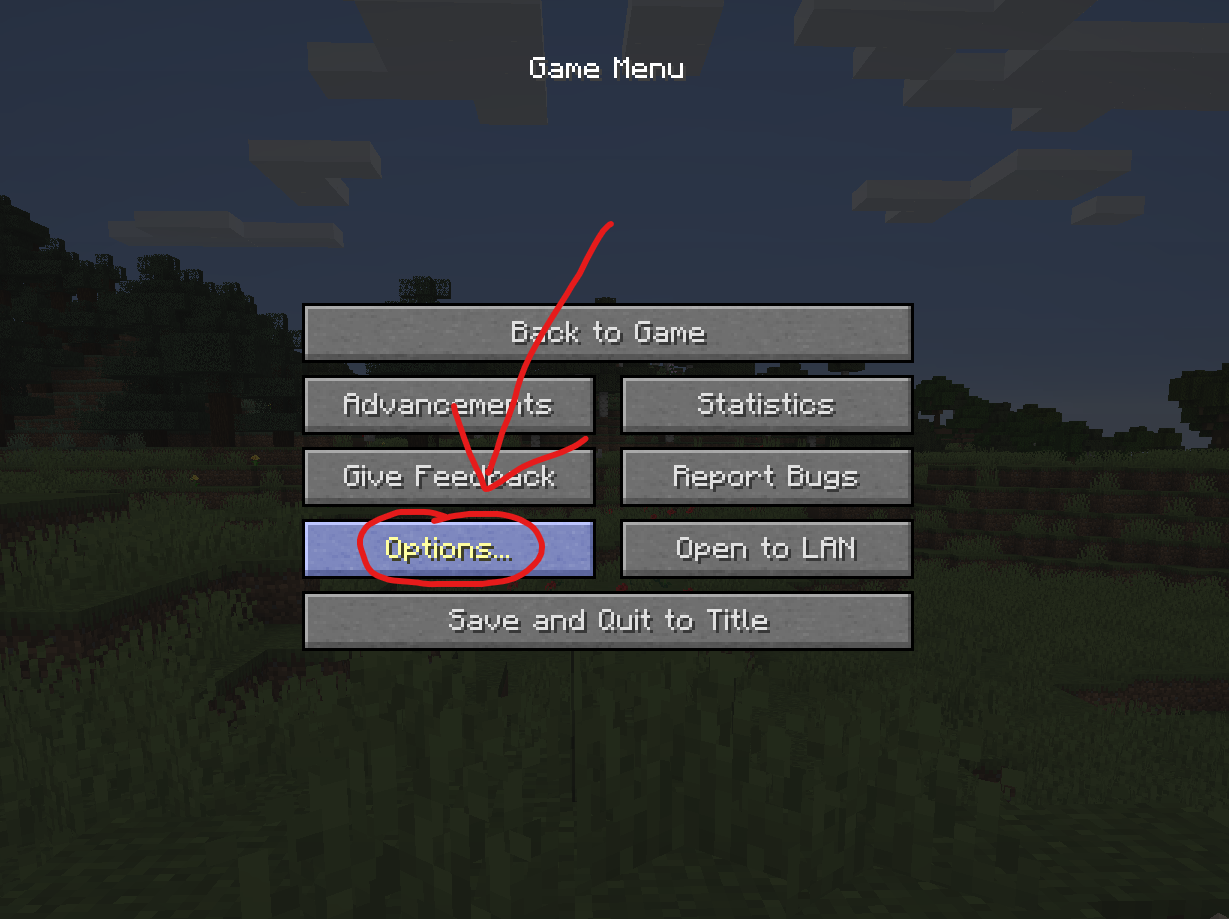
In the Options menu, click on “Controls…”.

In the Controls menu, scroll down to the “WI Zoom” section. If you don’t have any other mods installed, you will find this section at the very bottom.
## Supported Languages
– Azerbaijani (Azerbaijan) (since v1.5)
– Chinese (Simplified/Mainland) (since v1.4)
– Chinese (Traditional/Taiwan) (since v1.4)
– Cantonese (Hong Kong) (since v1.4)
– Classical Chinese (since v1.4)
– Dutch (Netherlands) (since v1.5)
– English (US)
– Estonian (Estonia) (since v1.4)
– French (France) (since v1.4)
– German (Germany)
– Kurdish (since v1.5)
– Portuguese (Brazil) (since v1.5)
– Russian (Russia) (since v1.3)
– Turkish (Turkey) (since v1.5)
– Ukrainian (Ukraine) (since v1.5)
White Iron Ore
# White iron ore
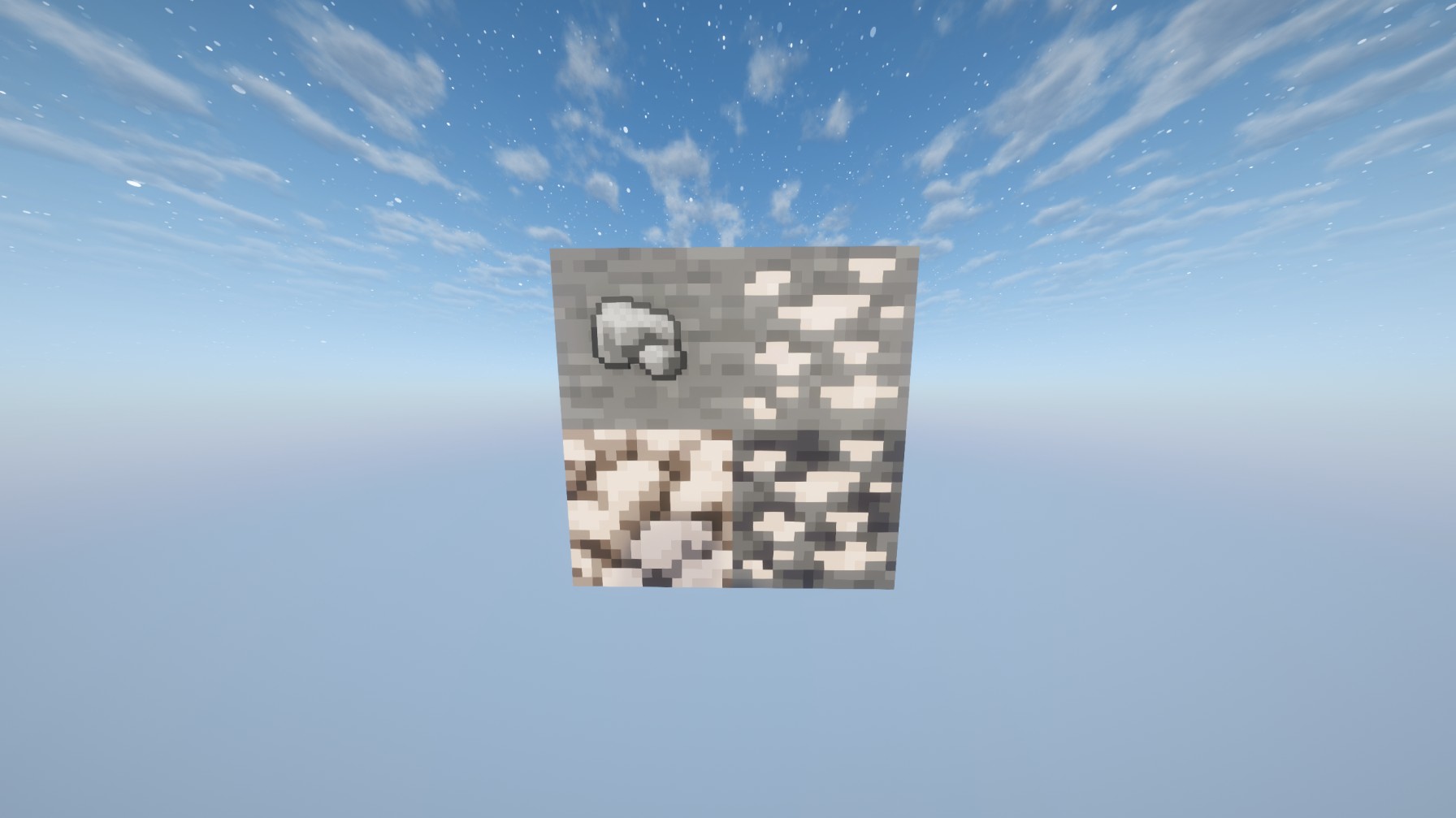
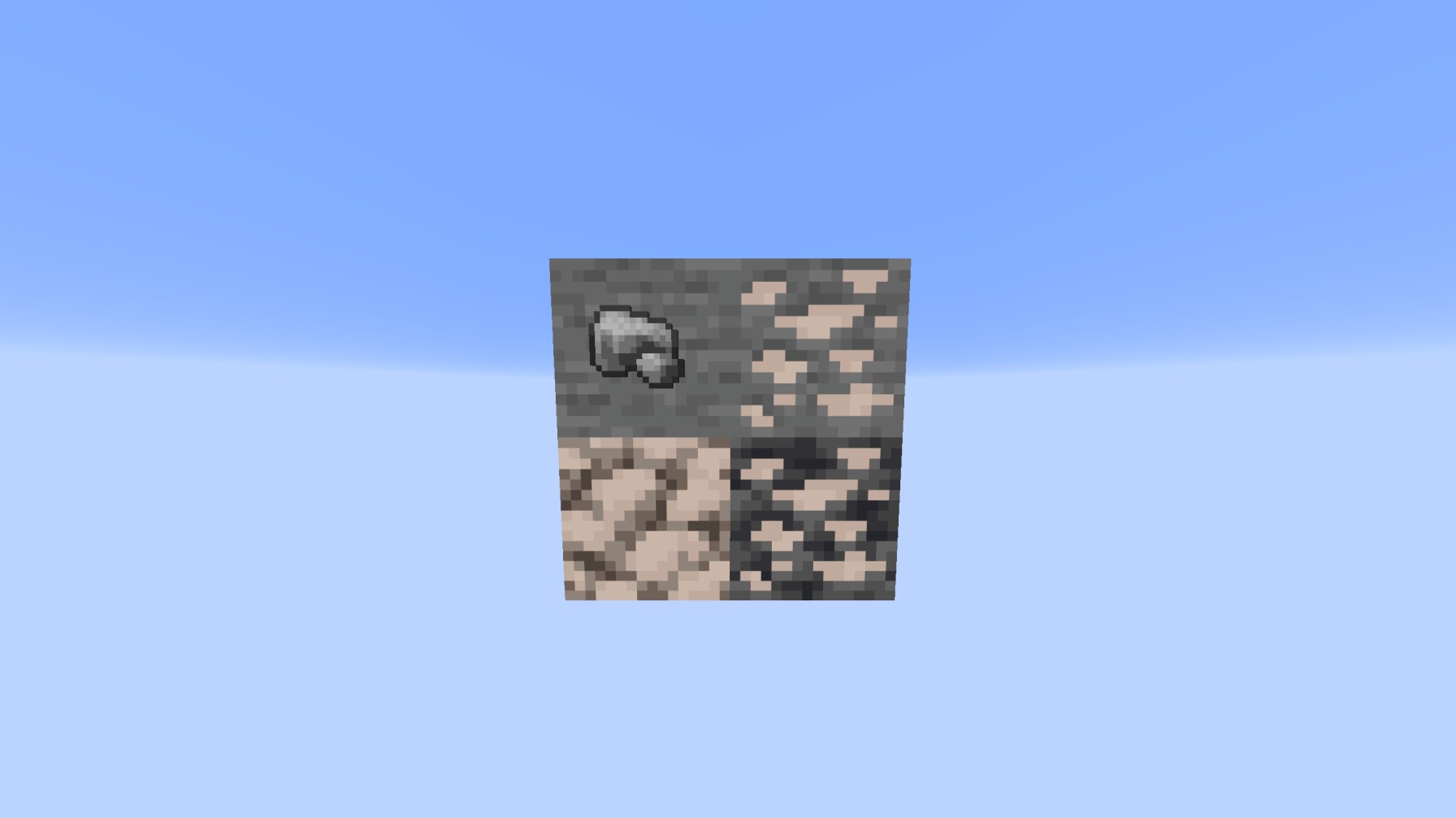
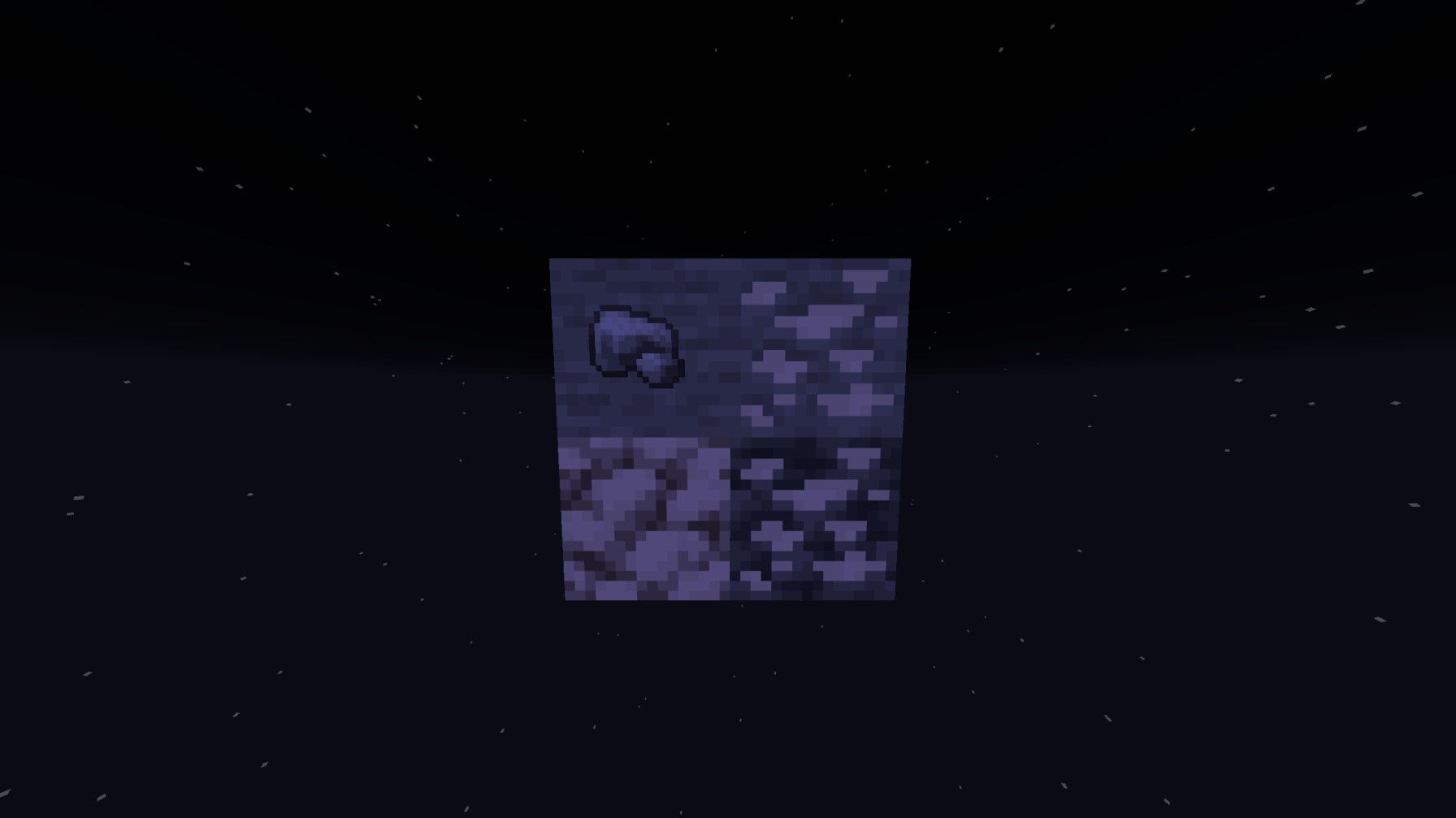
**This resource pack actually glow’s with your shaders so the iron will glow white unlike other white or accurate iron textures, this will ALSO replace the Block of raw iron AND the raw iron unlike others!**
Preview WITH shaders
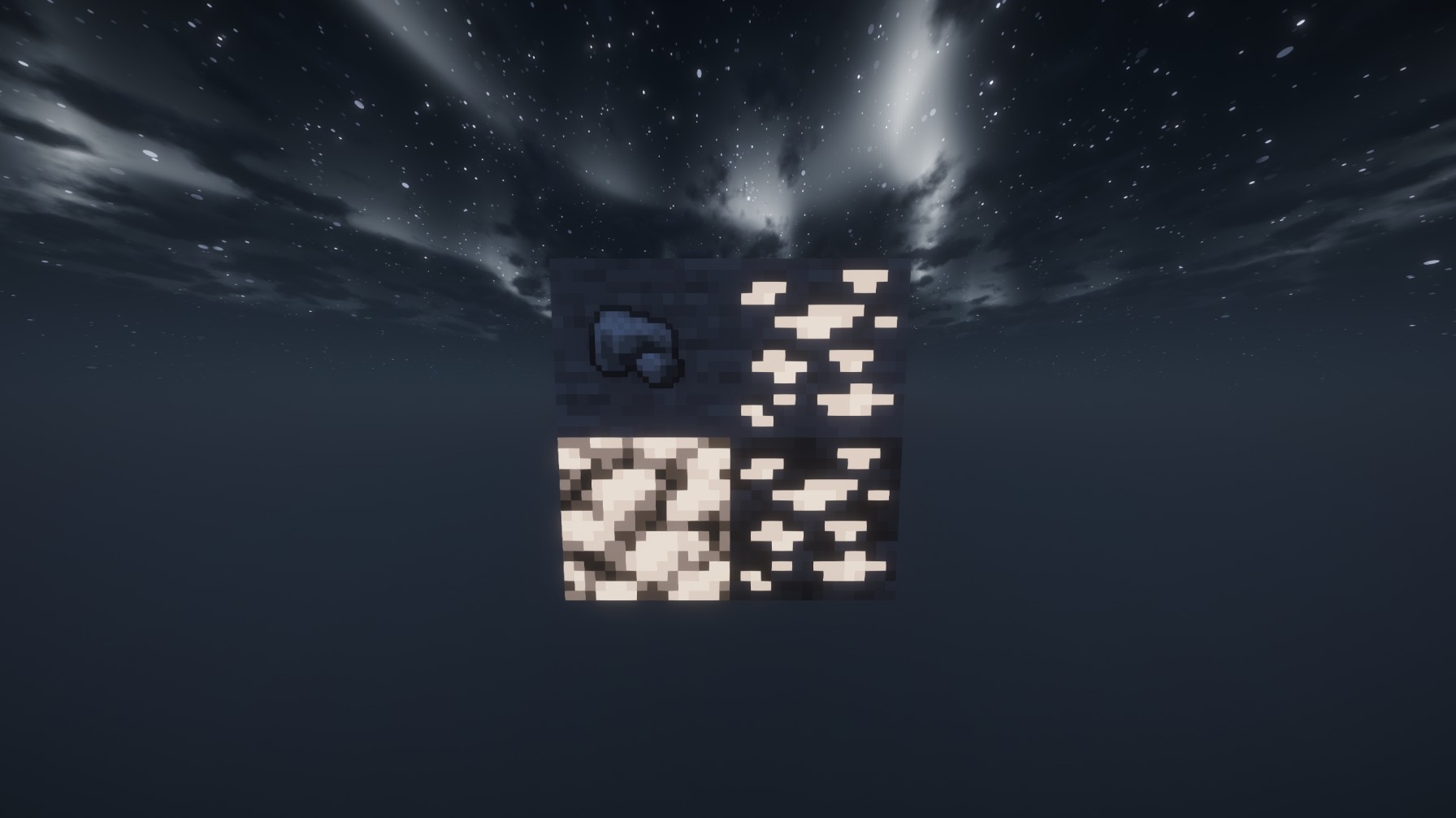
Preview WITHOUT shaders:
White Anime Girl Totem
A clean and stylish Totem of Undying texture pack featuring a white-haired anime girl. This pack replaces the default Minecraft totem with a cute high-quality anime design while keeping the vanilla style smooth and lightweight. Perfect for PvP, survival, and aesthetic gameplay
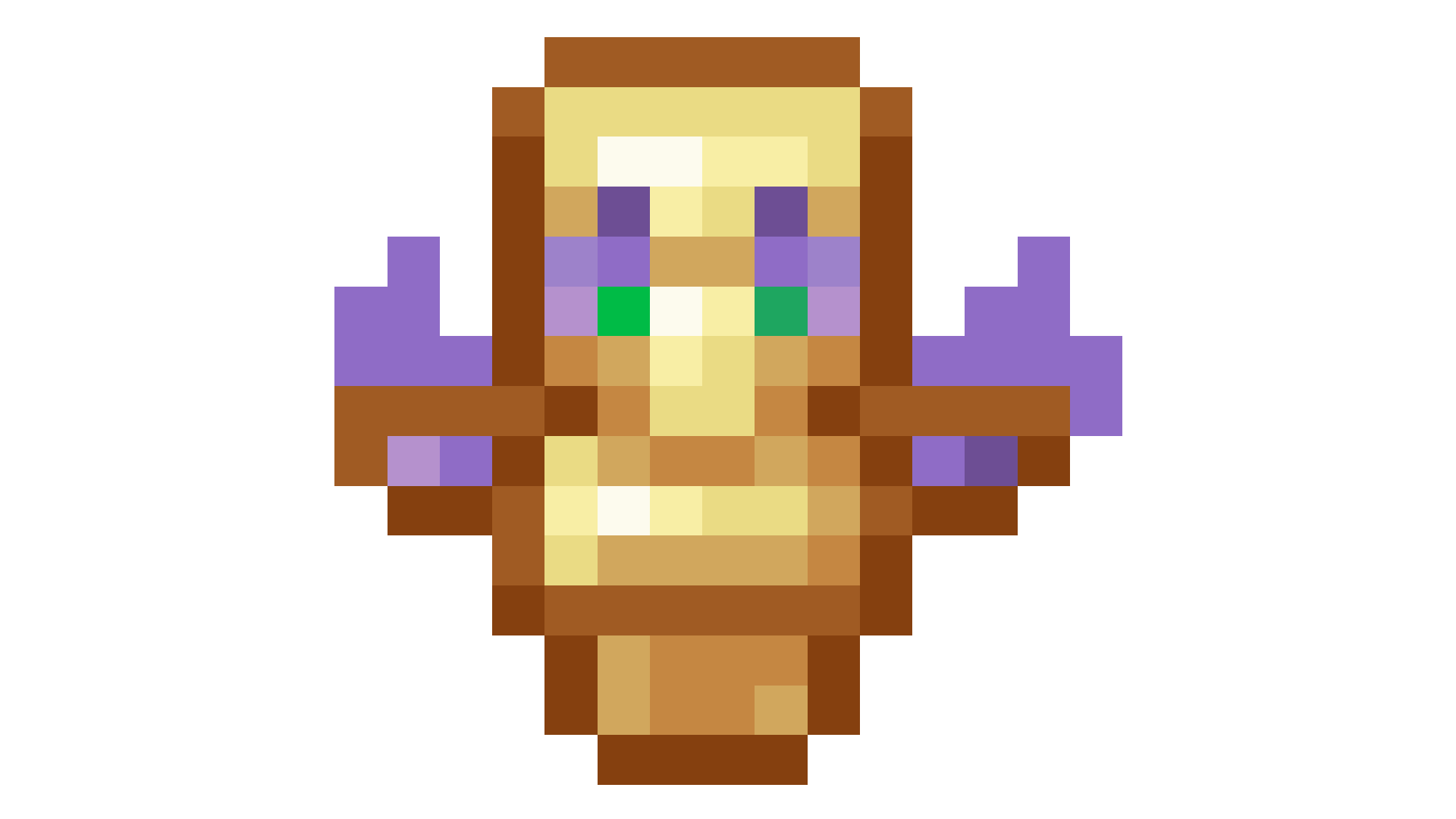
Weird and powerful weapons – Texture pack
**This ressource pack add custom textures on the items of the datapack [Weird and powerful weapons](https://modrinth.com/project/Jr3nq9JV)**
## Totem of protection
Water World (Only Ocean)
## This data pack removes all land above sea level leaving only water and ocean biomes.
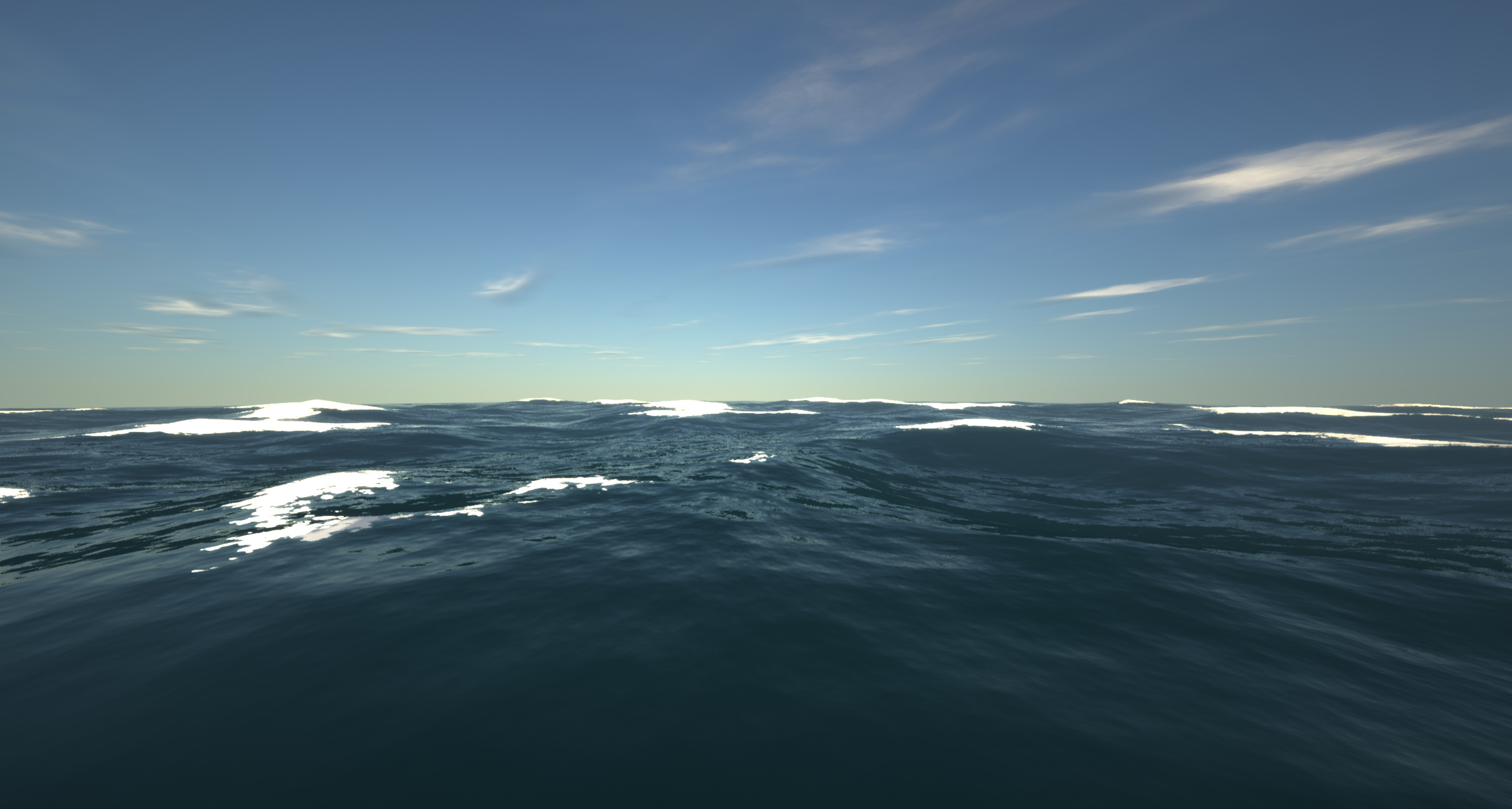
– It achieves this by setting the continentalness to -0.5.
– This is the only data pack/mod i’ve seen that turns the world into an ocean for all versions from 1.18.2 to 26.1.2
Originally from The Water World modpack!
Warping Wonders

## 📖 Description
**Warping Wonders** allows for a more immersive player teleportation utilizing already existing items. Using a compass which is linked to a lodestone players can teleport back to the lodestone. A clock teleports players back to their spawnpoint (bed, respawn anchor) and the recovery compass can bring players back to their last death location. The latter two always get consumed when using them. In addition to that Portal Horns can be crafted which function as a TPA replacement. The latest addition to the data pack is a Waypoint Hub system which lets players set up a network of points of interest where they can teleport to. All teleport actions function across all dimensions. Ridden Entites (Camel, Strider, Donkey, Mule, Horse, Llama and Horses) as well as leashed Entities (including Boats) will be teleported alongside players.
**With v2.5+ Admins/OPs can configure almost anything in-game using config menus.**
Command to open the Config Menu
“`
/function warping_wonders
“`
Admin Tag
The Admin Tag allows for teleporting and editing any Waypoint regardless of being the owner or not.
Will either be set automatically when opening the Config Menu or can be set with:
“`
/tag add/remove wawo.admin
“`
## 🧭 Item Overview
Compass
Compasses can teleport you to their linked Lodestones, and several additional variants can also be crafted.
Recovery Compass
You can use a Recovery Compass to teleport to where you last died, and there are also a bunch of other variants you can craft.
Clock
Using a Clock teleports you back to your respawn point — usually your Bed or Respawn Anchor.
Portal Horn
Tooting a Portal Horn brings up a menu to invite another player to teleport to you. They’ll get a chat message where they can choose to accept.
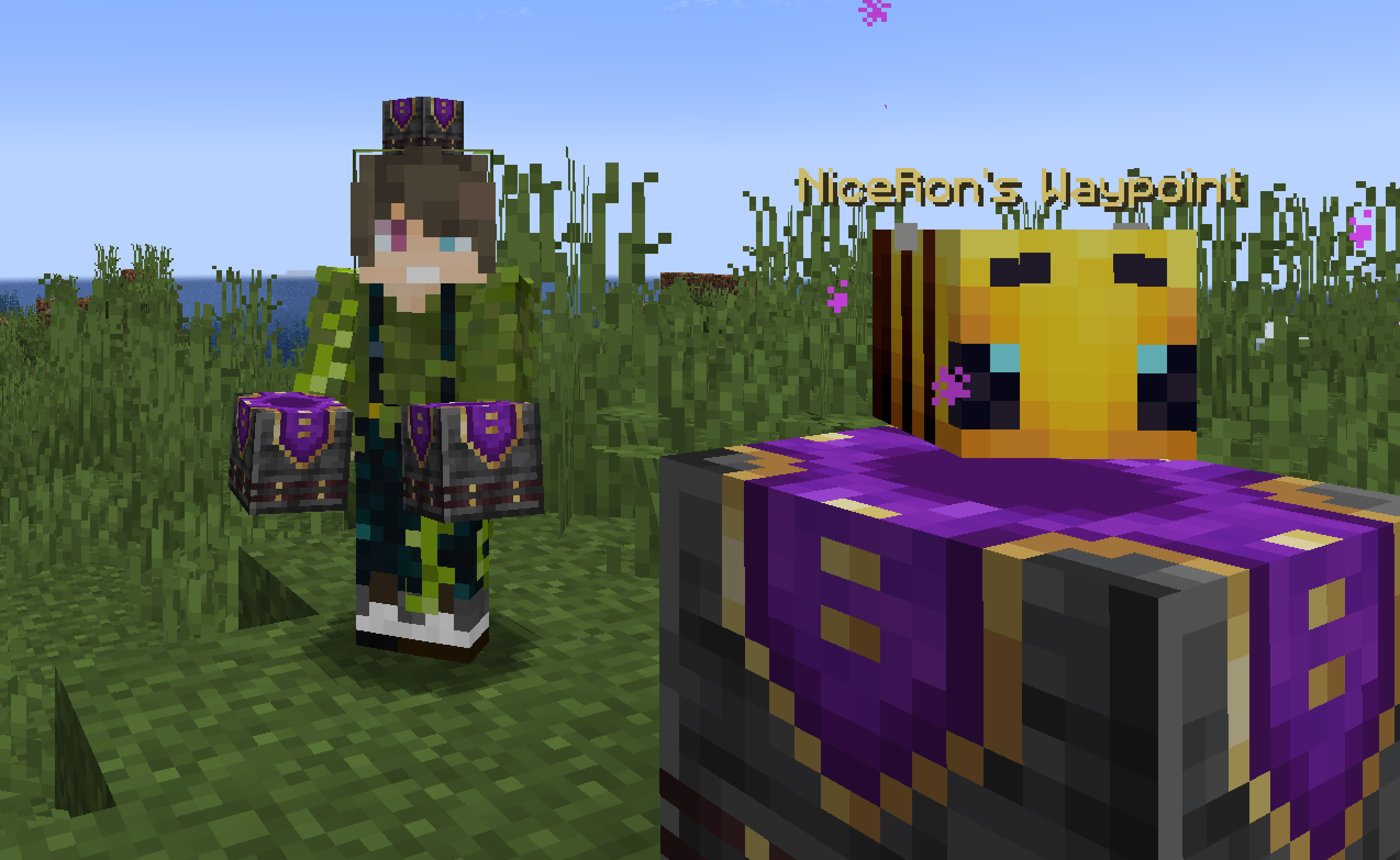
Waypoint Hub
Waypoint Hubs can be crafted and placed to create fixed teleport locations that connect to other Waypoint Hubs. Multiple variants are available, each crafted with a different base block so they can blend seamlessly into any build.
– Menus only display destinations the player can access (public or their own private waypoints).
– Pickaxes are the default tool for mining/breaking Waypoint Hubs.
– Private Waypoints display a lock icon above their name.
– Left- or right-clicking the icon of a Waypoint Hub you placed with a renamed Name Tag changes its name.
– Left- or right-clicking with a renamed Book adds/changes a description for the Waypoint Hub to the menu tooltip lore.
– Left- or right-clicking with a renamed Paper grants/revokes access permission for a player to teleport to the Waypoint regardless of it being locked (“trust / “untrust “)
– Left- or right-clicking with a Dye changes the waypoint’s text color.
– Left- or right-clicking with a Waypoint Lock toggles its accessibility (private/public).
– Left-clicking the icon without an item (Name Tag, Dye, etc.) cycles through available icons/heads.
– Right-clicking the icon without an item opens the waypoint menu.
– Placing a Wool block beneath the hub disables teleportation announcements for that hub.
Waypoint Lock
Waypoint Locks can be crafted to switch a Waypoint Hub’s visibility between private and public.
## 🛠️ How to, Instructions & Commands
The datapack usually just needs to be installed. There is nothing else you have to do. It just works out of the box.
For **PaperMC users**, it is recommended to set the `paper.maxChatCommandInputSize` property to a value between 512 and 1024. More information can be found in the [PaperMC Docs](https://docs.papermc.io/paper/reference/system-properties/#papermaxchatcommandinputsize). Also make sure to have `allow-non-player-entities-on-scoreboards` enabled in your paper configs.
**The data pack version also double functions as a resource pack. So in order to be able to see them, just place the data pack .zip also in your resource folder and activate it like any other resource pack.**
## 📝 Translations
Want to play in your own language? You can help us out by contributing on our **[Crowdin Page](https://crowdin.com/project/explorers-eden)**! Once a translation for a language is finished, it’ll be added to the data pack for you to enjoy.
## ✍️ Feedback, Questions & Suggestions
We’re here to help! If you happen to have questions, suggestions or just encountered a bug, then feel free to hop on our discord server to ask for help in our **Data Pack Section**. [Click to join the server](https://discord.gg/f2pMggfgVv)
## 🎮 Explorer’s Eden SMP
Join **[A Realm Recrafted](https://modrinth.com/server/a-realm-recrafted)**, our Minecraft SMP! Enjoy a world featuring all of our (actively maintained) data packs, as well as some exclusive ones. It’s completely free without any microtransactions. Come build, explore, and craft with us today!
Vanilla Shader
## Hello everyone!
I’m excited to share my **Vanilla Shader Project** with you all. I’m still a beginner in the world of programming, but it’s been an incredible journey learning how this works and seeing the results of many hours spent in front of the screen.

I’ve just released **Version 2 (V2)**. While it was technically “ready,” I felt it needed some extra polishing (and it still does!). Please keep in mind that there are still plenty of bugs, but I’m committed to fixing them as I learn.
> **Note:** Currently, it does not support Sodium, but I’m working hard to make that happen soon!
### 🟢 What’s New in V2
* **Toon/Retro Lighting:** Light sources now feature silhouettes for a stylized, classic game aesthetic.
* **Bouncing & Indirect Light:** New mechanics for light accumulation and bounce.
* **True Darkness:** Nights are now significantly darker and more atmospheric.
—
### 1) What this shader does
* **Enhanced Lighting:** Change global illumination and light.
* **Diferrent Visuals:** Tweaks colors and contrast.
* **Performance is not bad:** Designed to run on mid-range hardware.
### 2) Why you should try it
* **New Feel:** provide a “moody” atmosphere.
* **Plug & Play:** No complex installations—it’s a standard resource pack.
### 3) Critical Info & Compatibility
* **Visual Only:** This is a purely aesthetic pack; it does not change gameplay mechanics or add any “cheats.”
*
* **Feedback Welcome:** Since I’m learning, your feedback is incredibly valuable! Feel free to report bugs or share your thoughts.
Eat Villagers
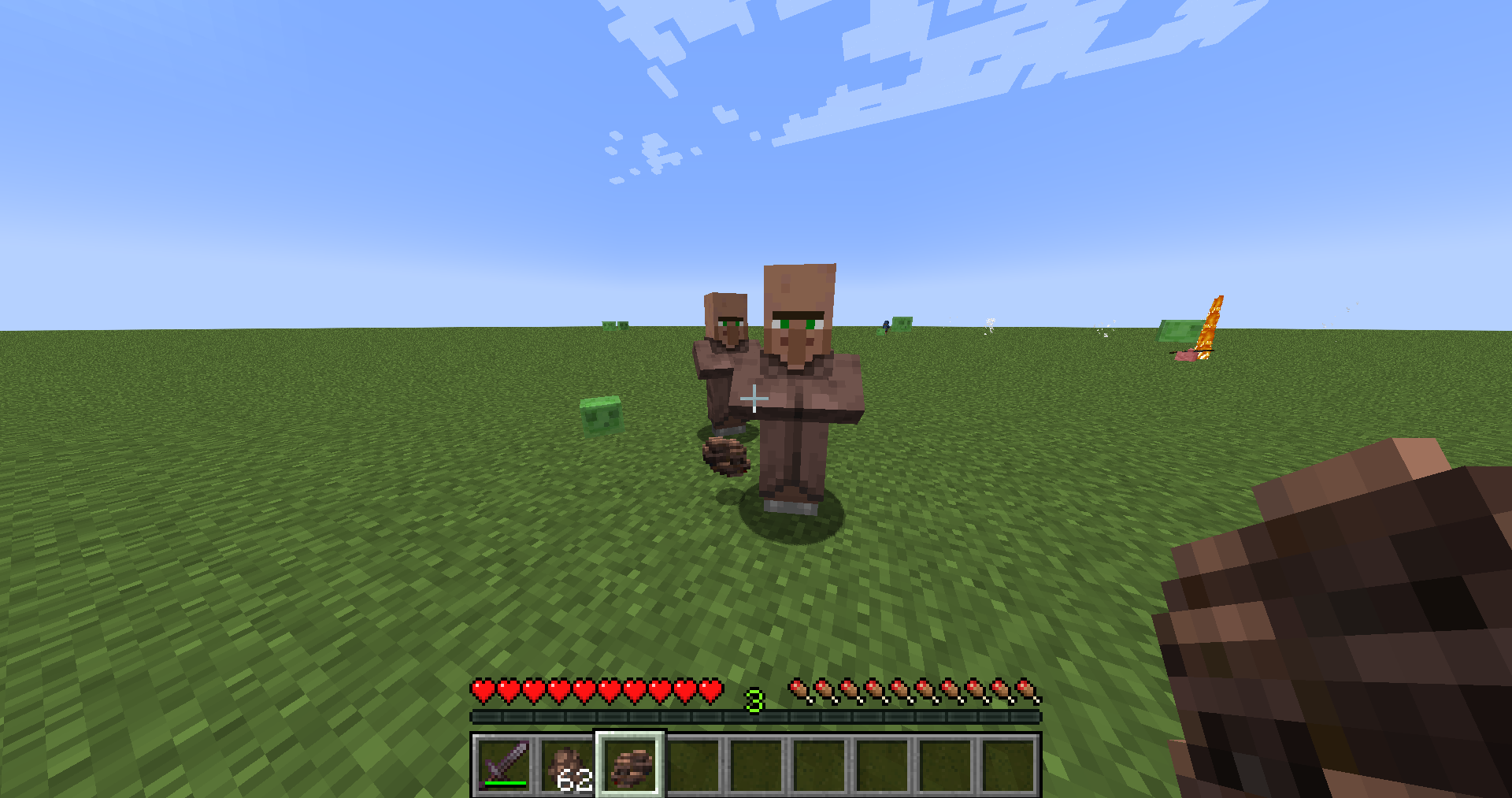
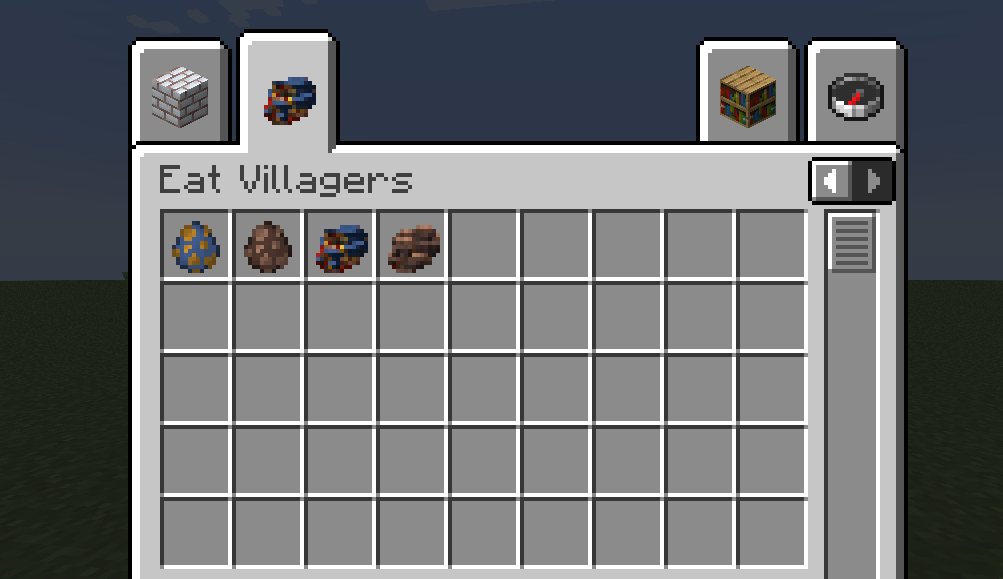
With this mod, Wandering traders and villagers will drop meat at death that we can eat
**[Colored Bricks Mod](https://modrinth.com/mod/colored-bricks-mod/)** *NEW UPDATE FOR 1.21.11*
**[MACAN Music Discs](https://modrinth.com/resourcepack/macan-music-discs/changelog)**
**[More Soups](https://modrinth.com/mod/more-soups-mod)**
**[Protein Mod](https://modrinth.com/mod/protein-mod)**
**[Sigma & Gigachad Mod](https://modrinth.com/mod/sigma-gigachad-mod)**
**[Infested Netherrack & End Stone](https://modrinth.com/mod/infested-netherrack-end-stone)**
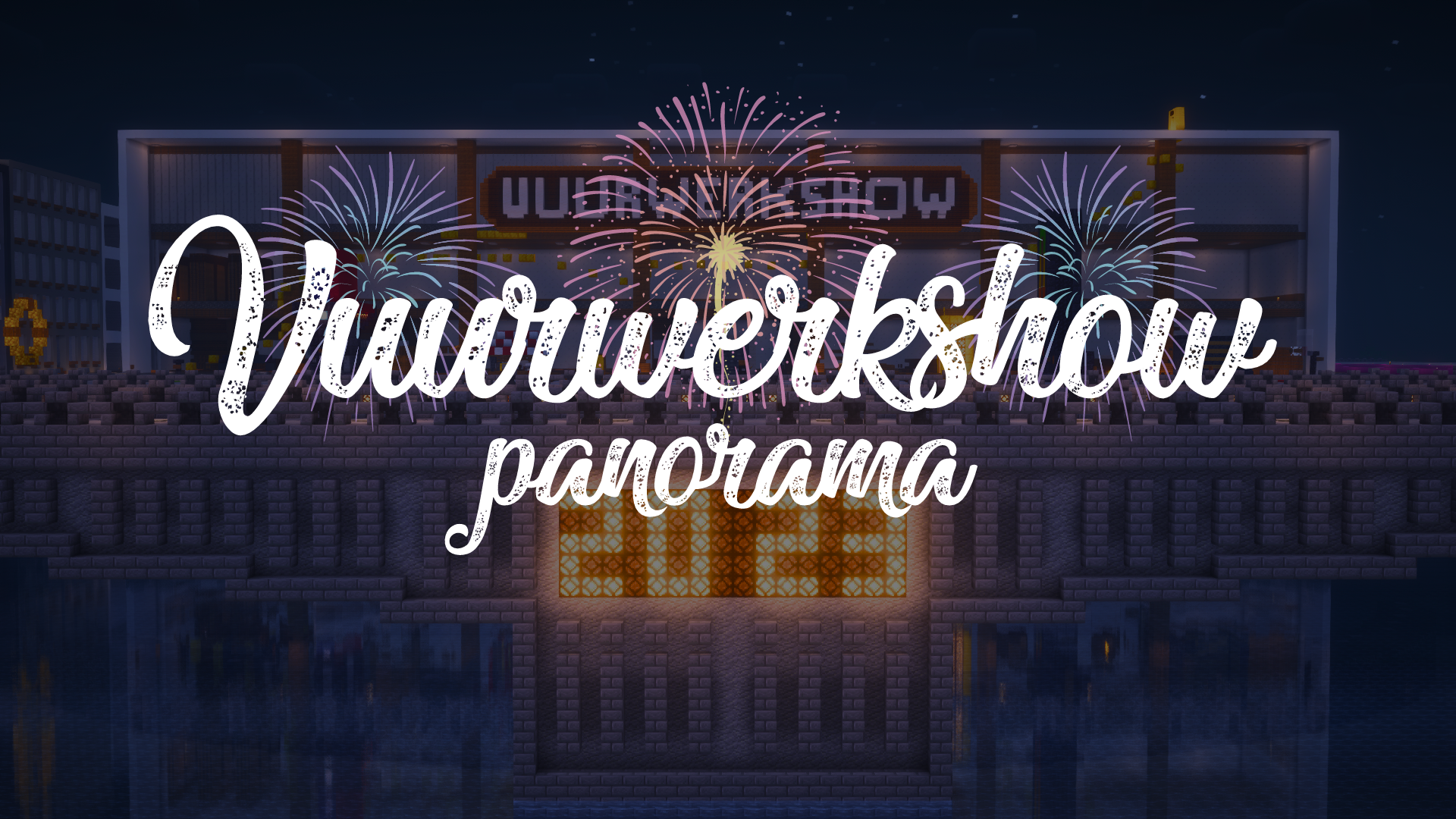
Vuurwerkshow Panorama
English version of the description
This is a project for a Dutch server but if you are really interested you can read the translation in English here.
# Fireworks show panorama
A panorama resource pack for the 2023-2024 New Year’s Eve fireworks show on the Torchcraft server!
## Explanation
Every year we organize a fireworks show at the end of the year with a number of players on the Dutch server Torchcraft to celebrate New Year’s Eve together. We start the evening with a speech, followed by the fireworks show that lasts about 10 minutes. Afterwards we have lots of fun activities such as giveaways, checkers, 4 in a row and much more! This year the show will take place on 27/12, announcement will follow soon.
Announcement ➤ [https://torchcraft.nl/forums/topic/16285-🎇-vuurwerkshow-2023-2024/](https://torchcraft.nl/forums/topic/16285-🎇-vuurwerkshow-2023-2024/)
## Support
If you have any issues, ideas, or other feedback about this project, please contact me via Discord or email. You can contact me on Discord by sending a friend request so you can message me.
Discord: tibodp
Email: [email protected]
# Vuurwerkshow panorama
Een panorama resourcepack voor de vuurwerkshow van 2023-2024 met oud & nieuw op de Torchcraft server!
## Uitleg
Elk jaar organiseren we met een aantal spelers op de Nederlands server Torchcraft een vuurwerkshow op het einde van het jaar om samen oud & nieuw te vieren. We beginnen de avond met een toespraak waarop daarna de vuurwerkshow volgt die zo een 10 minuten duurt. Daarna hebben we tal van leuke activiteiten zoals giveaways, dammen, 4 op een rij en nog veel meer! De show vindt dit jaar plaats op 27/12, aankondiging volgt binnenkort.
Aankondiging ➤ [https://torchcraft.nl/forums/topic/16285-🎇-vuurwerkshow-2023-2024/](https://torchcraft.nl/forums/topic/16285-🎇-vuurwerkshow-2023-2024/)
## Support
Als je problemen, ideeën of andere feedback hebt over dit project, neem dan contact met mij op via Discord of e-mail. Je kunt contact met mij opnemen op Discord door een vriendschapsverzoek te sturen, zodat je mij een bericht kunt sturen.
Discord: tibodp
Mail: [email protected]
## 🌟 My other projects:
– [Torchcraft Lobby Panorama](https://modrinth.com/resourcepack/torchcraft-lobby-panorama)
– [The Ultimate Creator](https://modrinth.com/modpack/the-ultimate-creator)
– [Chromakey Blocks](https://modrinth.com/modpack/the-ultimate-creator)
– [No Worldborder](https://modrinth.com/modpack/the-ultimate-creator)
– [Vuurwerkshow Modpack](https://modrinth.com/modpack/the-ultimate-creator)
– [Vuurwerkshow Panorama](https://modrinth.com/modpack/the-ultimate-creator)
– [Vuurwerkshow Paintings](https://modrinth.com/resourcepack/vuurwerkshow-paintings)
_Please only join the server if you speak Dutch because it is a Dutch-speaking server._
Vuurwerkshow Paintings
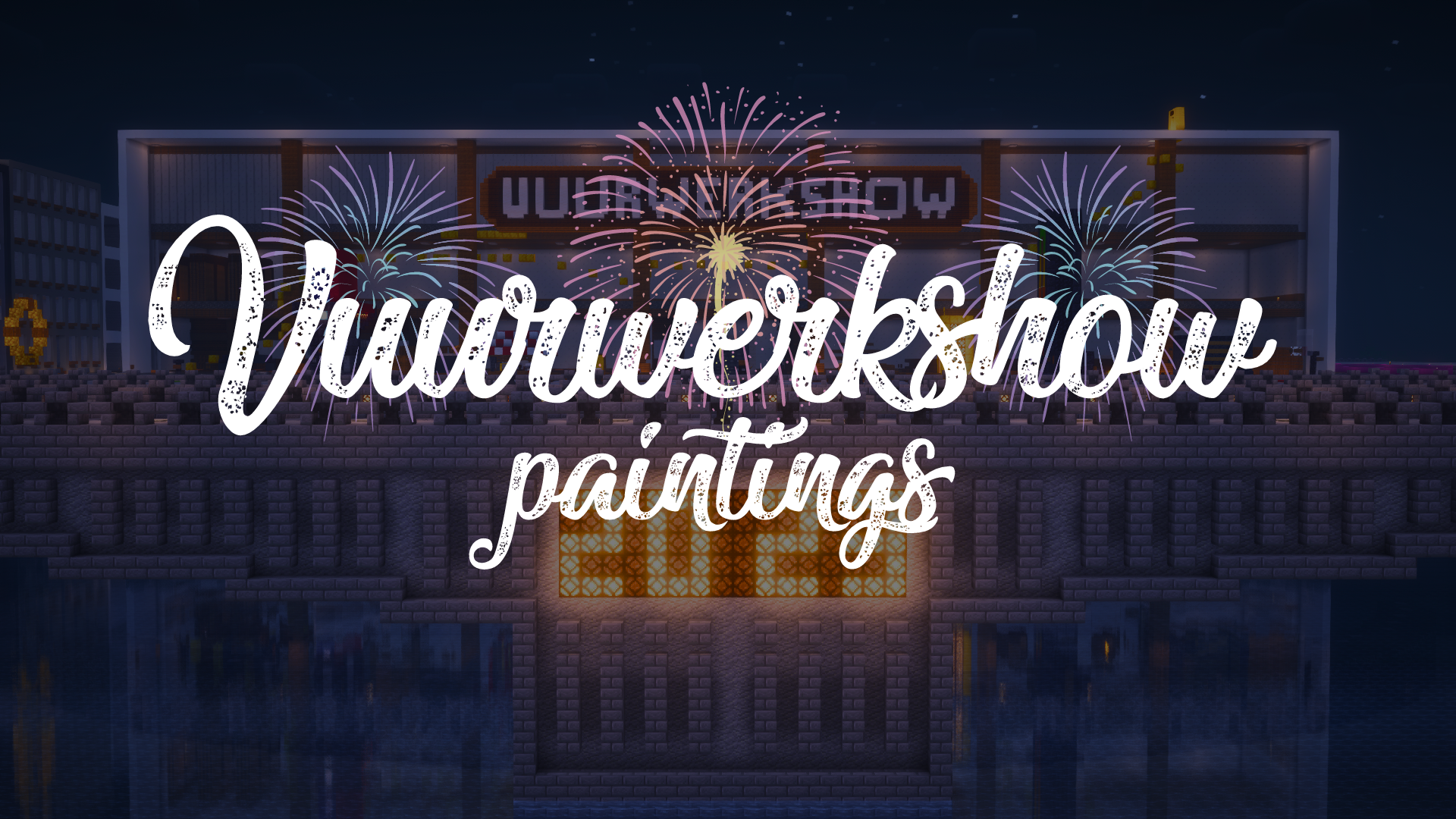
This resource pack turns all paintings into screenshots of the 2023-2024 fireworks show on the Dutch server Torchcraft.
## Support
If you have any problems, ideas, or other feedback about this project, please contact me via discord or email. You can contact me on Discord by sending a friend request, so you can send me a message.
Discord: tibodp
Mail: [email protected]
## 🌟 My other projects:
– [Torchcraft Lobby Panorama](https://modrinth.com/resourcepack/torchcraft-lobby-panorama)
– [The Ultimate Creator](https://modrinth.com/modpack/the-ultimate-creator)
– [Chromakey Blocks](https://modrinth.com/modpack/the-ultimate-creator)
– [No Worldborder](https://modrinth.com/modpack/the-ultimate-creator)
– [Vuurwerkshow Modpack](https://modrinth.com/modpack/the-ultimate-creator)
– [Vuurwerkshow Panorama](https://modrinth.com/modpack/the-ultimate-creator)
– [Vuurwerkshow Paintings](https://modrinth.com/resourcepack/vuurwerkshow-paintings)
_Please only join the server if you speak Dutch because it is a Dutch-speaking server._