Stonecuttable Smooth Stone
# What does this do?
This Datapack lets you use a stonecutter with stone/cobblestone to make smooth stone, and smooth stone slabs! That’s it basically.

STONEBORN UI Overhaul

STONEBORN is a simple and unique UI overhaul inspired by fantasy media. Easy on the eyes, lightly ornamented and stylistically cohesive, it should suit any playthrough, whether vanilla or modded.
It’s dangerous out there, so take STONEBORN on your next adventure!

Check out other STONEBORN packs:


IMPORTANT TERMS ON REHOSTING AND COMPATIBILITY WITH OTHER MODS:
-
- Please DO NOT rehost the pack files, whether on Modrinth, Planet Minecraft, CurseForge, or any other hosting or forum pages. If you should need to refer or link another to the pack, link them to this CurseForge page.
-
- Please DO NOT claim ownership or pass the pack off as your own. If you should need to refer or link the pack elsewhere, please provide the appropriate credit to me (Sindavar).
-
- You may create or edit assets in the pack for compatibility with other
mod’s UIs. However, these resourcepacks must only contain the bundled assets for the mod it is replacing, and cannot contain the base
STONEBORN texturepack. (Your mod support pack should need to load on top of STONEBORN in game)
-
- You may host these packs as you want, but please link back the
STONEBORN page as a dependency and add all appropriate credits to me.
-
- You may not bundle STONEBORN with another resourcepack, and rehost it on Modrinth, or anywhere else. I understand the convenience this may offer for servers and the like, however it takes away from my revenue and downloads on this page.
-
- You may edit or create assets for STONEBORN for PERSONAL USE, and these edited files may not be rehosted in any form.
-
- If you are unsure about any of these terms or have any questions regarding rehosting or editing the pack, please contact me. If you happen across any rehosting or miscrediting, or any breaches of the above terms, please let me know.
Developer Notes:
- I am always looking to improve my work, so suggestions for the pack are always welcome.
- Using languages other than English may result in some text elements not appearing.
- The pack will (hopefully) be maintained for future Minecraft versions past 1.17. The pack will not support older versions.
- Feel free to post any issues you encounter in the comments below, and thank you so much for your interest 🙂
- Questions? DM me on discord or ask in the discord server!
– Sindavar
Support me on other platforms & join the discord!:



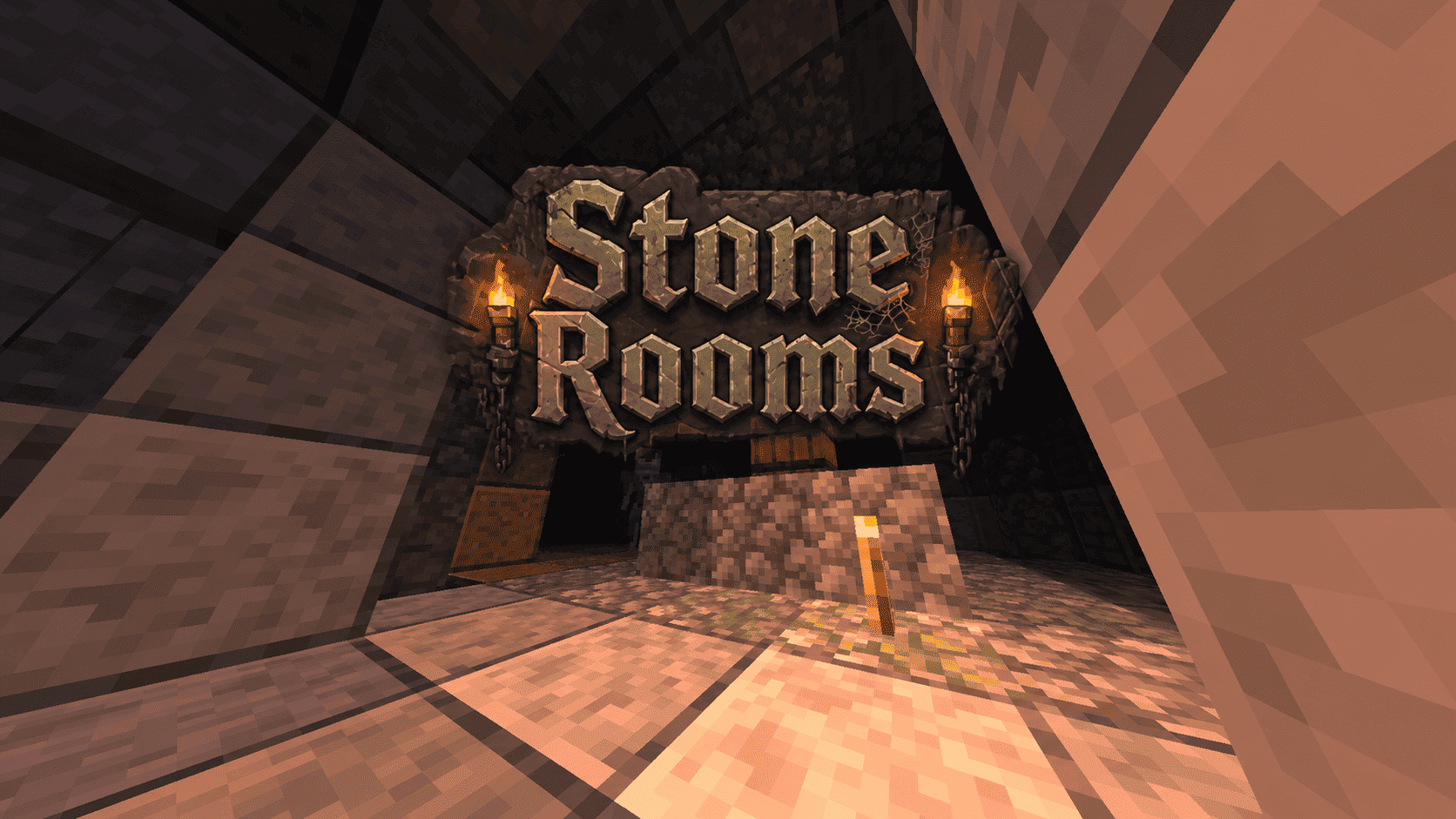
Stone Rooms
My social networks

—
## Description👀
**This datapack/mod adds 2 underground structures to your world, the first structure is for the upper parts of the caves (where the stone is), and the second structure is for the lower parts of the caves (where the deepslate is)**
**You can see screenshots of the rooms by going to the Gallery section**
—
## Useful Сommands🔧
– **Use /locate structure elysianfields:stone_rooms for see dungeon coordinates**
– **Use /place structure elysianfields:stone_rooms for spawn dungeon**
—
– **Use /locate structure elysianfields:stone_rooms_deepslate for see dungeon coordinates**
– **Use /place structure elysianfields:stone_rooms_deepslate for spawn dungeon**
—
Update Log⚒️
### Update V1.2:
* **Bug fix**
* **Balancing Enchantment**
* **Slightly reduced the chance of dungeon spawning**
—
Stillagers
I created a datapack which helps with villager lag in trading halls.
If you name tag a villager with “Stillager” or “stillager” they will stop moving and path finding altogether. This is done by setting the “NoAI” tag of the villager to 1. This typically eliminates restocks, so I have a function to manually restock all trades at 8:00 AM and 2:00 PM. This is mostly consistent with vanilla behavior, villagers restock twice a day at slightly random times, but their 4 phases of the day (work, gather, wander, and sleep) can be divided into 4 segments which is the logic behind the restock times.
If you want to disable this, you tag the villager with “Moveager” or “moveager” and the name disappears and their AI is restored.
This is particularly useful for trading halls where villagers are locked in 1×1 spaces. In my test world where I have a trading hall with ~150 villagers, it took the tps from 15 to 20, the MSPT from ~65 to ~50, and the FPS to ~30 to ~60 (where I have it capped). This has tremendous lag reduction impacts without the headache of doing double-carpet tricks, and is completely optional so villagers in mob farms or those that are naturally spawned are completely unaffected; this is opt-in.
The only mobs impacted by this are villagers. If you name another mob “Stillager” or “Moveager” it will be unaffected.
Special thanks to the VanillaTweaks team; this was made using their “SilenceMe” and “Track Raw Statistics” datapacks as templates.
This is my first datapack, so feedback is welcome.
The Steve Series Pack
**The texture pack has:**
– _6 invisible items (Pottery Sherds)_
– _A Darkness entity (that uses a Piglin as the base)_
– _Darkness Blockset (stairs, slabs, blocks and walls) [granite]_
– _5 colored light blocks (one for each base colored steve)_
– _Rainbow Stone_
– _A custom iron door texture_
**How to make the best Darkness entity:**
summon piglin ~ ~ ~ {IsImmuneToZombification:1,active_effects:[{id:regeneration,duration:200,amplifier:10,show_particles:0b}],HandItems:[{id:angler_pottery_sherd,count:1},{id:angler_pottery_sherd,count:1}],ArmorItems:[{id:angler_pottery_sherd,count:1},{id:angler_pottery_sherd,count:1},{id:angler_pottery_sherd,count:1},{id:angler_pottery_sherd,count:1}],HandDropChances:[0f,0f],ArmorDropChances:[0f,0f,0f,0f]}
**[Must be used inside of a command block.]**
Steak of Undying
Super simple texture pack that changes your Totem of Undying texture to a steak! For the time being, this works in any version of 1.21, and generally, this should work in any version from 1.14 to 1.21 (because in 1.14 they changed the item textures, and I’m not really sure if this the steak texture matches the one before 1.14). This pack is actually heavily inspired by Beppo’s Totem of Undying texture, so I decided to make that into an accessible for everyone pack! The translations for it are currently available in 30 of the most popular/common Minecraft languages.
Standard Day Counter
# Minecraft’s unOfficial Day Counter
This datapack provides a configurable in-game Day Counter to Minecraft.
Every morning, it displays the current day in the title, subtitle, or actionbar, depending on the selected settings.
With the day number display, it also display additional information, this includes the official Minecraft splash messages, the personal day counter for each player, and the number of days until the next full moon, depending on the selected settings.
To learn the basic commands of this datapack, the operator should use the following command:
“`
/function day_counter:help
“`
This data pack belongs to the Minecraft unOfficial Project.
—
# License
This project is licensed under the GNU Lesser General Public License v2.1. You may use, modify, and redistribute it under the terms of the LGPL v2.1.
This software is provided “as is”, without warranty of any kind. See the LICENSE file or https://www.gnu.org/licenses/old-licenses/lgpl-2.1.txt for full license text.
StackDeobfuscator
# Stack Deobfuscator
> **WARNING**
> This mod is obsolete for all Minecraft versions newer than 1.21.11. It will still be maintained for older versions.
Discord: https://discord.gg/XSB7jn9
Web Version: https://stackdeobf.net/
See wiki for configuration
## What does this mod do?
All errors displayed in the console and all crash reports will be remapped from unreadable production names (e.g.
`net.minecraft.class_310`) to readable mapped names (e.g. `net.minecraft.client.MinecraftClient`).
This allows mod developers to more easily identify issues in a non-development environment, as the errors are instantly
human-readable.
### Comparison
Before
“`
[23:13:08] [Render thread/ERROR]: Reported exception thrown!
net.minecraft.class_148: Manually triggered debug crash
at net.minecraft.class_309.method_1474(class_309.java:509) ~[client-intermediary.jar:?]
at net.minecraft.class_310.method_1574(class_310.java:1955) ~[client-intermediary.jar:?]
at net.minecraft.class_310.method_1523(class_310.java:1180) ~[client-intermediary.jar:?]
at net.minecraft.class_310.method_1514(class_310.java:801) ~[client-intermediary.jar:?]
at net.minecraft.client.main.Main.main(Main.java:237) ~[minecraft-1.19.4-client.jar:?]
at net.fabricmc.loader.impl.game.minecraft.MinecraftGameProvider.launch(MinecraftGameProvider.java:462) ~[fabric-loader-0.14.18.jar:?]
at net.fabricmc.loader.impl.launch.knot.Knot.launch(Knot.java:74) ~[fabric-loader-0.14.18.jar:?]
at net.fabricmc.loader.impl.launch.knot.KnotClient.main(KnotClient.java:23) ~[fabric-loader-0.14.18.jar:?]
at org.prismlauncher.launcher.impl.StandardLauncher.launch(StandardLauncher.java:88) ~[NewLaunch.jar:?]
at org.prismlauncher.EntryPoint.listen(EntryPoint.java:126) ~[NewLaunch.jar:?]
at org.prismlauncher.EntryPoint.main(EntryPoint.java:71) ~[NewLaunch.jar:?]
Caused by: java.lang.Throwable: Manually triggered debug crash
at net.minecraft.class_309.method_1474(class_309.java:506) ~[client-intermediary.jar:?]
… 10 more
“`
After (yarn/quilt mappings)
“`
[23:11:25] [Render thread/ERROR]: Reported exception thrown!
net.minecraft.util.crash.CrashException: Manually triggered debug crash
at net.minecraft.client.Keyboard.pollDebugCrash(Keyboard.java:509) ~[client-intermediary.jar:?]
at net.minecraft.client.MinecraftClient.tick(MinecraftClient.java:1955) ~[client-intermediary.jar:?]
at net.minecraft.client.MinecraftClient.render(MinecraftClient.java:1180) ~[client-intermediary.jar:?]
at net.minecraft.client.MinecraftClient.run(MinecraftClient.java:801) ~[client-intermediary.jar:?]
at net.minecraft.client.main.Main.main(Main.java:237) ~[minecraft-1.19.4-client.jar:?]
at net.fabricmc.loader.impl.game.minecraft.MinecraftGameProvider.launch(MinecraftGameProvider.java:462) ~[fabric-loader-0.14.18.jar:?]
at net.fabricmc.loader.impl.launch.knot.Knot.launch(Knot.java:74) ~[fabric-loader-0.14.18.jar:?]
at net.fabricmc.loader.impl.launch.knot.KnotClient.main(KnotClient.java:23) ~[fabric-loader-0.14.18.jar:?]
at org.prismlauncher.launcher.impl.StandardLauncher.launch(StandardLauncher.java:88) ~[NewLaunch.jar:?]
at org.prismlauncher.EntryPoint.listen(EntryPoint.java:126) ~[NewLaunch.jar:?]
at org.prismlauncher.EntryPoint.main(EntryPoint.java:71) ~[NewLaunch.jar:?]
Caused by: java.lang.Throwable: Manually triggered debug crash
at net.minecraft.client.Keyboard.pollDebugCrash(Keyboard.java:506) ~[client-intermediary.jar:?]
… 10 more
“`
After (mojang mappings)
“`
[23:04:12] [Render thread/ERROR]: Reported exception thrown!
net.minecraft.ReportedException: Manually triggered debug crash
at net.minecraft.client.KeyboardHandler.tick(KeyboardHandler.java:509) ~[client-intermediary.jar:?]
at net.minecraft.client.Minecraft.tick(Minecraft.java:1955) ~[client-intermediary.jar:?]
at net.minecraft.client.Minecraft.runTick(Minecraft.java:1180) ~[client-intermediary.jar:?]
at net.minecraft.client.Minecraft.run(Minecraft.java:801) ~[client-intermediary.jar:?]
at net.minecraft.client.main.Main.main(Main.java:237) ~[minecraft-1.19.4-client.jar:?]
at net.fabricmc.loader.impl.game.minecraft.MinecraftGameProvider.launch(MinecraftGameProvider.java:462) ~[fabric-loader-0.14.18.jar:?]
at net.fabricmc.loader.impl.launch.knot.Knot.launch(Knot.java:74) ~[fabric-loader-0.14.18.jar:?]
at net.fabricmc.loader.impl.launch.knot.KnotClient.main(KnotClient.java:23) ~[fabric-loader-0.14.18.jar:?]
at org.prismlauncher.launcher.impl.StandardLauncher.launch(StandardLauncher.java:88) ~[NewLaunch.jar:?]
at org.prismlauncher.EntryPoint.listen(EntryPoint.java:126) ~[NewLaunch.jar:?]
at org.prismlauncher.EntryPoint.main(EntryPoint.java:71) ~[NewLaunch.jar:?]
Caused by: java.lang.Throwable: Manually triggered debug crash
at net.minecraft.client.KeyboardHandler.tick(KeyboardHandler.java:506) ~[client-intermediary.jar:?]
… 10 more
“`
## Mappings Overview
Mappings are downloaded and parsed asynchronously. They are downloaded only once per version.
Yarn and Quilt refresh their version every 48 hours to check for updates.
| Mappings | Compatible Minecraft Versions | Download Size (zipped¹)² | Cached Size (gzipped)² |
|———-|———————————————|—————————————-|————————————-|
| Yarn | 18w49a (1.14 snapshot) or higher | `1.4 MiB` | `1.4 MiB` |
| Quilt | 1.18.2 or higher | `1.4 MiB` (+`1.1 MiB` below 1.19.2) | `1.4 MiB` (+`1.1 MiB` below 1.19.2) |
| Mojang | 1.14.4 and 19w36a (1.15 snapshot) or higher | `9.0 MiB` (uncompressed) + `559.1 KiB` | `1.3 MiB` + `558.6 KiB` |
¹: Mojang mappings are not compressed
²: Sizes as of 12th May 2024 (1.20.6 is latest)
Stackable
# Stackable
Stackable is a mod that increases all block stacking limits to any value less than 127 for Minecraft 1.19.2-1.20.4 and 2.147B in 1.20.6+.
# Why 127?
Effectively, I’m lazy, but in reality, Minecraft stores all items with a single signed byte which for our purposes only can be between -128 to 127, since negative values are invalid that leaves a maximum stack size of 127. Moreover, this mod is intended to be compatible with other mods which may also use signed bytes to store items.
# Why make this mod
I don’t know, other mods already exist that allow for stack sizes above 127. This was more for experimentation with creating mixins and understanding Minecrafts code a little better.
# Will you update to X?
Maybe.
# Will you backport to X?
Eh, not really.
# There’s a bug here?
I might fix bugs that are Vanilla specific, but mod compatibility is gonna be kinda hard to do
# Mod support?
This mod should be compatible with most other mods, I’ve tested this mod in all of Fabric Orion, and it generally works, some blocks will limit their storage size to 64 but shouldn’t crash. Most of my mixins to the code surround editing the interface that all inventory mods should implement to begin with, so if they call the stack size from that interface they should receive the appropriate value.
Stackable Item
Stackable Items — Increase Stack Sizes | Minecraft Java 1.20.5+
Stack potions, boats, buckets, ender pearls, and more! increase the stack limits of commonly used items
Features
Auto-Stacking
Unlike other stack-size datapacks, Stackable Items automatically consolidates your inventory. Pick up a second boat and it merges into your existing stack
Note: Items with variant data (potions, tipped arrows, suspicious stew, goat horns, bundles) get the increased stack size but must be manually combined to preserve their unique effects/contents.
Items That Now Stack to 16 (previously 1)
- Potions — Potion, Splash Potion, Lingering Potion, Tipped Arrow
- Boats — All 10 wood variants (Oak, Spruce, Birch, Jungle, Acacia, Dark Oak, Mangrove, Cherry, Bamboo Raft, Pale Oak)
- Chest Boats — All 10 chest boat / chest raft variants
- Minecarts — Minecart, Chest Minecart, Hopper Minecart, TNT Minecart, Furnace Minecart
- Utility — Saddle, Name Tag, Lead, Bundle, Totem of Undying, Goat Horn
- Food — Cake, Honey Bottle, Suspicious Stew, Mushroom Stew, Rabbit Stew, Beetroot Soup
Items That Now Stack to 64 (previously 16)
- Projectiles — Snowball, Egg, Ender Pearl
- Signs — All 12 sign variants (Oak through Pale Oak, Crimson, Warped)
- Hanging Signs — All 12 hanging sign variants
- Buckets — Empty Bucket, Water Bucket, Lava Bucket, Powder Snow Bucket, Axolotl Bucket, Cod Bucket, Salmon Bucket, Tropical Fish Bucket, Pufferfish Bucket, Tadpole Bucket
Safe by Design
intentionally does NOT modify:
Tools, armor, enchanted books, written books, maps, shields, bows, crossbows, elytra, music discs, banners, or player heads.
These items carry unique NBT/component data and modifying their stack size would cause item data loss.