# DonutTools
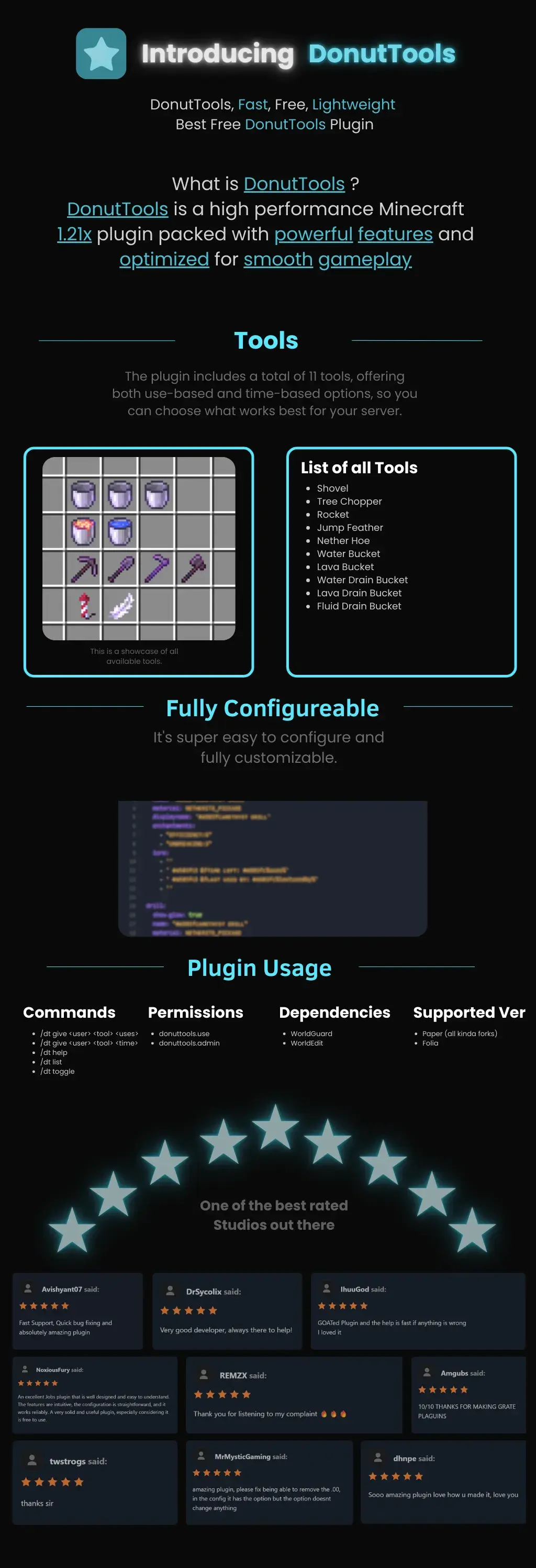
DonutTools is a high-performance, lightweight Minecraft plugin optimized for version 1.21x. It is designed to provide a smooth, lag-free gameplay experience with fully customizable configuration.
## Available Tools
The plugin includes 11 distinct tools, allowing you to choose between use-based or time-based mechanics:
* **Utility:** Shovel, Nether Hoe
* **Specialty:** Tree Chopper, Rocket, Jump Feather
* **Fluid Management:** Water Bucket, Lava Bucket, Water Drain Bucket, Lava Drain Bucket, Fluid Drain Bucket

—
# **DonutBaltop**
### **Fast, Free, and Lightweight**
**The plugin you’ve been waiting for.**
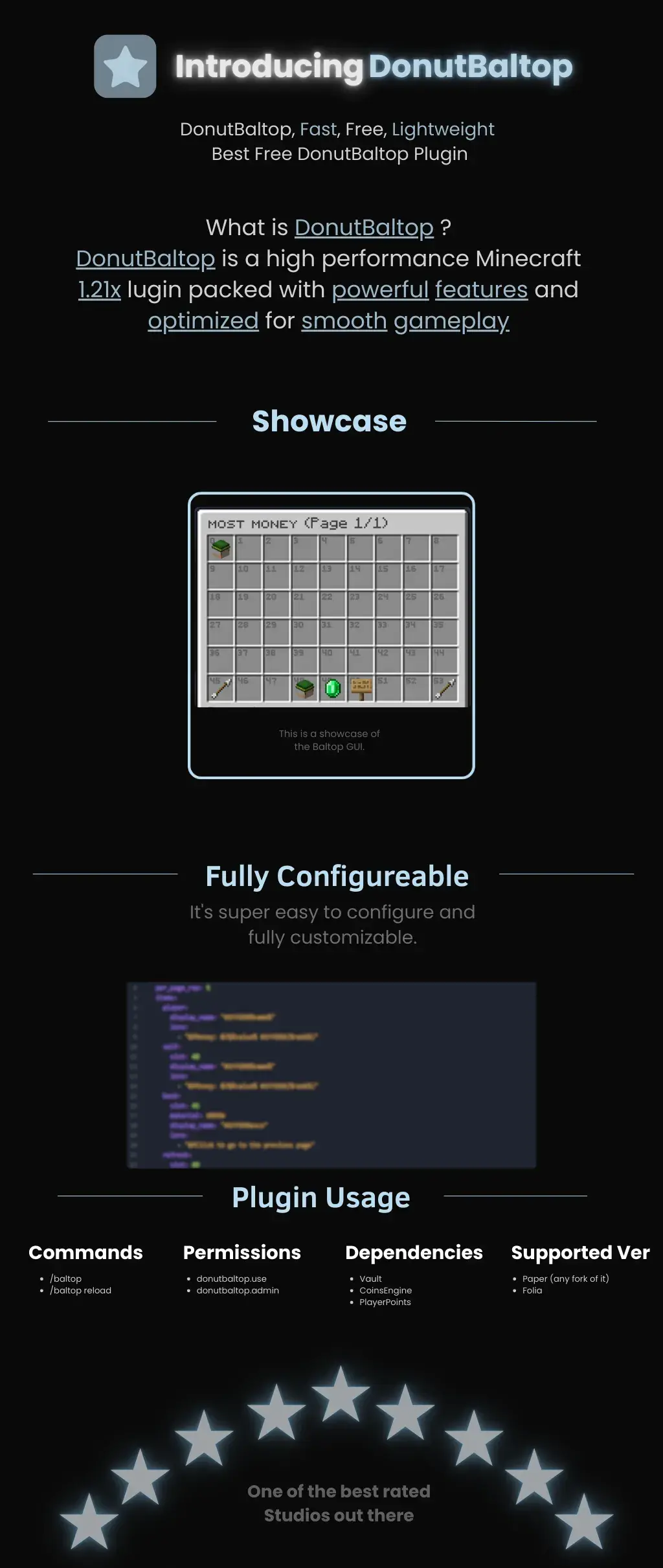
DonutBaltop is a high-performance Minecraft **1.21x** plugin packed with powerful features and optimized for smooth gameplay. It is designed to provide a high-end experience for viewing player balances without bloating your server.
—
## **Showcase**
The plugin features a custom **Baltop GUI** titled “MOST MONEY.”
* **Visual Interface:** Players can see a grid of heads representing the top earners on the server.
* **Navigation:** Includes easy-to-use “Previous” and “Next” page arrows.
* **Information:** Displays specific economy data via interactive icons like emeralds and signs.
## **Fully Configurable**
DonutBaltop is super easy to configure and fully customizable. The configuration file allows you to edit:
* **Item Display Names:** Customize how text appears in the GUI.
* **Lore/Descriptions:** Add custom flavor text or change how currency is displayed.
* **Slot Placement:** Choose exactly where items appear in the menu.
—
## **Plugin Usage**
### **Commands**
* **/baltop** — Opens the balance top GUI.
* **/baltop reload** — Reloads the plugin configuration.
### **Permissions**
* **donutbaltop.use** — Grants access to the /baltop command.
* **donutbaltop.admin** — Access to admin functions and reloading.
### **Dependencies**
To function correctly, this plugin requires:
* **Vault**
* **CoinsEngine**
* **PlayerPoints**
### **Supported Versions**
* **Paper** (and any forks of Paper)
* **Folia**
—
*Spooker Services — One of the best rated services out there.*
Zayko Shaders
⚠️Zayko has been put on pause while we work on different projects.⚠️
━━━━━━━━━━☆━━━━━━━━━━☆━━━━━━━━☆━━━━━━━━━━☆━━━━━━━━━━
### **_7.0 IS OUT! AND ITS OUR BEST YET! ✨🌊_**

[](https://www.curseforge.com/minecraft/shaders/zayko-lite)
### Short About
**Zayko is a shader pack for Minecraft Java Edition, designed with an emphasis on detail, excellent quality and optimization. It offers PBR effects, emissive textures for mobs, blocks and items, as well as a wide range of settings: from Low to Ultra. provides a stable frame rate, while allowing you to adjust the settings to suit any requirements.**
Zayko Shaders is a shader pack for Minecraft Java Edition with amazing attention to detail, great quality, and the best possible optimisation. Offering a range of amazing quality visuals and ajustable effects, instead of just giving you presets we also give you great ajustability with our shaders, including emmissive textures for mobs and blocks even certain items including PBR thanks to compatablity with [Optifine](https://optifine.net/home) and [Iris](https://www.irisshaders.dev/),and for those who just want a simple click and play without ajusting there are profiles ranging from Very Low to Ultra and it’s build for Keeping a stable framerate with amazing shaders.
### Want to know more?
Keep scrolling or go to Trusted wikis [FiveNova](https://fivenova.net) or [Minecraft France](https://www-minecraft–france-fr.translate.goog/zayko-shaders/?_x_tr_sl=fr&_x_tr_tl=en&_x_tr_hl=en&_x_tr_pto=sc)
Untrusted wikis (Could be Harmful!)
[Note](https://note.com/quick_squid5246/n/na88bd2b8a706), [Minecraft Mods.Pro](https://minecraft–mods-pro.translate.goog/mods/zayko-shaders?_x_tr_sl=ru&_x_tr_tl=en&_x_tr_hl=en&_x_tr_pto=sc), [Minecraft Imba](https://minecraft-imba.ru/308-zayko.html) or [MinecraftStorage](https://minecraftstorage.com/shaders/zayko), [9Minecraft.net](https://www.9minecraft.net/zayko-shaders)
Harmful wiki detections!!
Do Not download from [Mineload](https://mineload-ru.translate.goog/shaders/low-pc/low-pc-1-16-5/?_x_tr_sl=ru&_x_tr_tl=en&_x_tr_hl=en&_x_tr_pto=sc), [mods-minecraft.ru](https://mods-minecraft.ru/shaders/7577-zayko.html), [Xenolith.ru](https://xenolith.ru/shaders/2758-zayko-12110-1206-1194-1182-1171-1165.html)
━━━━━━━━━━☆━━━━━━━━━━☆━━━━━━━━☆━━━━━━━━━━☆━━━━━━━━━━
**Why Do we take wikis so seriously? simple because if you go to the wrong one and get a virus we could be blamed without our shaders having any malware. we also dont want people to get viruses and let the scammers succeed so please never download from Harmful sites. we only include them so you know they are harmful if you ever download a mod or shader from them.** (the way we check is we look through the sites and if it links to modrinth for the download it automaticlly goes to trusted if it downloads from their site thats auto untrusted because we cannot tell if they added something to the file and untrusted is if the file size is smaller then our offical shaders which mejority are or if they get a harmful detection from VirusTotal.)
if your new or don’t know how to download shaders then were here to help!
### Modrith Launcher
Click Install **–>** Pick an Instence or Create one **–>** Wait for it to do its magic **–>** Launch and Enjoy the Shaders!
### Natrual Launcher
Download File **–>** Launch Game with [Optifine](https://optifine.net/home) or [Iris](https://www.irisshaders.dev/) **–>** Options **–>** shaders **–>** Open shaderpack folder **–>** drag and drop the file into the folder **–>** close folder and click on the shaders in game and enjoy!
# Showcase Videos
Even videos where they show off shaders takes time to create which can take away from their personal lives. Originally this only showed our offical showcase but we wanted to support the community. ([email protected] if you want a video added or removed.)
━━━━━━━━━━☆━━━━━━━━━━☆━━━━━━━━☆━━━━━━━━━━☆━━━━━━━━━━
[**Gamomnia**](https://www.youtube.com/@gamomnia) – Shows Zayko at **4:02**
– 🛒 **GUI Shop System** – Beautiful categorized shop with 5 categories (Nether, Gear, Food, End, Misc)
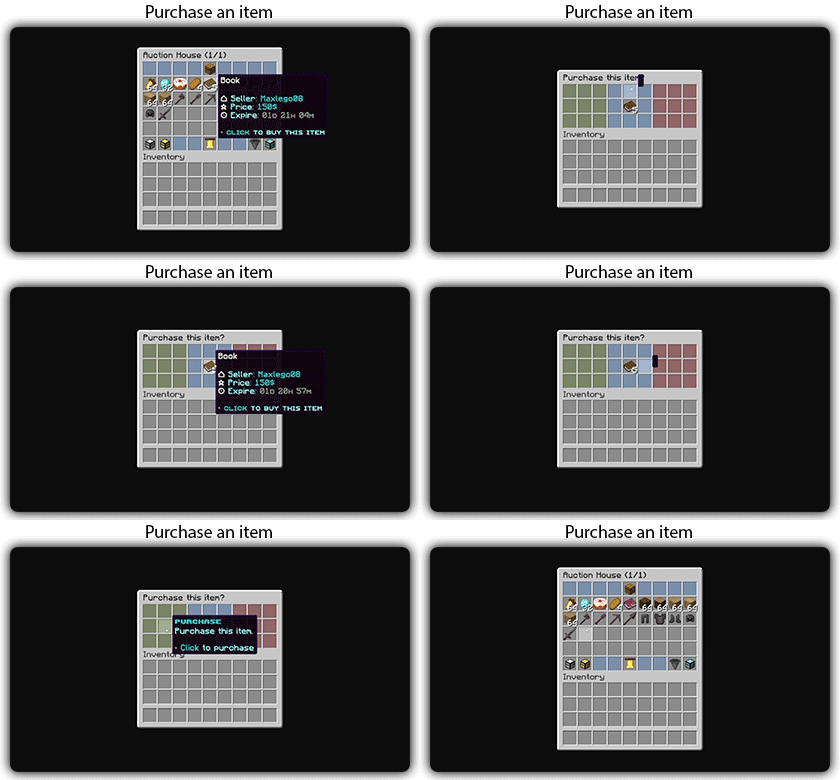
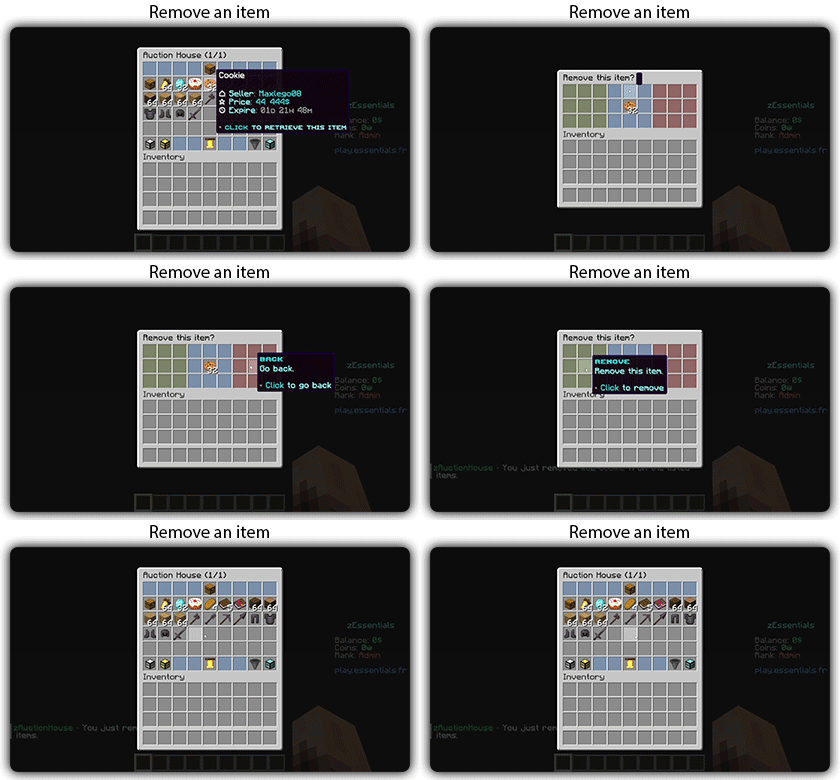
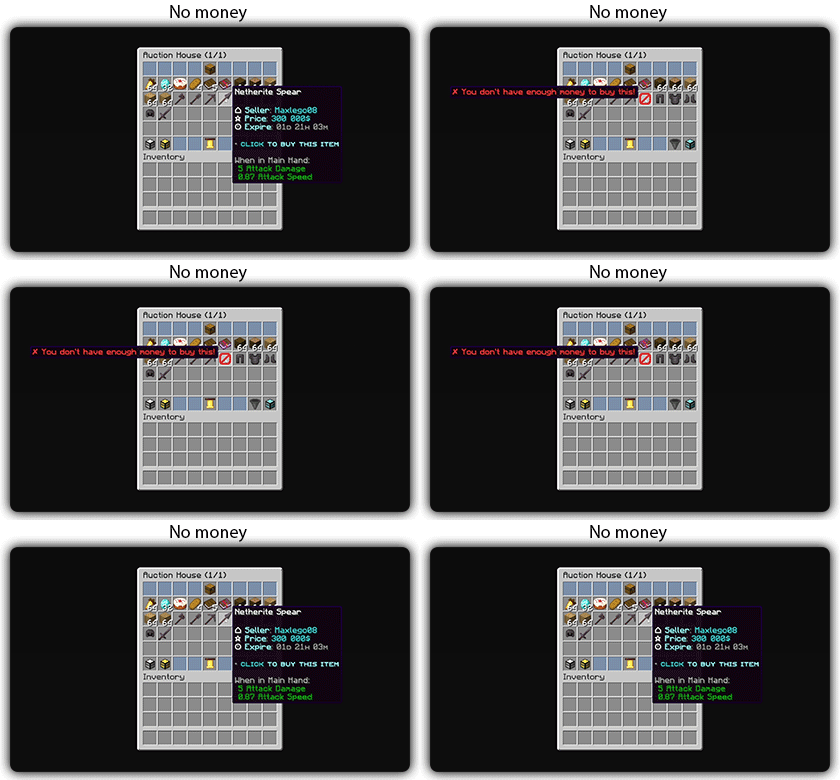
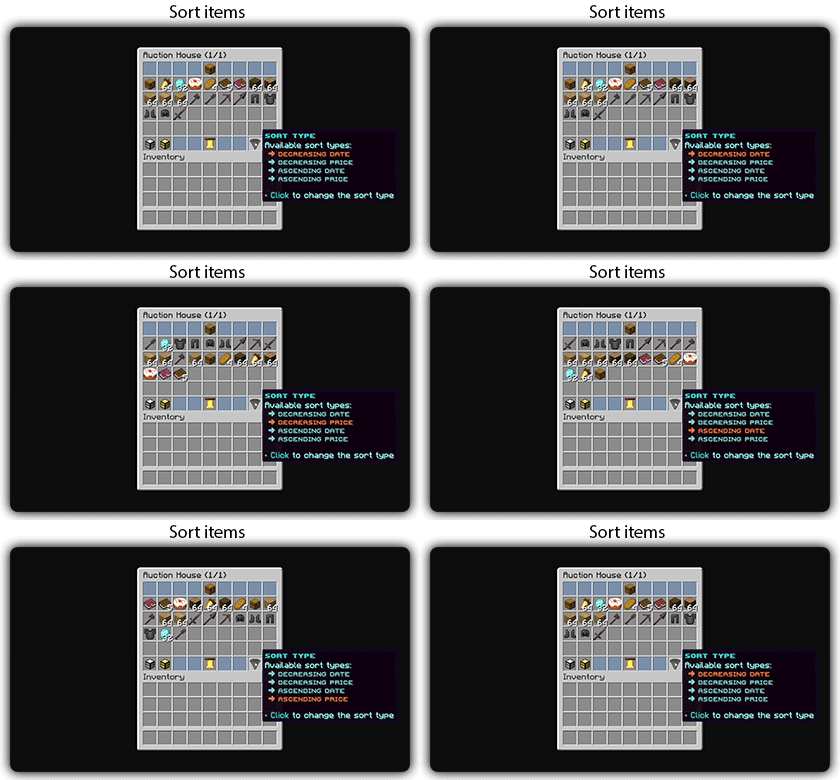
– 🏷️ **Auction House** – Player-driven marketplace with search, filter, and sort options
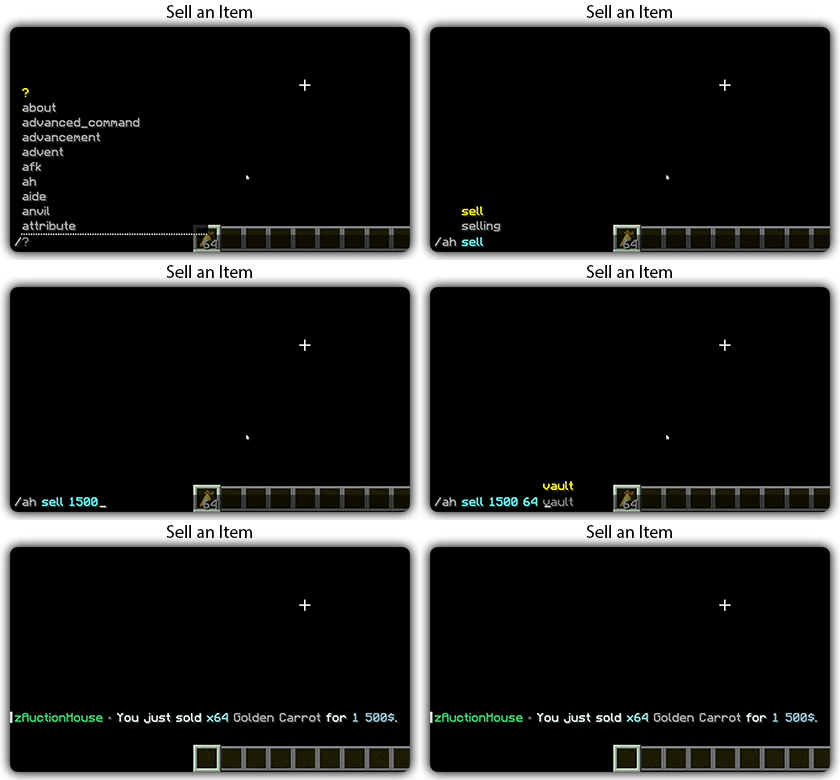
– 💰 **Sell System** – Quick sell items for configured prices
– 📋 **Tab Completion** – Full auto-completion for all admin commands
– 🔐 **Permission System** – Control access to admin features
– 💾 **YAML Configuration** – Easy editing of items and prices via config files
– 🚫 **Block/Item Blocker** – Prevent placement or usage of specific materials
– ⚡ **Hot Reload** – Reload configurations without server restart
## Installation
1. Download the `zavshop-1.0.jar` file
2. Place it in your `plugins/` folder
3. Make sure you have **Vault** and an economy plugin installed (e.g., EssentialsX)
4. Restart the server
5. The plugin creates `plugins/ZavShop/` with config files
## Commands
### Player Commands
| Command | Description |
|———|————-|
| `/shop` | Opens the main shop GUI |
| `/sell` | Sells the item in hand for configured price |
| `/ah` | Opens the Auction House |
| `/ah sell ` | Lists held item for auction |
### Admin Commands (requires `zavshop.admin`)
| Command | Description |
|———|————-|
| `/shopadd ` | Add an item to shop |
| `/shopremove ` | Remove an item from shop |
| `/shopprice ` | Update item price |
| `/shopreload` | Reload all configuration files |
| `/blocker ban block ` | Ban a block from being placed |
| `/blocker ban item ` | Ban an item from being used |
| `/blocker unban ` | Remove a ban |
| `/blocker list` | Show all banned items |
## Shop Categories
– **Nether Shop** – Blaze Rods, Nether Wart, Glowstone, Magma Cream, etc.
– **Gear Shop** – Obsidian, Totem of Undying, Ender Pearls, Golden Apples
– **Food Shop** – All food items with configurable prices
– **End Shop** – End-related items like Shulker Shells, Dragon Breath
– **Misc Shop** – Custom items added by admins
## Auction House Features
– 🔍 **Search** – Find items by name
– 🎯 **Filter** – Filter by category (Blocks, Tools, Food, Combat, Potions, Books, Ingredients, Utilities)
– 📊 **Sort** – Sort by Newest, Oldest, Price (Low to High), Price (High to Low)
– 👤 **Your Items** – View only your listings
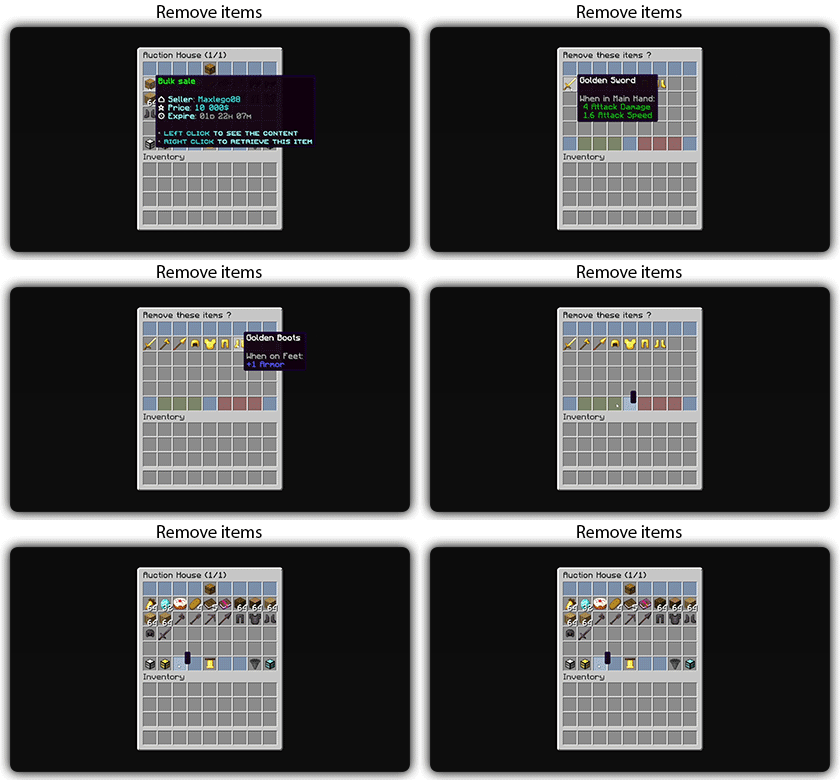
– ✏️ **Manage** – Right-click your listings to remove them
## Permissions
| Permission | Description |
|————|————-|
| `zavshop.admin` | Access to all admin commands
Tutorial:
zAuth
**zAuth** is a lightweight, secure, and highly customizable authentication plugin designed for offline-mode and Geyser/Floodgate servers.
Built for performance and security, zAuth protects your players from account theft, password guessing, and session hijacking.
Whether you’re running a small SMP or a large network, zAuth gives you enterprise-grade login protection with smooth UX.
**🔐 Key Features**
✅ Secure Login & Registration
+/register
+/login
+/changepassword
+/logout
Passwords are stored using BCrypt (industry-grade hashing).
**🛡 Account Protection**
Account lock after X failed attempts
Automatic unlock after configured cooldown
IP-trust system (optional)
Session manager prevents re-login abuse
Freeze players completely until authenticated
**👀 Player Visibility & Mob Safety
**
Hide ALL players from each other until they login
Disable mob targeting and damage before login
Bossbar reminder
Safe login teleport location
Optional: Allow players to set /spawnlogin
**🔏 Privacy Protection**
Password masking in:
Chat logs
Console
Command logs
Commands like /login, /register, /changepassword NEVER reveal real passwords.
zAuctionHouse
### **This is a free demo version of zAuctionHouse. It is similar to the paid or open-source version, but you cannot receive support with this version.**
The free version will always be one version behind the paid versions. To get support and the latest version, you can purchase the plugin on the other sales platforms.
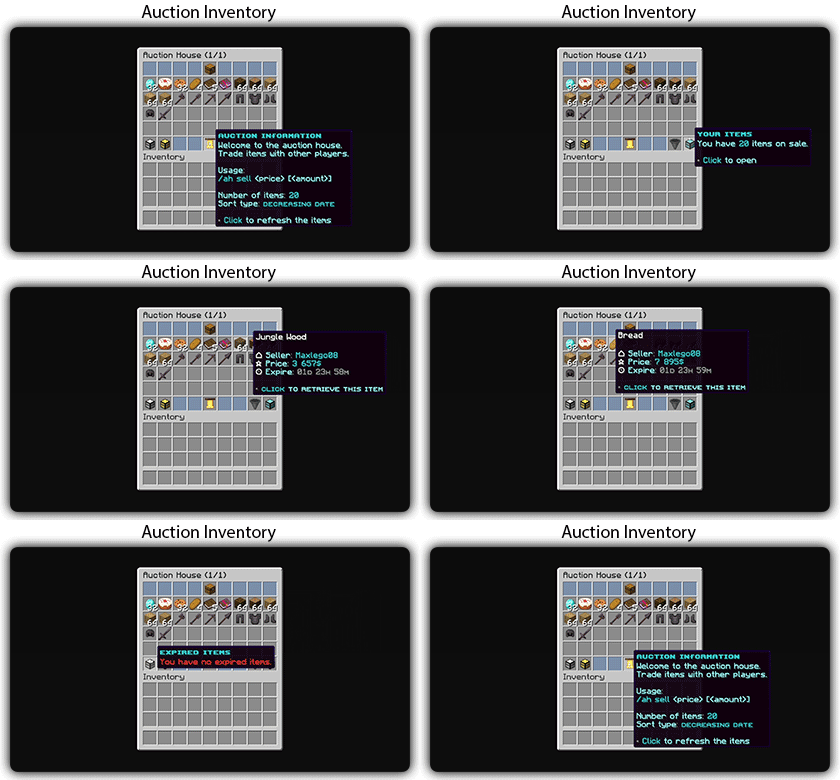
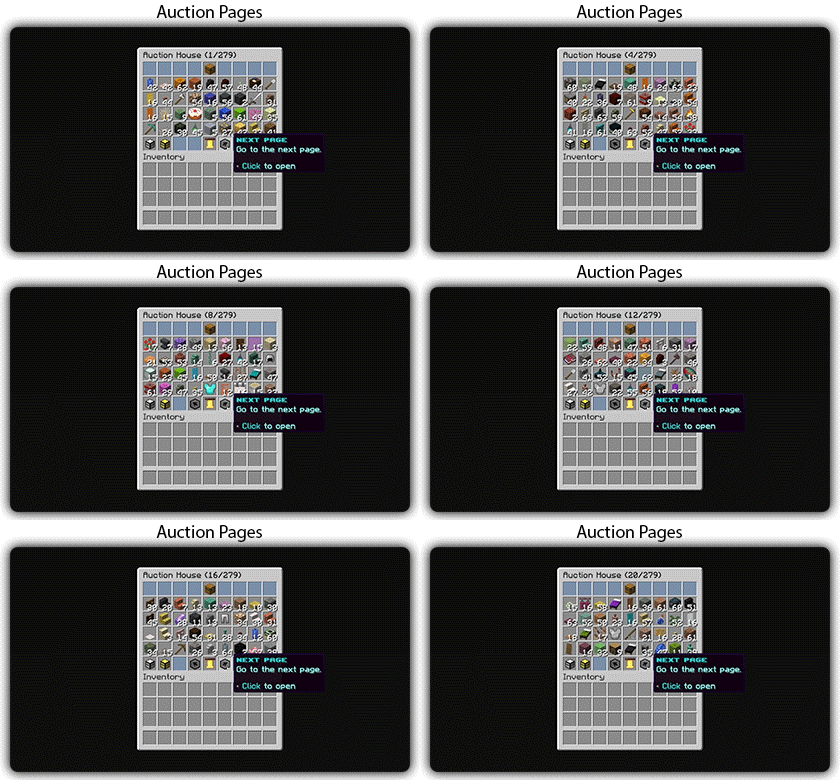
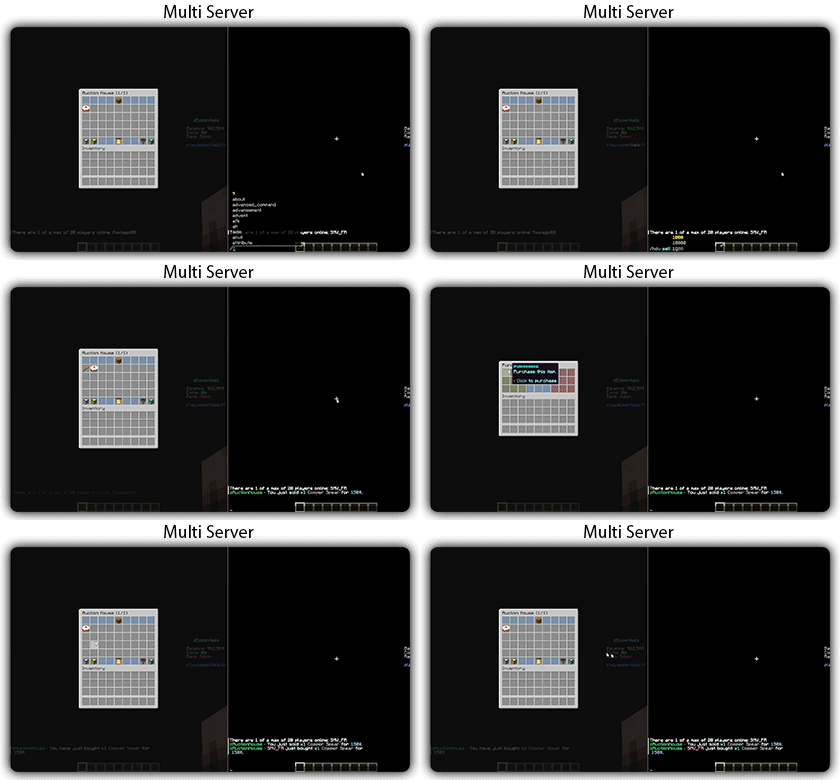
## Gifs
Text version
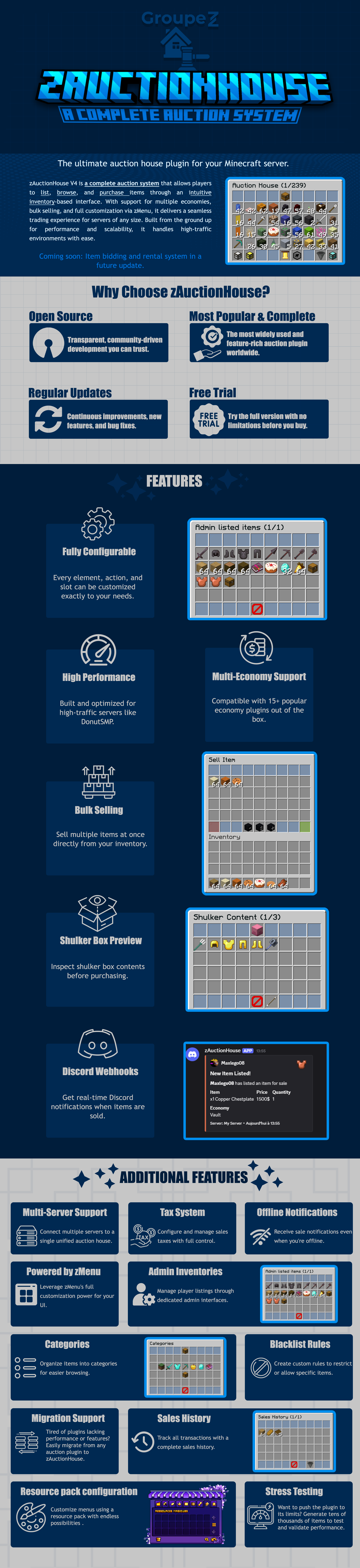
zAuctionHouse V4 is a complete auction system that allows players to list, browse, and purchase items through an intuitive inventory-based interface. With support for multiple economies, bulk selling, and full customization via zMenu, it delivers a seamless trading experience for every server type. Built from the ground up for performance and scalability, it handles high-traffic environments with ease.
# Why Choose zAuctionHouse?
## Open Source
Transparent, community-driven development you can trust.
## Most Popular & Complete
The most widely used and feature-rich auction plugin worldwide.
## Regular Updates
Continuous improvements, new features, and bug fixes.
## Free Trial
Try the full version with no limitations before you buy.
# Additional Features
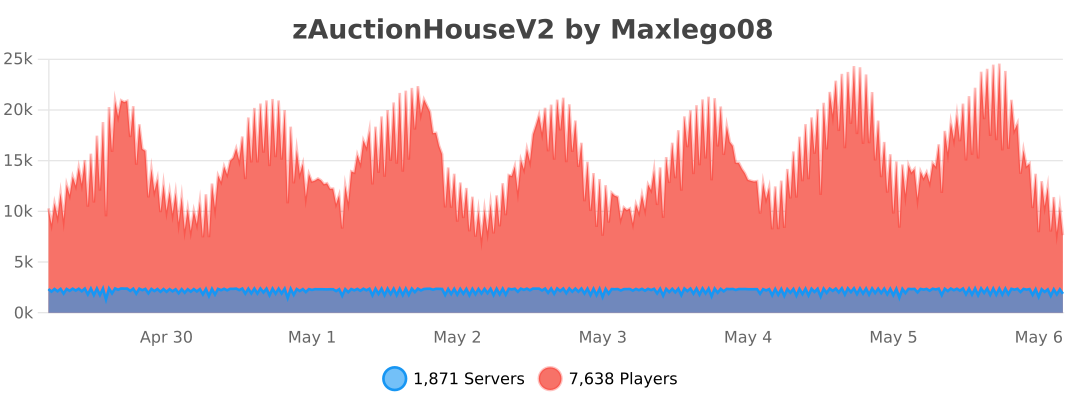
## Multi-Server Support
Connect multiple servers to a single unified auction house.
## Tax System
Configure and manage sales taxes with full control.
## Offline Notifications
Receive seller notifications when you’re offline.
## Powered by zMenu
Leverage **zMenu’s full customization power** for your UI.
## Admin Inventories
Manage player listings through dedicated admin interfaces.
## Categories
Organize items into categories for easier browsing.
## Blacklist Rules
Create custom rules to restrict or allow specific items.
## Migration Support
Tired of plugin locking or performance issues?
Easily migrate from any auction plugin to zAuctionHouse.
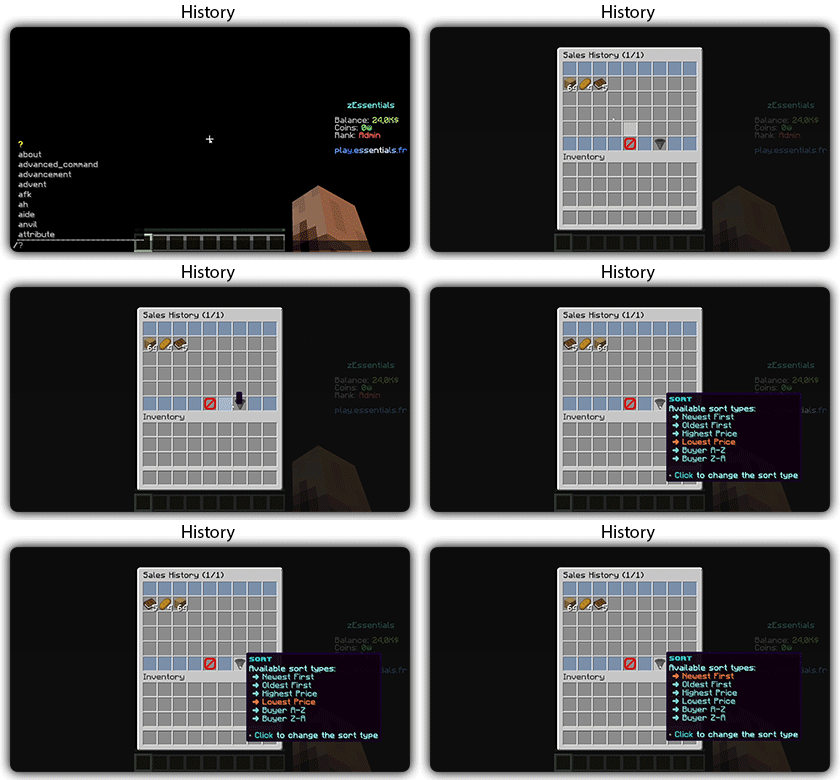
## Sales History
Track all transactions with a complete sales history.
## Resource Pack Configuration
Customize menus using a resource pack with endless possibilities.
## Stress Testing
Want to push the plugin to its limits?
Generate tens of thousands of items to test and validate performance.
# **Features**
– **## Selling & Buying**
– **Instant buy listings** List items for a fixed price
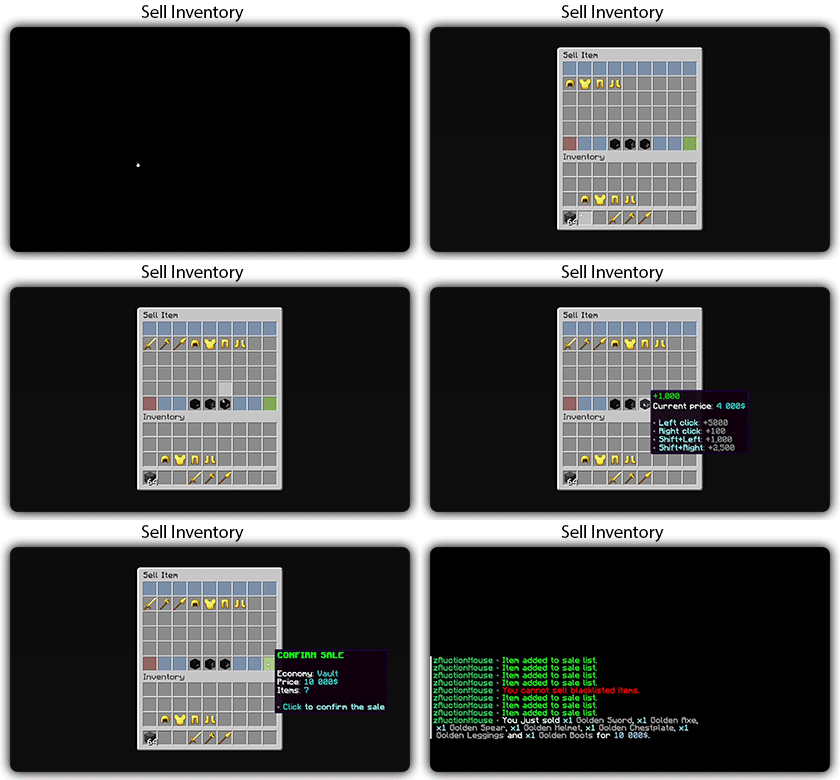
– **Bulk selling** Sell multiple items at once
– **Purchase confirmation** Confirm before buying
– **Sell confirmation** Confirm before listing
– **Price limits** Set min/max prices per item or globally
– **Item quantity selection** Choose how many items to sell
– **Expired items recovery** Retrieve unsold items
– **## User Interface**
– **Inventory-based UI** No commands needed
– **Shulker box preview** View contents before purchase
– **Categories** Browse items by type
– **Sorting options** Sort by price, date, name
– **Search system** Find items by name or type
– **Player listings** View your own items
– **Purchase history** Track your purchases
– **## Economy & Taxes**
– **15+ economy plugins** Vault, PlayerPoints, and more
– **Tax on sales** Configurable seller tax
– **Tax on purchases** Configurable buyer tax
– **Permission-based taxes** Different rates per group
– **## Administration**
– **Admin inventories** Manage all player listings
– **Blacklist system** Block specific items
– **Whitelist system** Allow only specific items
– **Item rules** Advanced filtering (lore, name, NBT)
– **Player limits** Max listings per player
– **Expiration system** Auto-expire old listings
– **Log system** Track all transactions
– **## Performance & Storage**
– **Async operations** Non-blocking database queries
– **SQLite support** Zero-config local storage
– **MySQL/MariaDB support** Scalable database
– **Redis support** Multi-server synchronization
– **Folia compatible** Works with Folia servers
– **Caching system** Optimized data access
– **## Customization**
– **zMenu integration** Full UI customization
– **Custom messages** Edit every message
– **Custom sounds** Configure all sounds
– **PlaceholderAPI** Use placeholders anywhere
– **Command aliases** Customize command names
– **Configurable slots** Place buttons anywhere
– **## Notifications**
– **Discord webhooks** Post sales to Discord
– **Offline notifications** Notify on next login
– **Title messages** Display on screen
– **ActionBar messages** Subtle notifications
– **Chat messages** Traditional notifications
– **## Migration & Testing**
– **Plugin migration** Convert from other plugins
– **Test data generator** Stress test with fake items
– **Debug mode** Troubleshoot issues
– **## Security**
– **Anti-dupe protection** Prevent item duplication
– **Permission system** Control access to features
– **Confirm dialogs** Prevent misclicks
– **Price validation** Block invalid prices
ZatrixLagX
# 📌 ZatrixLagX — Optimize your Minecraft server like never before!
****ZatrixLagX is a lightweight and powerful lag reduction plugin designed for Paper servers.
It automatically clears unnecessary entities, items, and optimizes performance to keep your server running smooth — even with many players online.****
Perfect for survival, SMPs, and large multiplayer servers, ZatrixLagX makes server management effortless.
👉 ****With ZatrixLagX, your players get a lag-free experience, and you get peace of mind.****
—
Zappier Games
ZappierGames is a Minecraft server plugin (likely for Paper/Spigot or similar) that brings a collection of exciting multiplayer minigames to your server, all managed through an intuitive graphical interface. (**Access via /gui**)
Currently in alpha development, this plugin includes popular game modes such as:
Sky Battle – A fast-paced, team-based PvP battle inspired by Minecraft Championship (MCC) and Skywars-style games. Teams start on separate floating islands with resources and infinite blocks for bridging/building. Players fight to be the last team standing as a closing border forces movement toward the center, rewarding spacial awareness, quick bridging, and pvp skills. Includes custom items as well.

Manhunt – One or more speedrunners attempt to defeat the Ender Dragon (or achieve other objectives) while hunter(s) track them down using tools like compasses, trying to eliminate the runners before they can win. Includes standard manhunt, infection (so extra runners aren’t sitting their bored), and protect the president. Manhunt twists are a work in progress.

Loothunt – A treasure-hunting style minigame, and arguably the **crown jewel** of this plugin due to how addicted my friends are to it. Items are worth points, with increased points for collections like acquiring all the different door types or villager workstations. Features the one and only Inifnibundle™ to solve your inventory woes. (It’s a teamchest. Don’t lose it there’s no way to get it back currently lol. Also does not work properly in creative mode, and never will. Meant to be used in survival mode only)

Parkour Race – A pseudo-randomly generated parkour race featuring various jumps, featuring disappearing platforms, slime jumps, and all sorts of other cool and weird jumps that my friends and I have created!

And more modes planned or in early stages!
Key Features
Easy management with /gui – opens a user-friendly menu for starting games, configuring settings, joining teams, and more – no complex commands needed for most actions. (**/loothunt endscore** at the end of games or **/loothunt getscore** to get the value of a held item are commands that need to be known, as well as **/gc** to get a compass for manhunts)
Designed for fun on multiplayer servers, perfect for friends looking for a cool minigame to play.
**Important Notes** (Alpha Status)
This plugin is in active alpha stage, so expect bugs, incomplete features, and potential instability. Don’t just slap it on an SMP server, have a dedicated world/instance for it like you would for any other minigame. Check the changelogs (in the GitHub repo or future Modrinth versions) for known limitations, recent fixes, and what’s working.
Currently, non-admin players can access /gui and modify game settings — this is a known alpha limitation and may allow unintended changes. Be cautious on public servers; restrict access or supervise usage until permissions are properly implemented in future updates.
Game state persistence exists (timers, twists, Infinibundle storage, etc.) with automatic saves on stop/pause and manual **/loadstate** reload. If your server restarts during a loothunt or a manhunt, use this command.
Source code is fully open and available for review: https://github.com/Vakore/ZappierGames/tree/main
Feedback, bug reports, and suggestions are welcome via the GitHub repo! More games and polish coming as development progresses.
A mod to alter the transparency or fully hide armor and equipment with multiplayer support, without any dependencies – supporting a wide range of game versions and available for Fabric, Quilt and NeoForge.
### Features
– **Per-slot opacity sliders** for helmet, chestplate, leggings, boots and offhand
– **Enchantment glint control** to selectively hide the glint on any slot
– **Combat detection** let you automatically show armor when in combat
– **Full multiplayer sync** so other players see your settings when the server has the mod
– **Works client-side only** too without server mod required
– **Live in-game preview** of your changes
– **Keybindings** to quickly toggle Armor Hider or open the settings screen
– **Admin controls** for server operators (force armor visible, server-wide combat detection)
I track issues (including feature requests) via GitHub and do my best to close out any bugs timely (plus, I get way too excited about new features myself..). If you don’t have an account, feel free to join the Discord server and let me know there.
—
## Customizability
Find Armor Hider’s settings integrated into the game via “Skin Customization” in the game settings (or via ‘Zannagh’s Armor Hider’ on older game versions). When in-game, the mod settings feature a live preview of your changes.
### Armor Opacity
The mod allows you to define an opacity between 0% (hidden, cancelling the rendering) and 100% (the mod doesn’t do anything) for each armor item slot. In addition, it’s possible to specify whether skull items (skeleton/wither/… skull) should be affected by the helmet setting and if Elytras should be affected by the chestslot setting.
Furthermore, you can selectively hide the enchantment glint on any of the slots.
If you’d like to have armors visible in combat, you can choose whether combat will temporarily show your armor or not, see [Combat Detection](#combat-detection) below.
### Offhand Opacity
Armor Hider additionally offers to hide the offhand slot if you don’t want your fancy skin obstructed by a shield or other items.
## Synchronization
If the mod is installed on the server you’re joining, all of your local preferences will get sent to the server on change or join. The server-side mod then takes care of relaying your preferences to all other clients. That way, if the mod is present on the server, everyone will see your avatar exactly as you’ve configured it (including combat detection, glint and other features).
Combat events are synchronized and not only client-side, so when the server runs the mod, you’ll see another player’s armor once they enter combat (granted they have the related setting enabled).
If a host is not yet running the mod, there’s a setting available which lets you define whether the then ‘unknown’ players should have their armor rendering unaffected or carry over your own settings.
## Advanced Settings
* **Apply your settings to unknown players**: Whether to use your own opacity settings or the default settings (armor
shown normally, as without the mod) when a player’s settings cannot be determined — for example when using the mod
only client-side on an unmodded server (see [Server communication matrix](#server-communication-matrix) below)
* **Disable Armor Hider features**: Globally disable Armor Hider on your client. If the server is forcing Armor Hider
off, this setting is overridden
* **Disable Armor Hider for other players**: Disable Armor Hider rendering for other players’ armors only. If the server is forcing Armor Hider off or the global disable is set, this setting is ignored
### Administrative Settings
For hosts, these settings require moderator/operator permissions (for compatibility reasons, the mod only checks for permission level >= 3) and are applied server-wide, overriding individual player preferences.
* **Armor in combat (server)**: Forces combat detection server-wide — when enabled, armor is always shown for any player in combat, overriding each player’s individual combat detection setting – useful for PvP servers
* **Force Armor Hider off for all players**: Forces Armor Hider to be disabled for all players on the server (especially useful when you’re running a PvP server and don’t want people to hide other players’ armors)
### Combat Detection
Combat Detection
With combat detection enabled, your armor automatically becomes visible when you take or deal damage.
Your locally set preferences get sent to the server on change or join. Players joining a server will retrieve the
preference library from the server in order to apply other players’ preferences on their client.
The following matrix shows how preferences are resolved depending on where the mod is installed:
| Mod on Server | Mod on Client | Behavior |
|:—:|:—:|—|
| Yes | Yes | Full functionality. Your preferences are synced to the server and relayed to other players. You see other players’ actual configured armor opacity. Combat events are relayed by the server for synchronized combat detection. |
| Yes | No | No effect. The server stores preferences but the vanilla client cannot render transparency changes. |
| No | Yes | Client-side only. Other players’ preferences cannot be determined. Depending on the **”Apply your settings to unknown players”** setting: **ON** — your own opacity settings are applied to all players; **OFF** — default settings are used (armor rendered normally, as without the mod). Combat events will not be passed around in the server. |
| No | No | No effect. The mod is not present. |
## Community
Join the [Discord server](https://discord.gg/AMwbYqdmQb) for support, discussion, and feature requests.
## Issues and Feature Requests
As mentioned before, feel free to create an issue on the GitHub repository or reach out on Discord to make me aware of problems or ideas that could make this mod better.
## Supported Game Versions and Loaders




A client-side Fabric mod that shows an on-screen health indicator when you hit another player in PvP. The health value is displayed as a colored HUD element that scales up at low HP, with customizable position, scale, and display duration.