Zero Fog Lightweight
# Zero Fog Lightweight Pack by Ownix
🌫️ **Zero Fog Lightweight Pack** is a sleek Minecraft **texture pack** designed to remove fog and enhance visibility while keeping your game smooth and lightweight.
⚡ Optimized for performance, giving you a clear and crisp view of your world.
🌄 Perfect for builders, explorers, and PvP players who want unobstructed sightlines.
🎮 Minimal impact on FPS, making it ideal for low-end and high-end systems alike.
## Features
– 🌟 Removes fog for clear, crisp visuals
– 👀 Improves long-distance visibility
– ⚡ Lightweight and performance-friendly
—
**🎨 Design & Branding:**
Designed by **Ownix Studio**
Zeppy Tube’s Official Texture Pack
# Zeppy Tube’s Official Texture Pack
This pack was created by me, Zeppy Tube, because I wanted to change some little stuff in the game (changes shown below), because I didn’t want multiple texture packs to do little stuff, so I just made my own to change it all.
I never planned on releasing this, however after getting a few request for a release, I’m finally officially releasing this, enjoy 😀
# Changes to the game:
– -Replaced “Honey comb” name with “Wax”.
– -Replaced “Target” name with “Target block”.
– -Replaced “You died” text screen to “GAME OVER” in blue text.
– -Replaced any “{player} fell off of a/some {climbable object}” chat death message with “{player} fell off of a/some {climbable object} (Are you dumb?)”.
– -Replaced splash text “Made by Jeb!” with “Made by Jeb (And Hatsune Miku)!”.
– -Added verious different splash texts (refer to change logs or look in the file splashes.txt)
– -Changed Turtle texture to Carl bot from discord (Texture may be messed up).
– -Changed Diamond sword texture to Master sword from Legend of Zelda (Shadow is reversed).
– -Changed Redstone dust texture to have my PFP on it (Zeppy Tube pfp character).
– -Removed map in item frame texture from the map.
– -Changed chainmail armor with Rina Tennoji school uniform+Rina board.
– -Changed chainmail helment texture to Rina board.
#
For any issues, join my discord server and report it in “#submit-a-ticket” and I’ll maybe fix it
Zephyr Starlight
⚠️ Disclaimer: This shaderpack is an early work-in-progress so bugs, missing features and performance issues are to be expected.
## Features
* Accurate ray-geometry intersection
* Path traced diffuse, reflections and sun shadows
* Temporal anti-aliasing and upsampling
* Normal & specular mapping support
* Physically based sky rendering
* Hillaire multi-scattering approximation
* Sparse irradiance cache for diffuse multi-bounce approximation
* Reflection motion vector calculation (no TAA ghosting on reflections)
* Spatiotemporal denoising
* Camera effects: motion blur & depth of field
* Post-processing: auto exposure & chromatic aberration
## Compatibility / Mod Support
* GPUs: NVIDIA, AMD
* Minecraft – version 1.21 and above
* Iris – version 1.8.0 and above
* Optifine – not supported
* Distant Horizons/Voxy – not supported (planned)
* OrthoCamera – supported but still broken in a few cases
* macOS – not supported
## Performance Tips
* Sample count: This directly affects the quality of the lighting. Higher sample counts show less noise and more detailed lighting/reflections at the cost of performance. Keep this at 1 for the best performance.
* Diffuse Lighting > Denoising Passes: The amount of passes used for diffuse lighting denoising. Even though not as high as sample count, this has a performance impact too. You can still get decent lighting with just 6 passes most of the time, but a pass count of 8 is recommended for the best lighting. You can set this to 0 if you’re fine with the noise.
* If you are in a completely closed room with no outdoor light entering it, set Shadow Samples to 0. This will disable sunlight.
* Irradiance Cache > Update Interval: The maximum amount of frames that are allowed to pass between updates of the same part of the irradiance cache. Lower values cost more performance, but result in more responsive lighting and less noise in reflections.
Zeph’s EggHunt
# Zeph’s EggHunt
Give your player’s an activity to do this Easter! An Easter Egg hunt built for Nexo so you get real Egg Models for players to hunt. Hide eggs around your world for players to find, or let the server scatter them automatically near players as they explore. Both modes work at the same time.
## How It Works
### Event Eggs (Admin Hidden)
Use a placement wand to hide Nexo furniture eggs around your world. Every player can find and claim each egg once. Once someone collects an egg, it changes to a “claimed” look just for them.
### Random Eggs (Player Spawning)
Every few minutes, each online player has a chance of an egg popping up somewhere nearby. A chime plays when it spawns, and optional particles and ambient sounds pulse to help players track it down. If nobody grabs it, it despawns after a timeout.
### The Wand
You get a blaze rod wand via `/egghunt wand`. Right-click a block to place an egg facing your direction. Left-click to cycle tiers — there’s also a **Random** option that rolls a weighted tier each time you place. Sneak + right-click removes the nearest egg.
### Tiers and Visual Variety
Set up as many tiers as you want. Each tier can have multiple Nexo furniture IDs, so you get visual variety while sharing the same reward pool. The plugin picks one randomly when placing.
### Rewards
Rewards are just strings in the config. No nested YAML, no type declarations:
“`yaml
– “diamond 5”
– “golden_apple 1 &eShiny Apple”
– “cmd: eco give {player} 500”
“`
Equal chance per line. Want one to show up more? Add it twice.
### Action Bar
Action bar shows the collection process. Action bar shows up in the world set by the config. By default, it’s set to “event” if you plan to hide the eggs in an event world. You can change it to “world” to make the action bar show up in the main world. Collecting a random egg shows a quick one-shot confirmation. Both are configurable.
### Stats and Leaderboard
Event eggs and random eggs are tracked separately. Players can check their own stats with `/egghunt stats`, and the leaderboard shows top collectors across both modes. Top hunters are announced when the event ends.
### PlaceholderAPI
Optional — everything works without it. But if you have PlaceholderAPI, you get placeholders for player counts, event status, leaderboard positions, and more. Useful for scoreboards, tab, holograms, or whatever you’re running.
| Placeholder | What it returns |
|—|—|
| `%egghunt_collected%` | Player’s total eggs |
| `%egghunt_event_collected%` | Player’s event eggs |
| `%egghunt_random_collected%` | Player’s random eggs |
| `%egghunt_total%` | Server-wide total collected |
| `%egghunt_active%` | Whether the event is running |
| `%egghunt_rank%` | Player’s leaderboard position |
| `%egghunt_top_1_name%` | #1 collector’s name |
| `%egghunt_top_1_count%` | #1 collector’s count |
## Commands
| Command | Permission | What it does |
|—|—|—|
| `/egghunt stats` | `egghunt.stats` | Your personal stats breakdown |
| `/egghunt leaderboard` | `egghunt.leaderboard` | Top collectors |
| `/egghunt start` | `egghunt.admin` | Start the event |
| `/egghunt stop` | `egghunt.admin` | End the event, show results |
| `/egghunt wand` | `egghunt.admin` | Get the placement wand |
| `/egghunt clear [admin|player|all]` | `egghunt.admin` | Remove eggs by mode |
| `/egghunt cleanup` | `egghunt.admin` | Clean up orphaned entities |
| `/egghunt reload` | `egghunt.admin` | Reload config |
| `/egghunt status` | `egghunt.admin` | Event info at a glance |
| `/egghunt debugspawn` | `egghunt.admin` | Force-spawn a test egg nearby |
| `/egghunt reindex` | `egghunt.admin` | Re-link entity IDs after chunk issues |
## Permissions
| Permission | Default | Description |
|—|—|—|
| `egghunt.admin` | op | All admin commands |
| `egghunt.collect` | true | Collect eggs |
| `egghunt.stats` | true | View personal stats |
| `egghunt.leaderboard` | true | View leaderboard |
## Requirements
– **Paper 1.21.4+** (not Spigot — uses Paper APIs)
– **Java 21**
– **[Nexo](https://nexomc.com/)** for the egg furniture models
– **[ProtocolLib](https://www.spigotmc.org/resources/protocollib.1997/)** for per-player visuals
**Optional:** [PlaceholderAPI](https://www.spigotmc.org/resources/placeholderapi.6245/) for scoreboards, tab, holograms, etc.
## Egg Models
This plugin doesn’t include any models — you’ll need Nexo furniture items set up for your eggs. The ones we use on Cobble & Commons are from MCModels and work great out of the box:
[**Easter Egg Collection on MCModels**](https://mcmodels.net/profile/orders/c6483ef6-aaf1-48df-9fa2-9cb45986544b)
Highly recommended if you want a polished look without building your own. Just drop them into your Nexo config and match the furniture IDs in the EggHunt config.
## Try It Live
Want to see it in action before setting it up? Come check it out on **Cobble & Commons** — the server where this plugin was built and tested. We run seasonal egg hunts with both modes active.
**Server Address:** `mc.cobblecommons.com`
Zephaire
**Zephaire’s Client Pack** is tailored to Minecraft’s version **1.21.8.** The mods which make up this pack aims to enhance the player’s experience in small ways without taking the experience away from the base game. Whereas there are many customizable features and the ease of adding onto the pack with shaders or texture packs of your own, there are also plenty of optimization features that should allow most, if not all machines to run this pack smoothly.
_It should be noted that this pack is made for the Minecraft Server – Zephaire, however anyone may use and alter this pack at their own discretion and is able to be used with any vanilla server._
**Express Yourself**: Addons for player customization for your models, such as Figura and Customizable Player Models to allow 3D modelers express their creativity and allow them reanimate and redefine how your model looks and feels. Other mods like Cosmetica and Essentials have built in cosmetics for you to choose and show off as you wish! For those that wish to keep a more vanilla feel for themselves, there exists 3D Skin Layers to spice up your style.
**Redefine Exploration**: With mods such as Sounds, Presence Footsteps, and Reactive Music, these three mods alone make Minecraft feel more alive. No need to turn off your music anymore! Other mods such as Xareo’s World Map will help you keep progress of your progression, where as small changes such as Falling Leaves and Dense Flowers, Cool Rain, and Drip Sounds makes exploring both the surface and caverns much more satisfying.
**Performance Boosts**: Many culling mods and optimizers that alter how Minecraft’s rendering engine such as Better Beds, Fast Items, Entity Culling, and Particle Core all help with ensuring a smooth experience while playing on any server.
**Gameplay Focused**: Other quality of life mods such as Armor Trim Item Fix, AppleSkin, BetterF3 Axolotl and Bucket Fix are just to name a few mods that assist your every day experience. Other mods like Resourcify and Controlling exists as well, Resourcify allows you to pull from a wide database of both shaders and texture packs where as Controlling allows you to search up any keybinds and to show conflicts with ease.
Whether you are a player of our server here on Zephaire or just another user looking to get a client pack that can be used anywhere, we hope that you enjoy using this pack!
AntiXRay
# 🛡️ zepAntiXRay — Hide Ores from X-Ray Cheaters
**Anti XRay** protects your server from players using X-Ray resource packs or hacked clients to locate ores. Ores are hidden **server-side** and only revealed when a player is close enough or has direct line of sight.
—
## ✨ Features
– **Hides ores server-side** — Diamond, Emerald, Gold, Iron, Redstone, Lapis, Ancient Debris and more
– **No client mod required** — works completely server-side
– **Lightweight** — minimal performance impact on your server
– **Simple & focused** — does exactly one thing, and does it well
—
## ⚙️ How it works
Ore blocks are **replaced with stone** in the chunk data before being sent to the client. They are only revealed when a player is **close enough**, preventing any X-Ray cheater from spotting them at a distance.
—
## 📋 Requirements
| | |
|—|—|
| **Minecraft** | 1.7.x-1.21.x |
| **Server Software** | Paper, Purpur, Folia, Bukkit, Spigot |
| **Java** | 21+ |
| **ProtocolLib** | Please use the Newst Version |
—
## ⚠️ Limitations
> This plugin is focused **solely on hiding ores**. It does not include any additional anti-cheat features beyond X-Ray protection.
ZenyFast
# ⚡ ZenyFast — Resourcepack Speed Optimizer
Tired of staring at a loading screen every time you join a server with a heavy resourcepack?
**ZenyFast** is a lightweight client-side mod designed to dramatically reduce resourcepack
loading times — so you spend less time waiting and more time playing.
—
## ✨ Features
⚡ **Faster Resourcepack Loading** — Significantly cuts down loading time for heavy resourcepacks
🎒 **Optimized for Large Packs** — The bigger the pack, the more you’ll notice the difference
🔧 **Zero Configuration** — Install and forget. No setup needed
🪶 **Lightweight** — Minimal performance impact on your game
🖥️ **Client-Side Only** — Works on any server, no server-side installation required
—
## 📦 Installation
1. Download the `.jar` file from the files tab
2. Drop it into your `.minecraft/mods/` folder
3. Launch the game — that’s it!
> 💡 **Tip:** Pair with **Remove Reloading Screen Mod** for the best experience!
—
## 🔗 Compatibility
– ✅ Fabric
– ✅ Minecraft 1.21+
—
## 💬 Support & Community
Have questions or feedback? Join our Discord community!
👉 [Zenyland Discord](https://discord.zenyland.com)
ZenXArch’s Zombie Apocalypse
## Data Driven zombies?
This mod adds data driven zombies since version 0.0.15.
What this means is that the variants of a zombie can be added using datapacks.
“Download the mod on modrinth”
Github link
https://github.com/offbeat-stuff/zombies
How the data driven system works
The mod adds a dynamic registry like for enchantments
Currently the mod adds the following configuration to variants
– lootTableInfo contains a field for spawn armor and loot drop
– events -> 7 event handlers (spawn,tick,death,kill etc.)
– Runs like an enchantment effect when event fires
– BiomePredicate -> what biomes the variant spawns in
– Requirements -> a loot condition for mob to spawn
– attribute (base and modifiers) to add on spawn
– weight (contains weight and quality) -> similiar to loot table entries (uses difficulty)
My plans for additional fields
– texture (would require client side changes) which isn’t plan so I will make a seperate to allow for that to be done in more portable way.
– spawn weight (How much the mob counts towards internal zombie cap) (unlikely)
– attachments to mob ai
What event handlers are there?
– apply status effect to target
– swap positions
– single target
– freeze
– ignite
– spawn effect cloud
– spawn particle effect
– apply status effect
Installation
Just install the main jar alongside smartbrainlib 1.16.7+ and fabric api 0.118+
## What about the apocalypse?
This mod continually spawns zombies around the players in overworld.
Also currently gives small leaping ability to zombies.
There is a seperate difficulty system that takes into account player weapons,armor,food.
And time spent in the world. But has a inverse effect based on time spent in a chunk.
Meaning that if you spent too much time in a chunk (8 hours on easy 35 hours on hard)
that place will no longer be apocalyptic. (I will be adding a gamerule to control this.
Certain things I want to implement over long period:
– Give various abilities to zombies: Like [Eldritch Mobs](https://modrinth.com/mod/eldritch-mobs) (not exactly the same but like)
– Give various intelligence to zombies: jump over gaps (Probably not, its hard to implement), and mob behaviour (grouping around the player) (also hard to implement but could be)
Certain things I want to implement right now:
– Different zombies for different places (drowned for water, zombie piglins for lava, husk for the sun)
– Make use of various creative mode tools (like /ride /tp) to give zombies a edge
– Add mechanics for zombies to escape mob farms
– Make zombies not group together in small spaces
## Didn’t you make a similiar mod ?
Yeah I did [Zombie Apocalypse](https://codeberg.org/ZenXArch/zombie-apocalypse), It was a good experience. This mod is still available as source, so you can use it if you compile the code. (Feel free to use the source code in your own mods.)
## So what went wrong with the old mod ?
Well It was a hassle to maintain. My mistake,I know. The worst thing was config. I had to spend way too much time to write the config code. Also the mod kinda felt not like what it name was.
It didn’t feel like the zombies were very good. So this time I wanna make the zombie low in density and high in damage and abilities. And also not limit myself to some config options.
One of the thing that was kinda wrong the last time. Everything was a config and that made it hard for me to try doing funky that were hard to write config for.
## So No config this time?
Yep, At least for a long time.
But I will be making simple stuff controllable via datapacks.
## So this is a all zombies mod.
Maybe, maybe not. I am open to ideas.
## Will you add client side content?
~~No. (Maybe textures using a seperate client side mod… maybe)~~
Zombie variants will use `{namespace}/textures/entity/zombie/{id}.png` as texture.I won’t be adding any other client side features.
Damage Vignette
This mod adds a vignette (similiar to world border) when on low health.
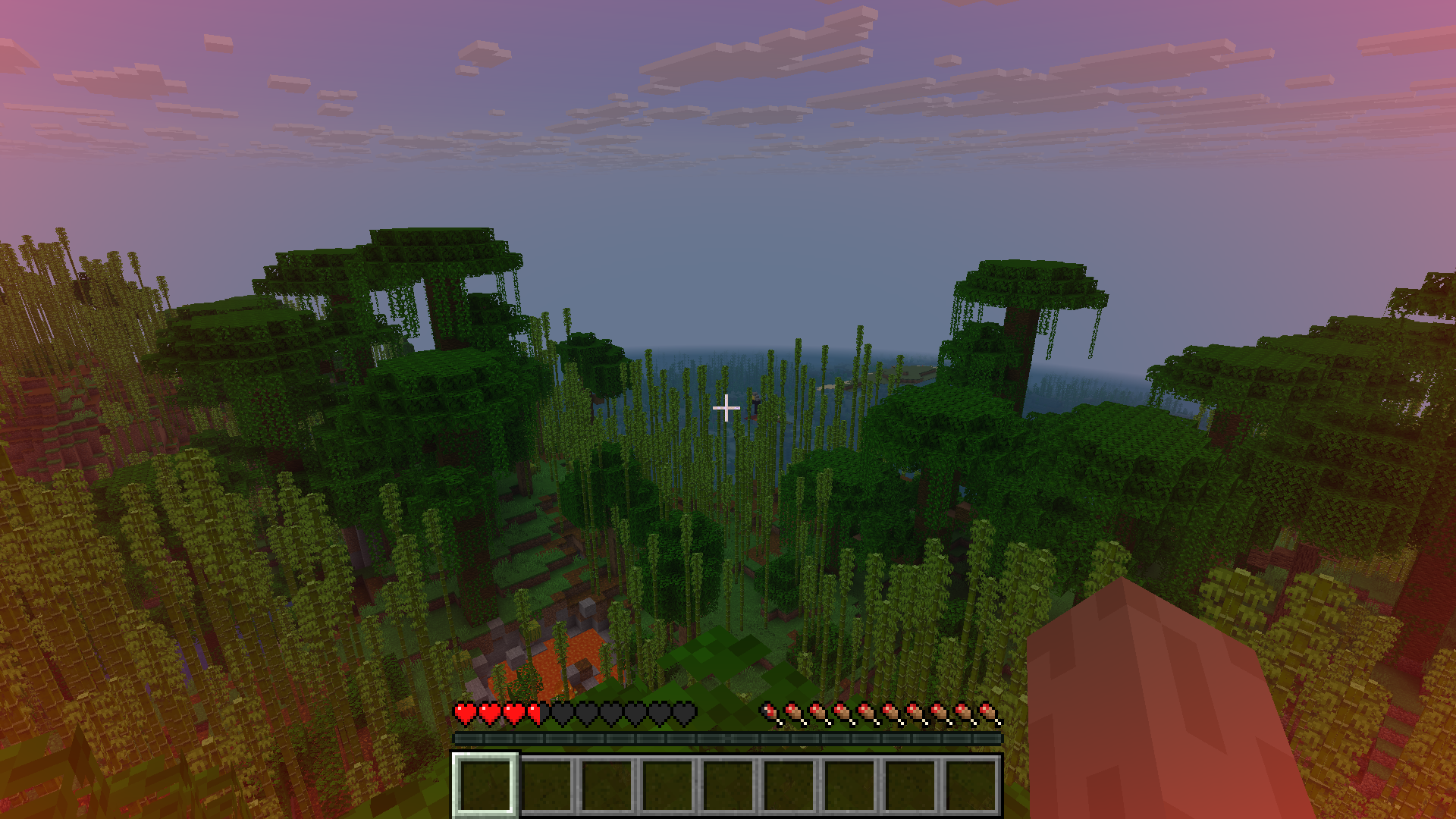
The vignette scales with health.
## Future plans
– add an api to control player vignette using server side
– smooth vignette (no instant change in vignette alpha)
– Add vignette based on danger (like air,health)
– Add pulsating effect on really low health
– Configurable texture
– Add directional pulse (like in zombie games)
Feel free to request / give ideas on discord or codeberg.
I am very likely to implement them (if I can).
## Credits
– The mod is based on [damage vignette](https://modrinth.com/mod/damagevignette) mod.
## Backports
– Similiar mods are available for previous versions, so you can go and use those.
– I have ported the above mentioned mod to 1.21.1 (for fabric), you can get it at https://github.com/offbeat-stuff/DamageVignette
Zent PvP and SMP
Best SMP + PvP Texture Pack | Default Edit
Creator: Battlezent
⭐ Overview
This pack is a fully custom default edit designed to give you a clean, optimized, and visually appealing experience for both SMP gameplay and PvP combat.
Every texture, detail, and tweak was made exclusively by Battlezent, ensuring a unique style with no reused assets.
🔥 Features
🎯 PvP Improvements
Clean & sharp sword models for better visibility
Reduced fire and particles for clearer duels
Optimized armor and item textures
Clear hit particles and improved critical effects
🌿 SMP Enhancements
Slightly improved blocks while keeping the classic default feel
Better item clarity for survival progression
Smooth UI elements for crafting, inventory, and menus
🎨 Visual Style
Faithful to vanilla but noticeably cleaner
Soft color adjustments for a more modern look
Consistent art direction — all made by Battlezent
⚙️ Performance
Lightweight and FPS-friendly
Great for low-end and high-end PCs
Works smoothly on most versions (adjust as needed)
Suggestions and feedback are welcome!