Wynn Dark Pack (Wynncraft)
Note at the very top – PLEASE tell me if this thing breaks. Also please tell me if you’re using my resource pack for something or modifying it, it’s not required or anything but it’s cool to know. my discord is `endernon`.
# About
This is a resource pack that
– Makes the game’s GUIs dark purple themed
– Changes some GUI layouts to be more functional
– And also supports some wynntils menus (WIP)
The aim of this pack was to add a missing dark theme to Wynncraft after Rekindled dropped since I hadn’t seen anyone else make one, but now it also includes what I consider to be extremely useful GUI changes, like a better hotbar, and also guis with less clutter and more simplicity.
**NOTE – if some stuff is missing or is in the wrong place (e.g. the coordinates in top right are gone and the class select menu is wonky), press F3+T once to reload all textures. This is due to a bug from ImmediatelyFast.**
**ANOTHER NOTE – You will need to figure out some way of loading this resource pack above the Wynncraft resource pack.**
# Special thanks to
– Brilliantknight (this pack was originally a port of their Stone Tablet pack but has since detached from that)
– zatzou (for helping me with the resource pack crc metadata uncorrupter)
– People on the Wynncraft discord for being top 10 haters in my dms
Wunderreich

Wunderreich brings some niceties and new mechanics to your game. Everything has been designed with configurability in mind. So you get to decide which features to use.
You may also want to install ModMenu and RoughlyEnoughItems. While those are optional, they enhance the experience (for example you do not have to edit Config-Files in order to change the general behaviour of our Mod.
## Features:
– 🤑 Influence trades offered by villagers
– 🧱 Slabs for vanilla blocks like sand, dirt, concrete or glass
– 🛕 Stairs and Walls for Wool, Concrete and Terracotta
– 🎁 Connected chests that have access to the same inventory
– 🛠️ A tool that places a random block from the hot bar.
Showcase:
 |
|
Trowels:
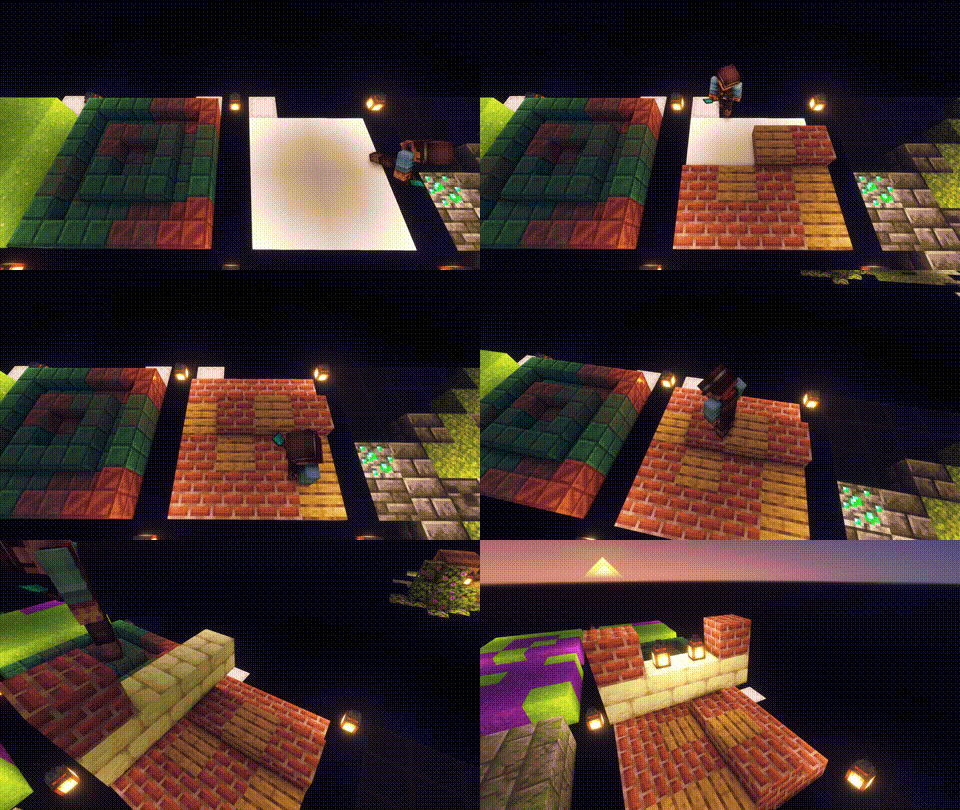
Use your Trowel to place a random Block/Item from your Hotbar. This is the perfect tool, if you want to use random looking block patterns in your builds. The more Blocks of a type you have in your hot-bar, the more likley it is to be choosen.
|
| |
 |
|
Whispers:
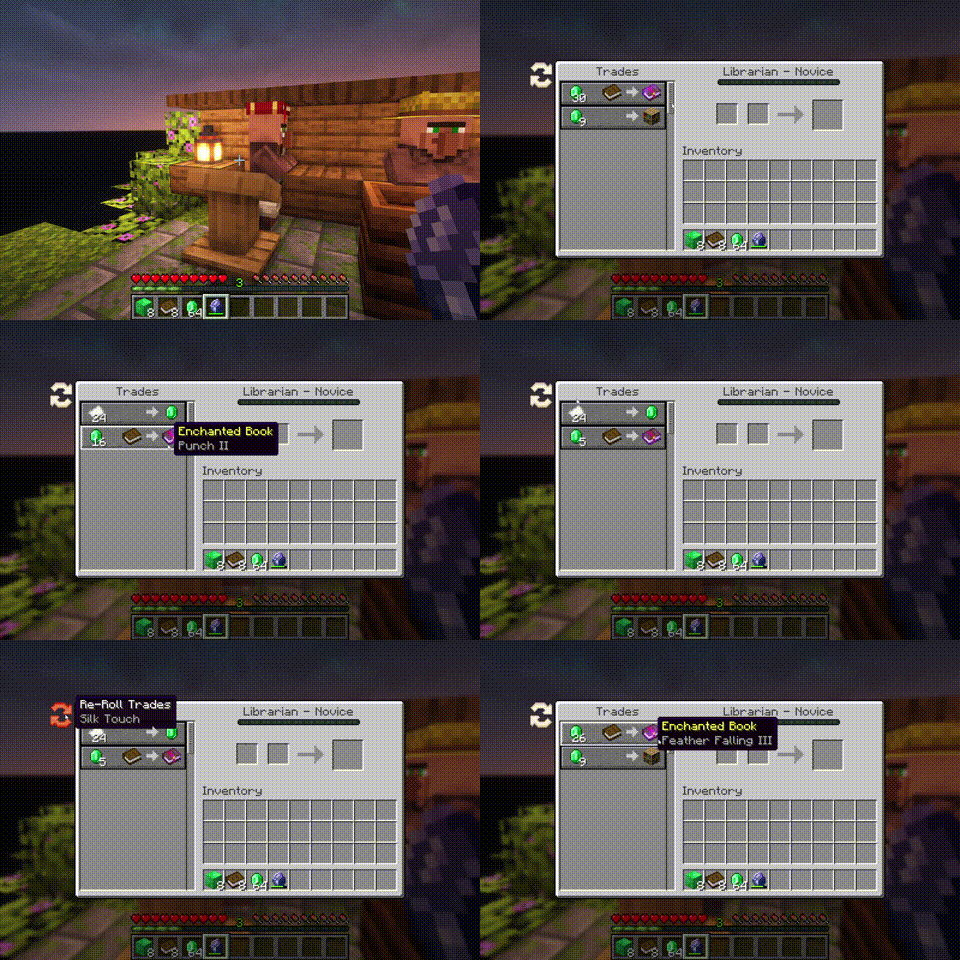
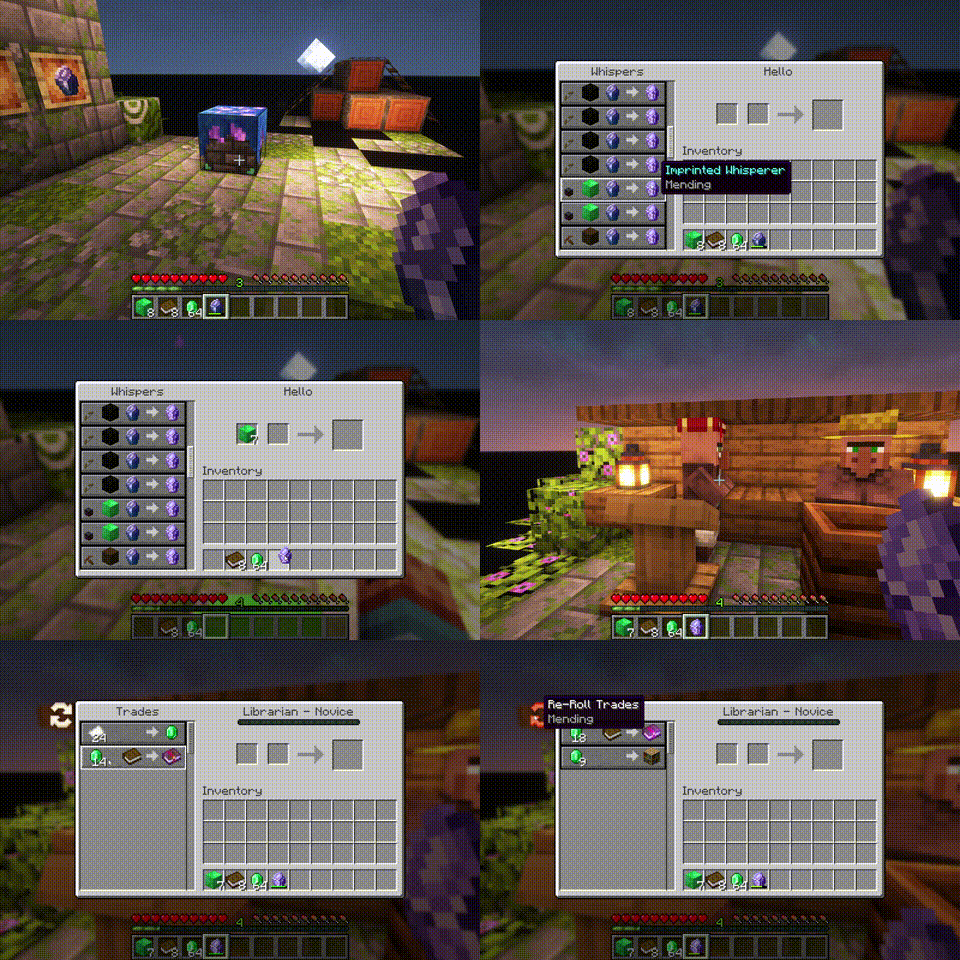
You can Whisper to your Villagers now. If a Villager is untrained, a whisperer of yours will force it to choose another set of initial trades. [more]
|
| |
 |
|
Imprinted Whispers:
If you imprint a Whisper with an enchantment, Librarians will offer only trades that include the imprinted enchanted book. [more]
|
| |
 |
|
Slabs, Stairs and Walls:
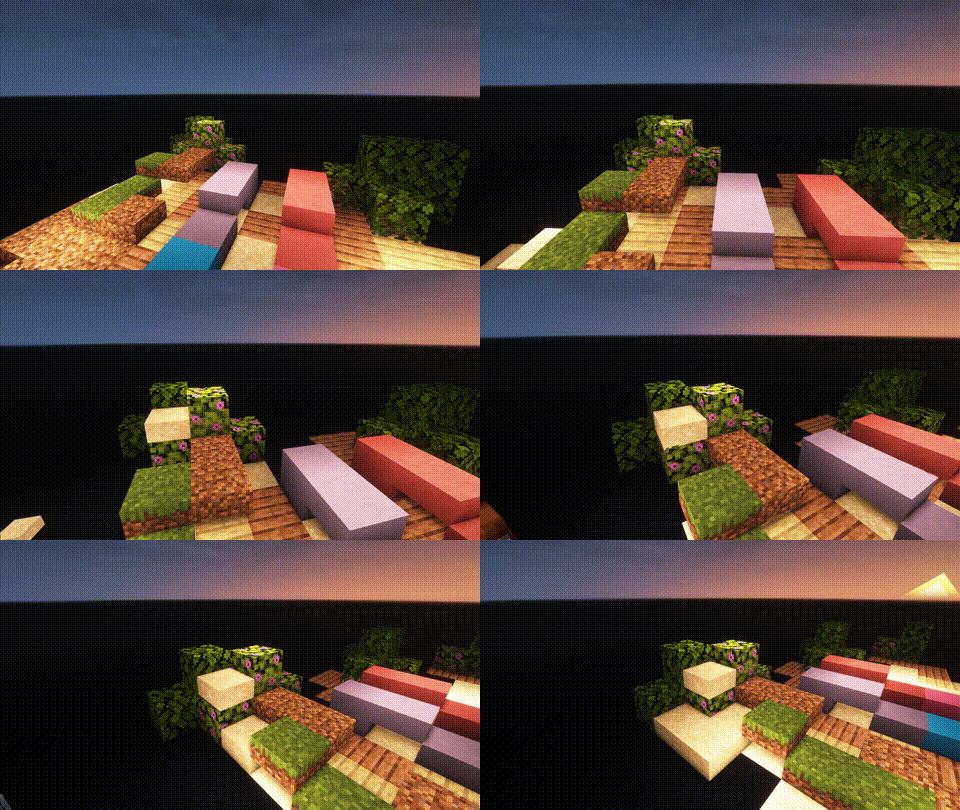
Slabs, Stairs and Walls that are missing from the vanilla game. Our Slabs include Gras, Dirt, Dirt Paths, Coars Dirt, (Red-)Sand, Concrete, Terracotta, Wool and Glas. Sand Slabs will fall and Gras will spread to Dirt-Slabs. Stairs and Walls are currently limited to Concrete, Wool and Terracotta. There are also Walls for vanilla wood types.
|
| |
 |
|
Wunderkiste:
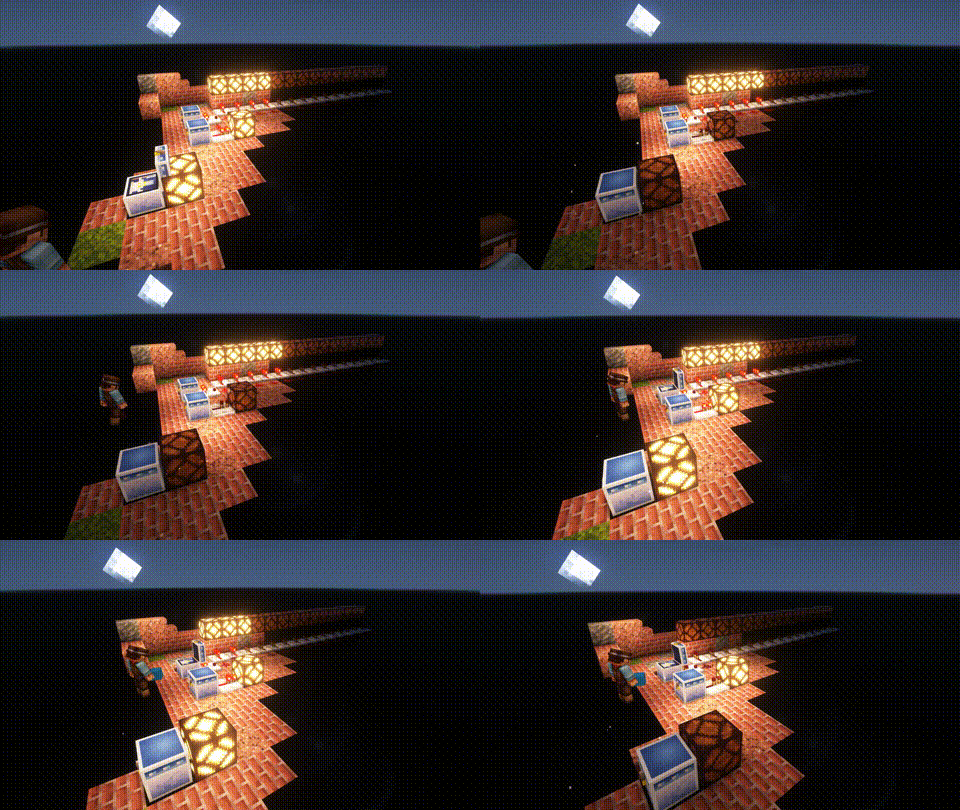
One shared Storrage for everyone in your world. Every Wunderkiste in the world shares the same inevenory across Dimensions. Redstone updates are sent to every single one in real-time. That is why a Wunderkiste doubles as an inter-dimensional chunk loader.
By using dye on a Wunderkiste or naming it on an anvil, you can change the storage network. Wunderkisten of the same color share the same inventory. [more]
|
| |
 |
|
Named Monsters:
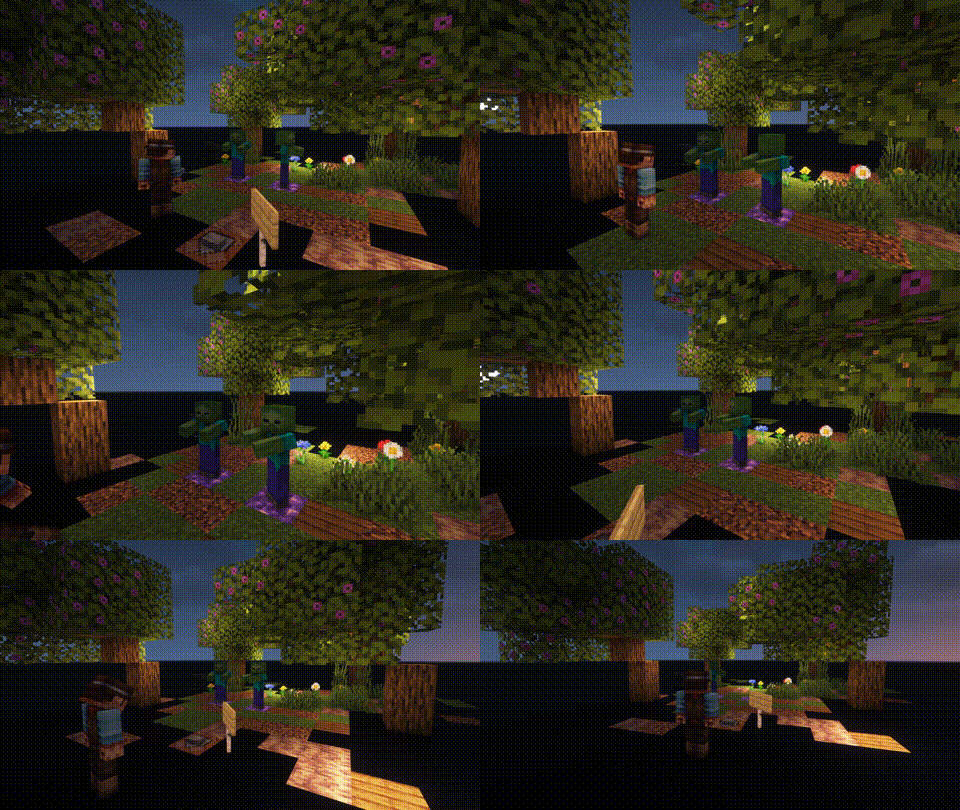
If you name a Monster using a Name-Tag, it will not de-spawn when you switch your game to peaceful. This is usefull, if you often need or want to switch back to peacfull and still be able to use mob farms that require hostile mobs (like endermites).
|


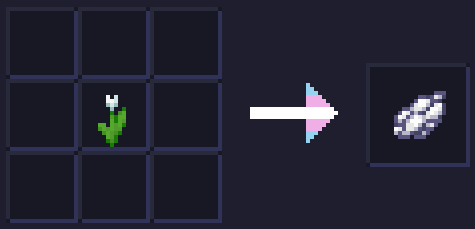
White Tulips Make White Dye
White Tulips Make White Dye replaces the recipe for making Light Gray Dye from White Tulips and crafts White Dye instead!
WorldGameRules
# WorldGameRules
A fabric mod to change all gamerules to be separate per world
## Commands
The vanilla gamerule command has been replaced with a custom command that requires a dimension.
The gamerule command requires `world-gamerules.commands.gamerule` or operator level 2.
– `/gamerule [dimension selector]` – Query the gamerule `` in all specified dimensions
– `/gamerule [dimension selector]` – Set the gamerule `` to `` in all specified dimensions
### Dimension selectors
Dimension selectors allow you to specify what dimensions should be queried / set
– `@all` – Selects all dimensions
– `@namespace ` – Selects dimensions with the specified namespace (eg. namespace `minecraft` selects `minecraft:overworld`, `minecraft:the_nether` and `minecraft:the_end`, but not `custom:dimension`)
– `@regex ` – Selects all dimensions, where the dimension id matches the [regex](https://regex101.com/)
– `` – To select a specific dimension
Wooden and Stone Type Tools
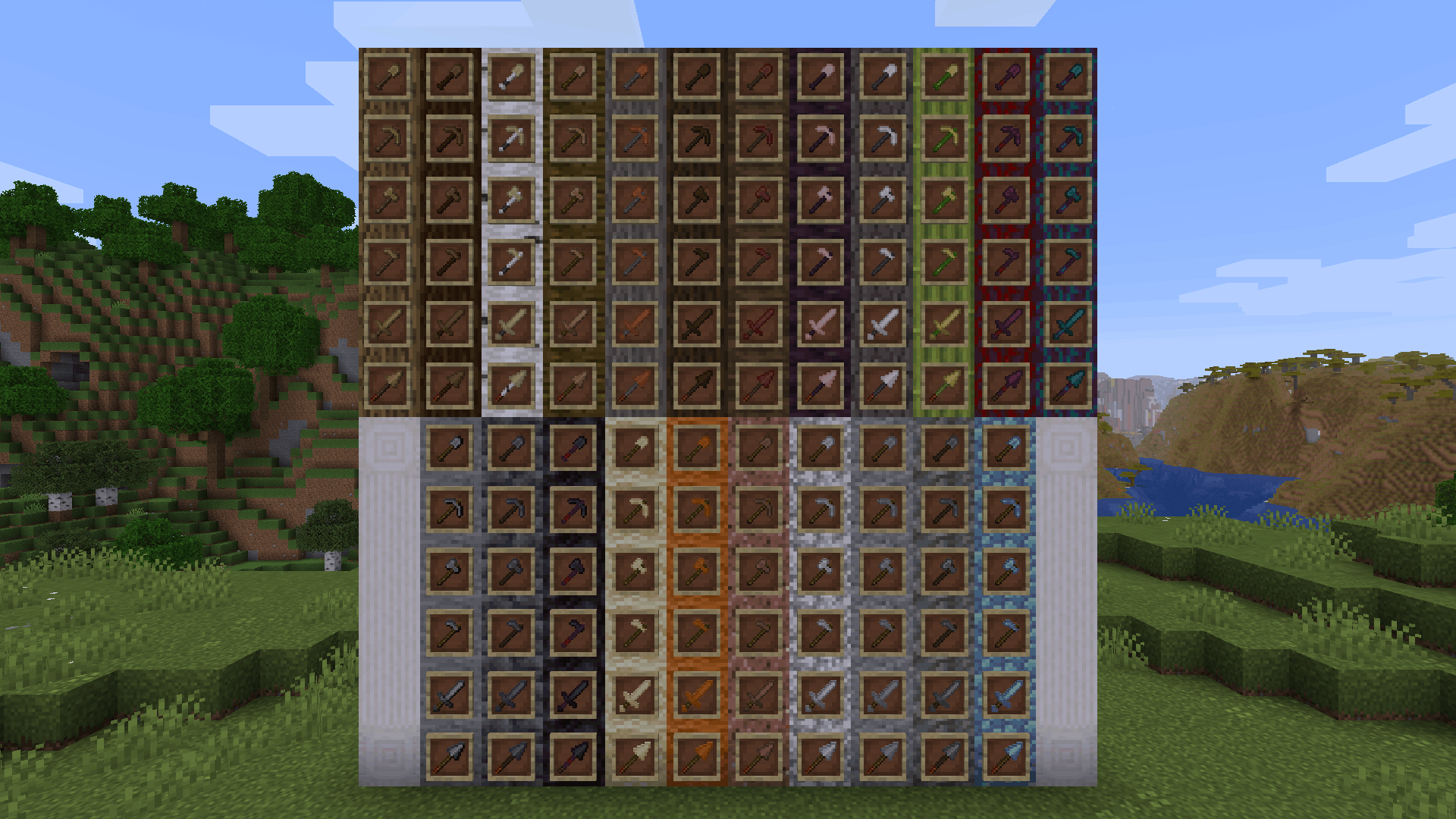
**Wooden and Stone Type Tools** lets you have wooden tools of all wood types and stone tools of many different stone types by renaming then in an anvil.
# Additions and Changes
* Adds many new textures for wooden and stone tools
* Default names for all wooden tools have been changed to “Oak [tool]”
* The default texture for all wooden tools have been changed to appear more oak-ish to reflect this name change
# How to Use
Place a wooden or stone tool inside an anvil and rename it to one of the following:
Wooden Tool Names
* Spruce [tool]
* Birch [tool]
* Jungle [tool]
* Acacia [tool]
* Dark Oak [tool]
* Mangrove [tool]
* Cherry [tool]
* Pale Oak [tool]
* Bamboo [tool]
* Crimson [tool]
* Warped [tool]
Stone Tool Names
* Deepslate [tool]
* Blackstone [tool]
* Sandstone [tool]
* Red Sandstone [tool]
* Granite [tool]
* Diorite [tool]
* Andesite [tool]
* Tuff [tool]
* Prismarine [tool]
Check out the gallery to see examples of each wood and stone type.
# Different Languages!
I saw that the model .json files allowed for a list of different strings to produce the same result, meaning I could add support for different languages. Open the list below to see the 100+ languages besides American English that you can use this resource pack in. If you’d like to correct any translations (because I am *confident* that I botched at least one of these) or provide your own for any languages not on this list, contact me at [email protected] or click [here.](https://crowdin.com/project/minecraft)
Supported Languages
* العربية (Arabic)
* Azərbaycanca (Azerbaijani)
* Boarisch (Bavarian)
* Беларуская кірыліца (Cyrillic Belarusian)
* Biełaruskaja łacinka (Latin Belarusian)
* Български (Bulgarian)
* Brezhoneg (Breton)
* Braobans (Brabantian)
* Català (Catalan)
* Čeština (Czech)
* Чӑвашла (Chuvash)
* Cymraeg (Welsh)
* Dansk (Danish)
* Deitsch (Austrian German)
* Schwiizerdütsch (Swiss German)
* Deutsch (German)
* Ελληνικά (Greek)
* Australian English
* British English
* Canadian English
* New Zealand English
* Pirate Speak
* ɥsᴉꞁᵷuƎ uʍoᗡ ǝpᴉsd∩
* Anglish (Modern English minus loanwords)
* Shakespearean English (Early Modern English)
* Esperanto (Constructed language created by L. L. Zamenhof)
* Español argentino (Argentine Spanish)
* Español chileno (Chilean Spanish)
* Español ecuatoriano (Ecuadorian Spanish)
* Español (European Spanish)
* Español mexicano (Mexican Spanish)
* Español uruguayo (Uruguayan Spanish)
* Español venezolano (Venezuelan Spanish)
* Andalûh (Andalusian)
* Eesti keel (Estonian)
* Euskara (Basque)
* فارسی (Persian)
* Suomi (Finnish)
* Filipino (hulaan ang wika)
* Français canadien (Canadian French)
* Français de Suisse (Swiss French)
* Français (Metropolitan French)
* Furlan (Friulian)
* Gaeilge (Irish)
* Galego (Galician)
* Galo (Gallo)
* Галицка (Halychian)
* ʻŌlelo Hawaiʻi (Hawaiian)
* עִברִית (Hebrew)
* हिंदी (Hindi)
* Høgnorsk (High Norwegian)
* Hrvatski (Croatian)
* Magyar (Hungarian)
* Հայերեն (Armenian)
* Bahasa Indonesia (Indonesian)
* Íslenska (Icelandic)
* Italiano (Italian)
* 日本語 (Japanese)
* la .lojban. (Lojban, constructed language)
* ქართული (Georgian)
* Қазақша (Kazakh)
* 한국어 (Korean)
* Kölsch/Ripoarisch (Kölsch/Ripuarian)
* Kernewek (Cornish)
* Кыргызча (Kyrgyz)
* Latina (Latin)
* Lëtzebuergesch (Luxembourgish)
* LOLCAT
* Lietuvių (Lithuanian)
* Latviešu (Latvian)
* 文言 (Literary Chinese)
* Монгол (Mongolian)
* Bahasa Melayu (Malay, Latin script)
* Malti (Maltese)
* Mēxikatlahtōlli (Nahuatl)
* Vlaams (Flemish Dutch)
* Nederlands (Dutch)
* Norsk nynorsk (Nynorsk Norwegian)
* Norsk bokmål (Bokmål Norwegian)
* Övdalska (Elfdalian)
* Polski (Polish)
* Ngiiwa (Popoloca)
* Português brasileiro (Brazilian Portuguese)
* Português (European Portuguese)
* Cántabru/Montañés (Cantabrian)
* Bahasa Indonesia edjaän lama (Pre-reform spelling Indonesian)
* Quenya (Constructed language created by J. R. R. Tolkien)
* Română (Romanian)
* Русскій дореформенный (Pre-revolutionary Russian)
* Русский (Russian)
* Руснацькый (Rusyn)
* Сахалыы (Yakut)
* Davvisámegiella (Northern Sámi)
* Slovenčina (Slovak)
* Slovenščina (Slovenian)
* Shqip (Albanian)
* Svenska (Swedish)
* Säggs’sch (Upper Saxon German)
* Ślōnski (Silesian)
* ไทย (Thai)
* Tagalog (hulaan ang wika)
* tlhIngan Hol (Klingon, constructed language created by Marc Okrand)
* toki pona (Constructed language created by Sonja Lang)
* Türkçe (Turkish)
* Татарча (Tatar)
* Bats’i k’op (Tzotzil)
* Українська (Ukrainian)
* O’zbekcha (Uzbek)
* Català valencià (Valencian)
* Tiếng Việt (Vietnamese)
* Viossa (Constructed language created by [the conlangs subreddit](https://www.reddit.com/r/conlangs/))
* Võro kiil (Voro)
* 简体中文 (Simplified Chinese)
* 繁體中文香港 (Traditional Chinese, Hong Kong)
* 繁體中文台灣 (Traditional Chinese, Taiwan)
* بهاس ملايو (Jawi Malay)
WobblyDistortion
## WobblyDistortion
This shader uses “`sin“`, “`cos“` and other functions to change vertices positions to make it look wobbly when you move.
May look like a fuzzy AI-generated video in some cases.
Minecraft version: 1.21.11+
## Video
### Config
You can configure shader in the “`assets/minecraft/shaders/include/distortion_config.glsl“` file
Config lines:
“`
// config
#define GAME_TIME_SCALE 5000.0 // How fast distortion of the world goes on its own
#define DISTORTION_MULTIPLIER 0.05 // Just basic multiplier for sin() and cos()
#define MAX_DISTORTION_MULTIPLIER 4.0 // How far can be offset vertex from original point (per axis)
#define COS_FREQ 1.0 // cos() frequency
#define SIN_FREQ 1.0 // sin() frequency
#define DISTORTION_START_DISTANCE 0.0 // how far from camera distortion starts
#define DISTORTION_SMOOTHING_DISTANCE 5.0 // how far from camera distortion can reach its max value
“`
Below you’ll see some presets, I wanted to add compatibility with respackopts… But couldn’t handle it
WingAuth

[
](https://github.com/Elytrium)
# WingAuth
WingAuth is a modern Velocity authentication plugin for offline/hybrid networks.
## How it works
It runs login/register protection before players reach backend servers, using a Limbo-based auth flow.
Designed for server admins who want strong account protection with flexible setup.
## Key features
– Velocity-only architecture (runs the login on a virtual world)
– Session handling and brute-force protection
– Premium/hybrid and Floodgate-compatible scenarios (Bedrock support)
– Configurable messages and behavior
– Database-backed account storage (legacy-compatible migration path)
Windows 8-11 aero busy crosshair
### This resourse pack was ONLY made for
– changing your crosshair
### Features
– Animated
– Customizable (Read file in assets folders)
### Preview of crosshairs (Use dark mode)


Both of those images can be made to be active to be in the pack
if you ever want change your crosshair then un-zip the zip file then go into the last of the assets folders.
Also make sure you didn’t forget to read the file.
(IMPORTANT!)
### IMPORTANT NOTICE :
We will not make versions for this pack before 1.20.2 (Support might be added for 1.20 and 1.20.1)
WI Zoom
# WI Zoom (Wurst-Imperium Zoom)
The WI Zoom Minecraft mod lets you zoom in and out with the mouse wheel, providing up to 50x magnification without the need for a spyglass. This mod is fully compatible with OptiFine and Sodium, but unlike OptiFine’s zoom, WI Zoom lets the camera move in a logical way, without making it wobble around. WI Zoom supports all of the latest Minecraft versions, including snapshots.

## Features
– Up to 50x zoom!
– No spyglass needed!
– Zoom in and out with the mouse wheel!
– No wobbly camera nonsense!
– Dynamic mouse sensitivity! (since v1.1)
– Fully compatible with OptiFine / Sodium!
## How To Zoom
Hold down the V key to activate the zoom (this keybind can be changed).
While zooming, you can use the mouse wheel to zoom in further.
## Changing The Zoom Keybind
How to change the keybind (click to expand)
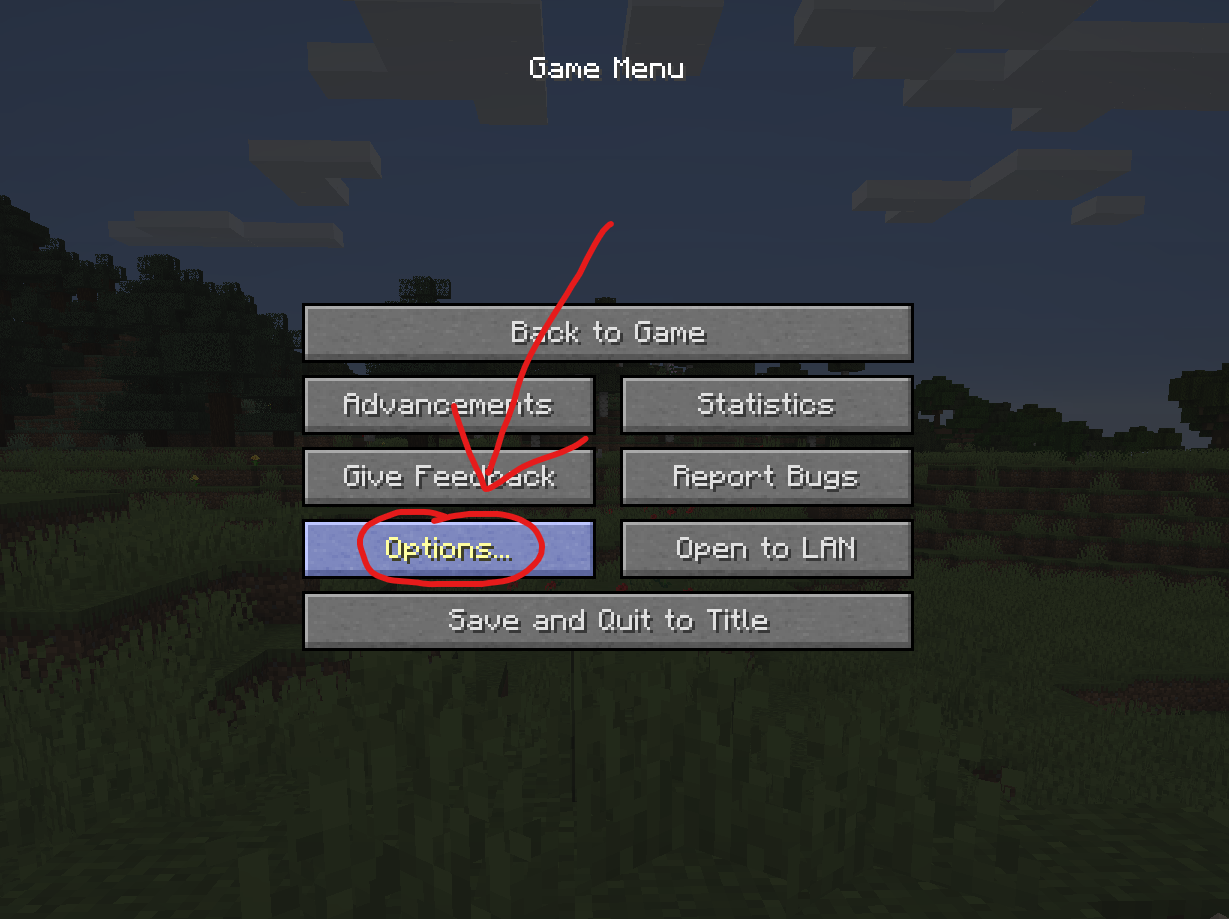
In the pause menu, click on “Options…”.
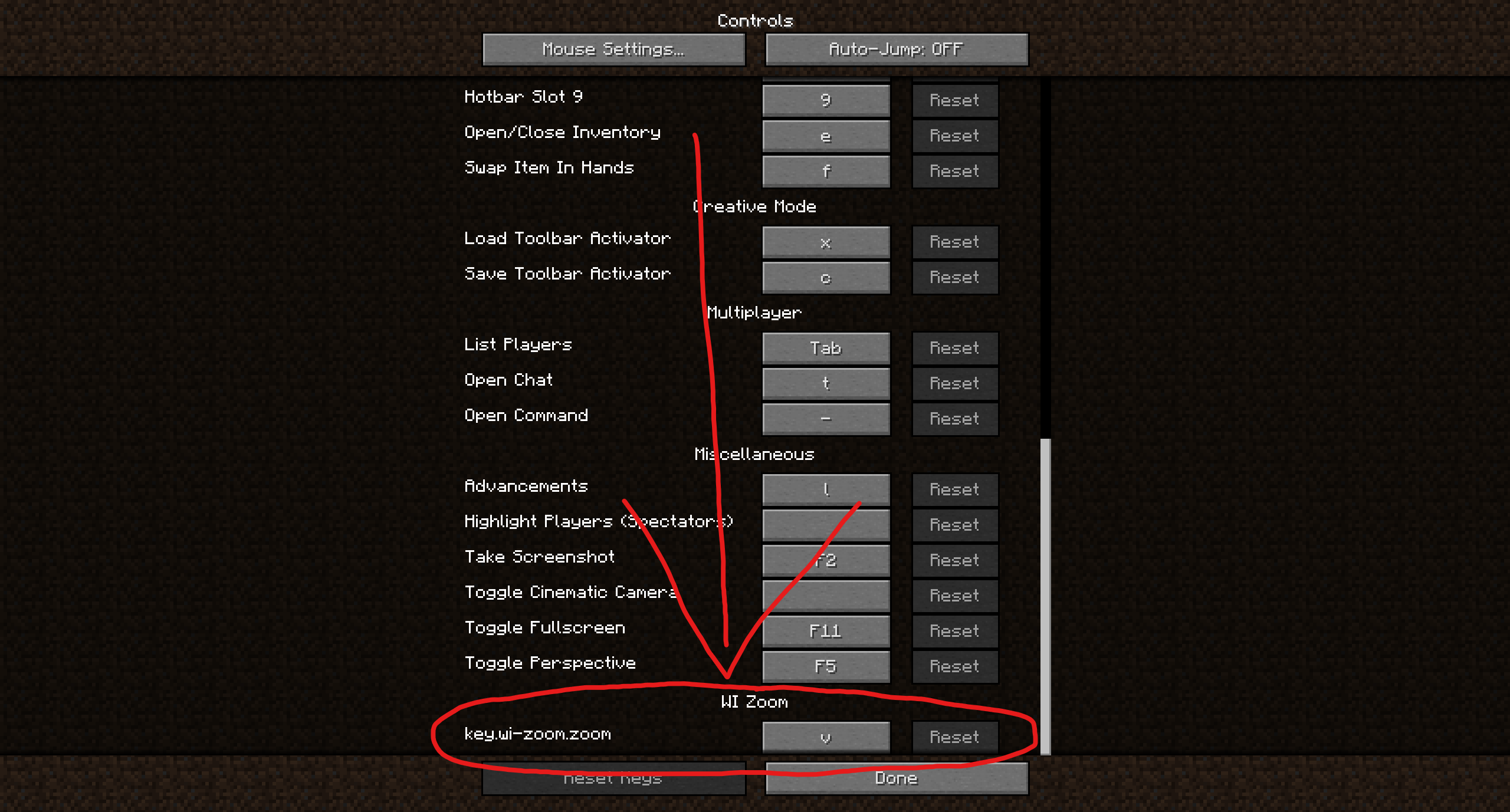
In the Options menu, click on “Controls…”.

In the Controls menu, scroll down to the “WI Zoom” section. If you don’t have any other mods installed, you will find this section at the very bottom.
## Supported Languages
– Azerbaijani (Azerbaijan) (since v1.5)
– Chinese (Simplified/Mainland) (since v1.4)
– Chinese (Traditional/Taiwan) (since v1.4)
– Cantonese (Hong Kong) (since v1.4)
– Classical Chinese (since v1.4)
– Dutch (Netherlands) (since v1.5)
– English (US)
– Estonian (Estonia) (since v1.4)
– French (France) (since v1.4)
– German (Germany)
– Kurdish (since v1.5)
– Portuguese (Brazil) (since v1.5)
– Russian (Russia) (since v1.3)
– Turkish (Turkey) (since v1.5)
– Ukrainian (Ukraine) (since v1.5)
White Iron Ore
# White iron ore
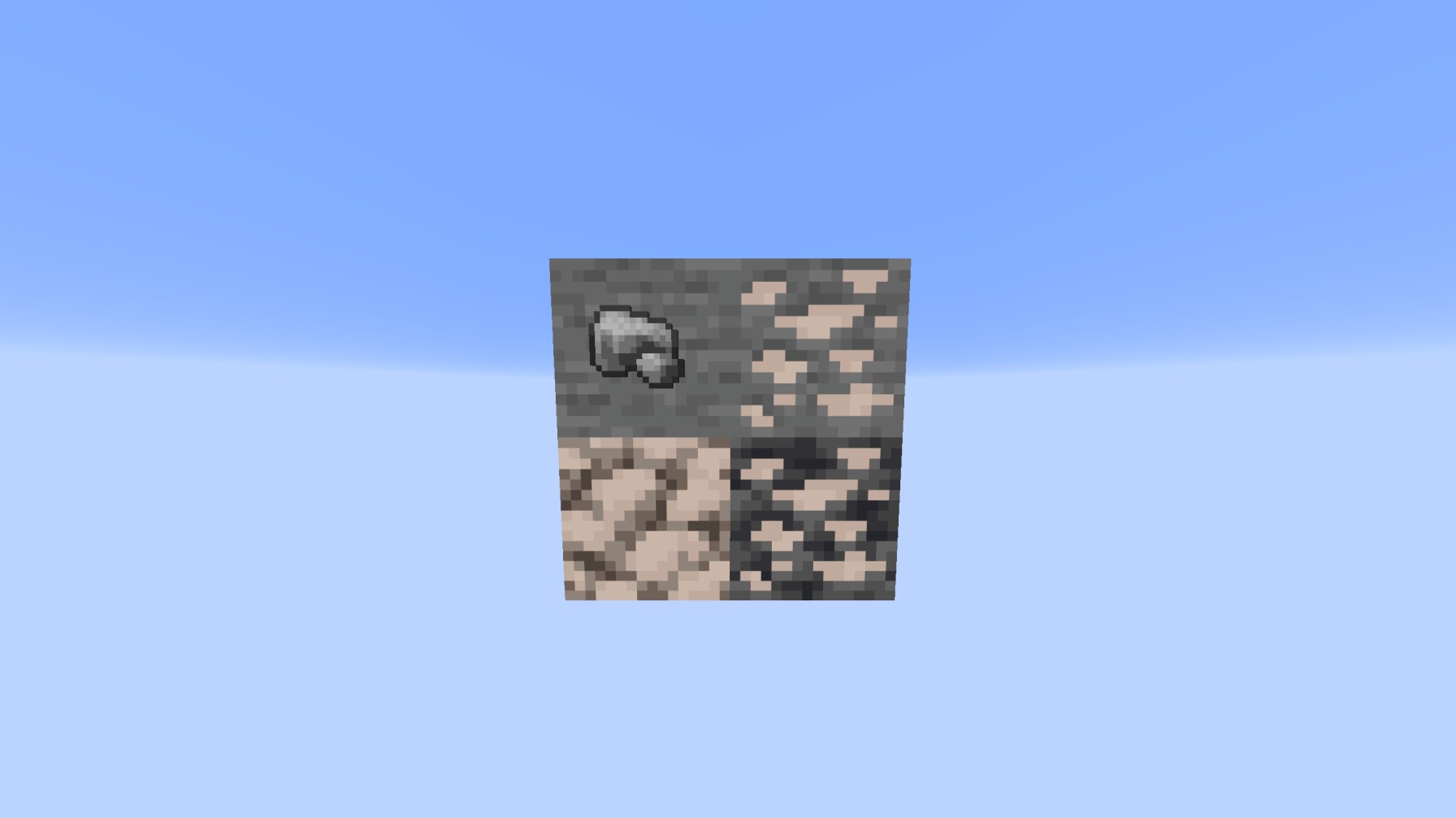
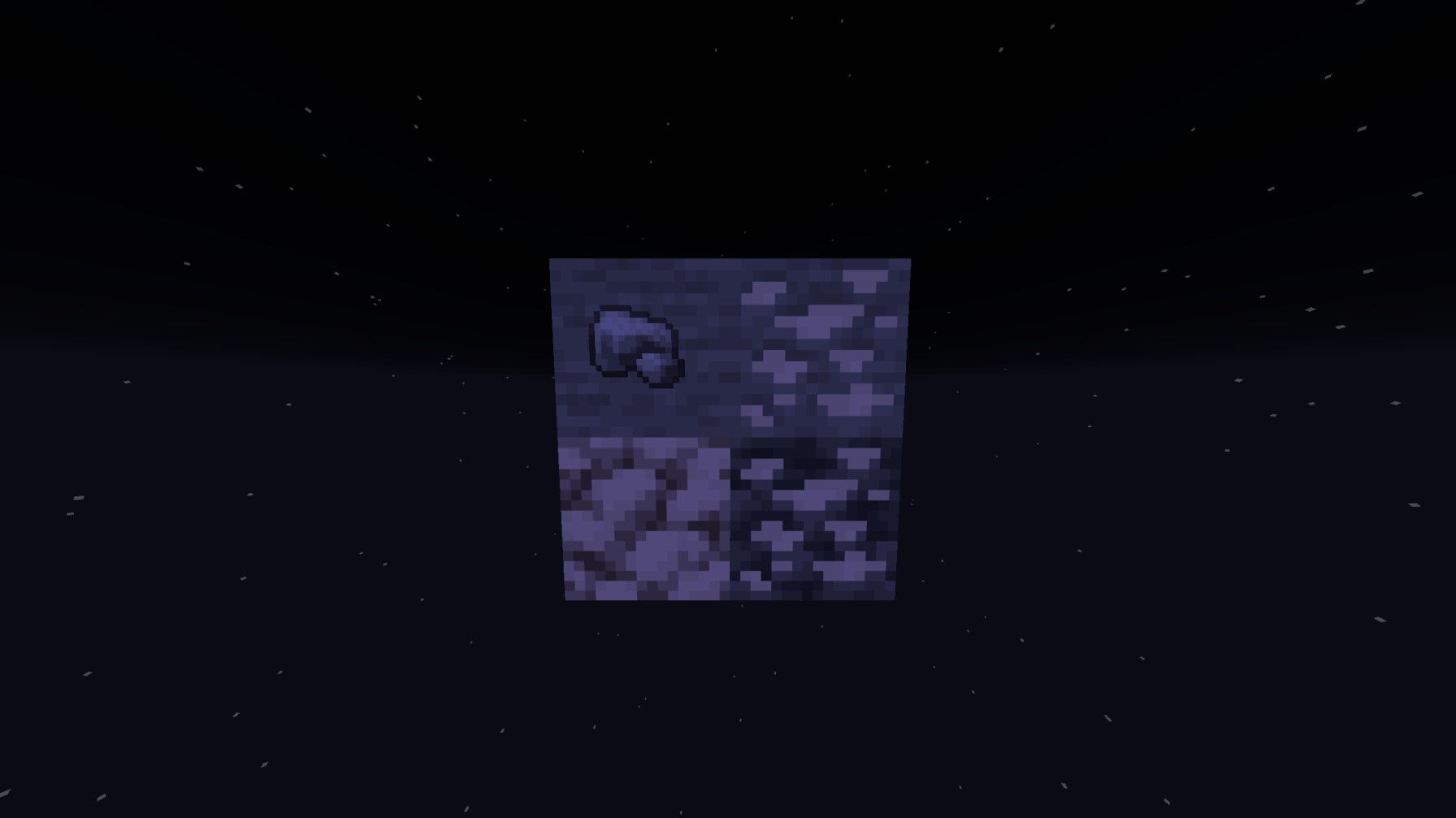
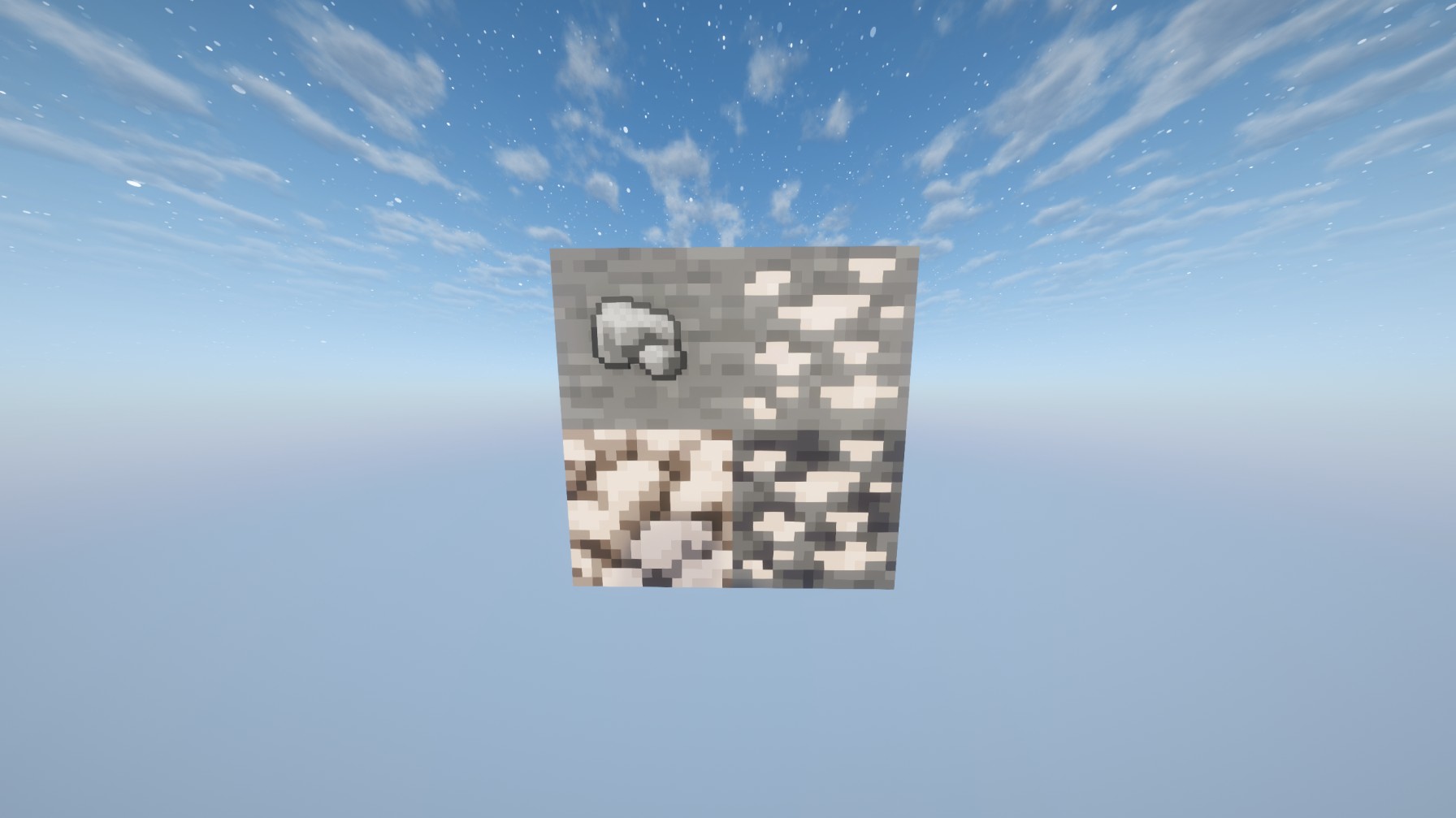
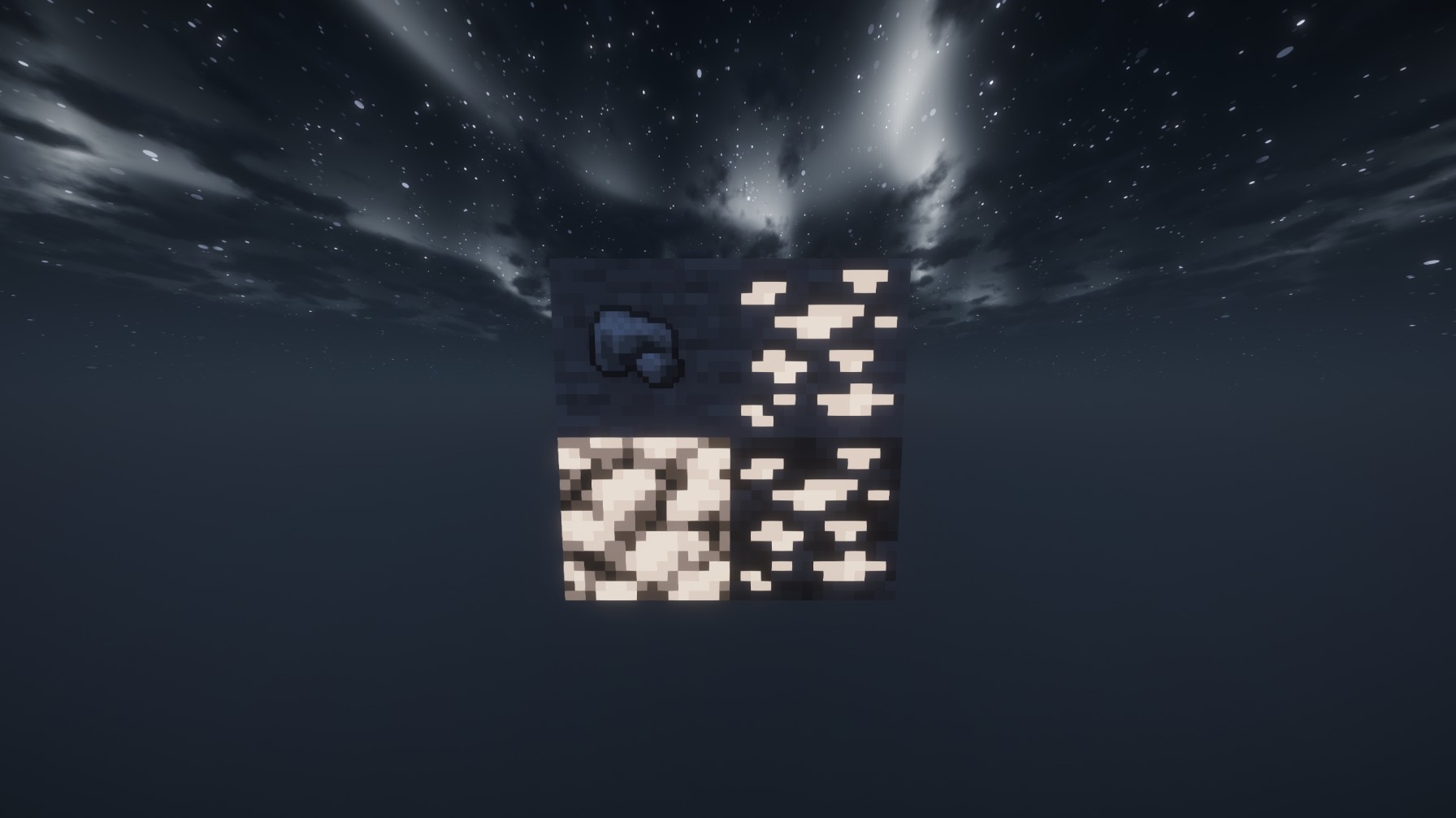
**This resource pack actually glow’s with your shaders so the iron will glow white unlike other white or accurate iron textures, this will ALSO replace the Block of raw iron AND the raw iron unlike others!**
Preview WITH shaders
Preview WITHOUT shaders: