Full White Quartz
Retextures the Block of Quartz to a Full-White Texture. Perfect for photos.

Retextures the Block of Quartz to a Full-White Texture. Perfect for photos.

This data pack serves as a library for many Qrazy data packs and provides some helpful utils for data pack developers such as myself.
## Enchantment-driven multi-slot items
Ever want to create a full-body armor set or a two-handed weapon in just one item? This pack makes it easy. Using enchantment tags, you can make a single item take up more than one slot with several different customizable functions.
Armor sets and two-handers are tied to enchantments, not to items. This means that an armor set or two-hander enchantment will function the same way when applied to any given item (although items do have to be equippable on the legs for armor sets to work).
To get started, create a new enchantment. For the armor set to function properly, you need to follow a couple guidelines:
qrazy:armor_set/master/tick once per tick.legs. Armor sets are only designed to use the legs slot, and using any other slot may have unpredictable consequences.Beyond that, you can customize the enchantment all you want. It can have any description, any supported items, any other effects, etc., as long as you comply with the guidelines above.
After you’ve created your enchantment, you need to decide which slots it should replace. Armor set items always go in the legs slot, and they can replace the head, chest, and/or feet slots. To make an armor set replace a slot, add it to the corresponding enchantment tag.
For the head slot: #qrazy:armor_set/replaces_slot/head (data/qrazy/tags/enchantment/armor_set/replaces_slot/head.json)
For the chest slot: #qrazy:armor_set/replaces_slot/chest (data/qrazy/tags/enchantment/armor_set/replaces_slot/chest.json)
For the feet slot: #qrazy:armor_set/replaces_slot/feet (data/qrazy/tags/enchantment/armor_set/replaces_slot/feet.json)
🚧 UNDER CONSTRUCTION 🚧
For files you can copy and paste into your own data pack and modify to your liking, download the file “`qrazy_templates.zip“` included in the downloads for versions 1.1.0 and above.
## Other utils
This pack also adds a few simple utils to make developers’ lives easier.
### Find an entity from its UUID
Run “`function qrazy:get_uuid {input: [array UUID], command: “(command to execute)”}“` to find the owner of a UUID represented as an integer array, as they are often stored in NBT (such as a mob’s Owner tag). The “`command“` argument specifies the command to be executed by the entity found by the function.
/function qrazy:get_uuid {input: [0, 1, 2, 3], command: "say hi"}### Get the name of an entity
Run “`/function qrazy:get_entity_name {output_path: “(block
/function qrazy:get_entity_name {output_path: "storage qrazy:foo bar.baz"}Output in storage
qrazy:foo:{ bar: { baz: (the executor's name in text component form) } }
### Get the type of an entity
Run “`/function qrazy:get_entity_id {output_path: “(block
/execute as @n[type=pig] run function qrazy:get_entity_id {output_path: "storage qrazy:foo bar.baz"}Output in storage
qrazy:foo:{ bar: { baz: "minecraft:pig" } }
### Get the string UUID of an entity
Run “`/function qrazy:get_string_uuid {output_path: “(block
/function qrazy:get_string_uuid {output_path: "storage qrazy:foo bar.baz"}Output in storage
qrazy:foo:{ bar: { baz: (the executor's hex UUID or username) } }
### Get the position of a command’s execution
Run “`function qrazy:store_position/(nbt|scoreboard) {output_path: “(block
/execute positioned 1.1 2.2 3.3 run function qrazy:store_position/nbt {output_path: "storage qrazy:foo bar.baz"}Output in storage
qrazy:foo:{ bar: { baz_x: 1.1d, baz_y: 2.2d, baz_z: 3.3d } }
/execute positioned 1.1 2.2 3.3 run function qrazy:store_position/scoreboard {output_score: "@s qrazy.foo"}Output scores:
qrazy.foo.x= 1
qrazy.foo.y= 2
qrazy.foo.z= 3
### Convert integer color to hex code
Run “`function qrazy:integer_color_to_hex {integer_color: (integer color), output_path: “(block
/function qrazy:integer_color_to_hex {integer_color: 11259375, output_path: "storage qrazy:foo bar.baz"}Output in storage
qrazy:foo:{ bar: { baz_r16: "A", baz_r1: "B", baz_g16: "C", baz_g1: "D", baz_b16: "E", baz_b1: "F", } }
### Apply specific numbers of durability damage to any item
Run “`function qrazy:damage_item_not_normalized {item_damage: (number of durability points), slot_path: “(block
/function qrazy:damage_item_not_normalized {item_damage: 5, slot_path: "entity @s weapon.mainhand"}Decreases the durability of your mainhand item by 5, regardless of its maximum durability.
### Store NBT as a text component
Run “`function qrazy:nbt_to_text {source: “(block|entity|storage)”, block: “(
/function qrazy:nbt_to_text {source: "storage", block: "", entity: "", storage: "qrazy:foo", nbt: "map", output_path: "storage qrazy:bar map_text"}Input from storage
qrazy:foo:{ map: { some: "data", here: true } }
Output in storage
qrazy:bar:{ map_text: '{"some":"data","here":1b}' }
### Copy a specific item component between slots (1.21.5+)
Run “`function qrazy:copy_component {source_item_path: “(block
/function qrazy:copy_component {source_item_path: "entity @s weapon.mainhand", target_item_path: "entity @s weapon.offhand", component: "minecraft:enchantments"}Copies all enchantments from the executor’s mainhand item to their offhand item.
#### IGNORE “PACK IS NOT COMPATIBLE” ITS A BUG
##### everything will work perfectly fine its just mcmeta bug!
**Hey!** If you’re into Survival, SMP / PvP, this pack is made for you. It keeps everything clean, simple, and smooth and honestly, once you try PvP Essentials [Overlay], you’ll probably never want to play without it again.
It’s mainly an overlay, but you can use it alone too. Just drop it on top of any pack you like nothing gets changed except bow, crossbow, and a few more textures. This is the official PvP Essentials [Overlay], and you won’t find it anywhere else.
# Preview
#### Heads up! : The pack updates frequently depending on the newest update some visuals might be different.
## Features
– Bordered Ores
– Cleaner GUI
– Clearer Water
– Colored Bow Charge
– Colored Crossbow Charge
– Crop Growth Indicator
– Glass Bottom Boat
– Lower Shield
– Low Fire
– Less Obvious Bedrock
– No Bobber
– No Eating Particles
– No Explosion Particles
– No Fire Smoke
– No Nausea Overlay
– No Pumpkin Blur
– No Vignette
– Quieter Explosions
– Quieter Fire Tick
– Quieter Weather
– Redstone Tweaks
– Smaller Totems + Particles
– Smaller Utilities
– Seamless Glass
And More…
#
### Legal:
Textures by sz_co (1szco1). CC BY-SA. Use for personal projects only. Give credit and link to the original. Do not share without credit!
#
PvP Essentials [Overlay] © 2025 by sz_co is licensed under CC BY-SA 4.0


Hit me up on Discord if something’s broken: **sz_co**
Most particles will have a yellow background. The only exceptions are :
– Strength (orange)
– Slowness (greenish)
– Regeneration (red)
– Weakness (dark greenish)
– Luck (green)
– Fire resistance (orange)
– Water breathing (green)
– Swiftness (flashy green)
– Poison (greenish)
Every other potion effect are yellow tints.

**This resource pack improves the current crosshair and the block breaking animation for PvP!**
# 📥Installation:
This ressource pack improves the current crosshair and the block breaking animation for PvP! The pack is *made for* **all versions and snapshots between 1.6 and 26.1.1**.

# ✨Features:
Improves the current crosshair and the block breaking animation for PvP -> replaces them with a super assistive and useful crosshair and a loading bar block breaking animation!

# 🛠️Versioning:
This ressource pack uses the following versioning system:
– **Base pack:** standard versioning + Minecraft version
– -> *e.g.* **v1.0-1.21.8, v2.4-v1.21.11,…**

Thanks to all the resource packs and their authors, who either licensed their projects under the MIT license or allowed me to use their resource packs!
– PvP Crosshair
– Loading Bar Breaking Animation Pack
Without these projects and their authors, PvP Crosshair & BBA Pack would not have been possible to make. **Special thanks!**
# 💘 Support me!
To help me and make me develop more fascinating projects, share and recommend this resourcepack. Thank you so much!!!
You can also try my other projects here or the projects me and Polr made here! 😀

Restyles various GUI elements including the in-game HUD. Features occasional plants.
Provides support/compatibility for the following mods:
– Appleskin
– Better Command Block UI
– Client Sort
– Controlify
– Dynamic Crosshair
– EMI
– Entity Model Features
– Entity Sound Features
– Entity Texture Features
– Figura
– Gamma Utils
– Iris
– ItemSwapper
– Jade
– Mod Menu
– No Chat Reports
– Origins
– Overflowing Bars
– Raised
– Sidekick
– WTHIT
Check out the gallery.
Unfinished. Leave feedback/suggestions at GitHub.
Only supports 1.20.2 and onwards. Versions earlier than 1.20.2 will not be supported.
Recommended for use alongside this resource pack (this pack is not endorsed by these creators, I just like their work):
– Caxton
– Atkinson Hyperlegible
– Geometric Font 2
– Lithos:Font
since i made a python script to make gifs into minecraft textures i wanted to make a cute crosshair so i made one out of a pusheen gif using my python script that makes GIF’s into spritesheets so u can have an animated texture in minecraft
—
This pack tries to remaster vanilla panoramas with Programmer Art and Programmer Art Fix, and to use the same map as vanilla if possible.
Please note that panoramas with no actual seed discovered can have a different scene from vanilla.


# Programmer Art Fixes
A collection of small fixes for programmer art.
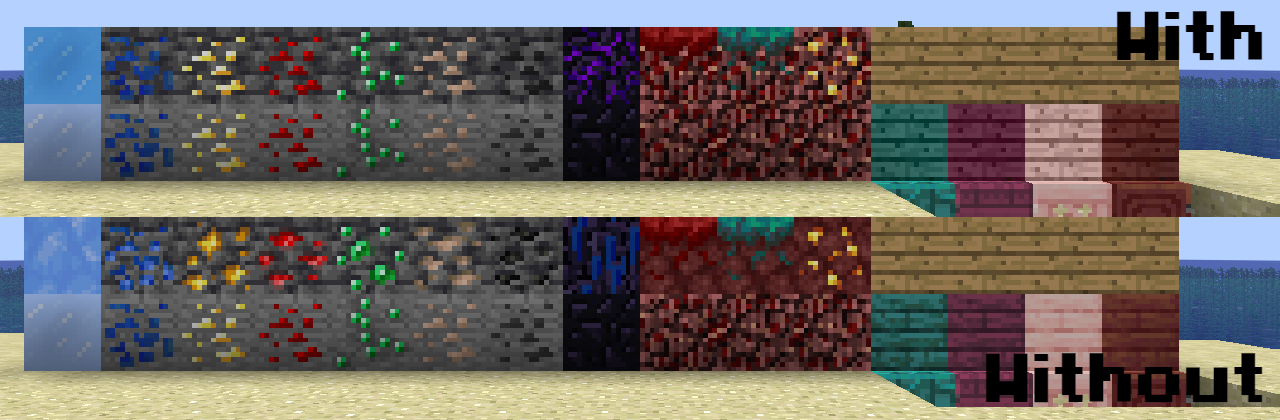
**Please note that you must enable Programmer Art alongside this resource pack!**
# Pridepack
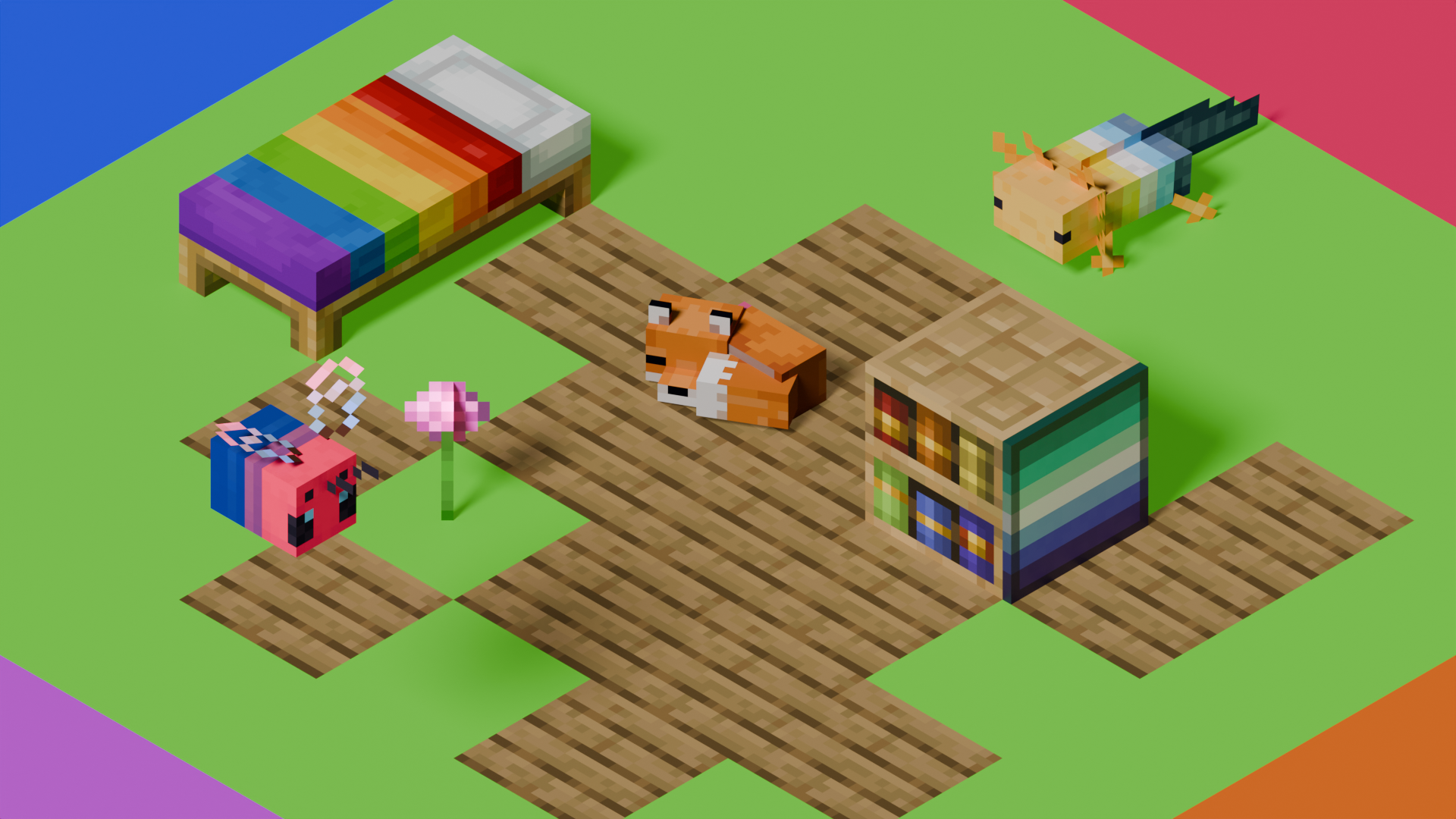
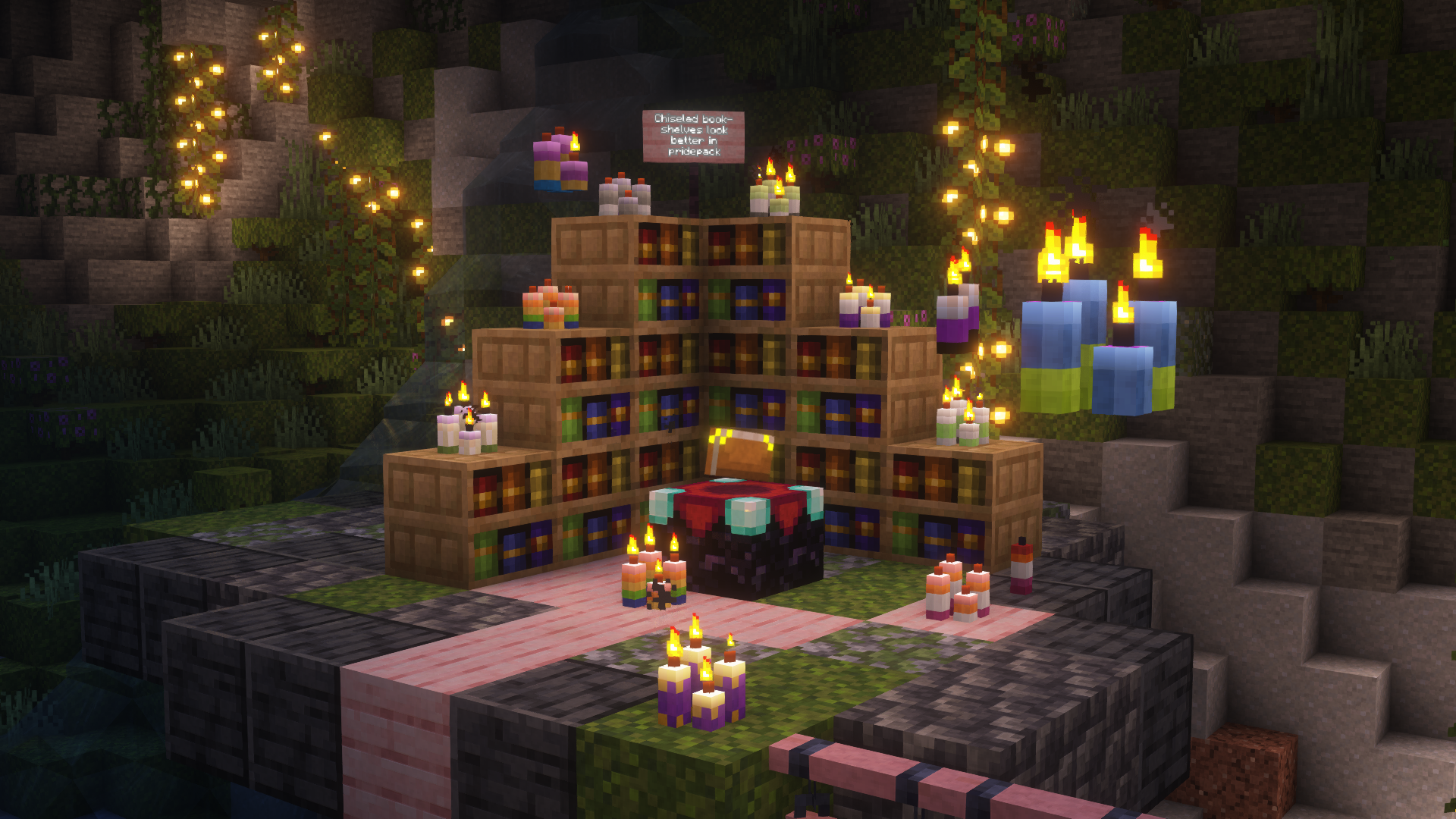
This is Pridepack, a Resource Pack made by Pridecraft Studios. It comes with many LGBT Pride additions, such as paintings, beds, mobs and Main Menu changes.
## Donate
You can support the developers of Pridecraft Studios by donating on Patreon

## Screenshots
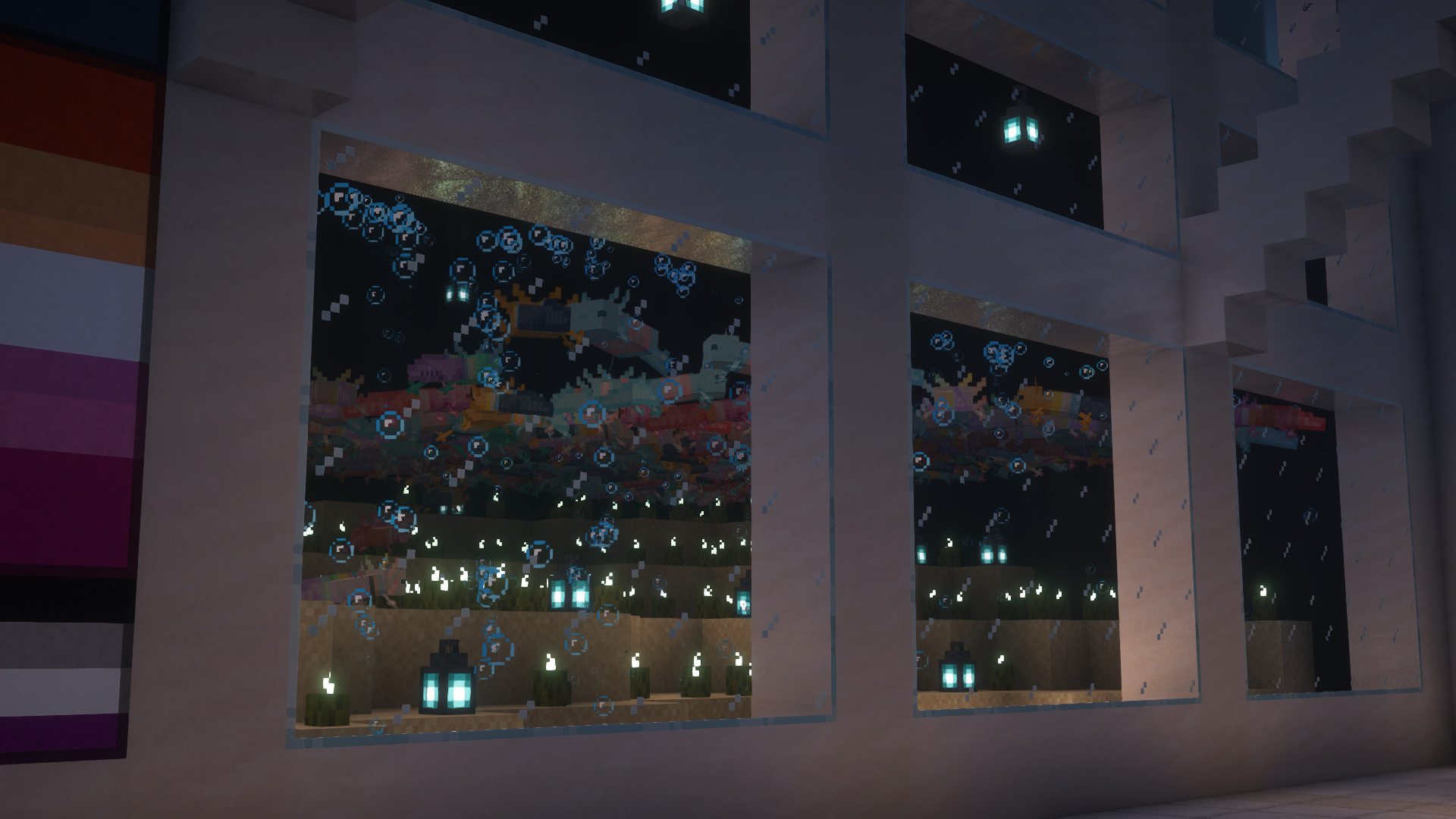
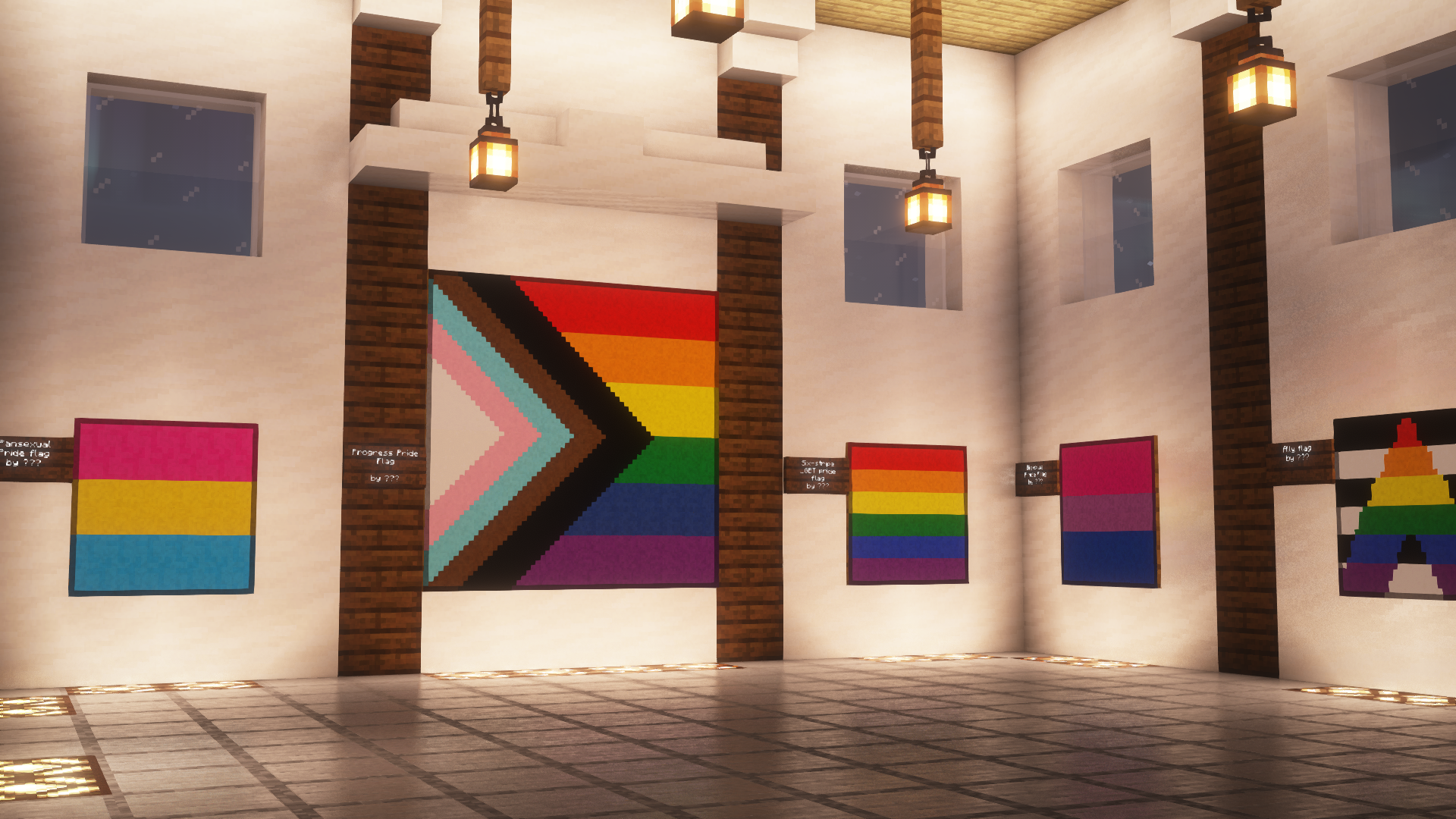
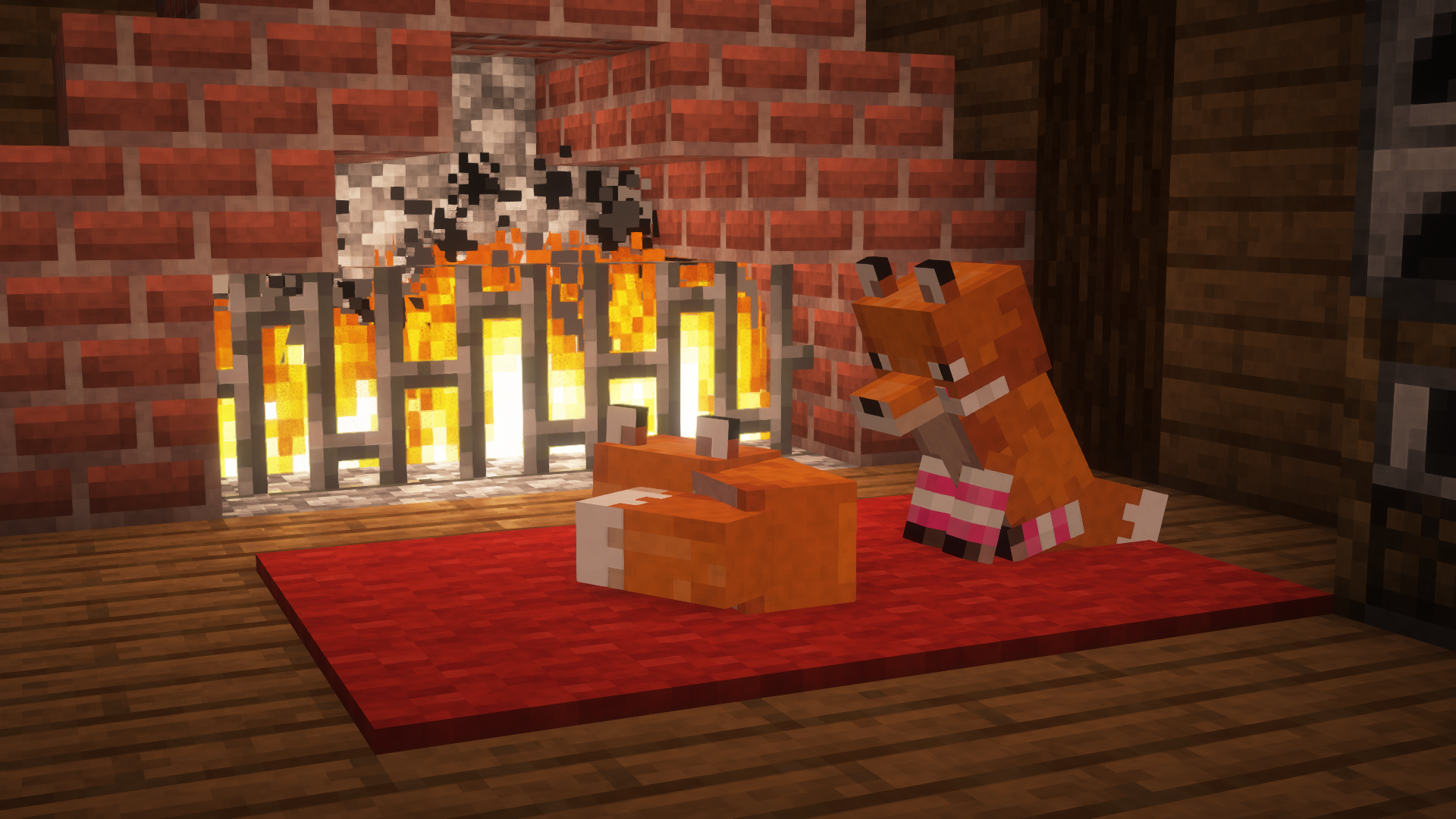
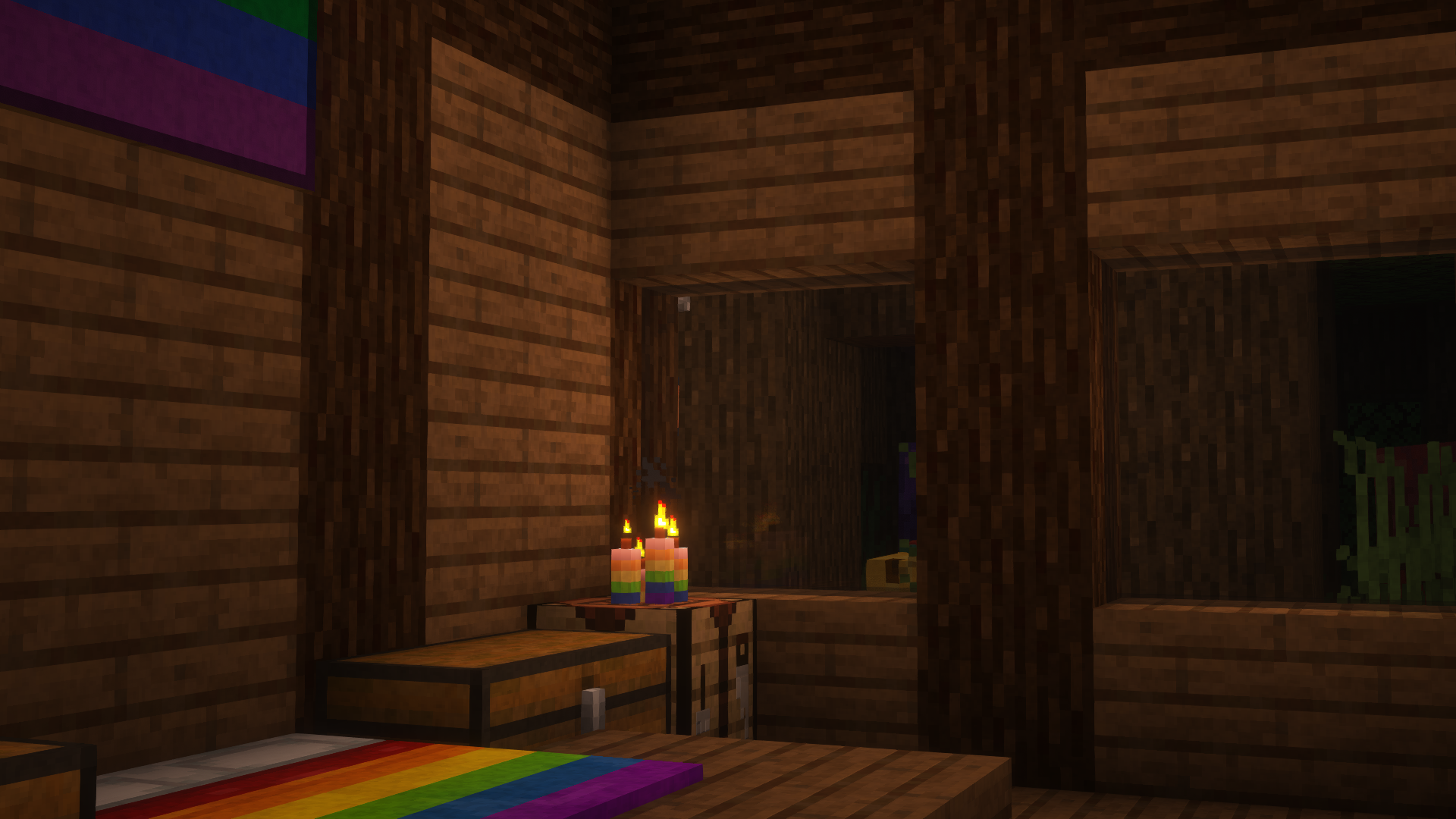
## Who
Pridecraft Studios is a collective modding group that creates resource packs, tooling, and our flagship mod, Joy. Our team of volunteers strive to create prideful content for the diverse Minecraft community <3. We target both Java and Bedrock editions, hoping to create memorable experiences for you.
## Other Downloads
  
## Socials


# Licenses
Pridepack by Pridecraft Studios is licensed under CC BY-SA 4.0 The soundtracks for Joy are licensed from lynndova, under different terms and are **not** distributed under CC BY-SA 4.0. See here for licensing terms. In short: If you are unsure if you may use the soundtracks or wish to license the soundtracks for your own use, contact lynndova using [their public email](mailto:[email protected]).
Assets license [CC BY-SA 4.0]


Music license [ARR + Permissions]
– You must provide credit to lynndova
– You can not reupload this soundtrack verbatim
– You may use this soundtrack under the fair use doctrine including but not limited to the following:
– Using this soundtrack in videos or streams



