What are the capabilities of this plugin? :
This plugin is designed to differentiate itself from other chat plugins that don’t require a dependency generator; this plugin allows you to…
**What does Chattogel do?**
You are able to deactivate the chat; for example, a player writes something in the chat, but you can’t see it. However, if you have ChatTogel enabled, you can still send messages.
**What does /msgtoggel do?**
/msgtoggel lets you toggle whether you want to receive private messages from players. I also have /msgblock in mind, but that will come later.
**What does msg or w do?**
/msg or /w is simply like the original Minecraft message. Msg is like typing in chat, but only to one person.
**What does /zmsg reload do?**
It simply reloads the configuration without having to stop the server.
**What does /msgalerts do?**
It allows you to see what players write in the message.
Has the Plugins Permission ?
Yes, of couse the permission is:
_**If you have any questions about the plugin, you can reach me at disord my username:**_
mrzitrroneog
zMItemsBuilder
# ⚔️ zMItemsBuilder | Advanced Item & Kit System
Take your Minecraft server to the next level with **zMItemsBuilder**, a powerful and flexible plugin designed to create fully customizable items, armor sets, tools, and scalable kits with ease.
—
## ✨ Features
* 🛡️ **Armor Sets**
* Automatically generate full armor sets (helmet, chestplate, leggings, boots)
* 🌐 **Multi-language Support**
* English & Spanish included
—
## 📦 What You Can Create
* Full armor kits with abilities (effects, stats, etc.)
* PvP/PvE progression systems with levels
* Crate rewards (keys, coins, special items)
* Store-exclusive items
* Restricted items (non-droppable, non-craftable, etc.)
* Fully customized server economies
—
## ⚙️ Kit System
* Group multiple items into kits
* Assign rarities for visual formatting
* Apply levels to scale item power dynamically
* Reuse items across different kits
—
## 🎮 Commands
* `/zmitems create `
* Crea un nuevo ítem base dentro del sistema.
* `` → ID interno del ítem (sin espacios)
* `` → Color en formato RGB para el prefijo visual
* `/zmitems reload` -> Reloaded items
PlayerManager is the ultimate solution for SMP servers that need flexible player data management. Allow players to **start fresh** without creating new accounts, and give admins **complete control** over player progression, inventories, advancements, and more!
## 📥 Installation
1. Download the latest version from [Modrinth](https://modrinth.com/project/playermanager)
2. Place `PlayerManager.jar` in your server’s `plugins` folder
3. Restart your server
4. Configure permissions in your permission plugin (LuckPerms, PermissionsEx, etc.)
5. Enjoy
—
## Main Feature in Detail
### Complete Player Reset
When you use `/pm reset `:
1. Clears inventory and ender chest
2. Resets health, food, and XP to default
3. Removes all advancements
4. Resets all statistics
5. Sets gamemode to survival
6. Teleports player to world spawn
7. Kicks player with a message
8. Player can rejoin and start completely fresh
—
## 🛠️ Requirements
– **Minecraft Version**: 1.21+
– **Server Software**: Spigot, Paper, Purpur, or any Spigot-based server
– **Java Version**: 17+
## With [zMenu+](https://www.spigotmc.org/resources/zmenu-premium-zmenu-addon.115533/) addon:
[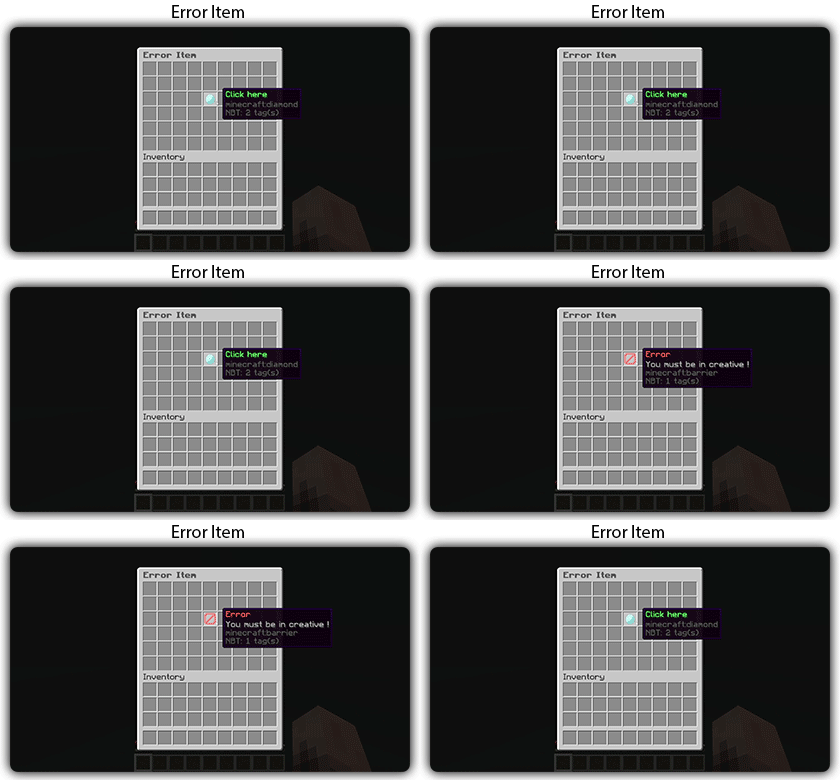](https://docs.zmenu.dev/configurations/buttons#error-item-zmenu)
[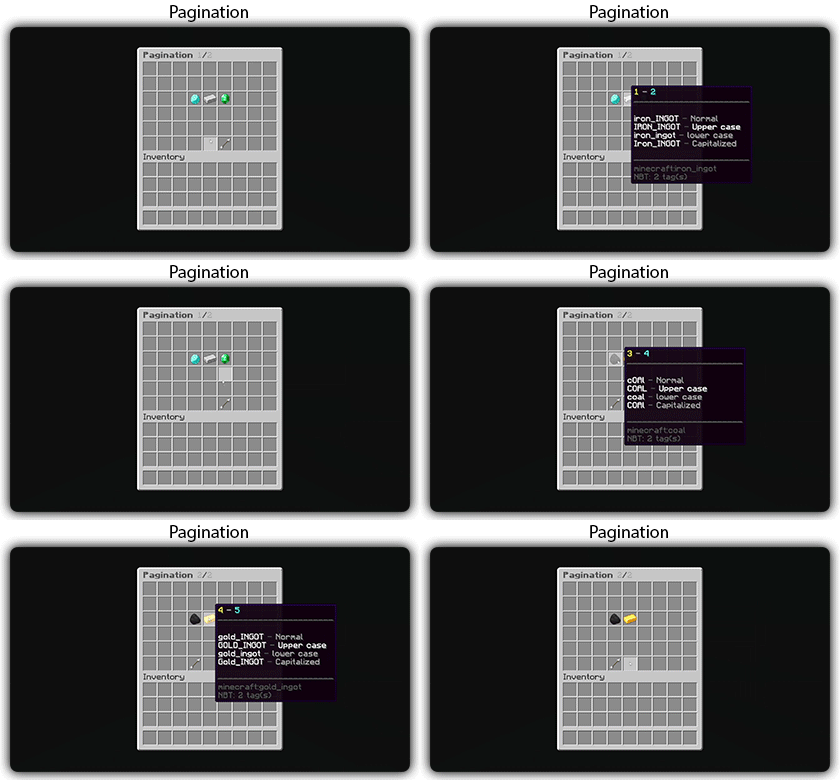](https://docs.zmenu.dev/configurations/buttons#pagination-zmenu)
[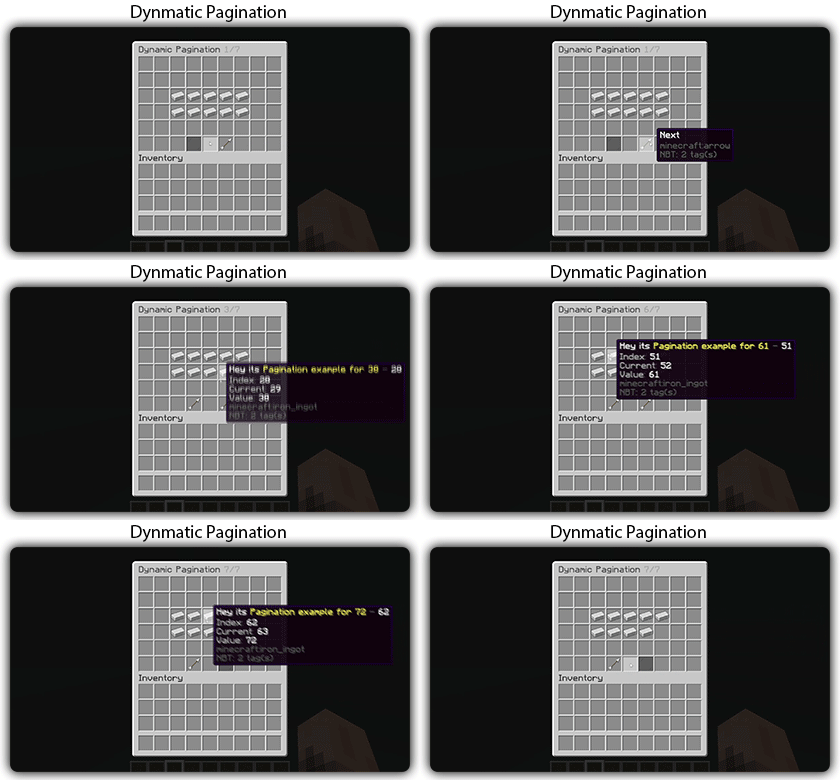](https://docs.zmenu.dev/configurations/buttons#dynamic-pagination-zmenu)
# **Features:**
✅ Ability to create an **infinite number of GUI** menus and **commands**.
✅ Possibility to create several pages in the same inventory.
✅ Arguments, actions, and auto-completion for your commands.
✅ A marketplace to download configurations.
✅ An [online inventory editor](https://minecraft-inventory-builder.com/).
✅ Open Source: [GitHub](https://github.com/Maxlego08/zMenu).
✅ Advanced API.
✅ Ability to create an infinite number of buttons for each of your actions.
✅ Highly customizable.
✅ PlaceholderAPI support.
✅ Kyori Adventure [Mini Message Format](https://docs.adventure.kyori.net/minimessage/format.html) support.
✅ [Folia](https://papermc.io/software/folia) support.
✅ Convert from other plugins: [zMenuConvert](https://www.spigotmc.org/resources/zmenuconvert.110403/).
✅ Patterns, no more need to copy and paste the same configuration several times!
✅ [zHead](https://www.spigotmc.org/resources/zhead-database.115717/) and HeadDatabase support.
✅ Documentation translated into several languages:
1. English: [docs.zmenu.dev](https://docs.zmenu.dev/)
2. Français: [docs.zmenu.dev/v/fr/](https://docs.zmenu.dev/v/fr/)
✅ **Anti-duplication** system. Duplication will be completely impossible with the plugin.
✅ Turn your items into a configuration with **/zm save**.
✅ Executable items for open inventories.
✅ Possibility to **translate your items** into several languages. The plugin displays the correct translation to the player!
✅ Use mathematical expressions in your inventories!
🚀 ZMBlockLimiter is an ultra-lightweight and highly optimized plugin designed to limit specific blocks per chunk, helping to reduce lag, control automatic farms, and keep your server stable and fast on Paper, Spigot, Pufferfish, and Purpur.
💡 Built with real servers in mind, including existing worlds and advanced economies. Forget heavy scans and TPS spikes: smart control without impacting performance.
✨ Main Features
– 🌍 Per-chunk limits, not per player → prevents exploits and overload.
– 🏗️ Fully compatible with existing worlds, no unnecessary resets.
– ⚡ Optimized for Paper / Spigot / Pufferfish / Purpur.
– 🔒 No bypass: rules apply to all players equally.
– 🕹️ Lazy and controlled scanning system with low TPS impact.
– 📝 Clear, simple, and well-documented configuration.
– ⚙️ Ideal for intense survival gameplay and large automatic farms.
⚙️ How It Works
– Blocks are counted per chunk (16×16).
– ❌ No constant full-world scans.
– ✔️ Smart and gradual counting:
– When chunks load
– When blocks are placed or broken
– ➕ Add new blocks to the configuration and use /zmblocklimiter rescan to safely recalculate counters without freezing the server.

🧾 Commands
– /zmblocklimiter reload 🔄
Reloads the configuration (no scans)
– /zmblocklimiter rescan 🧹
Re-scans chunks to safely recalculate counters
📌 Recommended Use Cases
– 🚜 Limiting hoppers, dispensers, and technical blocks
– 🌾 Controlling automatic farms
– ⚡ Reducing lag in overloaded chunks
– 🏰 Survival servers with many players
– 🛡️ Admins who want control without heavy plugins
🧠 Plugin Philosophy
ZMBlockLimiter does not try to patch lag —
it aims to prevent it at the root with a simple, clear, and efficient approach.
**🌟 zMAnnounce** is an optimized plugin for **Velocity** servers that allows sending **global and server-specific announcements**, displaying **bossbars** with countdowns, and fully customizing messages with **Legacy**, **HEX**, or **MiniMessage** colors. It includes spam protection, message limits, and performance optimizations with color caching. 🚀
## ✨ Key Features
– 📢 **Global & server-specific announcements**
– ⏱️ **Bossbars with customizable timers**
– 🎨 **Full color & MiniMessage support**
– 🔒 **Security**: message limits, input validation, and anti-spam
– ⚡ **Performance optimizations** with thread-safe operations
– 🔔 **Update notifications** via Modrinth
## 📦 Installation
1. Download the latest release from the [Modrinth page](https://modrinth.com/plugin/zmannounce) or [GitHub releases](https://github.com/zMarkitos/zMAnnounce/releases)
2. Place `zMAnnounce-1.0.0.jar` in your **Velocity** `plugins/` directory
3. Restart your Velocity server
4. Configure the plugin in `plugins/zMAnnounce/config.yml`
* ✅ Checks Modrinth API for new versions on startup
* 🛎️ Optional player notifications when they join
* ⚙️ Can be disabled in `config.yml`
## 📞 Support
* **Discord**: [Support the discord](https://discord.com/invite/R7PNG2fChs)
Zlodyy’s PvP RP
**Ultimate Clear PvP: Crystal, UHC & Mace**
_This resource pack is built from the ground up for serious players across multiple combat styles. Whether you are dominating in Crystal PvP, surviving classic UHCs, or mastering the newest Mace mechanics, this pack provides the visual clarity you need to gain a competitive edge.
The core philosophy of this pack is maximum visibility and zero distractions._
**✨ Key Features:**
_Multi-Mode Optimization: Tailored specifically for Crystal PvP, UHC, Mace combat, and general server duels. Key weapons and items are distinct and easy to read.
Unobstructed View: Features a Small Shield and Small Totem so your off-hand items never block your screen during intense fights.
Perfect Clarity: Completely removes the annoying pumpkin overlay (No Pumpkin Blur) and includes Small Fire to keep your field of vision perfectly clear, even when taking damage._
_Crisp Typography: Comes with a custom, ultra-clean Font that makes chat, player names, and menus look sleek and easy to read at a glance.
Performance Focused: Minimalist textures and reduced visual clutter mean nothing gets between you and your opponent.|
extra feautures glowing totem,dark snow…
“`
If you are looking for a versatile, comfortable pack that just works perfectly across all modern PvP modes, this is the one. Drop it into your folder, queue up a match, and enjoy the clean visuals!_
“`
zLink
zLink is your custom link plugin. It works by connecting to a database and giving the user a code, that code the user can input into your project to link their account. Right now you can fetch the users uuid, luckperms rank, display name, world, game mode and when they first joined.
**Please Note: This plugin is still in beta, there will be bugs and it will not be perfect.**
If you would like to get releases before it comes here please visit: [Our Official Website](https://link.zavrobot.tech/)
zLife Season 1
Start with 1 heart and 7–13 lives. On death: lose 1 life, gain 1 heart. On kill: gain 1 life. Name color shows lives: Red (1–3), Yellow (4–6), Lime (7–9), Dark Green (10+). Run out of lives = elimination.
ZlAutoGive
## ✨ Overview
ZlAutoGive is a **powerful, lightweight, and fully configurable plugin** that automatically gives players the **vanilla drops** of blocks directly to their inventory! Perfect for servers that want to streamline resource collection while keeping the **vanilla Minecraft experience intact**.
With ZlAutoGive, you can:
* 💎 Automatically get blocks and items from mining or harvesting **without losing vanilla mechanics**.
* 🍏 Receive **apple drops from oak leaves** with the same probability as vanilla.
* 🛠 Respect **Silk Touch & Fortune enchantments** on your tools.
* 🎛 Apply **multipliers per permission group** (e.g., VIP, MVP) to increase drops.
* 📦 Handle **full inventories gracefully**, dropping items to the ground with a clear warning message.
* ⚡ Enable or disable the system dynamically, reload config/messages, and customize **prefixes & colors**.
—
## 🧩 Features
* ✅ Automatic vanilla drops
* ✅ Silk Touch & Fortune support
* ✅ Multipliers per permission (`zlautogive.multiplier.X`)
* ✅ Configurable messages with **colors** (`&x`, `&#hex`, `&`)
* ✅ Inventory full handling with item drop + warning message
* ✅ Works for **Minecraft 1.18 and above**
* ✅ Lightweight & server-friendly
—
## ⚙ Configuration
ZlAutoGive comes with:
* `config.yml` – Enable/disable system, set multipliers per permission.
* `messages.yml` – Customize all messages, including prefix, help, and inventory full warnings.
“`yaml
inventory-full: “%prefix%&cYour inventory is full! Dropped &b%amount%x &f%item%”
“`
—
## 📝 Commands
| Command | Permission | Description |
| ——————– | ———————– | —————————————— |
| `/zlautogive on` | `zlautogive.admin` / OP | Enable the system (applies after restart) |
| `/zlautogive off` | `zlautogive.admin` / OP | Disable the system (applies after restart) |
| `/zlautogive reload` | `zlautogive.admin` / OP | Reload config and messages |
| `/zlautogive` | Any with permission | Show help message |
—
## 🎨 Customization
* Full **color support**: `&`, `&x`, `&#hex`
* **Prefix customization** in `messages.yml`
* Control multipliers per **LuckPerms groups**
—
## 💡 Why use ZlAutoGive?
* Saves players time without breaking vanilla Minecraft.
* Perfect for **semi-vanilla, survival, and minigame servers**.
* Fully **configurable and permission-based**, giving you complete control.
* Lightweight and **optimized for 1.18+ servers**.
—
## 🚀 Installation
1. Place `ZlAutoGive.jar` in your `/plugins` folder.
2. Start your server once to generate config/messages.
3. Configure multipliers and messages to your liking.
4. Reload with `/zlautogive reload` or restart the server.
—
## 📣 Support & Credits
* Developed by **Zeralyth Studios**
* For support or suggestions, contact your server dev team or reach out to Zeralyth Studios.