Zombify
## Zombify
**Prevents villagers from dying when converting to zombie villagers on any difficulty**
Normally, on easy or normal difficulty, villagers may die when converting to zombie villagers, Zombify makes it so your villagers will never die during conversion!
### Chance of villager successfully converting to a zombie villager
| Difficulty | Chance (without the mod) | Chance (with the mod) |
|————|————————–|————————–|
| Easy | 0% | 100% |
| Normal | 50% | 100% |
| Hard | 100% | 100% |
Zombifiedcraft

Zombified Minecraft transforms the classic Minecraft world into a relentless, undead-infested survival challenge. The infection has taken over, and every corner of the world is crawling with new types of zombies, harsher survival mechanics, and an atmosphere built to keep you constantly on edge.
In this modpack, days feel shorter, nights feel longer, and nowhere is ever truly safe. Zombies evolve, adapt, and overwhelm in numbers. Some burn in sunlight—many do not. Structures are ruined, resources are scarce, and survival requires strategy, caution, and courage. Whether you’re fortifying a base, scavenging abandoned buildings, or pushing into the darkness in search of rare loot, danger is always one step behind you.
Features include:
Enhanced, smarter, and more varied zombies that can break blocks, detect players from farther away, or swarm in large groups.
Post-apocalyptic world generation, with ruined cities, abandoned shelters, and scattered remnants of civilization.
Improved survival mechanics such as hunger tweaks, scarce resources, and tougher nights.
Dark, immersive atmosphere, including foggy landscapes, eerie ambient sounds, and reduced visibility to amplify tension.
Expanded combat and gear progression to help you hold back the undead onslaught.
Balanced progression encouraging exploration, base-defense builds, and long-term survival planning.
If you’re looking for a Minecraft experience that’s darker, harder, and packed with undead chaosZombified Minecraft is your next nightmare.
Zombified Player – Kill Your Inner Zombie
[](https://www.curseforge.com/minecraft/mc-mods/zombified-player) [](https://modrinth.com/mod/zombified-player) [.svg)](https://www.curseforge.com/minecraft/mc-mods/zombified-player) [](https://discord.gg/rSVp3nCpPx) [](https://ko-fi.com/D1D71EVQVC)
# Zombified Player
This Mod **spawns a zombified version of the player after death**.
**Beta Version!** Please report any problems you find under: [issues](https://github.com/MC-Mods-Pete/ZombifiedPlayer/issues)
## Features
– spawns a zombified version of the player after death
– uses the players actuall skin (uses the steve skin as fallback)
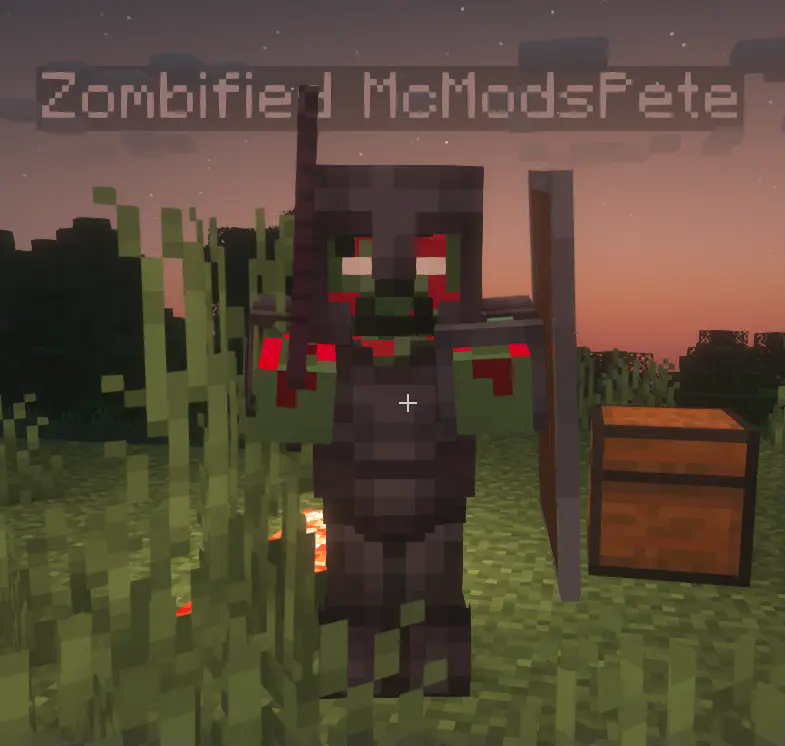
– applies a zombified overlay to the skin
– the dead players inventory can be tranfered to his zombified version
The zombified player mob will use the same skin as the player (with a zombify overlay). Besides that the mob behaves like a regular zombie, but it will not burn in sunlight and it will not despawn.
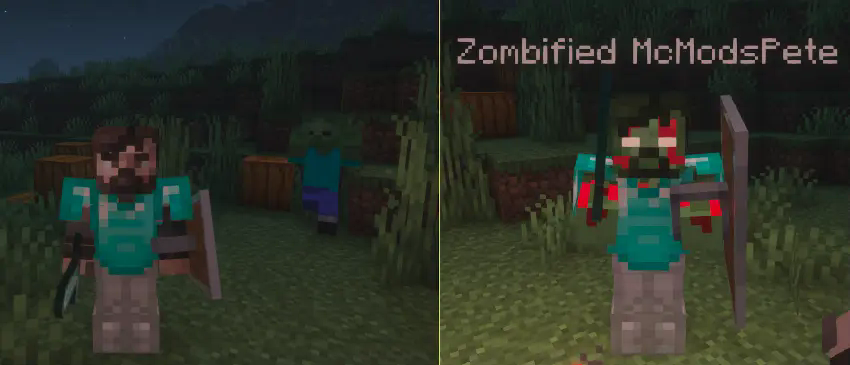
With a config option it is possible to **transfer the players inventory to the zombified player**. The player will have to fight and defeat the zombified version of himself to get back the items he lost after dying.
Needed Mods:
– Fabric API
– Cloth Config
Optional Mods:
– Mod Menu
Zombified piglin’s only drop gold nuggets
I got annoyed trying to make a fast enough filter system for my gold farm so just made this instead.
At the moment it also removes killed by player drops as well as rotten flesh, If I can figure out how to add them back in I will.
Zombified Piglin Infection
# **Mod Description**
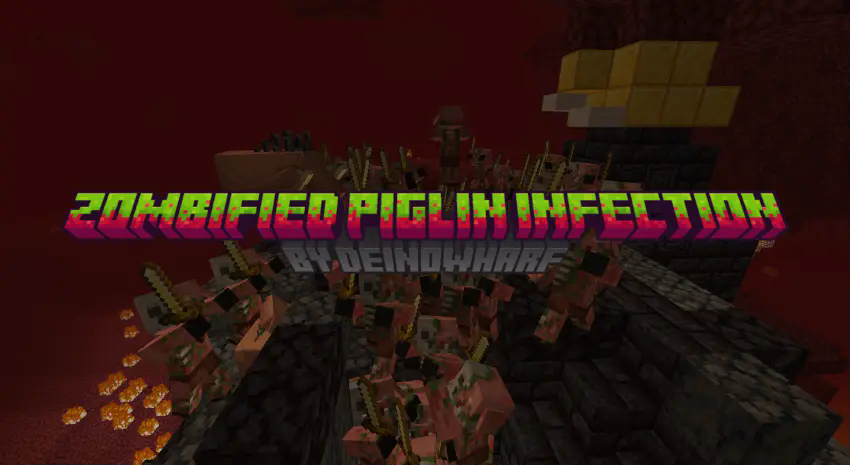
The Nether has declared war on life itself.
The once-neutral guardians of the Nether have turned into an unstoppable, flesh-hungry horde — and their infection knows no bounds.
## **Features:**
– Makes zombified piglins attack all mobs
– When a mob dies to a zombified piglin they become another zombified piglin
Zombified Piglin Drops OP Loot
The Zombified Piglin is OP datapack upgrades zombified piglins in Minecraft to become powerful and highly rewarding mobs. When defeated, they can drop overpowered items, enchanted gear, or rare resources, turning Nether exploration into a high-risk, high-reward experience.
This datapack adds exciting survival gameplay while keeping vanilla mechanics mostly intact. It’s perfect for challenge worlds, multiplayer servers, and chaotic progression runs.
Features
Zombified piglins drop OP items and rare loot
Enchanted weapons, armor, and valuable resources included
Makes Nether combat more rewarding
Risk-and-reward survival mechanic
Compatible with vanilla gameplay
Works in singleplayer and multiplayer
Zombie Tactics 2
# Zombie Tactics2 Mod for Minecraft
## Information
* A fork mod of Zombie Tactics, originally created by n643064
## Available Minecraft versions
### Maintaining
* 1.21.11
### Suspended
* 1.21.4 ~ 1.21.10
* 1.21.1
## Requirements
* Architectury API
### Fabric also needs
* MidnightLib
* ModMenu
* Fabric API
## Summary
This mod evolves zombies, beyond the limit.
* Includes almost all features in the original mod
* Modify the general attributes
* Attack range
* Attack speed
* Follow range
* Not burn under the sun
* The faster running speed
* Follow invisible enemies
* Additional Features
* Break blocks if they’re not able to reach the target
* Selectively float on the water
* Climbing the wall when colliding with each other
* Attempt to better items to take
* Jumping over the blocks
* Spawn under the sun
* Break a chest to get loots
* Dynamic target search mechanism
* Summon N zombies with the command `/sumz`.
* And more…
Everything can be configurable!
## Issues
Feel free to post any bugs or suggestions on GitHub.
ZombieSMP
**ZombieSMP** brings your server to life by unleashing a genuine zombie apocalypse. Designed for creative server owners and unique SMP adventures, this plugin transforms nighttime into a high-stakes survival challenge with deep community interaction.
**_Features:_**
– Quadruple zombie spawns at night for real danger and chaos.
– Beds explode if players try to sleep, just like in the Nether.
– If a player is attacked by a zombie at night or by an infected player, they become a zombie for 10 minutes with permanent, fully configurable slowness.
– Deep LuckPerms integration: when infected, a player’s current permission group is saved and replaced with a new “zombie” group. After the effect ends (or is cleared by staff), the previous group is restored automatically.
– Track how many times each player has become a zombie with the %zombies% placeholder, usable in scoreboard, tab, or hologram.
– Infected players **cannot attack or be attacked by other zombies or infected players**. Zombie-on-zombie combat is fully blocked to encourage cooperation between the infected.
– Infection and transformation are fully customizable: **choose how many zombie/player hits before a transformation** happens using a config option, perfect for events or balancing SMP difficulty.
– When a player is infected, a **fully customizable “ding” sound and title display** (like BedWars-style “ZOMBIEE”) for unmistakable feedback. Both the text and subtitle can be changed in config.yml.
– **Infected players burn in direct sunlight**, just like real zombies, taking half a heart of damage per second. Wearing any helmet prevents burning.
– **Infection reward system**: when an infected player infects a human, the server can execute a configurable command (e.g., give the infector a diamond). Fully customizable and can be toggled on/off.
– Staff can infect any player manually with /zombies add player, or cure them at any time with /zombies clear player.
– All messages, durations, multipliers, slowness level, infection titles, rewards, and commands are fully configurable in config.yml.
– Optionally, you can choose if the infection timer runs while the player is offline.
– Permanent slowness applied to infected players cannot be removed by drinking milk or other means (except plugin cure).
– Infection counter and state are saved to disk, so data persists through restarts.
**_To set up:_**
1. Dependencies required: LuckPerms for group management (absolutely necessary), PlaceholderAPI if you want to show %zombies% in scoreboard, tab, or holograms, and PaperMC 1.21.x.
2. To create the zombie group, use the following LuckPerms commands in your console:
`/lp creategroup zombie`
3. Optionally, set a prefix so infected players stand out:
`/lp group zombie meta setprefix “&2[Zombie] “`
4. You can also adjust the group’s permissions if you want to give infected players special limitations or abilities.
5. Edit the config.yml file in the ZombieSMP folder to fully customize infection times, multipliers, messages, commands, slowness level, hit requirements, infection titles, sun damage, and reward system.
6. When infected, a player is moved to the zombie group and receives permanent slowness (as configured). After the timer runs out or when cured using /zombies clear, their old group and permissions are restored.
7. Use %zombies% in any PlaceholderAPI-compatible plugin (scoreboard, tab, hologram, chat) to show each player’s infection count.
ZombieSMP is made for servers that want to create real tension and unique zombie infection gameplay, perfect for special events, new SMP challenges, or creative game modes.
ZombiesInfection
# ZombiesInfection
The plugin adds an infection to your server, if a player is attacked by a zombie, then after a while the player receives the effects that are specified in the config.
## Commands
– `/zombiesinfection reload` – Reload the plugin
## Permissions
– `zombiesinfection.reload` – Gives the player the right to reload your plugin. (default: op)
– `zombiesinfection.effect` – If you want the player not to receive any effects, then remove this permission from him. (default: true)
`n * 20` – means that the entered number will be multiplied by 20.
– The list of sounds can be viewed [here](https://hub.spigotmc.org/javadocs/bukkit/org/bukkit/Sound.html) (latest version)
– The list of effects can be viewed [here](https://hub.spigotmc.org/javadocs/bukkit/org/bukkit/potion/PotionEffectType.html) (latest version)
## **Important clarification, the effects are given 1 time!!**
config.yml
“`yaml
config_version: 2
# Enable debug mode (output additional messages to the console)
debug: false
# Settings for messages and sounds when a player is infected
if-player-infected:
# Enable displaying the infection message
message: false
# Enable playing the sound when infected
play-sound: false
# Update the timer when infected
update-timer: true
# Number of times the effect will be applied
effect-will-applied-after: 5
# Delay in server ticks before executing the first repeat (n * 20)
delay: 5
# Period in server ticks for task repetition (n * 20)
period: 5
# Enable a random time range for effect application
random_time_from_range:
# Enable a random time range
enable: true
# Lower limit of the time range in seconds
range_from: 5
# Upper limit of the time range in seconds
range_to: 10
# Settings for potions that will be given
potion-gived:
# Settings for poison potion
POISON:
# Potion duration in seconds (n * 20 ticks)
potion-duration: 60
# Settings for blindness potion
BLINDNESS:
# Potion duration in seconds (n * 20 ticks)
potion-duration: 5
# Settings for hunger potion
HUNGER:
# Potion duration in seconds (n * 20 ticks)
potion-duration: 30
# Settings for sounds that will be played
sound-played:
# Enable the sound when attacked
sound-in-attack:
# Enable the attack sound
enable: true
# Sound name from Minecraft resources
sound: “AMBIENT_CAVE”
# Sound volume (from 0 to 100)
volume: 100.0
# Sound pitch (from 0 to 2)
pitch: 1.0
# Enable the sound when the effect is given
sound-in-effect-gived:
# Enable the effect sound
enable: true
# Sound name from Minecraft resources
sound: “ENTITY_ENDERMEN_DEATH”
# Sound volume (from 0 to 100)
volume: 100.0
# Sound pitch (from 0 to 2)
pitch: 1.0
# Messages for different events
messages:
# Plugin reload success message
plugin_reload: “§2Plugin successfully reloaded”
# Insufficient permissions message
no_permission: “§cYou do not have permission”
# Missing subcommand message
no_command_args: “§cUsage: /%s ”
# Invalid command message
no_found_command: “§cThe command was not found”
# Infection message
you_infected: “§4§lYOU ARE INFECTED!!”
# Effect applied message
effect-gived: “§c§lTHE INFECTION IS SPREADING”
“`
Zombies Slow You
## Hey, how come no one made this kind of datapack yet?
### _Or is it just that I didn’t search well enough..?_
Basically, once a zombie hits you, your Movement Speed attribute will be multiplied by 0.25 (equivalent to Slowness V) and
– _for versions 1.21 and above:_ Multiplies your Jump Strength attribute by 0.
– _for versions below 1.21:_ Jump Boost 128.
for 1.5 seconds
If you don’t like these values, you can configure it by going to
– _1.21+: zombies_slow/data/zombies_slow/function/zombie_hit.mcfunction_
– _Below 1.21: zombies_slow/data/zombies_slow/functions/zombie_hit.mcfunction_