ZAutoBroadcast
# ZAutoBroadcast
Powerful and customizable AutoBroadcaster/AutoAnnouncer plugin for Minecraft servers. It allows server administrators to set up automatic and forced broadcasts with a variety of features, including support for MiniMessage format, MiniPlaceholders. and PlaceholderAPI placeholders.
## Folia Supported ✔️
## Features
– **Automatic Broadcasts**: Set up automatic broadcasts that are sent to all players on the server at a configurable interval.
– **Forced Broadcasts**: Set up forced broadcasts that can only be run via command.
– **Weighted Broadcasts**: Control how often each broadcast is shown with the “weight” field. Broadcasts with a higher weight will appear more often.
– **MiniMessage Support**: The messages use MiniMessage format, allowing for rich text formatting and color codes.
– **PlaceholderAPI Support**: Use any PlaceholderAPI placeholders in your messages. (Requires the PlaceholderAPI plugin)
– **MiniPlaceholders Support**: Use any MiniPlaceholder placeholders in your messages. (Requires the MiniPlaceholders plugin)
## Commands
– `/zab reload`: Reloads the `broadcasts.yml` file.
– `/zab broadcast `: Broadcasts a message with the given key.
– `/zab custom `: Broadcasts a custom message.
– `/zab interval get/set `: Gets or sets the broadcast interval.
– All commands require the `zautobroadcast.admin` permission.
## Version Compatibility
– Compatible with **Folia**, a powerful library for Minecraft plugins.
– Must be run on Paper or a Paper fork.
– Requires Java 17 or higher.
– Compatible with at least 1.20.4 and above.
## Installation
1. Download the latest version of ZAutoBroadcast from the versions page.
2. Place the downloaded `.jar` file into your server’s `plugins` folder.
3. Restart your server.
4. Configure the plugin to your liking by editing the `config.yml` and `broadcasts.yml` files in the `plugins/ZAutoBroadcast` folder.
## Configuration
Refer to the comments in the `config.yml` and `broadcasts.yml` files for information on how to configure the plugin.
## Support
If you encounter any issues or have any questions, please open an issue on GitHub.
## License
ZAutoBroadcast is licensed under the MIT License.
zAuth
**zAuth** is a lightweight, secure, and highly customizable authentication plugin designed for offline-mode and Geyser/Floodgate servers.
Built for performance and security, zAuth protects your players from account theft, password guessing, and session hijacking.
Whether you’re running a small SMP or a large network, zAuth gives you enterprise-grade login protection with smooth UX.
**🔐 Key Features**
✅ Secure Login & Registration
+/register
+/login
+/changepassword
+/logout
Passwords are stored using BCrypt (industry-grade hashing).
**🛡 Account Protection**
Account lock after X failed attempts
Automatic unlock after configured cooldown
IP-trust system (optional)
Session manager prevents re-login abuse
Freeze players completely until authenticated
**👀 Player Visibility & Mob Safety
**
Hide ALL players from each other until they login
Disable mob targeting and damage before login
Bossbar reminder
Safe login teleport location
Optional: Allow players to set /spawnlogin
**🔏 Privacy Protection**
Password masking in:
Chat logs
Console
Command logs
Commands like /login, /register, /changepassword NEVER reveal real passwords.
zAuctionHouse
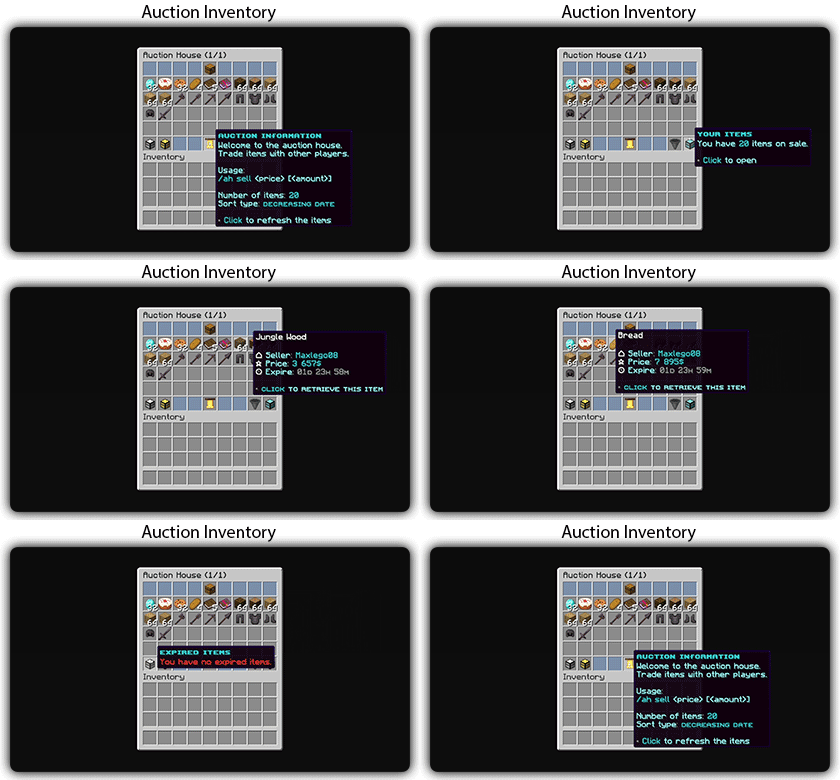
### **This is a free demo version of zAuctionHouse. It is similar to the paid or open-source version, but you cannot receive support with this version.**
The free version will always be one version behind the paid versions. To get support and the latest version, you can purchase the plugin on the other sales platforms.


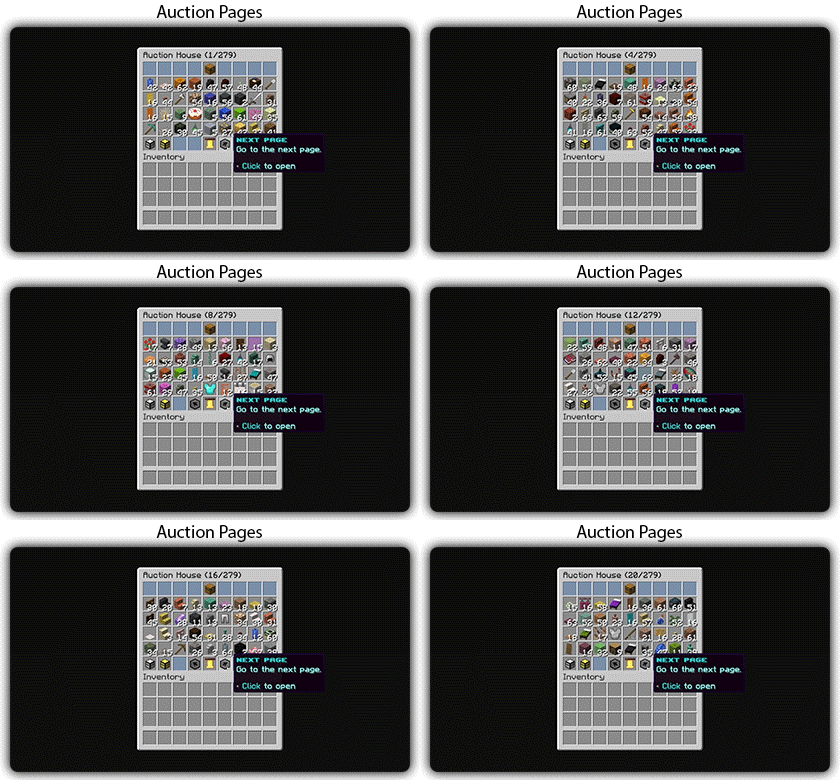
## Gifs
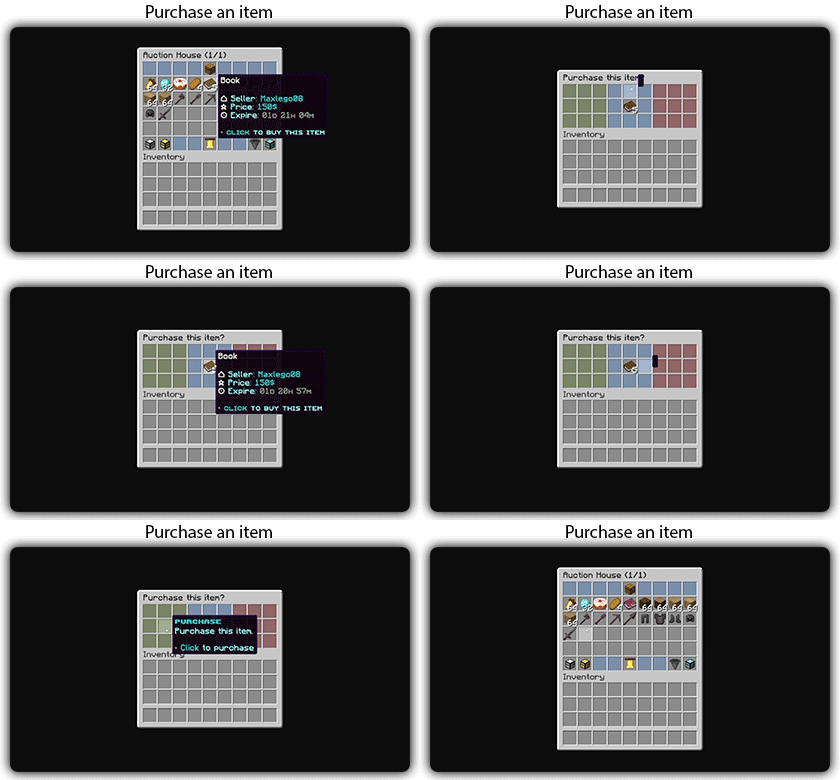
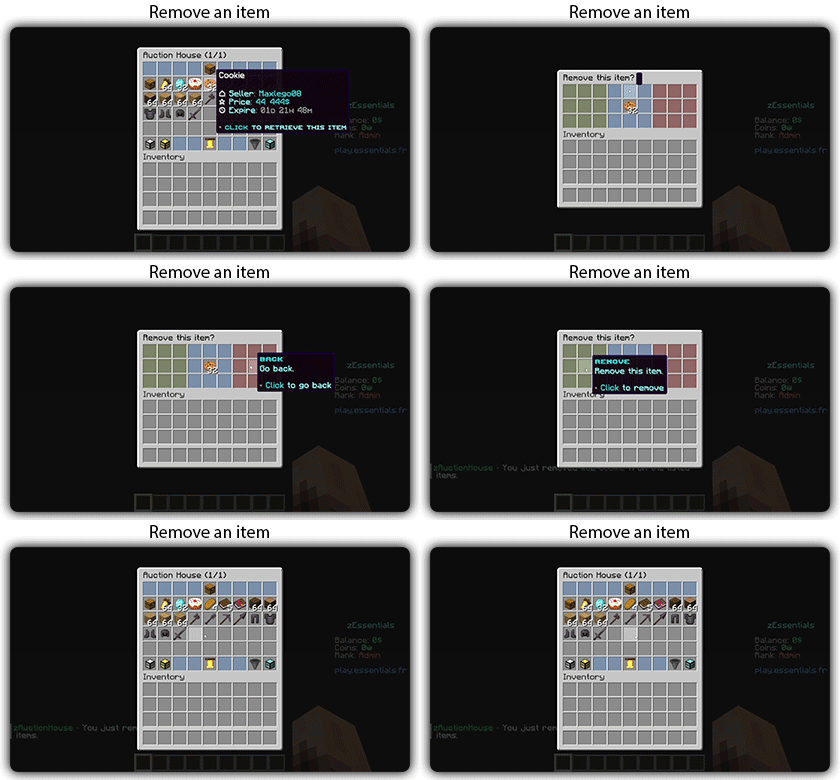
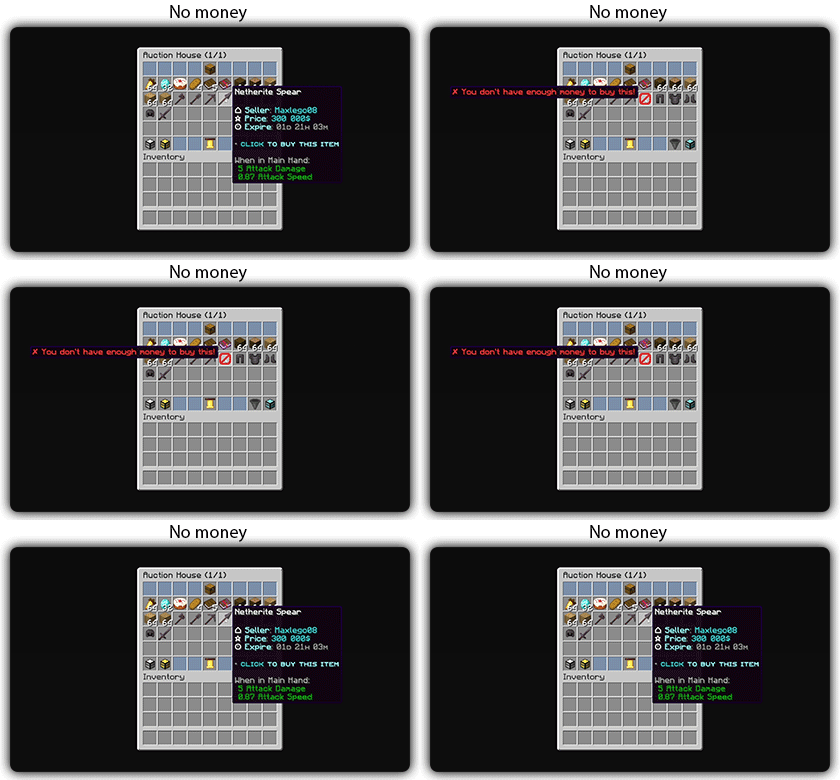
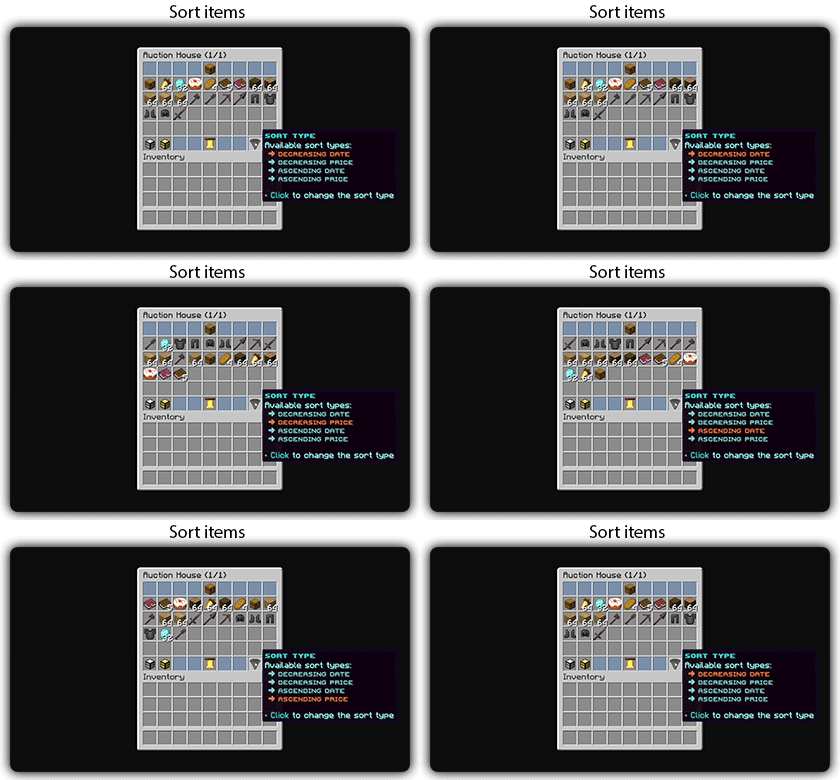
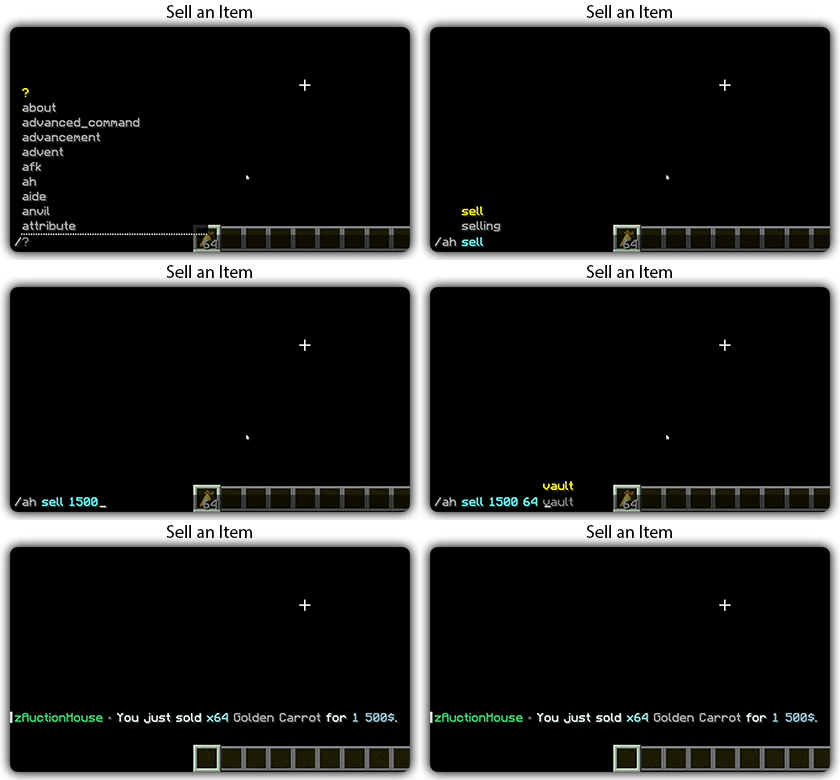
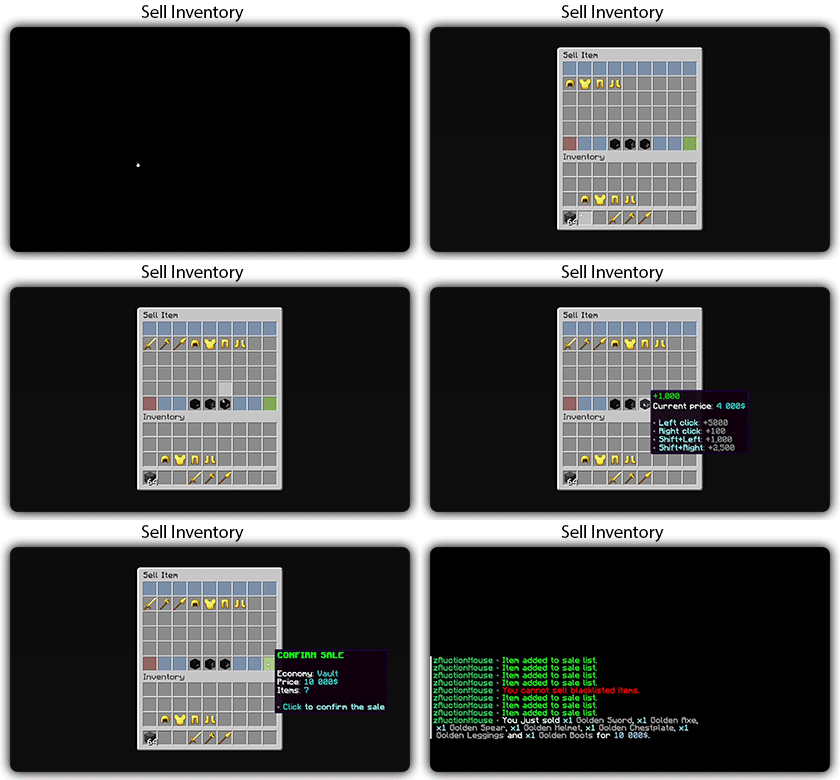
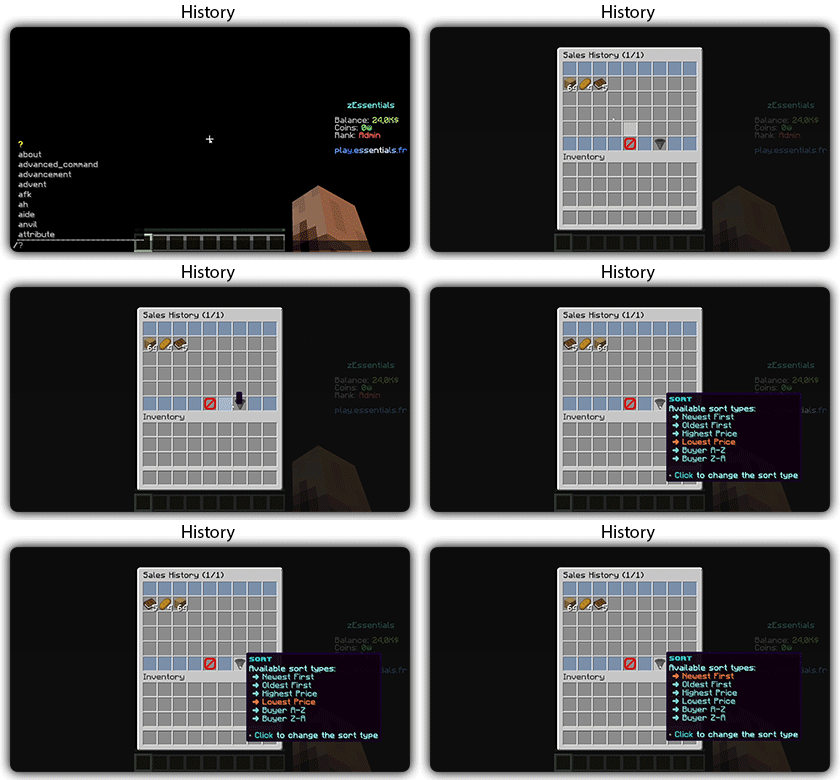
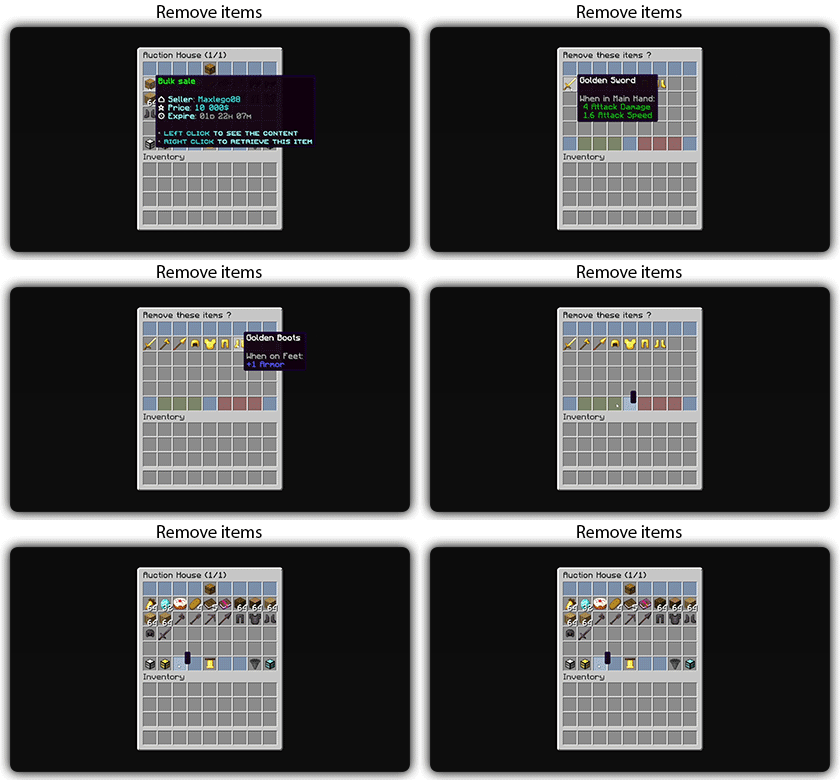
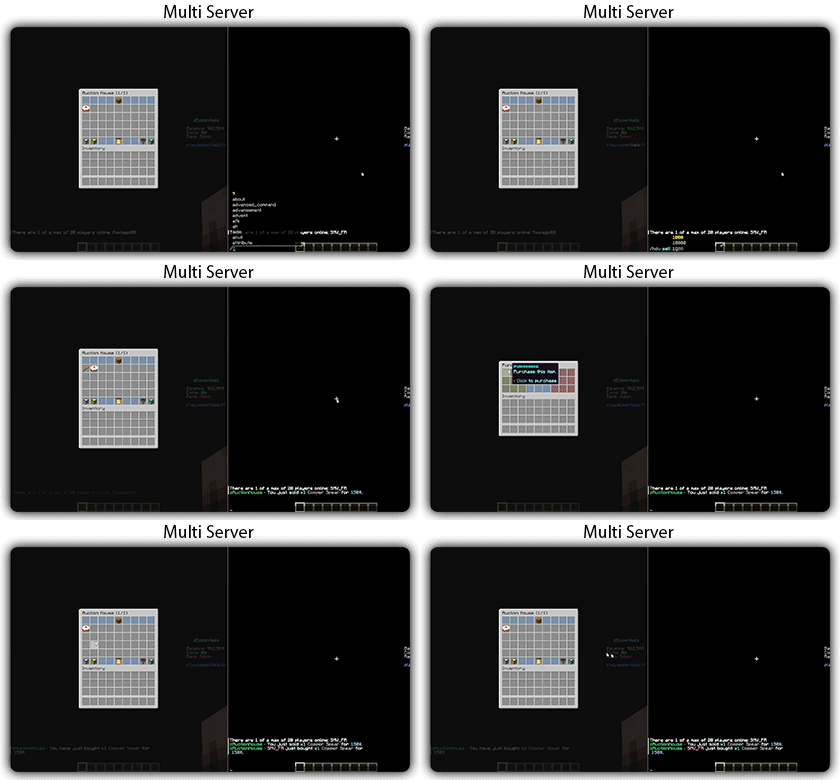
Text version
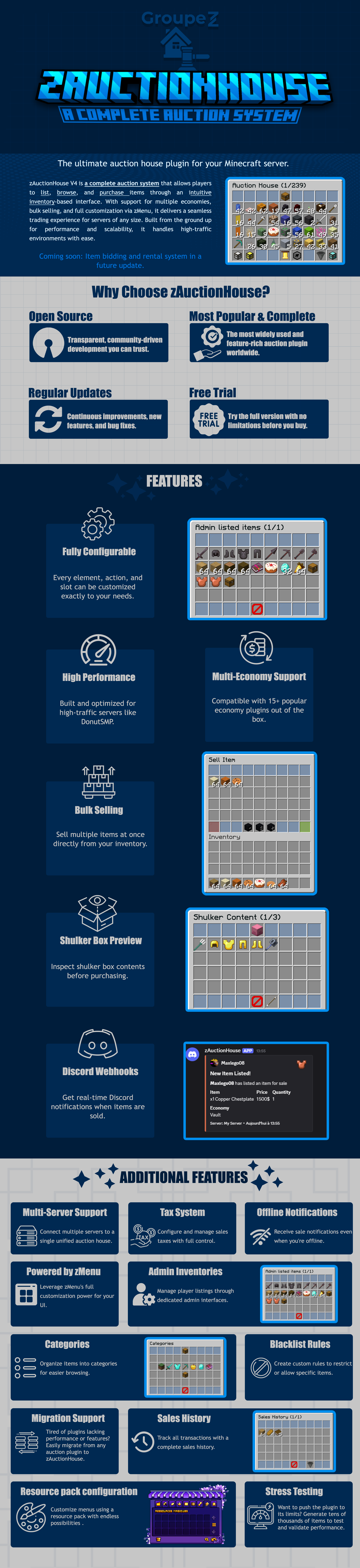
zAuctionHouse V4 is a complete auction system that allows players to list, browse, and purchase items through an intuitive inventory-based interface. With support for multiple economies, bulk selling, and full customization via zMenu, it delivers a seamless trading experience for every server type. Built from the ground up for performance and scalability, it handles high-traffic environments with ease.
# Why Choose zAuctionHouse?
## Open Source
Transparent, community-driven development you can trust.
## Most Popular & Complete
The most widely used and feature-rich auction plugin worldwide.
## Regular Updates
Continuous improvements, new features, and bug fixes.
## Free Trial
Try the full version with no limitations before you buy.
# Additional Features
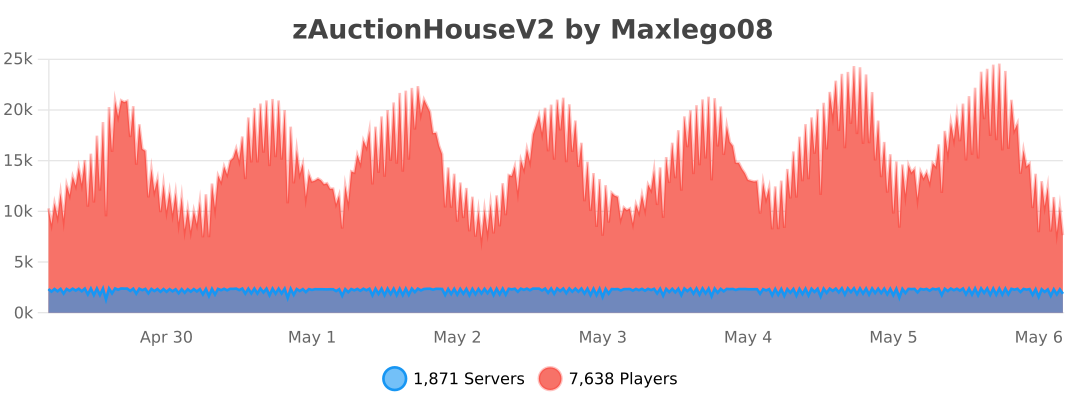
## Multi-Server Support
Connect multiple servers to a single unified auction house.
## Tax System
Configure and manage sales taxes with full control.
## Offline Notifications
Receive seller notifications when you’re offline.
## Powered by zMenu
Leverage **zMenu’s full customization power** for your UI.
## Admin Inventories
Manage player listings through dedicated admin interfaces.
## Categories
Organize items into categories for easier browsing.
## Blacklist Rules
Create custom rules to restrict or allow specific items.
## Migration Support
Tired of plugin locking or performance issues?
Easily migrate from any auction plugin to zAuctionHouse.
## Sales History
Track all transactions with a complete sales history.
## Resource Pack Configuration
Customize menus using a resource pack with endless possibilities.
## Stress Testing
Want to push the plugin to its limits?
Generate tens of thousands of items to test and validate performance.
# **Features**
– **## Selling & Buying**
– **Instant buy listings** List items for a fixed price
– **Bulk selling** Sell multiple items at once
– **Purchase confirmation** Confirm before buying
– **Sell confirmation** Confirm before listing
– **Price limits** Set min/max prices per item or globally
– **Item quantity selection** Choose how many items to sell
– **Expired items recovery** Retrieve unsold items
– **## User Interface**
– **Inventory-based UI** No commands needed
– **Shulker box preview** View contents before purchase
– **Categories** Browse items by type
– **Sorting options** Sort by price, date, name
– **Search system** Find items by name or type
– **Player listings** View your own items
– **Purchase history** Track your purchases
– **## Economy & Taxes**
– **15+ economy plugins** Vault, PlayerPoints, and more
– **Tax on sales** Configurable seller tax
– **Tax on purchases** Configurable buyer tax
– **Permission-based taxes** Different rates per group
– **## Administration**
– **Admin inventories** Manage all player listings
– **Blacklist system** Block specific items
– **Whitelist system** Allow only specific items
– **Item rules** Advanced filtering (lore, name, NBT)
– **Player limits** Max listings per player
– **Expiration system** Auto-expire old listings
– **Log system** Track all transactions
– **## Performance & Storage**
– **Async operations** Non-blocking database queries
– **SQLite support** Zero-config local storage
– **MySQL/MariaDB support** Scalable database
– **Redis support** Multi-server synchronization
– **Folia compatible** Works with Folia servers
– **Caching system** Optimized data access
– **## Customization**
– **zMenu integration** Full UI customization
– **Custom messages** Edit every message
– **Custom sounds** Configure all sounds
– **PlaceholderAPI** Use placeholders anywhere
– **Command aliases** Customize command names
– **Configurable slots** Place buttons anywhere
– **## Notifications**
– **Discord webhooks** Post sales to Discord
– **Offline notifications** Notify on next login
– **Title messages** Display on screen
– **ActionBar messages** Subtle notifications
– **Chat messages** Traditional notifications
– **## Migration & Testing**
– **Plugin migration** Convert from other plugins
– **Test data generator** Stress test with fake items
– **Debug mode** Troubleshoot issues
– **## Security**
– **Anti-dupe protection** Prevent item duplication
– **Permission system** Control access to features
– **Confirm dialogs** Prevent misclicks
– **Price validation** Block invalid prices
ZatrixLagX
# 📌 ZatrixLagX — Optimize your Minecraft server like never before!
– Author: AloneScripts
– Minecraft Version: 1.21+
– Type: Performance Plugin
—
## 🛠️ What is ZatrixLagX?
****ZatrixLagX is a lightweight and powerful lag reduction plugin designed for Paper servers.
It automatically clears unnecessary entities, items, and optimizes performance to keep your server running smooth — even with many players online.****
Perfect for survival, SMPs, and large multiplayer servers, ZatrixLagX makes server management effortless.
—
## ✨ Features
/zlag clear → Instantly remove dropped items and entities causing lag.
/zlag check → See current entity counts and performance stats.
Entity Tracking → Monitors mobs/items that slow down your server.
Broadcasts → Sends warnings before clearing items so players don’t lose valuables.
Configurable Messages → Customize alerts to match your server style.
Admin Tools → Commands available only for staff with permissions.
—
## 🚀 Why Use ZatrixLagX?
Reduces server lag caused by excessive mobs/items.
Keeps TPS stable for smoother gameplay.
Fully customizable — you decide timings, warnings, and what gets cleared.
Easy to install and lightweight — no complex setup needed.
—
## 📦 Commands
/zlag clear → Clear lag manually (Admin Only)
/zlag check → Check entities/mobs count
/zlag killmobs → Removes all hostile mobs (zombies, creepers, skeletons, etc.)
/zlag killanimals → Removes all passive mobs (cows, sheep, pigs, chickens, etc.)
/zlag killboats → Removes all boats and minecarts
/zlag ram → Shows current server RAM usage
/zlag → See all commands
Etc
—
## 🔧 Requirements
Minecraft 1.21+ (Paper/Spigot)
Java 17+
—
## 🎯 Who is it for?
ZatrixLagX is perfect for:
SMP servers with many players.
Survival servers where entities pile up.
Hosting providers who want optimized performance.
—
👉 ****With ZatrixLagX, your players get a lag-free experience, and you get peace of mind.****
—
–<[Zareh's Optimizeds]>–
—
## **🌟 About the Modpack**
–<[Minecraft: Zareh’s Optimized]>– is a meticulously crafted **client-side** modpack designed to **maximize performance, enhance graphics, and refine gameplay mechanics** while preserving the core essence of Minecraft. Whether you’re running the game on a high-end PC or an older machine, this modpack ensures that you get a **fluid, visually stunning, and optimized** Minecraft experience without unnecessary bloat.
This is not your typical modpack filled with heavy gameplay overhauls—**it is fully compatible with vanilla servers and does not require server-side installations**. You can hop onto your favorite servers or single-player worlds without any concerns, enjoying all the enhancements that –<[Minecraft: Zareh’s Optimized]>– provides while others continue to play normally.
Our focus is on **improving FPS, reducing memory usage, enhancing graphics, and introducing quality-of-life features** that make the game feel smoother and more immersive. With the perfect balance between **aesthetic upgrades and performance boosts**, this modpack is the ideal choice for players who want to experience **Minecraft at its best** without altering the fundamental gameplay mechanics.
This Is the Version:

—

## **🚀 Why Choose –<[Minecraft: Zareh’s Optimized]>-?**
### **🔥 Extreme Performance Optimization**
Minecraft is notorious for being **poorly optimized**, even on high-end machines. To combat this, –<[Minecraft: Zareh’s Optimized]>– includes a suite of **powerful performance-enhancing mods** that dramatically improve FPS, reduce lag, and optimize world loading without sacrificing visuals. Some of these essential mods include:
✅ **Sodium & Lithium** – A powerful alternative to OptiFine, significantly improving graphics performance and game stability.
✅ **Phosphor & Starlight** – Optimizes the lighting engine, eliminating stutters and lag caused by chunk updates.
✅ **FerriteCore** – Reduces memory consumption, allowing the game to run more efficiently, especially on lower-end systems.
✅ **MemoryLeakFix & Smooth Boot** – Helps fix RAM leaks and reduces startup time for a seamless experience.
With these optimizations, you can expect **higher frame rates, smoother chunk loading, and significantly reduced RAM usage**, making Minecraft more playable on any setup.
### **🎨 Stunning Visual Enhancements**
While performance is the priority, that doesn’t mean we ignore visuals! This modpack includes a curated selection of **resource packs and shaders** that enhance the **lighting, textures, and atmospheric effects** without causing significant FPS drops.
✨ **Resource Packs:**
– High-quality **HD textures** that maintain the original aesthetic of Minecraft.
– Enhanced **UI and item textures** for better readability and immersion.
– Optimized **block and entity models** that improve realism without overloading your system.
🌄 **Shaders:**
– Multiple shader pack options **optimized for different PC specifications**.
– **Dynamic lighting, realistic shadows, and atmospheric fog** that add depth to the world.
– A perfect blend of **beauty and performance**, ensuring smooth gameplay even with shaders enabled.
### **🛠️ Quality-of-Life Upgrades**
Aside from visual and performance enhancements, –<[Minecraft: Zareh’s Optimized]>– introduces a set of **gameplay refinements** that make playing more enjoyable without altering the core mechanics. These include:
✔️ **Minimap & Waypoints** – Never get lost again! Easily track your position and set waypoints.
✔️ **Improved HUD & UI Enhancements** – A more informative and clean interface for better control.
✔️ **Better Controls & Hotkeys** – Improved keybindings and settings for a more intuitive experience.
✔️ **Minor Tweaks & Bug Fixes** – Small adjustments that make the game feel smoother and more polished.
### **🌍 Multiplayer & Server Compatibility**
A major advantage of –<[Minecraft: Zareh’s Optimized]>– is that it is **entirely client-side**, meaning you can use it **on any server** without needing special permissions or modifications. Whether you’re playing on a **vanilla SMP, a modded server, or even competitive PvP**, this modpack will work seamlessly.
✅ **No unfair gameplay advantages** – This is not a cheat or exploit-based modpack.
✅ **Compatible with Vanilla and Modded Servers** – Works without conflicts or requiring additional server modifications.
✅ **Lightweight and Flexible** – Can be customized further based on personal preferences.
—
###
### **1️⃣ What makes –<[Minecraft: Zareh’s Optimized]>– different from other modpacks?**
Unlike most modpacks that introduce heavy game-changing features, –<[Minecraft: Zareh’s Optimized]>– focuses purely on **performance, visual quality, and gameplay fluidity** without modifying core mechanics. It is a **client-side modpack**, meaning you can join any server without needing server-side modifications.
### **2️⃣ Will this modpack work on low-end PCs?**
Absolutely! This modpack is specifically **optimized for all hardware configurations**, from low-end systems to high-end gaming rigs. Mods like **Sodium, Lithium, and FerriteCore** drastically reduce memory consumption and CPU/GPU load, making Minecraft much more playable on weaker machines.
### **3️⃣ Does this modpack support OptiFine?**
No, OptiFine is not included because **Sodium + Iris (for shaders) provide better optimization and performance than OptiFine**. However, you can manually install OptiFine if you prefer using it.
### **4️⃣ Can I add my own mods to this modpack?**
Yes! This modpack is designed to be **flexible**. You can easily add or remove mods to tailor the experience to your liking. However, be aware that adding heavy mods could impact performance.
### **5️⃣ How do I install the modpack?**
**Installing –<[Minecraft: Zareh’s Optimized]>– is simple:**
1. Install **Fabric** or **Forge** (depending on the version provided).
2. Copy all the mods into your `mods` folder inside `.minecraft`.
3. Apply the resource packs and shaders from the Minecraft settings menu.
4. Adjust graphics settings based on your PC’s performance.
5. Launch the game and enjoy a **smooth, visually enhanced Minecraft experience!**
### **6️⃣ Is this modpack safe to use?**
Yes! Every mod included in this pack has been tested and verified to be **safe, clean, and widely used by the community**. There are no hacks, cheats, or malicious software.
### **7️⃣ Can I use this modpack in multiplayer?**
Yes! Since all mods are **client-side**, you can use them on any server **without violating server rules**. You will get all the benefits of enhanced performance, visuals, and gameplay improvements while still playing fairly with others.
—
This modpack was created with passion and precision to **bring out the best in Minecraft without altering its core gameplay**. Whether you’re a casual builder, a PvP enthusiast, or a survival adventurer, **-<[Minecraft: Zareh’s Optimized]>– is the ultimate way to experience Minecraft at its peak performance.**
Enjoy smooth, stunning, and seamless Minecraft like never before! 🚀🔥

Zarba Respack
**Attention: This resourcepack will stop updating from April 2025 due to the encryption of the RainbowPixel**
# **Zarba Respack**
**A resoucepack based on RainbowPixel**
| Resourcepack | Latest Ver. | Minecraft Ver. | Optifine |
| :-: | :-: | :-: | :-: |
| Zarba Base | 1.2 | 1.21.3 | Required |
| Zarba GUI | 2.0 | 1.21.x | Not required |
| Zarba 3D | 1.0 | 1.21.x | Not required |
| Minecraft Ver. | Zarba Base | Zarba GUI | Zarba 3D |
| :-: | :-: | :-: | :-: |
| 1.21.x | Available | Available | Available |



**Dedicated to players who enjoy using the Rainbowpixel Resourcepack**
#
**How to import Zarba Resourcepack**
1. Open your Minecraft
2. Click `Option`
3. Click `Resource Packs`
4. Drag the Zarba Resourcepack into the window or click `Open Pack Folder` and copy the Zarba Resourcepack to that folder.
**Notes**
1. They are avalible at Zecoar Modpack (EX)
2. Zarba Base require Optifine, if you are using Fabric, please install Optifabric or any mods that can instead of Optifabric.
————————————————————————————————————————————————————

**注意:该材质包从2025年4月起停止更新,原因是彩虹像素被加密**
# **Zarba 材质包**
**一款基于 彩虹像素 的材质包**
| 材质包 | 最新版本 | 我的世界版本 | Optifine |
| :-: | :-: | :-: | :-: |
| Zarba Base | 1.2 | 1.21.3 | 需要 |
| Zarba GUI | 2.0 | 1.21.x | 不需要 |
| Zarba 3D | 1.0 | 1.21.x | 不需要 |
| Minecraft Ver. | Zarba Base | Zarba GUI | Zarba 3D |
| :-: | :-: | :-: | :-: |
| 1.21.x | 可用 | 可用 | 可用 |



#
**怎么导入 Zarba 材质包**
1. 打开您的我的世界
2. 单击`选项`
3. 单击`资源包`
4. 将 Zarba 材质包拖入窗口或者单击`打开包文件夹`并将 Zarba 材质包复制到该文件夹
**备注**
1. 他们已在 Zecoar Modpack (EX) 中可用
2. Zarba Base需要Optifine, 如果您正在使用Fabric请安装Optifabric或者其他可以替代Optifabric的模组
Zappier Games
ZappierGames is a Minecraft server plugin (likely for Paper/Spigot or similar) that brings a collection of exciting multiplayer minigames to your server, all managed through an intuitive graphical interface. (**Access via /gui**)
Currently in alpha development, this plugin includes popular game modes such as:
Sky Battle – A fast-paced, team-based PvP battle inspired by Minecraft Championship (MCC) and Skywars-style games. Teams start on separate floating islands with resources and infinite blocks for bridging/building. Players fight to be the last team standing as a closing border forces movement toward the center, rewarding spacial awareness, quick bridging, and pvp skills. Includes custom items as well.

Manhunt – One or more speedrunners attempt to defeat the Ender Dragon (or achieve other objectives) while hunter(s) track them down using tools like compasses, trying to eliminate the runners before they can win. Includes standard manhunt, infection (so extra runners aren’t sitting their bored), and protect the president. Manhunt twists are a work in progress.

Loothunt – A treasure-hunting style minigame, and arguably the **crown jewel** of this plugin due to how addicted my friends are to it. Items are worth points, with increased points for collections like acquiring all the different door types or villager workstations. Features the one and only Inifnibundle™ to solve your inventory woes. (It’s a teamchest. Don’t lose it there’s no way to get it back currently lol. Also does not work properly in creative mode, and never will. Meant to be used in survival mode only)

Parkour Race – A pseudo-randomly generated parkour race featuring various jumps, featuring disappearing platforms, slime jumps, and all sorts of other cool and weird jumps that my friends and I have created!

And more modes planned or in early stages!
Key Features
Easy management with /gui – opens a user-friendly menu for starting games, configuring settings, joining teams, and more – no complex commands needed for most actions. (**/loothunt endscore** at the end of games or **/loothunt getscore** to get the value of a held item are commands that need to be known, as well as **/gc** to get a compass for manhunts)
Designed for fun on multiplayer servers, perfect for friends looking for a cool minigame to play.
**Important Notes** (Alpha Status)
This plugin is in active alpha stage, so expect bugs, incomplete features, and potential instability. Don’t just slap it on an SMP server, have a dedicated world/instance for it like you would for any other minigame. Check the changelogs (in the GitHub repo or future Modrinth versions) for known limitations, recent fixes, and what’s working.
Currently, non-admin players can access /gui and modify game settings — this is a known alpha limitation and may allow unintended changes. Be cautious on public servers; restrict access or supervise usage until permissions are properly implemented in future updates.
Game state persistence exists (timers, twists, Infinibundle storage, etc.) with automatic saves on stop/pause and manual **/loadstate** reload. If your server restarts during a loothunt or a manhunt, use this command.
Source code is fully open and available for review: https://github.com/Vakore/ZappierGames/tree/main
Feedback, bug reports, and suggestions are welcome via the GitHub repo! More games and polish coming as development progresses.
Zapped
**zapped has been achived because I am not happy with its current quality.
zapped will get a full rework when the time is right**
Zapped is a Data-pack that turns lightning rods from a useless block to a way to transport zaps so you can power machines and productivity armour.
1.2 update released
-music disc (creator disc combined with a zap)
-config (/function zapped:config/config)
-armour texture (enable in config)
**Requires a Resource-pack to see tools (copper tools appear gold) or to see the armour texture**
**( armour texture disabled by default in config)**
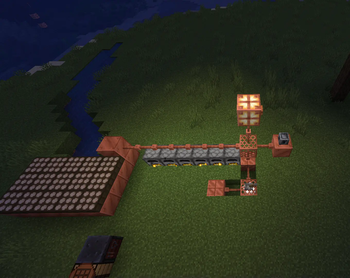
Copper Lines
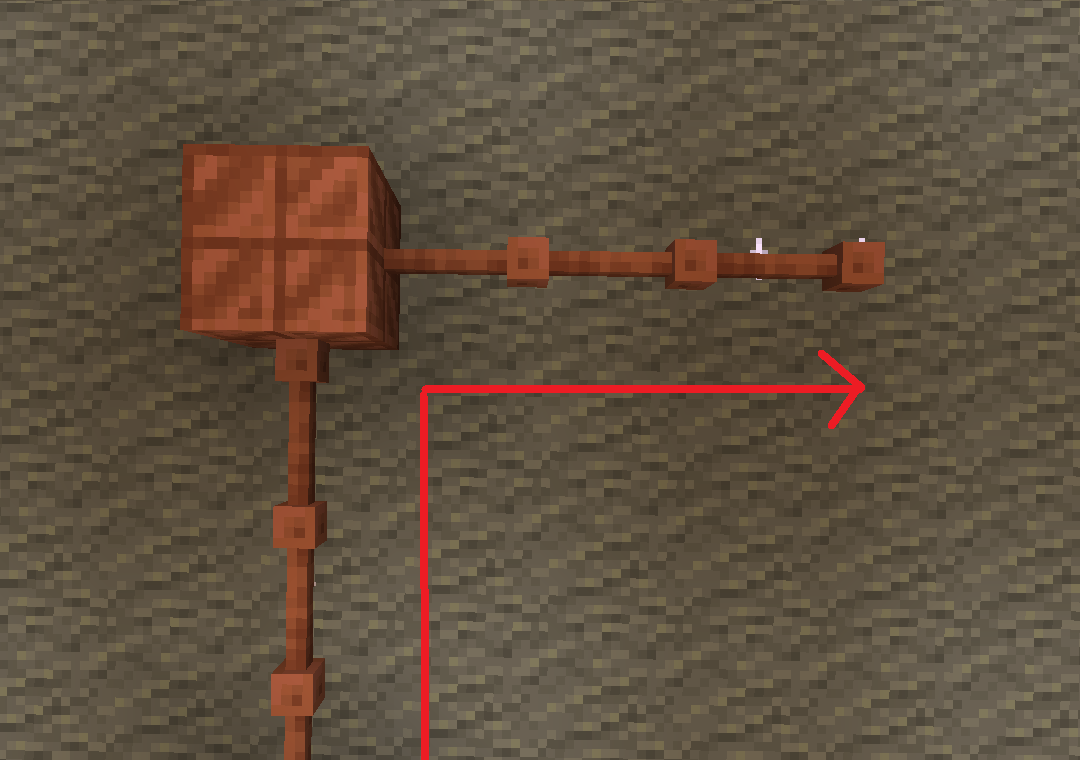
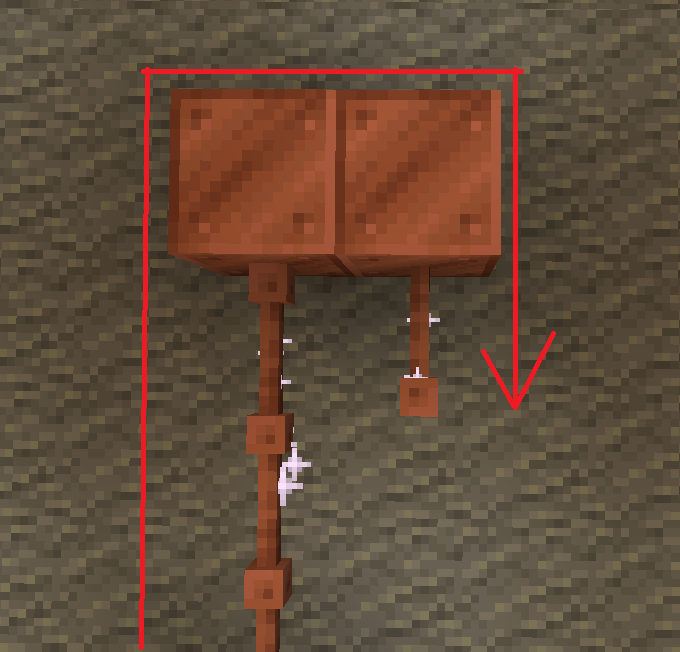
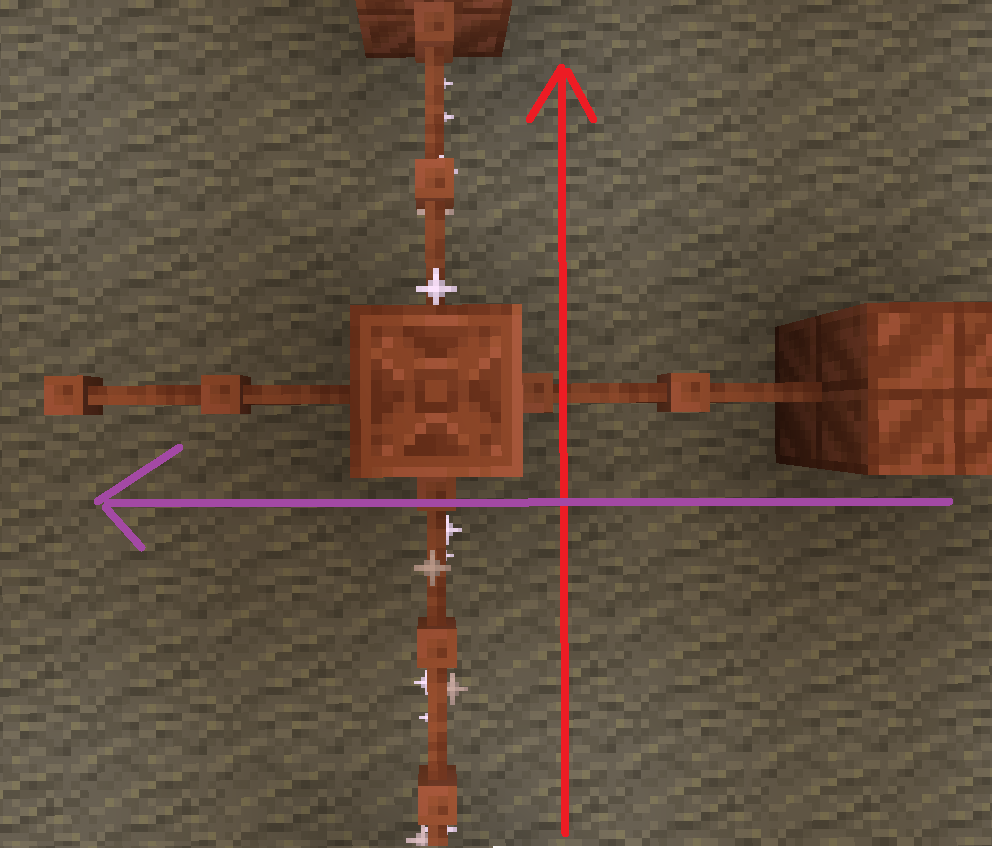
batteries store up to 32. though rusted batteries turn 32 into 16

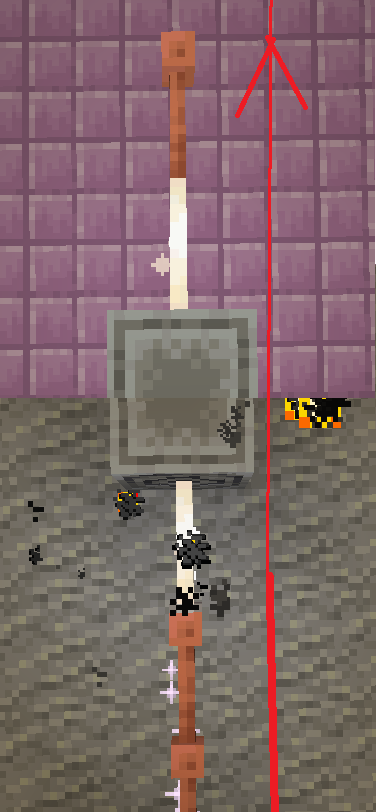
Don’t use copper blocks like that. Also, there is a chance it stays within the blocks and expires.

The most common thing to power is the productivity armour/tools or copper armour/tools.
The armour and tools are weak and easily destroyed. The armour gives less protection than iron and tools are slightly better than stone.
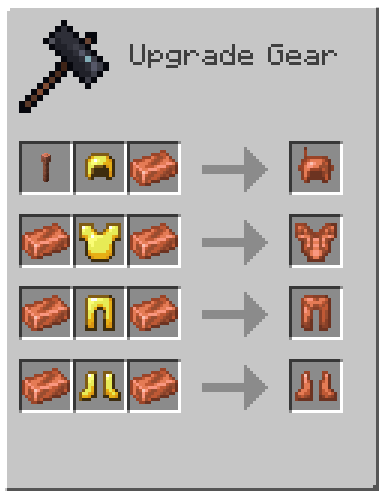
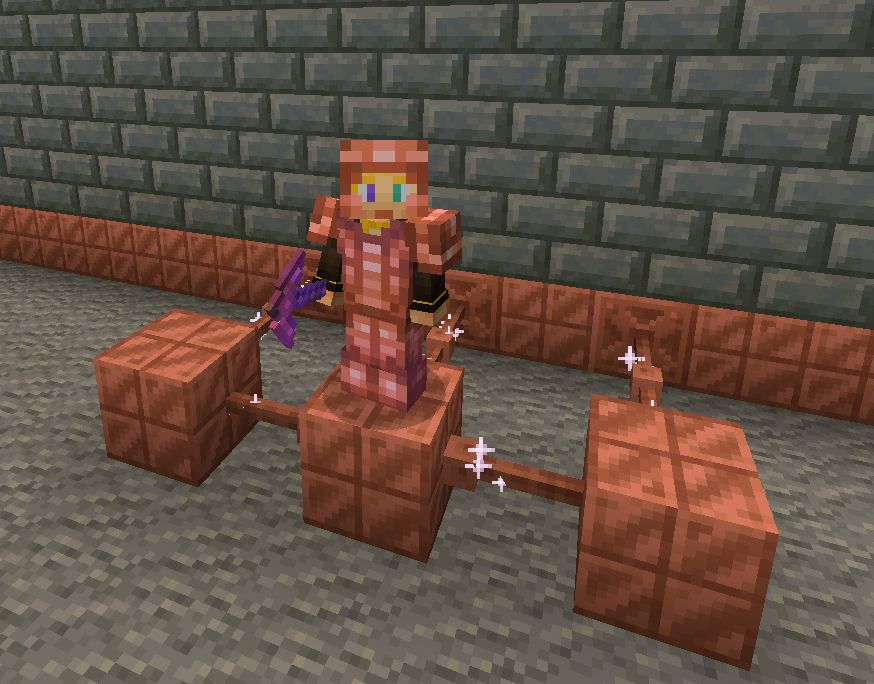
armor recipe
Because of copper’s malleability, it requires a structure.
The copper armour must be conductive, making golden armour a perfect cadet because it is also conductive.
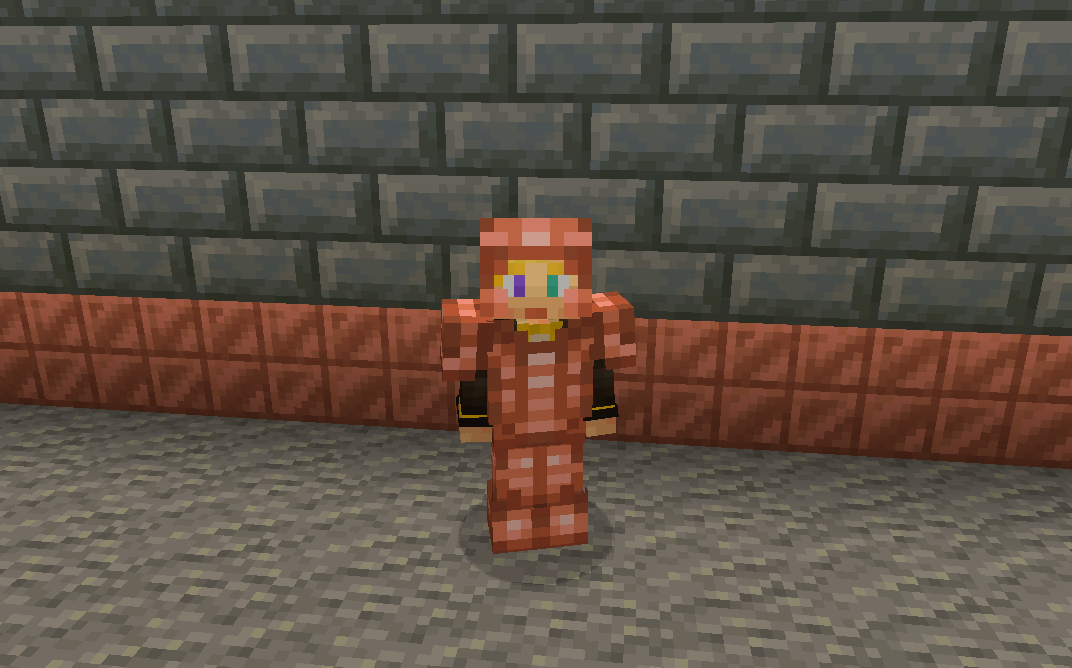
without resoursepack
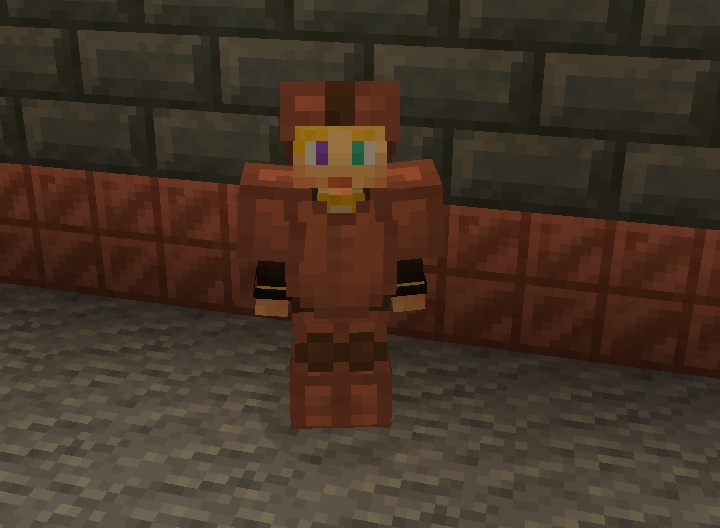
But don’t let the tools fool you these are powerful assets.
With the power of zaps, you can charge the armour to be better than they once were.
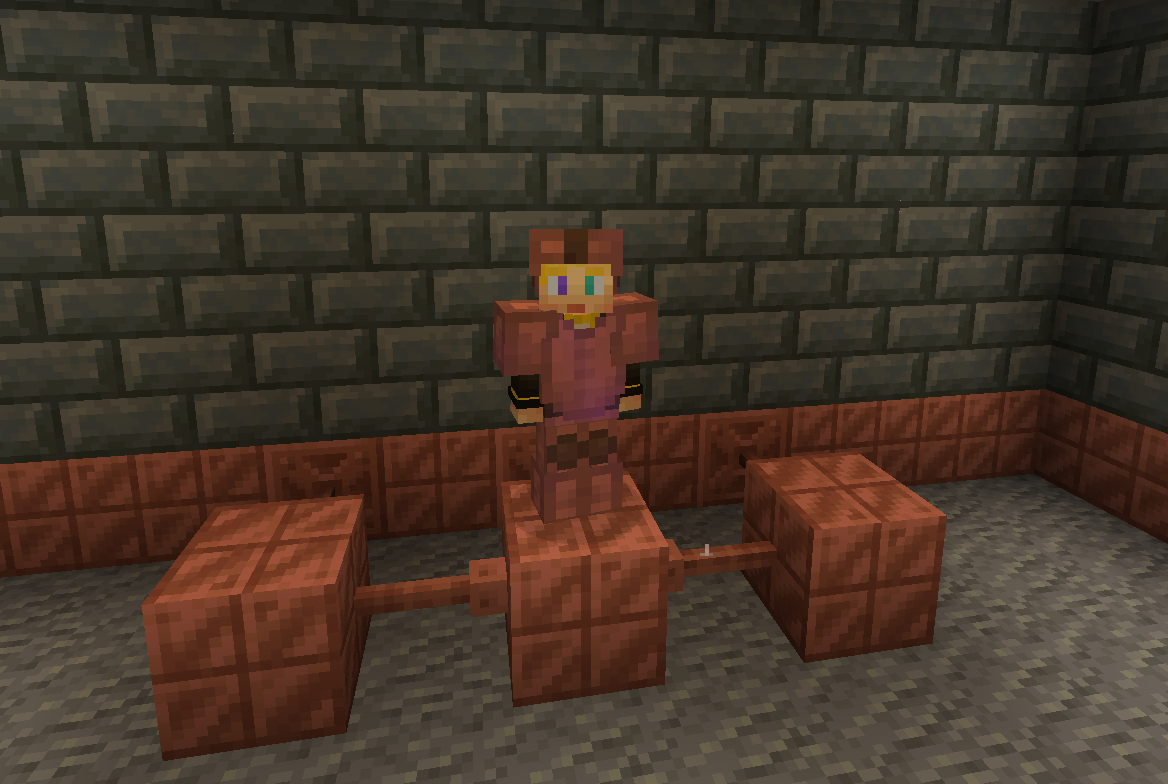
Armour at max charge now gives as much protection as a diamond. They also give you a faster and extended grip (R.I.P-Crab). The boots also decrease fall damage.
without resoursepack
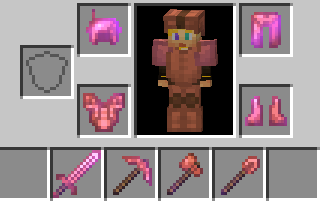
The charged tools rivel netherite making them faster and sharper.
The sword is slower to swing but has a better sweeping edge and damage.
The axe is fast
The pickaxe is fast
The shovel.. is also fast.
And the hoe doesn’t exist 🙁 …
Spoiler
YET
You can also charge copper bulbs to have a better range.
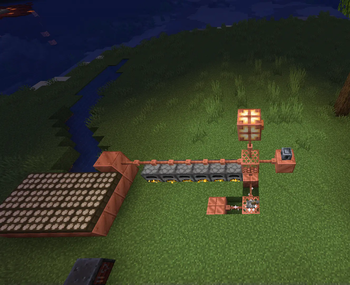
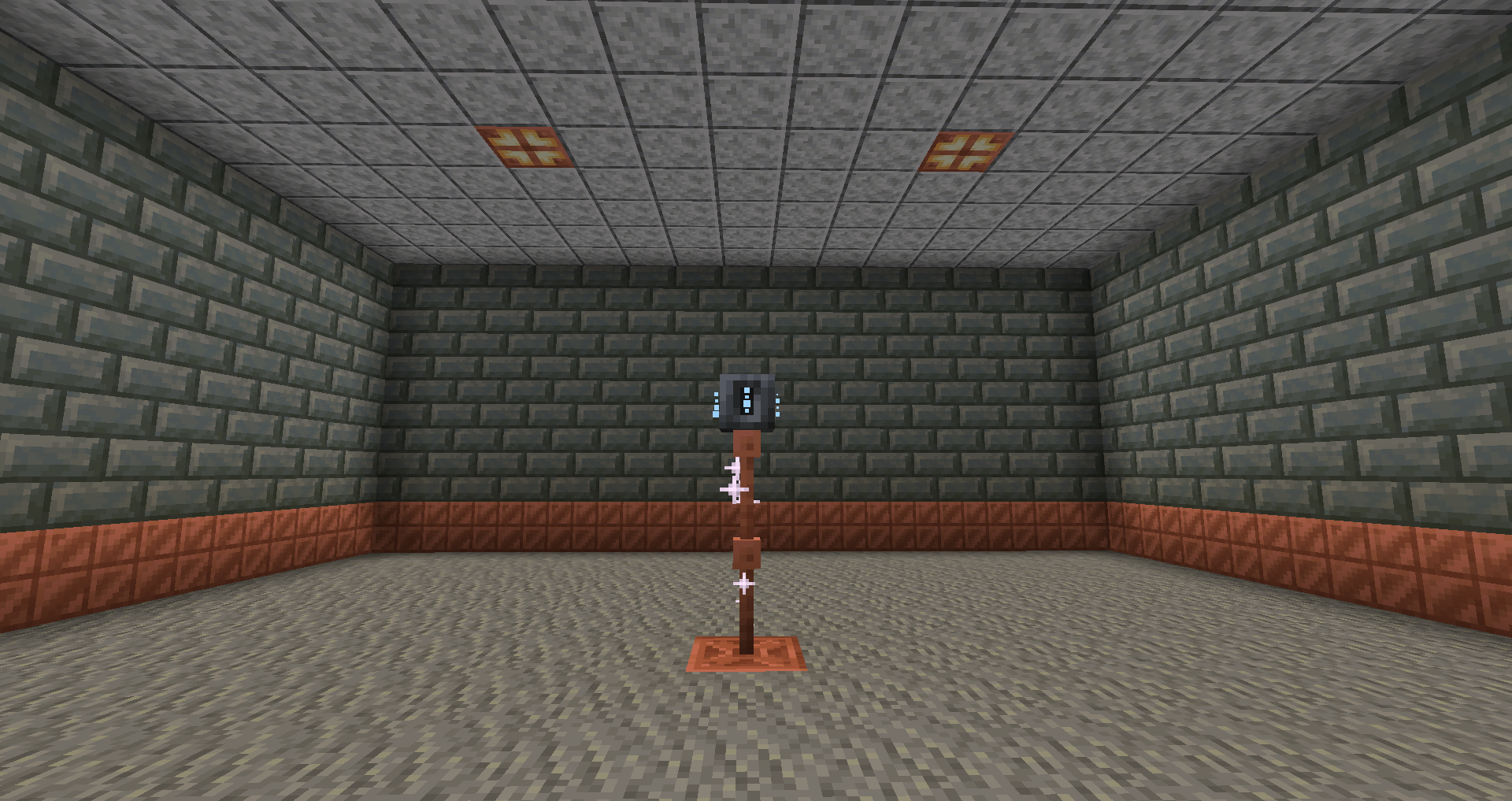
Tired of charging your armour?
With the use of the heavy core, you can change your armour wirelessly!
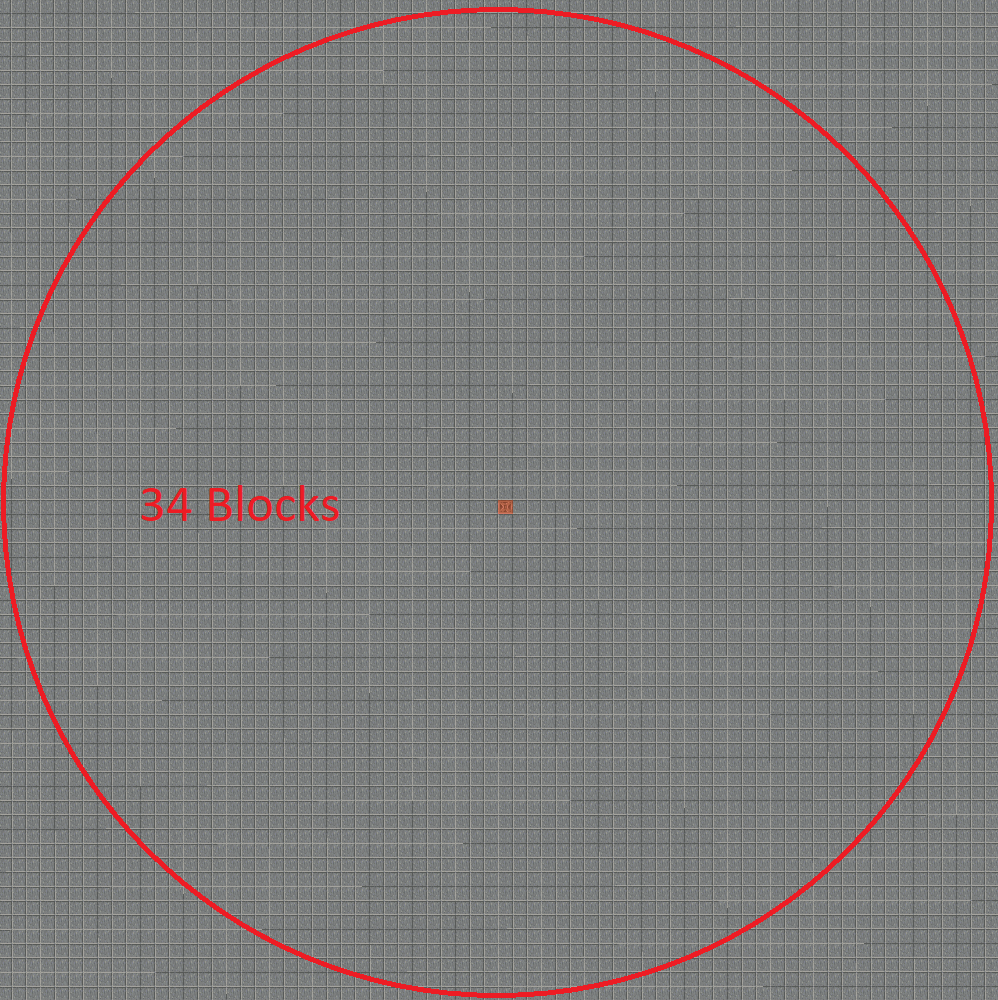
However due to the zaps exposure to the air it requires 40 zaps for one charge.
Heavy core distance
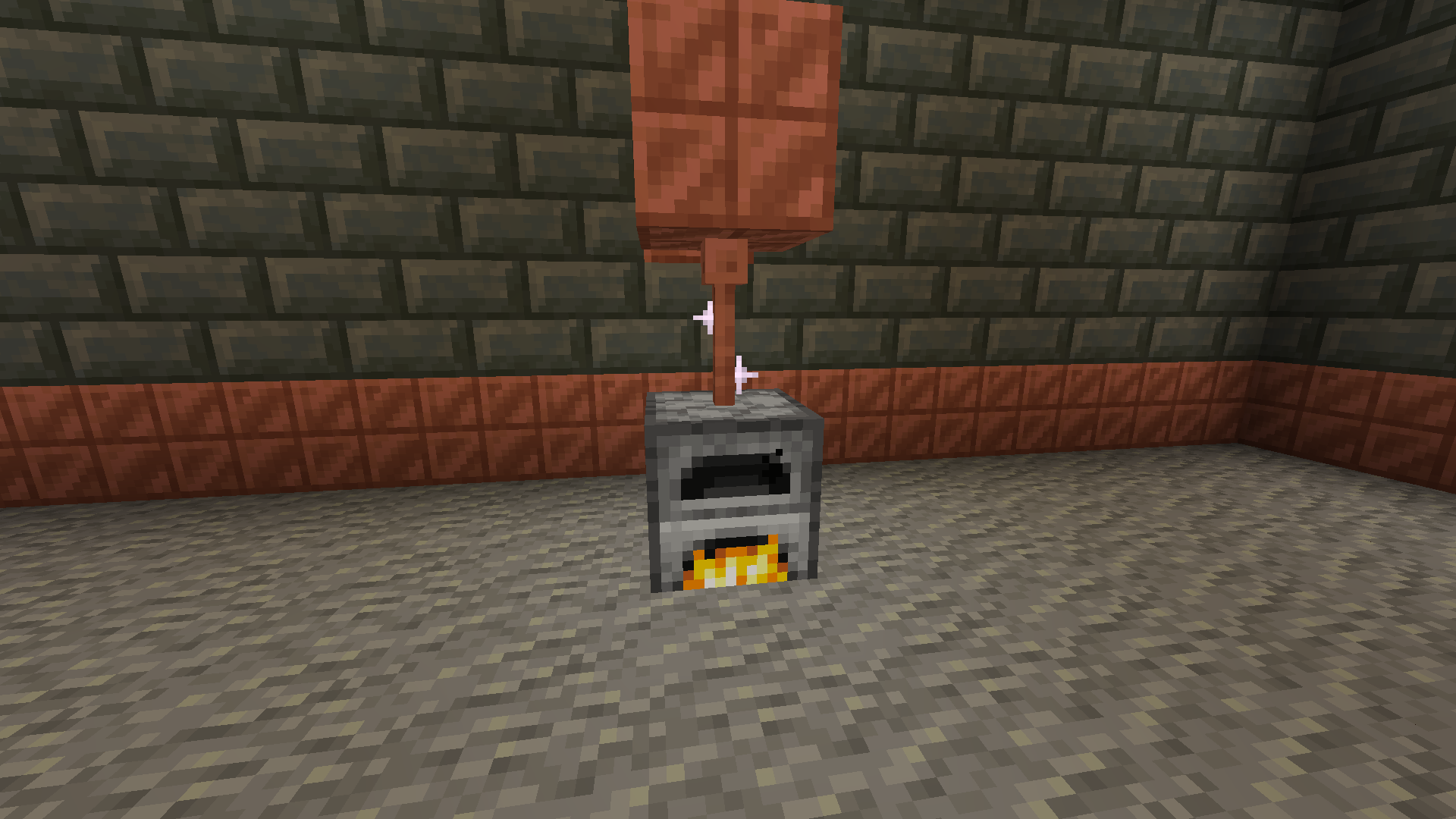
Now for the good part, how do you generate zaps?
There are a few ways to do it with the easiest being furnaces.
The furnaces must be constantly lit.
Then there are daylight sensors that generate power over time slowly but surely.
If combined with copper blocks to minimise space.
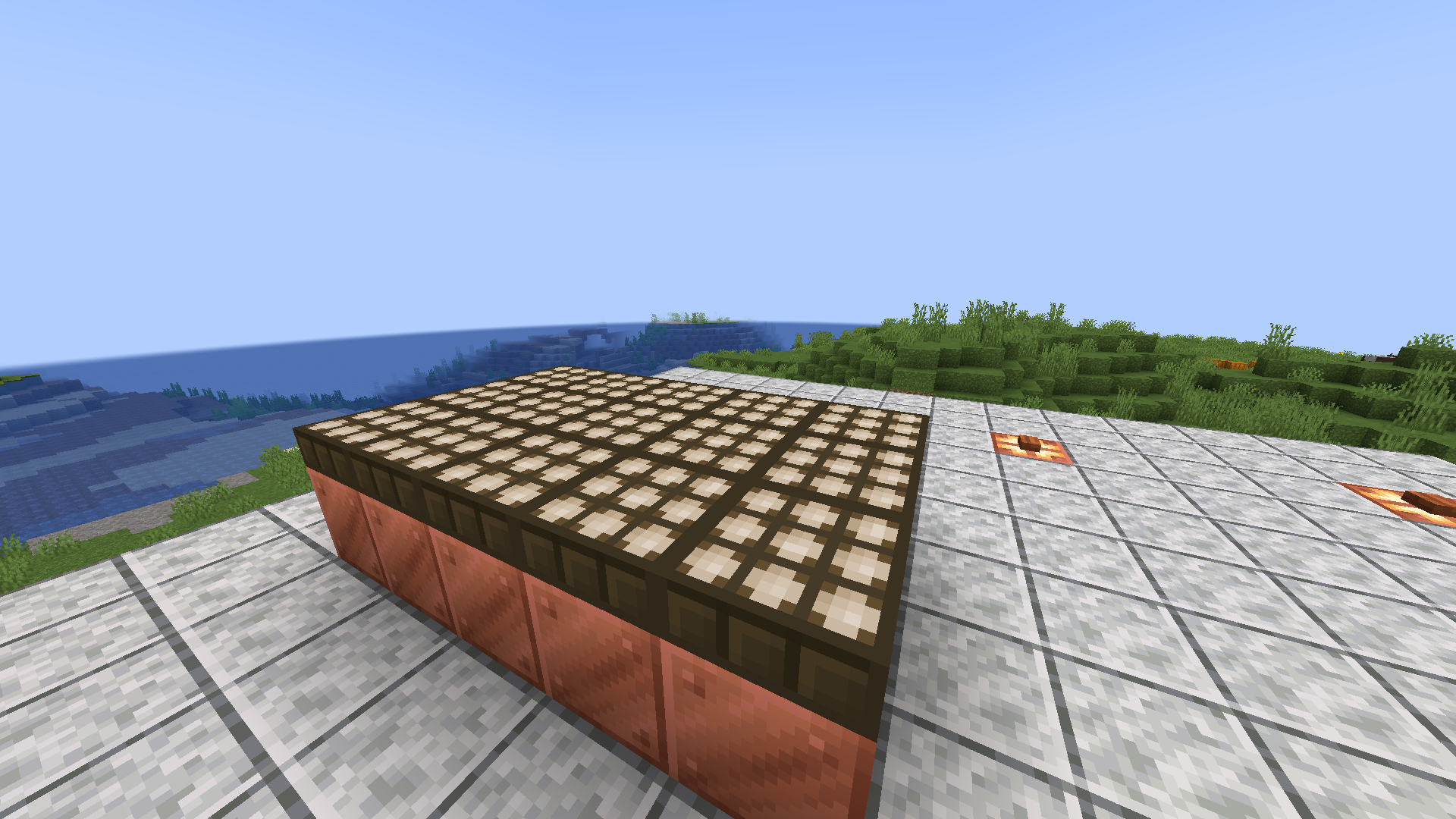
Or you can go the old-fashioned way and use lightning rods for their intended purpose.
Produces high power when struck necessary for all buildings.
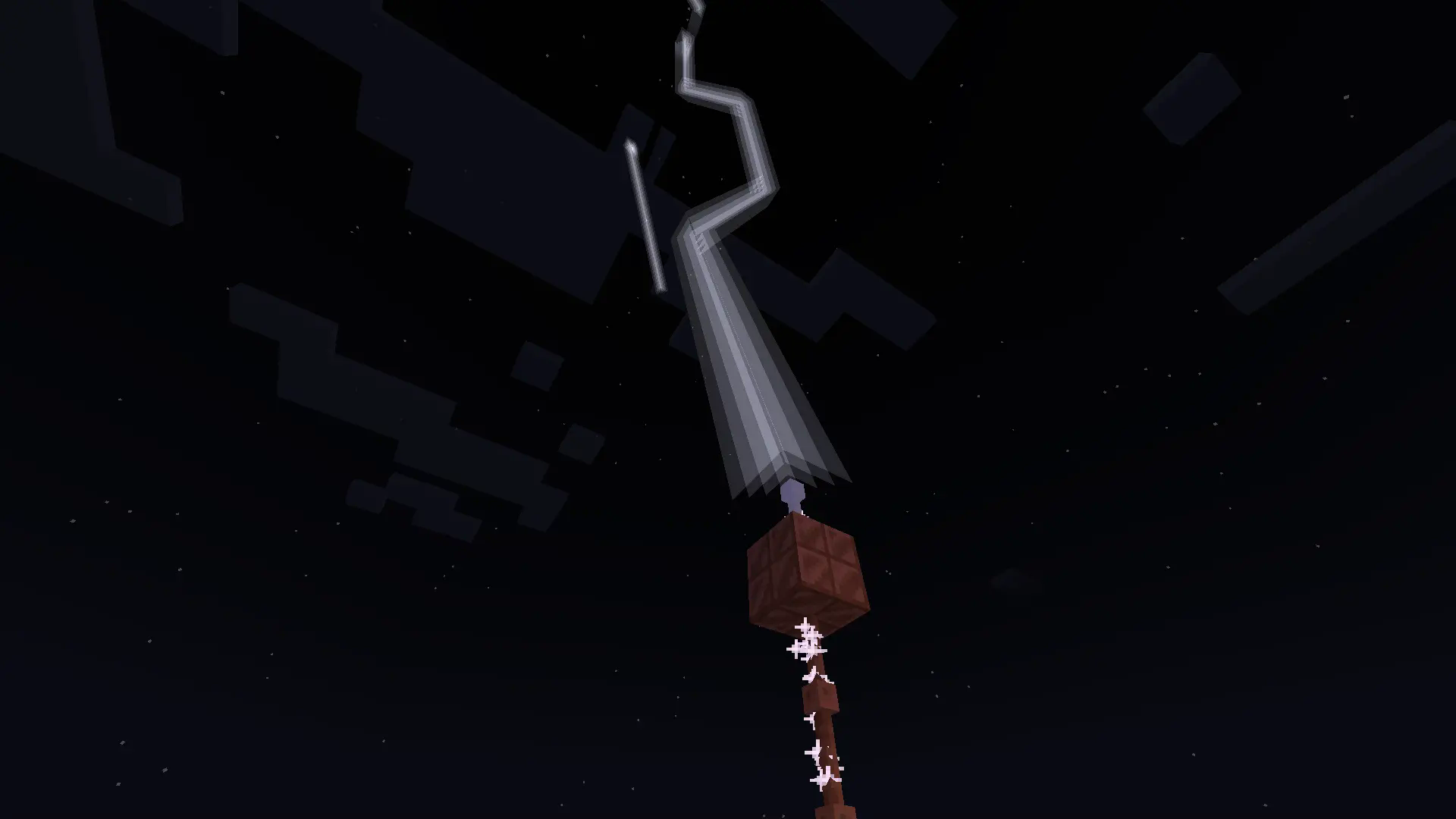
With more infrastructure, you can turn a mob farm into an energy source.
Which is made possible with the catalyst
Recipe
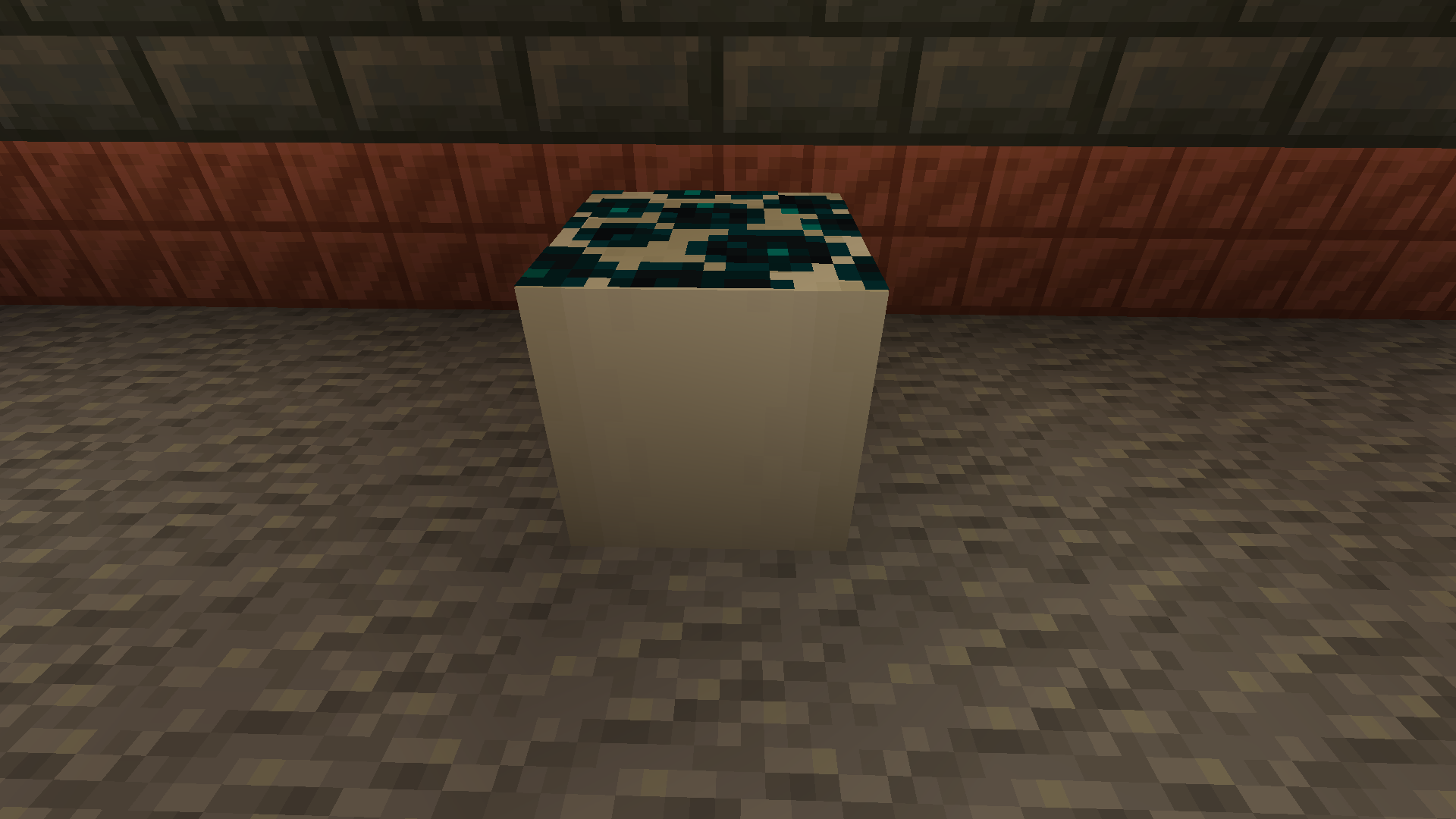
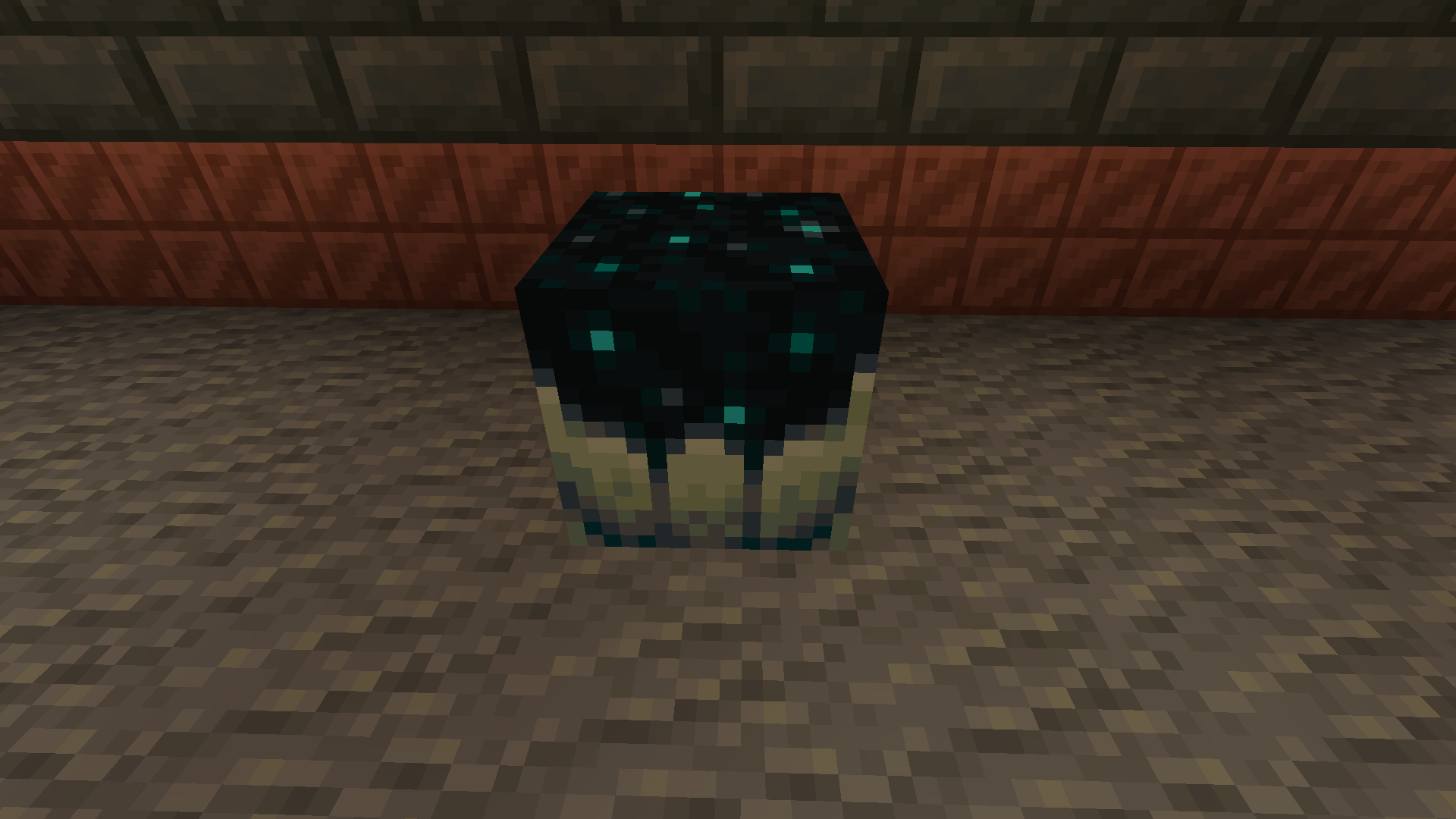
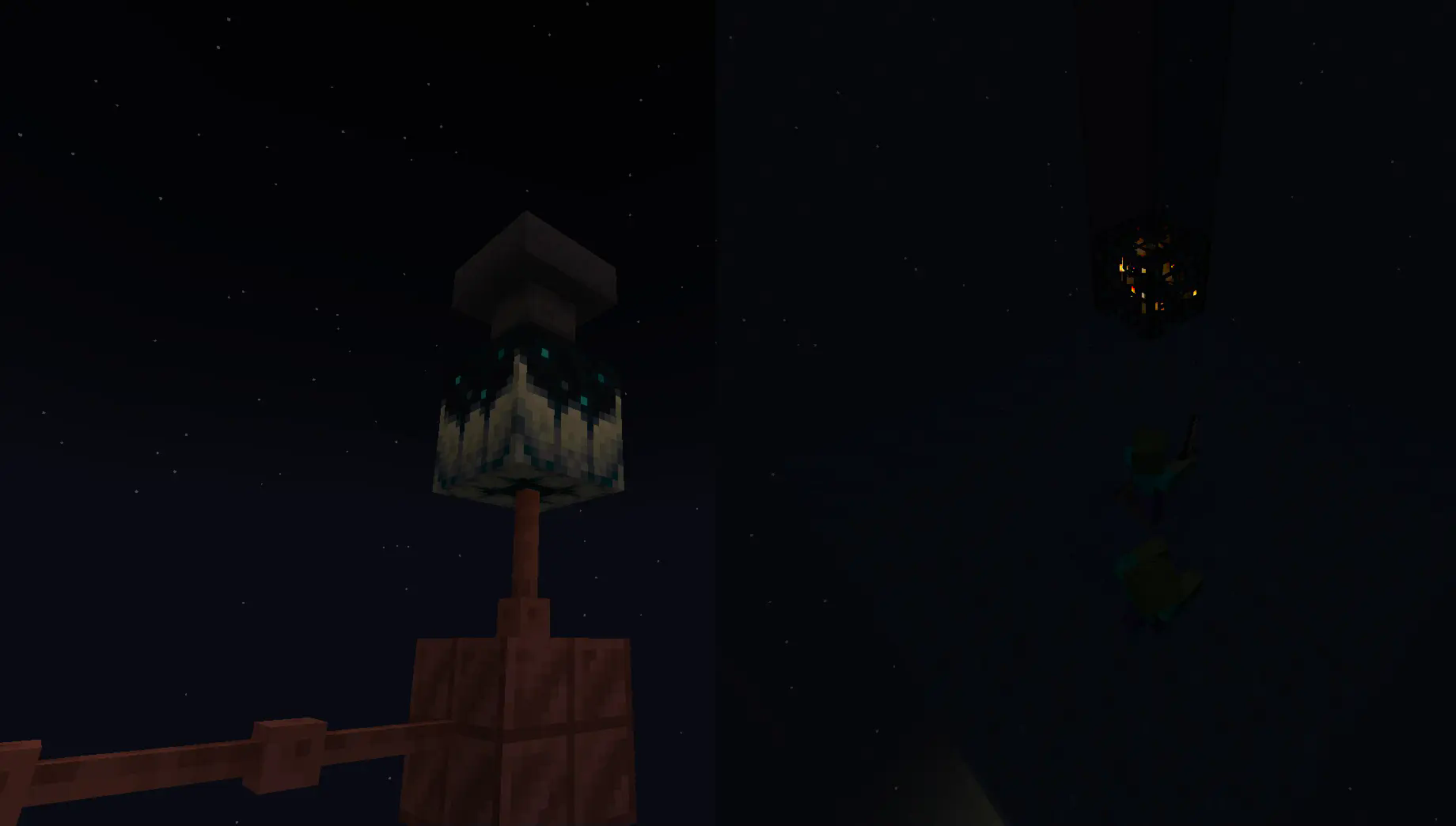
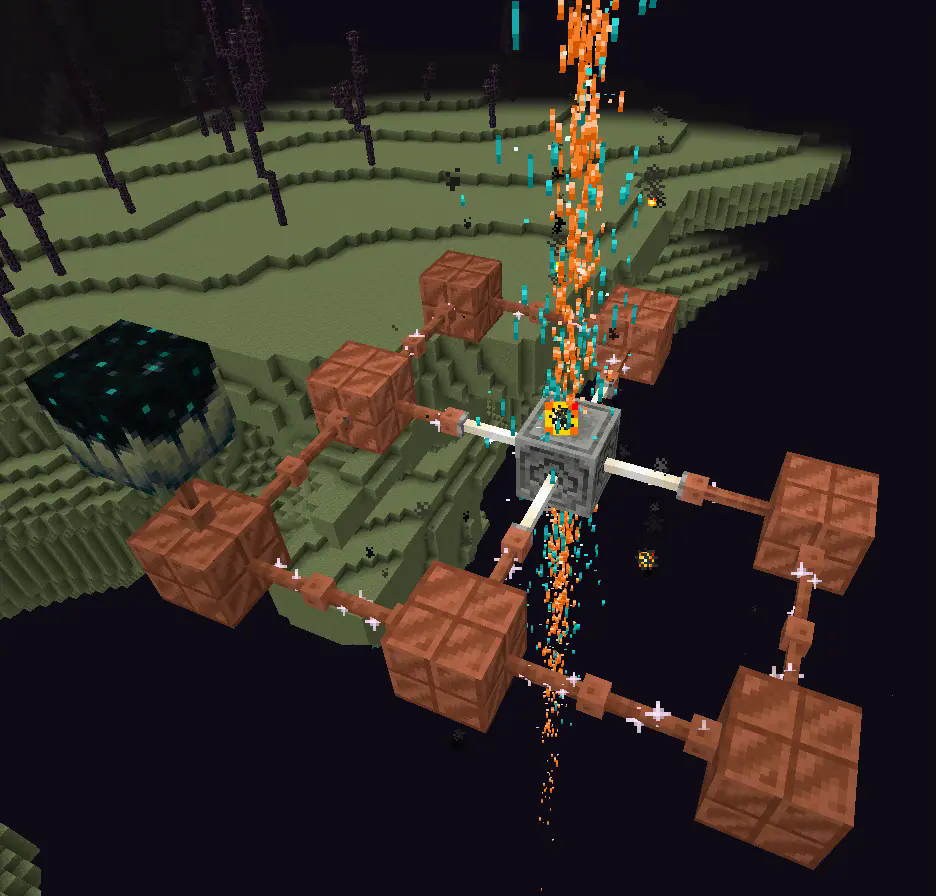
Going into the late game there is the gateway.
To make a gateway you need to align 2 lodestones together at the same cords in both the end and overworld. It also doubles up as a chunk loader.
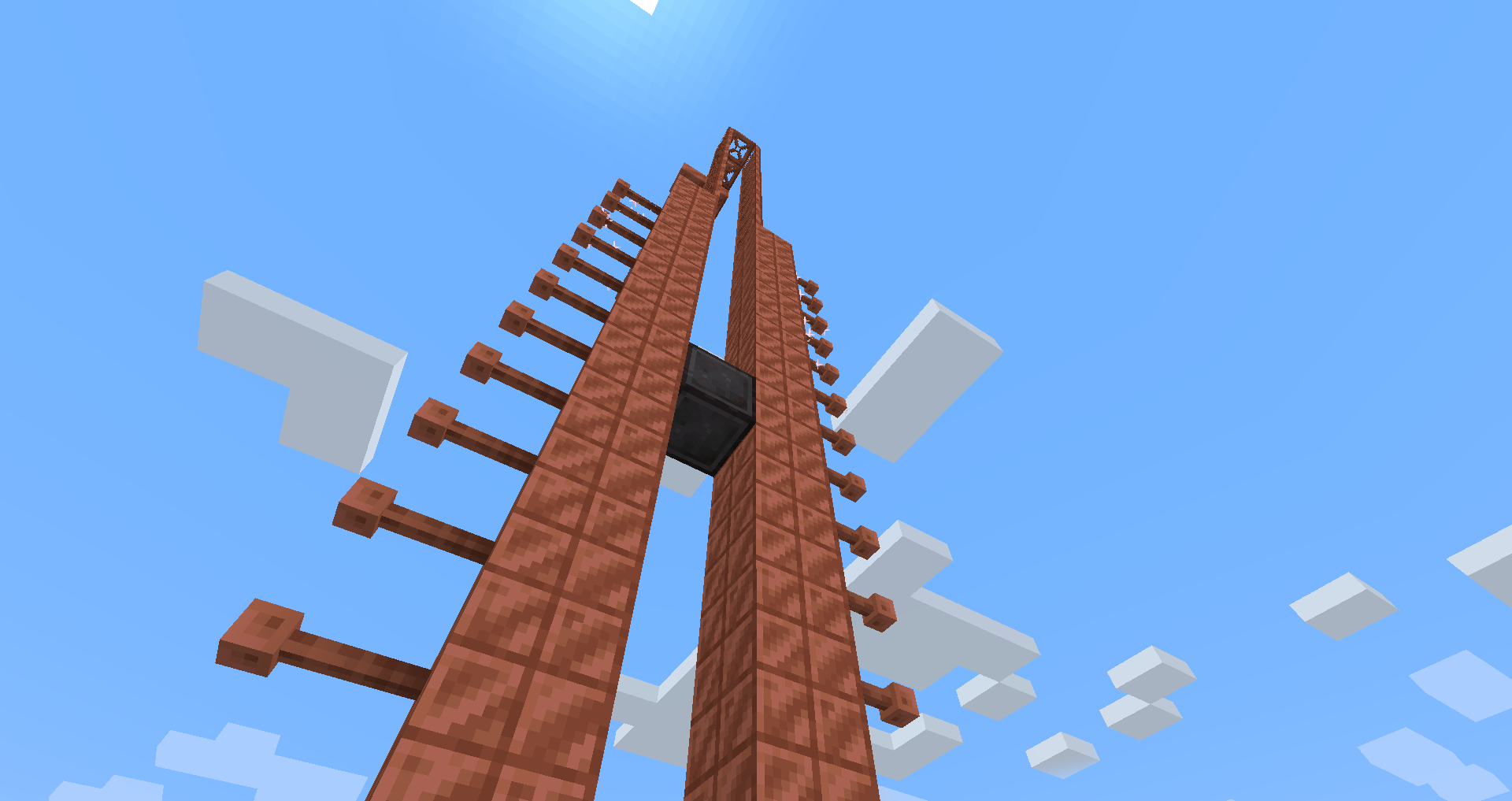
If you want to avoid touching grass for a few days, you can make a netherite block and magnetize it.
credit goes to T_en_M for the Stolen music disc
(disc available 1.2+)
T_en_M’s discord:https://discord.com/invite/pZAtE8a2q3
Inspired by SimplySarcs Copper video
And
AuraAcorns Copper Wiring
https://modrinth.com/datapack/copper-wiring
Future Updates?
**Soon:**
-better redstone support(maybe)
-more machines
**Later:**
-I would love to add the Copper Golem
-A use for the conduit (I think it will allow the productivity armour to go underwater)
-~~amethest?~~ (different project)
-some sort of transport, maybe with the beacon
-lightning weapon, a sister weapon to the mace perhaps
-better visuals
Whats not to come
1.20.6 and lower (probably)
The meaning of life
Known bugs
-on 1.21-1.21.3 versions leather armour texture can apair white
PLS LOVE YOURSELF AND MAKE BACKUPS.
I will not be held accountable for my bad code.
And that’s it.
If you want to submit an issue or want to request a feature or just want to roast the data pack, the link is here:
https://github.com/Wangle17/Zapped-Datapack/issues
zAntiAutoClick

**Attention, this is a free version of zAntiAutoClick, you can use it but you must buy the paid version to get help!**

**zAntiAutoClick** is a plugin designed to analyze players’ click sessions on entities. At the end of each session, the plugin automatically determines whether the player’s behavior appears valid or suspicious.
Its main purpose is to provide detailed insights into player activity, helping you detect potential use of auto-clicking tools.
**Note**: zAntiAutoClick does not apply any automatic punishments. It is up to you to review the data and take appropriate action if cheating is detected.
# Requirements:
– zMenu
– PacketEvent
# Features
– Detect automatic clicking (autoclickers) when players attack entities
– Send a Discord webhook to notify your team of session results
– Notify your team in-game with session result messages
– Fully configurable analysis methods
– Inventory GUI to view all player sessions
– Inventory GUI to review sessions flagged for cheating
– Supports both SQLite and MySQL for data storage
# How does it work?
The plugin listens to attack packets sent by players when they hit an entity and records the time difference between each click. These clicks are grouped into what we call a session. A session represents all the time intervals between clicks over a certain period. For a session to be valid, it must contain a minimum number of clicks and last a minimum duration — both of which can be configured.
Once the session ends, the plugin analyzes it by checking various key indicators to determine whether the behavior is human or likely automated. It then calculates a suspicion percentage: if it exceeds 60%, the player is flagged as suspicious.
You can then review your players’ sessions and take action against cheaters.
One of the most effective indicators is the standard deviation of the click intervals. The lower it is, the more consistent the clicking pattern — a common sign of an autoclicker. If the standard deviation is below 20, the player is very likely cheating.
Armor Hider
# Armor Hider


A mod to alter the transparency or fully hide armor and equipment with multiplayer support, without any dependencies – supporting a wide range of game versions and available for Fabric, Quilt and NeoForge.

### Features
– **Per-slot opacity sliders** for helmet, chestplate, leggings, boots and offhand
– **Enchantment glint control** to selectively hide the glint on any slot
– **Combat detection** let you automatically show armor when in combat
– **Full multiplayer sync** so other players see your settings when the server has the mod
– **Works client-side only** too without server mod required
– **Live in-game preview** of your changes
– **Keybindings** to quickly toggle Armor Hider or open the settings screen
– **Admin controls** for server operators (force armor visible, server-wide combat detection)


I track issues (including feature requests) via GitHub and do my best to close out any bugs timely (plus, I get way too excited about new features myself..). If you don’t have an account, feel free to join the Discord server and let me know there.
—
## Customizability
Find Armor Hider’s settings integrated into the game via “Skin Customization” in the game settings (or via ‘Zannagh’s Armor Hider’ on older game versions). When in-game, the mod settings feature a live preview of your changes.

### Armor Opacity
The mod allows you to define an opacity between 0% (hidden, cancelling the rendering) and 100% (the mod doesn’t do anything) for each armor item slot. In addition, it’s possible to specify whether skull items (skeleton/wither/… skull) should be affected by the helmet setting and if Elytras should be affected by the chestslot setting.
Furthermore, you can selectively hide the enchantment glint on any of the slots.
If you’d like to have armors visible in combat, you can choose whether combat will temporarily show your armor or not, see [Combat Detection](#combat-detection) below.
### Offhand Opacity
Armor Hider additionally offers to hide the offhand slot if you don’t want your fancy skin obstructed by a shield or other items.
## Synchronization
If the mod is installed on the server you’re joining, all of your local preferences will get sent to the server on change or join. The server-side mod then takes care of relaying your preferences to all other clients. That way, if the mod is present on the server, everyone will see your avatar exactly as you’ve configured it (including combat detection, glint and other features).
Combat events are synchronized and not only client-side, so when the server runs the mod, you’ll see another player’s armor once they enter combat (granted they have the related setting enabled).
If a host is not yet running the mod, there’s a setting available which lets you define whether the then ‘unknown’ players should have their armor rendering unaffected or carry over your own settings.
## Advanced Settings

* **Apply your settings to unknown players**: Whether to use your own opacity settings or the default settings (armor
shown normally, as without the mod) when a player’s settings cannot be determined — for example when using the mod
only client-side on an unmodded server (see [Server communication matrix](#server-communication-matrix) below)
* **Disable Armor Hider features**: Globally disable Armor Hider on your client. If the server is forcing Armor Hider
off, this setting is overridden
* **Disable Armor Hider for other players**: Disable Armor Hider rendering for other players’ armors only. If the server is forcing Armor Hider off or the global disable is set, this setting is ignored
### Administrative Settings
For hosts, these settings require moderator/operator permissions (for compatibility reasons, the mod only checks for permission level >= 3) and are applied server-wide, overriding individual player preferences.
* **Armor in combat (server)**: Forces combat detection server-wide — when enabled, armor is always shown for any player in combat, overriding each player’s individual combat detection setting – useful for PvP servers
* **Force Armor Hider off for all players**: Forces Armor Hider to be disabled for all players on the server (especially useful when you’re running a PvP server and don’t want people to hide other players’ armors)
### Combat Detection
Combat Detection
With combat detection enabled, your armor automatically becomes visible when you take or deal damage.
**Enabled Combat Detection**

**Disabled Combat Detection**

## Server Communication Matrix
Your locally set preferences get sent to the server on change or join. Players joining a server will retrieve the
preference library from the server in order to apply other players’ preferences on their client.
The following matrix shows how preferences are resolved depending on where the mod is installed:
| Mod on Server | Mod on Client | Behavior |
|:—:|:—:|—|
| Yes | Yes | Full functionality. Your preferences are synced to the server and relayed to other players. You see other players’ actual configured armor opacity. Combat events are relayed by the server for synchronized combat detection. |
| Yes | No | No effect. The server stores preferences but the vanilla client cannot render transparency changes. |
| No | Yes | Client-side only. Other players’ preferences cannot be determined. Depending on the **”Apply your settings to unknown players”** setting: **ON** — your own opacity settings are applied to all players; **OFF** — default settings are used (armor rendered normally, as without the mod). Combat events will not be passed around in the server. |
| No | No | No effect. The mod is not present. |
## Community
Join the Discord server for support, discussion, and feature requests.
## Issues and Feature Requests
As mentioned before, feel free to create an issue on the GitHub repository or reach out on Discord to make me aware of problems or ideas that could make this mod better.
## Supported Game Versions and Loaders








