Jungle Grass Everywhere!
#
Jungle Grass Everywhere!
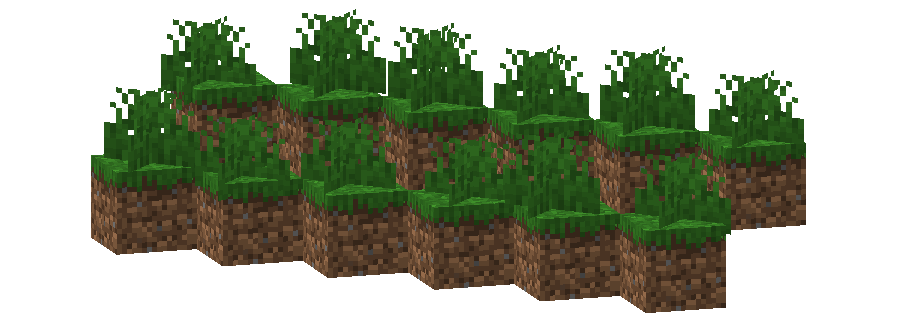
This pack changes the **Grass colormap** so that it always matches the color of the **Jungle biome(s)**.
The Jungle uses the color `#59C93C` in vanilla Minecraft.
List of biomes that use this color in vanilla Minecraft
* Jungle
* Bamboo Jungle
Additional Information
* build_time: `2025-10-06T02:13:38+02:00`
* build_user: `rotgruengelb`
## Limitations
Some biomes use hardcoded colors that cannot be overridden by resource packs.
This is a limitation of Minecraft itself, not of this pack.
## Installation
Download the pack and place it in your `resourcepacks` folder.
## About “Oh My Colormap!”
A collection of resource packs that change Minecraft’s colormaps.
### Rotgruengelb (Developer & Artist):


JAWGM
I made just another Mod. This time it’s pretty small.
You can get water completly without any water source. All you need is either an empty glass bottle or an empty bucket. Hold it in your hand or offhand while it’s raining and after some small time the item will fill up by itself.
This should work in every dimension where it can rain (e.g. overworld)
No Java Edition Branding – Remove from Start-Title Screen
Removes the Java Edition Text under The “Minecraft” Logo from the Title Screen!


Also works for with other resourcepacks!


Japanese Title
This resource pack changes Minecraft title screen logo to unused official Japanese logo “マインクラフト”, the Japanese Katakana for “Minecraft”.
Originally sourced from the official website of a design company that created this logo for Mojang. but it was never officially used. For more information check the Minecraft Wiki logo page.
Version 1 replaces the main logo with “マインクラフト” and removes the subtitle.
Version 2 keeps the original main logo and changes the subtitle to “マインクラフト”.
Previews gallery
I do not own this.
日本語:
元は、Mojangのためにこのロゴをデザインしたデザイン会社の公式ウェブサイトからのものですが、公式には使用されませんでした。詳しくはMinecraft Wikiのロゴページをご覧ください。
バージョン1 は、メインロゴを「マインクラフト」に置き換え、サブタイトルを削除しています。
バージョン2 は、元のメインロゴを維持し、サブタイトルを「マインクラフト」に変更しています。
プレビューギャラリー
これは私の所有物ではありません。
Jane Doe ZZZ Title Screen Background
Replace the main menu background with Jane Doe (Zenless Zone Zero).
Item Name + Custome Model Data Modifier
**Only works in versions with Item Components!!!**
This is a Datapack for Item Customization.
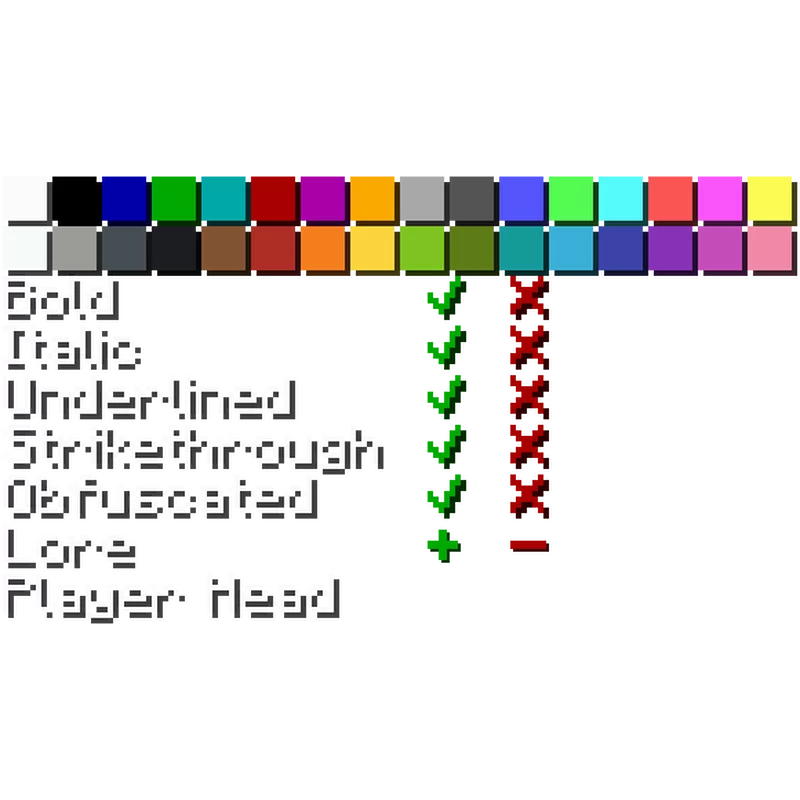
Set the custom model data with “/trigger cmd set | **CMD Value** |”.
Get the UI / Chat Message with “/trigger text_modifier”.
For this to work the Item has to be named
With this you can the the name color, style, lore and update the player head to your current Skin.
The lore is added from the name of the Item in your offhand with the color and style of the Item name.
The lore is added ontop of the other lore if there is other lore and only the latest lore is removed when you click “-“.
**This Datapack only modifiers Item data and nothing else.**
Item Descriptions



This mod adds a unique description to all blocks, items, and entities that is displayed when pressing the Ctrl key. These descriptions sum up what it can be used for, its source, and/or any other useful info. It strikes a compromise between not knowing anything about an item and constantly checking the Minecraft Wiki for detailed in-depth descriptions.
Item Descriptions includes all vanilla blocks and items. For mod support, also add Mod Descriptions!
## Item Descriptions
By default, holding down Ctrl when hovering over an item will show a short description of what it can do. Unique descriptions have been written for every item, and generic descriptions are also supported for various tags so many modded blocks come with built-in descriptions.
## Block and Entity Descriptions
If you have Jade or WTHIT installed, blocks and entities will also show descriptions when Ctrl is held.
## Enchantment Descriptions
Item Descriptions supports descriptions for enchantments as well, with descriptions for every vanilla enchantments included. Item Descriptions prefers its own descriptions, but will support mods that support Enchantment Descriptions out of the box.
Enchantment Descriptions are also shown in the Enchanting Table, including Quark’s Matrix Enchanting Table and Penchant’s reworked Enchanting Table.
## Effect Descriptions
Item Descriptions supports descriptions for enchantments as well, with descriptions for every vanilla enchantments included. Item Descriptions prefers its own descriptions, but will support mods that support Effect Descriptions out of the box.
## Installation
Item Descriptions is a completely clientside mod for Fabric and NeoForge.
– On Fabric, only Fabric API is required.
– On NeoForge, there are no dependencies.
– Mod settings are available with Mod Menu (only required on Fabric) and Cloth Config or YACL. Built in options include the tooltip key, hints, tooltip colour, “always on” mode, toggles for description types, and more.
## Mod Support
Item Descriptions includes all vanilla blocks and items. For mod support, also add the Mod Descriptions resource pack! Additionally, compatibility exists for specific features in the following mods:
| Icon | Link | Feature Added |
|——————————————————|—————————————————————————-|———————————————————————-|
|  | **Jade** | **Block and Entity Descriptions** — Jade will show block and entity descriptions in its informational HUD. |
|  | **WTHIT** | **Block and Entity Descriptions** — WTHIT will show block and entity descriptions in its informational HUD. |
|  | **Field Guide** | **Entry Descriptions** — Automatically fills in entry lore. |
|  | **Reliable Recipe Viewer** | **Tag Descriptions** — Tags shown by this mod will show Item Descriptions. |
|  | **Enchiridion** | **Enchantment Descriptions** — Enchiridion’s default enchantment descriptions are replaced with Item Descriptions. |
|  | **Penchant** | **Enchantment Descriptions** — Penchant’s modified Enchantment Table shows Item Descriptions. |
|  | **Quark** | **Enchantment Descriptions** — Quark’s Matrix Enchantment Table shows Item Descriptions. |
 | **Matrix Enchanting** | **Enchantment Descriptions** — The Matrix Enchantment Table shows Item Descriptions. |
|  | **Useful Spyglass** | **Block and Entity Descriptions** — Useful Spyglass will show block and entity descriptions in its informational HUD. |
|  | **Limelight** | **Block and Entity Descriptions** — Searching for a block or item in Limelight will show block and entity descriptions. |
|  | **ToolTipFix** | **Tooltip Wrapping** — This mod’s wrapping is used instead of the built in wrapper.. |
## Adding New Descriptions

By default, the mod provides descriptions for all blocks, items, and entities – including supported April Fools versions, but it has been designed in a way that makes it extensible for use in modpacks or when using other custom content. To add or replace a description for a block or item, just add the following entry to your mod or resource pack’s language file.
“`json
“lore..“: “A mysterious modded block.”
“`
For more information, including details on support for entities and Custom Model Data, see the information on the Item Descriptions Wiki.
## FAQ
– What versions does this mod actively support? Are ports planned?
– New updates will only support 26.1 and latest (currently 26.2-snapshot-6). There is no plan to backport to older versions or any other loaders.
## Credits
The descriptions present in the mod are inspired by the Minecraft Legacy Console Editions. The interface used was inspired by the one present in the Better Than Adventure mod for Minecraft b1.7.3. Mod Menu/Cloth Config integration is based on the integration present in idwtialsimmoedm under its MIT License.
Invis Particle+
# ✨ InvisParticle+
This texture pack makes invisibility particles much easier to see — perfect for PvP, Bedwars, or minigames where invisible players can be hard to spot.
# 💡 Features
– Recolored invisibility particles for better visibility
– Subtle but clear
– Great for competitive gameplay
✅ Works with all PvP packs and shaders
**Please give me your feedback here.**
Invisible/Clear Glass [1.14-1.21]
A simple resource pack that removes the borders from glass blocks. This makes glass invisible, and tinted/stained glass clear.
The pack is tested and compatible with all Minecraft versions from 1.14 to 1.21.11.
Invisible Item Frames

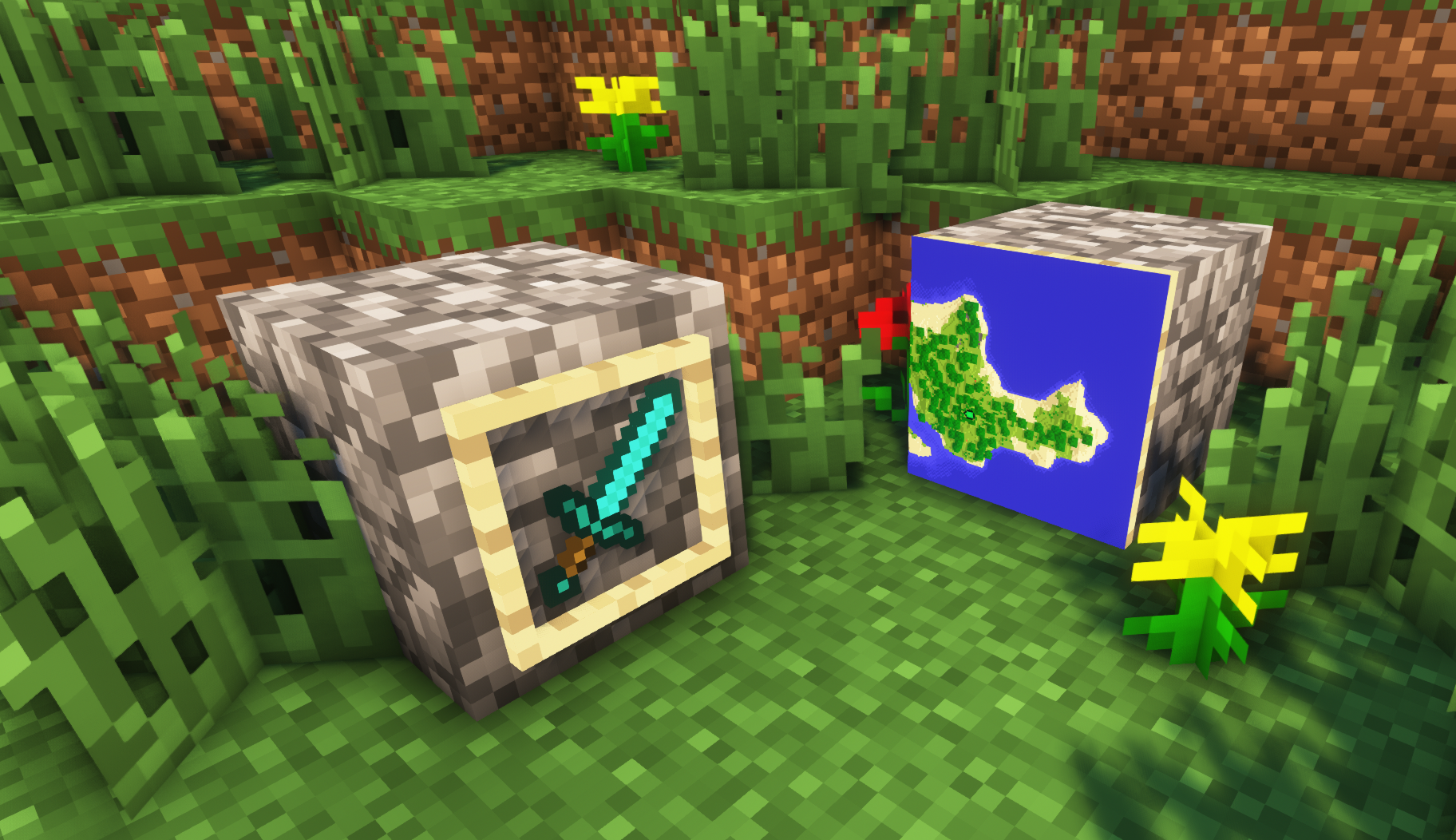
**A simple resource pack that makes item frames invisible**.
—
## Need a Minecraft Server? (Sponsor)

Get **25% off your first month** with Sparked Host.
—
## Quick info
– **Versions:** 1.4+ (full invisibility from 1.8+)
– **Works with almost all mods (Sodium/Iris and OptiFine too)**
– **No mods or commands required**
– **Additional files for invisible glow item frames and invisible map frames**
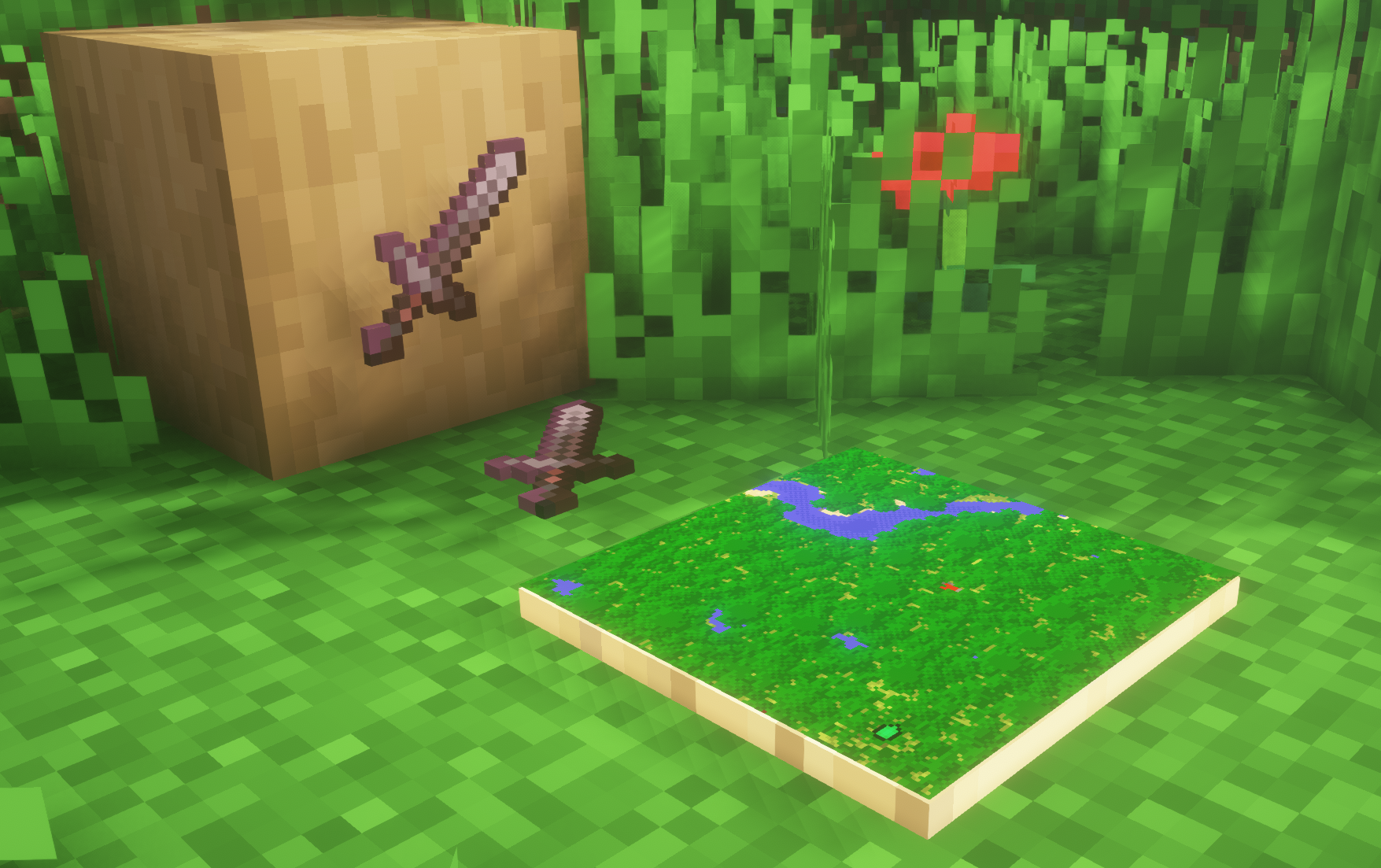
– **Versions below 1.8 will only have the center of the frame invisible (view images below for more info)**
—
## Showcase
**1.8+**
1.4-1.7.10
—
FAQ
**Can I use this with other packs?**
> Yes, but place this pack in a **higher priority (above other packs)**.
**How do I remove item frames?**
> Enable debug hitboxes using **F3 + B** and break the frame.
**Can I use this pack in my modpack or server?**
> Yes you are free to use it, as long as you don’t claim this pack as your own.
**Why is my map/glow item frame not invisible?**
> You have to install those separately. They are available under **additional files** or the buttons near the top of this page.
**Does this make the game slower?**
> This pack actually slightly **improves the client-side framerate** in scenes with lots of item frames.
—
## Additional Files
– Download Invisible Glow Item Frames
– Download Invisible Map Item Frames
—
## Need a Minecraft Server? (Sponsor)

Use code **MattyWalker** for 25% off your first month.