Drops in ma’ pocket / magnetic (telekinesis)
# Magnetic (Telekinesis for Minecraft)
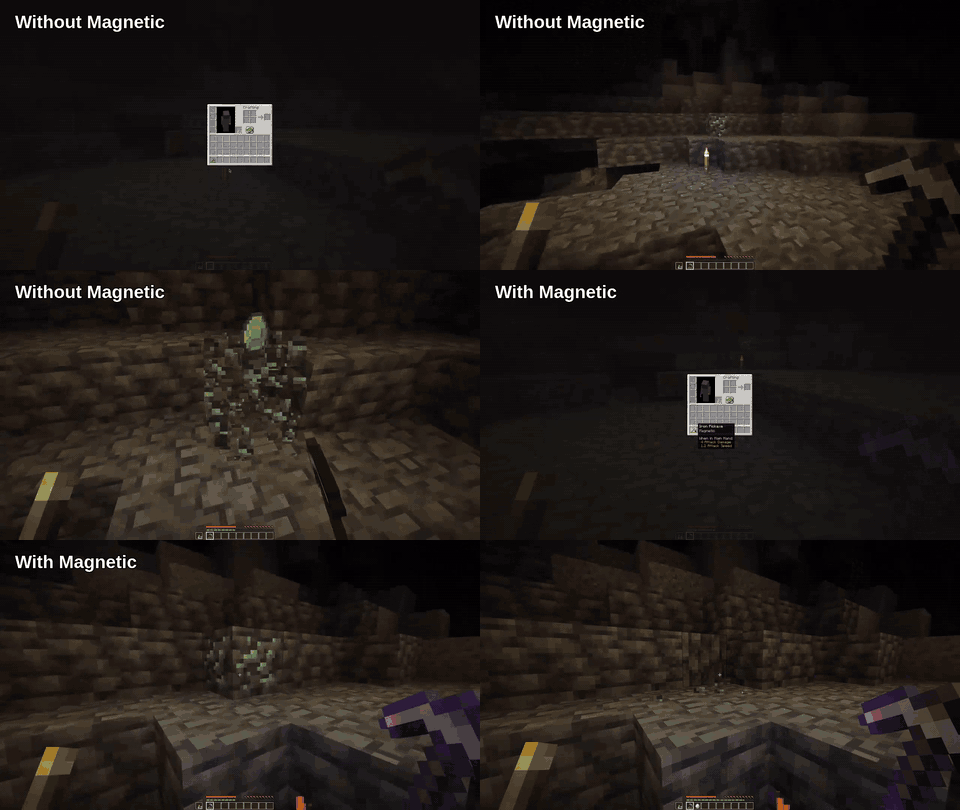
Pick up drops and XP instantly. No running around, no missed loot.
Inspired by the Hypixel Skyblock Telekinesis enchantment.
—
## Demo
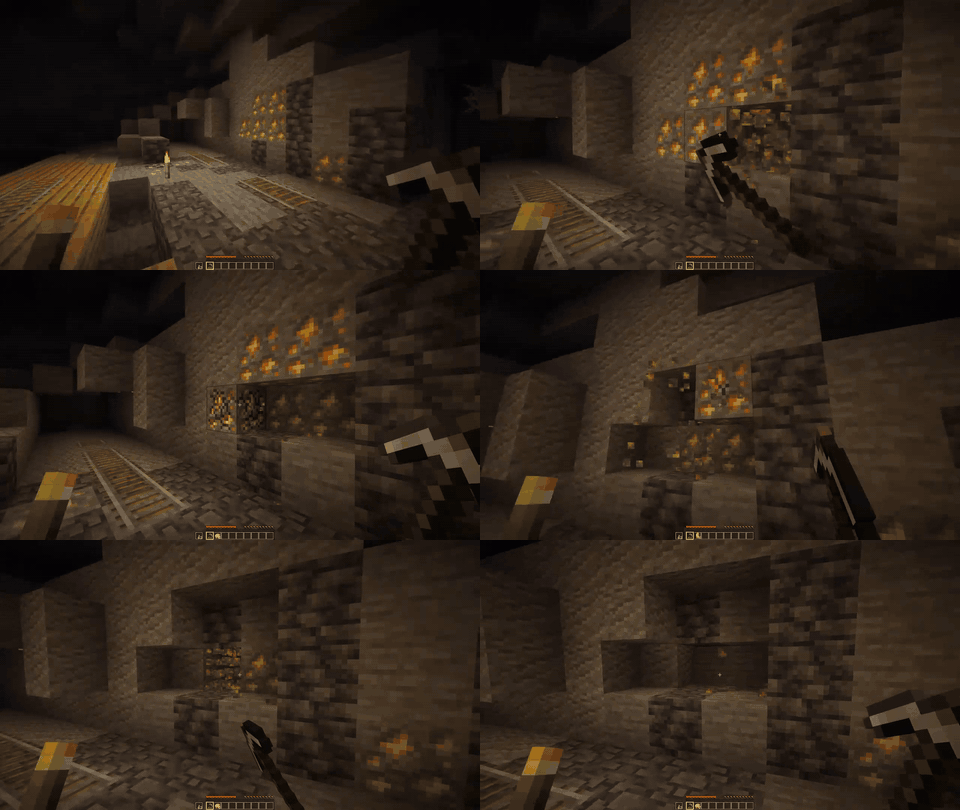
—
## Why this mod exists
**Collecting drops is busywork.** Magnetic removes the cleanup loop so you can stay focused on building, mining, and combat.
—
## Highlights
Magnetic is designed to feel **instant**, **lightweight**, and **configurable** without getting in your way.
– **Auto-pickup:** Items and XP go straight to you.
– **Optional animation:** Items fly to you instead of popping in.
– **Rule-based activation:** Enchantment, sneak, or permission conditions.
– **Server-friendly:** Lightweight and low overhead.
—
## Compatibility
**Works with:**
– **Fabric:** FallingTree, KleeSlabs, RightClickHarvest, TreeHarvester, Veinminer
– **Paper:** mcMMO, AuraSkills, GravesX
—
## Usage
**Equip a Magnetic-enchanted tool**, break or kill something, and **watch drops fly to you**.
Prefer always-on? Remove `ENCHANTMENT` from the condition statement.
—
## Commands and Permissions
**Commands:**
– **`/magnetic reload`** (OP/level 3) reloads the config
**Permission gate:**
– **`magnetic.ability.use`**
—
## Configuration
**Config file:** `magnetic.json`
Minimal example:
“`json5
{
“config”: {
“conditionStatement”: {
“raw”: “ENCHANTMENT”
},
“itemsAllowed”: true,
“expAllowed”: true,
“animation”: {
“enabled”: true
}
}
}
“`
Apply changes with **`/magnetic reload`** or use the **config screen** on the client.
**Full reference:** `docs/CONFIG.md`
**Condition examples:**
– **`ENCHANTMENT`** (default)
– **`ENCHANTMENT || PERMISSION`**
– **`SNEAK`**
—
## FAQ
**Does this work in multiplayer?**
Yes — **servers and singleplayer** are supported.
**Where do I get the enchantment?**
It’s **vanilla-style**: trading, loot, or the enchantment table.
**Do I have to use the enchantment?**
No. Remove `ENCHANTMENT` from the condition statement.
**Can I restrict Magnetic to permissions only?**
Yes. Use `PERMISSION` in the condition statement and grant **`magnetic.ability.use`**.
**Can I disable item or XP pickup separately?**
Yes. Toggle **`itemsAllowed`** and **`expAllowed`** in the config.
**My inventory is full — what happens?**
Magnetic can play a **sound**, **message**, or **title** alert. Configure cooldowns in **`fullInventoryAlert`**.
**Can other players steal the floating items?**
Optional. Set **`animation.canOtherPlayersPickup`** to control interception.
—
## Support
– **Issues:** https://github.com/btwonion/magnetic/issues
– **Discord:** https://nyon.dev/discord
Maddyson Based Totem
– EN: Totem of the famous Russian streamer **Ilya Maddison** (Ilya Maddison) – Ilyukha Mad base, the totem of immortality with sound where the guy sings **Ilyukha Mad base**
ALL RESOURCEPACKS COLLECTION: MEMES + STREAMERS
**CurseForge**
– RU: тотем известного российского стримера **Ильи Мэддисона** (Илья Мэддисон) – Илюха Мэд база тотем бессмертия со звуком где чел поет **илюха мэд база**

– Тотем Я уже Красный-totem-of-undying)
– Тотем Меллстрой
– Colored Bricks
– MACAN Music Discs
– MACAN Totem of Undying
MacOS Input Fixes
Fixes MC-122296
Fixes MC-121772
Fixes MC-59810
Fixes MC-22882
Fixes control + tab and control + escape not being detected
Specific fixes:
– Correctly detects left click while control is pressed
– Make trackpad scrolling not scroll a ridiculous number of items at once
– It also fixes momentum scrolling (which changes the number of scroll events based on how quickly you did it, even by like x5-10, meaning you couldn’t easily scroll to the correct item)
– On the trackpad it also only considers scrolling while fingers are on the trackpad (and the same for any fancy mice that support the relevant api e.g. probably apple’s fancy mice/trackpad thing)
– It also fixes scrolling being broken when shift is down on some older mice.
– When dropping an item, Minecraft checks for command + the key, since the default key is Q, this doesn’t make sense, so this mod allows both control + key and command + key to work
– Fixes control + tab and control + escape not being detected
Menu Options (under Mouse Settings Screen):
– Option for trackpad scrolling sensitivity (macOS only)
– Option to enable momentum scrolling on hotbar (macOS only)
– Option to disable workaround for smooth scrolling in interfaces (macOS only)
– Option to reverse scrolling of the whole game
– Option to reverse scrolling of the hotbar
– Option to disable the fix for the ctrl + left click becomes right click bug (macOS only)
On platforms other than macOS, the mod does nothing (except the aformentioned menu options), so it can be safely included in any modpack.
Requires Fabric Loader 0.18.5+
Requires Minecraft 1.14+
NOTE!
If you get an error like the following, you need to update Fabric Launcher to the version specified above. Some launchers may require you to update fabric launcher, remove macos input fixes mod fully, and then re-add macos input fixes mod. See https://github.com/hamarb123/MCMacOSInputFixes/issues/60 for the original issue. Note that the “More details” section is very misleading, and parts around it about my mod should be ignored (try disabling it, after the steps before for re-installing, if you are still getting errors to confirm that it is actually an issue with this mod).

Github repository: https://github.com/hamarb123/MCMacOSInputFixes.
And yes, I know I need a better icon 😉
### DISCLAIMER
As required to mention prominently according to Mojang – THIS IS NOT AN OFFICIAL MINECRAFT PRODUCT. NOT APPROVED BY OR ASSOCIATED WITH MOJANG OR MICROSOFT.
View the license for the disclaimer of the actual mod.
Mace Mayhem (Anchorpoint)
# Anchorpoint
The mace isn’t beefy enough for for how powerfull it is, so this pack changes that. With Anchorpoint installed, the mace will now resemble an enourmous anchor, (Heavily inspired by that of the arsenal mod). Even in your hand this weapon of mass destruction is two times as large as it was. See the gallery for images.
If you enjoy what I do, consider supporting me on Ko-fi! Every little bit means a lot https://ko-fi.com/limeimortal
Also: for anyone wanting a custom pack made for them; also send a dm to Lime_void on the Imortals Packs discord with your specific suggestion, your reason (if you have one) and a colour pallet if you want, a size, a name (optional) and what mod (or base minecraft) it should be for within.
Mace but 3D
# Mace but 3D
This was previously a mod but since snapshot 24w45a it’s now possible in vanilla.
Many players including myself were disappointed when they found out the mace wasn’t going to have a 3D model in 1.21. Well this resource-pack fixes that.
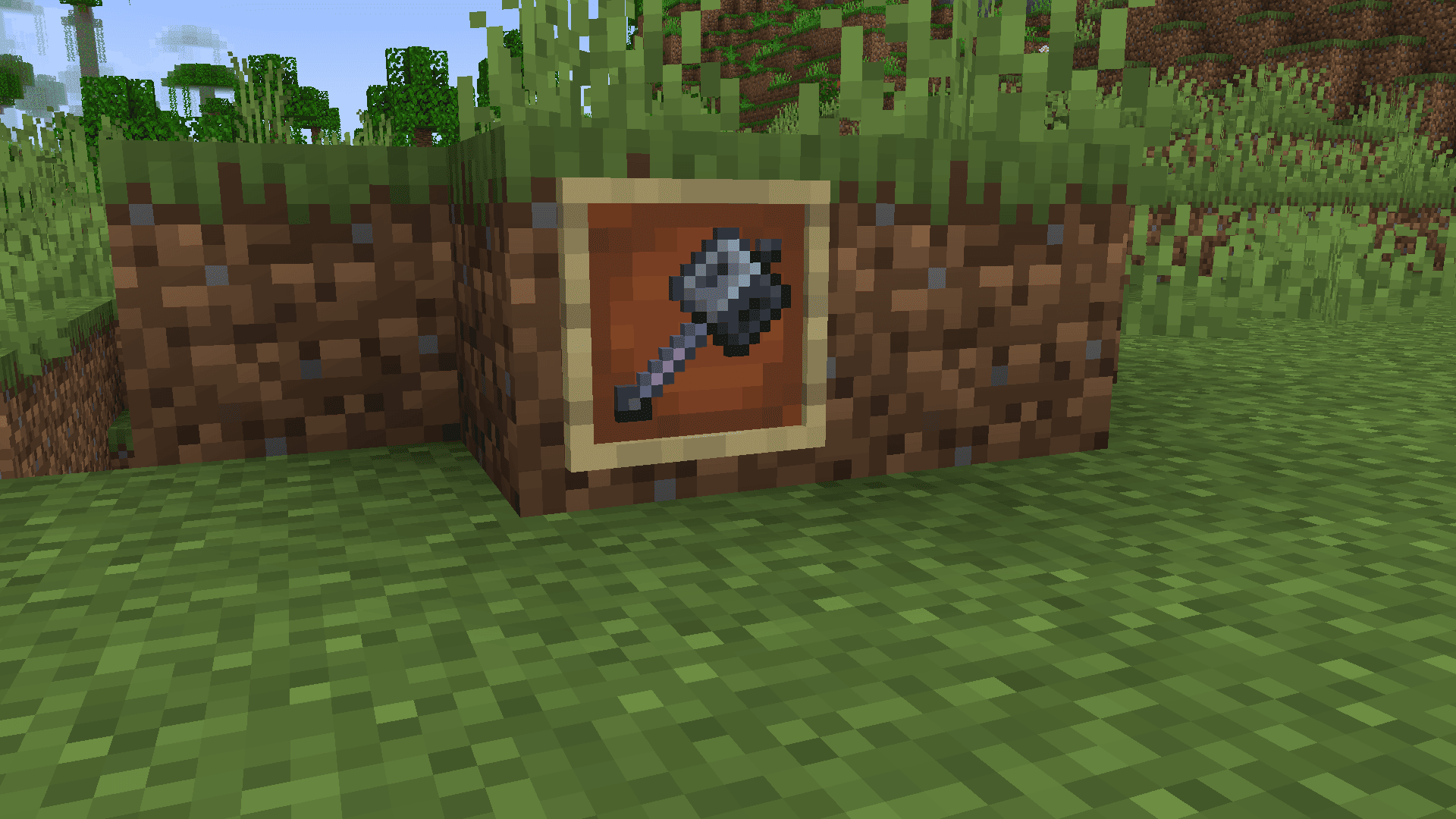
Mace but 3D is a resource-pack that adds a clean 3D model to the mace. The custom model appears only while holding it, giving it a more vanilla feel.
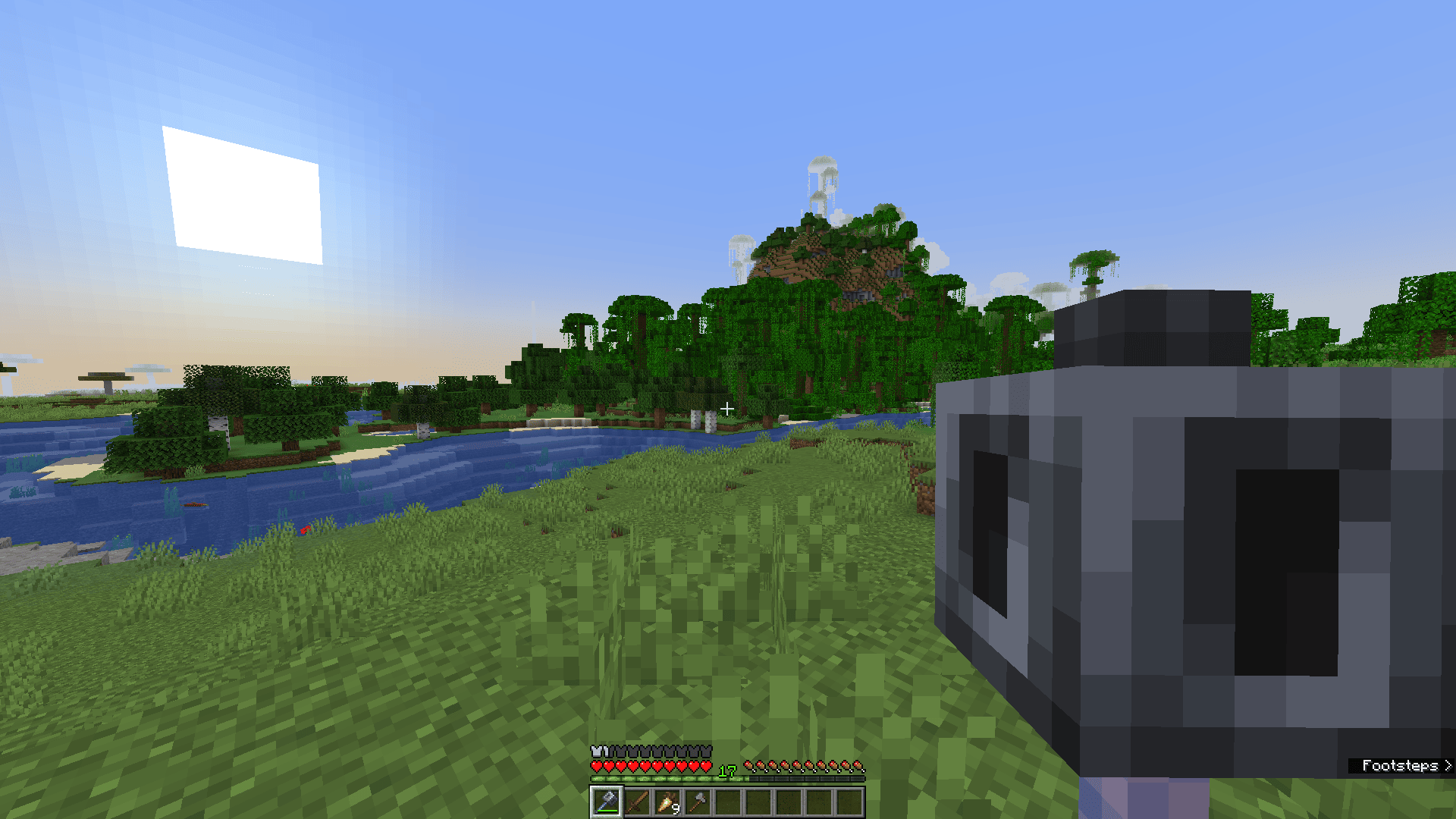
For example, while in an item frame, the mace retains its normal model like the trident and the spyglass.
## Affiliates

Medieval-Craft (Medieval 16x + Moved!)
**IMPOSSIBLE BUGS, NOW REMAKING, EXPECT PRE-ALPHA SOON!**
# Chu-Index Presents: Medieval-Craft
> PS it’s in Early beta and you’ve know that some textures changed and it might happen again such as: Grass, it Changed.
– Have you ever wanted a 16×16 Medieval Minecraft Resource pack? well HERE YOU GO. **MEDIEVAL PACK!** This resource pack changes a lot of textures to fit 16×16 Medieval days probably like 5th Gen to 15th Gen. (Totally not googled searched)
## Content
> – Re-Textures the blocks, items, entities, and pretty much everything else
> + Fresh Animations Support also. (Not Updated to 1.21.5)
>
> yeah that’s it.
Link: **Medieval-Craft 2.0** (Still under review)
### Notice
– I’ve been actually tracing not retexturing from scratch like I used to, so for the 100th Download I’m doing the whole starting from scratch! So, stayed tuned, and thank you for 100 downloads, I’ve been doing this for a few months so to the bottom of my heart, thank you…. God Bless You!
# Goal: Reach 5K Downloads Before 2026!
Help Me Reach This Goal by Downloading!
Also 500 Downloads will have a special
– Wandering Traders Updated! 1.21.5

Terms of Service
### The No No’s
> You CAN’T steal the resource pack
>
> You CAN’T release a edited version
>
> You CAN’T use a edited version from someone else unless you have my permission
### The Yes’
> You CAN use an edit of the resource pack in vids
>
> You CAN edit it but, can’t publish it
>
> You CAN use the pack in a vid
That’s it
_**FOR NOW**_
## Join The Chu-Index Discord!
Go to link
Chu-Index
Luminous No Shading
**Luminous No Shading** is a Minecraft mod that makes luminous light-emitting blocks and entities to render more brighter comparable to how it renders on Minecraft: Bedrock Edition.
## Features
Luminous No Shading removes directional shading for the following:
* Light-emitting blocks and their item forms (e.g. Enchanting Table and End Portal Frame)
* Vanilla block entities and their item forms (e.g. Conduit)
* Blaze, Magma Cube, Glow Squid
Luminous No Shading will also render items at their default light level, making them brighter even on dark environments.
Luminous No Shading with Simply No Shading#120, an enhancement issue to bring Bedrock Edition-like shading for light-emitting blocks in the inventory, and is now a separate mod and changes the ones in the world as well.
Low Fire & Side Shield
# 🔥Low Fire & Side Shield
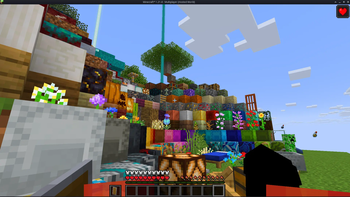
**Low Fire & Side Shield** is a **Minecraft resource pack** designed to keep your screen clear and focused.
It lowers both the **fire overlay** and the **shield position**, introducing a **minimal side shield** that lets you see more of your surroundings without losing the vanilla feel.
Whether you’re in the middle of a **PvP battle**, exploring dangerous caves, or just want a cleaner screen, this pack makes gameplay smoother and more immersive.
It’s lightweight, **FPS-friendly**, and works seamlessly with default Minecraft textures.
—
## ✨ Features
– 🔥 **Reduced fire overlay** — less visual clutter during combat.
– 🛡️ **Lowered side shield** — improved visibility without removing functionality.
– 🎮 **Vanilla-friendly look** — keeps the original Minecraft style intact.
– ⚙️ **Optimized for PvP and survival** — clear visuals, faster reactions.
– 💻 **Lightweight & compatible** — works with most other packs and versions.
—
## 📦 Perfect For
– PvP players needing better visibility
– Streamers who prefer a clean HUD
– Anyone wanting a minimal, modern look in Minecraft
—
**Tags / Keywords:**
`low fire`, `low shield`, `side shield`, `minecraft pvp`, `clear hud`, `visibility pack`, `vanilla friendly`, `clean screen`, `minimal resource pack`, `fps boost`, `combat tweaks`, `minecraft texture pack`, `darkshadowx21`
—
### 📜 License
This project is licensed under the **MIT License**.
You’re free to use, modify, and share this resource pack — just include proper credit to **Darkshadowx21**.
Lopercraft Title
# Why You’ll Love This Resource Pack:
Replaces The minecraft title with Your favourite Youtube Series
# More Infos:
This resource pack was created with a Ewan’s Blockbench plugin and can be found here: official page
# resource pack based off This modpack
LoginPhaseProxy
**LoginPhaseProxy** is a somewhat “*simple*” Velocity Plugin that allows you to proxy the LoginPluginMessagePacket from backend server to the player and LoginPluginResponsePacket from the player to the backend server. This is useful for modded backend servers that rely on Login Plugin Message communication to work, such as AutoModpack.
> Disclaimer: This plugin is in early development and may contain bugs and performance issues. Use it at your own risk.
## 🔁 When to use
| Author(s) | Mod |
|—————————————–|——————————————————————————–|
| Skidam | AutoModpack (Fabric/Forge/Neoforge) |
> You’re welcome to suggest new use cases via Issue or Pull Request!
## ❓ What does it solve (detailed)

Normal Setup ⦁ Made in Figma
On a normal Velocity setup, when a player connects to the proxy, they go through the (P ↔ V) Login Phase, exchanging packets with the Velocity until the proxy sends a Server Login Success Packet, completing the (P ↔ V) Login Phase and triggering the backend connection process. The backend server then goes through its own (V ↔ B) Login Phase, where it may send Login Plugin Message Packets to the Velocity, and they can’t be forwarded to the player, because the (P ↔ V) Login Phase is already complete, so Velocity reponds them with an empty data Login Plugin Response Packet, as it doesn’t know how to handle them. This is a problem for modded backend servers that rely on Login Plugin Message communication to work, such as AutoModpack, as they won’t be able to send the necessary data to the player during the Login Phase, and the player won’t be able to join the backend server. This plugin tries to solve this issue by proxying the Login Plugin Message communication between the player and the backend server, allowing modded backend servers to work with Velocity without any issues.
## ✨ How it works (detailed)
~~Basically black magic 🪄🔮~~. It uses Java Reflection to access the internal Velocity classes ProxyServer -> ConnectionManager[[1]](https://github.com/caiostoduto/LoginPhaseProxy/blob/main/src/main/java/com/caiostoduto/loginPhaseProxy/initializer/VelocityChannelInitializer.java) to override the serverChannelInitializer[[2]](https://github.com/caiostoduto/LoginPhaseProxy/blob/main/src/main/java/com/caiostoduto/loginPhaseProxy/initializer/FrontendChannelInitializer.java) and backendChannelInitializer[[3]](https://github.com/caiostoduto/LoginPhaseProxy/blob/main/src/main/java/com/caiostoduto/loginPhaseProxy/initializer/BackendChannelInitializer.java), so it can intercept the Velocity communication with the player (P <-> V)[[4]](https://github.com/caiostoduto/LoginPhaseProxy/blob/main/src/main/java/com/caiostoduto/loginPhaseProxy/intercept/FrontendInterceptor.java) and backend server (V <-> S)[[5]](https://github.com/caiostoduto/LoginPhaseProxy/blob/main/src/main/java/com/caiostoduto/loginPhaseProxy/intercept/BackendInterceptor.java), respectively.

Plugin Implementation ⦁ Made in Figma
With that, our plugin watches the Login Phase player connection until it sees a SetCompressionPacket(5) (optionally) and ServerLoginSuccessPacket(6), adding them to a buffer instead of sending them to the player and synthetically sends a loginAcknowledgedPacket(7) to the Velocity pipeline, tricking it into thinking the Login Phase is complete and starting the backend connection process. To make sure the Velocity doesn’t mess the packet interception and sending process, our plugin removes stealthly (so that it doesn’t trigger it’s handlerRemoved lifecycle[[6]](https://github.com/caiostoduto/LoginPhaseProxy/blob/main/src/main/java/com/caiostoduto/loginPhaseProxy/utils/StealthPipeline.java)) the handlers from the Velocity serverChannel pipeline[[4]](https://github.com/caiostoduto/LoginPhaseProxy/blob/main/src/main/java/com/caiostoduto/loginPhaseProxy/intercept/FrontendInterceptor.java) that were added after the Login Phase to Config Phase transition (MinecraftCompressorAndLengthEncoder and MinecraftCompressDecoder, others are removed naturally afterwards). Also, our plugin adds the MinecraftVarintLengthEncoder[[4]](https://github.com/caiostoduto/LoginPhaseProxy/blob/main/src/main/java/com/caiostoduto/loginPhaseProxy/intercept/FrontendInterceptor.java) back (was removed at the transition) and sets the MinecraftDecoder state to StateRegistry.LOGIN[[4]](https://github.com/caiostoduto/LoginPhaseProxy/blob/main/src/main/java/com/caiostoduto/loginPhaseProxy/intercept/FrontendInterceptor.java) so the packets are properly encoded and decoded.
If the backend server sends a LoginPluginMessagePacket(10) during its Login Phase, our plugin will intercept it and send it to the player(11), and if the player sends a LoginPluginResponsePacket(12), our plugin will intercept it and send it to the backend server(13). This way, we can effectively proxy the LoginPluginMessagePacket and LoginPluginResponsePacket between the player and the backend server, allowing modded backend servers to work with Velocity without any issues. Then, when the backend server ends the Login Phase sending the ServerLoginSuccessPacket(15), our plugin will flush the buffered packets to the player, completing the Login Phase and allowing the player to join the backend server as normal. Afterwards, if the user sends a LoginAcknowledgedPacket (clientProtocolVersion >= ProtocolVersion.MINECRAFT_1_20_2)(16) after the Login Phase is complete, our plugin will simply ignore it, as it is not expected to be sent by the player at that point. Finally, the plugin will restore the MinecraftDecoder state to its previous state (Config Phase).
So, yeah, *basically black magic* 🪄🔮. Yayyyy!
## 🙏 Acknowledgements
– Skidam, who inspired me to create this plugin!
– lucas-gcp, who supported me and helped with testing!