A simple and customizable dueling plugin for Bukkit servers that allows players to challenge each other to fair one-on-one battles.
## Features
### Core Functionality
– **Duel Requests**: Players can send duel requests to each other using `/duel send `
– **Accept Challenges**: Receive and accept duel requests with `/duel accept `
– **Spawn Locations**: Admins can set two separate spawn locations for each duelist using `/setduel1` and `/setduel2`
– **Tab Completion**: Full tab completion support for all commands
### Customization
– **Fully Configurable Messages**: Customize all in-game messages through the `config.yml` file
– **Easy Setup**: Simple command-based configuration for spawn points
– **Permission System**: Built-in permission nodes for controlling access
## Commands
### Player Commands
– `/duel send ` – Send a duel request to another player
– `/duel accept ` – Accept a duel request from a player
### Admin Commands
– `/setduel1` – Set the spawn location for duel player 1
– `/setduel2` – Set the spawn location for duel player 2
## Permissions
– `zduels.duel` – Allows players to use duel commands (default: true)
– `zduels.setduel` – Allows setting spawn locations (default: op)
## Configuration
The plugin comes with a fully customizable `config.yml` file where you can modify:
– Duel spawn locations
– All in-game messages
– Plugin settings
## Support
For issues or suggestions, feel free to join out discord.
DonutTools
# DonutTools
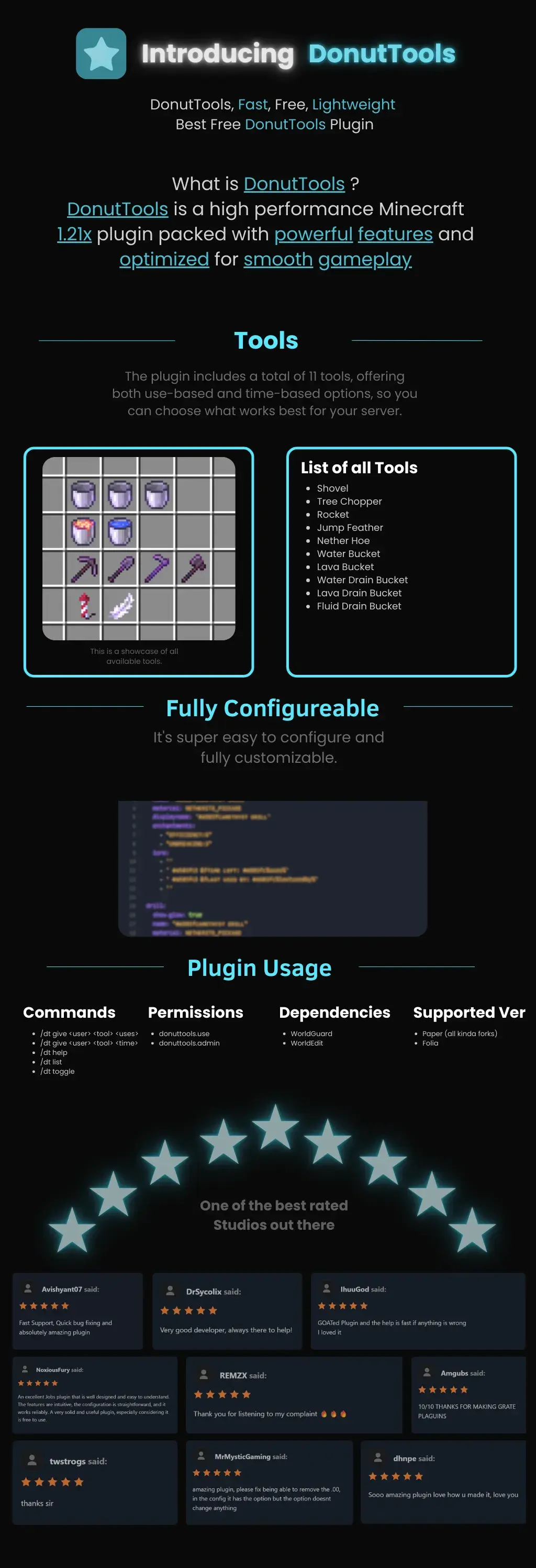
DonutTools is a high-performance, lightweight Minecraft plugin optimized for version 1.21x. It is designed to provide a smooth, lag-free gameplay experience with fully customizable configuration.
## Available Tools
The plugin includes 11 distinct tools, allowing you to choose between use-based or time-based mechanics:
* **Utility:** Shovel, Nether Hoe
* **Specialty:** Tree Chopper, Rocket, Jump Feather
* **Fluid Management:** Water Bucket, Lava Bucket, Water Drain Bucket, Lava Drain Bucket, Fluid Drain Bucket

—
# **DonutBaltop**
### **Fast, Free, and Lightweight**
**The plugin you’ve been waiting for.**
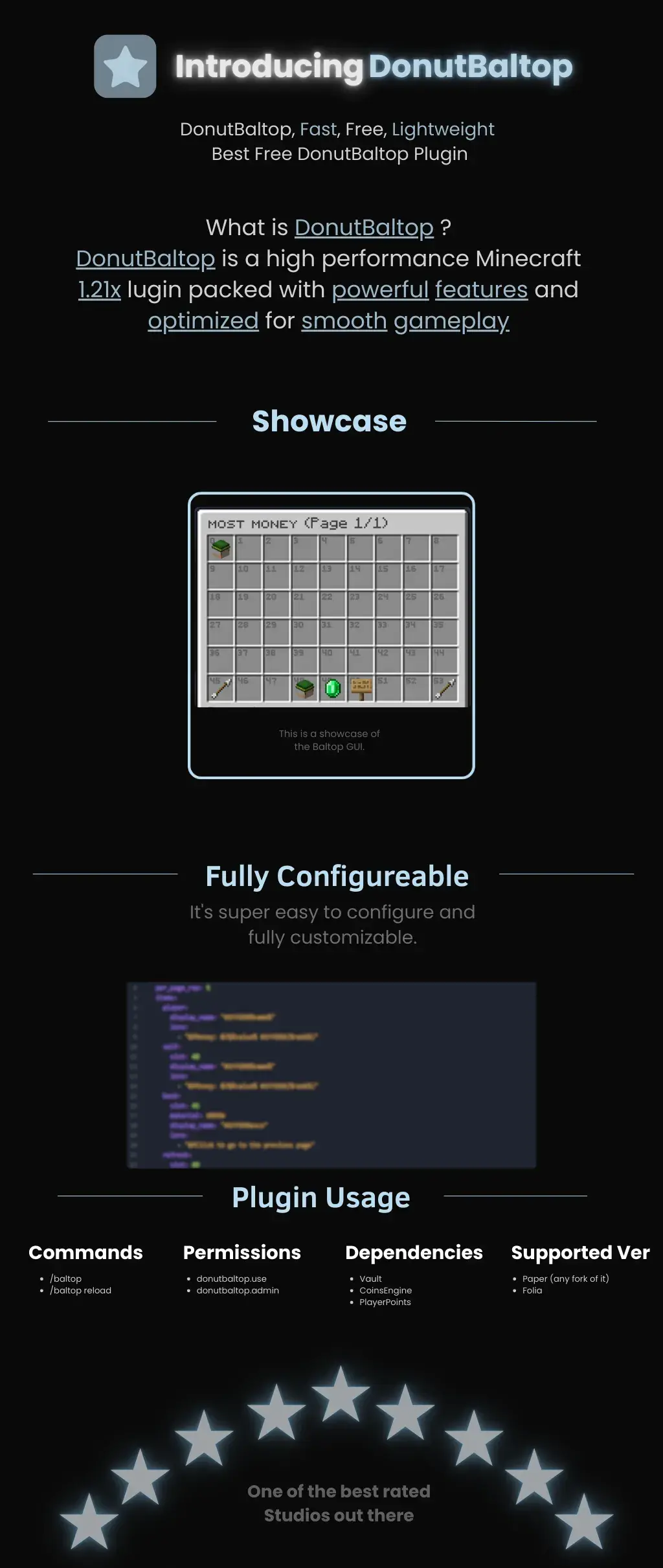
DonutBaltop is a high-performance Minecraft **1.21x** plugin packed with powerful features and optimized for smooth gameplay. It is designed to provide a high-end experience for viewing player balances without bloating your server.
—
## **Showcase**
The plugin features a custom **Baltop GUI** titled “MOST MONEY.”
* **Visual Interface:** Players can see a grid of heads representing the top earners on the server.
* **Navigation:** Includes easy-to-use “Previous” and “Next” page arrows.
* **Information:** Displays specific economy data via interactive icons like emeralds and signs.
## **Fully Configurable**
DonutBaltop is super easy to configure and fully customizable. The configuration file allows you to edit:
* **Item Display Names:** Customize how text appears in the GUI.
* **Lore/Descriptions:** Add custom flavor text or change how currency is displayed.
* **Slot Placement:** Choose exactly where items appear in the menu.
—
## **Plugin Usage**
### **Commands**
* **/baltop** — Opens the balance top GUI.
* **/baltop reload** — Reloads the plugin configuration.
### **Permissions**
* **donutbaltop.use** — Grants access to the /baltop command.
* **donutbaltop.admin** — Access to admin functions and reloading.
### **Dependencies**
To function correctly, this plugin requires:
* **Vault**
* **CoinsEngine**
* **PlayerPoints**
### **Supported Versions**
* **Paper** (and any forks of Paper)
* **Folia**
—
*Spooker Services — One of the best rated services out there.*
A **lightweight**, **modular toolkit** designed for server owners who want essential features — no bloat, just high performance and simplicity.
## Why choose zCore?
– **Lightweight:** Keeps your server running smoothly without slowing it down.
– **Fast:** Made for speed and efficiency.
– **Bloat-free:** Only the features you need, nothing extra.
– **Easy-to-use:** Easy setup and configuration.
– **Customizable** Easy to customize any message.
—
## Commands
| Command | Permission Node | Description |
|—————|——————–|—————————————-|
| `/sethome` | `zCore.setHome` | Allows the player to set homes. |
| `/home` | `zCore.home` | Allows the player to teleport to home. |
| `/setspawn` | `zCore.setSpawn` | Allows the player to set spawn. |
| `/spawn` | `zCore.spawn` | Allows the player to teleport to spawn.|
| `/tpa` | `zCore.tpa` | Allows sending teleport requests. |
| `/tpaccept` | `zCore.tpAccept` | Allows accepting teleport requests. |
| `/tpadeny` | `zCore.tpaDeny` | Allows declining teleport requests. |
| `/announce` | `zCore.announce` | Allows sending announcements in chat. |
| `/rtp` | `zCore.rtp` | Allows teleporting to a random location.|
| `/invsee` | `zCore.invsee` | Allows viewing other players’ inventories.|
| `/endersee` | `zCore.endersee` | Allows viewing other players’ ender chests.|
—
## License
zCore is licensed under the permissive [MPL License](https://github.com/zysws/zCore/blob/master/LICENSE). See the license file for details.
– **Permission-Based Cooldowns**: Set different cooldown durations based on player permissions
– **Command Aliases**: Define aliases for commands that share the same cooldown
– **Customizable Messages**: Fully customizable messages with MiniMessage format support
– **Action Bar Support**: Display cooldown messages in the action bar instead of chat
– **Admin Commands**: Reload configuration, clear cooldowns, and more
– **Persistent Cooldowns**: Cooldowns persist across server restarts
– **Folia Compatible**: Works with both Paper and Folia servers
1. Download the latest release from [Modrinth](https://modrinth.com/plugin/zcommandcooldown/versions)
2. Download the appropriate version of MCKotlin from [Modrinth](https://modrinth.com/plugin/mckotlin)
3. Place the JAR file in your server’s `plugins` folder
4. Restart your server
5. Edit the configuration files in the `plugins/ZCommandCooldown/` directory to customize the plugin
## Configuration (`cooldowns.yml`)
“`yaml
cooldowns:
repair: # Command that a cooldown will be applied to.
aliases: # Other aliases for the command. All share the same cooldown.
– fix
– erepair
durations: # Set durations of cooldown according to permission. If player has multiple of these perms, the lowest duration is used.
default: 600 # 600 seconds for players by default
group.group1: 120 # 2 minutes for players with group.group1 permission
group.group2: 60 # 1 minute for players with group.group2 permission
custom.repair.fast: 30 # 30 secods for players with the custom.repair.fast permission
“`
Zayko Shaders
⚠️Zayko has been put on pause while we work on different projects.⚠️
━━━━━━━━━━☆━━━━━━━━━━☆━━━━━━━━☆━━━━━━━━━━☆━━━━━━━━━━
### **_7.0 IS OUT! AND ITS OUR BEST YET! ✨🌊_**

[](https://www.curseforge.com/minecraft/shaders/zayko-lite)
### Short About
**Zayko is a shader pack for Minecraft Java Edition, designed with an emphasis on detail, excellent quality and optimization. It offers PBR effects, emissive textures for mobs, blocks and items, as well as a wide range of settings: from Low to Ultra. provides a stable frame rate, while allowing you to adjust the settings to suit any requirements.**
Zayko Shaders is a shader pack for Minecraft Java Edition with amazing attention to detail, great quality, and the best possible optimisation. Offering a range of amazing quality visuals and ajustable effects, instead of just giving you presets we also give you great ajustability with our shaders, including emmissive textures for mobs and blocks even certain items including PBR thanks to compatablity with [Optifine](https://optifine.net/home) and [Iris](https://www.irisshaders.dev/),and for those who just want a simple click and play without ajusting there are profiles ranging from Very Low to Ultra and it’s build for Keeping a stable framerate with amazing shaders.
### Want to know more?
Keep scrolling or go to Trusted wikis [FiveNova](https://fivenova.net) or [Minecraft France](https://www-minecraft–france-fr.translate.goog/zayko-shaders/?_x_tr_sl=fr&_x_tr_tl=en&_x_tr_hl=en&_x_tr_pto=sc)
Untrusted wikis (Could be Harmful!)
[Note](https://note.com/quick_squid5246/n/na88bd2b8a706), [Minecraft Mods.Pro](https://minecraft–mods-pro.translate.goog/mods/zayko-shaders?_x_tr_sl=ru&_x_tr_tl=en&_x_tr_hl=en&_x_tr_pto=sc), [Minecraft Imba](https://minecraft-imba.ru/308-zayko.html) or [MinecraftStorage](https://minecraftstorage.com/shaders/zayko), [9Minecraft.net](https://www.9minecraft.net/zayko-shaders)
Harmful wiki detections!!
Do Not download from [Mineload](https://mineload-ru.translate.goog/shaders/low-pc/low-pc-1-16-5/?_x_tr_sl=ru&_x_tr_tl=en&_x_tr_hl=en&_x_tr_pto=sc), [mods-minecraft.ru](https://mods-minecraft.ru/shaders/7577-zayko.html), [Xenolith.ru](https://xenolith.ru/shaders/2758-zayko-12110-1206-1194-1182-1171-1165.html)
━━━━━━━━━━☆━━━━━━━━━━☆━━━━━━━━☆━━━━━━━━━━☆━━━━━━━━━━
**Why Do we take wikis so seriously? simple because if you go to the wrong one and get a virus we could be blamed without our shaders having any malware. we also dont want people to get viruses and let the scammers succeed so please never download from Harmful sites. we only include them so you know they are harmful if you ever download a mod or shader from them.** (the way we check is we look through the sites and if it links to modrinth for the download it automaticlly goes to trusted if it downloads from their site thats auto untrusted because we cannot tell if they added something to the file and untrusted is if the file size is smaller then our offical shaders which mejority are or if they get a harmful detection from VirusTotal.)
if your new or don’t know how to download shaders then were here to help!
### Modrith Launcher
Click Install **–>** Pick an Instence or Create one **–>** Wait for it to do its magic **–>** Launch and Enjoy the Shaders!
### Natrual Launcher
Download File **–>** Launch Game with [Optifine](https://optifine.net/home) or [Iris](https://www.irisshaders.dev/) **–>** Options **–>** shaders **–>** Open shaderpack folder **–>** drag and drop the file into the folder **–>** close folder and click on the shaders in game and enjoy!
# Showcase Videos
Even videos where they show off shaders takes time to create which can take away from their personal lives. Originally this only showed our offical showcase but we wanted to support the community. ([email protected] if you want a video added or removed.)
━━━━━━━━━━☆━━━━━━━━━━☆━━━━━━━━☆━━━━━━━━━━☆━━━━━━━━━━
[**Gamomnia**](https://www.youtube.com/@gamomnia) – Shows Zayko at **4:02**
– 🛒 **GUI Shop System** – Beautiful categorized shop with 5 categories (Nether, Gear, Food, End, Misc)
– 🏷️ **Auction House** – Player-driven marketplace with search, filter, and sort options
– 💰 **Sell System** – Quick sell items for configured prices
– 📋 **Tab Completion** – Full auto-completion for all admin commands
– 🔐 **Permission System** – Control access to admin features
– 💾 **YAML Configuration** – Easy editing of items and prices via config files
– 🚫 **Block/Item Blocker** – Prevent placement or usage of specific materials
– ⚡ **Hot Reload** – Reload configurations without server restart
## Installation
1. Download the `zavshop-1.0.jar` file
2. Place it in your `plugins/` folder
3. Make sure you have **Vault** and an economy plugin installed (e.g., EssentialsX)
4. Restart the server
5. The plugin creates `plugins/ZavShop/` with config files
## Commands
### Player Commands
| Command | Description |
|———|————-|
| `/shop` | Opens the main shop GUI |
| `/sell` | Sells the item in hand for configured price |
| `/ah` | Opens the Auction House |
| `/ah sell ` | Lists held item for auction |
### Admin Commands (requires `zavshop.admin`)
| Command | Description |
|———|————-|
| `/shopadd ` | Add an item to shop |
| `/shopremove ` | Remove an item from shop |
| `/shopprice ` | Update item price |
| `/shopreload` | Reload all configuration files |
| `/blocker ban block ` | Ban a block from being placed |
| `/blocker ban item ` | Ban an item from being used |
| `/blocker unban ` | Remove a ban |
| `/blocker list` | Show all banned items |
## Shop Categories
– **Nether Shop** – Blaze Rods, Nether Wart, Glowstone, Magma Cream, etc.
– **Gear Shop** – Obsidian, Totem of Undying, Ender Pearls, Golden Apples
– **Food Shop** – All food items with configurable prices
– **End Shop** – End-related items like Shulker Shells, Dragon Breath
– **Misc Shop** – Custom items added by admins
## Auction House Features
– 🔍 **Search** – Find items by name
– 🎯 **Filter** – Filter by category (Blocks, Tools, Food, Combat, Potions, Books, Ingredients, Utilities)
– 📊 **Sort** – Sort by Newest, Oldest, Price (Low to High), Price (High to Low)
– 👤 **Your Items** – View only your listings
– ✏️ **Manage** – Right-click your listings to remove them
## Permissions
| Permission | Description |
|————|————-|
| `zavshop.admin` | Access to all admin commands
Tutorial:
ZAutoBroadcast
# ZAutoBroadcast
Powerful and customizable AutoBroadcaster/AutoAnnouncer plugin for Minecraft servers. It allows server administrators to set up automatic and forced broadcasts with a variety of features, including support for MiniMessage format, MiniPlaceholders. and PlaceholderAPI placeholders.
## Folia Supported ✔️
## Features
– **Automatic Broadcasts**: Set up automatic broadcasts that are sent to all players on the server at a configurable interval.
– **Forced Broadcasts**: Set up forced broadcasts that can only be run via command.
– **Weighted Broadcasts**: Control how often each broadcast is shown with the “weight” field. Broadcasts with a higher weight will appear more often.
– **[MiniMessage Support](https://docs.advntr.dev/minimessage/format.html)**: The messages use MiniMessage format, allowing for rich text formatting and color codes.
– **PlaceholderAPI Support**: Use any PlaceholderAPI placeholders in your messages. (Requires the [PlaceholderAPI](https://github.com/PlaceholderAPI/PlaceholderAPI) plugin)
– **MiniPlaceholders Support**: Use any MiniPlaceholder placeholders in your messages. (Requires the [MiniPlaceholders](https://github.com/MiniPlaceholders/MiniPlaceholders/) plugin)
## Commands
– `/zab reload`: Reloads the `broadcasts.yml` file.
– `/zab broadcast `: Broadcasts a message with the given key.
– `/zab custom `: Broadcasts a custom message.
– `/zab interval get/set `: Gets or sets the broadcast interval.
– All commands require the `zautobroadcast.admin` permission.
## Version Compatibility
– Compatible with [**Folia**](https://github.com/PaperMC/Folia), a powerful library for Minecraft plugins.
– Must be run on Paper or a Paper fork.
– Requires Java 17 or higher.
– Compatible with at least 1.20.4 and above.
## Installation
1. Download the latest version of ZAutoBroadcast from the [versions page](https://modrinth.com/plugin/zautobroadcast/versions).
2. Place the downloaded `.jar` file into your server’s `plugins` folder.
3. Restart your server.
4. Configure the plugin to your liking by editing the `config.yml` and `broadcasts.yml` files in the `plugins/ZAutoBroadcast` folder.
## Configuration
Refer to the comments in the `config.yml` and `broadcasts.yml` files for information on how to configure the plugin.
## Support
If you encounter any issues or have any questions, please [open an issue](https://github.com/Zepsi/ZAutoBroadcast/issues) on GitHub.
## License
ZAutoBroadcast is licensed under the [MIT License](https://github.com/Zepsi/ZAutoBroadcast/blob/main/LICENSE).
zAuth
**zAuth** is a lightweight, secure, and highly customizable authentication plugin designed for offline-mode and Geyser/Floodgate servers.
Built for performance and security, zAuth protects your players from account theft, password guessing, and session hijacking.
Whether you’re running a small SMP or a large network, zAuth gives you enterprise-grade login protection with smooth UX.
**🔐 Key Features**
✅ Secure Login & Registration
+/register
+/login
+/changepassword
+/logout
Passwords are stored using BCrypt (industry-grade hashing).
**🛡 Account Protection**
Account lock after X failed attempts
Automatic unlock after configured cooldown
IP-trust system (optional)
Session manager prevents re-login abuse
Freeze players completely until authenticated
**👀 Player Visibility & Mob Safety
**
Hide ALL players from each other until they login
Disable mob targeting and damage before login
Bossbar reminder
Safe login teleport location
Optional: Allow players to set /spawnlogin
**🔏 Privacy Protection**
Password masking in:
Chat logs
Console
Command logs
Commands like /login, /register, /changepassword NEVER reveal real passwords.